Posts with «arduino» label

Twine Cloud Shield puts Arduino gadgets online in seconds (video)

If you're hip-deep in Arduino projects, you're likely aware of shields: graft-on boards that add functionality, most often getting the Arduino in touch with the rest of the world. Many of these require more than a little coding skill to get the ball rolling, even in light of the Netduino, which has led Supermechanical to unveil its new Twine Cloud Shield. The board links the Arduino to a Twine WiFi sensor and gives the Arduino every internet feature the Twine can offer through just three lines of code. There's even a pair of touchpads on the shield to trigger actions through capacitive touch. Do be prepared to pony up for that ease of use when it costs $35 for the Cloud Shield alone, and $150 to bundle one with the Twine. Still, the outlay may be justified if you're more interested in quickly finishing a fun experiment than frittering your time away on the basics.

Filed under: Misc, Peripherals

Comments

Source: Supermechanical

MARS ROVER Autonomous Desert Roving Robot (Help Needed)

Autonomous Navigation Requirements Guy's I'm completely new to this and just ordered my first prototype kit with the following components as a starting point. 1. Arduino UNO Rev3 2. Dagu Rover 5 4wd 3. Parallax PING 4. Motor sheild kit In sum, here are my project requirements.  I've been searching the web and LMR to find snippets of code that I might be able to use and am now reaching out to the forum to see if anyone has any interest in sharing some more specific code for my prototype.

read more

Let's Make Robots 06 Mar 19:39
arduino  autonomous  avr  gps  rover  

Wearable soundscape from Canada


I’m reblogging from Core77 this interesting wearable project because I’d like to highlight the using of Arduino Lilypad board:

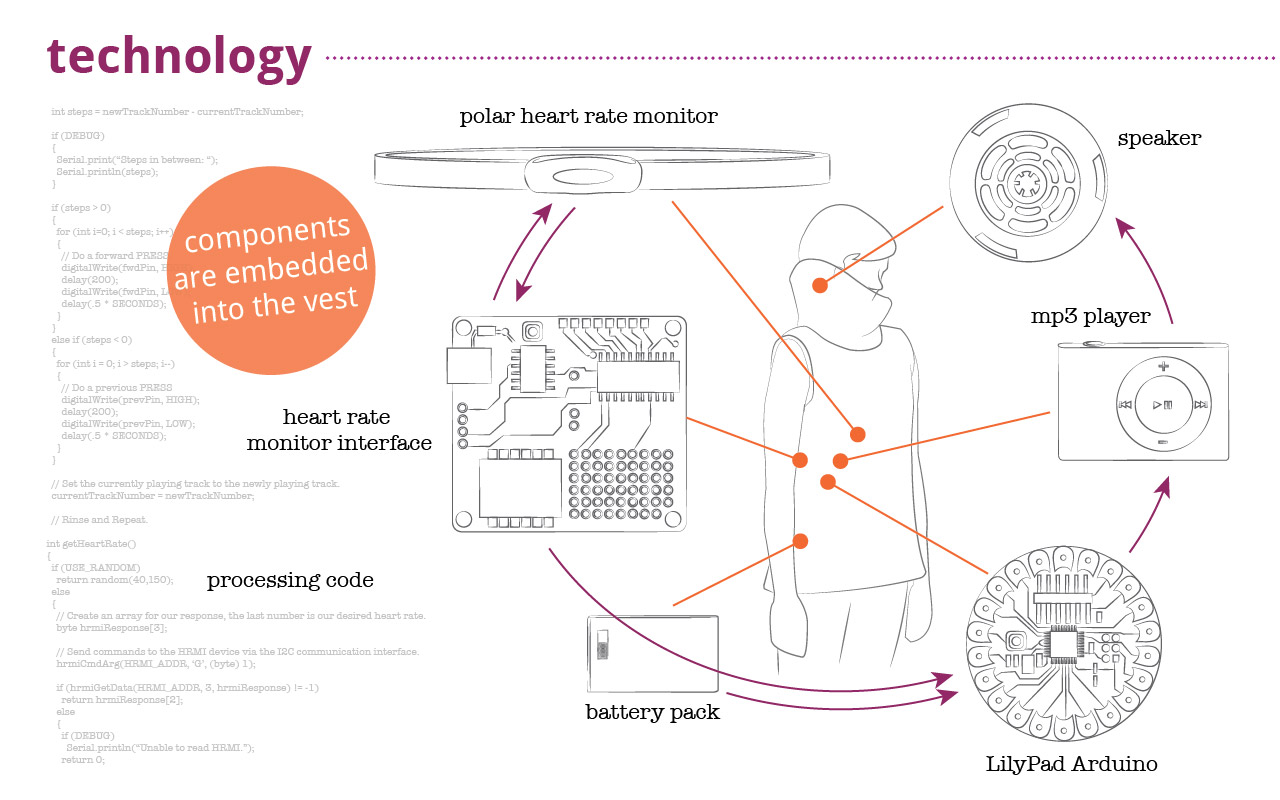
Bio Circuit stems from our concern for ethical design and the creation of media-based interactions that reveal human interdependence with the environment. With each beat of the heart, Bio Circuit connects the wearer with the inner workings of their body.

It was created at Emily Carr University by Industrial Design student Dana Ramler, and MAA student Holly Schmidt and provides a form of bio feedback using data from the wearer’s heart rate to determine what “sounds” they hear through the speaker embedded in the collar of the garment. Here’s the schematic of technology:


Have a look at the video below to see how it works and don’t miss BioCircuit Project page on Dana’s Portfolio:


Recap of #hackPHX: Arduino Hackathon @HeatSyncLabs

Friday night kicked off the #hackPHX Arduino hackathon at HeatSync Labs, the Phoenix area hackerspace. Everyone gathered to form 10 teams that included one Arduino newbie, one veteran, and one entrant with "hackerspace" skills (3D printing lasering welding sewing, whatever). They would have use of the entire hackerspace, an on-site designer from sponsor Cynergy, and whatever they could find at local hardware stores. Oh, and one more thing, they had to use our secret ingredient: The Shieldbot from SeeedStudios, developed by Colin Ho is a shield robot for Arduino that has five reflectance sensors, two DC motors and a 3.7V lion battery.

NES annoyance timer makes no friends at your work

Still trying to solidify that reputation as the office Grinch? This project will let everyone know you’re a complete jerk in no time. It’s called the 8-bit Annoying Person Remover. It detects when someone enters your office at which point it starts to play the Super Mario Bros. theme song while the display counts down 400 seconds. Just like in the game the music gets faster at the end and when it stops they know it’s time to get the heck out.

The hardware inside isn’t too complicated. An Arduino and a Wave shield do most of the work. The song played is stored on an SD card and can easily be changed. There’s a speaker mounted under the top heat vent of the enclosure. The device defaults to displaying the time of day, but monitors a motion sensor on one side to detect when someone comes through the door. This also works when someone leaves, cutting off the music and resetting the display. Don’t miss a video of it in action after the break.

It’s as if this was made specifically for the Comic Book Guy

[via Technabob]


Filed under: lifehacks
Hack a Day 05 Mar 21:01
alarm  arduino  clock  lifehacks  nes  timer  wave shield  

Wireless pinball controller for tablet gaming

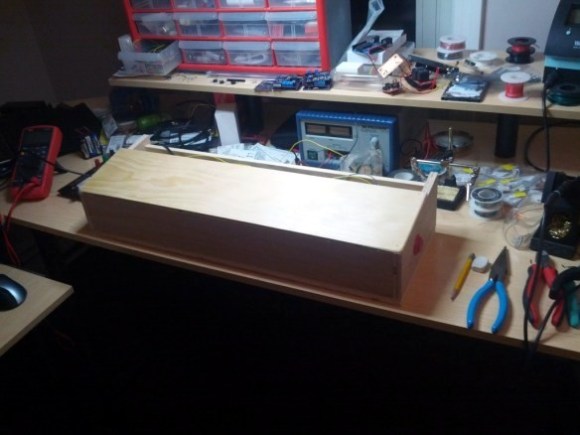
This wooden box is a wireless pinball controller and tablet stand. The idea is to set it on a workbench to give you some of the thrill of standing and playing the real thing. [Jeff] has been rather addicted to playing a pinball app on Android lately, and started the journey because he needed a way to give his thumbs some relief.

An Arduino monitors buttons on either side of this wooden controller. [Jeff] is new to working with hardware (he’s a Linux Kernel developer by trade) and was immediately struck with button debouncing issues. Rather than handle this in software (we’ve got a super-messy thread on that issue with our favorite at the bottom) he chose a hardware solution by building an SR latch out of two NAND gates.

With the inputs sorted out he added a BlueSMiRF board to the project which allowed him to connect a Nexus 7 tablet via Bluetooth. At this point he ran into some problems getting the device to respond to his control as if it were an external keyboard. His stop-gap solution was to switch to a Galaxy Tab 10.1 which wasn’t throwing cryptic errors. Hopefully he’ll fix this in the next iteration which will also include adding a plunger to launch the pinball, a part which just arrived in the mail as he was writing up this success.

We’ve embedded his quick demo video after the break.


Filed under: android hacks, arduino hacks

Turing and interaction at the Science Museum in London

Codebreaker is the exhibition started last year at  the Science Museum of London and celebrating  the centenary of the birth of computing pioneer Alan Turing.

Hirsch&Mann were commissioned to create a “series of exhibits which demonstrated and recognized the progress in computing while at the same time representing a spirit of engineering and innovation” .

They created three installations that demonstrated 3 programming principles:

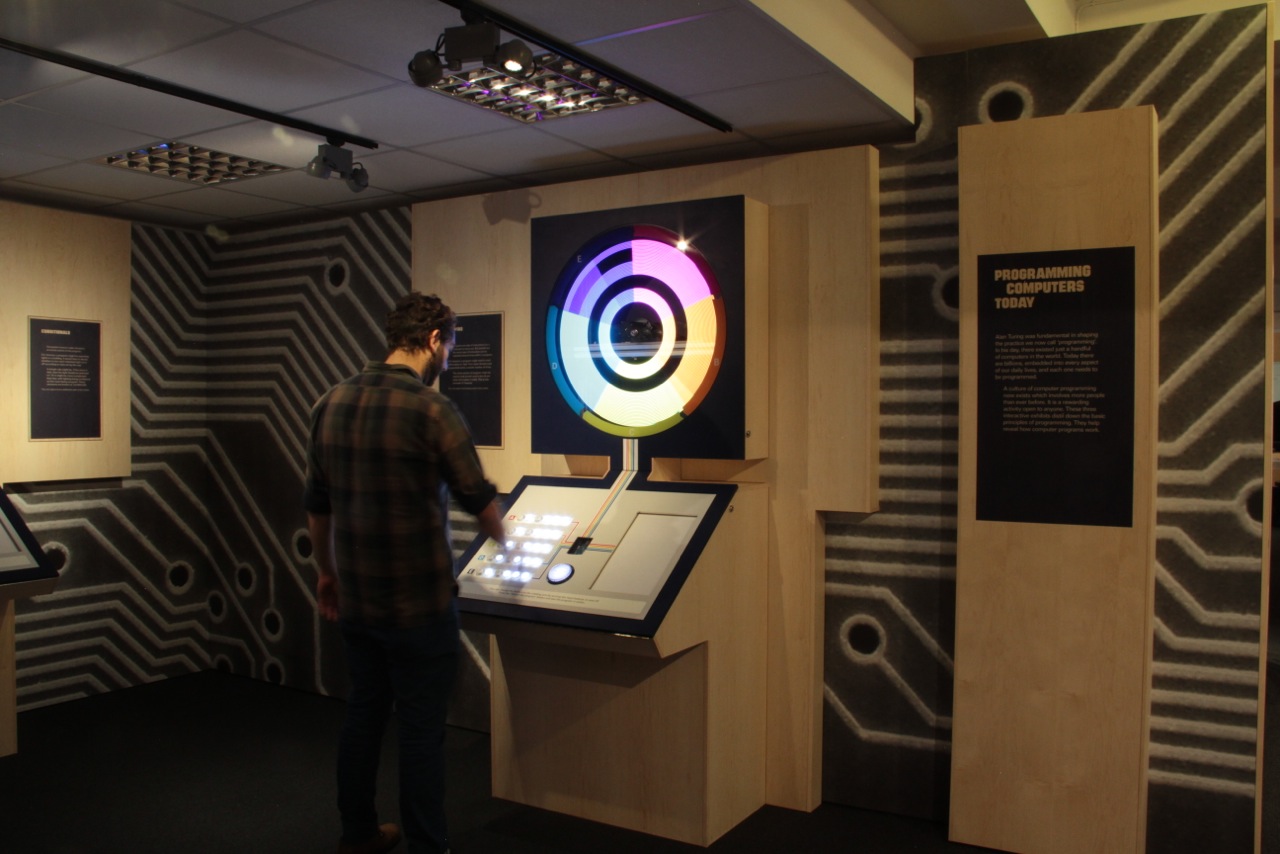
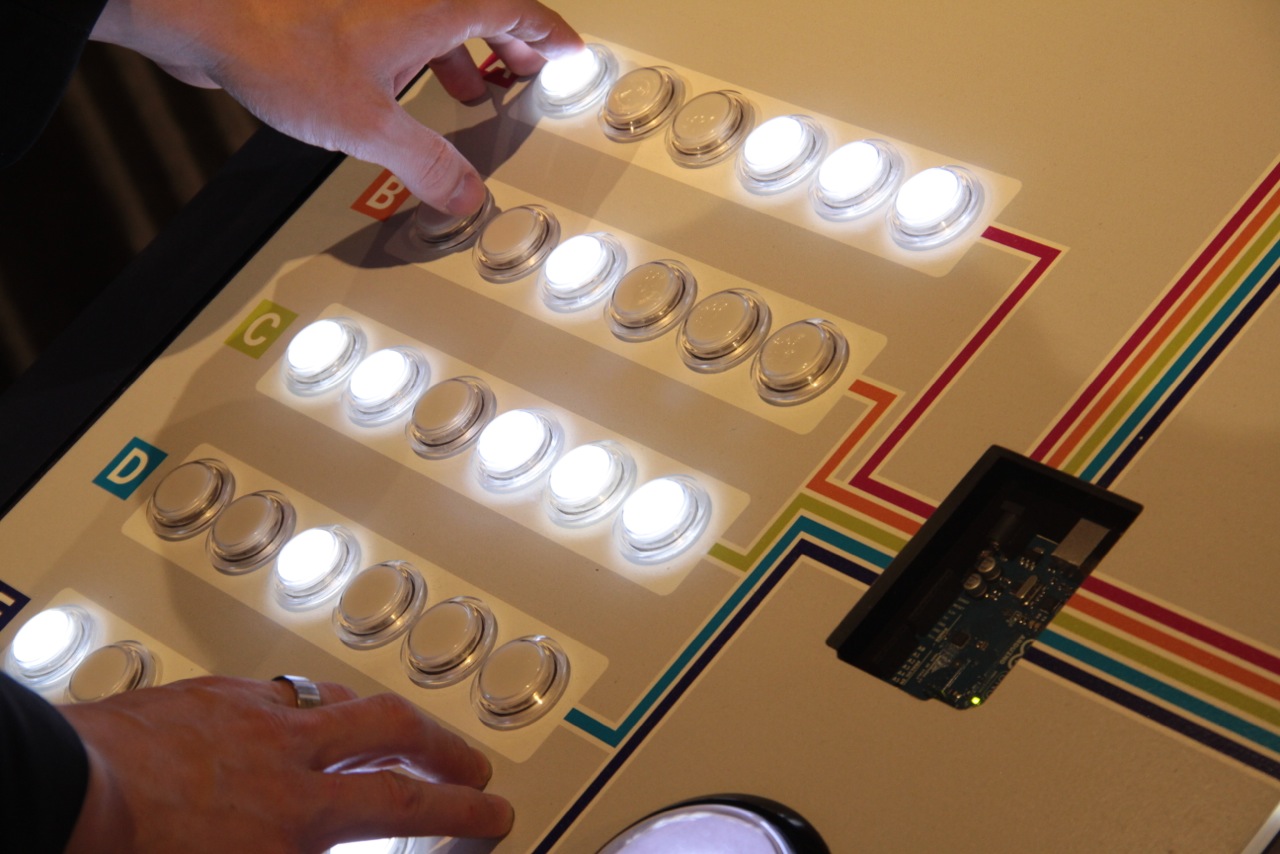
LOOPING: A spinning rotor with LEDs on it -> creating POV patterns all controlled by 30 arcade style illuminated switches.

CONDITIONALS: A version of Wolfram’s cellular automata – user was able to choose the result of the child node once the parent node conditions were met

VARIABLES: A mechanical tree – the branch angles were controlled by sliders on the console. Slider A controlled 1 angles at the base of the tree, slider 2 controlled the next 2 angles, slider 3, the next 4 angles and slider 4 the final 8 sliders.

Each installation has a light box which is revealed as soon as you press the BIG GLOWING button on the console. This turns on the lightbox – which has simplified pseudo code and essentially allows people to “step into” the code. Each line that is currently running is highlighted and then you see the result on the installation.

The whole point of these installations was to show where we have come since Turing’s time and stepping on his shoulders.

If you have the chance to visit the exhibition (it’s free!) or watch the video below you will see that at the center of each console there is an Arduino UNO.


L’Arduino Tour arriva a Lecce! Le iscrizioni sono aperte


Dopo  Matera, Reggio Emilia e Milano, l’Arduino Tour arriva a  San Cesario di Lecce il 15, 16 e 17 con una presentazione e un workshop di due giorni.

Vi invitiamo tutti alla talk pubblica di venerdì 15  alle 19 per conoscere da vicino il progetto open source Arduino con le sue novità e i progetti in corso. E se oltre all’immaginazione volete far funzionare le mani e la testa prenotate un posto per il corso del weekend, sabato e domenica dalle 10 alle 18. Tutti gli iscritti potranno fare una full immersion per muovere i primi passi con il microprocessore Made-In-Italy e inoltre si porteranno a casa il nuovo Starter Kit e suoi goodiesrecentemente recensito su Domusweb.

Entrambe gli eventi saranno ospitati dall’associazione culturale e giornale locale Alambicco.


Arduino Blog 04 Mar 09:33

HomeMade IR Sensor Controlling Robot...Proof of Concept

Primary image

What does it do?

Navigates with IR Sensors

I saw a tutorial that Ro-Bot-X did on controlling a robot with homemade IR Sensors so i decided to try it.  I am using two 38KHz IR Reveivers from RadioShack and two IR LEDs from Radio Shack. 

Cost to build

Embedded video

Finished project

Number

Time to build

4 hours

Type

URL to more information

Weight

read more

Dagu Rover 5 2WD + 2Encoders + PCB + Arduino Mega + Pan & Tilt with IR

Hi All, As a complete novice at this I thought it would be a great idea to get a Dagu Rover 5 with the addons for the kids at school and start up a club to program it. How wrong I was! I am in need of some serious help guys... I've managed to plug everything in, the 2 motors and encoders on the underside of the PCB board and have chosen not to use the 6xAA battery pack (9V) in favour of a single 9V battery (fits better under the PCB with all the cables). Problem number 1 is this: I think I am plugging in the black and red cables into the PCB in the correct locations - on the top

read more

Let's Make Robots 03 Mar 18:48
5  absolute beginners  arduino  dagu  mega  pan  rover  tilt