Posts with «arduino» label

DIY russian folk bot playing from EEG

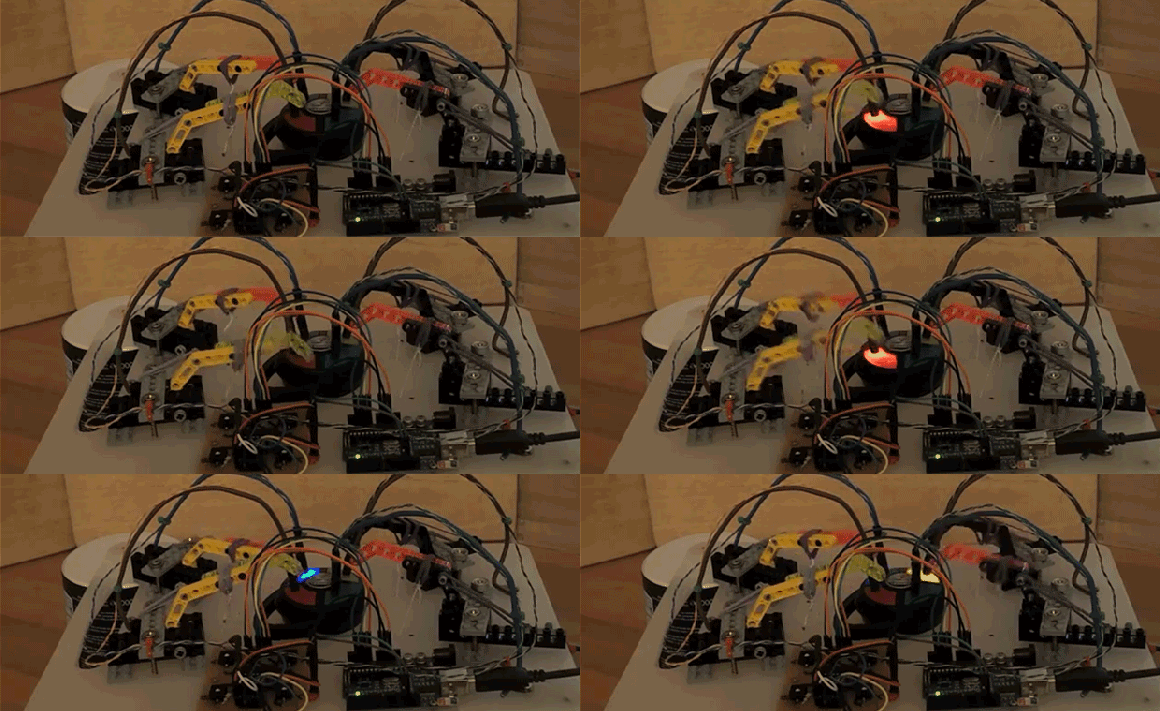
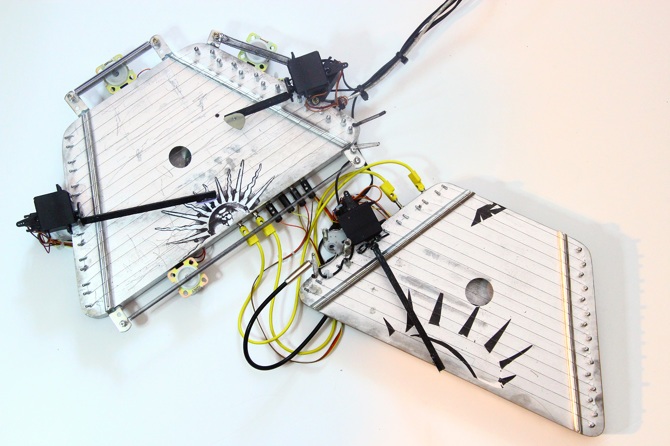
“Turbo-gusli” or “Gusli-samogudy” is a russian folk bot made by Moscow media-artist, musician and engineer of strange-sounding mechanisms – Dmitry Morozov. It’s basically a portable electro-acoustic orchestra inspired by ”Gusli-samogudy”, a self-playing gusli, the oldest Russian multi-string plucked instrument, and very common in old russian fairy tales.

The system works in 3 different modes: when it plays algorithmically from Pure Data patch, when it’s controlled by Emotiv EPOC EEG interface and in MIDI mode (all of them using Pduino library and custom patch in Pure Data).

It runs on 2 Arduino Uno – mainly for interacting with the computer using standard FIRMATA and secondly only to control the stepper motor  which is playing random bass notes when it’s triggered by the first Arduino.


Arduino Blog 06 Jun 16:31
arduino  arduino uno  gusli  midi  music  russian  

A REST API for Arduino and the CC3000 WiFi Chip

Marco Schwarz is an electrical engineer and passionate about home automation. He wrote us some weeks ago to present his work on the Arduino Yún:

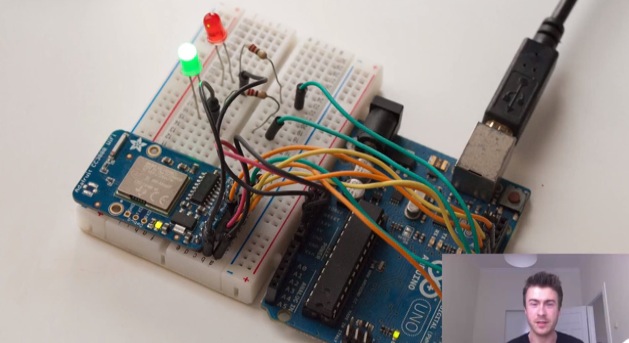
I was recently playing with the Arduino Yún for a whole set of new projects, and I discovered a sketch that implements a REST API for the Arduino Yún. We’ll see in more details what a REST API is, but for now let’s say it allows to standardise the communication between your Arduino and the external world via WiFi or Ethernet, and develop complex applications without having to modify your Arduino sketch every time.

So I told myself: why not create one REST API for the CC3000 WiFi chip ? That’s exactly what I did as a weekend project, and I wanted to share it with you. If you want to directly jump to the project files, go over to the GitHub repository of the project.

Keep reading on his blog or watch the video below:

Wood and electronics in a kinetic steampunk-flavored sculpture

Orbis is a kinetic & lighting  lasercut sculpture controlled by Arduino Mega and created by an engineering design service located in Long Island NY which submitted it to our blog:

Orbis has several unique features and modes of operation not usually seen in Kinetic Art work. There are six specialized lighting modes and two motion modes which are all controlled via two independent Arduino Atmega 2560 control boards.
Orbis was created for a client’s new home who wanted something truly unique. The client specifically requested something which blends the classic look of wood with electronics and mechanics in a simple artistic manner.

It also had to be large enough to highlight a central wall in the home while combining elements of old and new technologies. The client also wanted a separate control box which would allow guests to his home the ability to interact with the Kinetic Sculpture.
In order to create such a unique Kinetic Sculpture and control box, custom 3D models were developed. Once the client approved, these same files were sent out to a laser wood cutting service. Each piece was then hand stained and carefully assembled.


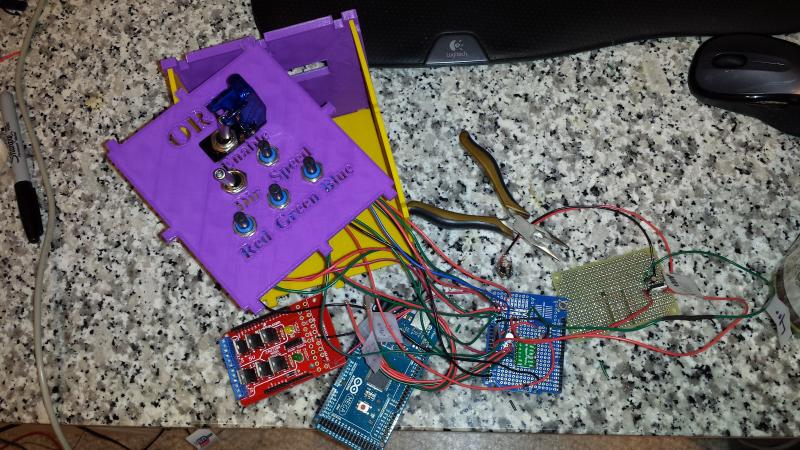
In the picture below you can see the inside of the control box:


More pictures and videos on the project’s website.

Arduino Blog 04 Jun 22:25

Controlling lights and sensors with Arduino Yún, Node js server and firmata

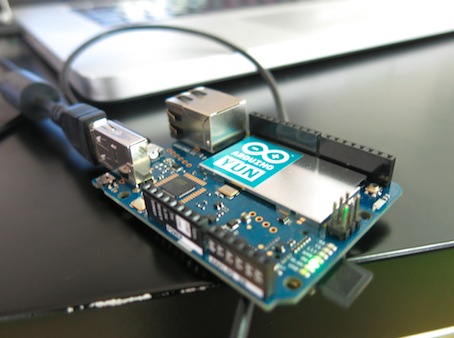
Arduino user Cinezaster sent us a project using Node js server on the Arduino Yún to control the lights, heating and some other sensors in the office of Appsaloon, the company where he’s doing an internship.

They already use Node.js for a lot of things and some of them are pretty cool with it.
That’s how they did it:


First of all you need to expand your flash, because there is not enough flash (16 MB) on the Arduino Yún. Sounds reasonable right? Not when you got the Yún for the first time in your hands. Luckily someone wrote this tutorial.

To start with you need to be on the same network to reach the Arduino .
Open your terminal

ssh root@arduino.local

It will ask for a password, which will by default be: ‘arduino’:

Now you can install Node.js on the Yún type :

opkg update
opkg install node

When the install is finished verify it by :

 node -v

It should give you something like this v0.10.28 (it may vary in the future)

Next you have to install the node-serialport package. This is necessary because the Atheros AR9331 needs to communicate with the ATmega32u4.

opkg update
opkg install node-serialport

After this you will need firmata for Node.js. This will control the inputs and outputs of the ATmega32u4.

Normally you would install firmata like this:

npm install firmata

But because the Arduino Yún does not have enough RAM this is ‘not possible’.

Keep reading it on their blog and fork it on Github!

Arduino Blog 03 Jun 19:33

HAL is Duct Tape for Home Automation

When it comes to home automation, there are a lot of different products out there that all do different things. Many of them are made by different companies, and they don’t often play very well together. This frustration ultimately led [Daniel] to develop his own Python based middleware solution to get these various components to work as a single cohesive system. What exactly did [Daniel] want to control?

First up was the door lock. [Daniel] lives in an apartment building, so there are actually two locks. First, a visitor must be allowed into the building by pressing a button on the intercom system in the apartment. Second, the apartment door has its own dead bolt lock that needs to be opened and closed. [Daniel] was able to control the building’s front door using just a transistor hooked up to an Arduino to simulate the press of the physical button. The original button remains in tact so [Daniel] can still easily “buzz” in a visitor.

The apartment’s dead bolt was a bit trickier. There are off-the-shelf solutions to control a dead bolt, but they are often expensive. [Daniel] built his own solution using a simple servo motor bolted to the door. The servo is controlled by the Arduino which is in turn controlled via two broken intercom buttons that already existed within the apartment. The buttons were originally used to either speak to or listen to a visitor before buzzing them into the building. They had never worked for [Daniel] so he re-purposed them for his own project. The whole DIY door locker is enclosed in a custom-made laser cut wooden box.

Click past the break for the rest of [Daniel's] story.

When it comes to lighting, [Daniel] has a couple of different brands of automated light bulbs in his apartment. One brand has bulbs that are controlled by a radio frequency signal. That brand comes with a converter box that can accept lighting commands via WiFi. It also uses a simple API that allowed [Daniel] to easily control all of the bulbs from his Python code. The second brand of light bulb did not have a simple API. After some searching around, [Daniel] found an open source project called ouimeaux. Ouimeaux is a Python library that allows you to control this particular brand of automated light bulbs. This was perfect for [Daniel] since he was already using Python in his project. With this library it was trivial for him to control the lights from his web interface.

As a proof of concept, [Daniel] also built a custom WiFi enabled power outlet using a SparkCore module. He has an entire separate post dedicated to that project.

For the brain of the system, [Daniel] chose to use a Raspberry Pi. The Pi runs a web server with a Flask based back-end system. Flask allows him to code the website in Python, which meant he could easily write a website that can interact with the various automation components. The Pi can directly communicate with all of the off-the-shelf components using the various Python libraries. For the door lock, the Pi communicates with the Arduino via pySerial. [Daniel] also used Flask OAuth to limit access to the system to only authorized users. Now whenever [Daniel] wants to turn the lights on or unlock the door for a visitor, all he has to do is press a button on a web page.

[via Reddit]


Filed under: home hacks

Custom Electronics and LED Panels Brighten Up a Nightclub

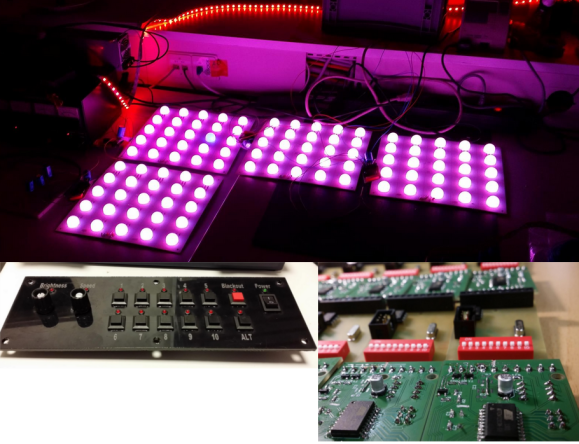
When [Robert] is presented with a challenge, he doesn’t back down. His friend dreamed of reusing some old LED panels by mounting them to the ceiling of the friend’s night club. Each panel consists of a grid of five by five red, green, and blue LEDs for a total of 75 LEDs per panel. It sounded like a relatively simple task but there were a few caveats. First, the controller box that came with the panels could only handle 16 panels and the friend wanted to control 24 of them. Second, the only input device for the controller was an infrared remote. The friend wanted an easy way for DJ’s to control the color of the panels and the infrared remote was not going to cut it. Oh yea, he also gave [Robert] just three weeks to make this happen.

[Robert] started out by building a circuit that could be duplicated to control each panel. The brain of this circuit is an ATtiny2313. For communication between panels, [Robert] chose to go with the DMX protocol. This was a good choice considering DMX is commonly used to control stage lighting effects. The SN75176 IC was chosen to handle this communication. In his haste to get this PCB manufactured [Robert] failed to realize that the LED panels were designed common cathode, as opposed to his 25 shiny new PCB’s which were designed to work with a common anode design. To remedy this, he switched out all of the n-channel MOSFET with p-channel MOSFET. He also spent a couple of hours manually cutting through traces and rewiring the board. After all of this, he discovered yet another problem. The LED’s were being powered from the same 5V source as the microcontroller. This lead to power supply issues resulting in the ATtiny constantly resetting. The solution was to add some capacitors.

Click past the break for more on [Robert's] LED panels.

As for software, [Robert] completely filled the ATtiny’s memory. He used three channels to control red, green, and blue. He added a fourth channel to control pre-designed animation effects such as fading, strobe, and random color. The DIP switches are normally used to set the address of the panel, but there is a second option to put the panel into standalone mode. In this mode, the switches are used to program the panel to perform specific effects with no DMX controller required.

Now that the panels were all designed and functioning, [Robert] still needed a way to control them. He used the laser cutter at Shackspace hackerspace to design the actual panel face and then mounted a bunch of buttons, switches, and potentiometers to it. All of those things were connected to a Teensy3 using perfboard and a hand wired circuit. Another SN75176 IC was used for the DMX communication from the control panel. The control panel allows the DJ to change between different pre-built animation effects, color effects, and also change the speed of the animations to match the speed of the music.


Filed under: led hacks
Hack a Day 31 May 12:00

Bare Bones Arduino IR Receiver

Old infrared remote controls can be a great way to interface with your projects. One of [AnalysIR's] latest blog posts goes over the simplest way to create an Arduino based IR receiver, making it easier than ever to put that old remote to good use.

Due to the popularity of their first IR receiver post, the silver bullet IR receiver, [AnalysIR] decided to write a quick post about using IR on the Arduino. The part list consists of one Arduino, two resistors, and one IR emitter. That’s right, an emitter. When an LED (IR or otherwise) is reverse biased it can act as a light sensor. The main difference when using this method is that the IR signal is not inverted as it would normally be when using a more common modulated IR receiver module. All of the Arduino code you need to get up and running is also provided. The main limitation when using this configuration, is that the remote control needs to be very close to the IR emitter in order for it to receive the signal.

What will you control with your old TV remote? It would be interesting to see this circuit hooked up so that a single IR emitter can act both as a transmitter and a receiver. Go ahead and give it a try, then let us know how it went!


Filed under: Arduino Hacks

Aluminalis: Our 16-legged Walking Creature

“Let’s build something creepy, Dad…”, my teenage daughters said. We had no idea this creepy crawly creature would utilize our machining skills to the fullest.

Read more on MAKE

Art-O-Matic Is Spirograph’s Young Hip Offspring

Some of our more senior experienced readers may remember a toy called the Spirograph. In case you don’t, it’s a geometric shape drawing toy. The way it works is a plastic disc with gear teeth around the perimeter and various holes on its face is spun around a plastic ring with gear teeth on the inside. A pencil is inserted in one of the holes in the disc and, when spun around the inside of the ring, draws different complex shapes called hypotrochoids.

This was fun enough to keep a kid entertained for a few minutes. It took a while to make a complete shape and sometimes it was easy to mess up (especially if the hole chosen for the pencil was near the outside of the disc). [Darcy] thought it would be neat to combine the Spirograph’s drawing style with modern technology. The result is called the Art-O-Matic and it draws some pretty wild art, you guessed it, automatically.

Click past the break for more!

[Darcy] started the project by drawing all the gears and linkages in Sketchup. A CNC Router was used to cut out the parts, after that just a few bolts and nuts got the mechanics together. In the video below there are 2 geared discs that move the linkage arms. Both arms move independently, one quickly and the other slowly. Each disc is controlled by its own stepper motor. The speed of each stepper motor is controlled by an Arduino. Different patterns are drawn depending on the speeds of the two motors. Switching pen colors along the way adds to the coolness.


Filed under: Arduino Hacks

The power of BLE goes Arduino At Heart with Blend Micro for your IOT projects


This week we are delighted to announce a new Arduino At Heart Partner targeted for makers to develop low power Internet-Of-Things (IoT) projects quickly and easily: Blend Micro.

Blend Micro, by ReadBearLab is an integrated developement board “blend”ing Arduino with Bluetooth 4.0 Low Energy (aka BLE or Bluetooth Smart) into a single board.

In the following videos, you can see how easy it is to use Blend Micro with the companion Apps for both iOS and Android. See how to control digital output, PWM and Servo, obtain readings from digital or analog inputs.

On their website you can find some sample codes on how to write your own Apps too. They soon will provide a boot loader update which allow the Blend Micro to be programmed over-the-air from Bluetooth Smart Ready portable devices and PCs, no USB wire is required for uploading the sketch.

If you want Blend Micro now, it’s available in the Arduino Store.