Posts with «arduino» label

Papilio Duo: FPGA, Logic Analyzer, Debugger, and Arduino Compatible

It’s been a while since we’ve seen some new boards that combine an FPGA and an Arduino, so naturally the state of the art is a little bit behind. The latest from [Jack Gassett], the Papilio Duo, aims to change that by addressing all the complaints of the original Papilio and adding some neat, modern features that you would expect on a board designed in 2014.

On board the Duo is an ATMega32u4, the same chip used in the Arduino Leonardo, allowing for easy integration with your standard Arduino projects. The top of the board is where the real money is. There’s a Spartan 6 FPGA with 9k logic cells, enough to run emulate some of the classic computers of yore, including the famous SID chip, Yamaha YM2149, and the Atari POKEY (!).  With host and device USB, 512k or 2M of SRAM, and an ADC on the FPGA inputs, this board should be able to handle just about everything you would want to throw at it. There’s even a breakout for HDMI on the bottom.

There are a few interesting software features of the Duo, including a full debugger for the ATMega chip, thanks to an emulated Atmel JTAG ICE MKII. Yes, an Arduino-compatible board finally has a real debugger. The FPGA can also implement a 32 channel logic analyzer, making this not only an extremely powerful dev board, but also a useful tool to keep around the workbench.


Filed under: Crowd Funding, FPGA
Hack a Day 30 May 03:00

New Project: Model, Modify, and Make ModULO

When Evil Ninja Monster Ballerinas attack - ModULO can save the day! Build this 3D printed robot action figure for yourself.

Read more on MAKE

New Project: Build a Ball-Counting Robot Using Makeblock and Lego

Make your own Great Ball Contraption (GBC) using Lego and Makeblock.

Read more on MAKE

Hooked On ‘Ponics

AGponics is an Arduino-controlled modular aquaponics system.

Read more on MAKE

Physical Keys Not Just For Doors Anymore, Now Available For Windows

If you have ever forgotten your computer password after a long weekend or maybe you can remember it but just can’t seem to type it correctly, [Thomas] has a project for you. It’s a physical key that locks and unlocks your PC.

So how does it work? The heart of the project is an Arduino Leonardo. You may recall that this board is a bit different from the preceding Arduinos as it can enumerate on a host computer as a Human Interface Device (HID), such as a keyboard or mouse. The Arduino sketch continually reads an input pin using an internal pull-up resistor to make it logic high with the key switch connecting the signal to ground. When the Arduino sees the pin change from high to low, it sends out a keyboard command consisting of the Windows Key and “L”, which is the keyboard shortcut for locking the computer.

When the physical key is turned again, the Arduino sees the pin change back to a high state and it again emulates a keyboard but this time enters your password. You do have to include your password in the Arduino sketch for this to work. In addition, there are two LED’s wired up to show if the computer is locked or not, but you’ll be able to tell pretty quick when trying to get back to work.

The Arduino sketch and Frtitzing diagram are available at the above link in case you would like to make one yourself.


Filed under: computer hacks

The Lightgame Project: A Multiplayer Arduino Game

Summer is upon us. The Lightgame Project is a multiplayer reaction time based game built around the Arduino. It’s a perfect rainy day project for those restless kids (and adults!). Designed by two undergraduate students [Efstathios] and [Thodoris] for a semester long project, all the hard work has already been done for you.

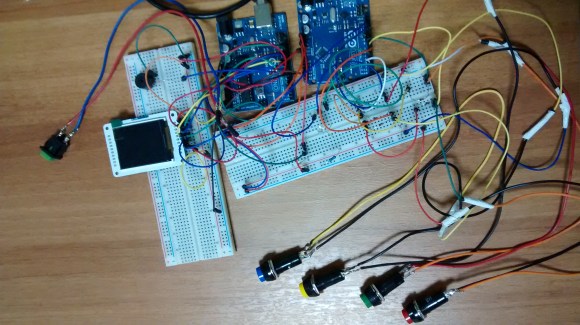
There are tons of reasons we love games that you can build yourself. For one, it’s an amazing way to get children interested in hobby electronics, making, and hacking. Especially when they can play the game with (and show off to) their friends. Another reason is that it is a perfect way to share your project with friends and family, showcasing what you have been learning. The game is based on your reaction time and whether or not you press your button when another players color is shown. The project is built around two Arduinos connected via I2C. The master handles the mechanics of the game, while the slave handles the TFT LCD and playing music through a buzzer.

I2C is a great communication protocol to be familiar with and this is a great project to give it a try. [Efstathios] and [Thodoris] did a great job writing up their post, plus they included all the code and schematics needed to build your own. It would be great to see more university professors foster open source hardware and software with their students. A special thanks goes out to [Dr. Dasygenis] for submitting his student’s work to us!


Filed under: Arduino Hacks
Hack a Day 29 May 03:00

Real-time tinkering on Intel Galileo using a mobile device

If you are a beginner and want to start prototyping easily with  Intel Galileo, it could be fun to use ConnectAnyThing. It  makes it easy for novices to start tinkering in hardware before jumping into example code and the IDE but it’s also useful for experienced builders that want to try something out really quickly.

To get started, you will need:

  • Galileo (with updated firmware)
  • Wi-Fi card and antenna.  (Tested with Centrino n-135, n-6205, n-6235)
  • Micro SD card, 2gb up to 32gb capacity, with ConnectAnyThing loaded (instructions on github)

Download the latest release of ConnectAnyThing, follow the instructions and enjoy tinkering: on a webpage you’ll be able to  read inputs and control outputs in real-time from your mobile device!

New Project: Print your Dream Robot: CIRKO

Come and make this mean, green, robotic machine ... make it laugh and make it sing!

Read more on MAKE

Using State Machines In Your Projects


[Tony] has developed a method of using a state machine to validate keypad inputs. His method checks the commands character by character as they are entered in by a 16 button keypad. State machines are often used to break down complex problems into sequential tasks, making code development easier. While [Tony's] example uses the keypad, Arduino Uno, and a character LCD, the theory can be applied to numerous projects, such as this Dahlander motor switch.

As you see, state machines can be very versatile. Stick around after the break as we take a look at [Tony's] state machine and provide a brief explanation of how it all works. 

The goal is to ensure a command is entered in to a system correctly – in this case it is being validated character by character with each key press. A state machine is used to achieve this goal. The command is:


XX@HH:MM#
Where:
XX = 1-99
HH = 0-24
MM = 00-59
# = Execute


Each value is considered a state. When the value is entered, it moves to the next state. So:


Be sure to check out [Tony's] project for more details and learn how he implements the above state machine in code.


Filed under: Arduino Hacks
Hack a Day 27 May 21:00

Build your own robotic bartender with Arduino and a 3D printer

You can certainly buy a ready-made drink mixing robot if you're flush with cash, but wouldn't you rather spend that money on the drinks themselves? Yu Jiang Tham thinks so -- he recently designed Bar Mixvah, a robotic bartender you can build yourself with $180 in parts. The key ingredient is an Arduino Nano microcontroller that takes your requests through a web-based interface. After that, it's mostly a matter of 3D printing the frame and wiring up the pumps that will make your beverage a reality.

Filed under: Household, Robots

Comments

Source: Yu Jiang Tham

Engadget 27 May 16:23