Posts with «arduino» label

Laundry Text Message Alerts With Arduino Yun

The buzzer on a washer or dryer may be OK for most people, but what if you would like something a little more versatile to tell you when your laundry is done? Here’s an interesting solution involving an Arduino Yún that sends a text message when the washer or dryer […]

Read more on MAKE

MAKE » Arduino 15 Dec 13:01
arduino  home  laundry  sms  text message  

10 Perfect DIY Projects for Makers Who Love Their Pets

  Pets are people too. If corporations can be labeled as people then why can’t our pets? Regardless, when it comes to our pets, we often spoil them with lavish gifts to show our affections. Makers on the other hand tend to build projects that help with everything from feeding […]

Read more on MAKE

Sleek Desk Lamp Changes Colors Based on Sun Position

[Connor] was working on a project for his college manufacturing class when he came up with the idea for this sleek desk lamp. As a college student, he’s not fond of having his papers glowing brightly in front of him at night. This lamp takes care of the problem by adjusting the color temperature based on the position of the sun. It also contains a capacities touch sensor to adjust the brightness without the need for buttons with moving parts.

The base is made from two sheets of aluminum and a bar of aluminum. These were cut and milled to the final shape. [Connor] found a nice DC barrel jack from Jameco that fits nicely with this design. The head of the lamp was made from another piece of aluminum bar stock. All of the aluminum pieces are held together with brass screws.

A slot was milled out of the bottom of the head-piece to make room for an LED strip and a piece of 1/8″ acrylic. This piece of acrylic acts as a light diffuser.  Another piece of acrylic was cut and added to the bottom of the base of the lamp. This makes for a nice glowing outline around the bottom that gives it an almost futuristic look.

The capacitive touch sensor is a pretty simple circuit. [Connor] used the Arduino capacitive touch sensor library to make his life a bit easier. The electronic circuit really only requires a single resistor between two Arduino pins. One of the pins is also attached to the aluminum body of the lamp. Now simply touching the lamp body allows [Connor] to adjust the brightness of the lamp.

[Connor] ended up using an Electric Imp to track the sun. The Imp uses the wunderground API to connect to the weather site and track the sun’s location. In the earlier parts of the day, the LED colors are cooler and have more blues. In the evening when the sun is setting or has already set, the lights turn more red and warm. This is easier on the eyes when you are hunched over your desk studying for your next exam. The end result is not only functional, but also looks like something you might find at that fancy gadget store in your local shopping mall.


Filed under: Arduino Hacks

Making MicroView Wordy

Despite the MicroView shipping a ton of units, we haven’t seen many projects using this tiny Arduino and OLED display in a project. Never fear, because embedded systems engineer, podcaster, and Hackaday Prize judge [Elecia White] is here with a wearable build for this very small, very cool device.

The size and shape of the MicroView just cried out to be made into a ring, and for that, [Elicia] is using air-drying bendy polymer clay. To attach the clay to the MicroView, [Elecia] put some female headers in a breadboard, and molded the clay over them into a ring shape. It works, and although [Elecia] didn’t do anything too tricky with the headers and clay, there are some interesting things you could do running wires through the clay.

What does this ring do? It’s a Magic 8 Ball, a game of Pong controlled by an accelerometer, a word-of-the-day thing (with definitions), all stuffed into a brass silicon, OLED, and clay knuckle. Video below.

If you’re wondering, Turbillion (n). A whirl; a vortex.


Filed under: wearable hacks
Hack a Day 12 Dec 12:00

Over-engineering Ding Dong Ditch

One day, [Samy]’s best friend [Matt] mentioned he had a wireless doorbell. Astonishing. Even more amazing is the fact that anyone can buy a software defined radio for $20, a small radio module from eBay for $4, and a GSM breakout board for $40. Connect these pieces together, and you have a device that can ring [Matt]’s doorbell from anywhere on the planet. Yes, it’s the ultimate over-engineered ding dong ditch, and a great example of how far you can take practical jokes if you know which end of a soldering iron to pick up.

Simply knowing [Matt] has a wireless doorbell is not enough; [Samy] needed to know the frequency, the modulation scheme, and what the doorbell was sending. Some of this information can be found by looking up the FCC ID, but [Samy] found a better way. When [Matt] was out of his house, [Samy] simply rang the doorbell a bunch of times while looking at the waterfall plot with an RTL-SDR TV tuner. There are a few common frequencies tiny, cheap remote controls will commonly use – 315 MHz, 433 MHz, and 900 MHz. Eventually, [Samy] found the frequency the doorbell was transmitting at – 433.8 MHz.

After capturing the radio signal from the doorbell, [Samy] looked at the audio waveform in Audacity. It looked like this doorbell used On-Off Keying, or just turning the radio on for a binary ‘1’ and off for a binary ‘0’. In Audacity, everything the doorbell transmits becomes crystal clear, and with a $4 434 MHz transmitter from SparkFun, [Samy] can replicate the output of the doorbell.

For the rest of the build, [Samy] is using a mini GSM cellular breakout board from Adafruit. This module listens for any text message containing the word ‘doorbell’ and sends a signal to an Arduino. The Arduino then sends out the doorbell code with the transmitter. It’s evil, and extraordinarily over-engineered.

Right now, the ding dong ditch project is set up somewhere across the street from [Matt]’s house. The device reportedly works great, and hopefully hasn’t been abused too much. Video below.


Filed under: Arduino Hacks, radio hacks
Hack a Day 11 Dec 21:00

Arduino Gift Guides that fit anyone’s piggy bank

Last week we published our gift guides presenting you a list of products  available on the Arduino Store and divided by topic for Kids and people interested in IoT, Home Lab and Fashion Tech.

Now we’d like to give you some suggestions for gift ideas fitting anyone’s piggy bank:

Gifts Under 15€

Arduino ISP
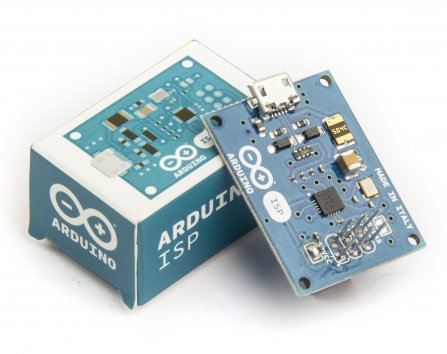

It’s a tiny AVR-ISP (in-system programmer) based on David Mellis’ project FabISPand useful to anyone needing more space on the Arduino board


Flashing Card Set – Merry Resistivities by Bare Conductive

The Merry Resistivities Set contains all the materials you need to make three flashing greeting cards using Electric Paint. This fun activity is great for makers of all ages.


Minipov by Adafruit
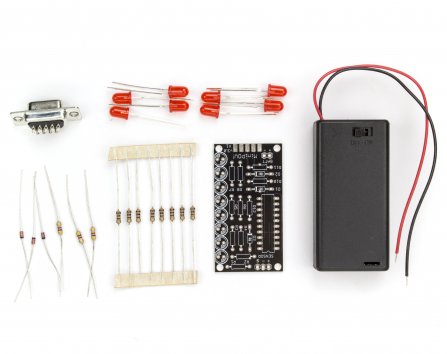
A simple POV toy for beginners who are looking to learn how to solder, how to program microcontrollers, or make LED blinky toys. Because the programmer is built into the kit, one does not need a special “microcontroller programmer”.


Arduino Proto Shield
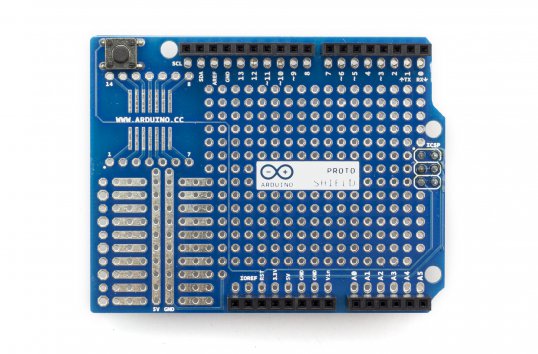
The Arduino Prototyping Shield makes it easy for you to design custom circuits for your next Arduino project. You can solder parts to the prototyping area to create your project with extra connections for all of the Arduino I/O pins.


Make Robot Notebook Moleskine
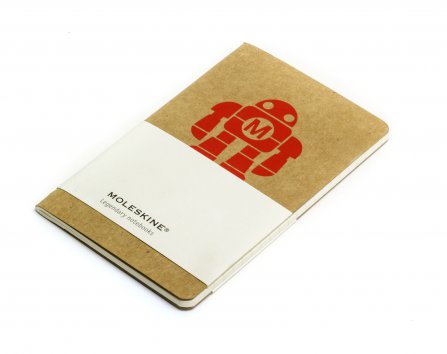
Pocket Moleskine Notebook – Fresh from the Maker Faire comes our exclusive mini-Moleskine (5.5″x3.5″, 30 pages) notebook, available with Robot logos.


Gifts Under 30€

Getting Started with Arduino – 2nd Edition
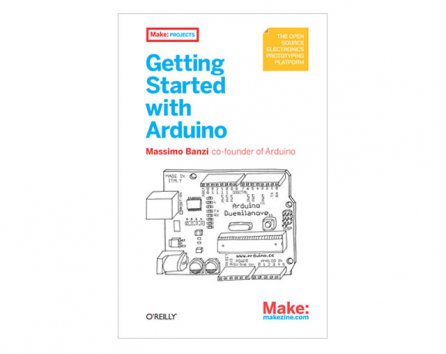
This classic book to start tinkering with Arduino gives you lots of ideas for projects and helps you work with them right away. From getting organized to putting the final touches on your prototype, all the information you need is here!


Arduino Case + Breadboard Wires Kit
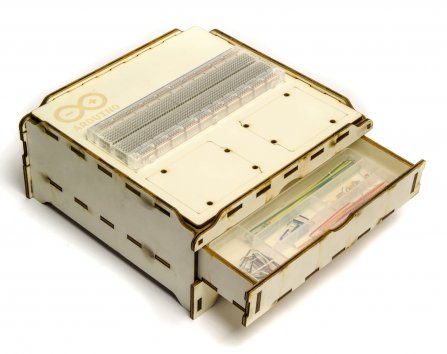
This lasercut (in Officine Arduino), wooden case is perfect to host your project and store electronic parts. It features two drawers, a confortable surface for a standard breadboard and the space for two Arduinos to be hooked up. It’s stackable, perfect for teaching material or group work.


Arduino UNO
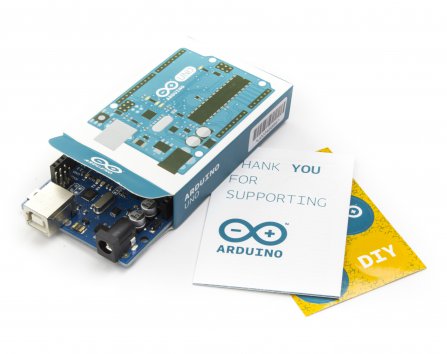
If you want to make any beginner happy, this is the perfect gift. “Uno” means “One” in Italian and is named to mark the upcoming release of Arduino 1.0. The Uno and version 1.0 will be the reference versions of Arduino, moving forward. The Uno is the latest in a series of USB Arduino boards, and the reference model for the Arduino platform.


Lumi Red or Blu

Lumi is a new DIY alternative to screen printing.The process works on cotton, linen, silk, rayon, canvas, and any other natural & absorbent fiber. Once finished, your print is permanent and can be machine washed without fading.


Blend Micro by RedBearLab
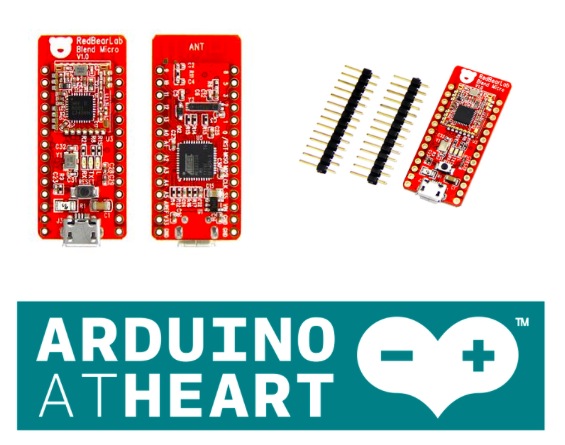
Arduino At Heart Blend Micro is RedBearLab first integrated developement board, they have “blend”ed Arduino with Bluetooth 4.0 Low Energy (aka BLE or Bluetooth Smart) into a single board. It is targeted for makers to develop low power Internet-Of-Things (IoT) projects quickly and easily.


Gifts Under 60€

Arduino Esplora
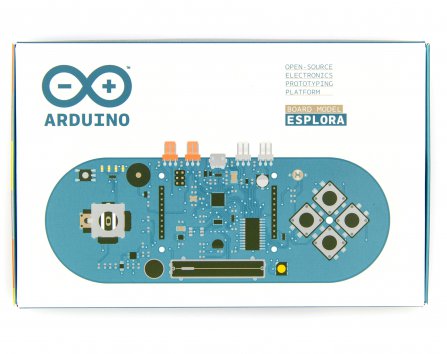
The Arduino Esplora is a ready-to-use, easy-to-hold controller that lets you explore the infinitive possibilities you have in the world of sensor and actuators, without having to deal with breadboards, soldering or cable. There is no limits to the sensors applications! Adding a LCD module you can make your personal videogame!


Bare Conductive Touch Board
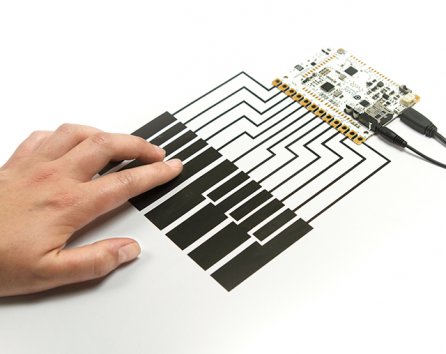
Touch Board can turn almost any material or surface into a sensor by connecting it to one of its 12 electrodes, using conductive paint or anything conductive. It’s designed as an easy-to-use platform for a huge range of projects, whether it’s painting a lightswitch on your wall, making a paper piano or something nobody’s thought of yet.


Intel Edison
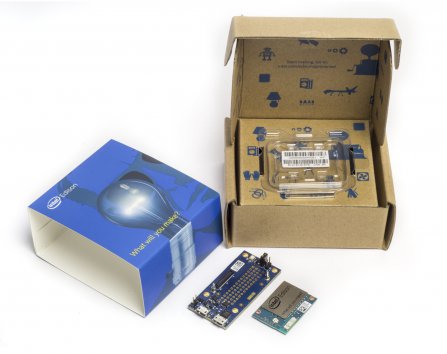
The Intel Edison is an ultra small computing platform that will change the way you look at embedded electronics. This kit also includes a Arduino Breakout, which essentially gives your Edison the ability to interface with Arduino shields or any board with the Arduino footprint.


Arduino Yún
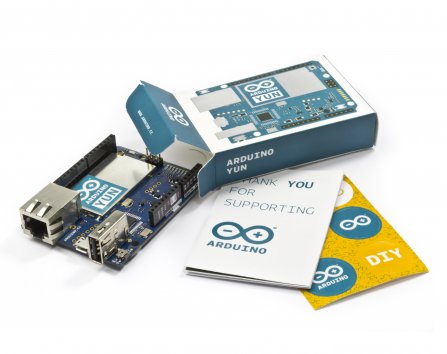
Arduino with onboard Wi-Fi connectivity and a Linux computer. Great for IoT projects. The Arduino YÚN is the combination of a classic Arduino Leonardo (based on the Atmega32U4 processor) with a WiFi system-on-chip running OpenWrt-Yun.


Remember

FREE SHIPPING to European Union for all orders over €100 (below 3Kg overall weight). Should you need delivery by Dec 24th, we strongly advise you to place the order before Dec 15th. FREE SHIPPING is available from Dec. 2nd 2014 until Jan 6th 2015. Read more about the shipping policy.

Arduino Blog 11 Dec 18:02

A Raspberry Pi Powered Bulk Arduino Programmer

Whilst building lots of robots to fulfill a recent Kickstarter project, I had the need to program a thousand or so Arduinos, which would take forever if I were to program them all individually. Situations like this are the perfect opportunity to work on those meta projects which can be just […]

Read more on MAKE

Discover Arduino Xmas Pack, free shipping for US and EU!

This holiday season we have a special package for you. Arduino Xmas Pack contains all you need to make the perfect gift for anybody willing to get into the Arduino world and put their hands on official gadgets and the widely appreciated Arduino Starter Kit.

The Starter Kit walks you through the basics of Arduino and electronics in a hands-on way through 15 projects to build, hack and share something great every day.

Xmas Pack includes (see pic above):

  • Arduino Starter Kit in Italian or English
  • Arduino T-Shirt (you can choose your size)
  • Arduino Mug
  • 6 Pins

Arduino Xmas Pack is sold only on the Arduino Store at 100€/124 $ and ships for FREE in US and Europe.

If you want to be sure to receive it for Christmas, check the timing to place orders on this page.

Make it yours for Christmas >> English edition or Italian Edition


Arduino Blog 10 Dec 20:27

How to print a Pirate Hook with your Materia 101

Using a 3d printer means playing with some hardware but especially some softwares. In the tutorial of this week, the fourth tutorial of our series , Kris is going to introduce you how to work with Slic3r, a G-Code generator for 3d printers and basically a tool you need to convert a digital 3D model into printing instructions for your 3D printer. Slic3r is an open source software able to cut the model into horizontal slices (layers), generates toolpaths to fill them and calculates the amount of material to be extruded so that you can reach good results.

The object you’ll be able to print with your Materia 101 is a pirate hook !

Follow the 12 steps on Scuola and print yours >>

Check the previous tutorials on 3d printing with Material 101

Interested in getting in touch and showing your experiments? Join Kristoffer on the Arduino forum dedicated to Materia 101 and give us your feedback.


Experiencing the solar flux with an interactive installation

Dmitry Morozov shared with us a new interactive installation called  Solarman at the Polytech Museum in Moscow. 2014 and It’s a work he created with Julia Borovaya and Edward Rakhmanov using 64 ultra bright LEDs, 12-channel sound system and 8 electrical nerve stimulation electrodes controlled by Arduino Mega :

Data on power of X-radiation flux from the Sun is received in real time from the satellite GOES15 which is tracking solar activity. It is being converted into streams of sound, light and electric discharges, thus allowing a spectator to experience in more intensive and evident way the influence of the main luminary of the solar system.

The data, which is measured in watts per square meter, come with a frequency of once per minute. A special computer algorithm transforms it in sound waves, distributed by 12 channels in the space. The radiation power directly controls the height of tones and spectral changes in the sound. The speed of sound displacement in the space is also dependent on these parameters. Light is generated by algorithmic transformation of X-ray emission into physical modeling of light particles, which also affect the muscle stimulators in the chair to produce weak electric discharges.

Check the video below to see the power of the sun:

Arduino Blog 09 Dec 19:57