Posts with «arduino» label

“Fireball” Shooting Piranha Plant

If you’re familiar with Super Mario Brothers, you’re certainly familiar with this character, the fire-breathing Piranha Plant. If you would like to have a replica of one in real life, you can build your own following instructions found here. The plant, which could probably double as a prop for Little […]

Read more on MAKE

Arduino Thermostat Includes Vacation Mode

When [William’s] thermostat died, he wanted an upgrade. He found a few off-the-shelf Internet enabled thermostats, but they were all very expensive. He knew he could build his own for a fraction of the cost.

The primary unit synchronizes it’s time using NTP. This automatically keeps things up to date and in sync with daylight savings time. There is also a backup real-time clock chip in case the Internet connection is lost. The unit can be controlled via the physical control panel, or via a web interface. The system includes a nifty “vacation mode” that will set the temperature to a cool 60 degrees Fahrenheit while you are away. It will then automatically adjust the temperature to something more comfortable before you return home.

[William’s] home is split into three heat zones. Each zone has its own control panel including an LCD display and simple controls. The zones can be individually configured from either their own control panel or from the central panel. The panels include a DHT22 temperature and humidity sensor, an LCD display, a keypad, and support electronics. This project was clearly well thought out, and includes a host of other small features to make it easy to use.


Filed under: Arduino Hacks, home hacks
Hack a Day 20 Dec 06:00

Amateur Builds Super Deep Super Cheap Ocean Vehicle

During the summers [Doug] has been building a 75 foot sailing junk to be launched from America’s most inland port. When Oklahoma’s winter hits he heads indoors to work on an ROV that will prowl 3,000 feet below the surface. Originally building a piloted submarine, he grew bored and decided to use the sailboat as a carrier for his fleet of remote submersibles instead.

A consummate amateur, Doug is the first to admit how little he knows about anything and how much he enjoys the open source spirit: collaboration, cooperation and learning from others. Determination and hard work fills in everything in between.

Hackaday covered the beginnings of his ROV last winter. In the year since it has progressed from some sketches and a 10″ steel pipe turned into a pressure testing rig to a nearly-complete, 10 foot long,  custom-lathed 4″ aluminum torpedo laying on his shop table. In a bow-to-stern walk-through Doug shows how he is building science equipment for less than a penny on the dollar using largely off-the-shelf imaginatively-repurposed parts or things he could fabricate himself with only a lathe and a 3d printer.

Continue after the break for a breakdown of the tech used.

The body of the ROV alternates between wet (flooded) and dry sections to preserve balance. Surprisingly, the multitude of thrusters on-board are plain RC outrunners most of us would recognize from quadcopters – apparently with a little potting they are not overly harmed by immersion in salt water. Ditto for the LED banks which lack any heat-sinking, relying on exposure to near-freezing seawater for cooling. Dry sections are stuffed full of all manner of gear: a complement of HD IP cameras, RC LiPo (11.1v, 6Ah each) packs, motor ESCs, external & internal pressure sensors, humidity sensors, an inertial measurement unit and relay banks all controlled by an Arduino Mega with an ethernet shield.

The pride and joy of the electronics are an affordable pair of Lowrance sonars for ocean bed mapping, commonly used as fish-finders. He chose the model he did because the board can be collapsed smaller, making it easier to fit into a pressure vessel. Each sonar board is connected to a transducer, one side-scanning and one spotlight facing forward. These display up on the surface what the terrain looks like 150 feet away in the pitch black.

Unexposed wiring having to traverse a between dry sections is handled by brass hose barbs and sealed inside vinyl aquarium tubing. The pressure through the wet section crushes the tubing tight onto the wires. For exposed wiring, [Doug] has come up with own solution of centrifugally packing epoxy into plumbing fittings fitted with connection pins for a 2,600 PSI seal.

The ROV maintains a data connection to the surface with a simple, slightly-buoyant Cat-5e and polycord tether. 5000 feet of cord is too long of a run for household hardware so [Doug] has mounted ordinary Startech VDSL2 extenders which also reduce the wiring requirements down to a single twisted pair  (3000 feet yielded 46MBps and only 2ms lag). A bigger issue are the HD cams themselves which they found to be rather jello-like anywhere near HD performance.

When his carrier ship is finished [Doug] plans on sailing around the world, exploring the depths and doing meaningful science into retirement. He figures his $5,000 ROV will match ones sold for $1,200,000. For research projects that puts his open source ROV design in the realm of disposable relative to operations costs. For him it means he is able to own one at all.

All of [Doug]’s videos regarding both his sailing ship (with an ubiquitous $250 schoolbus diesel engine as a backup) and his ROV are superbly filmed, cut and edited. Camera angles change quickly enough to stave off boredom and show both scale and detail of the work. It is easy to spend hours watching how he overcomes each obstacle and budget hurdle.

Ever the collaborator, [Doug] is calling out for anyone who wants to stop by for a visit to work on the boat or to participate in the ROV build with advice. His videos regularly feature collaborators who travelled to help. If you feel you have something to contribute, he seems welcome for assistance.


Filed under: transportation hacks

New Project: Coffee Cup Spy Cam

Take your cup of Joe from classic to classified with a tilt-triggered spy camera. The trick is to modify two paper coffee cups — install the device in one, slide it into the second, and align holes cut in the bottoms of each. Two LEDs can be seen through the […]

Read more on MAKE

A Sound-Reactive RGB LED Bookshelf

What can a guy that has a 5000-volume library complete with a 1930’s era pipe organ (see around 2:20 in the video below) do to enhance his reading space? I’m not sure what my answer would be, but for Craig Landrum, the answer was to build a sound-reactive shelving unit. […]

Read more on MAKE

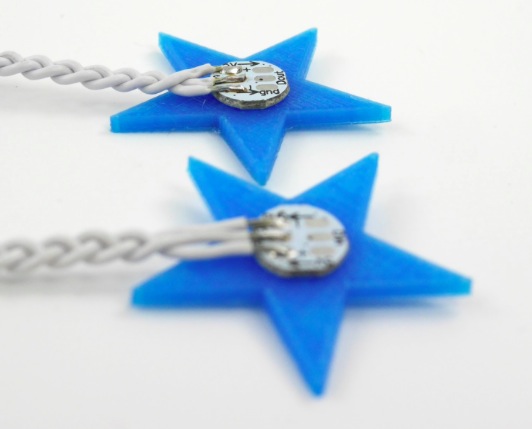
Programmable 3d-printed decorations for your Xmas

We can’t miss the chance to play with some LEDs now that holidays are coming and mix some electronics with 3d printing on Materia 101.

In the tutorial of this Kristoffer is experimenting on Xmas decorations, Arduino Micro and some code to play around with.

The result is what you see in the picture below!

Do you want to make it too? Follow the steps on Scuola >>
Check the previous tutorials on 3d printing with Material 101

Interested in getting in touch and showing your experiments? Join Kristoffer on the Arduino forum dedicated to Materia 101 and give us your feedback.

DIY Activity Tracker

Activity trackers (e.g. the FitBit) are becoming more popular for tracking fitness goals. As fun as this is, you could always just build your own with, you guessed it, an Arduino! You’ll also need a battery, a Bluetooth module, an accelerometer, as well as some custom software on your smartphone […]

Read more on MAKE

7 brushless pumps for a fountain controlled by Arduino Micro


Using Arduino Micro to control a fountain is the project shared by Michael Diesing on Twitter:

May I introduce my second ARDUINO-project with own pcb. With the pcb I am able to drive seven brushless pumps(with integrated electronics). The “problem” with such kind of pumps is that they don’t accept unfiltered pwm-signals as supply voltage. So I created a circuit where the pwm-signals of an ARDUINO-micro are level-shifted to 12V with a darlington array and afterwards filtered with a 1 uF ceramic capacitor and a 730 Ohm resistor (low pass filter). The signals are then led into the adjust-pins of seven “lm317″s. To work properly I needed to connect the adjust-pins also with 2500 Ohm resistors to gnd, but I found out that with two l293d instead of the used TDP62783 (darlington array) these resistors are not needed, but different resistor and capacitor values for adequate filtering!
The pums also have tacho signals which I connected via schottky-diodes to the ARDUINO (inputs with pullup). With the tacho-signals I am able to find out if pumps are stuck, are sucking air or are not connected.
Additionally I added one ACS712-05B current sensor (which measures the entire current of the circuit) that could be used to find out if pumps that don’t have tacho-signals are working properly. At the moment it is not used.
Besides that I integrated a lm386 audio-amp used to amplify the signal of an electret-mic to a level that is suitable for the ATEMGA’s ADC.

As the first project for the pcb I created a fountain consisting of a shortened wine barrel, seven brushless pumps, a pushbutton with led and pebbles (s. video).
There are seven animation-modes which can be selected via the pushbutton (the selected mode is stored in eeprom).
The speed of the pumps is checked permanently during operation.
The average power consumption is ~20W and max. consumption is 30W.

Discover the different modes to control it reading the description on youtube video.

Arduino Blog 16 Dec 21:43

Handy Arduino makes it on french television

Last saturday, Arte tvl aired a short documentary in french language about Arduino. The video was created by FUTURE magazine and featuring Massimo Banzi, David Cuartielles and Arduino users: children and young electronics enthusiasts:

Tinkering in a garage on a drone, playing with a set of lights with LEDs or even build a robotic arm worthy of a science fiction movie … Today, even when one is a novice in electronics all this is possible through Arduino, a real flexible technology.

They also created two nice short info-animations to explain what is Arduino and the idea of open source:

Ready, Set, Joust! Win a Robotics Starter Kit from Make: and RadioShack

Now is your chance to win a Make: it Robotics Starter Kit! Read more to learn how.

Read more on MAKE