Posts with «arduino» label

The little Arduino robot arm that could!

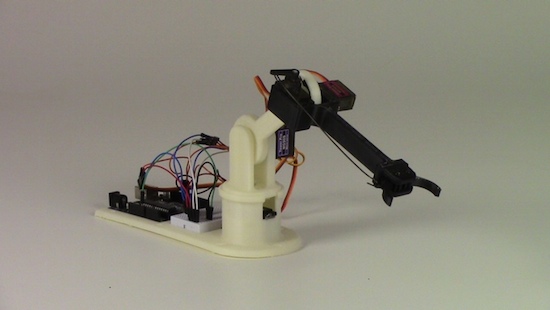
As its name would suggest, the LittleArm is a mini 3D-printed robot that began as a weekend project. Its creator Gabe Bentz wanted a small arm that was easy to work with, and one that wouldn’t require him to dig deep into his wallet. So, as any Maker would do, he decided to design his own low-cost device.

After showing the LittleArm off, it wasn’t before long that he was approached by some STEM teachers in the area who wondered if the kit was something they could use in their classrooms. Ideally, every student should have one to tinker with, but unfortunately today’s systems tend to be too expensive and quickly loose parts and pieces. This is a problem that LittleArm is looking to solve.

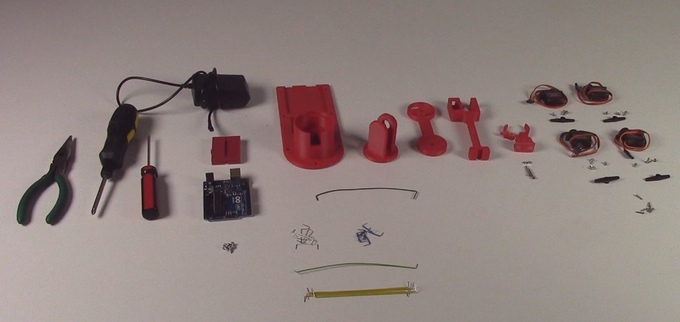
The arm is powered by an Arduino Uno and four identical metal-geared micro servos, while all other mechanical components are 3D-printed. There’s also a modular gripper that’s actuated by a servo along with rigid end-effectors for various tasks. What’s more, a basic GUI enables you to control the arm, its gripper, the speed, as well as use its record function to train the robot to perform a specific task and then watch it play out the sequence.

The entirely open-source gadget comes as a DIY kit that can be purchased or built from scratch. Want one of your own? Check out Bent’z Kickstarter page here, and see the LittleArm in action below (including some of its dance moves).

5 Projects Fit for a Pokemon Go Master

Do you want to be the very best? Do you want to become a Pokemon Go master? Then here are 5 projects to help you level up and catch 'em all.

Read more on MAKE

The post 5 Projects Fit for a Pokemon Go Master appeared first on Make: DIY Projects and Ideas for Makers.

The most incessant (and annoying) Arduino project ever?

If you live with your family, a significant other or a few roommates, and you’re looking for a fun prank to drive them nuts, Connor Nishijima has the perfect trick for you: an Arduino cricket. Unlike actual crickets that are relatively consistent with the sounds they make, this one is a far cry from that. Instead, the Maker’s project will chirp for a brief second, and then go into a deep sleep for a random amount of time between three minutes and three hours. As you could imagine, this can make the source of the noise extremely difficult to pinpoint!

Nishijima combined the JeeLib library for reducing current consumption and his new library for 8-bit volume control to bring the insanely annoying “cricket” to life using nothing more than a speaker, a 7800mAh USB battery, and an Arduino. The best part? He estimates that the setup has enough juice to last for months, if not years. In his case, he enclosed the electronics within a box along with some magnets, then placed it in his vent to mess with his buddy.

For the lowest current comsumption with minimal effort, I’ll be using a 16MHz Arduino Pro Micro with a few power-hog components like the power LED desoldered. Unfortunately, the PWM speeds needed for my Volume lib only work well at 16MHz so far, so using 8MHz to conserve power is out.

However, the awesome battery calculator at Oregon Embeddedtells me that at 16mA “awake” current and 200uA “asleep” current (being asleep more than 95% of the time) this should last more than three years. Of course, the battery itself will have some drain involed with it’s circuitry, but even a FOURTH of the estimated battery life still puts us at almost a full year which is good enough for me, and bad enough for my friend.

Those wishing to give this prank a try can check out Nishijima’s videos below, as well as his code on GitHub.

Star Track is an Arduino-powered star pointer and tracker

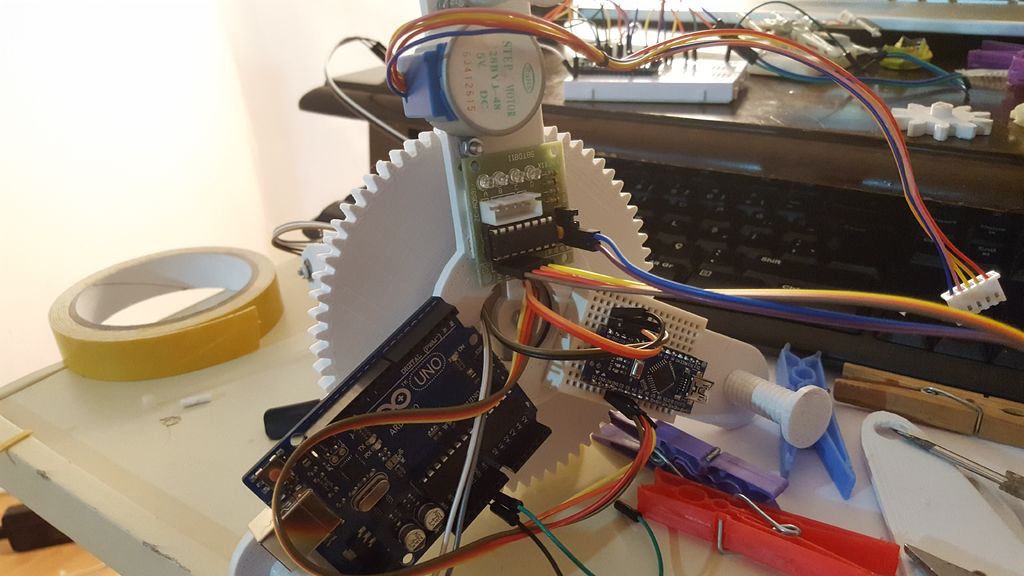
Maker and astronomy enthusiast Görkem Bozkurt has built a GoTo telescope mount-inspired system that points and tracks any object in the sky using its celestial coordinates. The aptly named Star Track sports a 3D-printed structure along with a pair of Arduinos (an Uno and Nano), a gyroscope, an RTC module, two low-cost 5V stepper motors, and a laser pointer.

Many computerized telescopes have a type of telescope mount and related software which can automatically point a telescope to astronomical objects that the user selects. Called GoTo mounts. Like a standard equatorial mount, equatorial GoTo mounts can track the night sky by driving the right-ascension axis. Since laser pointers are a perfect way to point stars, I thought a laser pointer with a GoTo mount would be a perfect tool for locating stars and to track them.

First I had to design a two-axis mount.

1. 360-degree rotating axis for RA
2. A up-down axis for DEC

After aligning the RA axis with the North Celestial Pole, an Arduino connected with an RTC should be able to calculate and track RA with sidereal time. And you can adjust the two axes to the user input from a computer via serial.

But first I had to find a way to precisely point the mount to given degrees. The main idea was to use step motors and give them a specific step to take. But after a few tests that was not totally accurate.

Instead, I used a gyroscope placed on the laser pointer to track the degrees on the two axes, this way I was able to send a command to the step motor to start and stop the movement if necessary.

Intrigued? Bozkurt provides a basic overview of positional astronomy on his project page, along with all of Star Track’s 3D files, code and assembly instructions.

An Arduino-based cartridge reader for Nintendo systems

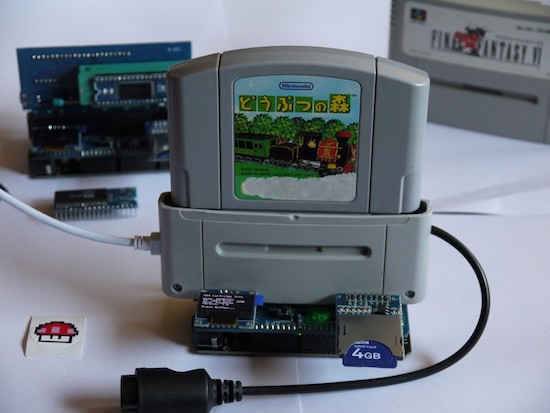
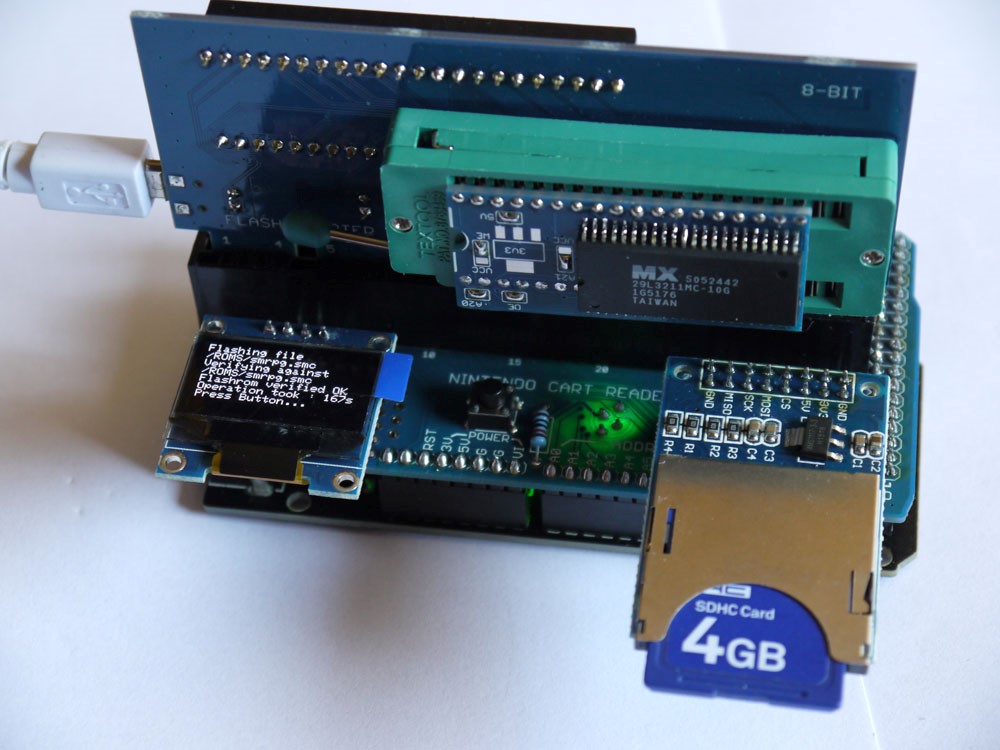
GitHub user Sanni has created a Nintendo cartridge and save game reader shield for the Arduino Mega.

The ROM gets saved to an SD card. You can also read/write save files to the SRAM, display information about the cartridge on a 0.96″ 128X64 OLED LCD, and calculate the checksum of your ROM dump. You control it using the push button–one click moves the selection down, a double-click moves it up, and a long press executes the current menu option.

As the Maker explains, this shield:

  • Reads SNES ROMs and reads/writes save games from and to the SNES cartridge–supported types include: LoRom, HiRom, ExHiRom, SuperFX, SuperFX2, SA1 (can’t write save back to SA1)
  • Read/writes SFC Nintendo Power cartridges
  • Reads N64 ROMs and reads/writes save games (4K/16K EEPROM + SRAM + Flash RAM)
  • Reads/writes N64 Controller Paks and also can test a N64 controller
  • Programs Flash ROMs like 29F016, 29F032, 29F033, 29F1610 and 29L3211 (needs 3.3V)

How to Develop a Sellable Bluetooth Low-Energy (BLE) Product

Bluetooth Low-Energy (BLE) is a great bluetooth solution for your electronics product even if energy use isn't a factor.

Read more on MAKE

The post How to Develop a Sellable Bluetooth Low-Energy (BLE) Product appeared first on Make: DIY Projects and Ideas for Makers.

Arduino Absentmindedly Blows Bubbles

If you ever wanted to make an occasion festive with bubbles, [Sandeep_UNO] may have the project for you. As you can see in the video below (and, yes, it should have the phone rotated and it doesn’t), his Arduino uses a servo motor to dip a bubble wand into soap solution and then pulls it in front of a fan. The entire operation repeats over and over again.

There’s not a lot of detail and no code that we could find, but honestly, if you know how to drive a servo motor from an Arduino, the rest is pretty easy to figure out. Look closely at the motion of the robot. What is often accomplished with a spinning wheel of bubble wands and a constant fan becomes much more interesting when applied intermittently. The lazy cadence is what you expect to see from human operation and that adds something to the effect.

We’ve seen faster bubble blowers, but they were not so simple. We’ve even looked at other bubble-blowing robots. If you want to find out more about servo motors in general, our own [Richard Bauguley] has what you need to know.


Filed under: Android Hacks
Hack a Day 31 Jul 00:01

Weekend Watch: B2Builds Dives into Electronics and Woodworking

Woodworking and electronics, automatons and camera sliders. Ben Brandt's YouTube channel offers lots of cool projects.

Read more on MAKE

The post Weekend Watch: B2Builds Dives into Electronics and Woodworking appeared first on Make: DIY Projects and Ideas for Makers.

Turn your printer into a MOCO slider with Arduino

Product designer Eduard Puertas continues to impress us with his makeshift motion control projects. Recently, the animation enthusiast had come across a broken HP printer on the street; rather than let it be picked up by the garbage truck, he decided to repurpose it into a MOCO slider for stop motion and time-lapse photography.

Aside from the printer’s mechanical parts, Puertas used an Arduino Uno, some stepper drivers, and Dragonframe software to bring his idea to life. You can see the end result below!

Ride to work on an Arduino-based electric unicycle

Some people drive their car to work. Some walk. Others ride their bike. Well, in Nick Thatcher’s case, he prefers to hop on his own electric unicycle. The serial creator of self-balancing vehicles has just completed his latest project, dubbed  “Plan-B.”

Unlike his other builds, this time Thatcher set out to make Plan-B a true “commuter” unicycle with the utmost portability–boasting a foldable design, a handle on its rear for easy carrying, and a LiFePo4 battery to keep it lightweight.

His newly-constructed personal transport is equipped with a 24V 350W geared motor and a SyRen 50A motor controller, along with an Arduino Uno and an IMU to help maintain the cycle’s stability. Beyond that, Plan-B uses a wheelbarrow wheel with a chain drive from the motor.

Watch Thatcher commute in style below!