Posts with «arduino» label

An extremely well thought out marriage proposal with Arduino

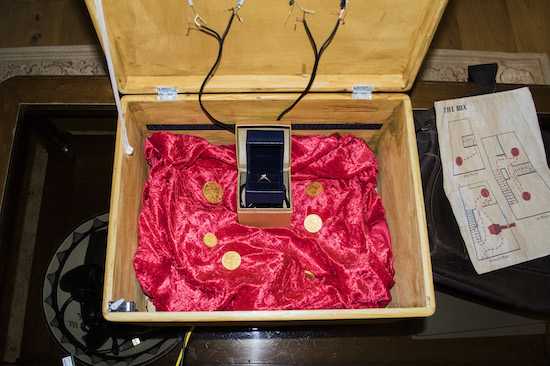
Once solved via a series of brain teasers and a physical challenge, this puzzle box opens to reveal an engagement ring.

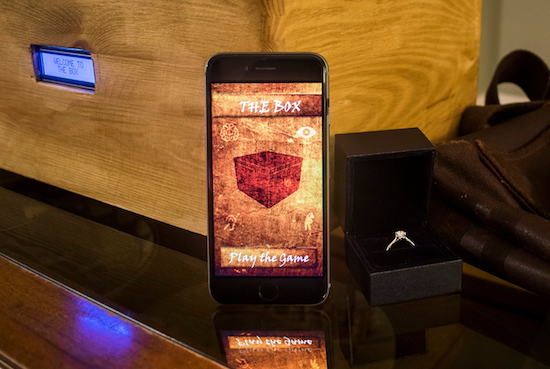
When proposing to your significant other, the normal course of action is to hopefully do something romantic, get on one knee, and present your hopefully soon-to-be fiancé with a ring. David Hoskins however, apparently confident that his girlfriend would have the will as well as the mental and physical capacity to pass his test, instead created “The Box.”

This device put the user through challenges including a water weight puzzle that will be familiar to Die Hard fans, an audio puzzle, a visual puzzle, and even an endurance challenge involving an exercise bike. Of course, if his girlfriend failed to complete the puzzle, that would really ruin the setup, so Hoskins, who got the idea for the game while studying for a masters degree in user experience design, tested things thoroughly beforehand.

Things apparently proceeded as planned, since she said “yes!”

“The Box” was an interactive puzzle game not too dissimilar to the likes of the Crystal Maze or Escape the Room, where the user has to solve a series of puzzles (in my case, 4) to unlock the final prize (for me, an engagement ring). The game utilized a mixture of spatial engagement technology, utilizing Arduinos to connect physical objects and beacons to guide and inform the user as they passed through physical spaces undertaking each challenge.

You can read more about Hoskins’ project and the testing that went into it here.

A DIY Laser Scanning Microscope

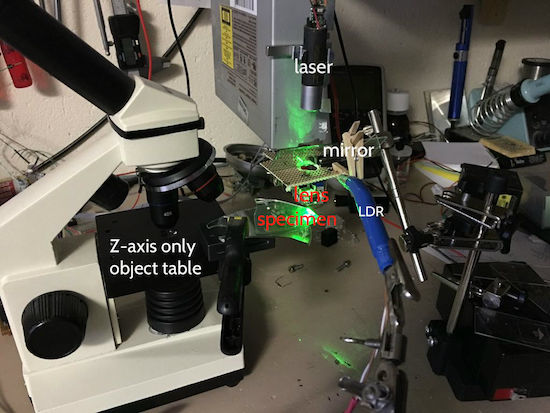
With a DVD pick-up, an Arduino Uno, a laser, and an LDR, Instructables user “Venkes” has managed to create a DIY Laser Scanning Microscope (LSM).

A laser microscope works by shining a beam of light on a subject in an X-Y plane. The intensity of the reflected light is then detected by a photoresistor (or LDR) and recorded. When the various points of light are combined, you get an image.

Obviously you need a very small laser beam. Since a DVD laser unit has to work with the extremely small bit markings on these disks and has coils to steer the lens built-in, this seems like a logical choice to use with a custom microscope. Though it took quite a bit of effort to make, it’s capable of 1300x magnification to attain a resolution of 65,6536 pixels (256 x 256) in an area of .05 x .05mm. Results start around 3:00 in the video below.

More details of this impressive build can be found on the project’s Instructables page.

Laser Scanning Microscope

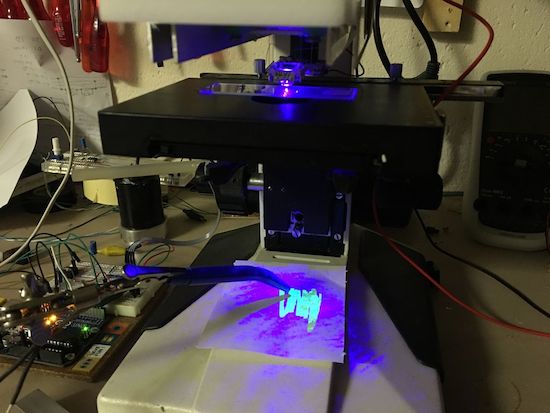
Remember that feeling when you first looked down on a microscope? Now you can re-live it but in slightly different way. [Venkes] came up with a way to make a Laser Scanning Microscope (LSM) with mostly off the shelf components that you probably have sitting around, collecting dust in your garage. He did it using some modified DVD pick-ups, an Arduino Uno, a laser and a LDR.

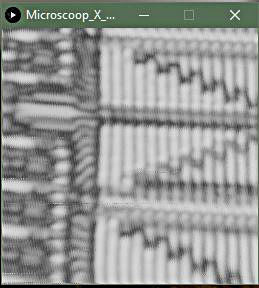
EPROM die shot

To be honest, there’s some more stuff involved in the making of the LSM but [Venkes] did a detailed Instructable explaining how everything fits together. You will need a fair dose of patience, it’s not very easy to get the focus right and it’s quite slow, an image takes about half an hour to complete, but it can do 1300x amplification at 65k pixels (256×256). From reading the instructions it seems that you will need a steady hand to assemble it together, some steps look kind of tricky. On the software side, the LSM uses Arduino and Processing. The Arduino part is responsible for the steering of the lens and taking the LDR readings. This information is then sent to Processing which takes care of interpreting the data and translate it to an image.

The build difficulty level should be between the DIY Smartphone Microscope and the Laser Sequencer Super Microscope. In the end, if everything goes right, you will end up with some cool images:


Filed under: hardware
Hack a Day 09 Feb 00:00
arduino  hardware  laser  lsm  microscope  

Teleknitting: TV-based string art

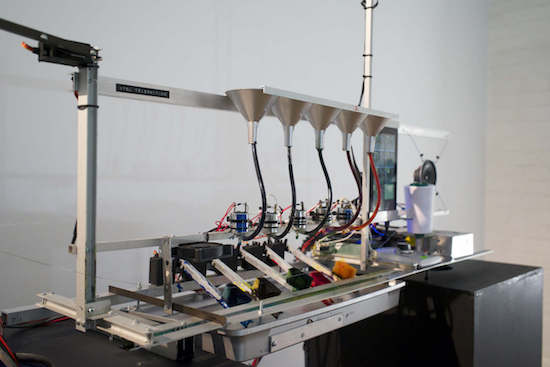
Have you ever wondered what television would look like if transposed onto string and wrapped around another object? If so, you’re not the only one, as shown in this teleknitting sculpture.

Although it’s hard to say where the idea for this piece came from, Moscow-based artist ::vtol::’s teleknitting installation resolves a TV signal down into one pixel by lowering its resolution in eight steps. This process is displayed as video on an Android tablet, and the results are transferred to thread via a unique dying mechanism involving “dye arms.”

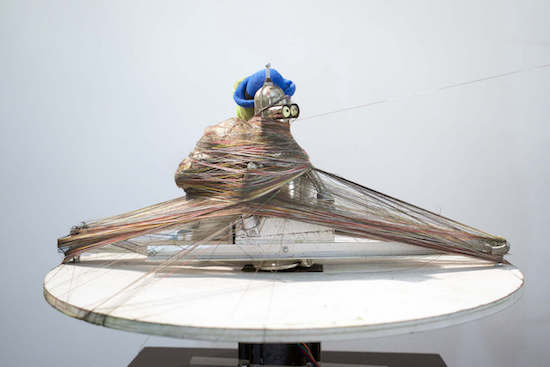
This multi-colored string is then wrapped around an object (or objects) rotating on a pedestal, the height of the string being controlled by the TV signal’s volume.

As you can see below, the character Bender from Futurama along with an alligator bearing an accordion act as the items being wrapped in TV-string. You can find more details of this build on ::vtol::’s website, along with a number of his other Arduino-based interactive projects.

Temperature logger using arduino and thingspeak

Hello Arduino lovers,

In this tutorial, we are making a temperature logger using arduino and thingspeak.
Let's start

Things required:

  1. Arduino Uno
  2. LM35
  3. Sim900 module
  4. Internet pack 
  5. Thinkspeak account


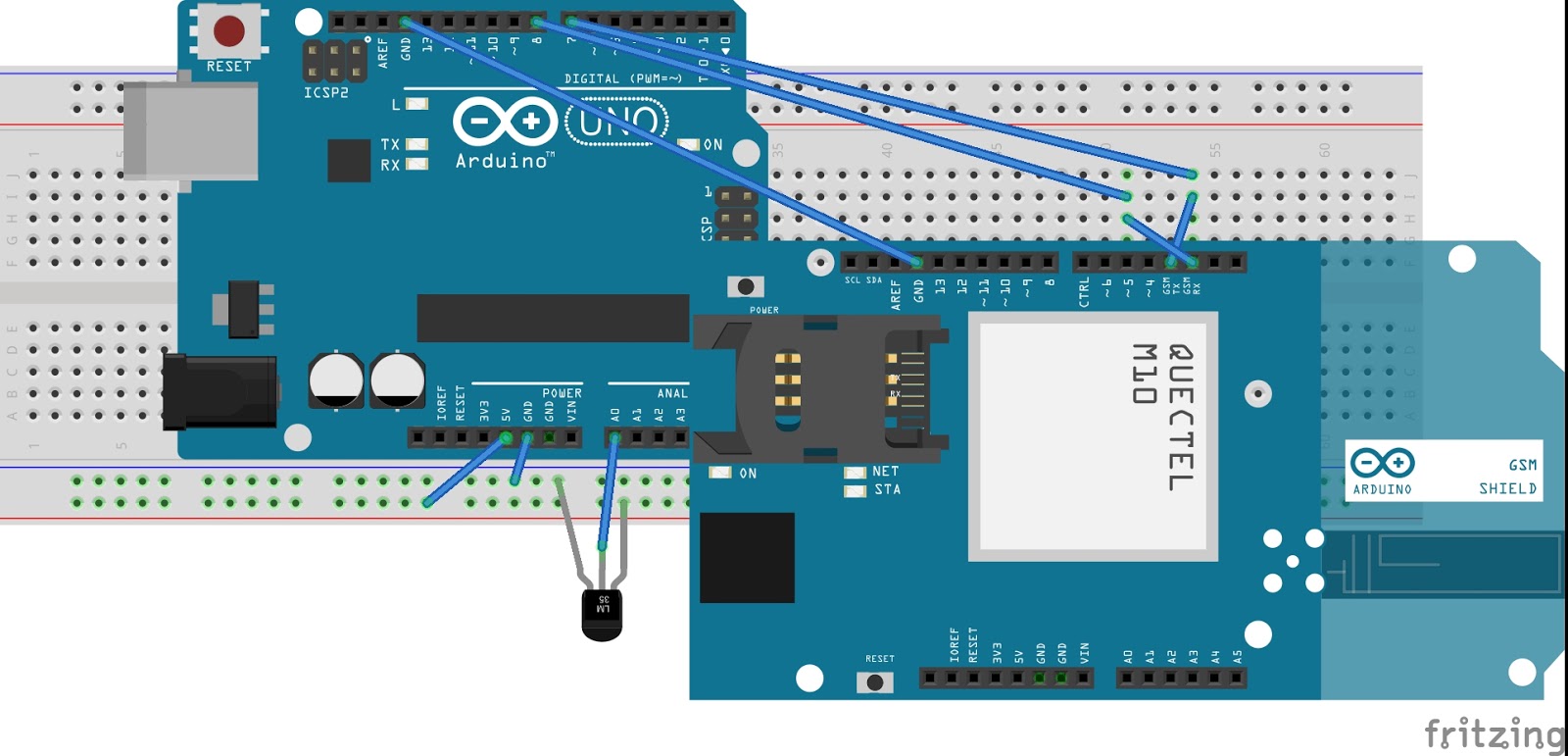
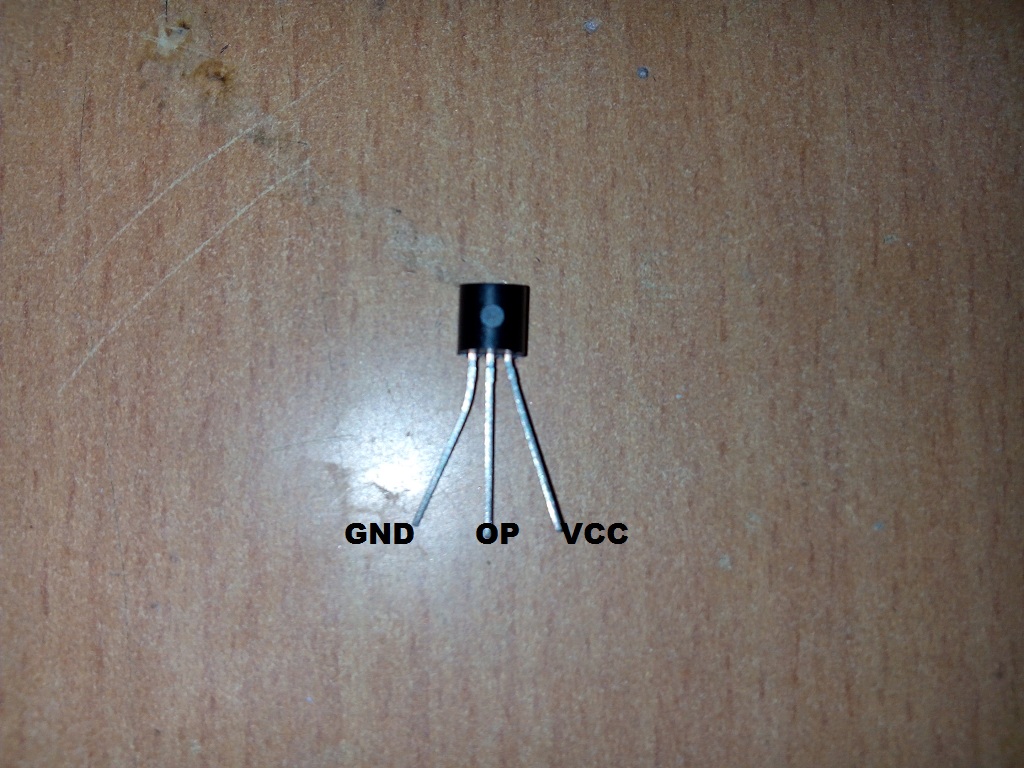
Make connections as given in the diagram. Connect Tx of GSM module to pin number 7 of arduino board and Rx of of GSM module to pin number 8 of arduino uno and ground should be common between these two.
Output of LM35 should be connected to A0 of arduino board.
Arduino Uno GSM module LM35
Pin no. 7 Tx
Pin no. 8 Rx
Pin no. A0 Output of Lm35
Download code from link below
Now, upload the code

Video:

Hope, you guys had enjoyed the video

Thanks for visiting my blog


Start your day with Nerf target practice!

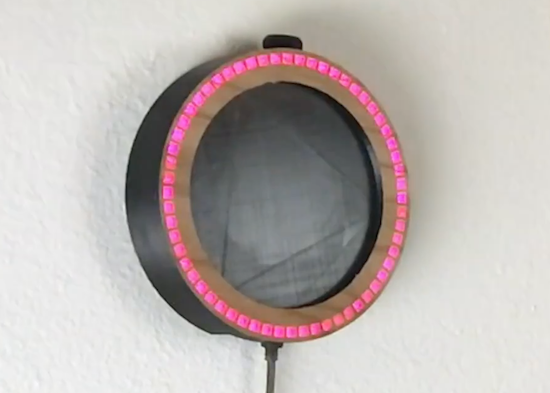
If you need motivation to actually wake up rather than sleep more, this Nerf target clock from “Normal Universe” could be a great solution!

For many of us, traditional alarm clocks have given way to smartphones, but the concept is still the same: an annoying sound, followed by either waking up, or hitting the virtual snooze button just… one… more… time. On the other hand, when this alarm goes off, you need to shoot it with a Nerf gun in order to silence it.

The alarm/target works using a piezoelectric sensor attached to the clock’s housing. When the alarm sounds, if it senses a dart hit by counting the signal pulses generated, it turns off. Ingeniously, and perhaps annoyingly, it can tell if it’s tapped by a finger, and not respond accordingly!

The clock uses a programmable RGB ring controlled by an Arduino Uno to display the time, and is nicely modeled in Fusion 360. Definitely worth a watch.

You can see more details in the video below!

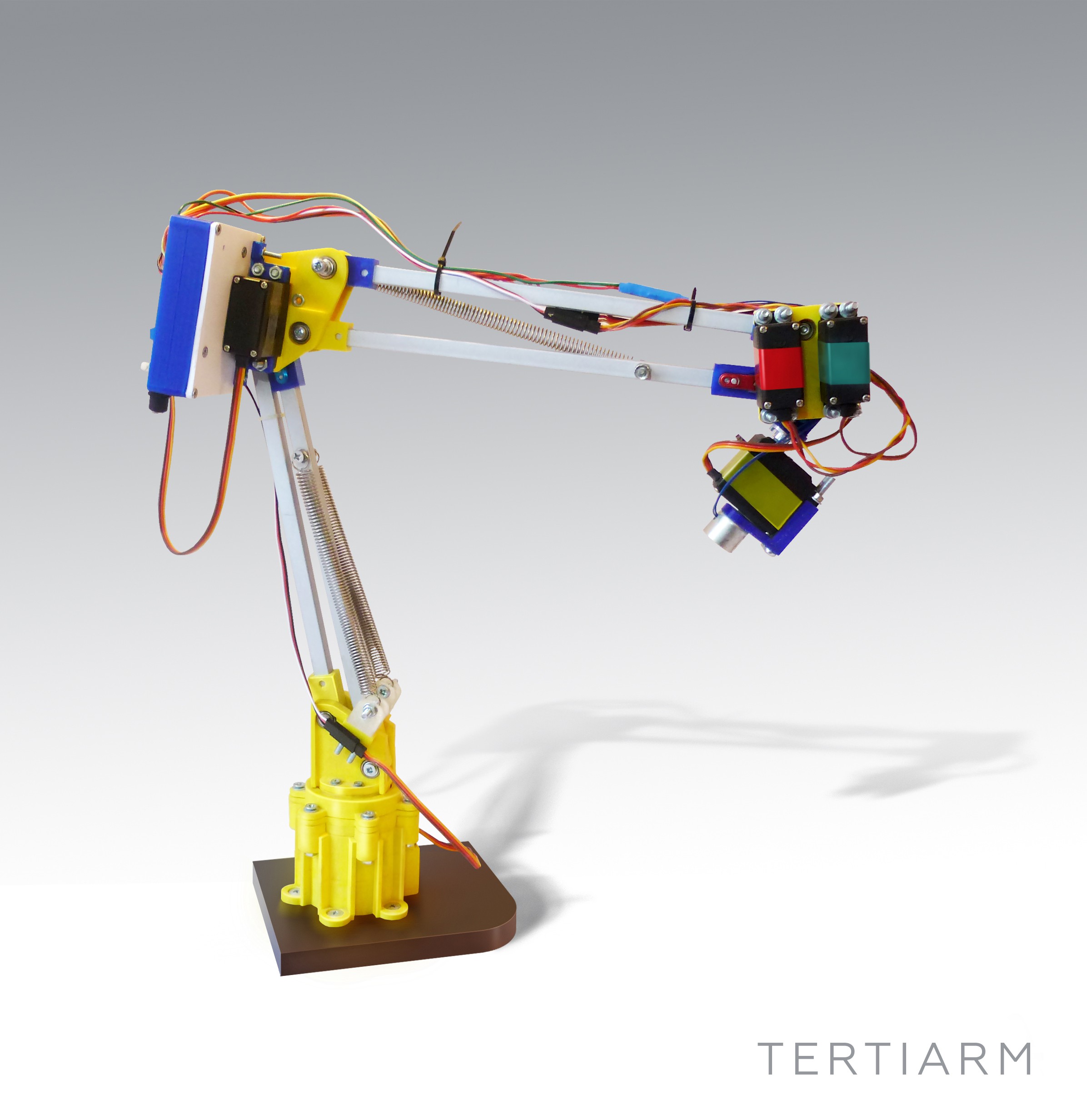
Tertiarm - low cost, 3d printed robot arm based on Ikea lamp

Primary image

What does it do?

Move things, push buttons, etc.

Cost to build

Embedded video

Finished project

Complete

Number

Time to build

Type

URL to more information

Weight

read more

Let's Make Robots 07 Feb 15:54

Tertiarm - low cost, 3d printed robot arm based on Ikea lamp

Primary image

What does it do?

Move things, push buttons, etc.

Cost to build

Embedded video

Finished project

Complete

Number

Time to build

Type

URL to more information

Weight

read more

Let's Make Robots 07 Feb 15:54

Tertiarm - low cost, 3d printed robot arm based on Ikea lamp

Primary image

What does it do?

Move things, push buttons, etc.

Cost to build

Embedded video

Finished project

Complete

Number

Time to build

Type

URL to more information

Weight

read more

Let's Make Robots 07 Feb 15:54

Revive Old Drive-In Speakers with a Modern LED Twist

Ever used a drive-in movie speaker? Build your own and listen to your tunes in retro style.

Read more on MAKE

The post Revive Old Drive-In Speakers with a Modern LED Twist appeared first on Make: DIY Projects and Ideas for Makers.