Posts with «arduino» label

It was only a matter of time before we saw Nixie modules for the Arduino

The Nixie tube, a neon-filled tube with a series of 10 cathodes shaped like numerals, is a classic display for any build wanting a unique, vintage, or steampunk aesthetic. We shouldn’t be surprised a factory in China is now turning out Arduino-compatable Nixie modules (English translation, but don’t get your hopes up), but there it is.

The modules are based on the QS30-1 Nixie tube capable of displaying the digits 0 through 9, and include an RGB LED behind the tube for some nice additional illumination. According to the manual, the modules themselves are based on a pair of 74HC595 shift registers, and are ‘stackable.’ By applying 12 volts to a pair of pins and connecting another 5 wires to an Arduino, it’s possible to drive as many of these Nixie modules as you’d like.

[Paul Craven] got his hands on a quartet of these modules and is planning on building a steampunk style alarm clock as a personal project. [Paul] was able to get the modules up and running fairly quickly, as seen after the break.

While they’re most certainly not the cheapest option, if you’re planning a build with Nixies, this probably is the easiest way to get a vintagey, steampunkey numerical display.


Filed under: arduino hacks, led hacks
Hack a Day 09 Sep 18:10

Hacking a floating RGB LED decorative ball

Knowing that I’m always happy to get something new and glowy, my wife brought home a cheap “floating pool light” that she found on sale for roughly $10. This is a large white floating ball that has LEDs inside and cycles through different colors. Meant to be put into a pool for neat effects, we found it to be much more interesting just used around the house.

However, it was a bit too bright and cycled colors too quickly for our taste. It was actually somewhat distracting when we were just trying to sit and have a few beers late at night on our patio. This gave me a perfect excuse to tear it apart and start hacking… like I wasn’t going to do that anyway.

What I found inside was extremely simple. There’s a single un-marked chip that holds the different display modes (there were 3 display modes: warm, cool, and white). The LEDs were arranged in an array of Reds, Blues, Greens, and Whites (half marked yellow).

My goal was to make this a little more tolerable as mood lighting, so I needed to draw up a plan. I have an arduino sitting here from the redbull contest, so I figured why not hook it up to that? It would allow full PWM control of the channels and I could do some pre-programmed sequences if I wanted.

This was ridiculously easy. All I needed to do was solder leads on to each of the LED channels. There are already great tutorials on how to run PWM from the arduino and a couple quick additions would give me direct controls over each channel via potentiometers. So problem solved right?

Well, sort of. It really bugs me that there’s an entire arduino there just for some PWM. I can go buy the components to do 555 timer PWM circuits if all I want is PWM. Then again, if I compare the price, that free arduino is a much cheaper solution than buying 2xcaps, 1×555, 1xtransistor, and assorted resistors and diodes, especially if consider that I’d have to buy it all in triplicate.

Ultimately if I wanted to just leave this as PWM control on each channel, I’d opt for the 555 circuit. What else is there to do with a glowing ball? Simple notification system? Sound reactive? Give me some ideas.


Filed under: Ask Hackaday
Hack a Day 08 Sep 20:01
555  arduino  ask hackaday  led  rgb  

Arduino and servo 360 degrees, help me please...

Hello friends!
I look for example code for Ardunio and a 360 ° servo for studying.
Who can help?

With thanking greetings

Gerhard

Tracking Solar Brightness with a Homemade Sun Logger

The Sun Logger, a data logging device, combines several components we’ve used in previous Weekend Projects. You may recognize the light-sensitive photoresistor (Optical Tremolo Box) and the Arduino Uno microcontroller (Touchless 3D Tracking Interface). These parts, when combined with a 74AHC125 Level Shifter and SD card socket mounted on a homemade “shield,” will record the levels of light shining down on your project box. That data, recorded every 15 seconds to the SD card, can be exported later to any popular spreadsheet software and graphed, giving you a visual representation of light changes over time. This data could aid in knowing where best to plant a garden, or simply to understand changes of light intensity throughout the seasons in your micro-climate.

And while this project is readymade for recording levels of sunlight, the Arduino has a total of six analog inputs (labeled A0 – A5) and could easily record other variables. For example temperature, motion, or barometric pressure. Makers looking for a mid-level Arduino build, or knowledgeable coders looking to solder together their first homemade shield, the Sun Logger is a great project to build!


Filed under: Arduino, MAKE Projects, Weekend Projects

Arduino stops uploading

Hi,

Can anyone verify for me, that trying to upload a program to Arduino MEGA or maybe any Arduino, the upload stops if the code contains a constant string including !!! ?

like this small one will fail:

// Upload will never end
void setup() {
  String A = "!!!";
}

void loop() {
}


this one will finish:

// Upload will finish
void setup() {
String A = "aaa";
}

void loop() {
}


Let's Make Robots 05 Sep 22:54
arduino  avr  bug  programming  

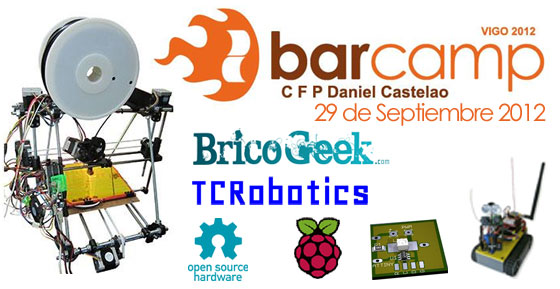
Castelao Barcamp Vigo 2012

Desde BricoGeek nos llega la noticia de la celebración de una nueva Barcamp, esta vez en Vigo. La reunión perfecta para cacharrear y debatir entre amigos sobre temas como el Open Hardware, Arduino o impresoras 3D entre otros muchos, y puede que con alguna que otra sorpresa.


Unas jornadas DIY muy interesantes que tendrán lugar en las instalaciones del CFP Daniel Castelao de Vigo en las que Alejandro Taracido presentará a su mítico robot ORUGAS con las últimas novedades añadidas.


Sin duda, un evento al que no se debe faltar!


Planning preliminar (sujeto a cambios):

  • Introducción al Open Harwdare
  • Orugas: Robot explorador basado en Arduino
  • Impresión 3D DIY. Crea objetos en tu casa
  • Workshop BricoGeek
  • Taller: DIY Soldadura SMD por refusión
  • Taller: Medidas PWM analógicas
  • Presentación proyecto RACE
  • Raspberry PI como servidor FTP de contenidos

Enlaces:

VIA | BricoGeek

DIY Doorbell Video Security System

Ever wonder who comes to your door during the day while you’re gone?  Here’s a simple DIY project to answer that question.  Every time someone rings your doorbell, you’ll receive a text message containing a photo of the person.  The system can also be setup to automatically take photos based upon motion detection instead of a doorbell press.

When someone rings the doorbell, the Arduino instructs a camera to take a picture. It then also sends an email to your smart phone notifying you that someone is at the door.  If you’re nterested in building your own, check out the detailed instructions.

Similar DIY Security Projects:

Hack n Mod 05 Sep 07:29

feasibility of DIY wireless headphone kit

So, I was searching the market for what my wireless headphone options were and got quite disappointed.

As it seems, wireless used is either IR, RF (on the FM/UHF band) and Bluetooth (also 2.4Ghz seemingly working in the router's norm).

IR ... needs line of sight, small range...
RF... prone to interferences
Bluetooth... small range
2.4GHz... some reviews said they interfered with the home wireless routers


read more

Let's Make Robots 04 Sep 22:30
arduino  headphone  ideas  kit  wireless  

Rc car with arduino

Hi guys, I'm planning to make an obstacle detection rc car where the rc car will have its power being cut-off/reverse when the sensor detects an obstacle.

If I were to use an Arduino to make this project happen, how should I link the Arduino with the rc car?

read more

Ping pong balls launcher

Hi everyone!

This was my first CNC and 3D printing project. 

It is a functional ping pong balls launcher designed to be controlled by an arduino (or any other microcontroller). It uses a servo to dispense the balls and two motors with wheels to give speed and shoot them.

All the plastic pieces can be printed using an 3D printer and the bases can be done using a CNC or a laser cutter. Have a look at the thingiverse page: http://www.thingiverse.com/thing:29670

In order to build this you will need the following material:

read more