In my previous post, I said that I would post drafts of my supplemental sheets describing the course here on my blog, to get feedback before submitting them. Since I’ve been thinking more about the labs than the lectures, I’ll try writing the sheet for the lab first. It will be based, in part, on my prior list of lab topics, somewhat updated.
Undergraduate Supplemental Sheet
Information to accompany Request for Course Approval
Sponsoring Agency Electrical Engineering
Course # 102L (I need to get a number from the department that they are not currently using. Since we are planning the course as an alternative prerequisite to EE 104 in place of EE101+L, I think that 102 would be a good number, with the L suffix for the lab course.)
Catalog Title Applied Circuits Lab
Please answer all of the following questions using a separate sheet for your response.
1. Are you proposing a revision to an existing course? If so give the name, number, and GE designations (if applicable) currently held.
This is not a revision to any existing course.
2. In concrete, substantive terms explain how the course will proceed. List the major topics to be covered, preferably by week.
- Thermistor lab
The lab will start with having students learn about the test equipment by having them use the multimeters to measure other multimeters. What is the resistance of a multimeter that is measuring voltage? of one that is measuring current? what current or voltage is used for the resistance measurement? The first lab will then have three parts, all involving the use of a Vishay BC Components NTCLE413E2103F520L thermistor or equivalent.
First, the students will use a bench multimeter to measure the resistance of the thermistor, dunking it in various water baths (with thermometers in them to measure the temperature). They should fit a simple  curve to this data (warning: temperature needs to be on an absolute scale).
Second, they will add a series resistor to make a voltage divider. They have to choose a value to get as large and linear a voltage response as possible at some specified “most-interesting” temperature (perhaps body temperature, perhaps room temperature, perhaps DNA melting temperature). There will be a pre-lab exercise where they derive the formula for maximizing  . They will then measure and plot the voltage output for the same set of water baths. If they do it right, they should get a much more linear response than for their resistance measurements.
Finally, they will hook up the voltage divider to an Arduino analog input and record a time series of a water bath cooling off (perhaps adding an ice cube to warm water to get a fast temperature change), and plot temperature as a function of time.EE concepts needed: voltage, resistance, voltage divider, notion of a transducer.
Lab skills developed: use of multimeter for measuring resistance and voltage, use of Arduino with data-acquisition program to record a time series, fitting a model to data points, simple breadboarding.
Equipment needed: multimeter, power supply, thermistor, selection of various resistors, breadboard, clip leads, thermoses for water baths, secondary containment tubs to avoid water spills in the electronics lab. Arduino boards will be part of the student-purchased lab kit (separate from rest of kit, so that students can use Arduinos previously purchased). All uses of the Arduino board assume connection via USB cable to a desktop or laptop computer that has the data logger software that we will provide.
- Electret microphone
First, we will have the students measure and plot the DC current vs. voltage for the microphone. The microphone is normally operated with a 3V drop across it, but can stand up to 10V, so they should be able to set the Agilent E3631A power supply to various values from 0V to 10V and get the voltage and current readings directly from the bench supply, which has 4-place accuracy for both voltage and current. There is some danger of the students accidentally delivering too much voltage and frying the mic, but as long as they get the polarity right, that isn’t too big a hazard. Ideally, they should see that the current is nearly constant as voltage is varied—nothing like a resistor.
Second, we will have them do current-to-voltage conversion with a 5v power supply to get a 2.5v DC output from the microphone and hook up the output of the microphone to the input of the oscilloscope. Input can be whistling, talking, iPod earpiece, … . They should learn the difference between AC-coupled and DC-coupled inputs to the scope, and how to set the horizontal and vertical scales of the scope.
Third, we will have them design and wire their own DC blocking RC filter (going down to about 1Hz), and confirm that it has a similar effect to the AC coupling on the scope.
Fourth, they will play sine waves from the function generator through a loudspeaker next to the mic, observe the voltage output with the scope, and measure the voltage with a multimeter, plotting output voltage as a function of frequency. Note: the specs for the electret mic show a fairly flat response from 50Hz to 3kHz, so most of what the students will see here is the poor response of a cheap speaker at low frequencies.
Those with extra time could look at putting the speaker and mic at opposite ends of tube and seeing what difference that makes.EE concepts: current sources, AC vs DC, DC blocking by capacitors, RC time constant, sine waves, RMS voltage, properties varying with frequency.
Lab skills: power supply, oscilloscope, function generator, RMS AC voltage measurement.
Equipment needed: multimeter, oscilloscope, function generator, power supply, electret microphone, small loudspeaker, selection of various resistors, breadboard, clip leads.
- Electrode measurements
First, we will have the students attempt to measure the resistance of a saline solution using a pair of stainless steel electrodes and a multimeter. This should fail, as the multimeter gradually charges the capacitance of the electrode/electrolyte interface.
Second, the students will use a voltage divider, with 10–100Ω load resistor and the function generator driving the voltage divider. The students will measure the RMS voltage across the resistor and across the electrodes for different frequencies from 3Hz to 300kHz (the range of the AC measurements for the Agilent 34401A Multimeter). They will plot the magnitude of the impedance of the electrodes as a function of frequency and fit an R2+(R1||C1) model to the data. A little hand tweaking of parameters should help them understand what each parameter changes about the curve.
Third, the students will repeat the measurements and fits for different concentrations of NaCl, from 0.01M to 1M. Seeing what parameters change a lot and what parameters change only slightly should help them understand the physical basis for the electrical model.
Fourth, students will make Ag/AgCl electrodes from fine silver wire. The two standard methods for this involve either soaking in chlorine bleach or electroplating. To reduce chemical hazards, we will use the electroplating method. Students will calculate the area of their electrodes and the recommended electroplating current, and adjust the bench supplies to get the desired current.
Fifth, the students will measure and plot the resistance of a pair of Ag/AgCl electrodes as a function of frequency (as with the stainless steel electrodes).
Sixth, if there is time, students will measure the potential between a stainless steel electrode and an Ag/AgCl electrode.EE concepts:magnitude of impedance, series and parallel circuits, variation of parameters with frequency, limitations of R+(C||R) model.
Electrochemistry concepts: At least a vague understanding of half-cell potentials. Ag → Ag+ + e-, Ag+ + Cl- → AgCl, Fe + 2 Cl-→ FeCl2 + 2 e-.
Lab skills: bench power supply, function generator, multimeter, fitting functions of complex numbers, handling liquids in proximity of electronic equipment.
Equipment needed: multimeter, function generator, power supply, stainless steel electrode pairs, silver wires, frame for mounting silver wire, resistor, breadboard, clip leads, NaCl solutions in different concentrations, beakers for salt water, secondary containment tubs to avoid salt water spills in the electronics lab.
- Sampling and Aliasing
Students will use a PC board that samples and digitizes an input with an 8-bit ADC, then reconstructs the waveform with a DAC. An existing lab has been used in other EE courses for explaining and demonstrating aliasing of sampled signals using this board, a signal generator, and a dual-trace oscilloscope. Note: this is a student-executed demo, rather than a design or measurement lab.EE concepts: quantized time, quantized voltage, sampling frequency, Nyquist frequency, aliasing.
Lab skills: dual traces on oscilloscope.Equipment needed: ADC/DAC board, dual-trace oscilloscope, function generator.
- Audio amplifier
Students will use an op amp to build a simple non-inverting audio amplifier for an electret microphone, setting the gain to around 6 or 7. Note that we are using single-power-supply op amps, so they will have to design a bias voltage supply as well.If this lab is too short, then students could feed the output of the amplifier into an analog input of the Arduino and record the waveform at the highest sampling rate they can with the software we provide (probably around 300–500 Hz). This would again demonstrate aliasing.EE concepts: op amp, DC bias, bias source with unity-gain amplifier, AC coupling, gain computation.
Lab skills: complicated breadboarding (enough wires to have problems with messy wiring). If we add the Arduino recording, we could get into interesting problems with buffer overrun if their sampling rate is higher than the Arduino’s USB link can handle.
Equipment needed: breadboard, op amp chip, assorted resistors and capacitors, electret microphone, Arduino board, optional loudspeaker.
- Capacitive touch sensor
The students will build an op-amp oscillator (a square-wave one, not a sine wave) whose frequency is dependent on the parasitic capacitance of a touch plate, which the students can make from Al foil and plastic food wrap. Students will have to measure the frequency of the oscillator with and without the plate being touched.
Instead of breadboarding, students will wire this circuit by soldering wires and components on a PC board designed for prototyping op amp and instrumentation amp circuits.
We will also provide a simple Arduino program that is sensitive to changes in the period of the oscillator and turns an LED on or off, to turn the frequency change into an on/off switch.EE concepts: frequency-dependent feedback, oscillator, RC time constants, parallel capacitors.
Lab skills: soldering. Frequency measurement with multimeter.
Equipment needed: Power supply, multimeter, Arduino, clip leads, amplifier prototyping board, oscilloscope.
- Phototransistor
The details of this lab have not been worked out yet. It will probably involve either making a photointerrupter switch or making and characterizing an optoisolater made from an infrared LED and a phototransistor.EE concepts: LEDs and phototransistors (maybe also photodiodes and photoresistors), optoisolators.
Equipment needed: breadboard, LED, phototransistor, resistors, function generator, oscilloscope, multimeter.
- Pressure sensor 1—instrumentation amplifier
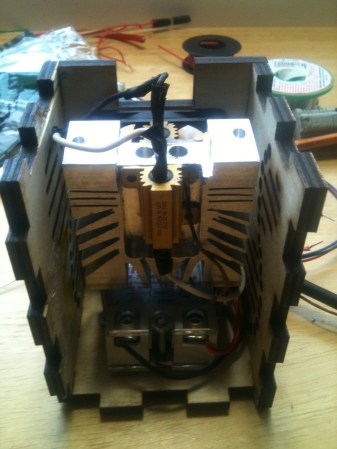
Students will design an instrumentation amplifier with a gain of 300 or 500 to amplify the differential strain-gauge signal from a medical-grade pressure sensor (the Freescale MPX2300DT1), to make a signal large enough to be read with the Arduino A/D converter. The circuit will be soldered on the instrumentation amp/op amp protoboard.The sensor calibration will be checked with water depth in a small reservoir. Note: the pressure sensor comes in a package that exposes the wire bonds and is too delicate for student assembly by novice solderers. We will make a sensor module that protects the sensor and mounts the sensor side to a 3/4″ PVC male-threaded plug, so that it can be easily incorporated into a reservoir, and mounts the electronic side on a PC board with screw terminals for connecting to student circuits.
EE concepts: differential signals, twisted-pair wiring, strain gauge bridges, instrumentation amplifier, DC coupling, gain.
Equipment needed: Power supply, amplifier prototyping board, oscilloscope, pressure sensor mounted in PVC plug with breakout board for easy connection, water reservoir made of PVC pipe, secondary containment tub to avoid water spills in electronics lab.
- Pressure sensor 2—modeling fluidics with linear circuits
Students will use the pressure sensors and amplifiers from the previous labs to characterize a pair of water reservoirs connected by a flexible hose. The details of the lab are still being worked out.Students will either induce a step change in pressure in one reservoir and record the step response in each reservoir, or will mount one reservoir on a homemade shaker table driven by a function generator and an audio amplifier.EE concepts: hydraulic analogy, frequency response (both amplitude and phase).
Equipment needed: Power supply, amplifier prototyping board, oscilloscope, Arduino, pressure sensor mounted in PVC plug with breakout board for easy connection, 2 water reservoirs made of PVC pipe, hose connections, secondary containment tub to avoid water spills in electronics lab, possibly home-made shaker table. Note: the shaker table and power amplifier is the most expensive piece of equipment not already in the lab: it will cost about $50 to build.
- Electrocardiogram EKG
Students will design and solder an instrumentation amplifier with a gain of 2000 and bandpass of about 0.1Hz to 100Hz. The amplifier will be used with 3 disposable EKG electrodes to display EKG signals on the oscilloscope and record them on the Arduino.Equipment needed: Instrumentation amplifier protoboard, EKG electrodes, alligator clips, Arduino, oscilloscope.
3. Systemwide Senate Regulation 760 specifies that 1 academic credit corresponds to 3 hours of work per week for the student in a 10-week quarter. Please briefly explain how the course will lead to sufficient work with reference to e.g., lectures, sections, amount of homework, field trips, etc. [Please note that if significant changes are proposed to the format of the course after its initial approval, you will need to submit new course approval paperwork to answer this question in light of the new course format.]
This is a 2-unit course. Three hours a week will be spent in scheduled labs, another 3 hours a week in pre-lab design activity and post-lab write-ups.
4. Include a complete reading list or its equivalent in other media.
Wikipedia book: http://en.wikipedia.org/wiki/User:Kevin_k/Books/applied_circuits
Because no existing textbook covers all the material of the course, collection of relevant Wikipedia articles has been made that covers all the major topics. The book is available online for free, but students can purchase a printed and bound version (about 350 pages), if they want. Some of the Wikipedia articles contain more detail than is needed for the course, but about 90% of the content is relevant and will be required.
Data sheets: Students will be required to find and read data sheets for each of the components that they use in the lab.
Op amps for everyone by Ron Mancini http://www.e-booksdirectory.com/details.php?ebook=1469 Chapters 1–6 This free book duplicates some of the material in the Wikipedia book, but provides more detail and a cleaner presentation of some of the op-amp material.
Op Amp Applications Handbook by Analog Devices http://www.analog.com/library/analogDialogue/archives/39-05/op_amp_applications_handbook.html has some useful material, particularly in Sections 1-1 and 1-4, but is generally too advanced for a first circuits course. Readings in this book will be optional for the more advanced students.
The classic book The Art of Electronics by Horowitz and Hill has one of the best presentations of op amps in Chapter 4. Chapters 1 and 4, and parts of Chapters 5 and 7 are relevant to this course. Unfortunately, the book is now 23 years old and much of the description of specific chips is obsolete, but the book is still quite expensive. We will provide page and section numbers for optional readings in this book that correspond to the readings in the main texts, but not require this book.
5. State the basis on which evaluation of individual students’ achievements in this course will be made by the instructor (e.g., class participation, examinations, papers, projects).
Students will be evaluated on in-lab demonstrations of skills and on the lab write-ups.
6. List other UCSC courses covering similar material, if known.
EE 101L covers some of the same basic electronic lab skills, but without the focus on sensors or design, and without instrumentation amps.
Physics 160 offers a similar level of practical electronics, but focuses on physics applications, rather than on bioengineering applications, and is only offered in alternate years.
7. List expected resource requirements including course support and specialized facilities or equipment for divisional review. (This information must also be reported to the scheduling office each quarter the course is offered.)
The course will need the equipment of a standard analog electronics teaching lab: power supply, multimeter, function generator, oscilloscope, and computer plus soldering irons. The equipment in Baskin Engineering 150 (used for EE 101L) is ideally suited for this lab. There are 24 stations in the lab, but only 12 function generators. Adding a dozen $300 function generators would make all 24 stations simultaneously usable, but the lab could be run with only half the stations, if all labs requiring function generators are done only with student pairs rather than individuals.
In addition, a few special-purpose setups will be needed for some of the labs. The special-purpose equipment was designed to be easily constructed with simple tools and to cost around $50/setup. One of the teachers is prototyping all the lab setups at home, to make sure that they can be effectively made within budget without expensive parts or much shop time.
There are a number of consumable parts used for the labs (integrated circuits, resistors, capacitors, PC boards, wire, and so forth), but these are easily covered by standard School of Engineering lab fees.
The course requires a faculty member (simultaneously teaching the co-requisite Applied Circuits course) and a teaching assistant (for providing help in the labs and for evaluating student lab demonstrations).
8. If applicable, justify any pre-requisites or enrollment restrictions proposed for this course. For pre-requisites sponsored by other departments/programs, please provide evidence of consultation.
Students will be required to have single-variable calculus and a physics electricity and magnetism course. Both are standard prerequisites for any circuits course. Although DC circuits can be analyzed without calculus, differentiation and integration are fundamental to AC analysis. Students should have already been introduced to the ideas of capacitors and inductors.
9. Proposals for new or revised Disciplinary Communication courses will be considered within the context of the approved DC plan for the relevant major(s). If applicable, please complete and submit the new proposal form (http://reg.ucsc.edu/forms/DC_statement_form.doc or http://reg.ucsc.edu/forms/DC_statement_form.pdf) or the revisions to approved plans form (http://reg.ucsc.edu/forms/DC_approval_revision.doc or http://reg.ucsc.edu/forms/DC_approval_revision.pdf).
This course is not expected to contribute to any major’s disciplinary communication requirement.
10. If you are requesting a GE designation for the proposed course, please justify your request making reference to the attached guidelines.
No General Education code is proposed for this course, as all relevant codes will have already been satisfied by the prerequisites.
11. If this is a new course and you requesting a new GE, do you think an old GE designation(s) is also appropriate? (CEP would like to maintain as many old GE offerings as is possible for the time being.)
No General Education code is proposed for this course, as all relevant codes (old or new) will have already been satisfied by the prerequisites.
Filed under:
Circuits course,
Pressure gauge Tagged:
Arduino,
bioengineering,
capacitive touch sensor,
circuits,
course design,
ECG,
EKG,
electret mic,
electret microphone,
electrocardiogram,
electrodes,
electronics,
multimeter,
op amp,
oscilloscope,
phototransistor,
pressure sensor,
sensors,
teaching,
thermistor