Posts with «vintage» label

Old Projects? Memorialize Them Into Functional Art

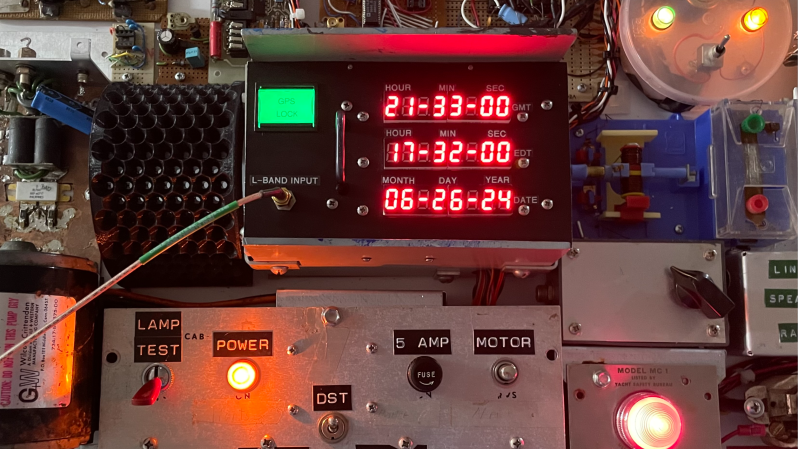
What does one do with old circuit boards and projects? Throwing them out doesn’t feel right, but storage space is at a premium for most of us. [Gregory Charvat] suggests doing what he did: combining them all into a wall-mountable panel in order to memorialize them, creating a functional digital clock in the process. As a side benefit, it frees up storage space!

Everything contributes. If it had lights, they light up. If it had a motor, it moves.

Memorializing and honoring his old hardware is a journey that involved more than just gluing components to a panel and hanging it on the wall. [Gregory] went through his old projects one by one, doing repairs where necessary and modifying as required to ensure that each unit could power up, and did something once it did. Composition-wise, earlier projects (some from childhood) are mounted near the bottom. The higher up on the panel, the more recent the project.

As mentioned, the whole panel is more than just a collage of vintage hardware — it functions as a digital clock, complete with seven-segment LED displays and a sheet metal panel festooned with salvaged controls. Behind it all, an Arduino MEGA takes care of running the show.

Creating it was clearly a nostalgic journey for [Gregory], resulting in a piece that celebrates and showcases his hardware work into something functional that seems to have a life of its own. You can get a closer look in the video embedded below the page break.

This really seems like a rewarding way to memorialize one’s old projects, and maybe even help let go of unfinished ones.

And of course, we’re also a fan of the way it frees up space. After all, many of us do not thrive in clutter and our own [Gerrit Coetzee] has some guidance and advice on controlling it.

Hack a Day 02 Sep 03:00

Hewlett-Packard 5082-7415 LED Display from 1976

In this article we examine a five digit, seven-segment LED display from Hewlett-Packard, the 5082-7415:

We realise they’re most likely now pure unobtanium, but we like some old display p0rn so here you go.

2025 update – Tronixlabs in Australia has a limited quantity of new, old-stock four-digit QDSP6064 displays. Email john at tronixlabs dot com for more information.

According to the data sheet (HP 5082-series.pdf) and other research this was available for a period of time around 1976 and used with other 5082-series modules in other HP products. Such as the Hewlett-Packard 3x series of calculators, for example:

Using the display is very easy – kudos to the engineers at HP for making a simple design that could be reusable in many applications. The 5082-7415 is a common-cathode unit and wiring is very simple – there are the usual eight anodes for segments a~f and the decimal point, and the five cathodes.

As this module isn’t too easily replaceable, I was very conservative with the power supply – feeding just under 1.6V at 10mA to each of the anode pins. A quick test proved very promising:

Excellent – it worked! But now to get it displaying some sort of interesting way. Using the following hardware…

Don’t forget to use the data sheet (HP 5082-series.pdf). You don’t have to use Arduino – any microcontroller with the appropriate I/O can take care of this.

Here is a simple Arduino sketch that scrolls through the digits with and then without the decimal point:

// Arduino sketch to demonstrate HP 5082-7415 LED Display unit
// John Boxall, April 2012
int clockPin=6;
int latchPin=7;
int dataPin=8;
// array for cathodes - sent to second shift register
byte digits[]={
  B10000000,
  B01000000,
  B00100000,
  B00010000,
  B00001000,
  B11111000}; // use digits[6] to turn all on
// array for anodes (to display 0~0) - sent to first shift register
byte numbers[]={
  B11111100,
  B01100000,
  B11011010,
  B11110010,
  B01100110,
  B10110110,
  B10111110,
  B11100000,
  B11111110,
  B11110110};
void setup()
{
  pinMode(clockPin, OUTPUT);
  pinMode(latchPin, OUTPUT);
  pinMode(dataPin, OUTPUT);
}
void loop()
{
  int i;
  for ( i=0 ; i<10; i++ )
  {
    digitalWrite(latchPin, LOW);
    shiftOut(dataPin, clockPin, LSBFIRST, digits[6]);
    shiftOut(dataPin, clockPin, LSBFIRST, numbers[i]);
    digitalWrite(latchPin, HIGH);
    delay(250);
  }
  // now repeat with decimal point
  for ( i=0 ; i<10; i++ )
  {
    digitalWrite(latchPin, LOW);
    shiftOut(dataPin, clockPin, LSBFIRST, digits[6]);
    shiftOut(dataPin, clockPin, LSBFIRST, numbers[i]+1);
    digitalWrite(latchPin, HIGH);
    delay(250);
  }
}

And the results:

Now for something more useful. Here is a function that sends a single digit to a position on the display with the option of turning the decimal point on or off:

void displayDigit(int value, int posit, boolean decPoint)
// displays integer value at digit position posit with decimal point on/off
{
 digitalWrite(latchPin, LOW);
 shiftOut(dataPin, clockPin, LSBFIRST, digits[posit]);
 if (decPoint==true)
 {
 shiftOut(dataPin, clockPin, LSBFIRST, numbers[value]+1); 
 } 
 else 
 {
 shiftOut(dataPin, clockPin, LSBFIRST, numbers[value]); 
 }
 digitalWrite(latchPin, HIGH);
}

So if you wanted to display the number three in the fourth digit, with the decimal point – use

displayDigit(3,3,true);

with the following result:

We make use of the displayDigit() function in our next sketch. We introduce a new function:

displayInteger(number,cycles);

It accepts a long integer between zero and 99999 (number) and displays it on the module for cycles times:

// Arduino sketch to demonstrate HP 5082-7415 LED Display unit
// Displays numbers on request
// John Boxall, April 2012
int clockPin=6;
int latchPin=7;
int dataPin=8;
// array for cathodes - sent to second shift register
byte digits[]={
 B10000000,
 B01000000,
 B00100000,
 B00010000,
 B00001000,
 B11111000}; // use digits[6] to turn all on
// array for anodes (to display 0~0) - sent to first shift register
byte numbers[]={
 B11111100,
 B01100000,
 B11011010,
 B11110010,
 B01100110,
 B10110110,
 B10111110,
 B11100000,
 B11111110,
 B11110110};
void setup()
{
 pinMode(clockPin, OUTPUT);
 pinMode(latchPin, OUTPUT);
 pinMode(dataPin, OUTPUT);
 randomSeed(analogRead(0));
}
void clearDisplay()
// turns off all digits
{
 digitalWrite(latchPin, LOW);
 shiftOut(dataPin, clockPin, LSBFIRST, 0);
 shiftOut(dataPin, clockPin, LSBFIRST, 0); 
 digitalWrite(latchPin, HIGH);
}
void displayDigit(int value, int posit, boolean decPoint)
// displays integer value at digit position posit with decimal point on/off
{
 digitalWrite(latchPin, LOW);
 shiftOut(dataPin, clockPin, LSBFIRST, digits[posit]);
 if (decPoint==true)
 {
 shiftOut(dataPin, clockPin, LSBFIRST, numbers[value]+1); 
 } 
 else 
 {
 shiftOut(dataPin, clockPin, LSBFIRST, numbers[value]); 
 }
 digitalWrite(latchPin, HIGH);
}
void displayInteger(long number,int cycles)
// displays a number 'number' on the HP display. 
{
 long i,j,k,l,z;
 float f;
 clearDisplay();
 for (z=0; z
void loop()
{
 long l2;
 l2=random(0,100001);
 displayInteger(l2,400);
}

For demonstration purposes the sketch displays random numbers, as shown in the video below:

Update – four-digit versions…

They worked very nicely and can be driven in the same method as the 5082-7415s described earlier. In the following video we have run the same sketches with the new displays:

In the meanwhile, I hope you found this article of interest. Thanks to the Vintage Technology Association website and the Museum of HP Calculators for background information.

To keep up to date with new posts at tronixstuff.com, please subscribe to the mailing list in the box on the right, or follow us on x – @tronixstuff.

I hope you enjoyed reading about the displays. If you find this sort of thing interesting, please consider ordering one or more of my books from amazon.

And as always, have fun and make something.

Vintage-style clock made from individual LEDs

If you’ve ever wanted a vintage-style timepiece, or to test your soldering abilities, this clock by YouTuber Electronoobs will let you do both at once. 

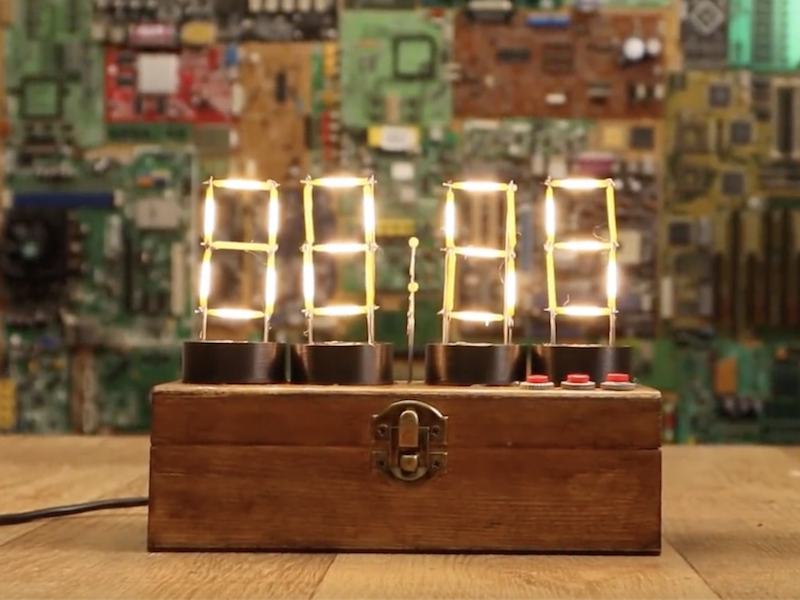
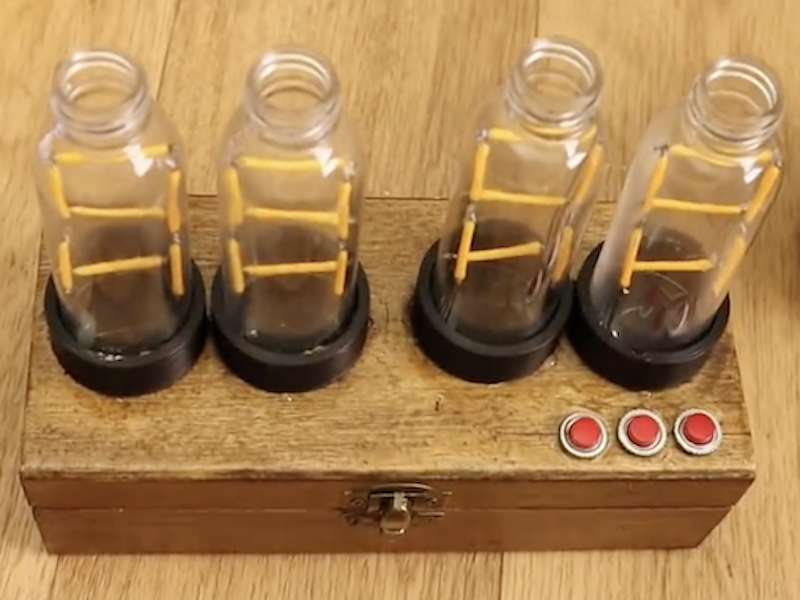
It features four display modules that resemble Nixie tubes, each made out of LED filaments soldered onto a steel wire frame. If you find soldering enjoyable and relaxing, this is likely a good project for you; though if not, there are of course other options. 

The device is controlled by an Arduino Nano, along with a MAX7219 display driver to power the LEDs as needed. An RTC module keeps things “ticking” at the correct pace, and a pair of buttons on top of the wooden enclose allow the time to be adjusted as needed.

I’ve made some “Nixie” tubes. These are actually 7-segment displays made with filament LEDs but placed in a plastic bottle so it will have a more vintage nixie look. To control the LEDs I’m using the MAX7219 driver that could control 4 x 7-segment displays. To get the real time, I’m using the DS3231 module that works with an I2C communication so it’s easy to use. The project also has 2 push buttons to set the hour and minute. All is inside a wood case painted with varnish so it will look more vintage.

Check it out in the video below, or see the build write-up for more info.

Vintage ham radio transformed into epic party game prop

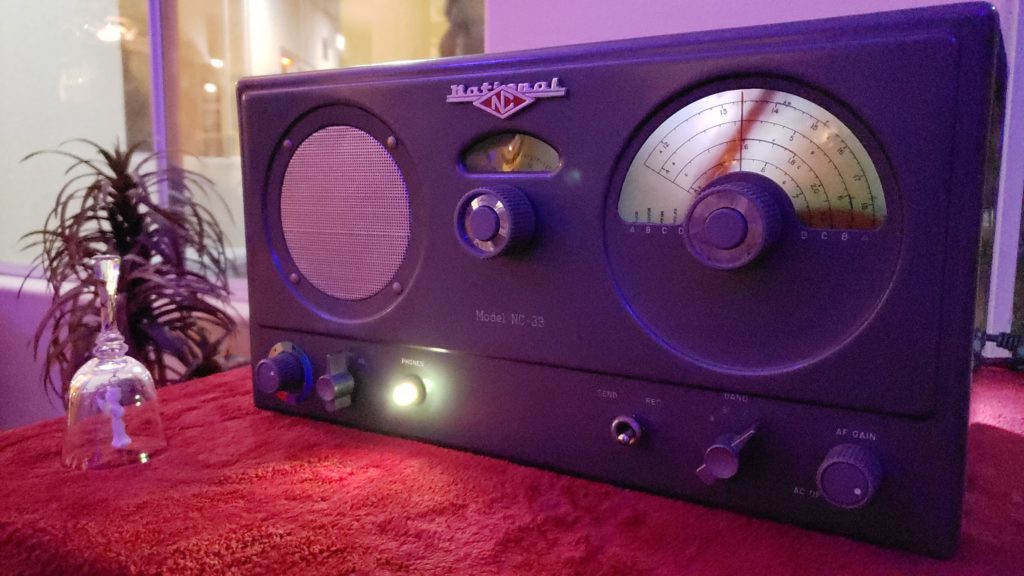
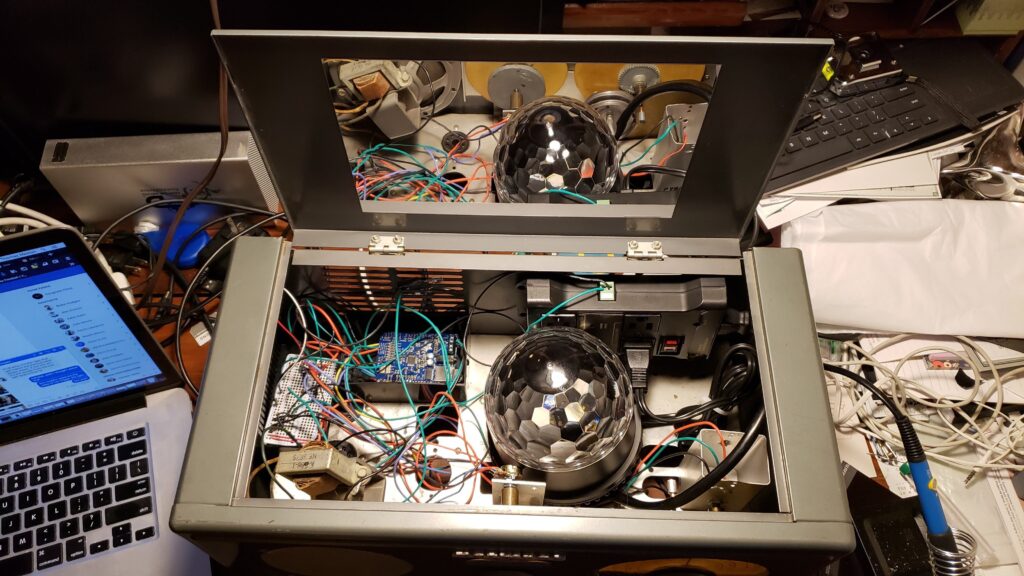
Maker Thomas Meston needed a “mysterious looking device” that allows players to enter codes obtained via an original party game. What he came up with is entitled “Dr. Hallard’s Dream Transmission Box,” and consists of an Arduino, a party light, a smoke machine, and other components stuffed into a broken National NC-33 ham radio.

This radio makes a really excellent enclosure for the electronics inside, and when the device is properly activated the winning team hears a special message via an Arduino Uno-controlled MP3 shield, accompanied by laser lights and smoke. 

How it works:

  • When the box is switched on you hear static and see a yellow light. The device is ready for the codes to be entered.
  • Once all three dials have been set, the player switches the bottom toggle to “send” state, the box will message back whether team blue or team red has entered any codes with a quick flash of either a red or blue led.
  • If all three dials are set to red codes, the red team wins and hears a special message through the speaker just for them. The laser lights and smoke machine will be activated at the same time.
  • If all three dials are set to blue, a different message will play as well as activating the smoke machine and laser lights.

More info on the project can be found here, and while it might seem like a shame to modify this kind of vintage equipment, Meston notes that he sees this as giving it a nice second life since it was previously non-functional.

Arduino Blog 02 Oct 13:30

Vintage Sewing Machine to Computerized Embroidery Machine

It is February of 2018. Do you remember what you were doing in December of 2012? If you’re [juppiter], you were starting your CNC Embroidery Machine which would not be completed for more than half of a decade. Results speak for themselves, but this may be the last time we see a first-generation Raspberry Pi without calling it retro.

The heart of the build is a vintage Borletti sewing machine, and if you like machinery porn, you’re going to enjoy the video after the break. The brains of the machine are an Arduino UNO filled with GRBL goodness and the Pi which is running CherryPy. For muscles, there are three Postep25 stepper drivers and corresponding NEMA 17 stepper motors.

The first two axes are for an X-Y table responsible for moving the fabric through the machine. The third axis is the flywheel. The rigidity of the fabric frame comes from its brass construction which may have been soldered at the kitchen table and supervised by a big orange cat. A rigid frame is the first ingredient in reliable results, but belt tension can’t be understated. His belt tensioning trick may not be new to you, but it was new to some of us. Italian translation may be necessary.

The skills brought together for this build were vast. There was structural soldering, part machining, a microcontroller, and motion control. The first time we heard from [juppiter] was December 2012, and it was the result of a Portable CNC Mill which likely had some influence on this creation. Between then, he also shared his quarter-gobbling arcade cabinet with us.

8 Crazy Keyboards That Will Trick Out Your Typing

A custom keyboard could be right at your fingertips, so why are you still using that basic keyboard that came with your computer?

Read more on MAKE

The post 8 Crazy Keyboards That Will Trick Out Your Typing appeared first on Make: DIY Projects and Ideas for Makers.

A tribute to 5-bit Baudot code

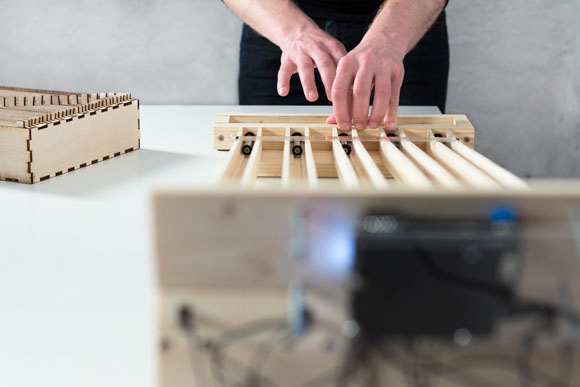
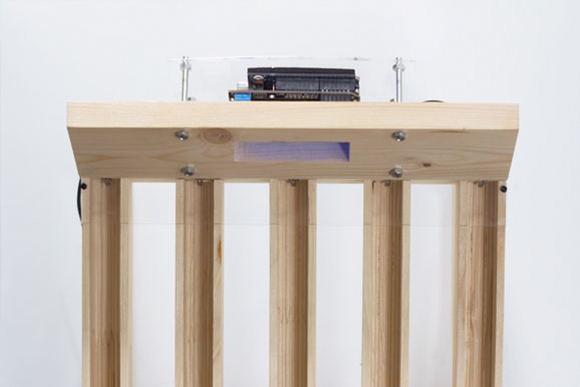
Julian Hespenheide is an interaction designer based in Germany who submitted to Arduino blogpost a writing machine called émile. It’s an interactive installation created in collaboration with Irena Kukric, David Beermann, Jasna Dimitrovskais and using Baudot code - a binary 5-bit code, predecessor of ASCII and EBCDID – intended for telecommunication and electronic devices, representing the entire alphabet.

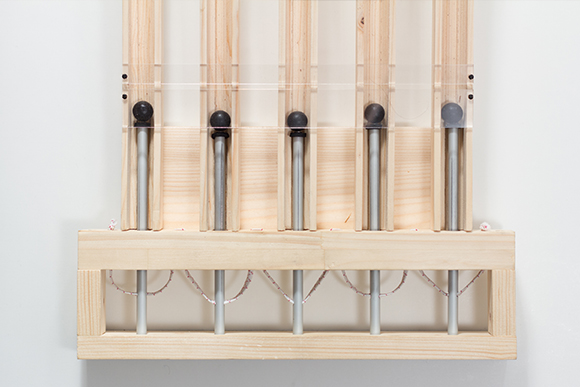
It runs on Arduino Uno and  translates the bauds (/?b??d/, unit symbol Bd) into moving objects that are being sent over physical tracks in order to illustrate  a simple computational process of 5-bit binary information transmission:

The machine was built in six days with four people. In our group we came to the conclusion, that not every process in a computer is really transparent and it already starts when you type a simple letter on a keyboard. To unwrap this “black box” of data transmission, we set our goal to build a small writing machine where you can literally see bits rolling around. After some research we got back to the beginnings of Telefax machines and data transmission using Baudot-code. We then quickly designed punchcards and mapped them to a slightly altered baudot code table and cut them with a laser cutter from 5mm plywood.
Whenever a marble hits a switch, a short timer goes off and waits for input on the other switches. If no other marbles are hitting those switches, we finally translate the switches that have been hit into the corresponding letter.

Take a look at the machine in action:


This Nixie Tube Speedometer Gives Retro-Futuristic Life to a 70s Motorcycle

Nixie tubes are interesting pieces of equipment. They have a "retro-futuristic" look that has great appeal to electronics hackers.

Read more on MAKE

The post This Nixie Tube Speedometer Gives Retro-Futuristic Life to a 70s Motorcycle appeared first on Make: DIY Projects, How-Tos, Electronics, Crafts and Ideas for Makers.

48 Solenoids Transform This 1960s Typewriter into a Computer Printer

Several years ago, Chris Gregg, a Tufts University lecturer and computer engineer, received a letter from his friend Erica. This wouldn’t be so unusual, except that it was typed on an actual typewriter, not a printer. Gregg is a fan of vintage typewriters, but, as with myself, makes many mistakes, […]

Read more on MAKE

The post 48 Solenoids Transform This 1960s Typewriter into a Computer Printer appeared first on Make: DIY Projects, How-Tos, Electronics, Crafts and Ideas for Makers.

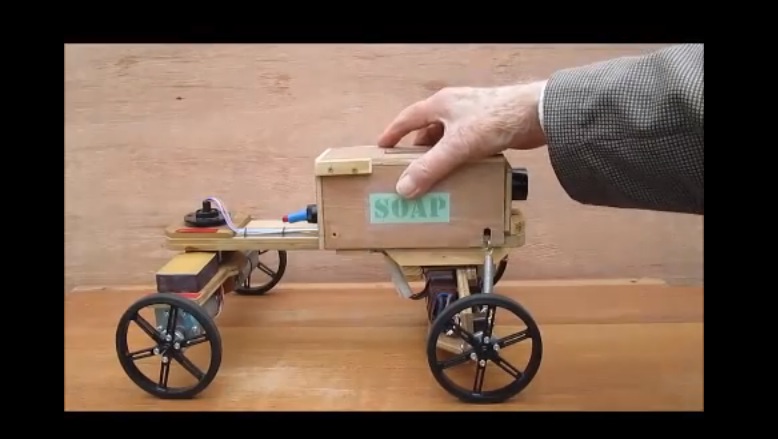
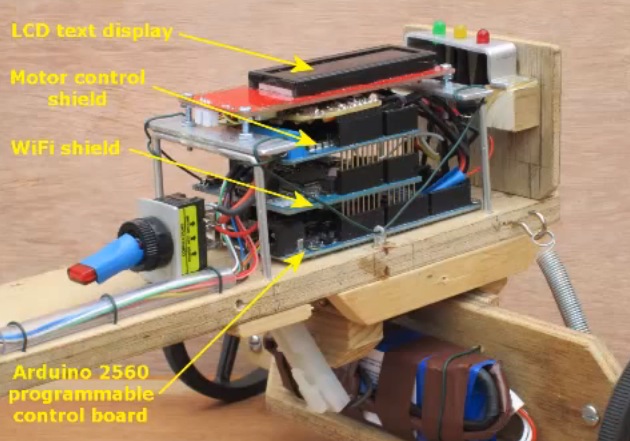
Wood Lizzie is a DIY Soap Box Cart controlled via Wi-Fi

In the following 10-minute video, the Currah team is showing us all the details of Wood Lizzie, a project experimenting with Arduino Mega and Wi-Fi Shield, a very flexible steering system and the virtually unlimited control range afforded by WiFi and Internet Protocol:

The original plan was to construct one of the two-wheeled robots very popular with hobbyists but it was eventually decided that the resulting vehicle would be of very limited application and capable only of traversing smooth surfaces. However, note that the current design can be viewed as the drive of a two-wheeled robot coupled with a trailer by means of a 360 degree pivot. A slip ring capsule within the pivot enables the heavy battery and bulky control system to be separated from the drive and located on the trailer thereby distributing weight evenly between the four wheels.

DIY soap-carts were pretty common among kids in the first part of the 20th century and built from old pram wheels, scrap wood and, typically, soap boxes. They could provide a lot of fun for the family at very low cost and in recent years there’s a new interest in them especially to those appreciating their vintage look!