Posts with «software» label
H2gO Keeps Us from Drying Out
The scientific community cannot always agree on how much water a person needs in a day, and since we are not Fremen, we should give it more thought than we do. For many people, remembering to take a sip now and then is all we need and the H2gO is built to remind [Angeliki Beyko] when to reach for the water bottle. A kitchen timer would probably get the job done, but we can assure you, that is not how we do things around here.
A cast silicone droplet lights up to show how much water you have drunk and pressing the center of the device means you have taken a drink. Under the hood, you find a twelve-node NeoPixel ring, a twelve millimeter momentary switch, and an Arduino Pro Mini holding it all together. A GitHub repo is linked in the article where you can find Arduino code, the droplet model, and links to all the parts. I do not think we will need a device to remind us when to use the bathroom after all this water.
Another intrepid hacker seeks to measure a person’s intake while another measures output.

New search engine and Arduino reference!

The Arduino web team has working hard behind the scenes improving our legacy systems. Now, it’s time to work on something more interesting for the team and more useful for our community! From here on out, we will update you every month on the latest and greatest activities…
Today, we are announcing a pair of major features that are only a mere preview of what you can expect to see from an Arduino user’s point of view:
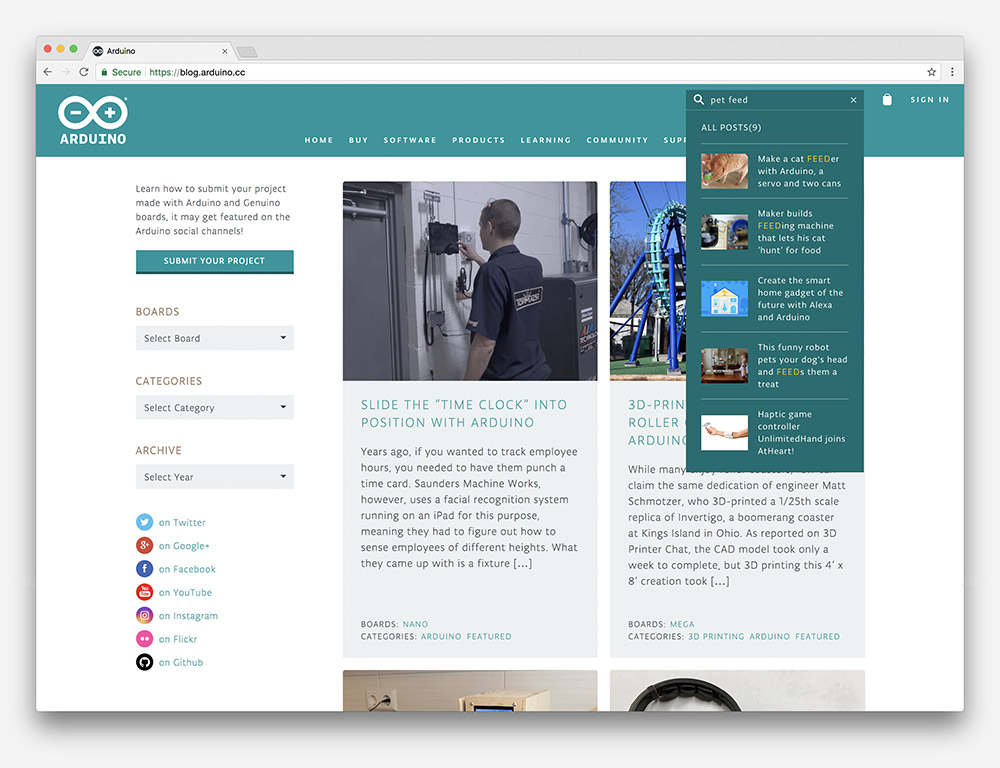
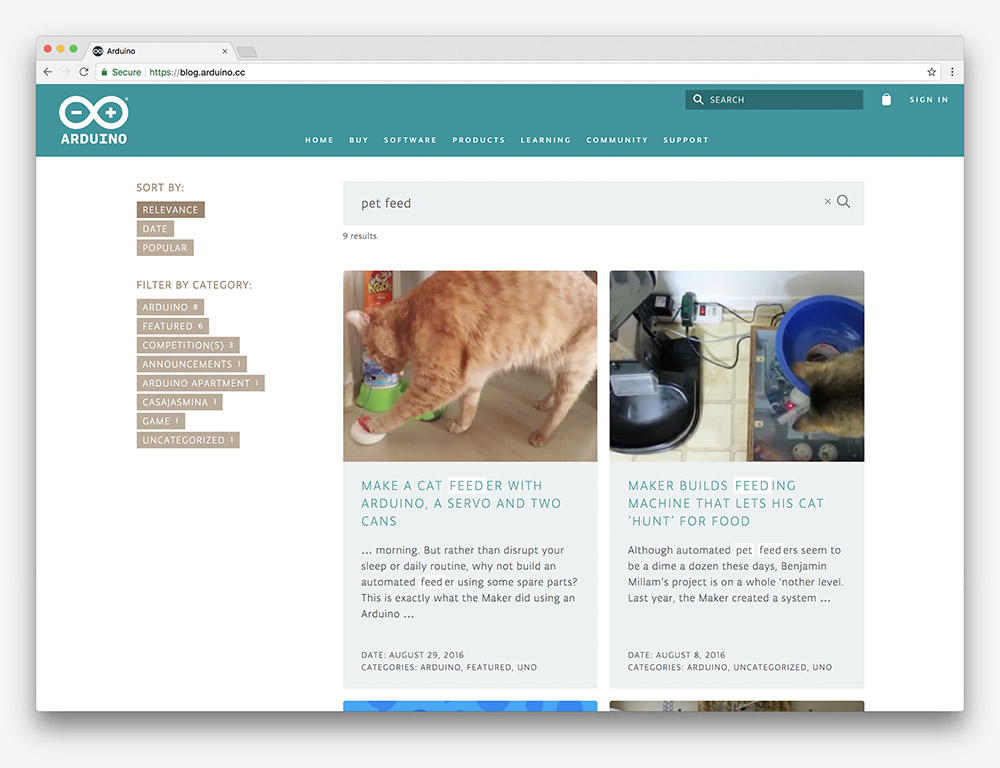
- The blog has a new search engine that is much faster, more precise, and allows readers to filter results.
- The Arduino reference is now quicker, mobile-friendly, and completely open to contributions. You can check out our GitHub reference repo here.
Let’s look at how those two features work and how they are implemented. The search engine is powered by our provider Algolia, offering an impressively fast search engine and enhanced UX. Our goal is to integrate it with each of our websites and finally have a unified search for all Arduino-related content.

We are going to be testing the search engine for a bit on the blog and eventually roll it out to our websites.
Perhaps what we are most proud of, though, is the new reference engine:
- Arduino users can directly contribute to the reference by creating a pull request here.
- We are going to support multiple languages. In fact, some users have already helped us in creating French, German, Korean, Italian, Japanese, Portuguese, and Spanish versions.
- As soon as a new pull request has been merged, the system deploys to our website automatically, and if someone modifies the English version of the reference, all other language repositories are going to be notified as well.
This is just the beginning with much more to come. Stay tuned!
Arduino Create comes to Chrome OS devices!
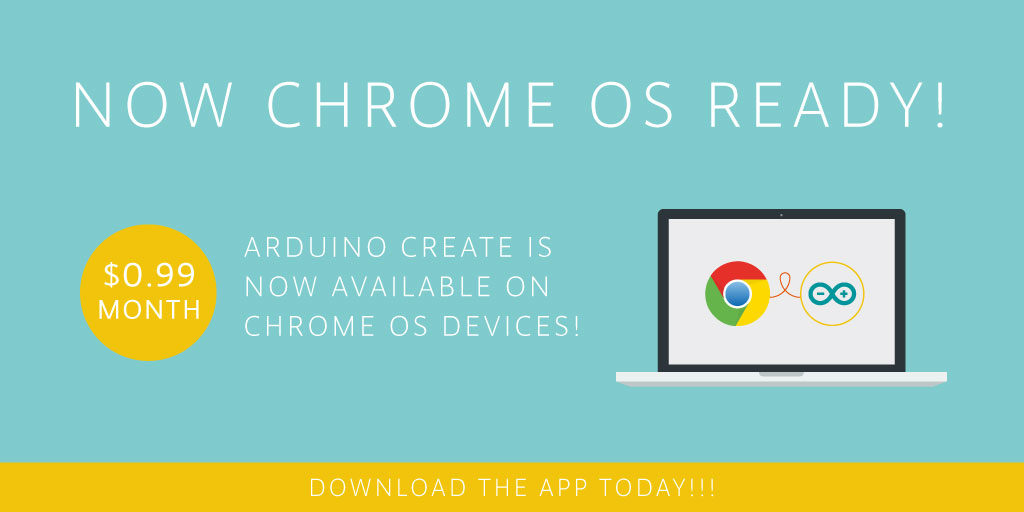
Arduino Create is now available to everyone on Chrome OS devices, with $0.99 per month subscription. An Arduino account and Google ID is all you need to use it, just follow the Create Getting Started guide on your Chrome OS device. We are actively working on specific licensing and pricing for schools, so stay tuned.
The new Arduino Create Chrome App enables students and other users to write code, access tutorials, configure boards, and share projects. Designed to provide a continuous workflow from inspiration to implementation, Makers can easily manage every aspect of their project right from a single dashboard.
Developed with the classroom in mind: The Arduino Chrome App allows you to teach and tinker with Arduino electronics and programming in a collaborative, always-up-to-date environment.
Built for Chrome OS: Code online, save your sketches in the cloud, and upload them to any Arduino connected to your Chrome OS device, without having to install anything locally. All the contributed libraries are automatically included.
The following Arduinos are currently supported: Uno, 101, Mega, Esplora, Nano (ATmega328), Micro, Zero, MKR1000, MKR Zero, MKR Fox 1200, Pro and Pro Mini (ATmega328). We are actively working with the Chromium team to restore support for the Arduino Leonardo in a future Chrome OS release.
The launch of this app would not have been possible without the following open source components:
- avrgirl-arduino by Suz Hinton
- dapjs by Microsoft,
- browser-serialport by Glen Arrowsmith
- browser-usb by Jacob Rosenthal
As usual if you encounter any bugs, issues, or have an idea on how we can improve the Chrome app, please open a discussion thread on this Forum page.
Please note that this app will work only on Chrome OS, if you click on the Google Store link on any other OS you will not be able to install it.
Web Editor updates: Import your sketchbook and more
Some useful updates on the Arduino Web Editor!
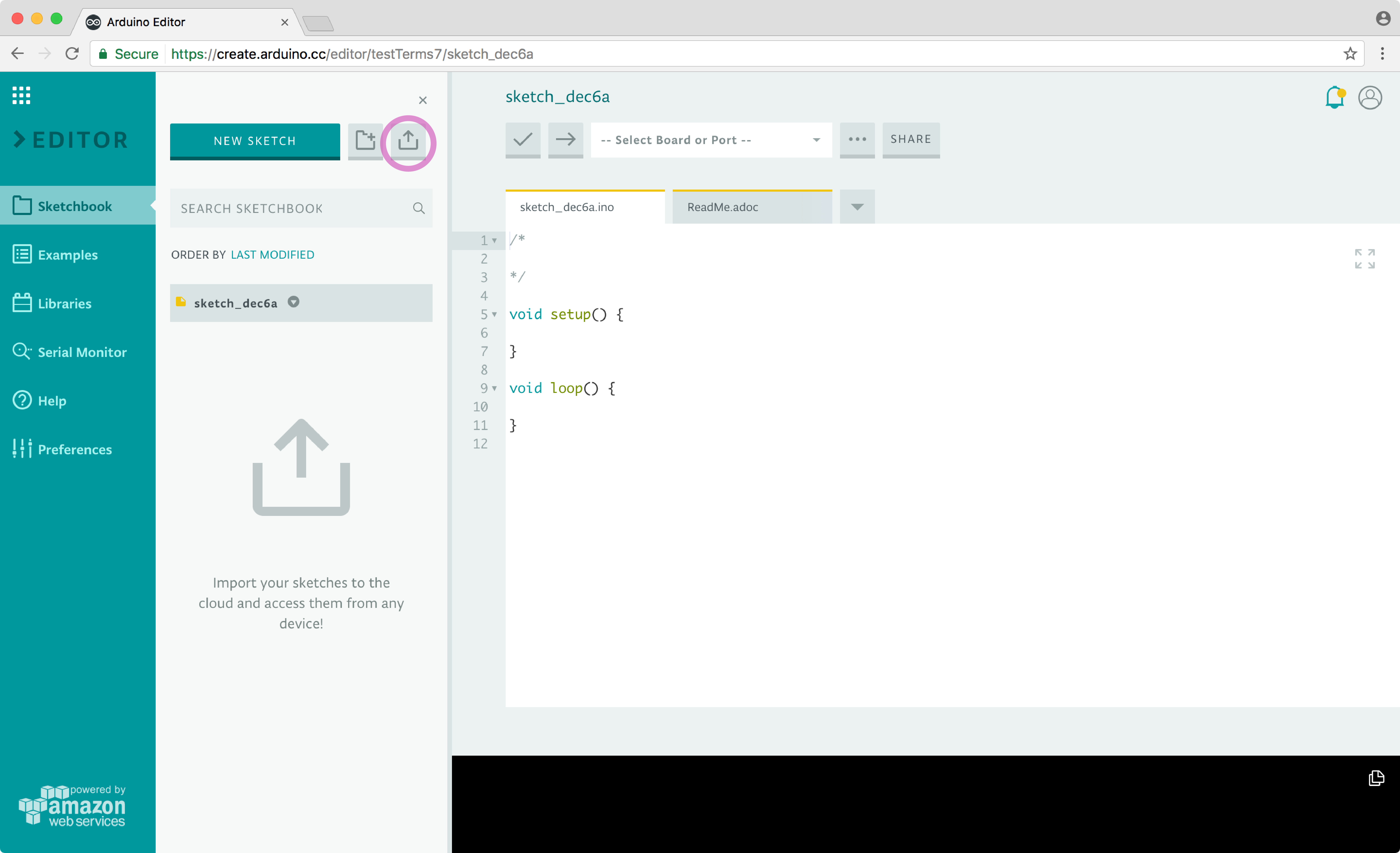
Are you sticking to the desktop Arduino IDE because all your work is saved locally? That’s no longer a problem! Our brand new import tool enables you to upload your entire sketchbook with just a few clicks on the Arduino Web Editor. It is particularly handy because it lets you move all your sketches and libraries to the cloud in a single flow.
Once your sketches and libraries are online, they will be available on any device and backed up. For details on how to migrate all your code online, check out this tutorial.
Sadly, Codebender is shutting down. You can use the import feature also to easily migrate to the Web Editor. (More details here.)
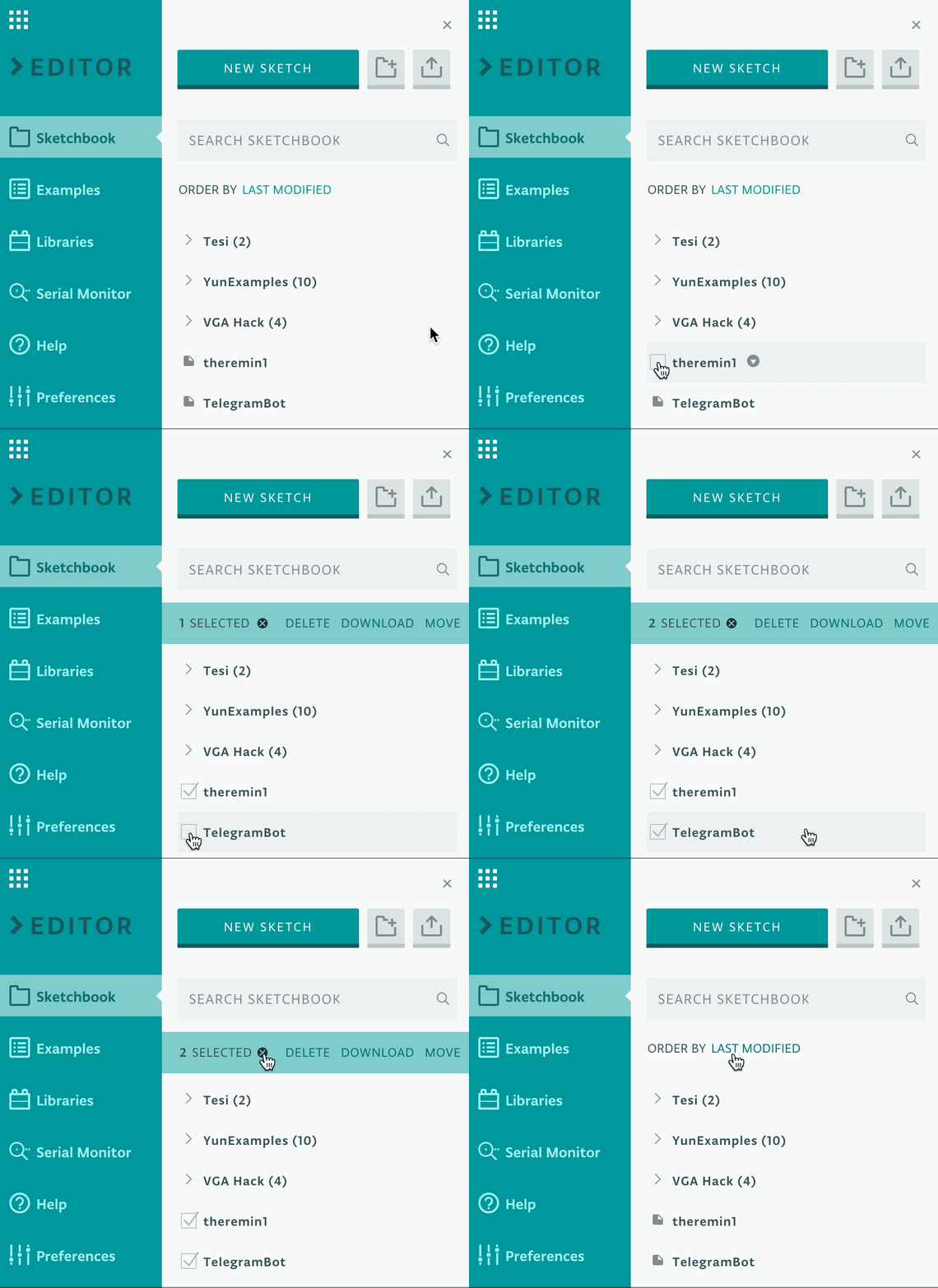
If you have a big sketchbook, you may want to clean up or categorize things once in awhile. With our bulk action tool, you can delete, move, or download multiple sketches at the same time. Go to the Sketchbook panel, hover on the sketch icon, and select all the files you want to act on. Doubts on how this will work? Learn more in this guide.
What’s coming next?
We are currently working on a super streamlined way to edit your libraries within the Web Editor, and looking for the best way to implement the Chromebook plugin. Stay tuned!
3 simple filtering techniques to eliminate noise

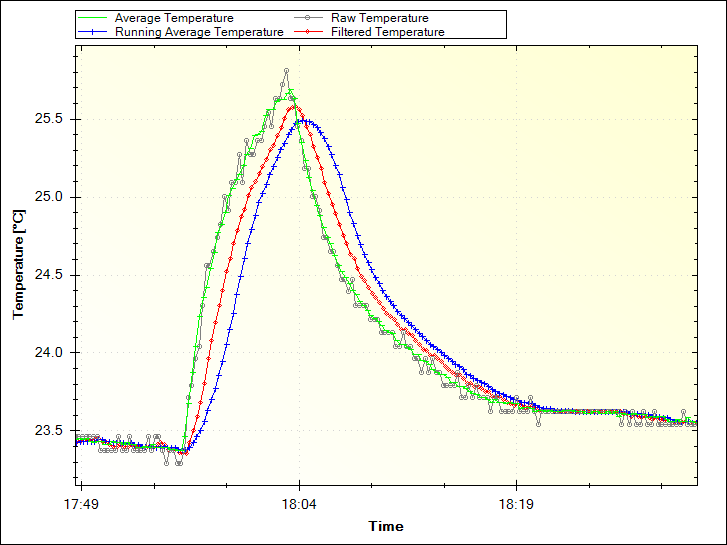
Increasing accuracy in the collection of data coming from sensors is a need that, sooner or later, Makers need to face. Paul Martinsen from MegunoLink created a tutorial to eliminate noise from sensor readings on Arduino with three simple filtering techniques.
The Averaging and Running Average techniques are easy to implement as they work by adding a number of measurements together, then dividing the total by the number of measurements. In both cases, the downside is that it can use a lot of memory.
The Exponential filter is a better solution for several reasons: it doesn’t require much memory, you can control how much filtering is applied with a single parameter, and it saves battery power because you don’t need to make many measurements at once. For this solution, they developed an Arduino filter library so you don’t need to go mad with math!

Interested? You can find the tutorial and explore the code on MegunoLing’s blog post here.
Download the new Arduino IDE 1.6.10!
Great news, Makers! We’re excited to announce the immediate availability of the Arduino IDE 1.6.10, AVR core 1.6.12 and SAM core 1.6.9.
The most notable feature of this release is the introduction of an up-to-date bundled toolchain for AVR containing the latest goodies from Atmel, GCC and AVRDUDE devs.
Thanks to LTO (Link Time Optimization), making your sketches smaller and faster is now only a push of the “Compile” button away.
The AVRDUDE update brings out-of-the-box support for a wide range of microcontrollers and debuggers, making it is as simple as possible to deploy. (For example, problems with Gatekeeper on Mac and dependencies on Linux are a thing of the past.)
Likewise, the builder has received the love it deserves and some of its shortcomings are gone forever. You’ll never have to worry again about encountering weird errors if you need to use C++ advanced libraries like .
All these improvements have been shared with Arduino Create, our cloud-based IDE. Check it out if you’ve never tried it, or test out these enhancements if you’re already an active user! ![]()
Of course, we also fixed some corner cases for user experience, so now we have a better error reporting when the upload fails and a [nicer] way to include libraries containing lots of header files.
What’s more, we have gone ahead and developed a new firmware and certificate updater for MKR1000 / WiFi101 Shield users–it’s bundled with the IDE and available as a plugin for older installations.
Our community effort continue to grow well with tons of bugfixing, proposals, and libraries added to the Library Manager. As you can imagine, this makes us extremely happy–thank you all for the contributions!
As usual, be sure to check the entire changelog for a complete list of changes and credits. Don’t forget to report any issue you may find, either on GitHub or on the Arduino Forum–your help is very much appreciated.
Go ahead and download IDE 1.6.10! Happy hacking!
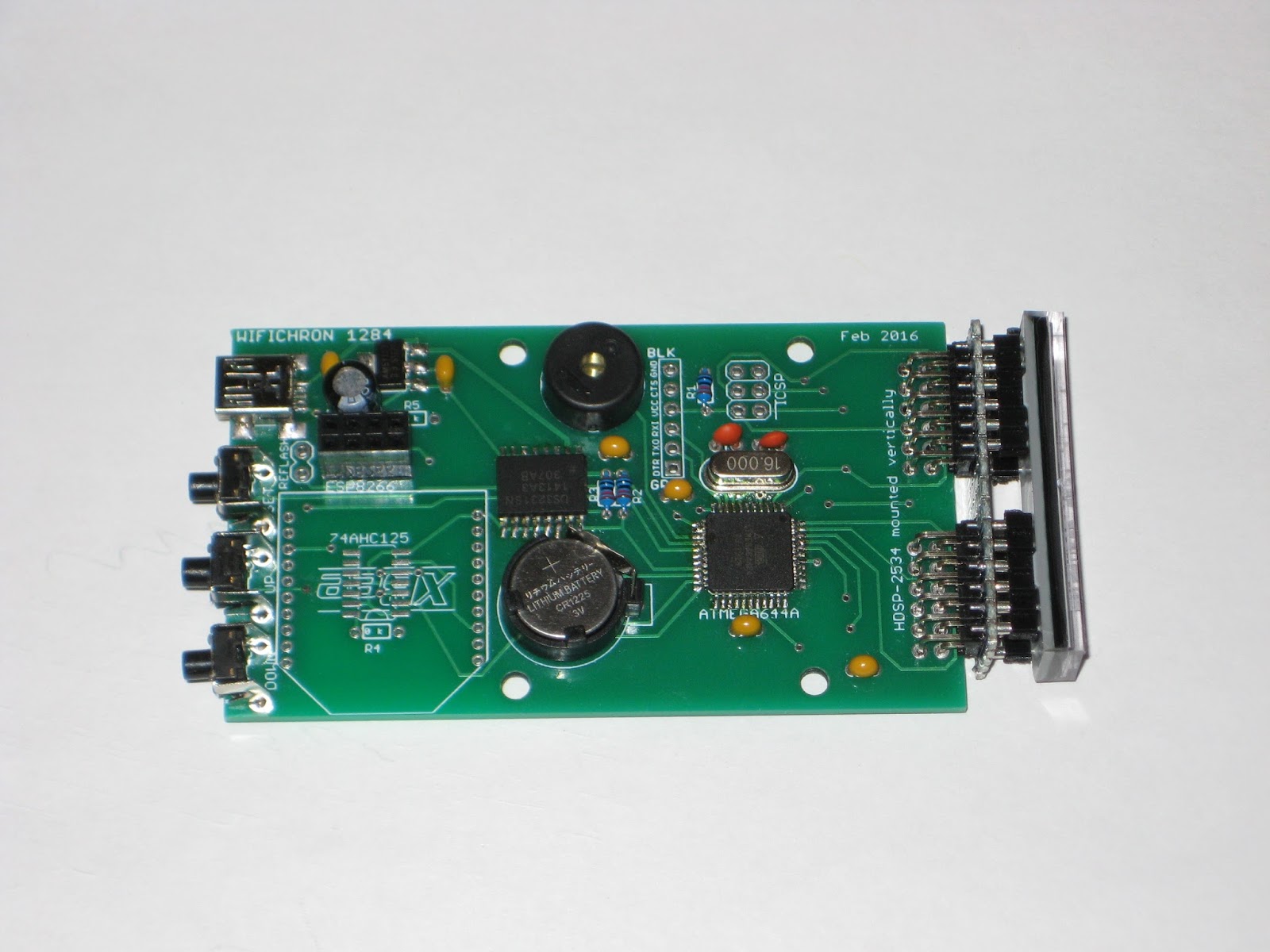
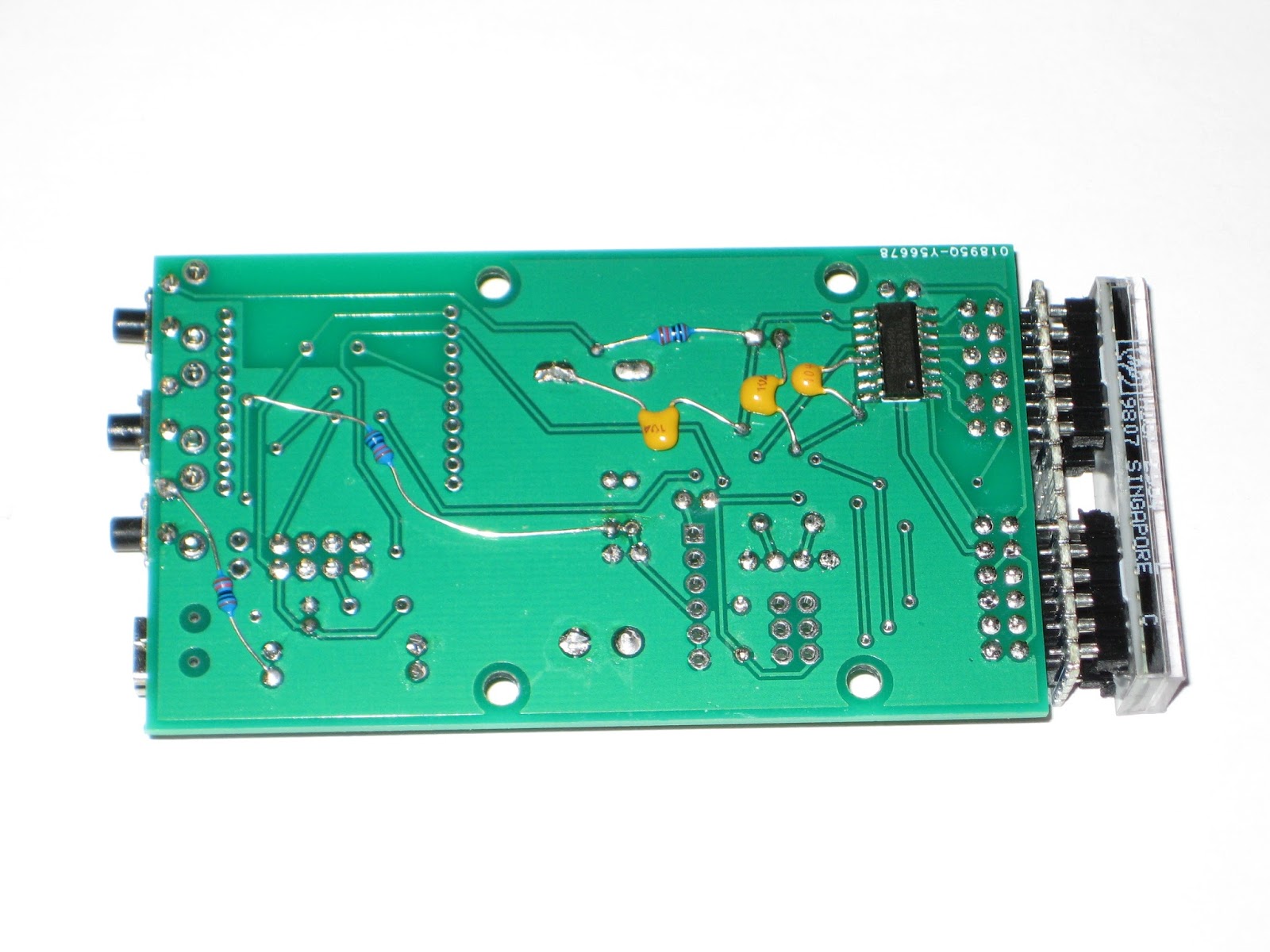
WiFiChron with ATmega1284
Naturally, the next step in WiFiChron's evolution was to upgrade to Atmega644P/1284P. Since there was no room on the board for the 40-pin DIP package, we settled for the SMD version.
The schematic is shown below.
Although functional, the board I designed is far from perfect:
- requires pull-up resistors for buttons; I relied on software pull-up, but that does not work in the current Sanguino library;
- requires a couple of more decoupling capacitors;
I burned the bootloader using the on-board ICSP header.
Thanks again to MikeM, who contributed the code (Arduino 1.6.7 - compatible), featuring:
- proverb display;
- moon phases;
- a few new menu options for user settings;
- improved support for ESP8266;
- integrated support for GPS module.
IDE 1.6.9 just released with Yún Shield support and more!

Today, we’re releasing a shiny new version of the Arduino IDE, with the usual plethora of features and bug fixes.
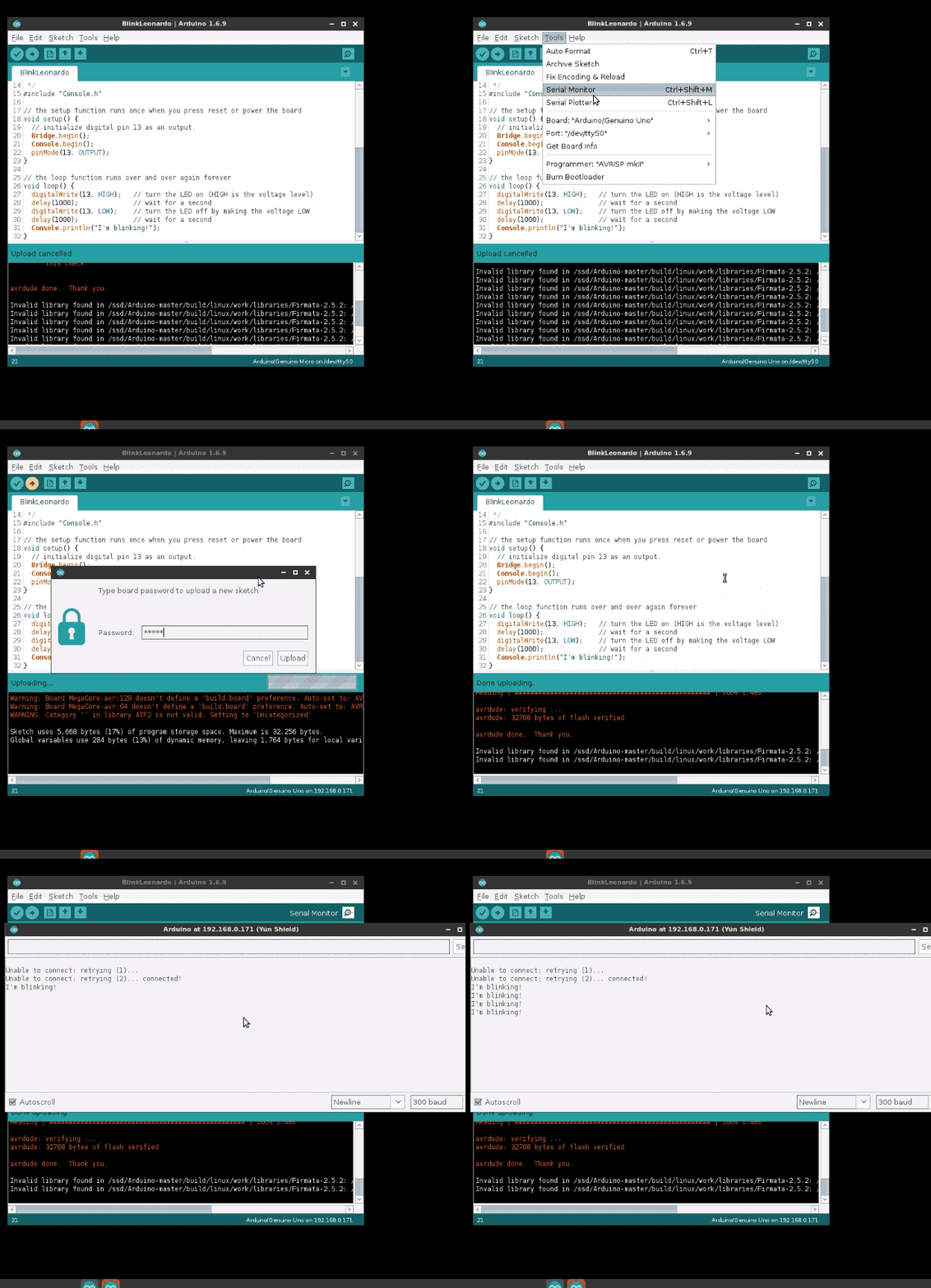
The new Yún Shield allows you to upload a sketch over the air on any supported board so, as you can guess, our official cores were updated to support this feature.
Simply select the YunShield entry from the Network port menu, the base board from the Board menu, press upload and voilà!

You can update the cores via Board Manager to get the latest version (1.6.11 for AVR, 1.6.8 for SAM and 1.6.6 for SAMD) but don’t miss the chance to update the IDE itself. ![]()
This release fixes a bunch of long-standing issues:
- the update popup is no longer always on top, error reporting on multitab sketches now works correctly, and compiling/uploading flows have been revisited
- the problem with FTDI serial ports on Windows introduced with IDE 1.6.8 has been fixed as well
- the AVR core now recognizes if a new bootloader is present and uses a safe RAM location to trigger programming (this is particularly important for large sketches, like the ones produced by our friends at Arduboy)
- the builder has been patched, and is now faster and easier to hack
Release after release the community effort continues to get stronger and that makes us extremely happy! As usual, be sure to check the whole changelog for a complete list of changes and credits.
Don’t forget to report any issue you may find, either on GitHub or on the Arduino forum: your help is very much appreciated — even if you’re not a tech specialist. And please consider supporting the Arduino Software by contributing to its development!
Download IDE 1.6.9 now and happy coding! (You can also read all about the new Yún Shield here.)
Machine learning for the maker community
At Arduino Day, I talked about a project I and my collaborators have been working on to bring machine learning to the maker community. Machine learning is a technique for teaching software to recognize patterns using data, e.g. for recognizing spam emails or recommending related products. Our ESP (Example-based Sensor Predictions) software recognizes patterns in real-time sensor data, like gestures made with an accelerometer or sounds recorded by a microphone. The machine learning algorithms that power this pattern recognition are specified in Arduino-like code, while the recording and tuning of example sensor data is done in an interactive graphical interface. We’re working on building up a library of code examples for different applications so that Arduino users can easily apply machine learning to a broad range of problems.
The project is a part of my research at the University of California, Berkeley and is being done in collaboration with Ben Zhang, Audrey Leung, and my advisor Björn Hartmann. We’re building on the Gesture Recognition Toolkit (GRT) and openFrameworks. The software is still rough (and Mac only for now) but we’d welcome your feedback. Installations instructions are on our GitHub project page. Please report issues on GitHub.
Our project is part of a broader wave of projects aimed at helping electronics hobbyists make more sophisticated use of sensors in their interactive projects. Also building on the GRT is ml-lib, a machine learning toolkit for Max and Pure Data. Another project in a similar vein is the Wekinator, which is featured in a free online course on machine learning for musicians and artists. Rebecca Fiebrink, the creator of Wekinator, recently participated in a panel on machine learning in the arts and taught a workshop (with Phoenix Perry) at Resonate ’16. For non-real time applications, many people use scikit-learn, a set of Python tools. There’s also a wide range of related research from the academic community, which we survey on our project wiki.
For a high-level overview, check out this visual introduction to machine learning. For a thorough introduction, there are courses on machine learning from coursera and from udacity, among others. If you’re interested in a more arts- and design-focused approach, check out alt-AI, happening in NYC next month.
If you’d like to start experimenting with machine learning and sensors, an excellent place to get started is the built-in accelerometer and gyroscope on the Arduino or Genuino 101. With our ESP system, you can use these sensors to detect gestures and incorporate them into your interactive projects!