Posts with «arduino» label

Smart motorcycle helmet lighting follows your signals

When riding a motorcycle, it’s important to be seen, and if other vehicles can see your brake lights and turn signals as well, all the better. To help with visibility, YouTuber “MechTools” outfitted his helmet with a brake light and turn indicators that activate along with the motorcycle’s built-in signals.

The video below shows off how it was built, using an Arduino Uno onboard the motorcycle, plus a Nano embedded in the helmet. A pair of nRF24L01 transceivers enable the two Arduinos to communicate wirelessly, and three TIP122 transistors controls the lighting directly for sufficient power output.

While a neat concept, be sure that you don’t compromise your helmet’s structural integrity or legality if you try something similar! Code is available in the video’s description.

Magnetic Attraction Of Microduino mCookie Modules

We’ve seen countless different robot kits promoted for STEM education, every one of which can perform the robotic “Hello World” task of line following. Many were in attendance at Maker Faire Bay Area 2019 toiling in their endless loops. Walking past one such display by Microduino, Inc. our attention was caught by a demonstration of their mCookie modules in action: installing a peripheral module took less than a second with a “click” of magnets finding each other.

Many Arduino projects draw from an ecosystem of Arduino shields. Following that established path, Microduino had offered tiny Arduino-compatible boards and peripherals which connected with pins and headers just like their full-sized counterparts. Unfortunately their tiny size also meant their risk of pin misalignment and corresponding damage would be higher as well. mCookie addresses this challenge by using pogo pins for electrical contacts, and magnets to ensure proper alignment. Now even children with not-quite-there-yet dexterity can assemble these modules, opening up a market to a younger audience.

Spring loaded electric connections are a popular choice for programming jigs, and we’ve seen them combined with magnets for ideas like modular keyboards, and there are also LittleBits for building simple circuits. When packaged with bright colorful LEGO-compatible plastic mounts, we have the foundation of an interesting option for introductory electronics and programming. Microduino’s focus at Maker Faire was promoting their Itty Bitty Buggy, which at $60 USD is a significantly more affordable entry point to intelligent LEGO creations than LEGO’s own $300 USD Mindstorm EV3. It’ll be interesting to see if these nifty mCookie modules will help Microduino differentiate themselves from other LEGO compatible electronic kits following a similar playbook.

Custom Machined Pump Keeps CNC Lubrication Under Control

Rub two pieces of metal against each other hard enough, and it won’t be long before they heat up sufficiently to cause problems. That’s especially true when one is a workpiece and one is a tool edge, and the problems that arise from failing to manage the heat produced by friction can cost you dearly.

The traditional way of dealing with this is by pumping heavy streams of liquid coolant at the workpiece, but while that works, it creates problems of its own. That’s where minimum quantity lubrication comes in. MQL uses a fine mist of lubricant atomized in a stream of compressed air, which saves on lube and keeps swarf cleaner for easier recycling. The gear needed for MQL can be pricey though, so [brockard] decided to add homebrew MQL to his CNC router, with great results.

The video below shows the whole process, from raw metal to finished system – skip ahead to about 12 minutes if you just want to see final testing, but be warned that you’ll be missing some high-quality machining. The finished pump is a double-piston design, with each side driven by a cam rotated by a servo. An Arduino controls the speed of the motor based on the current settings; the pump is turned on and off through G-code control of a relay.

The lubricant stream is barely visible in the video, as opposed to the sloshing mess of traditional flood coolants, and seems much more suitable for a hobbyist-grade CNC setup. Need to build a CNC router before you build this? You can do much worse than this one.

Thanks for the tip, [Jasper Jans].

Trick Shot Bot Flings Balls into Wine Glass Every Time

We’ve heard of beer pong, but we’re not sure we’ve heard of wine pong. And certainly never wine pong automated with a ping pong ball throwing robot like this one.

There’s not a huge amount of detail available in the video below, and no build log per se. But [Electron Dust] has a few shots in the video that explain what’s going on, as well as a brief description in a reddit thread about the device. The idea is to spin a ball up to a steady speed and release it the same way every time. The rig itself is made of wood and spun by plain brushed DC motors – [Electron Dust] explains that he chose them over PWM servos to simplify things and eliminate uncertainty in the release point. The ball is retained by a pair of arms, each controlled by a pair of hobby servos. An Arduino spins along with everything else and counts 50 revolutions before triggering the servos to retract and release the ball. A glass positioned at the landing spot captures the ball perfectly once everything is dialed in.

Here’s hoping that build details end up on his blog soon, as they did for this audio-feedback juggling machine. And while we certainly like this project, it might be cool if it could aim the ball into the glass. Or it could always reposition the target on the fly.

Plasma Globe Reveals Your Next Clue

If you like solving puzzles out in the real world, you’ve probably been to an escape room before, or are at least familiar with its concept of getting (voluntarily) locked inside a place and searching for clues that will eventually lead to a key or door lock combination that gets you out again. And while there are plenty of analog options available to implement this, the chances are you will come across more and more electronics-infused puzzles nowadays, especially if it fits the escape room’s theme itself. [Alastair Aitchison] likes to create such puzzles and recently discovered how he can utilize a USB powered plasma globe as a momentary switch in one of his installations.

The concept is pretty straightforward, [Alastair] noticed the plasma globe will draw significantly more current when it’s being touched compared to its idle state, which he measures using an INA219 current shunt connected to an Arduino. As a demo setup in his video, he uses two globes that will trigger a linear actuator when touched at the same time, making it an ideal multiplayer installation. Whether the amount of fingers, their position on the globe, or movement make enough of a reliable difference in the current consumption to implement a more-dimensional switch is unfortunately not clear, but definitely something worth experimenting with.

In case you’re planning to build your own escape room and are going for the Mad Scientist Laboratory theme, you’ll obviously need at least one of those plasma globes sparking in a corner anyway, so this will definitely come in handy — maybe even accompanied by something slightly larger? And for all other themes, you can always resort to an RFID-based solution instead.

Cycloid-O-Matic creates spirograph-like patterns

If you’ve been waiting for a new way to generate geometric art, then be sure to check out the Cycloid-O-Matic from InventorArtist Darcy Whyte.

This three-axis cycloid drawing machine is something of an update on the classic spirograph toy, but instead of (only) using an arrangement of gears, it incorporates stepper motors to create smooth curving patterns.

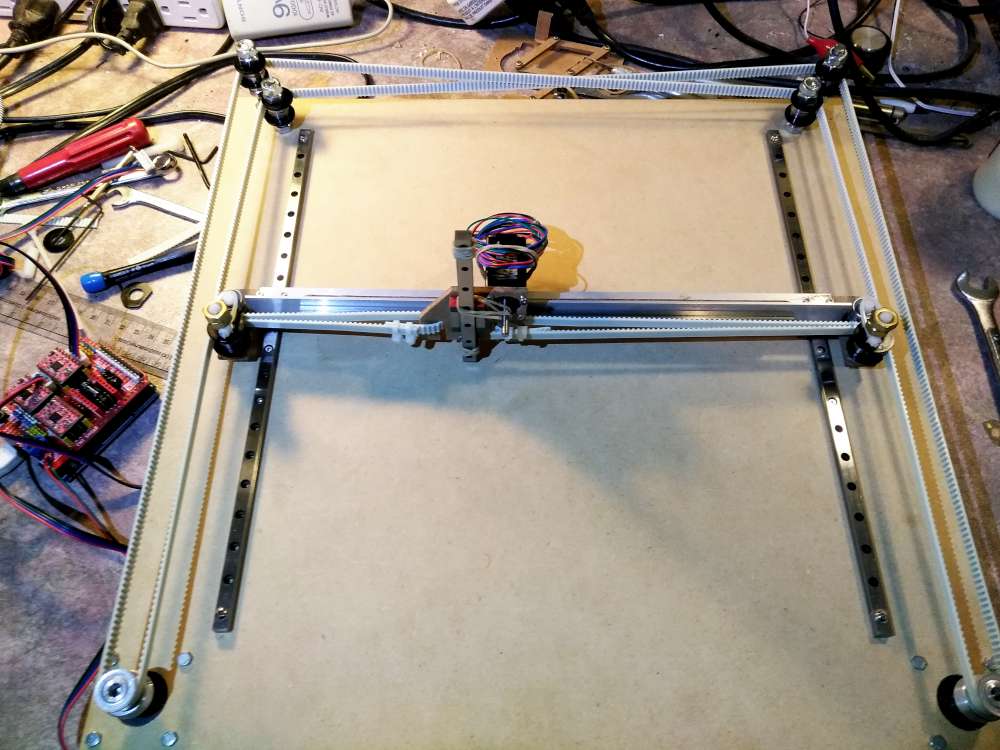
Control is accomplished via an Arduino Uno and GRBL shield, while a single motor rotates the paper in a circle on top of a lazy Susan. A pen is held above in a linkage system, actuated by two steppers that spin to move the linkages and draw in the X/Y plane.

Arduino Blog 20 Jun 21:48

This robotic fish is powered by its own artificial circulatory system

Hydraulically-actuated robots are nothing new, but normally they come with a battery or external supply of some sort. This lifelike robotic lionfish developed by Cornell and the University of Pennsylvania researchers, however, has its own artificial circulatory that pumps synthetic ‘blood’ to help flap its fins and as the device’s power source itself. 

The trick is that the liquid is actually the cathode of a battery built into the fish, which powers its two hydraulic actuators, as well as the Arduino Uno control system. This integral battery—which would be analogous to blood in a real fish—gives it enough energy to operate untethered for 36 hours, though as it swims at 1.56 body lengths per minute, so it can use all the time it can get!

As James Pikul, a co-author on the study and researcher at Penn, told Gizmodo:

In our synthetic vascular system, the fluid stores chemical energy which we can use to power the fish robot. As the fluid is pumped through the fish robot, the moving fluid also causes the robot to move. The vascular system, therefore, is multifunctional. It is these multiple functions that allow the robot to maintain its dexterity while also having a long operational time.

You can also read more in IEEE Spectrum‘s article here.

Arduino Blog 20 Jun 14:02

Intuitive Arduino clock has seven alarms and three LED displays

Alarm clocks of old—and certainly many of those today—require several button pushes to set things up properly. Maker Michael Wessel, however, decided to implement his own take on a more intuitive clock, creating a device that features three separate eight-digit seven-segment LED panels. Eight buttons allow for direct manipulation of each of the digits, with their own dedicated LEDs.

The info on display includes time and date, as well as temperature, and it can even show how many days, hours, or minutes have passed since a special pre-programmed day. Up to seven audible alarms are available, which can be silenced by a loud noise (e.g. clapping your hands) via a sound sensor. 

The clock is controlled via an Arduino Mega, along with an RTC module to keep things accurate.

I remember I always had to set all digital clocks for my grandparents in the ’80s — these clocks and watches always required some complicated button juggling! So, here it is: a DIY LED alarm clock that my grandparents would have been able to set and use without my help! 

An Arduino-based LED clock with 7 individual alarms, highly intuitive user interface, temperature display, and display of days / hours / minutes passed since a special date, e.g., your birthday. An active / ringing alarm can be disabled by making a loud noise, e.g., by clapping your hands. Timer-based PWM sound output for alarm melodies. 

The Arduino’s EEPROM is being used to store the alarms of course, and the DS3231 RTC is battery backed up, so it survives a temporary power outage and you won’t be late for work the next morning. 

This was put together rather quickly, thanks to off the shelf components, Velcro and existing Arduino libraries for them! The clock can be built for about $30 – 40. 

Portable Arduino Bot lets you test ideas on the go

As you experiment with Arduino boards and programming, you’ll likely have ideas that you want to test right now. Unfortunately, you can’t always have the entire project with you to try out. With that in mind, Khang Nguyen has designed the Portable Arduino Bot.

This sci-fi-inspired device packs an Arduino Nano inside, along with an on/off switch, a microswitch, three LEDs, and a LiPo battery for power. To protect these components, the bot features a nice 3D-printed enclosure, complete with foldable feet that make it look like a small robot or even spaceship. 

While it won’t replace all the tools you have at home, it appears to be a great way to carry out testing, and as shown in the videos below, to play sounds with the addition of a buzzer!

Synchronized bike lighting inspired by nature

Having a light on your bike at night is important for safety, but what if those headlights could talk to others sharing the road with you? Well now it can, using the [Bike] Swarm by Alex Berke, Thomas Sanchez, and Kent Larson from the MIT Media Lab.

Their device—or collection of devices—controls a bicycle’s lighting via an Arduino and LED driver, and features an nRF24L01 wireless module to communicate with others in the vicinity. When another rider is encountered, the bikes sync their lights up automatically. 

The team has already designed and fabricated prototypes, then strapped them onto local city bike share program bikes for testing. 

It’s an interesting effect when two bikes pass, but as shown in the video below, things get much more fascinating when a handful of bikes can coordinate both their direction and light pattern.

As bikes navigate city streets after dark, they are often equipped with lights. The lights make the bikes visible to cars or other bikers, and the hazards of traffic less dangerous.

Imagine that as solitary bikes come together, their lights begin to pulsate at the same cadence. The bikers may not know each other, or may only be passing each other briefly, but for the moments they are together, their lights synchronize. The effect is a visually united presence, as groups of bikes illuminate themselves with a gently pulsing, collective light source.