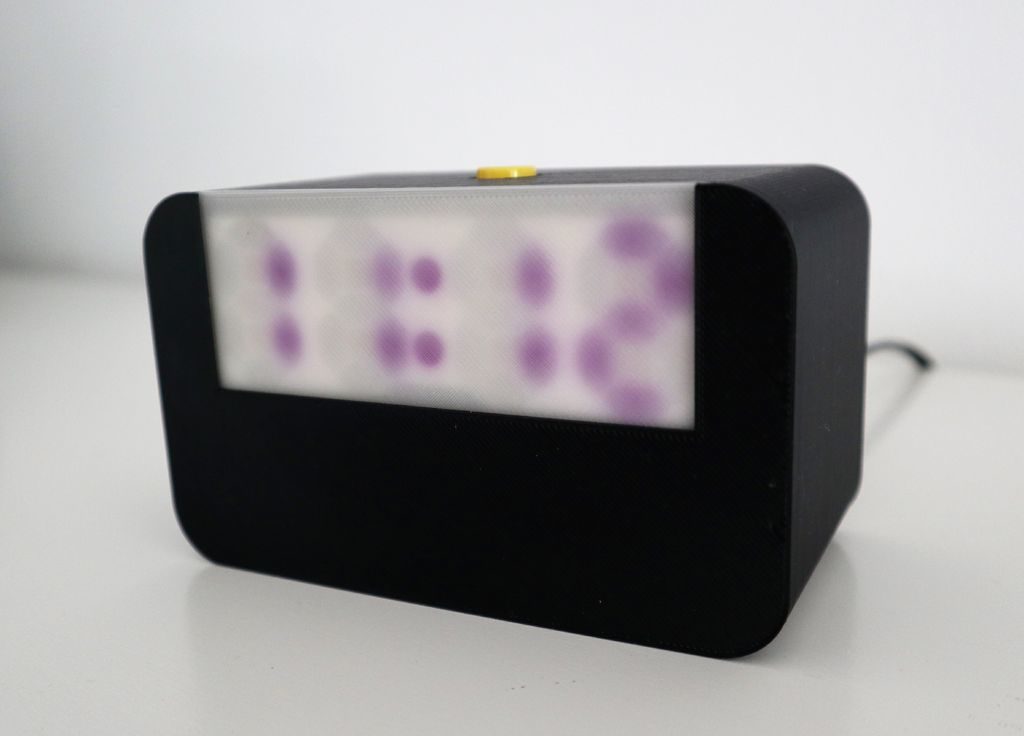
This is a quick start guide for the Four Digit Seven Segment Display Module and Enclosure from PMD Way. This module offers a neat and bright display which is ideal for numeric or hexadecimal data. It can display the digits 0 to 9 including the decimal point, and the letters A to F. You can also control each segment individually if desired.
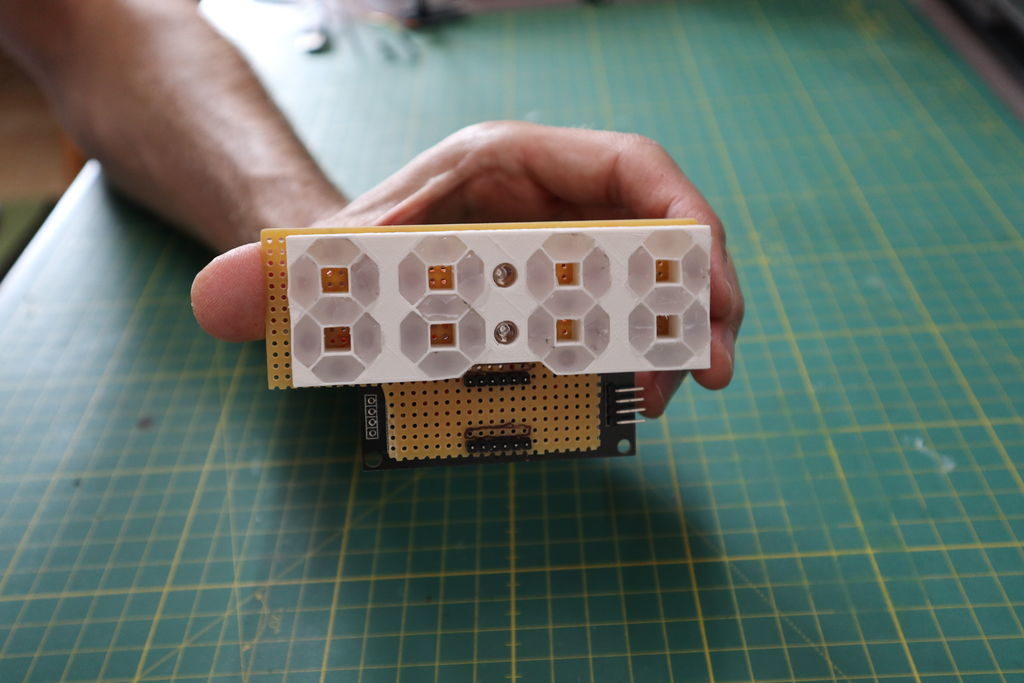
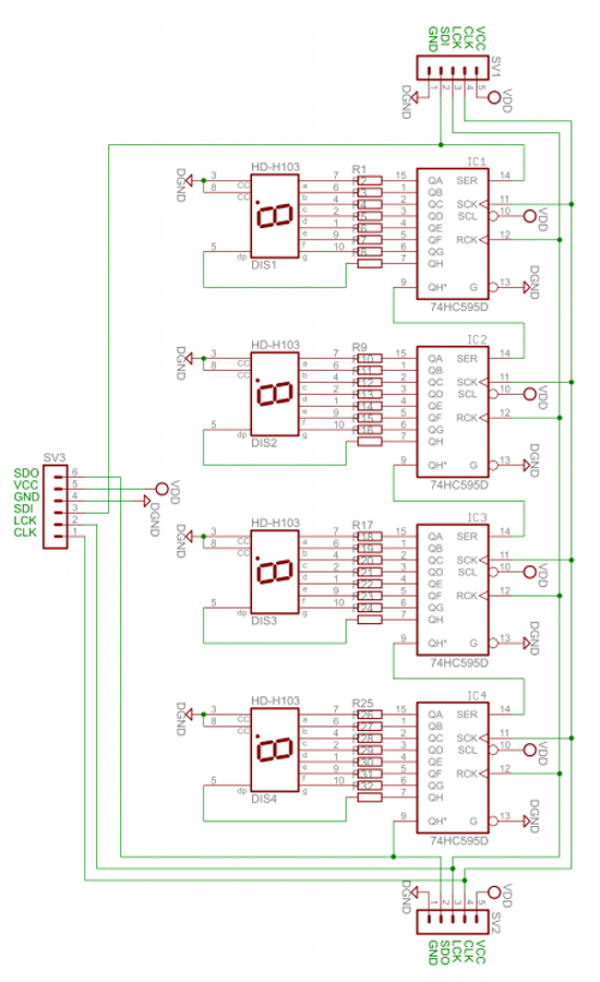
Each module contains four 74HC595 shift registers – once of each controls a digit. If you carefully remove the back panel from the enclosure, you can see the pin connections:

If you’re only using one display, use the group of pins at the centre-bottom of the board. From left to right the connections are:
- Data out (ignore for single display use)
- VCC – connect to a 3.3V or 5V supply
- GND – connect to your GND line
- SDI – data in – connect to the data out pin on your Arduino/other board
- LCK – latch – connect to the output pin on your Arduino or other board that will control the latch
- CLK – clock – connect to the output pin on your Arduino or other board that will control the clock signal
For the purposes of our Arduino tutorial, connect VCC to the 5V pin, GND to GND, SDI to D11, LCK to D13 and CLK to D12.
If you are connecting more than one module, use the pins on the left- and right-hand side of the module. Start with the connections from your Arduino (etc) to the right-hand side, as this is where the DIN (data in) pin is located.
Then connect the pins on the left-hand side of the module to the right-hand side of the new module – and so forth. SDO (data out) will connect to the SDI (data in) – with the other pins being identical for connection.
The module schematic is shown below:
Arduino Example Sketch
Once you have made the connections to your Arduino as outlined above, upload the following sketch:
// Demonstration Arduino sketch for four digit, seven segment display with enclosure
// https://pmdway.com/collections/7-segment-numeric-leds/products/four-digit-seven-segment-display-module-and-enclosure
int latchPin = 13;   // connect to LCK pin
intclockPin = 12;   // connect to CLK pin
intdataPin = 11;    // connect to SDI pin

int LED_SEG_TAB[]={
  0xfc,0x60,0xda,0xf2,0x66,0xb6,0xbe,0xe0,0xfe,0xf6,0x01,0xee,0x3e,0x1a,0x7a,0x9e,0x8e,0x01,0x00};
//0     1    2     3    4    5    6    7    8    9   dp   .    a    b    c    d    e    f   off

void setup()
{
  //set pins to output so you can control the shift register
  pinMode(latchPin, OUTPUT);
  pinMode(clockPin, OUTPUT);
  pinMode(dataPin, OUTPUT);
}

void displayNumber(int value, boolean leadingZero)
// break down "value" into digits and store in a,b,c,d
{
  int a,b,c,d;
  a = value / 1000;
  value = value % 1000;
  b = value / 100;
  value = value % 100;
  c = value / 10;
  value = value % 10;
  d = value;

  if (leadingZero==false) // removing leading zeros
  {
    if (a==0 && b>0)                  {
      a = 18;
    }
    if (a==0 && b==0 && c>0)          {
      a = 18;
      b = 18;
    }
    if (a==0 && b==0 && c==0)         {
      a = 18;
      b = 18;
      c = 18;
    }
    if (a==0 && b==0 && c==0 && d==0) {
      a = 18;
      b = 18;
      c = 18;
      d = 18;
    }
  }

  digitalWrite(latchPin, LOW);
  shiftOut(dataPin, clockPin, LSBFIRST, LED_SEG_TAB[d]);
  shiftOut(dataPin, clockPin, LSBFIRST, LED_SEG_TAB[c]);
  shiftOut(dataPin, clockPin, LSBFIRST, LED_SEG_TAB[b]);
  shiftOut(dataPin, clockPin, LSBFIRST, LED_SEG_TAB[a]);
  digitalWrite(latchPin, HIGH);
}

void allOff() // turns off all segments
{
  digitalWrite(latchPin, LOW);
  shiftOut(dataPin, clockPin, LSBFIRST, 0);
  shiftOut(dataPin, clockPin, LSBFIRST, 0);
  shiftOut(dataPin, clockPin, LSBFIRST, 0);
  shiftOut(dataPin, clockPin, LSBFIRST, 0);
  digitalWrite(latchPin, HIGH);
}

void loop()
{
  for (int z=900; z<=1100; z++)
  {
    displayNumber(z, false);
    delay(10);
  }
  delay(1000);
  for (int z=120; z>=0; --z)
  {
    displayNumber(z, true);
    delay(10);
  }
  delay(1000);

  digitalWrite(latchPin, LOW);
  shiftOut(dataPin, clockPin, LSBFIRST, LED_SEG_TAB[14]);
  shiftOut(dataPin, clockPin, LSBFIRST, LED_SEG_TAB[13]);
  shiftOut(dataPin, clockPin, LSBFIRST, LED_SEG_TAB[12]);
  shiftOut(dataPin, clockPin, LSBFIRST, LED_SEG_TAB[11]);
  digitalWrite(latchPin, HIGH);

  delay(1000);

  digitalWrite(latchPin, LOW);
  shiftOut(dataPin, clockPin, LSBFIRST, LED_SEG_TAB[16]);
  shiftOut(dataPin, clockPin, LSBFIRST, LED_SEG_TAB[15]);
  shiftOut(dataPin, clockPin, LSBFIRST, LED_SEG_TAB[14]);
  shiftOut(dataPin, clockPin, LSBFIRST, LED_SEG_TAB[13]);
  digitalWrite(latchPin, HIGH);
  delay(1000);

  digitalWrite(latchPin, LOW);
  shiftOut(dataPin, clockPin, LSBFIRST, LED_SEG_TAB[0]);
  shiftOut(dataPin, clockPin, LSBFIRST, LED_SEG_TAB[1]);
  shiftOut(dataPin, clockPin, LSBFIRST, LED_SEG_TAB[2]);
  shiftOut(dataPin, clockPin, LSBFIRST, LED_SEG_TAB[3]+1);
  digitalWrite(latchPin, HIGH);
  delay(1000);

  digitalWrite(latchPin, LOW);
  shiftOut(dataPin, clockPin, LSBFIRST, LED_SEG_TAB[7]);
  shiftOut(dataPin, clockPin, LSBFIRST, LED_SEG_TAB[6]+1);
  shiftOut(dataPin, clockPin, LSBFIRST, LED_SEG_TAB[5]);
  shiftOut(dataPin, clockPin, LSBFIRST, LED_SEG_TAB[4]);
  digitalWrite(latchPin, HIGH);
  delay(1000);
}
After a moment you should see the display spring into action in the same way as in the demonstration video:
How does it work?
First we define which digital output pins are used for latch, clock and data on lines four to six. On line eight we have created an array which contains values that are sent to the shift registers in the module to display the possible digits and letters. For example, the first – 0xfc – will activate the segments to display a zero, 0x7a for the letter C, and so on.
From line 20 we’ve created a custom function that is used to send a whole number between zero and 9999 to the display. To do so, simply use:
void displayNumber(value, true/false);
where value is the number to display (or variable containing the number) – and the second parameter of true or false. This controls whether you have a leading zero displayed – true for yes, false for no.
For example, to display “0123” you would use:
displayNumber(123, true);
… which results with:
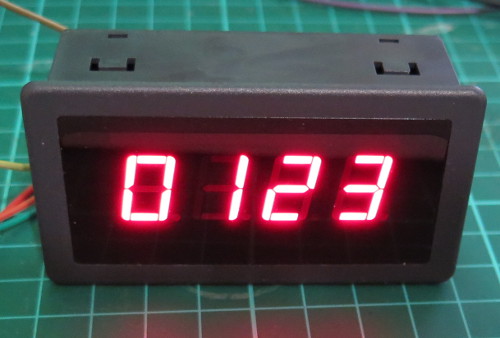
or to display “500” you would use:
displayNumber(500, false);
… which results with:
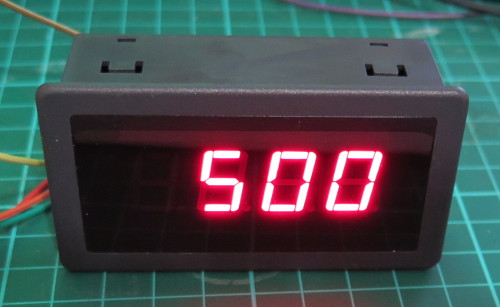
To turn off all the digits, you need to send zeros to every bit in the shift register, and this is accomplished with the function in the sketch called
allOff();
What about the decimal point?
To turn on the decimal point for a particular digit, add 1 to the value being sent to a particular digit. Using the code from the demonstration sketch to display 87.65 you would use:
 digitalWrite(latchPin, LOW);

 shiftOut(dataPin, clockPin, LSBFIRST, LED_SEG_TAB[5]);

 shiftOut(dataPin, clockPin, LSBFIRST, LED_SEG_TAB[6]);

 shiftOut(dataPin, clockPin, LSBFIRST, LED_SEG_TAB[7]+1); // added one for decimal point

 shiftOut(dataPin, clockPin, LSBFIRST, LED_SEG_TAB[8]);

 digitalWrite(latchPin, HIGH);
… which results with:
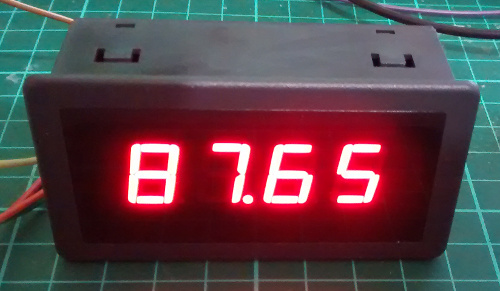
In-depth explanation of how the module is controlled
As shown in the schematic above, each digit is controlled by a 74HC595 shift register. Each shift register has eight digital outputs, each of which control an individual segment of each digit. So by sending four bytes of data (one byte = eight bits) you can control each segment of the display.
Each digit’s segments are mapped as follows:
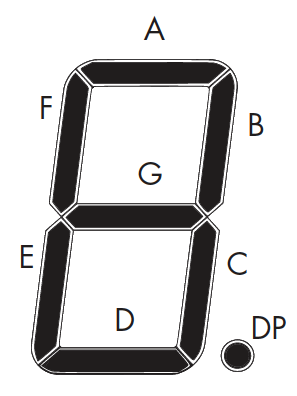
And the outputs from each shift register match the order of segments from left to right. So outputs 0~7 match A~G then decimal point.
For example, to create the number seven with a decimal point, you need to turn on segments A, B, C and DP – which match to the shift register’s outputs 0,1,2,8.
Thus the byte to send to the shift register would be 0b11100001 (or 225 in decimal or 0xE1 in hexadecimal).
Every time you want to change the display you need to re-draw all four (or more if more than one module is connected) digits – so four bytes of data are sent for each display change. The digits are addressed from right to left, so the first byte send is for the last digit – and the last byte is for the first digit.
There are three stages of updating the display.
- Set the LCK (latch) line low
- Shift out four bytes of data from your microcontroller
- Set the LCK (latch) line high
For example, using Arduino code we use:
  digitalWrite(latchPin, LOW);

  shiftOut(dataPin, clockPin, LSBFIRST, 0b10000000); // digit 4

  shiftOut(dataPin, clockPin, LSBFIRST, 0b01000000); // digit 3

  shiftOut(dataPin, clockPin, LSBFIRST, 0b00100000); // digit 2

  shiftOut(dataPin, clockPin, LSBFIRST, 0b00010001); // digit 1

  digitalWrite(latchPin, HIGH);
This would result with the following:
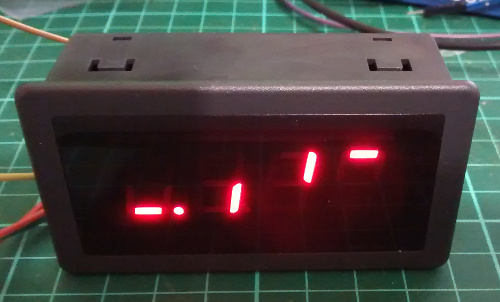
Note how the bytes in binary match the map of the digits and their position. For example, the first byte sent was for the fourth digit, and the segment A was turned on. And that’s all there is to it – a neat and simple display.
This post brought to you by pmdway.com – everything for makers and electronics enthusiasts, with free delivery worldwide.
To keep up to date with new posts at tronixstuff.com, please subscribe to the mailing list in the box on the right, or follow us on twitter @tronixstuff.