Posts with «arduino» label

AAScan is an open source, Arduino-powered 3D scanner that uses your phone

3D scanners are amazing tools that literally let you turn everyday things into three-dimensional computer models. As seen on Reddit, if you want to make one yourself — using little more than a spare Android phone, Arduino, stepper motor, and 3D-printed parts — the AAScan setup by QLRO could be an excellent option.

The device spins an object on a 3D-printed turntable using an Uno and ULN2003 driver board, allowing it to take ~180 images automatically via a Python script running on the phone. These images are then combined in Meshroom to create a brand new 3D model. 

You can check out a demo of AAScan in the video below, rotating an apple to take pictures of each side.

You can make your own rotary cellphone

As convenient as modern cellphones are, there's a certain charm to spinning an old-fashioned rotary dial to make a call -- and now, there's a cellphone that caters to that nostalgia. Brookhaven National Lab engineer Justine Haupt has developed a rotary cellphone that's not only functional, but available to make with the help of a $240 do-it-yourself kit. It's effectively a throwback to the days when phones were for calling and nothing else, plus a few present-day creature comforts.

Source: Justine Haupt, Sky's Edge

You can make your own rotary cellphone

As convenient as modern cellphones are, there's a certain charm to spinning an old-fashioned rotary dial to make a call -- and now, there's a cellphone that caters to that nostalgia. Brookhaven National Lab engineer Justine Haupt has developed a rotary cellphone that's not only functional, but available to make with the help of a $240 do-it-yourself kit. It's effectively a throwback to the days when phones were for calling and nothing else, plus a few present-day creature comforts.

A DIY digital readout for your wood lathe

Small wood lathes don’t typically come with an RPM readout, so after obtaining such a machine several months ago, engineer Zach — also known as ‘byte sized’ — decided to build his own custom display.

The device uses an Arduino Nano for control, along with a Hall effect sensor to pick up on four magnets attached to the spinning handwheel.

RPM values are shown on a series of four 7-segment displays, and everything is enclosed in a nicely 3D-printed housing. LEDs shine through a sanded acrylic window that acts as a diffuser. Power for the lathe is still provided by a single cable, with a transformer module used to convert the AC input into 5V DC for the Arduino and other electronics.

Arduino Blog 15 Feb 21:24

Nixie Clock Claims to be Simplest Design

[Engineer2you] built a nixie tube clock and claims it is the simplest design. We felt like that was a challenge. In this design, the tubes are set up as a matrix with optoisolators on each row and column. With 60 segments, the matrix allows you to control it all with 16 bits. There are six columns, each corresponding to a digit. That means each row has 10 lines.

The Arduino code reads the clock and produces the output to the tubes fast enough that your eye perceives each digit as being always on, even though it isn’t.

It may be semantics, but part of what makes the design simple isn’t that it is simple on its own, but that it does use a small number of dense modules. For example, the clock is a DS3231, and there is a DC step up board to generate 390V for the tubes. So instead of minimizing part count, this design really minimizes how many parts you have to connect by employing modules, including the Arduino. That’s still something, though.

It looks as though the nixie tubes used are of Soviet origin. They need no more than 170V to ignite and at least 120V to stay lit. Not a problem with a simple DC to DC converter since the current is very low — on the order of 2.5 mA or so.

We suppose one day the stock of nixie tubes will be gone. But there are still people making them. Or you can do a modern version with light pipes.

Hack a Day 15 Feb 06:00

Arduino Drives a 600-Character Display

[Peterthinks] admits he’s no cabinet maker, so his projects use a lot of hot glue. He also admits he’s no video editor. However, his latest video uses some a MAX7219 to create a 600 character scrolling LED sign. You can see a video of the thing, below. Spoiler alert: not all characters are visible at once.

The heart of the project is a MAX7219 4-in-1 LED display that costs well under $10. The board has four LED arrays resulting in a display of 8×32 LEDs. The MAX7219 takes a 16-bit data word over a 10 MHz serial bus, so programming is pretty easy.

The MAX chip can decode for seven-segment displays or just allow you to light up the outputs directly, which is what the code here does. You can cascade the chips, so it is possible to string more than one of these modules together.

The code is available on Dropbox. The code is extremely simple due to the use of the Parola library and a MAX72XX library. We’ve seen a number of projects based around this chip. Some of the uses are pretty novel.

This retro-looking rotary cellphone is free of modern-day distractions

What we carry today in our pockets is nominally called a “phone,” but more often than not we’re using it to do various other computing tasks. Justine Haupt, however, wanted an actual phone that “goes as far from having a touchscreen as [she could] imagine.”

What she came up with is a rotary cellphone that’s not just a show-and-tell piece, but is intended to be her primary mobile device. It’s reasonably portable, has a removable antenna for excellent reception, a 10-increment signal meter, and, perhaps most importantly, doesn’t make her go through a bunch of menus to actually use it as a phone. Other features include number storage for those she calls most often and a curved ePaper display that naturally doesn’t use any power when revealing a fixed message.

The project was prototyped using an Arduino Micro. It was then laid out of a PCB with an an Adafruit FONA 3G board and an ATmega2560V, programmed in the Arduino IDE.

Haupt has published a detailed look at the build process here.

All Band Radio Uses Arduino and Si4730

It is getting harder and harder to tell homemade projects from commercial ones. A good case in point is [Mirko’s] all band radio which you can see in the video below the break. On the outside, it has a good looking case. On the inside, it uses a Si4730 radio which has excellent performance that would be hard to get with discrete components.

The chip contains two RF strips with AGC, built-in converters to go from analog to digital and back and also has a DSP onboard. The chip will do FM 64 to 108 MHz and can demodulate AM signals ranging from 153 kHz to 279 kHz, 520 kHz to 1.71 MHz, and 2.3 MHz to 26.1 MHz. It can even read RDS and RBDS for station information. The output can be digital (in several formats) or analog.

The radio takes serial (I2C) commands, and the Arduino converts the user interface so that you can control it. The chip comes in several flavors, each with slightly different features. For example, the Si4731 and Si4735 have the RDS/RBDS decoder, and the shortwave mode is available on Si4734 and Si4735. Confused? Page 2 of the programming guide should help. According to [Mirko], he used a 4730, but it still did shortwave with the 4735 library.

Breakout boards with the chip are just a few bucks. It appears the chip has the technical capability to receive single sideband, but it requires a poorly documented patch. It is in recent versions of this library, though.

We always smile when we think that AM is still alive and kicking. Perhaps this is the modern take on that first crystal radio project.

Hack a Day 13 Feb 03:00

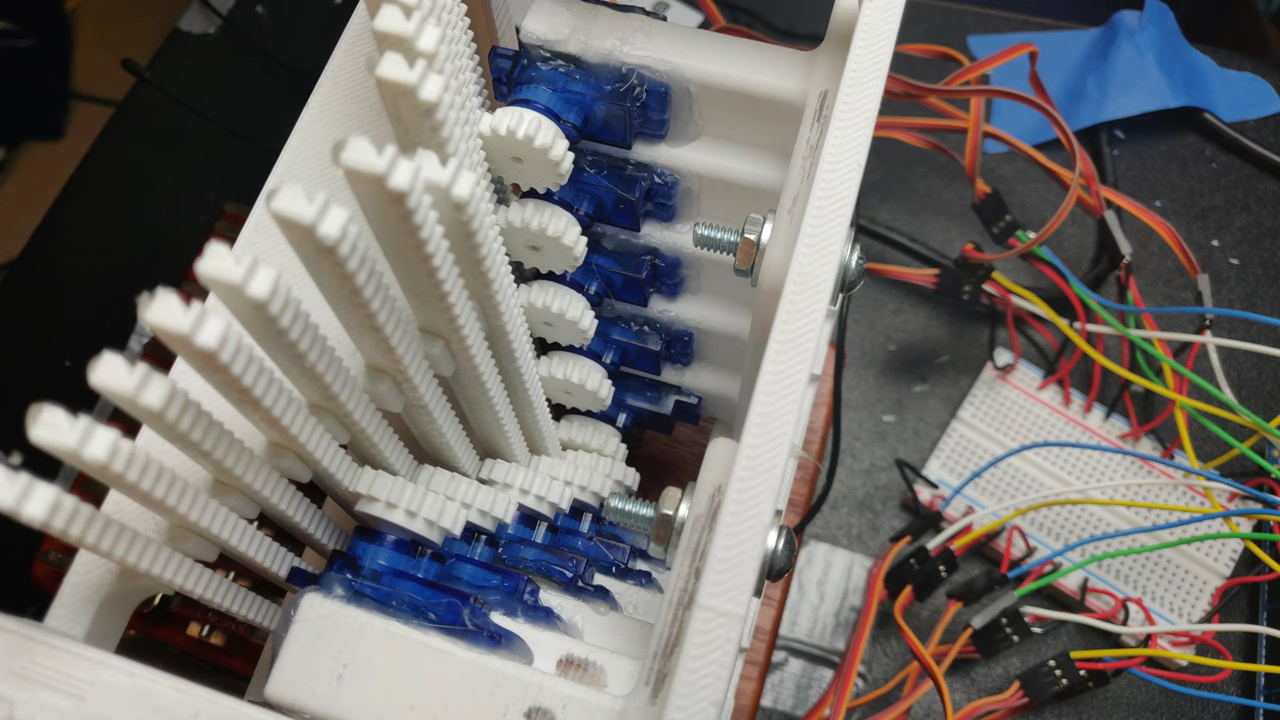
Mechanical 7-segment display made with micro servos and an Arduino Mega

Flip displays are an interesting piece of technology, physically moving segments into place that stay put until other information is needed. Michael Klements has been especially fascinated by these devices, and after inspiration from another project, he decided to craft his own.

His version utilizes 14 micro servos to flip segments into a visible position, then rotate them to 90° when no longer needed. This “off” mode displays a slimmer profile, and the sides and back are painted black, making them much less visible.

An Arduino Mega, with 15 possible PWM outputs, is used to control the servos, while a hobby RC-style battery eliminator circuit provides power to the motors. 

Be sure to check out the build process and in-action shots below! 

The ZT-2020 is a portable SunVox synth

SunVox synth software allows you to create electronic music on a wide variety of platforms. Now, with his ZT-2020 project — which resembles a miniature arcade game — YouTuber “fascinating earthbound objects” has a dedicated input scheme.

This cabinet prominently features a wide array of buttons, a directional input from a PlayStation controller, and 16 potentiometer knobs. There’s also a screen on top for video output. 

Inside a Raspberry Pi runs SunVox, while most of the buttons and all of the input knobs are connected to an Arduino Mega. The Mega plays the role of MIDI controller as well, passing digital music info along to produce beautiful electronic music!

Arduino Blog 11 Feb 19:41