Posts with «arduino» label

USB Keyboard Support with the Arduino Uno


One of the exciting new features of the Arduino Leonardo is its ability to act as a USB human interface device like a keyboard or mouse. This can make interfacing hardware projects with third-party software much easier. For example, if you want to build a physical button to go backwards in your web browsing history, you can have the Arduino send your browser’s keyboard command for back each time you hit the button. But if you have an Arduino Uno, you’re not out of luck.

Michael Mitchell recently shared his tutorial on how to use DFU Programmer to update the firmware on the Atmega8U2, which, according to the Arduino documentation, “acts as a bridge between the computer’s USB port and the main processor’s serial port” on the Uno. Michael also points out that you’ll need to make a slight hardware modification to the board if you have the DIP version of the Uno board—SMD Uno owners can keep their soldering irons holstered for this one. Michael demos his tutorial with a volume controller for his Ubuntu box and naturally he offers all the code you need to make your own.

More:
The AWESOME Button: A Made-to-Measure USB Input Device


MAKE » Arduino 28 Jun 12:30
arduino  atmega8u2  hid  keyboard  usb  

Arduino’s Massimo Banzi’s TED Talk

Massimo Banzi helped invent the Arduino, a tiny, easy-to-use open-source microcontroller that’s inspired thousands of people around the world to make the coolest things they can imagine — from toys to satellite gear. Because, as he says, “You don’t need anyone’s permission to make something great.”


MAKE » Arduino 27 Jun 19:00
arduino  

Massimo’s Talk at TEDGlobal

We are really thrilled to blog Massimo’s delightful talk of yesterday about Arduino and the open hardware movement: TED team chose it to be the first video to be traslated and released for everybody to see.

Enjoy!


Metatron - Autonomus Robot

Primary image

What does it do?

Navigates to GPS Points with Object Avoidance

Autonomous Robot - GPS, Tilt Compass, Arduino Mega, Wild Thumper Motor Controller, Wild Thumper Chassis.


Cost to build

$100,00

Embedded video

Finished project

Complete

Number

Time to build

60 hours

Type

URL to more information

Weight

Bad Posture tells you to sit up straight, replaces your mom with an Arduino

At certain point in every geek's life, their mother gives up and stops yelling at them to sit up straight. If the lack of constant reminders to maintain good posture has you slouching and hunching, there are countless technological substitutes. Even a few nice DIY ones. But we've got to give Ellen Sundh props for the simplicity of her solution. While similar projects rely on accelerometers, which can be difficult for the budding hobbyist to work with, to monitor the angle of your body, Bad Posture sticks with a simple bend sensor to keep tabs on your spinal cord. The flexible plastic is arranged vertically in a fabric belt that also houses an Arduino, a Wave Shield from Adafruit and a push button for calibration. Sit at your optimal angle, press the button and you're ready to go. Bend too much and the Wave Shield plays a warning -- "bad posture!" Check out the video after the break to see it in action.

Continue reading Bad Posture tells you to sit up straight, replaces your mom with an Arduino

Bad Posture tells you to sit up straight, replaces your mom with an Arduino originally appeared on Engadget on Tue, 26 Jun 2012 14:21:00 EST. Please see our terms for use of feeds.

Permalink | Email this | Comments

'Antrobot' Ver 1.0.0- Based on arduino clone

Primary image

What does it do?

Walks,scampers,scitters

Alright ! After a haitus and some odd but trivial glitches I am finally happy to declare the birth of ANTROBOT Ver 1.0.0. Its a 2 legged creature with a single purpose - to explore and traverse its surroundings. Powered by a Lithium-Ion Rechargeable Battery it is a joy to see it scamper through the room. The way it frolics is delightful and reminds me of a swaying pendulum. It is by no stretch of imagination complete.

Cost to build

$30,00

Embedded video

Finished project

Number

Time to build

5 hours

Type

legs

URL to more information

Weight

read more

New in the Maker Shed: Arduino Leonardo

We had a small stock of Arduino Leonardos in the Maker Shed for their announcement at Maker Faire but they sold nearly as fast as we could put them out. We finally got them back in stock so you can buy one right now in the Maker Shed (while they last!)

At first glance, the Arduino Leonardo looks just like an SMD version of the Arduino Uno with a micro USB port. It’s blue, has the same foot print, same pin-out, and the same layout as its brother. The internals are also very similar. It features nearly the same RAM, flash, and clock speed as the ATmega328 processor found in the Uno. So why is the Leonardo different? Because it uses the ATmega32u4. This processor has built in USB communication which eliminates the need for a secondary USB to serial converter. The ATmega32u4 creates a virtual (CDC) COM port on your computer every time it runs its bootloader. Since it’s virtual, it can also behave like an HID (Human Interface Device) meaning the Leonardo can “act” like a keyboard or mouse, opening it up to a whole new range of projects. This processor also has additional I/O capabilities, allowing pins 4, 6, 8, 9, 10, and 12 to be used as analog inputs (12 total vs. the UNO’s 6). In addition, the Leonardo has one additional PWM pin (13) and all 20 I/O pins can be used as digital pins.

Of course, this new functionality doesn’t come without a price (although the price is only $20!) Since the Leonardo uses a virtual COM port, it can make certain tasks a bit more complicated (see the Getting Started Guide.) For this reason, we recommend this board to makers with some Arduino experience. Also, some of the pin assignments are slightly different so while the Leonardo is compatible with most shields, it may not be compatible with all. Advanced shields that use I2C or SPI (such as Ethernet shields) will work so long as they were updated to match the new Arduino Uno layout that was released last year. For full shield compatibility and ease of use, see the tried and true Arduino Uno.

Features

  • Microcontroller ATmega32u4
  • Operating Voltage 5V
  • Input Voltage (recommended) 7-12V
  • Input Voltage (limits) 6-20V
  • Digital I/O Pins 20
  • PWM Channels 7
  • Analog Input Channels 12
  • DC Current per I/O Pin 40 mA
  • DC Current for 3.3V Pin 50 mA
  • Flash Memory 32 KB (ATmega32u4) of which 4 KB used by bootloader
  • SRAM 2.5 KB (ATmega32u4)
  • EEPROM 1 KB (ATmega32u4)
  • Clock Speed 16 MHz

OLED Lego train station emerges from Adafruit and Arduino gear, minifigs to get home on time

Who knew Lego characters had to be somewhere in a hurry? Adafruit did, as it just whipped up a minifig-sized train schedule. The invention mates one of Adafruit's own 1-inch OLED boards with an Arduino Uno controlling the schedule behind the scenes. It looks to be a straightforward project for the DIY types, although the display is currently all show: the schedule doesn't (yet) pair up with the train tracks to automatically let your minifigs know if their trip to the pirate spaceship castle has been delayed by ghosts. You can check the source link for the full instructions. Duplo builders, alas, are kept out of the loop.

OLED Lego train station emerges from Adafruit and Arduino gear, minifigs to get home on time originally appeared on Engadget on Tue, 26 Jun 2012 00:07:00 EST. Please see our terms for use of feeds.

Permalink | Email this | Comments

Bench power supply resetting thingy

As is common among some hackers, [Henry] re-purposed an ATX power supply unit to function as a bench power supply for testing circuits on a breadboard (much like this fancy example).

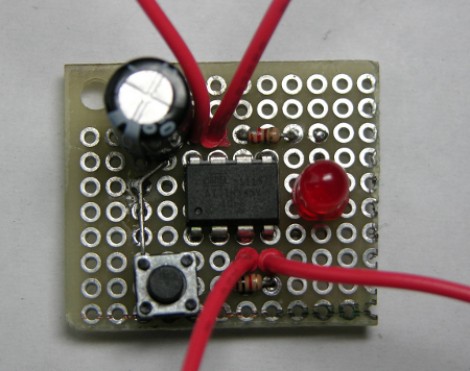
However, safety mechanisms on some modern PC PSUs do not automatically reset after over-current protection has kicked in, which soon became annoying for [Henry]. In order to make his power supply more hacker-friendly, he wired up and programmed an ATtiny85V, using some Arduino libraries, to do that for him. This simple project is a great example of using a hack to improve a pre-existing hack.


Filed under: ATtiny hacks, pcs hacks

Printing and programming a self-balancer

The Hackaday staff isn’t in agreement on 3d printers. Some of us are very enthusiastic, some are indifferent, and some wonder what if they’re as widely useful as the hype makes them sound. But we think [Jason Dorweiler's] self balancing robot is as strong a case as any that 3d printing should be for everyone!

Don’t get us wrong. We love the robot project just for being a cool self-balancer. Seeing the thing stand on its own (video after the break) using an Arduino with accelerometer and gyroscope sensors is pure win. But whenever we see these we always think of all the mechanical fabrication that goes into it. But look at the thing. It’s just printed parts and some wooden dowels! How easy is that?

Sure, sure, you’ve got to have access to the printer, it needs to be well calibrated, and then you’ve got to make the designs to be printed out. But these hurdles are getting easier to overcome every day. After all, there’s no shortage of people to befriend who want nothing more than to show off their Makerbot/RepRap/etc.


Filed under: robots hacks