Posts with «arduino» label

New Project: 3D Printed Bionic Claws with MyoWare Muscle Sensors

One of our prime passions is to motivate the next great minds and ideas by posting informative step-by-step tutorials. To celebrate the launch of our fourth-generation muscle sensor, the MyoWare, we’ve put together a tutorial that will make you go berserk! This tutorial will teach you to build bionic claws using […]

Read more on MAKE

The post 3D Printed Bionic Claws with MyoWare Muscle Sensors appeared first on Make:.

New Project: 3D Printed Bionic Claws with MyoWare Muscle Sensors

One of our prime passions is to motivate the next great minds and ideas by posting informative step-by-step tutorials. To celebrate the launch of our fourth-generation muscle sensor, the MyoWare, we’ve put together a tutorial that will make you go berserk! This tutorial will teach you to build bionic claws using […]

Read more on MAKE

The post 3D Printed Bionic Claws with MyoWare Muscle Sensors appeared first on Make:.

The Arduino Experience at Computer History Museum

Thursday May 28th at noon The Computer History Museum is hosting an open lecture by Massimo Banzi, co-founder of the Arduino project. He will cover the historical origins of Arduino, including discussion of the process of designing tools which make digital technology accessible to people who are not experts, and the essential role of the larger Arduino ecosystem that supports this remarkable computer platform.

The Computer History Museum, located in Mountain View (California), is a nonprofit organization  exploring the history of computing and its ongoing impact on society in the last 40 years. The Museum is dedicated to the preservation and celebration of computer history, it hosts the largest international collection of computing artifacts in the world and many virtual exhibition you can explore directly online.

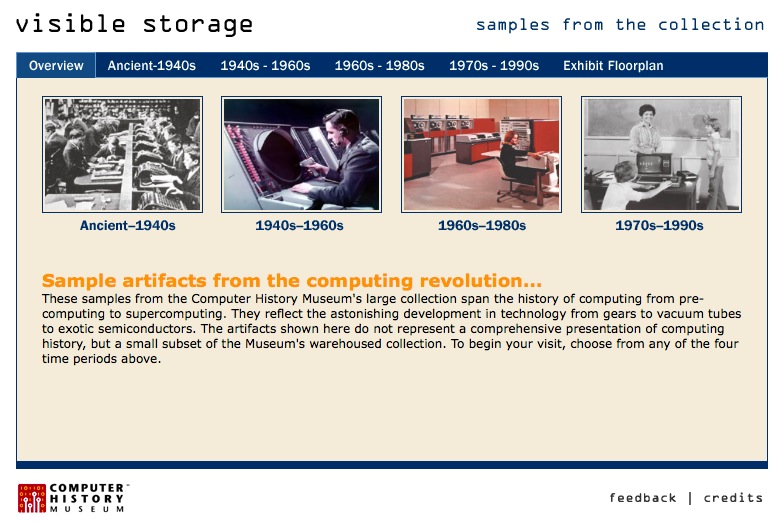
If you like vintage images and history of computing, check the “visible storage” collection below.


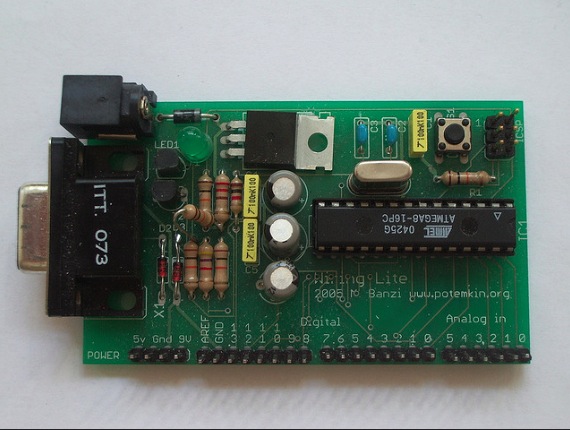
The main image of this post is a picture by Massimo Banzi showing the first useable Arduino prototype. Still called “Wiring Lite”, used as a low cost module for wiring users. David Cuartielles joined at this point (the flying resistor is his first contribution to the design) from this point on the project becomes Arduino. 


Here Is the First Arduino Made on American Soil

Over the Memorial Day weekend the first Arduinos were to be made in the USA were hand built by Limor in the Adafruit offices in New York.

Read more on MAKE

The post Here Is the First Arduino Made on American Soil appeared first on Make:.

Here Is the First Arduino Made on American Soil

Over the Memorial Day weekend the first Arduinos were to be made in the USA were hand built by Limor in the Adafruit offices in New York.

Read more on MAKE

The post Here Is the First Arduino Made on American Soil appeared first on Make:.

Keep your candies safe with Candy Locker and Intel Edison


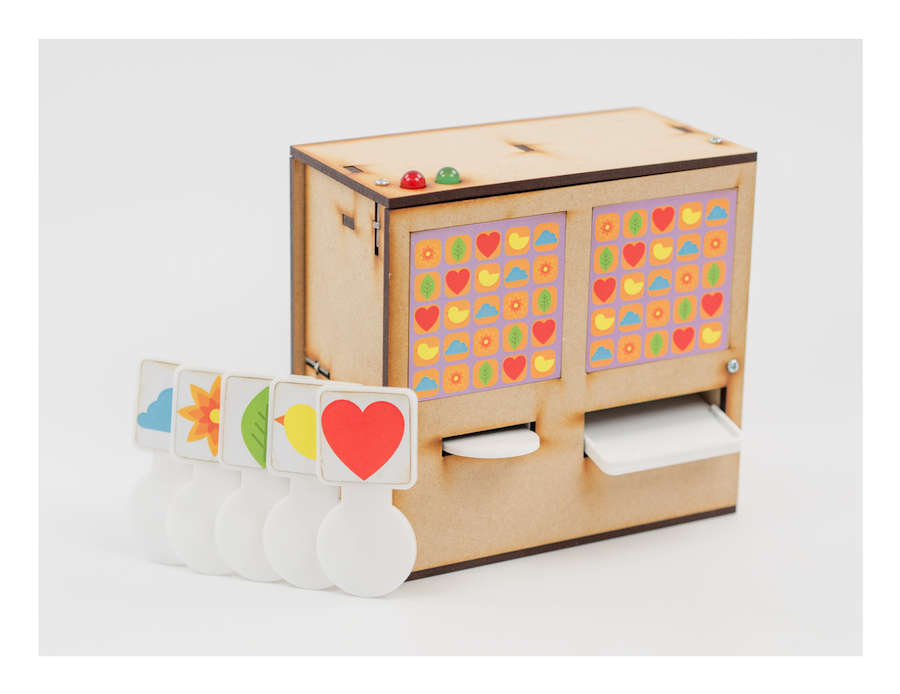
Candy Locker is a mouth-watering tutorial based on  Intel® Edison and image recognition of objects.
You can keep your candies safe from greedy hands with this color recognition lock and a dispenser using a set of 5 distinct color images and setting up a pattern that will activate and dispense candies.

Follow the link and open the magic door of the video and picture recognition,  invent cool systems learning how to manage object recognition and OpenCv foundations.


Review – Nextion TFT Human Machine Interface

Introduction

Using a large TFT LCD with various development boards can often be a trial – from dedicating eight or more GPIO pins to working with a flaky software library or memory limitations. Personally I have thought “there must be a better way”, and thus usually results in shifting the concept over to a single-board computer such as a Raspberry Pi to get the job done.

However this is no longer necessary – thanks to the team at Itead Studio and now available from Tronixlabs. They have developed a series of TFT LCDs which include enough onboard hardware, a graphic processor unit and memory to be a self-contained display solution whose output can be created with a WYSIWYG editor and be controlled using simple serial text commands.

For a quick demonstration, check out the following video:

As you can see the display can be quite complex, and with some imagination you can create a neat interface for your project. And once the interface has been uploaded to the display, all your development board needs to do is communicate with the Nextion displays via a TTL-level USART  (serial port).

Hardware

Nextion displays are available in a wide range from 2.4″ through to 7″ at varying resolutions – with all having a resistive touch screen:

On the rear of an example 4.3″ unit we can see the brains behind the Nextion – an STM32F microcontroller, 16MB of flash memory and a meaty Altera MAXII FPGA. :

… and the 2.4″ version which has 4MB of flash memory:

And as shown above you can see from the images there is a microSD card socket on each display, and the only external connections are 5V and GND plus TX/RX for serial data to your system. For testing purposes with a Windows-based PC you can use a simple USB-TTL serial cable. This could also be used for a more permanent solution between a Raspberry Pi, or any USB-enabled PC.

Software

The display interface is created used an IDE (integrated development environment) which is currently available for Windows. Using the IDE, you can import images for use in the interface, determine touch areas, add  buttons, progress bars, gauges and much more.

Furthermore there is a simulator and debugger tool which allows you to test your interface on the PC or directly to the Nextion unit. The simulator also allows for sending and receiving commands with the display so you can quickly test your code.

The simulator is also a demonstration of how the Nextion can be controlled via USB-TTL serial cable from a PC, thus great for secondary displays via processing, python etc – or from any software that can communicate via the PC’s serial port. And much cheaper than a secondary display if you only want to display certain types of data.

To create an interface is easy, you first start with a background image or a solid colour. Then you can add objects such as buttons for user-input, or define an area of the screen to a “touch-zone” – which, when pressed, will send a value out to the connected device. You can also add text zones, which will display incoming text from the connected device – along with progress bars and gauges.

For an ideal example of all this together, watch the following video:


Conclusion

Although the units I had for test were prototype review units supplied by Itead, they worked as expected and really do solve the problem of creating a contemporary user-interface without typing up microcontroller resources. Nextion displays are now available from our Tronixlabs store.

And finally a plug for my own store – tronixlabs.com – offering a growing range and Australia’s best value for supported hobbyist electronics from adafruit, DFRobot, Freetronics, Seeed Studio and much much more.

As always, have fun and keep checking into tronixstuff.com. Why not follow things on twitterGoogle+, subscribe  for email updates or RSS using the links on the right-hand column, or join our forum – dedicated to the projects and related items on this website.

The post Review – Nextion TFT Human Machine Interface appeared first on tronixstuff.

Tronixstuff 23 May 03:22

The state of Arduino: a new sister brand announced

The room was packed and carefully listening to Massimo’s keynote about latest development at Arduino during Maker Faire Bay Area 2015. Starting from core values of Arduino, its community and showing the work Arduino team is doing to bring benefits to it: it’s about creating open protocols, bridges and connections, to give more options to makers and allow them to port projects on what platform is more effective for the development of their ideas.


Arduino community is at the center of his message. It’s amazing how it has been growing a lot in the last 10 years and the impact of traffic and downloads of Arduino IDE gives us an idea of the importance of Arduino in the maker community.

In the last year more than 21.5 million visitors landed on Arduino.cc website and 65% were returning visitors with an average session of 6 minutes. An Arduino IDE is downloaded every 4.5 seconds and since March 10th we reached almost 1.4 million downloads.

That’s why Arduino is not only about boards. Arduino approach goes beyond hardware and commits to providing makers with a whole greater experience in creating projects and trying to improve the way people build with Arduino and other compatible boards.

This approach is represented in the improvement recently brought to the Arduino IDE but also developing web-based tools. That’s what goes especially into the new Arduino Create, now available in private beta. Massimo referred to it as the “Arduino Operating system”, because now makers can run Arduino on a bunch of different operating systems, frameworks, libraries, and translate a prototype into a finished product in a much easier way.

Going back to hardware, the moment arrived to give some news about where to buy Arduino.cc boards. After the announcement of the strategic manufacturing partnership with Adafruit for the US Market the audience burst into warm applause. Massimo then announced Arduino started a series of other partnerships to manufacture boards locally all over the world and make them available as soon as possible to makers and distributors.

At the beginning of July Arduino will celebrate Independence day as a bunch of classic Arduino and new boards will be available from Arduino stores and some distributors with the classic Arduino.cc brand in the US market and going into details with dates:

Arduino WiFi Shield 101 from the 25th of June

–  Arduino Yún Shield available from the 25th of June – Adding Arduino Yún capabilities to any Arduino.

Arduino Zero available from the 9th of July

At the end of the keynote Massimo spent a few words regarding the European and rest of the world market, introducing to the audience a new sister brand. Now we all can say: welcome Genuino!

It is a play on the Italian word genuino that in english means genuine/authentic and will allow Arduino team to keep promoting a common approach within the open hardware and open source community providing genuine boards to all makers outside of the US.


A Nokia Shield For The Arduino

The Nokia 3100 is a classic in the circles we frequent. The LCD in this phone is a very cheap and very common display, and it was one of the most popular phones since the phone from Bell, making it a very popular source of cool components.

Now everything is an Internet of Thing, and cellular data for microcontroller projects is all the rage. [Charles] thought it would be interesting to use the famous Nokia 3100 to transmit and receive data. After battling with some weird connectors, he succeeded.

The Nokia 3100 doesn’t have a USB connector, as this phone was made before the EU saved us from a menagerie of cell phone chargers. Instead, this phone has a Nokia Pop-Port, a complex connector that still has TX and RX pins running at 115,200 bit/s 8N1. By fitting a USB socket onto a prototyping board, adding a few level shifters, and connecting the pins in the right order, [Charles] was able to get his Arduino talking to an old Nokia Brick.

[Charles] isn’t quite at the level of sending SMS from his confabulation, and even following a tutorial from [Ilias Giechaskiel] didn’t work. [Charles] is looking for help here, and if you have any suggestions, your input would be appreciated.

There is a problem with using a Nokia 3100 as a cheap Arduino cellular shield: it’s only 2G, and sometime soon those cell towers will be shut down. For now, though, it works, and once those 2G towers are shut down, there are plenty of options with cheap, early Android and iOS phones.


Filed under: Arduino Hacks, Cellphone Hacks

DFRobot Encourages the Open Hardware Community

DFRobot is a Shanghai-based open source hardware facilitator whose mission is to encourage people to develop their own products and simply enable more rapid project creation. We caught up with Hector Saldana of DFRobot to find out more about the company’s offerings. Saldana notes one of their main focuses of […]

Read more on MAKE

The post DFRobot Encourages the Open Hardware Community appeared first on Make:.