Posts with «arduino» label

Send HEX values to Arduino

FIVE MINUTE TUTORIAL

Project Description: Sending Hex values to an Arduino UNO


This simple tutorial will show you how to send Hexadecimal values from a computer to an Arduino Uno. The "Processing" programming language will be used to send the HEX values from the computer when a mouse button is pressed. The Arduino will use these values to adjust the brightness of an LED.


Learning Objectives


  • To Send Hexadecimal (Hex) values from a computer to the Arduino
  • Trigger an action based on the press of a mouse button
  • Learn to create a simple Computer to Arduino interface
  • Use Arduino's PWM capabilities to adjust brightness of an LED
  • Learn to use Arduino's analogWrite() function
  • Create a simple LED circuit


Parts Required:


Fritzing Sketch


The diagram below will show you how to connect an LED to Digital Pin 10 on the Arduino.
Don't forget the 330 ohm resistor !


Arduino Sketch


The latest version of Arduino IDE can be downloaded here.
 
  1
2
3
4
5
6
7
8
9
10
11
12
13
14
15
16
17
18
19
20
21
22
23
24
25
26
27
28
29
30
31
/* ==================================================================================================================================================
         Project: 5 min tutorial: Send Hex from computer to Arduino
          Author: Scott C
         Created: 21th June 2015
     Arduino IDE: 1.6.4
         Website: http://arduinobasics.blogspot.com/p/arduino-basics-projects-page.html
     Description: Arduino Sketch used to adjust the brightness of an LED based on the values received
                  on the serial port. The LED needs to be connected to a PWM pin. In this sketch
                  Pin 10 is used, however you could use Pin 3, 5, 6, 9, or 11 - if you are using an Arduino Uno.
===================================================================================================================================================== */

byte byteRead; //Variable used to store the byte received on the Serial Port
int ledPin = 10; //LED is connected to Arduino Pin 10. This pin must be PWM capable.

void setup() {
 Serial.begin(9600); //Initialise Serial communication with the computer
 pinMode(ledPin, OUTPUT); //Set Pin 10 as an Output pin
 byteRead = 0;                   //Initialise the byteRead variable to zero.
}

void loop() {
  if(Serial.available()) {
    byteRead = Serial.read(); //Update the byteRead variable with the Hex value received on the Serial COM port.
  }
  
  analogWrite(ledPin, byteRead); //Use PWM to adjust the brightness of the LED. Brightness is determined by the "byteRead" variable.
}


Processing Sketch


The latest version of the Processing IDE can be downloaded here.
 
  1
2
3
4
5
6
7
8
9
10
11
12
13
14
15
16
17
18
19
20
21
22
23
24
25
26
27
28
29
30
31
32
33
34
35
36
37
38
39
40
41
42
43
/* ==================================================================================================================================================
         Project: 5 min tutorial: Send Hex from computer to Arduino
          Author: Scott C
         Created: 21th June 2015
  Processing IDE: 2.2.1
         Website: http://arduinobasics.blogspot.com/p/arduino-basics-projects-page.html
     Description: Processing Sketch used to send HEX values from computer to Arduino when the mouse is pressed.
                  The alternating values 0xFF and 0x00 are sent to the Arduino Uno to turn an LED on and off.
                  You can send any HEX value from 0x00 to 0xFF. This sketch also shows how to convert Hex strings
                  to Hex numbers.
===================================================================================================================================================== */

import processing.serial.*; //This import statement is required for Serial communication

Serial comPort;                       //comPort is used to write Hex values to the Arduino
boolean toggle = false; //toggle variable is used to control which hex variable to send
String zeroHex = "00"; //This "00" string will be converted to 0x00 and sent to Arduino to turn LED off.
String FFHex = "FF"; //This "FF" string will be converted to 0xFF and sent to Arduino to turn LED on.

void setup(){
    comPort = new Serial(this, Serial.list()[0], 9600); //initialise the COM port for serial communication at a baud rate of 9600.
    delay(2000);                      //this delay allows the com port to initialise properly before initiating any communication.
    background(0); //Start with a black background.
    
}


void draw(){ //the draw() function is necessary for the sketch to compile
    //do nothing here //even though it does nothing.
}


void mousePressed(){ //This function is called when the mouse is pressed within the Processing window.
  toggle = ! toggle;                   //The toggle variable will change back and forth between "true" and "false"
  if(toggle){ //If the toggle variable is TRUE, then send 0xFF to the Arduino
     comPort.write(unhex(FFHex)); //The unhex() function converts the "FF" string to 0xFF
     background(0,0,255); //Change the background colour to blue as a visual indication of a button press.
  } else {
    comPort.write(unhex(zeroHex)); //If the toggle variable is FALSE, then send 0x00 to the Arduino
    background(0); //Change the background colour to black as a visual indication of a button press.
  }
}


The Video


The tutorial above is a quick demonstration of how to convert Hex strings on your computer and send them to an Arduino. The Arduino can use the values to change the brightness of an LED as shown in this tutorial, however you could use it to modify the speed of a motor, or to pass on commands to another module. Hopefully this short tutorial will help you with your project. Please let me know how it helped you in the comments below.


If you like this page, please do me a favour and show your appreciation :

 
Visit my ArduinoBasics Google + page.
Follow me on Twitter by looking for ScottC @ArduinoBasics.
I can also be found on Pinterest and Instagram.
Have a look at my videos on my YouTube channel.


However, if you do not have a google profile...
Feel free to share this page with your friends in any way you see fit.

Visualizing Magnetic Fields In 3D Space

[John] is working on his PhD in experimental earthquake physics, and with that comes all the trials of becoming a PhD; tuning students into the cool stuff in the field, and demonstrating created after 1970 to his advisers. One of the biggest advancements in his line of work in the last 30 or 40 years is all those sensors you can find in your cell phone. The three-axis magnetometer in your phone is easily capable of measuring the Earth’s magnetic field, and this chip only costs a few dollars. To demonstrate this, [John] built a 3D compass to show off the capability of these sensors, and have a pretty light show for the undergrads.

The magnetometer [John] is using is just a simple I2C magnetometer that can be found on Adafruit or Sparkfun. It’s not really anything special, but with a little bit of code, [John] can read the magnetic field strength in the x, y, and z axes.

Having a microcontroller spit out a bunch of numbers related to the local magnetic field just doesn’t seem fun, so [John] picked up two neopixel rings – one inside the other, and set 90 degrees out of plane with each other. This turns his magnetometer and Arduino setup into a real 3D compass. With this device, the local magnetic field can be visualized in the x, y, and z axes. It looks cool, which is great for undergrads, and it’s a great demonstration of what you can do with small, cheap electronic sensors.

[John] put up a screencast of a talk he gave at the American Geophysical Union meeting last year. You can check that out below.


Filed under: Arduino Hacks
Hack a Day 21 Jun 18:00

Hypnotic Circular Knitting Machine Weaves Yarn Like Magic

Knitting is a popular needlecraft, but it can get tiring knitting larger pieces. Varvara Guljajeva and Mar Canet came up with a clever way to automate the process with this open source, open design, 3D printed circular knitting machine called the Circular Knitic. This idea didn’t just come out of thin […]

Read more on MAKE

The post Hypnotic Circular Knitting Machine Weaves Yarn Like Magic appeared first on Make: DIY Projects, How-Tos, Electronics, Crafts and Ideas for Makers.

Castrol Virtual Drift: Hacking Code at 80MPH with a Driver in a VR Helmet

Driving a brand new 670 horsepower Roucsh stage 3 Mustang while wearing virtual reality goggles. Sounds nuts right? That’s exactly what Castrol Oil’s advertising agency came up with though. They didn’t want to just make a commercial though – they wanted to do the real thing. Enter [Adam and Glenn], the engineers who were tasked with getting data from the car into a high end gaming PC. The computer was running a custom simulation under the Unreal Engine. El Toro field provided a vast expanse of empty tarmac to drive the car without worry of hitting any real world obstacles.

The Oculus Rift was never designed to be operated inside a moving vehicle, so it presented a unique challenge for [Adam and Glenn]. Every time the car turned or spun, the Oculus’ on-board Inertial Measurement Unit (IMU) would think driver [Matt Powers] was turning his head. At one point [Matt] was trying to drive while the game engine had him sitting in the passenger seat turned sideways. The solution was to install a 9 degree of freedom IMU in the car, then subtract the movements of that IMU from the one in the Rift.

GPS data came from a Real Time Kinematic (RTK) GPS unit. Unfortunately, the GPS had a 5Hz update rate – not nearly fast enough for a car moving close to 100 MPH. The GPS was relegated to aligning the virtual and real worlds at the start of the simulation. The rest of the data came from the IMUs and the car’s own CAN bus. [Adam and Glenn] used an Arduino with a Microchip mcp2515 can bus interface  to read values such as steering angle, throttle position, brake pressure, and wheel spin. The data was then passed on to the Unreal engine. The Arduino code is up on Github, though the team had to sanitize some of Ford’s proprietary CAN message data to avoid a lawsuit. It’s worth noting that [Adam and Glenn] didn’t have any support from Ford on this, they just sniffed the CAN network to determine each message ID.

The final video has the Hollywood treatment. “In game” footage has been replaced with pre-rendered sequences, which look so good we’d think the whole thing was fake, that is if we didn’t know better.

Click past the break for the final commercial and some behind the scenes footage.


Filed under: transportation hacks
Hack a Day 21 Jun 03:01

Arduino and Seeedstudio announce partnership in Shenzhen

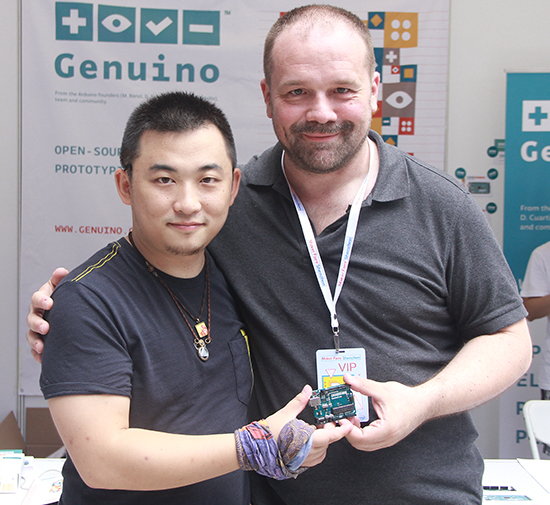
Today, June 20th, 2015, Massimo Banzi, Co-founder of Arduino, and Eric Pan, founder and CEO of Seeedstudio announced at Maker Faire Shenzhen 2015 a strategic partnership between Arduino LLC and Seeedstudio.

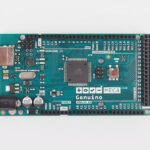
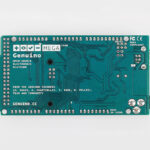
Seeedstudio will manufacture and distribute Arduino LLC products using the new Genuino brand in China and other Asian markets.

The new Genuino name certifies the authenticity of boards, in line with the open hardware and open source philosophy that has always characterized Arduino. Genuino is Arduino LLC new sister-brand created by co-founders Massimo Banzi, David Cuartielles, Tom Igoe and David Mellis for markets outside of the USA.

“We are very excited to partner with SeeedStudio to manufacture our products in China. We’ve known and appreciated Seeed for years, we share the same values and I think they are one of the most forward looking companies in China” said Massimo Banzi.

And he also explained about Genuino: “Arduino is very popular in China but the brand is used heavily without permission. Genuino allows the market to clearly identify which products are contributing to the Open Source Hardware process. With Genuino, the Arduino.cc community will easily be able to recognize the partners who are contributing to support the development of the platform.”

Eric Pan, founder of Seeedstudio, explained: “Arduino is becoming a global language of making, we are proud to help provide Genuino branded localized products to carry on the conversation in China. Here we already have a huge Arduino user base and growing, it’s time to get us involved deeper with global ecosystem. “

Genuino-branded products will be sold on Seeed’s store on Taobao and soon on http://www.genuino.cc.

The partnership between Arduino LLC and Seeedstudio is a bold new step of a global development plan by Arduino LLC. Arduino LLC has recently launched the Genuino brand and is already working with market-leading, innovative manufacturers/distributors in Asia, Europe, South America, Canada and Africa.
Arduino and Seeedstudio announce partnership in Shenzhen

Today, June 20th, 2015, Massimo Banzi, Co-founder of Arduino, and Eric Pan, founder and CEO of Seeedstudio announced at Maker Faire Shenzhen 2015 a strategic partnership between Arduino LLC and Seeedstudio.

Seeedstudio will manufacture and distribute Arduino LLC products using the new Genuino brand in China and other Asian markets.

The new Genuino name certifies the authenticity of boards, in line with the open hardware and open source philosophy that has always characterized Arduino. Genuino is Arduino LLC new sister-brand created by co-founders Massimo Banzi, David Cuartielles, Tom Igoe and David Mellis for markets outside of the USA.

“We are very excited to partner with SeeedStudio to manufacture our products in China. We’ve known and appreciated Seeed for years, we share the same values and I think they are one of the most forward looking companies in China” said Massimo Banzi.

And he also explained about Genuino: “Arduino is very popular in China but the brand is used heavily without permission. Genuino allows the market to clearly identify which products are contributing to the Open Source Hardware process. With Genuino, the Arduino.cc community will easily be able to recognize the partners who are contributing to support the development of the platform.”

Eric Pan, founder of Seeedstudio, explained: “Arduino is becoming a global language of making, we are proud to help provide Genuino branded localized products to carry on the conversation in China. Here we already have a huge Arduino user base and growing, it’s time to get us involved deeper with global ecosystem. “

Genuino-branded products will be sold on Seeed’s store on Taobao and soon on http://www.genuino.cc.

The partnership between Arduino LLC and Seeedstudio is a bold new step of a global development plan by Arduino LLC. Arduino LLC has recently launched the Genuino brand and is already working with market-leading, innovative manufacturers/distributors in Asia, Europe, South America, Canada and Africa.
Hack to the future: Win $1000 Prize and Arduino Zeros in NYC

Hackster is a hardware creation community and since last february has been organizing Hardware Weekends with hackathons all over US. On Saturday and Sunday June 26th and 27th  it’s  coming back to New York City for the last time in 2015.  This hackathon is focused on open source hardware and the maker communities across America: all ages and skill levels are welcome (Children under 16 should be accompanied by an adult.)

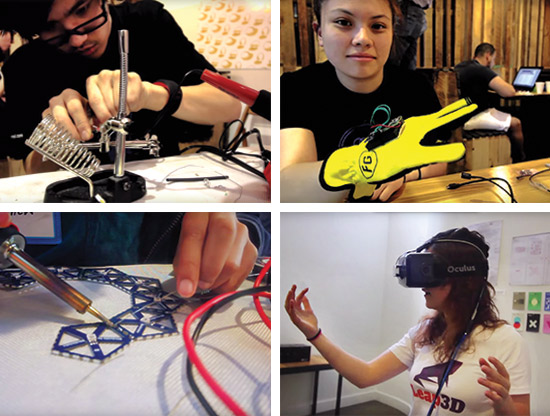
Here’s a short video from their event taking place at Kickstarter offices last month and some pictures past events.

Hackster is providing all the food, tools, soldering stations, 3D printers, workshops and gear (Arduinos, Particle, LinkItOne, Intel Edison, Pebble, Smart Things, and software from Autodesk, Azure and more!)

$1000 Grand Prize from Microsoft and Arduino Zeros from Hackster!

Register your participation here.  It’s going to be a lot of fun!


Hack to the future: Win $1000 Prize and Arduino Zeros in NYC

Hackster is a hardware creation community and since last february has been organizing Hardware Weekends with hackathons all over US. On Saturday and Sunday June 26th and 27th  it’s  coming back to New York City for the last time in 2015.  This hackathon is focused on open source hardware and the maker communities across America: all ages and skill levels are welcome (Children under 16 should be accompanied by an adult.)

Here’s a short video from their event taking place at Kickstarter offices last month and some pictures past events.

Hackster is providing all the food, tools, soldering stations, 3D printers, workshops and gear (Arduinos, Particle, LinkItOne, Intel Edison, Pebble, Smart Things, and software from Autodesk, Azure and more!)

$1000 Grand Prize from Microsoft and Arduino Zeros from Hackster!

Register your participation here.  It’s going to be a lot of fun!


Tracking Bitcoin With The ESP8266

[Kendrick] was looking for something to do with an ESP8266 WiFi module, and since he loves Bitcoin and Arduino, the obvious solution was to make a Bitcoin price tracker.

The ESP8266 is a complete microcontroller with a WiFi chip and a few pins for a serial connection. It’s certainly possible to write some firmware for the ESP to get the current conversion rate of Bitcoin, but for simplicity’s sake, [Kendrick] chose to use an Arduino for this project. He’s using a 5V Arduino, and the ESP operates on 3.3V logic, but a few Zeners take care of the logic level conversion.

The code running on the Arduino checks the CoinDesk API minute, parses the JSON coming from the API, and prints the current Bitcoin price to the serial port. For tracking the current conversion rate of Bitcoin, it’s vastly overkill. This project could have a few interesting applications, from hooking up a few seven-segment displays, to an RGB LED mood lamp that keeps track of this magic Internet money.


Filed under: Microcontrollers, wireless hacks

Make your first wearable with Arduino Gemma

Like the LilyPad Arduino boards, the Arduino Gemma is designed to create interactive projects you can wear. It can be sewn into clothing and other fabric with conductive thread and be connected to sensors and actuators.

After you explored the Getting Started page and learn how to move the first steps with it, it’s time to explore its features with a real project.

Becky Stern from Adafruit recently created a tutorial for making a vibrating mindfulness bracelet and learn the basics of wearables with Gemma! It’s like that “stand up every hour” feature you find on smart watches, but DIY.

The guide shows you how to solder up the circuit using an Arduino Gemma microcontroller, small pager motor, as well as how to whip up a cute linked leather bracelet to hold everything.

Build yourself a buzzing bracelet for subtle haptic feedback as time passes! It’s great for reminding yourself to get up and walk away from your desk for a few minutes each hour, or just as a way to have a new awareness of how the perception of passing time varies based on what you’re doing.

You’ll whip up a vibrating motor circuit using a transistor, resistor, and diode, and use GEMMA to control the frequency of vibration in between low-power microcontroller naps. The circuit lives inside a linked leather/rubber bracelet, but you could build it into whatever you please. This project involves some precision soldering, but is otherwise quite easy!

Read the bill of materials, follow the steps and create your Buzzing Mindfulness Bracelet on Adafruit.