Recently we had the opportunity to sit down and interview Arduino SRL’s CEO, [Federico Musto], over a nice dinner. His company is one half of the Arduino vs Arduino debacle which has pitted Arduino.cc against Arduino.org in a battle over the trademark on “Arduino”.
Given the tremendous amount of press coverage of [Massimo Banzi] and the Arduino LLC side of the story (Arduino.cc), we were very interested in hearing how the whole situation looks where [Frederico Musto] sit (Arduino.org). In the end, we came away with what we feel is a more balanced and complete picture of the situation, as well as interesting news about future products from the Arduino SRL camp. [Musto’s] take on the legal proceedings, both past and present, is nothing short of fascinating.
A Quick Refresher
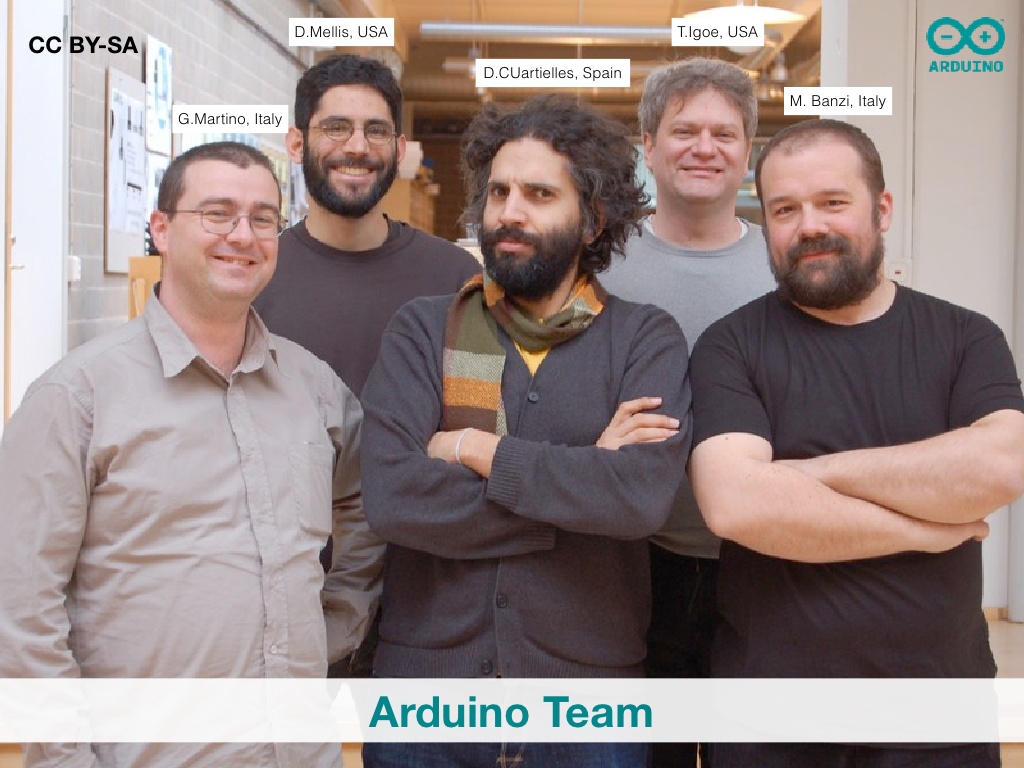
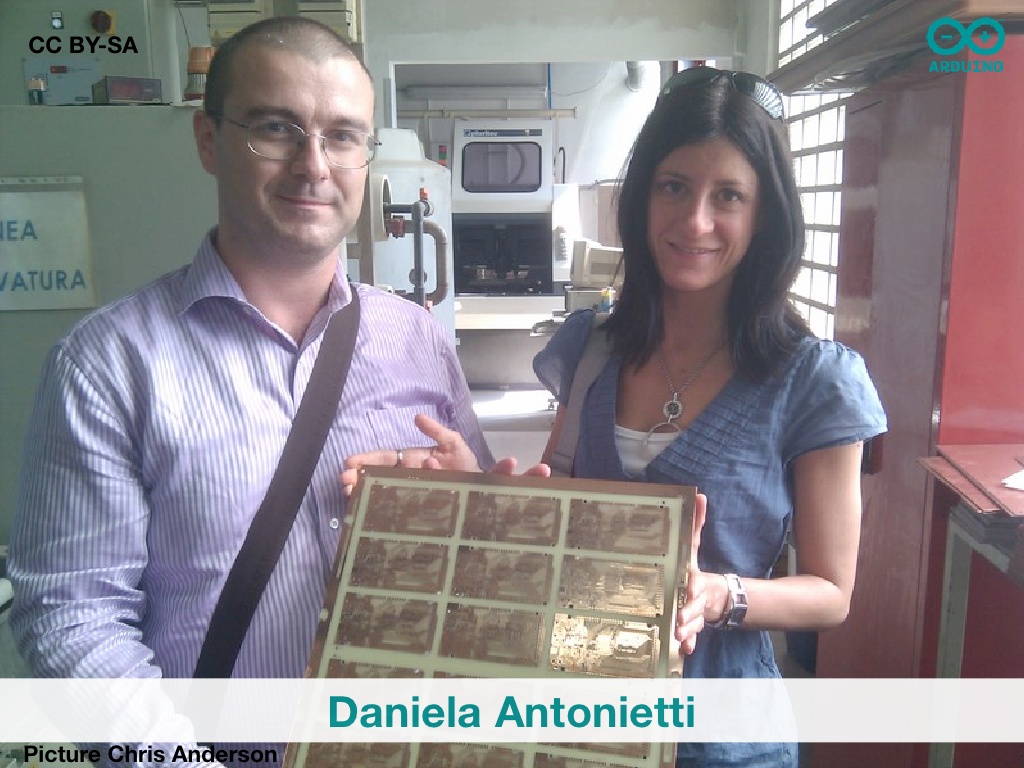
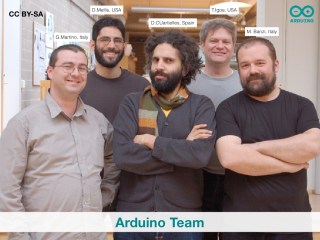
Unless you’ve been sitting under a large chunk of fused silicon, you’ve probably read or heard something about the battle of the two Arduinos. Founder [Massimo Banzi] and the rest of the Arduino crew planned to make an affordable, accessible microcontroller/physical computing platform based on the software project (Wiring) of one of his students, [Hernando Barragán]. In 2004, [Gianluca Martino], one of the Arduino founders, and [Daniela Antonietti], later Arduino LLC CFO, founded Smart Projects SRL and started cranking out Arduino boards. That much of the history of the Arduino is non-controversial.
Money started flowing in, Arduino LLC was founded in the US in 2008, and tensions started building between the software-and-documentation side (Arduino LLC) and the board-building side (Smart Projects SRL). In 2014 Smart Projects (in Italy) changed its name to Arduino SRL, was bought by [Federico Musto], and all heck broke loose, not necessarily in that order.
The Past, According to [Musto]
The central issue of the Arduino schism is who owns the trademark to the “Arduino” brand. In the USA this is currently Arduino LLC, although Arduino SRL filed a petition to invalidate this trademark and this isn’t likely to be resolved until early 2016. (Naturally, Arduino LLC has mounted its own counter-suit in the States.)
In Italy, Switzerland, and probably the rest of the world, the trademark appears to belong to Smart Projects, now Arduino SRL. This is because Smart Projects filed for the trademark in Italy in December 2008, just months after the legal incorporation of Arduino LLC, which only got around to filing in the Spring of 2009. This is, naturally, also being contested in Italian courts by Arduino LLC.
That’s the mess. How did we get in it? Arduino LLC claims that [Gianluca Martino] didn’t inform them of the Italian trademark until it was granted in 2010. Why would one member of the Arduino core team go rogue and trademark the name without telling the others? [Federico Musto]’s telling of the tale makes [Gianluca]’s preemptive trademarking action seem a lot more plausible, if still not entirely above-board.
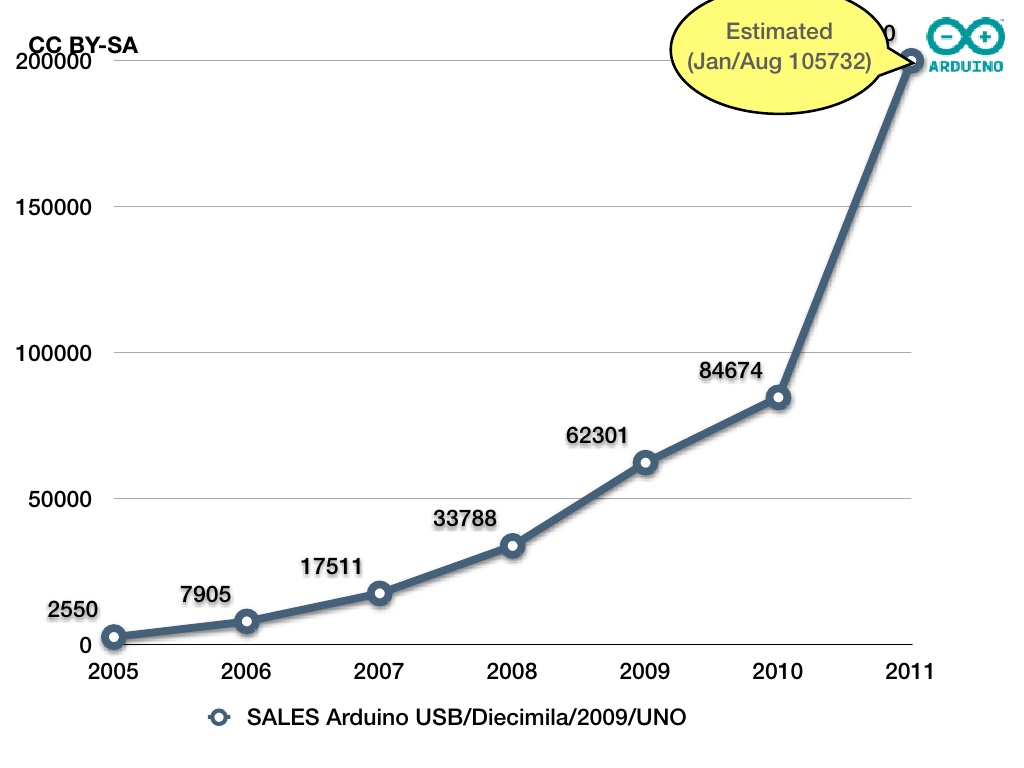
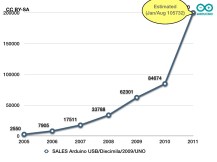 2008 was the year of the big Arduino breakout. Sales had crossed over 100 boards per day and Smart Projects was having a hard time keeping up with demand. At this point, it started to look like there was real money to be made in Arduino, both for companies with scruples offering Arduino add-on shields, and for companies without scruples selling Arduino-branded knockoffs of the “official” boards. How to handle the clones and make money off of the Arduino brand was on everyone’s mind within the Arduino group, but there was disagreement about just how to do it.
M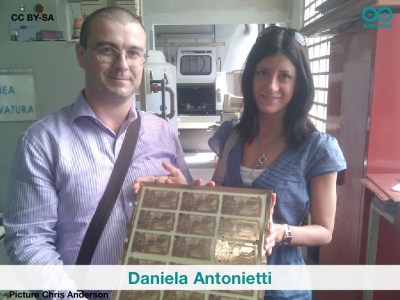 eanwhile [Gianluca Martino] and [Daniela Antonietti] at Smart Projects had just built out their production line to keep up with demand for the boards. Funding these investments wasn’t easy. Among other sources of money, [Daniela Antonietti] had mortgaged her house to pay for a professional reflow oven. It probably seemed very important to [Martino] and [Antonietti] to safeguard their personal investments in the Arduino project from the waves of unauthorized clones. They took matters into their own hands, allegedly behind [Banzi]’s back, and trademarked “Arduino”.
Substantiating all the details of [Musto]’s version of [Gianluca]’s story is impossible and probably devolves fairly quickly into he-said, she-said and hearsay, so we’ll keep it short here. But anyone who’s worked in a team knows how a single individual can come to dominate a discussion, leaving other parties feeling marginalized and isolated, and we can also understand the temptation to act in defiance.
We can imagine how this feeling must be multiplied if a disproportionate percentage of your investment is in play. [Musto]’s telling of the story is that the financial risk undertaken by the Smart Projects team was under-appreciated by [Banzi], and that [Martino] was acting in the financial equivalent of self-defense as the only production-side interest within the Arduino five and as the CEO of Smart Projects.
Arduino certainly wouldn’t be where it is today if [Martino] and [Antonietti] hadn’t taken the risk to pony up the money and build out the one assembly line that was turning out Arduinos in 2008. The key to Arduino’s success was the merger of firmware and documentation with a hardware-based physical computing platform. Both parts are necessary, but building the hardware required more capital and involved real financial risk.
So is Arduino SRL or Arduino LLC the “real” Arduino? We think both are. Unfortunately, nobody’s asking us; the question is playing out in Italian and US courts.
Laundry List of Lawsuits
Lawsuits have been the order of the day, and it turns out we only knew about the tip of the iceberg. Previously, we’d reported on Arduino SRL’s petition to cancel Arduino LLC’s trademark in the USA and on Arduino LLC’s tit-for-tat suit to cancel Arduino SRL’s trademark in Italy. But [Federico Musto] laid out for us a laundry-list of legal cases that we had no idea about.
When [Musto] bought out [Gianluca Martino]’s share in Arduino LLC as well as the Arduino SRL, he wanted to see the accounting of the companies that he had a 20% stake in. By this time, there was so much bad blood between [Martino] and [Banzi] that according to [Musto], they refused to show him the books. He took both the US Arduino LLC and the Swiss-registered Arduino SA to court and won, in separate cases in the US and Switzerland.
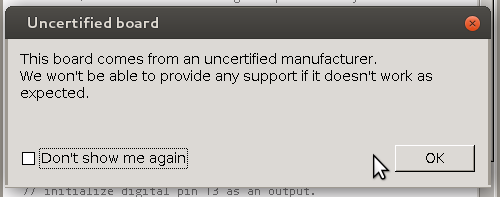
Remember that inclusion of a popup in the Arduino IDE that flagged all Arduino boards made by Arduino LLC as being “unofficial”? Until the various trademark cases get resolved in court, this is possibly libellous. [Musto] told us that Arduino LLC only backed down from this position after Arduino SRL took legal action. (And we gave Arduino LLC credit for backing down off of a bad idea on their own.)
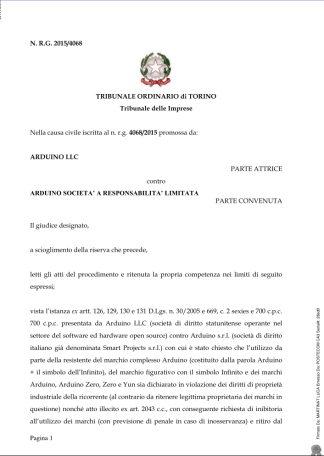 Most recently, Arduino LLC filed an injunction in Italy to prevent Arduino SRL from selling its Arduino boards due to trademark infringement. This was recently denied, and we’ve read the ruling from the court in Turin, Italy. It makes mention of the impossibility of Arduino LLC having controlled the Arduino brand as early as 2005, when Smart Projects was producing the boards under the Arduino name.
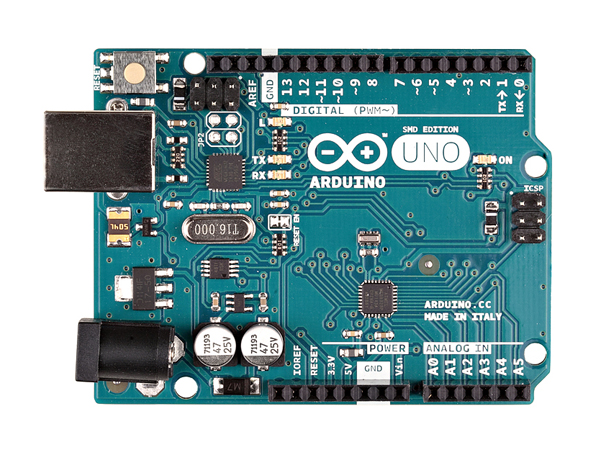
We’re not (Italian) lawyers, but the denial of the summary injunction in Italy seems to cast further doubt on Arduino LLC’s ability to prevail in Italy and use the Arduino trademark outside of the US. Hence the pivot to the “Genuino” brand name for sales of Arduino boards outside of the USA.
Overall, [Musto] expressed a bit of dismay at having walked into a full-blown feud when he bought Smart Projects from [Martino], and stressed the defensive nature of many of the lawsuits — responding to being barred from seeing the firms’ books and the IDE popup in particular. On the other hand, Arduino SRL did initiate proceedings against Arduino LLC in the USPTO case, and [Musto] also mentioned that his lawyers don’t like the “Genuino” brand and logo, and may be forced to take action against it.
In short, there have been a number of legal victories for Arduino SRL, but the two biggest cases are still outstanding. Both [Massimo Banzi] and [Federico Musto] have expressed their weariness at the continuing lawsuits, but both sides seem willing to file new ones. Until there’s a final decision reached in both Italy and the USA, we guess they’ll both have to suffer through.
Community Splits and Code Forks
It was also interesting to hear [Musto]’s side of the story behind arduino.org and the IDE’s code fork.
Because of their previous tight cooperation, [Gianluca Martino] and Smart Projects had all used the arduino.cc domain for their e-mail addresses. Arduino LLC, which had control of the domain, cut their e-mail off as in Fall 2014, leaving the entire Smart Projects / Arduino SRL team without business e-mail communications. They had to re-establish a domain and set up e-mail and business presences quickly once it was clear that Arduino LLC was going to try to shut them down. Hence arduino.org.
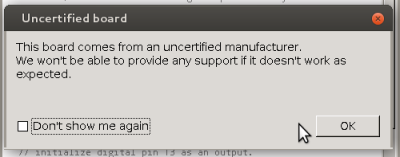 [Federico Musto] says he regrets the code fork, and wishes that Arduino SRL had just waited it out until the courts had forced Arduino LLC to remove their incendiary popup from the codebase. On the other hand, once Arduino LLC had shown that they were willing to play dirty with the IDE code, it hardly seems like a good idea to couple your livelihood to a (now-)rival firm that seems to be willing to single you out. (None of the truly counterfeit Arduino boards triggered the popup, only those made by Arduino SRL.)
In short, [Musto] explains a lot of the controversial actions on the part of Smart Projects / Arduino SRL as being a reaction to internal disagreements within the Arduino group, and subsequent aggressive actions by Arduino LLC. Contrary to the innocent picture of Arduino LLC painted by [Banzi], it’s clear that there’s been skulduggery on both sides of the aisle.
The Future
Until early 2016, when the USPTO ruling comes down, the two firms are in limbo. Ironically, this hasn’t really affected the end-hacker (read: us) at all. If anything, both firms have been doubling their efforts to sway us with not only their press propaganda, but also with their product and software offerings. How long will this last and what new stuff will the future bring? We asked [Musto] about Arduino SRL’s plans.
An Arduino Foundation?
Given that Arduino SRL and Arduino LLC may not ever settle their differences amicably, what is to become of the Arduino brand? [Musto] suggests a Solomonic solution: take control of “Arduino” out of the hands of any one person or company leave it up to a community-directed foundation.
[Musto] told us that he envisions an “Arduino Foundation” with clear and open balance sheets and a democratic governance structure. Think Mozilla Foundation mashed-up with Debian’s governance. The Foundation would be open to all stakeholders in the Arduino community. [Musto] said that he’s currently in the middle of paperwork, and that there will probably be announcements forthcoming. We discussed how such a foundation could also be used to funnel some money back to the Arduino community, because after all a lot of the success of Arduino is due to the code contributions of users.
New Products, New IDE
[Federico Musto] describes himself as a “software guy” with a penchant for radio frequency hardware. Given the former, he said he’s surprised at how much time they’re spending on new physical product development, but his RF roots certainly show through. His design for what became the Arduino Yún, a Linux WiFi SOC combined with an AVR microcontroller, was [Musto]’s entrée into the Arduino universe, after all.
In this context, we asked [Musto] our $64k question: given that the Yún and similar boards face pressure from products like the ESP8266 from below and the Rasberry Pi from above, what is Arduino SRL’s direction going to be in the future. Bigger or smaller? Or staying in the middle? He replied that they have projects going at each scale.
 On the big end of things, we have the Yún and future Linux/microcontroller mashup devices, for which [Musto] and now Arduino SRL, is continuing development of its Linino distribution. Linino is an OpenWRT-based Linux distribution modified to play well with external microcontrollers. Linino’s killer feature, in our estimation, is the MCUIO subsystem, which gives low-level Linux driver access to the associated microcontroller(s) — pins on the micro appear as devices on the Linux filesystem. The marriage of a small embedded Linux with a microcontroller for I/O is clearly an interesting area right now, if only the communications between the two weren’t so difficult. MCUIO aims to change that.
On the smallest end of the spectrum, Arduino SRL is working on a new product line of tiny (think littleBits) interconnected devices, to be programmed using a visual, drag-and-drop interface. They’re also (all?) going to be wireless. This project is still in the beginning stages, but [Musto] suggested that he’d be interested in an early alpha release if folks were interested in developing code for the platform. We can’t wait to see it working.
Uno-plus
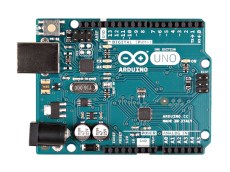
And then in the middle of things, [Federico Musto] mentioned that there would be a forthcoming “Uno-plus” board with a yet-to-be-disclosed ARM chip on board coming out in the fall. The goal is essentially a supercharged Arduino form-factor board at a reasonable price.
We talked a lot about WiFi versus sub-GHz radios for IoT projects. Our experience is that the current crop of WiFi devices (the Hackaday-darling ESP8266 included) are power hogs, and not something you can run off batteries. [Musto] mentioned some new WiFi devices he’d seen, that aren’t yet in production, that will significantly help the WiFi power budget when they become available. Arduino SRL is looking to incorporate them into an IoT-style device when possible. Stay tuned.
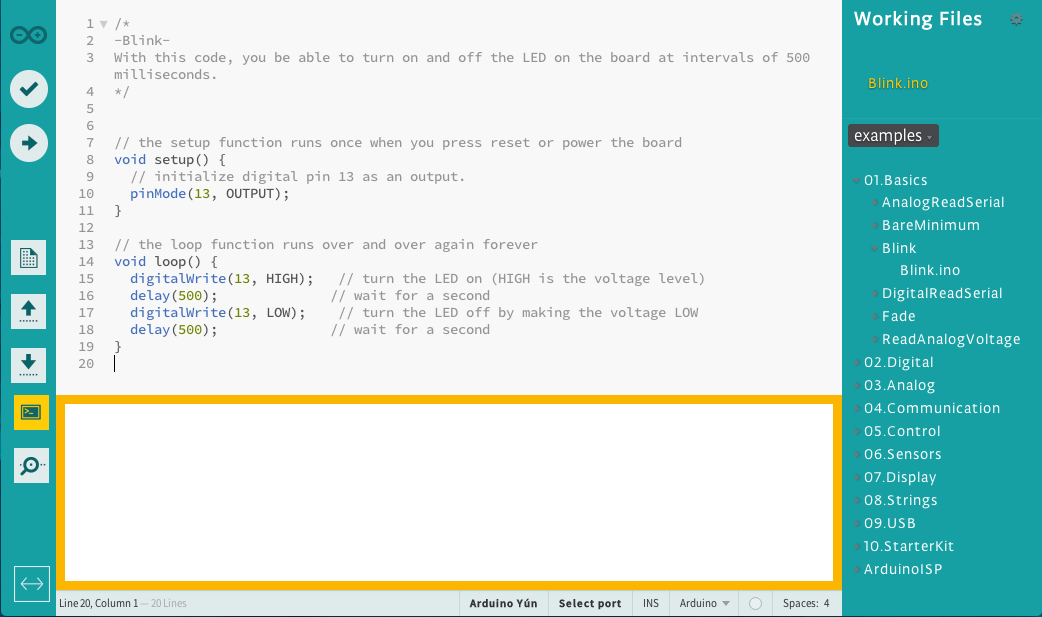
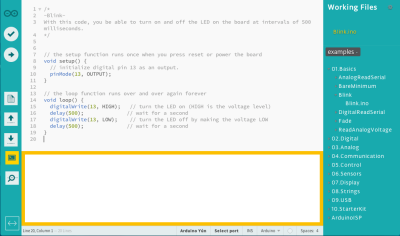 Hardware aside, both Arduino LLC and Arduino SRL are coming out with new IDEs, and they look a lot better than the previous incarnations. The Arduino SRL version is based on Javascript and Node.js, and uses Adobe’s Brackets editor. In short, it’s all caught up with today’s new hotnesses for web coders, which is probably a good thing. (Finally, code completion!) It’s still in alpha, but you’re welcome to check it out.
Conclusion
The Arduino vs Arduino courtroom drama makes for good popcorn time for us, and it’s undoubtedly nerve-wracking for the twin Arduini and all directly involved. But we’re also glad to see that both companies are continuing to innovate on the hardware and software fronts.
In retrospect, our question of market niche was off-base. Arduino SRL’s focus isn’t on a device scale as much as on the general merging of wireless technologies with microcontrollers, and developing the support software for Linux/microcontroller integration in a wireless context. As far as Arduino LLC’s new product directions seem to be wired and/or wearable, we wonder if there isn’t room in the hacker economy for both firms to flourish despite the trademark woes?
Filed under:
Featured,
Interviews,
slider 




 When he bought the table, he found that the electronics had been fried: many of the discrete components on the board had been burnt out. So, rather than replace the individual parts, he gutted the table and replaced the logic board with an Arduino Mega that drives the flippers, display and chimes that make pinball the delightful experience it is. Fortunately,