3rd Arm Accessorised !!


The internet of things is this strange marketing buzzword that seems to escape from the aether and infect our toasters and refrigerators. Now even a hamster is not safe.
[Mifulapirus]’s hamster, Ham, was living a pleasant hamster life. Then his owner heard about another hamster named Sushi, whose running wheel stats were broadcasted to the internet. Not to be left behind, Ham’s wheel was soon upgraded. Now Ham is burdened by the same social pressures our exercise apps try to encourage us to use. No, we are most certainly not going to tell our friends about two fourteen minute miles with a twenty minute coffee break in the middle, MapMyRun, we are not.
The feat of techno enslavement for the little hamster was accomplished with a custom board, an esp8266, and an arduino as described in the instructable. The arduino can be left out of the project now that the libraries have been ported to the esp8266. A hall effect sensor detects when the 3D printed hamster wheel is spinning.
If you’d like to check in on Ham, the little guy is alive and well, and the twitter is here. It looks like it’s been upgraded since the original article was posted. Now it shows when Ham is awake and running around the cage doing hamster errands.


 Use some LEDs to upgrade a $10 Ikea side table into a centerpiece that bumps and jives to the beat of your tunes. Get your freq on!
The post Transform an Ikea Side Table into a Music Visualizer appeared first on Make: DIY Projects and Ideas for Makers.
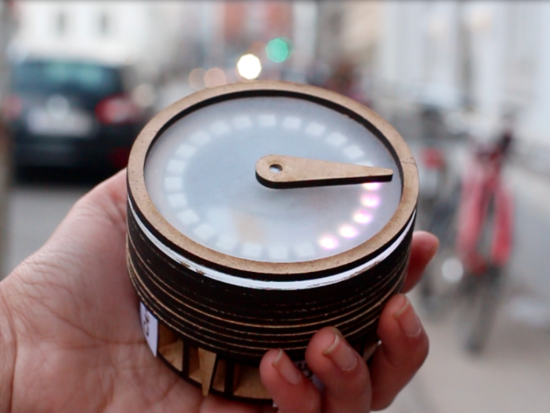
Coffee, good food, bar? Sometimes it’s hard to explore a new city and choose among hundreds options without spoiling it! A team of students at CIID (Grishma Rao, Justine Syen, Adriana Chiaia, Jivitesh Ranglani) created Pilgrim, a MKR1000-based device providing a tangible interface for discovery without a digital screen. Acting like a smart compass, Pilgrim points people in the direction of a desired location, sourcing data directly from the Yelp API and leading to an eventual unexpected discovery:
The experience begins with the selection of a category using a dial below the compass, that clicks to send out data. The proximity to the destination is then indicated by lights along the rim of the compass, that light up one by one as the person gets closer to the location.
Once a category selection is received via clicking the dial, the code queries the Yelp API to return the coordinates of the best matched result to Pilgrim. The magnetic needle would then turn an angle relative to the user’s current position, replacing magnetic north with coordinates of the destination.
Pilgrim is programmed with a Genuino MKR 1000 which enables the compass to be connected to internet and also has a higher amount of memory. Moreover, Pilgrim uses a magnetometer + accelerometer for the directions, a stepper motor with an H-bridge, and a rotary encoder for the dial.
Hello,
Has anyone worked with qp / qm state machine programing?
I am looking into this for controlling robots. Has anyone here used it or has any opinion about it for programming Arduino ?
Thanks

After Germany, Spain, Canada and Portugal, now it’s time to introduce a new Genuino Reseller from Italy: Melopero.
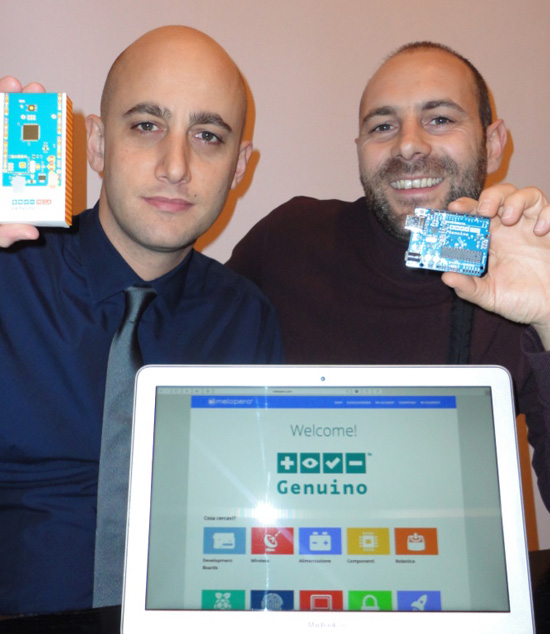
- Tell us a bit more about Melopero
We founded Melopero in 2015. Since then, we constantly added new products to our portfolio, the objective was to create a company of makers for makers. We have been waiting so intensely for Genuino to become available and finally we have it. Welcome Genuino!
- What’s your company’s super power
We love to support our customers giving them advice on the best hardware solution they can use to build their amazing projects.
What’s your favourite Arduino or Genuino project?
The Inebriator – Arduino Cocktail Machine by Ian Cooper and Jake Osborne
Why: Making a good cocktail is an art, and it’s not easy to mix the right quantities in the right sequence. This machine solves the equation! See video on Youtube.
***
Secret Knock Detecting Lock by Steve Hoefer
Why: We like this project because it’s an effective way to show the ability of Arduino in sensing the real word. See video on Youtube and explore how to make it on Instructables.
Contacts
Melopero Store Website – Facebook – Twitter – Youtube – Google+
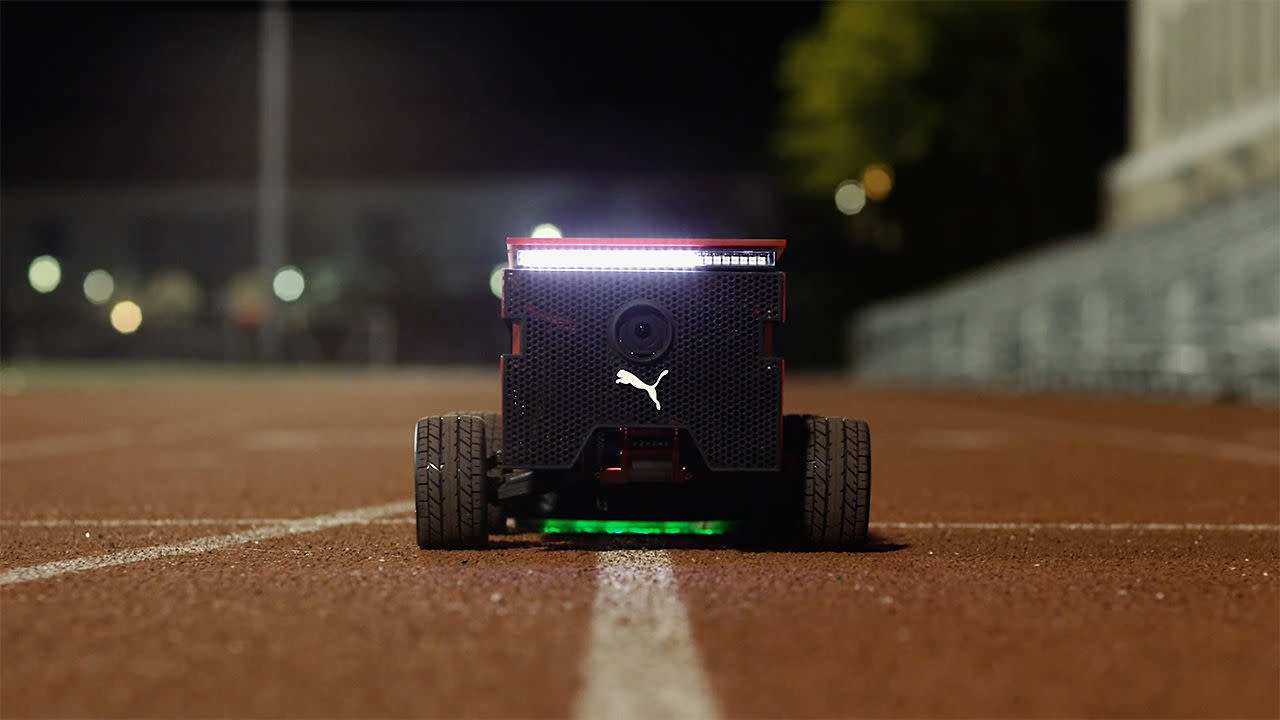
For some people, the RunKeeper coach's voice is enough to keep them motivated during a jog. Others need something physical to keep pace with. That's where Puma's BeatBot comes in. Developed by a NASA robotics engineer, a trio of MIT students and Puma's ad agency, the robot follows lines around a track at any pace you'd want, according to Fast Company. It can even match Usain Bolt's 2009 foot-speed world record of 44.6 KPH (27.7 MPH) in case you need something a little more aspirational than an eight-minute mile.
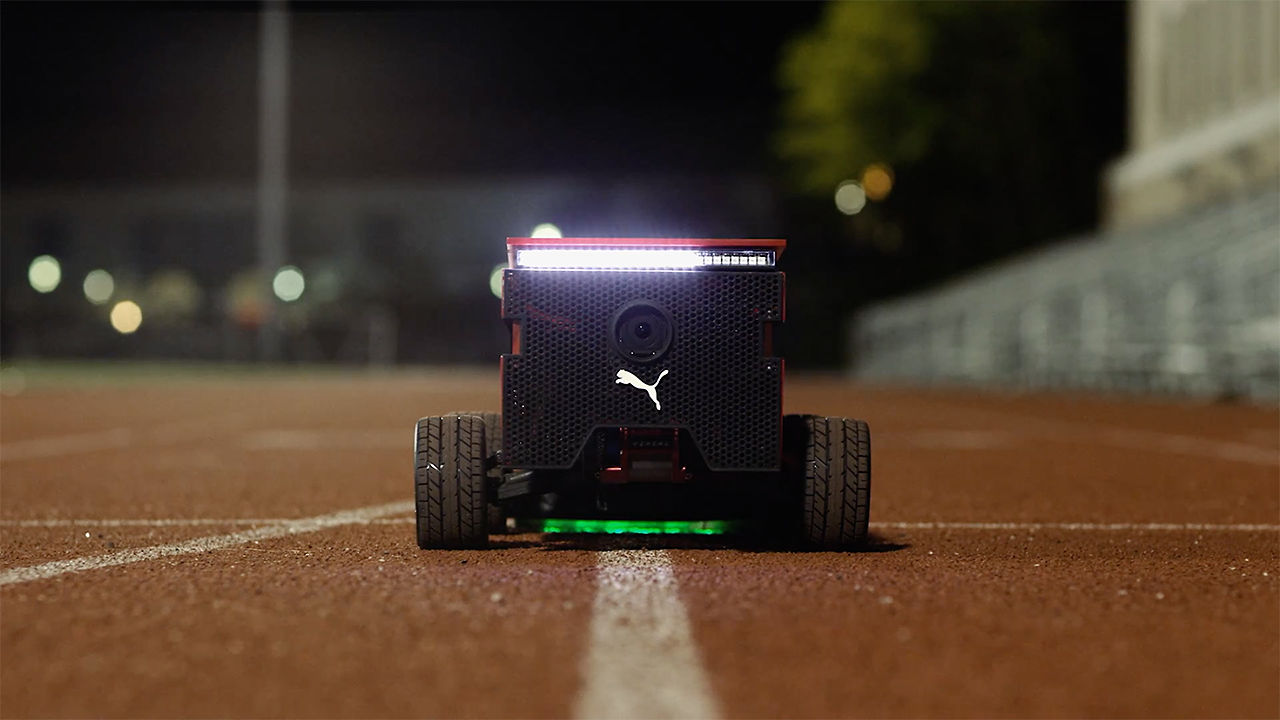
For some people, the RunKeeper coach's voice is enough to keep them motivated during a jog. Others need something physical to keep pace with. That's where Puma's BeatBot comes in. Developed by a NASA robotics engineer, a trio of MIT students and Puma's ad agency, the robot follows lines around a track at any pace you'd want, according to Fast Company. It can even match Usain Bolt's 2009 foot-speed world record of 44.6 KPH (27.7 MPH) in case you need something a little more aspirational than an eight-minute mile.
Via: Tech Crunch
Source: Fast Co Create
For some people, the RunKeeper coach's voice is enough to keep them motivated during a jog. Others need something physical to keep pace with. That's where Puma's BeatBot comes in. Developed by a NASA robotics engineer, a trio of MIT students and Puma's ad agency, the robot follows lines around a track at any pace you'd want, according to Fast Company. It can even match Usain Bolt's 2009 foot-speed world record of 44.6 KPH (27.7 MPH) in case you need something a little more aspirational than an eight-minute mile.
Via: Tech Crunch
Source: Fast Co Create