Grow Crystals That Glow with Magnetic Induction
 You can grow a crystal around an LED light that's powered by magnetic induction.
The post Grow Crystals That Glow with Magnetic Induction appeared first on Make: DIY Projects and Ideas for Makers.


You can grow a crystal around an LED light that's powered by magnetic induction.
The post Grow Crystals That Glow with Magnetic Induction appeared first on Make: DIY Projects and Ideas for Makers.
I always wanted to shoot things in virtual reality but I'm broke so I did what I could. This is my attempt at an Oculus Rift style experience with Google Cardboard. This is actually a really fun project and its extremely easy to replicate. The parts cost around $15 total and will take about 45 minutes if you are new to Arduino.
A robot to explore the unknown and automate tomorrow’s tasks and the ones after them needs to be extremely versatile. Ideally, it was capable of being any size, any shape, and any functionality, shapeless like water, flexible and smart. For his Hackaday Prize entry, [Alberto] is building such a modular, self-reconfiguring robot: Dtto.
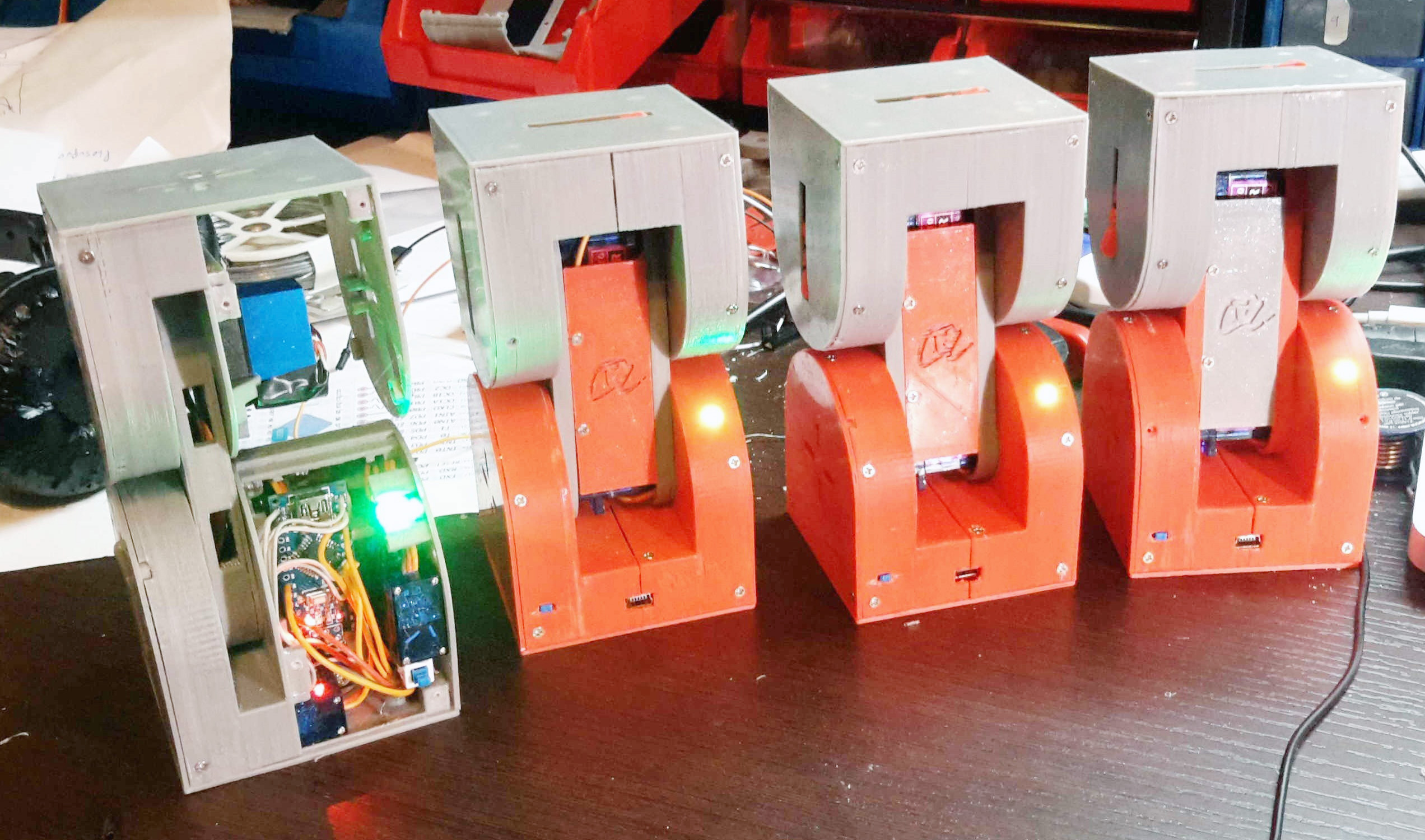 To achieve the highest possible reconfigurability, [Alberto’s] robot is designed to be the building block of a larger, mechanical organism. Inspired by the similar MTRAN III, individual robots feature two actuated hinges that give them flexibility and the ability to move on their own. A coupling mechanism on both ends of the robot allows the little crawlers to self-assemble in various configurations and carry out complex tasks together. They can chain together to form a snake, turn into a wheel and even become four (or more) legged walkers. With six coupling faces on each robot, that allow for connections in four orientations, virtually any topology is possible.
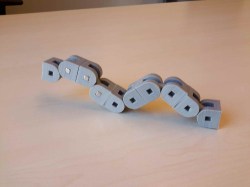

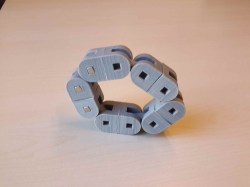
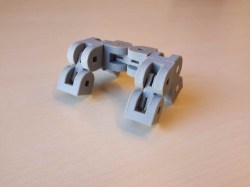
Each robot contains two strong servos for the hinges and three smaller ones for the coupling mechanism. Alignment magnets help the robots to index against each other before a latch locks them in place. The clever mechanism doubles as an ejector, so connections can be undone against the force of the alignment magnets. Most of the electronics, including an Arduino Nano, a Bluetooth and a NRF24L01+ module, are densely mounted inside one end of the robot, while the other end can be used to add additional features, such as a camera module, an accelerometer and more. The following video shows four Dtto robots in a snake configuration crawling through a tube.





Coffee, making and hacking addictions are just bound to get out of control. So did [Rhys Goodwin’s] coffee maker hack. What started as a little restoration project of a second-hand coffee machine resulted in a complete upgrade to state of the art coffee brewing technology.
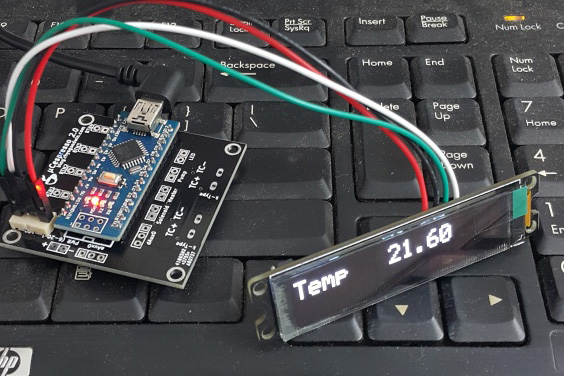 The Brasilia Lady comes with a 300 ml brass boiler, a pump and four buttons for power, coffee, hot water and steam. A 3-way AC solenoid valve, wired directly to the buttons, selects one of the three functions, while a temperamental bimetal switch keeps the boiler roughly between almost there and way too hot.
To reduce the temperature swing, [Rhys] decided to add a PID control loop, and on the way, an OLED display, too. He designed a little shield for the Arduino Nano, that interfaces with the present hardware through solid state relays. Two thermocouples measure the temperature of the boiler and group head while a thermal cut-off fuse protects the machine from overheating in case of a malfunction.
Also, the Lady’s makeup received a complete overhaul, starting with a fresh powder coating. A sealed enclosure along with a polished top panel for the OLED display were machined from aluminum. [Rhys] also added an external water tank that is connected to the machine through shiny, custom lathed tube fittings. Before the water enters the boiler, it passes through a custom preheater, to avoid cold water from entering the boiler directly. Not only does the result look fantastic, it also offers a lot more control over the temperature and the amount of water extracted, resulting in a perfect brew every time. Enjoy [Rhys’s] video where he explains his build:
Thanks to [Pirate14] for the tip!


Seems like just about every hackerspace eventually ends up with an old vending machine that gets hacked and modded to serve up parts, tools, and consumables. But why don’t more hackerspaces build their own vending machines from scratch? Because as [Ryan Bates] found out, building a DIY vending machine isn’t as easy as it looks.
[Ryan]’s “Venduino” has a lot of hackerspace standard components – laser-cut birch plywood case, Parallax continuous rotation servos, an LCD screen from an old Nokia phone, and of course an Arduino. The design is simple, but the devil is in the details. The machine makes no attempt to validate the coins going into it, the product augurs are not quite optimized to dispense reliably, and the whole machine can be cleaned out of product with a few quick shakes. Granted, [Ryan] isn’t trying to build a reliable money-making machine, but his travails only underscore the quality engineering behind modern vending machines. It might not seem like it when your Cheetos are dangling from the end of an auger, but think about how many successful transactions the real things process in an environment with a lot of variables.
Of course, every failure mode is just something to improve in the next version, but as it is this is still a neat project with some great ideas. If you’re more interested in the workings of commercial machines, check out our posts on listening in on vending machine comms or a Tweeting vending machine.
[via r/arduino]



While cleaning out his closet, Instructables user “Acmecorporation” discovered an old rotary telephone. Instead of tossing it away, the Maker decided to give the old-school device some modern-day technology using an Arduino Pro Mini and a SIM900 GSM shield.
Acmecorporation is able to use the aptly named TOWA Phone (There Once Was A Telephone) to make and receive calls, send single DMTF tones, and even program numbers on speed dial. Aside from its classic bell ringer, there’s an RGB LED that indicates GSM status: red for offline, green for online, and blue for an incoming call.
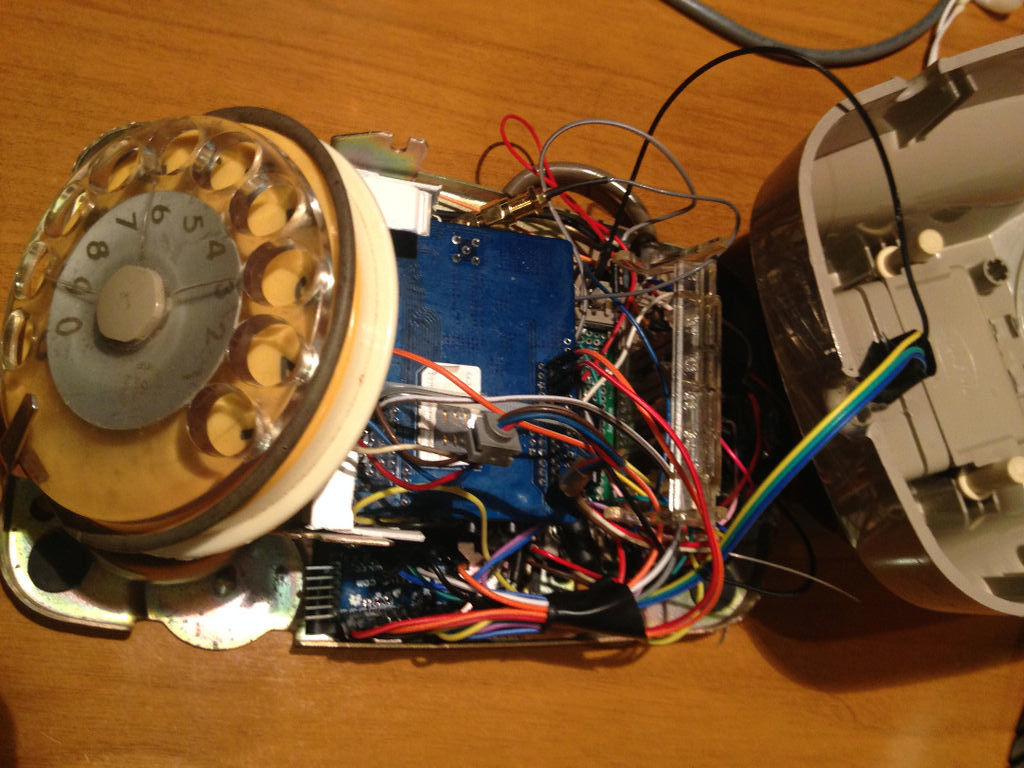
The Maker briefly explains how it works:
To make a phone call you have to pick up the handset and dial the number, that’s all. Terminate call hanging up the handset.
When phone is ringing, pick up the handset to answer. Terminate it hanging up.
If you call to a support center or an office, usually you have to dial numbers to connect a specific department. You can do this because TOWA sends single DMTF tones.
Inside the Arduino script, you can add your favorite telephone numbers and combine it with a specific integer number. For example, I’ve stored my favorites combined with numbers from 1 to 8. So when I pick up the handset and dial 1, it starts a call to my wife. When I dial 2 or 3, it calls one of my sons, and so on.
Although Acmecorporation didn’t design TOWA for everyday use, it has become a permanent fixture on his desk. Do you have a rotary phone lying around? Time to brush off the dust and rig your own!
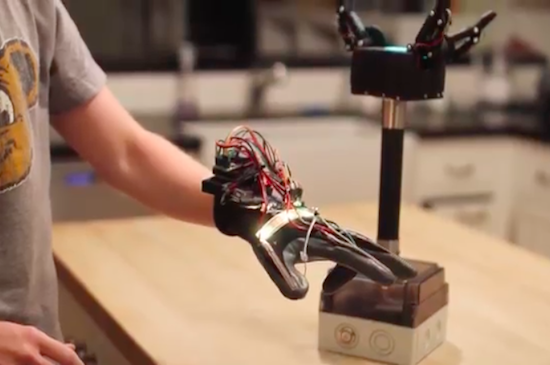
Sam Baumgarten and his friend have developed a pretty rad robotic gripper with the help of Arduino and 3D printing. The gripper itself consists of three large hobby servos joined to the fingers with a linkage. The underactuated fingers have a force sensor under each contact point, while the control glove is equipped with tiny vibrating motors at the fingertips. This, of course, provides haptic feedback to ensure that the user doesn’t crush anything–the greater the pressure, the stronger the motors vibrate.
The gripper is mounted to a handle with abrasive tape–the same kind found on staircases and skateboards. The tape is also used on each finger for optimal gripping. A box at the base of the pole houses all of the electronics, which include an Arduino Pro Mini for controlling the addressable LEDs on top, another Arduino for handling the communication and fingers, and a battery for power.
Aside from the vibration motors, the glove features flexible resistors on the back of the fingers, an LED strip for visualization, a breakout board for measuring the resistance from the flex sensors, a battery, an Arduino Uno for processing, and an XBee module for transmitting the signals to the Arduino in the gripper.
If you think this sounds awesome, wait until you see it in action. Baumgartnen has shared a demo of the project, along with a detailed breakdown of his build. Kudos to Hackaday for finding this incredible piece of work!
 Use an Arduino and an H-bridge motor circuit to build an automatic can crusher
The post Crush Cans Effortlessly with an Arduino-Powered Arm appeared first on Make: DIY Projects and Ideas for Makers.
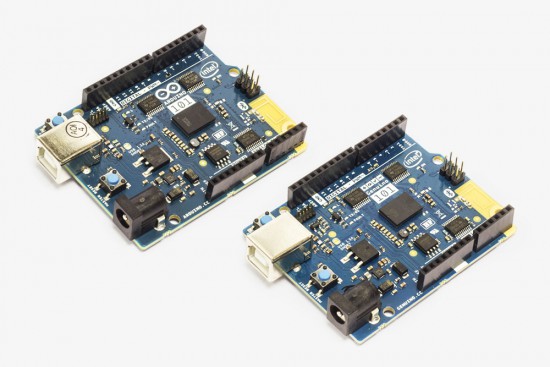
A few weeks ago, an announcement was posted on the Arduino Forum mentioning new improvements on the software side of the Arduino/Genuino 101. With this release, the board–which was developed in collaboration with Intel–is reaching its full potential, with not only better code generation but unlocking useful features to make your sketches even more interactive as well.
You can easily upgrade the core using the Arduino IDE’s Board Manager (pictured below), while Arduino Create users will be automatically updated, so no action is required–the cool thing about the cloud!

In more detail:
Other improvements and bug fixes:
For comprehensive release notes refer to the Intel Open Source Technology Center on GitHub.
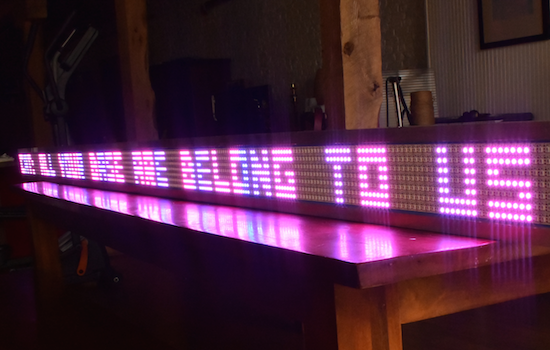
If you’ve ever wanted your own Times Square-like zipper, albeit a little smaller, you’re in luck. That’s because Josh Levine has created a giant scrolling LED display costing around $15 per foot, which consists of an Arduino Uno, a power supply, and seven programmable NeoPixel strips. The Maker also used a few pieces of plywood with a couple of aluminum angles glued to the top and bottom to enhance its sturdiness and appearance.
Equipped with 2,688 RGB pixels, the 12-foot-long sign is capable of showing text at 80 frames per second. Aside from basic scrolling messages, other features include a countdown timer with lookup-based gamma correction, column-by-column color control, custom fonts, sprite graphics with animation, and more.
The build is so simple, that you should be able to figure it out from looking at the pictures. Stick the strips to something, add some power, connect the Arduino data out pins to the strips’ data in pins.
The secret sauce is in the software. You can read about the parallel processing technique used here.
Bigger is better, right? Levine chose this size for his ticker only because it was the longest thing that could make it down his staircase–plus 400-pixels-long gives a refresh rate of 80 frames per second, which is just fast enough for nice animations. That being said, the Maker does note that he’d love to one day build a 100-foot-long sign “if you could find him a long enough surface to mount it on.” Until then, you can see it in action below and read all about the project on its page.