Posts with «arduino» label

Create polarized pictures with your iPhone and Arduino

Taking great pictures means making them more vibrant enhancing saturation and contrast. Ynformatic has published some tips to help you do that by creating a DIY device to control a polarizer using an Arduino Pro Mini, an iPhone, and a screen from an auto-darkening welder’s mask.

A phototransistor located facing the iPhone’s flashlight LED is connected to both an external interrupt pin and an analog pin. Short pulses on the LED cause interrupts in the Arduino code which are used to synchronize the polarizer. Long pulses on the LED cause the Arduino to enter calibration mode. The time interval between syncrhonization pulses is continuously measured and divided into three equal parts. On receiving a synchronization pulse the voltage is set to 0V for one part, to the 45 degree voltage for one part and finally to 5V for one part. Voltage for the polarizer is supplied from an Arduino PWM output pin. To get a reasonably stable output the PWM frequency was increased to 32 kHz and smoothed with a second order RC filter. The liquid crystal display will be damaged by a constant DC voltage so a CMOS switch is used to alternate the polarity. A 2 kHz square wave generated from a free running Arduino timer is used to drive the switching.

An iPhone app written in Swift is responsible for the user interface and image processing.

Explore the schematic in the picture below, while the full source code for the Arduino and iPhone can be downloaded from here.


Play some Super Arduino Bros. tunes with percussion

Have you ever wished your Arduino project could play tunes, or even just note-based sound effects? Connor Nishijima has, and that’s why over the last three years he has been hard at work developing Miduino–a free web service that enables Makers to automatically convert their MIDI music into ready-made sketches.

Unlike any built-in Arduino noisemaking functions such as tone(), Miduino’s output is polyphonic–meaning you can play up to six notes at once. Most recently, he has added two major updates to the service: percussion tracking and switch to software-based timing.

Now the only thing setting your Arduino apart from an NES is a proper triangle wave! While it’s not fully featured yet for the whole MIDI percussion spectrum, your basic snares, kicks and hi-hats will be joining the music!

Originally I collaborated with Len Shustek to tie his Playtune library into the service, but his library requires a hardware timer for each active note–which has its ups and downs.

With a hardware timer you’ll get extremely crisp sound every time, but an Arduino Uno can only play up to three notes at once and the original code didn’t know what to do with MIDI percussion channels.

Instead, Nishijima is polling for new notes and their expirations at about 22,050Hz using Timer 1 and generating different types of percussion with some RNG tricks. Admittedly it hasn’t been perfected yet, as some songs need the polling frequency turned down to avoid crashes. (Cut the Arduino some slack, it’s not supposed to be good at this!)

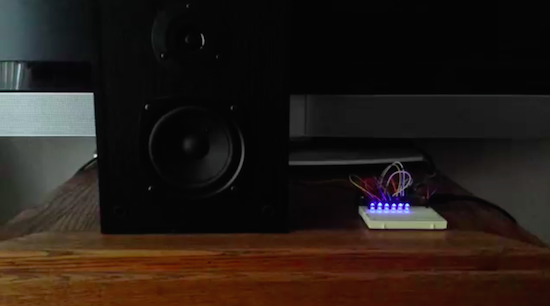
To demonstrate his latest upgrades, Nishijima plays Super Mario Bros. theme song with LEDs blinking to the iconic tunes. Although some would argue that this could be faked quite easily, the Maker has gone ahead and shared the code along with a couple other examples for any doubters–these include Van Halen’s “Eruption” and Mozart’s “Rondo Alla Turca.”


Check the time on a beautiful wooden word clock

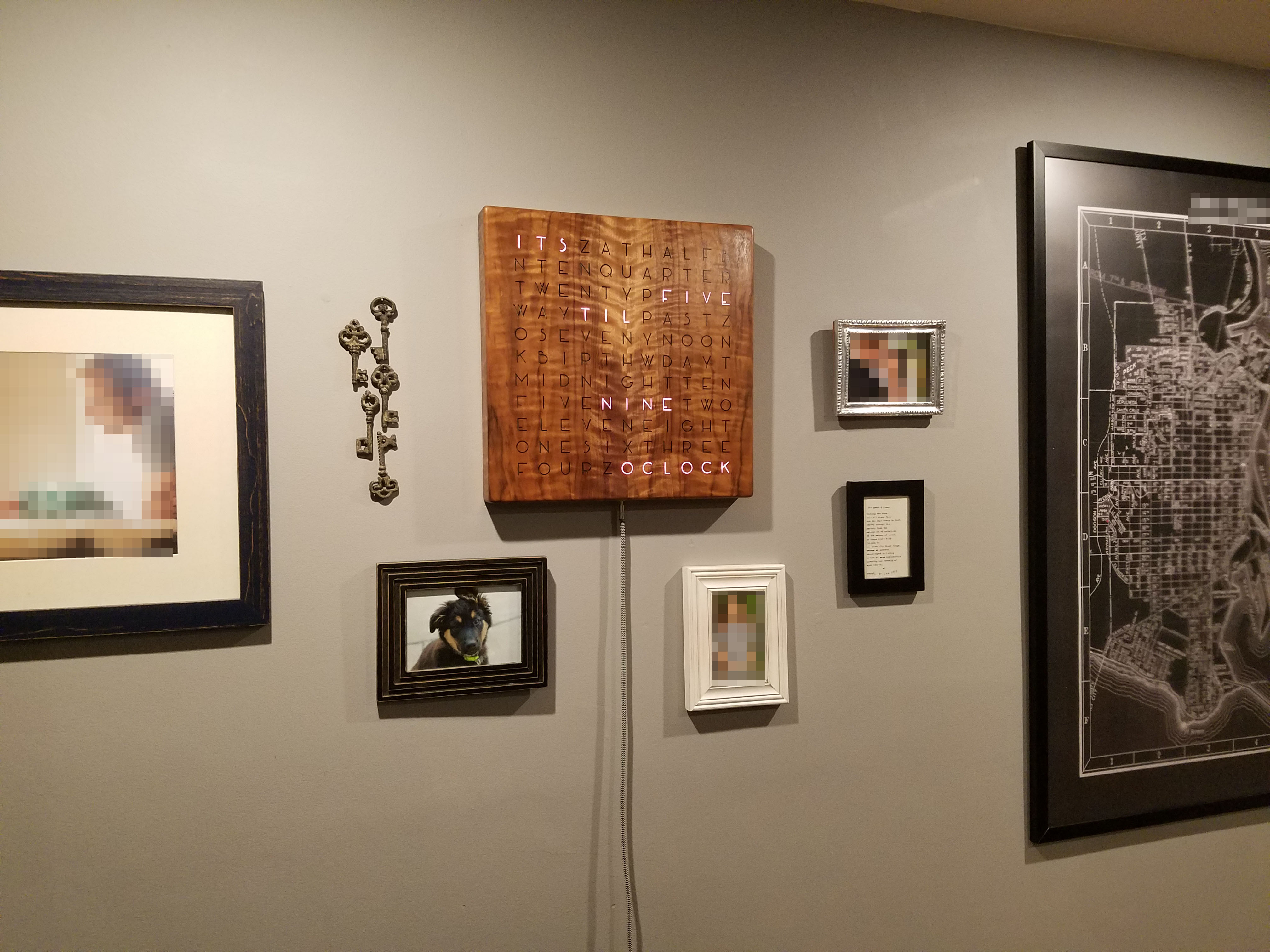
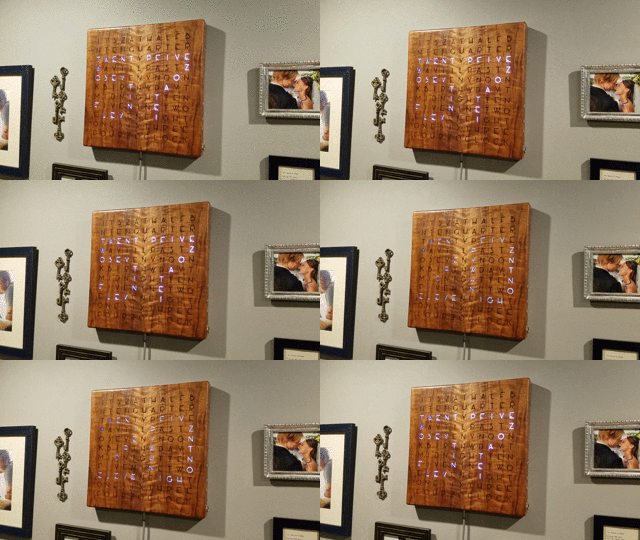
When it comes to telling time, Makers like to go beyond simply reading moving hands or looking at a digital display. In Imgur user Grahamvinyl’s case, that’s a slick word clock comprised of a walnut veneer, clear epoxy, LEDs, letters, and Arduino.

Grahamvinyl cut the clock from the back of an acoustic guitar and sides, and then strung together individually addressable RGB strips. A matrix of letters in Art Deco font spell out the time horizontally. Pieces of spraypainted 1/4-inch MDF act as dividers (so the color doesn’t bleed from one letter to the next), and a sheet of wax paper diffuses the light.

I haven’t seen another word clock designed the same way: clear epoxy holds the interior of the letters in place, so I didn’t need to use a stencil font.

The display changes every five minutes, and counts two minutes before and after the actual time (e.g. 10:13 and 10:17). Meanwhile, numbers that take longer to spell out such as “fifteen” are shown as “quarter past.”

The Arduino Uno-controlled clock also has a button on its side that allows it to show the numerical time—from far away, you’ll notice the illuminated letters actually create the shapes of numbers. The hours show up dimmer, the minutes brighter. Another push reveals the numerical date in the same fashion. You can even program it to flash a special message on your birthday.

Grahamvinyl notes that there are three buttons in total, each wired to an input on the Arduino. Right now, however, only the top one is functional. The idea is to eventually have the bottom two cycle through colors or set the time. Beyond that, the Maker hooked up a USB connection to the clock so that it would be easily programmable.

Interested in building your own word clock? Check out more images on Imgur, and find the code on GitHub.

Hackaday Prize Entry: Reverse Engineering Blood Glucose Monitors

Blood glucose monitors are pretty ubiquitous today. For most people with diabetes, these cheap and reliable sensors are their primary means of managing their blood sugar. But what is the enterprising diabetic hacker to do if he wakes up and realizes, with horror, that a primary aspect of his daily routine doesn’t involve an Arduino?

Rather than succumb to an Arduino-less reality, he can hopefully use the shield [M. Bindhammer] is working on to take his glucose measurement into his own hands.

[Bindhammer]’s initial work is based around the popular one-touch brand of strips. These are the cheapest, use very little blood, and the included needle is not as bad as it could be. His first challenge was just getting the connector for the strips. Naturally he could cannibalize a monitor from the pharmacy, but for someone making a shield that needs a supply line, this isn’t the best option. Surprisingly, the connectors used aren’t patented, so the companies are instead just more rigorous about who they sell them to. After a bit of work, he managed to find a source.

The next challenge is reverse engineering the actual algorithm used by the commercial sensor. It’s challenging. A simple mixture of water and glucose, for example, made the sensor throw an error. He’ll get it eventually, though, making this a great entry for the Hackaday Prize.

The HackadayPrize2016 is Sponsored by:

Filed under: Arduino Hacks, The Hackaday Prize

Walnut Guitar Back Yields Wood for Classy Word Clock

Word clocks are cool, but getting them to function correctly and look good is all about paying attention to the details. One look at this elegant walnut-veneered word clock shows what you can accomplish when you think a project through.

Most word clocks that use laser-cut characters like [grahamvinyl]’s effort suffer from the dreaded “stencil effect” – the font has bridges to support the islands in the middle of characters like “A” and “Q”. While that can be an aesthetic choice and work perfectly well, like in this word clock we featured a few months back, [grahamvinyl] was going for a different look. The clock’s book-matched walnut guitar back was covered in tape before being laser cut; the tape held the letters and islands in place. After painstakingly picking out the cutouts and tweaking the islands, he used clear epoxy resin to hold everything in place. The result is a fantastic Art Deco font and a clean, sleek-looking panel to sit on top of an MDF light box for the RGB LED strips.

The braided cloth cable adds a vintage look to the power cord, and [grahamvinyl] mentions some potential upgrades, like auto-dimming and color shifting. This is very much a work in progress, but even at this point we think it looks fabulous.

[via r/diy]


Filed under: clock hacks

Door Iris Porthole is the Perfect Fix for Detroit Hackerspace

In order to resolve the problem of congestion at the entrance to their hackerspace, the minds at i3Detroit installed a motion-activated mechanical iris in their door’s porthole.

Grabbing the design online (which they are now hosting on their site here), the parts were laser cut out of wood, gold leaf was added for effect, and it was relatively easy to assemble. PIR sensors detect movement on both sides of the door and an FET resistor connected to an orange LED add some old-school science fiction flair. The iris is actuated by a 12V car window motor — which works just fine on the 5V power that it’s supplied with — and an Arduino filling in as a controller. Start and stop positioning required some limit switches that seem to do the trick.

Finally they laser cut acrylic plastic with the i3Detroit logo to complete the porthole modification. You can watch a video of the mechanical iris in all its glory here — but unfortunately it’s on Google+ (do people still use that??) so we can’t embed it in the post.

If you want to add this sleek idea to your home but lack a laser cutter (understandable), then you can still hack one out of some common household materials.

[via Evan’s Techie-Blog]


Filed under: Arduino Hacks, Hackerspaces

Digital Opponent In An Analog Package

Unsatisfied with the present options for chess computers and preferring the feel of a real board and pieces, [Max Dobres] decided that his best option would be to build his own.

Light and dark wood veneer on 8mm MDF board created a board that was thin enough for adding LEDs to display moves and for the 10mm x 1mm neodymium magnets in the pieces to trip the reed switches under each space. The LEDs were wired in a matrix and connected to an Arduino Uno by a MAX7219 LED driver, while the reed switches were connected via a Centipede card. [Dobres] notes that you’ll want to test that the reed switches are positioned correctly — otherwise they might not detect the pieces!

A small LCD screen and four buttons also connect to the Arduino for configuring options a number of options, computer difficulty, and play styles, while a Raspberry Pi acts as the main computer.

The Raspberry Pi is using ChessBoard 2.05 as a rule set with consideration for special moves (such as en passant and castling). It’s currently unsupported but used with permission by its creator, John Eriksson. The chess program Stockfish is the actual engine; be sure to adjust the skill of the AI, as it defaults to an ELO of 2600! Unfortunately, it’s a rather finicky program, only running on Python 2.7. If that doesn’t appeal to you, [Dobres] has provided a nice list of other options to help you with your own build.

He has recently updated his design and done away with the need for the Arduino in the process which — especially if you use the Pi Zero — drops the cost of this project significantly. That should leave you with enough room in your budget to build a robot to make the moves for you!

[via Max Dobres]


Filed under: Arduino Hacks, Raspberry Pi

Massive mechanical music box plays ever-changing melodies

When you think of a music box, chances are that tiny trinket sitting atop your dresser or nightstand comes to mind. Well, that’s not the case with Niklas Roy. The artist has developed what he calls the Music Construction Machine–a super-sized music box that uses a giant hand crank to move various mechanisms inside, producing melodies and rhythmic patterns with an electric guitar, a keyboard, and a drum set.

The installation is housed inside a large transparent glass case, which enables visitors at the Goethe-Institut Pop Up Pavillion in Wroclaw, Poland to observe its inner mechanical workings as it performs. Although the hardware–consisting of ropes, pulleys, springs, levers, and weights—uses an algorithm to determine what’s being played, visitors still have a strong influence on the interpretation and expression of the sounds as they can decide how fast they crank and where they interrupt the flow of music.

Unlike more conventional music boxes that repeat the same melody over and over, this machine has been designed to constantly create ever-changing beats and tones. In an interview with Deutsche Welle, Roy says that he was going for a sound that was somewhere between a “drunk punk band and an avant-garde trio.”

Although the mechanisms follow a simple inherent logic, which determines the sequence of tones that will be played, the overall behavior of the system is so complex that the sequence appears to be unpredictable for a listener. The result is a melody which is sometimes harmonic, sometimes not, but it definitely has a lot of variation.

In order to refrain from annoying the neighbors during the night, Roy is also using an Arduino Uno with a RTC to control the volume on the mixer via a servo.

Pretty cool, right? For those not in Wroclaw, you can see it in action below and read more about how it works here.

Listen to a computer hardware orchestra rock out to Nirvana

What do you get when you combine 64 floppy drives, eight hard disks, and two scanners? An incredible computer hardware orchestra that can rock out like Kurt Cobain. Created by Pawel Zadrozniak, the Floppotron is not only capable of covering ‘90s hits like Nirvana’s “Smells Like Teen Spirt,” but can play other tunes ranging from Darth Vader’s Imperial March to the theme song of the TV series “Hawaii Five-O.”

As for how the old-school tech synthesizes such tunes, Zadrozniak explains:

Every device with an electric motor is able to generate a sound. Scanners and floppy drives use stepper motors to move the head with sensors which scans the image or performs read/write operations on a magnetic disk. The sound generated by a motor depends on driving speed. The higher the frequency, the greater the pitch. Hard disks use a magnet and a coil to tilt the head. When voltage is supplied for long enough, the head speeds up and hits the bound making the “drum hit” sound. The disk head coil can also be used as a speaker to play tones or even music, but… that would be too easy and too obvious.

Every column of eight floppy drives is connected to one 8-channel controller built on ATmega16 microcontroller. One controller acts as one voice with envelope simulation – the higher the volume, the more drives are playing. This allows to make ADSR-like shape and simulate a musical instrument, like a piano (exponential decay) or string instrument (sine, “vibrato”). The boards which were made a few years ago, were designed as a standalone “players” with optional USB-to-UART bridge and was not intended to be chained. My goal was to re-use old stuff and get the job done as fast as possible, so I used the on-board ISP (which in fact is a SPI interface) connector to link 8 drivers in a SPI chain. Long SPI chain with unidirectional communication is not an example good and reliable design, but it did not require any hardware modification and took a minute to build a controller network, so let’s call it… good enough for this kind of project.

Scanner and disk head controllers share the same base with floppy controllers, but have a different “instrument interface.” For driving the coils, I used two push-pull outputs (H-bridge) built with discrete SMD MOSFETs. Scanner head controllers were built using of-the-shelf boards – an Arduino Uno (firmware also builds for ATmega328) and L298 breakout to save time needed to draw and etch the boards. PC interface (another Arduino board) receives the data over UART (USB-UART), buffers the messages and keeps the timings while passing packets to “musical instruments” over SPI interface, so a Windows hiccup will not affect the playback. It can also be driven by anything else like Raspberry Pi, Android smartphone (with USB-UART or UART-over-Bluetooth adapter) or another microcontroller.

You can read all about the Floppotron here, or check out its latest jam session below!

This handheld gadget will scan and identify fonts

Fiona O’Leary, a design student at the Royal College of Art, has developed a handheld device that enables her to capture any font and color she sees in the real world, and magically imports them into Adobe’s InDesign. The gadget, called Spector, was born out of her own frustrations with designing for print on-screen and never actually knowing how the fonts and colors would appear in their physical form.

The tool, which was prototyped using an Arduino Pro Mini, works essentially like a “physical eyedropper” or a “Shazam for fonts.” Simply place Spector on a certain typeface and watch it change to that exact typeface right on your computer screen, all with the press of a button.

A built-in camera captures the media you’re looking at–whether that’s a billboard, a subway map, or text in a book–and an algorithm converts the image into data that detects the shape and color in CMYK/RGB values. That data is then sent to a font and color database, where the sample is further identified.

Additionally, Spector can store up to 20 fonts and colors so you can collect your favorite typography on the go and upload it later. The device is currently capable of recognizing seven different typefaces and IDs type size, kerning, and leading, although O’Leary says she is working to integrate it with a much larger database.