Posts with «arduino» label

Multi-player retro gaming on an Arduino VGA console

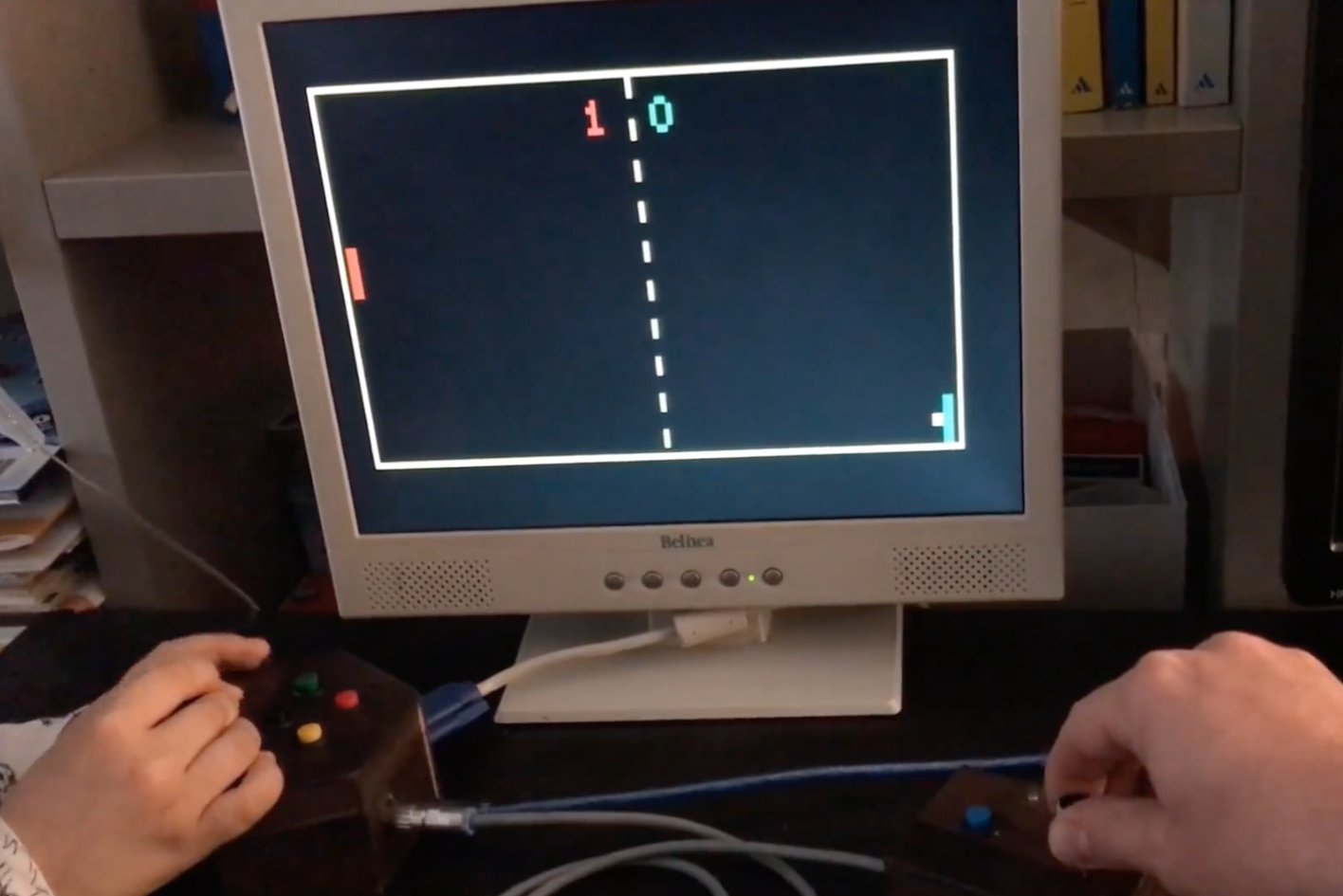
When you’re introduced to an Arduino Uno, perhaps you want to take button inputs, control a few LEDs, or move a hobby servo motor. These boards are quite good at that, but with some creative coding, they can actually control a VGA monitor and even play low-resolution games like Pong, Snake or Tetris.

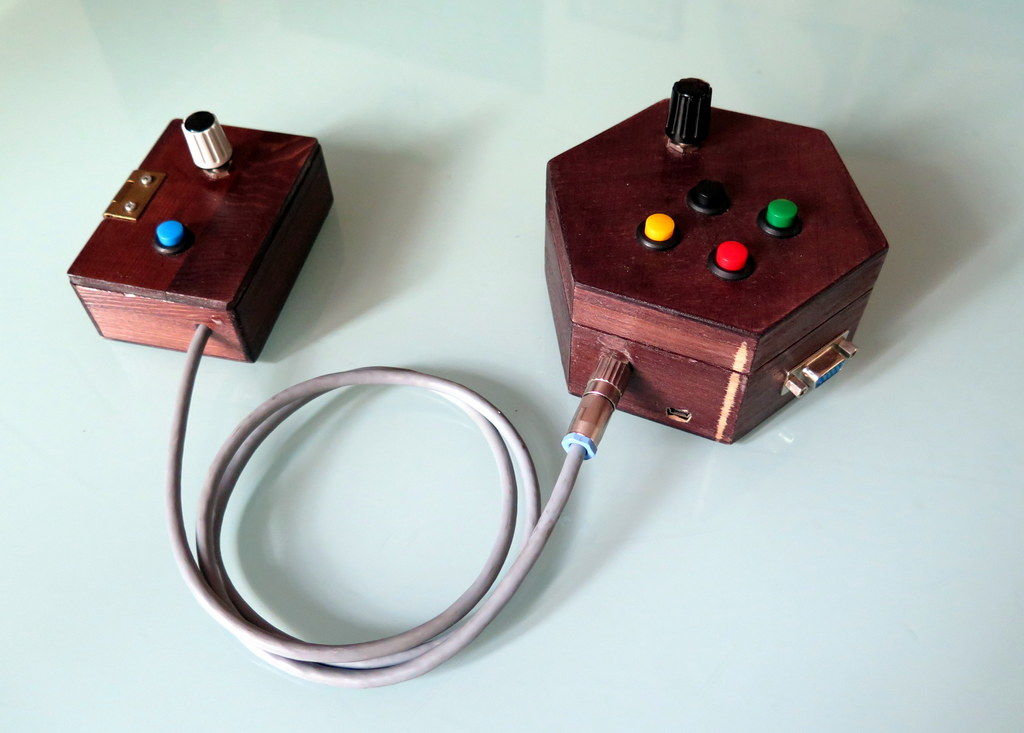
Using Sandro Maffiodo’s VGAx libraries, Instructables user Rob Cai built his own gaming setup, wiring the controls into two separate units. Now, while the base unit hooks up to the actual screen and takes inputs from player one, the second allows player two to participate as well.

I decided to split it in two units: one with a potentiometer and four buttons for the single player games, the other with one button and the second potentiometer for the second player. Thus in total you need 5 buttons, two potentiometers, a VGA connector (DSUB15 female) and, of course, an Arduino! Most importantly, there is no need of supporting IC or special shields!

Want to make one of your own? Check out the DIY VGA console in action below, and find more details on the project’s Instructables write-up. Smaffer’s VGAx libraries can be found here.

Pi Time – A Fabric RGB Arduino Clock

Pi Time is a psychedelic clock made out of fabric and Neopixels, controlled by an Arduino UNO. The clock started out as a quilted Pi symbol. [Chris and Jessica] wanted to make something more around the Pi and added some RGB lights. At the same time, they wanted to make something useful, that’s when they decided to make a clock using Neopixels.

Neopixels, or WS2812Bs, are addressable RGB LEDs , which can be controlled individually by a microcontroller, in this case, an Arduino. The fabric was quilted with a spiral of numbers (3.1415926535…) and the actual reading of the time is not how you are used to. To read the clock you have to recall the visible color spectrum or the rainbow colors, from red to violet. The rainbow starts at the beginning of the symbol Pi in the center, so the hours will be either red, yellow, or orange, depending on how many digits are needed to tell the time. For example, when it is 5:09, the 5 is red, and the 9 is yellow. When it’s 5:10, the 5 is orange, the first minute (1) is teal, and the second (0) is violet. The pi symbol flashes every other second.

There are simpler and more complicated ways to perform the simple task of figuring out what time it is…

We are not sure if the digits are lighted up according to their first appearance in the Pi sequence or are just random as the video only shows the trippy LEDs, but the effect is pretty nice:


Filed under: Arduino Hacks, led hacks
Hack a Day 17 Apr 03:00

Hacker U.

If you go to the University of South Florida, you can take the “Makecourse.” The 15-week program promises to teach CAD software, 3D printing, Arduino-based control systems, and C++. Don’t go to the University of South Florida? No worries. Professor [Rudy Schlaf] and [Eric Tridas] have made the entire course available online. You can see several videos below, but there are many more. The student project videos are great, too, like [Catlin Ryan’s] phase of the moon project (see below) or [Dustin Germain’s] rover (seen above).

In addition to a lesson plan and projects, there’s a complete set of videos (you can see a few below). If you are a regular Hackaday reader, you probably won’t care much about the basic Arduino stuff and the basic electronics–although a good review never hurts anyone. However, the more advanced topics about interrupts, SDCards, pin change interrupts might be just the thing. If you ever wanted to learn Autodesk Inventor, there are videos for that, too.

If you don’t need any of the instruction offered, this would still make a great program to offer at a local hacker space or anywhere else where you want to teach build to build. You can see from the variety of student projects that it is well-balanced and lets students focus on areas where they are most interested.

So much educational material is online now that it is hard to find time to see even a fraction of it. We love EdX, for example, but who has the time to take even a fraction of the classes offered? We always love seeing student projects–they give us ideas. [Bruce Land’s] classes, in particular, are always inspirational.


Filed under: 3d Printer hacks, Arduino Hacks

Lift takes finger tracking accuracy to a new level

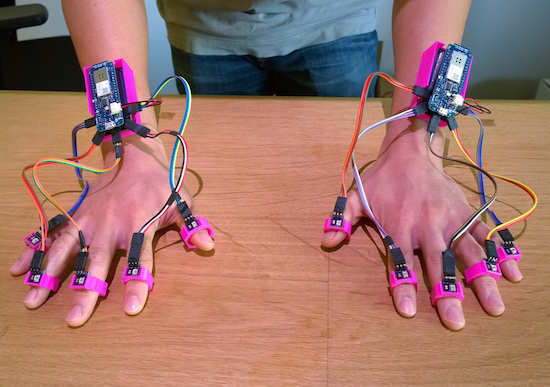
Using a pair of Arduino MKR1000s, researchers at the University of California, Irvine and FX Palo Alto Laboratory have come up with a new way to track 10 fingers to within less than two millimeters.

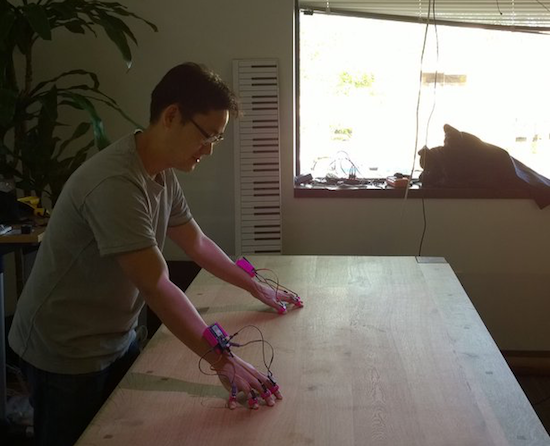
In this technique, called “Lift,” a normal DLP projector is used to display a series of tiny encoded images onto any flat surface. Instead of using an external vision system, or even an accelerometer, Lift employs tiny light sensors on each finger to detect this pattern, then relay this information to the MKR1000 mounted on each wrist. From there, the Arduino is able to translate these light signals into positional data with an average accuracy of 1.7 millimeters and an average refresh rate of 84Hz.

By projecting encoded visible patterns onto an object’s surface (e.g. paper, display, or table), and localizing the user’s fingers with light sensors, Lift offers users a richer interactive space than the device’s existing interfaces. Additionally, everyday objects can be augmented by attaching sensor units onto their surface to accept multi-touch gesture input.

You can find a quick summary of this project here, and download the team’s entire paper to learn more.

Photos: Shang Ma

Arduino Blog 14 Apr 02:21

Turning a Wii Nunchuk into an RC car controller

With the help of an Arduino, this dad turned a Wii Nunchuk into a wireless remote for a kid’s RC car.

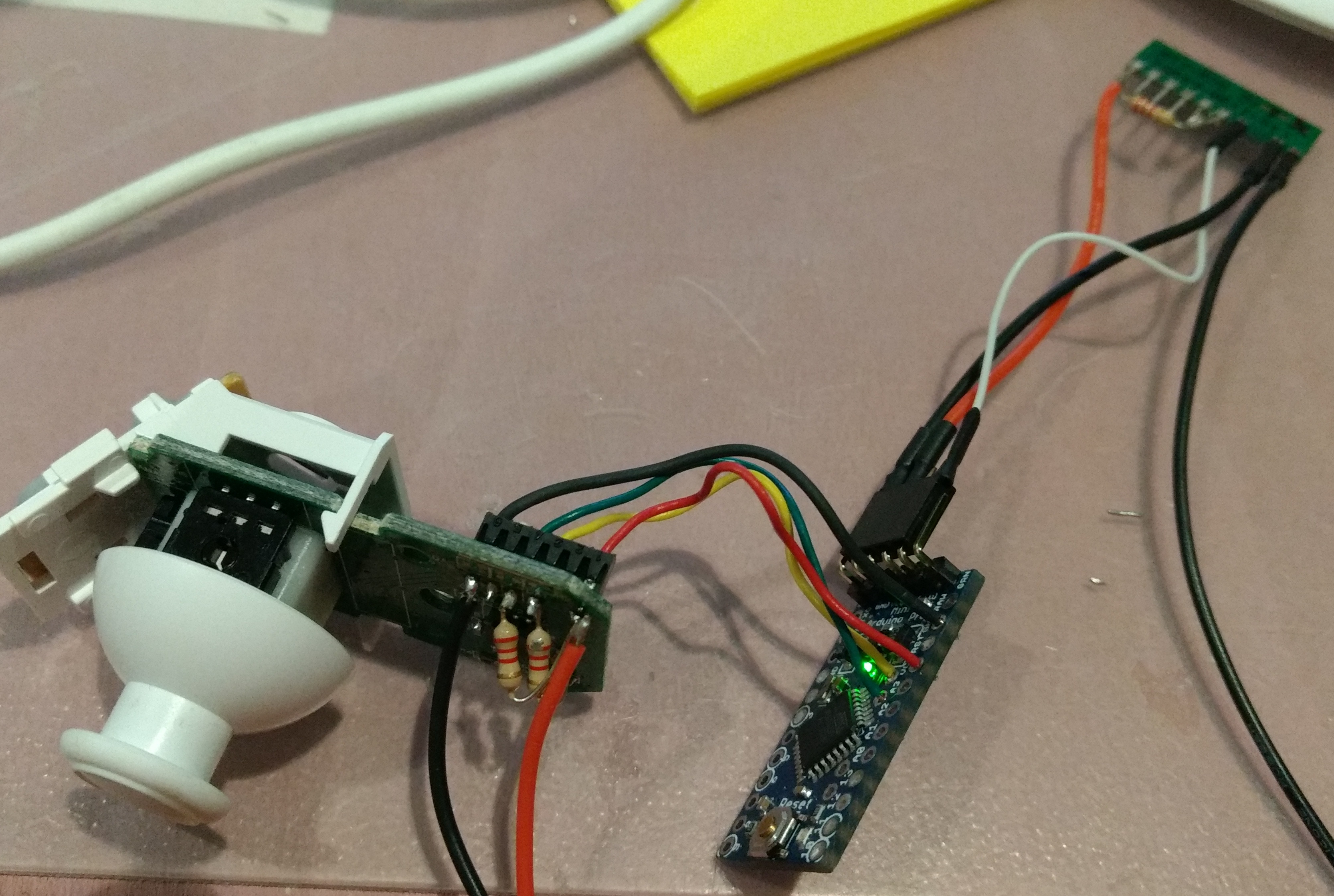
The Wii Nunchuck has been a favorite control device for hackers since it’s debut in 2006. And why not, it has a simple design with a directional joystick, and can output signals via the I2C protocol. For this project, software engineer “trandi” used an Arduino Pro Mini to translate these signals into 9600bps serial signals needed for the wireless module he was using. The car is also hacked with a corresponding receiver, a TI Stellaris Launchpad, and a motor controller.

Perhaps what’s most interesting, however, is that it’s somewhat of a continuation of a project that he took on in 2013, repairing his then 18-month-old son’s toy car. Now several years older, maybe he has a new appreciation for this device and his dad’s skill! You can see more in trandi’s write-up here.

Why buy a soldering station when you can build one instead?

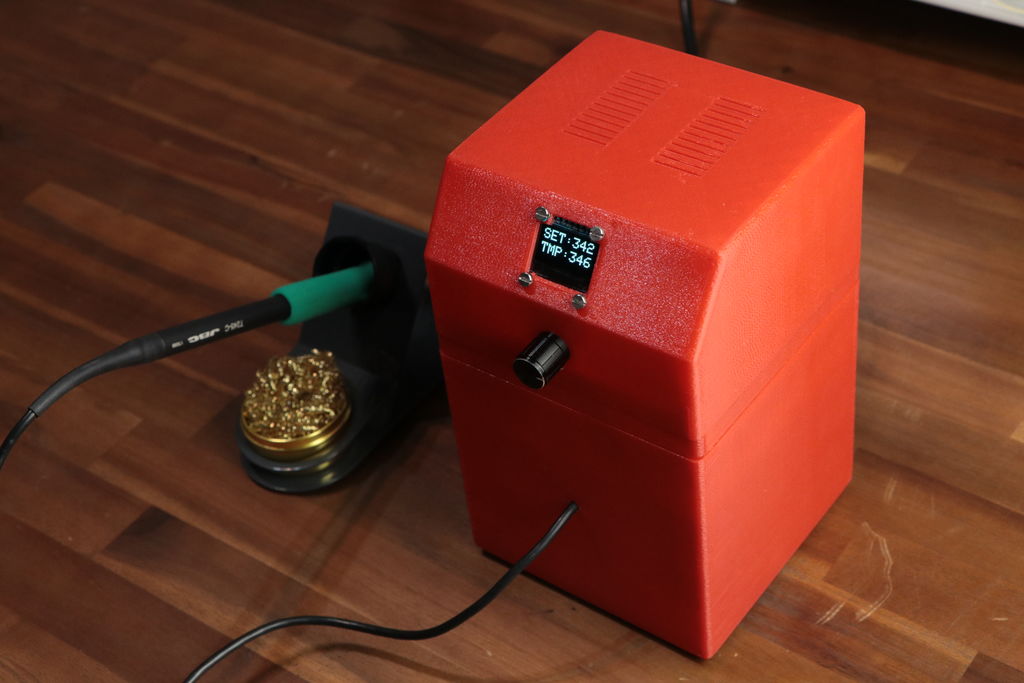
As with many products, if you want the best, you’ll pay top dollar for it. After seeing that the supposed best soldering station on the market sells for $500, YouTuber GreatScott! decided to instead purchase the iron and tip for a total of around $100, then reverse-engineer how the station should work.

From there, he used an Arduino Pro Mini along with a little OLED screen to display the temperature, and a toroidal transformer as well as several other components to power and complete his build. Finally, he 3D-printed a nice red enclosure and attached everything together, making his own custom soldering station.

You can see more on this station’s Instructables write-up, and check out GreatScott!’s channel for other interesting projects!

Turn and film your projects in style with this $8 DIY device

Using an Arduino along with some 3D-printed and salvaged parts, hacker “notionSunday” made an excellent photo turntable for under $10.

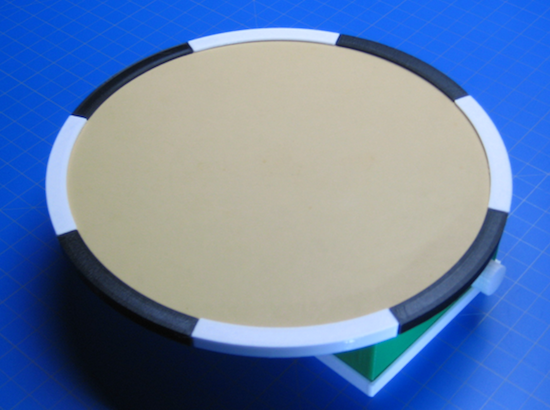
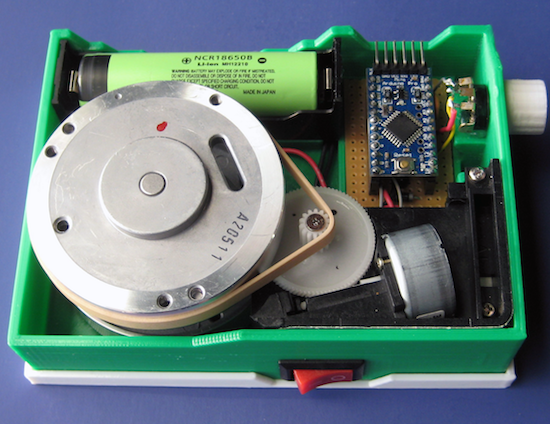
In a masterful display of converting one man’s junk into another man’s treasure, notionSunday used a VCR head as a very smooth-looking bearing surface for a small turntable. A DVD-ROM drive motor, a potentiometer from an old TV, and screws and wires from other electronics rounded out the internals of this build, as well as an Arduino Pro Mini with an H-bridge driver for control. All of this was placed inside of 3D-printed housing, then a disk was added to the top for other contraptions to rest on.

You can see it in action around the 8:00 mark in the video below. What really sticks out are the 3D-printed circumference markers, apparently there to indicate the speed of rotation or to hypnotize viewers. Check out notionSunday’s YouTube channel for more interesting projects, or his website for more pictures and code.

This Week in Making: ChickTech Meetup, Dark Souls Props, and Robotic Arms

This Week in Making saw the reveal of the Two Bit Circus Foundation, hand-made Dark Souls rings, some new crowd funding campaigns, and more.

Read more on MAKE

The post This Week in Making: ChickTech Meetup, Dark Souls Props, and Robotic Arms appeared first on Make: DIY Projects and Ideas for Makers.

Everyone Loves Faster ESP8266 TFT Libs

Reader [Jasper] writes in with glowing praise for the TFT_eSPI library for the ESP8266 and the various cheap 480×320 TFT displays (ILI9341, ILI9163, ST7735, S6D02A1, etc.) that support SPI mode. It’s a drop-in replacement for the Adafruit GFX and driver libraries, so you don’t need to rework your code to take advantage of it. If you’re looking to drive an LCD screen with an ESP8266 and Arduino, check this out for sure.

As a testbed, [Jasper] ported his Tick Tock Timer project over to the new library. He got a sevenfold increase in draw speed, going from 500 ms to 76 ms. That’s the difference between a refresh that’s visibly slow, and one that looks like it happens instantly. Sweet.

Improving software infrastructure isn’t one of the sexiest or most visible hacks, but it can touch the lives of many hackers. How many projects have we featured with an ESP8266 and a screen? Thanks, [Bodmer] for the good work, and [Jasper] for bringing it to our attention.


Filed under: Arduino Hacks, Microcontrollers

Smart earbud lets you control your phone with facial expressions

After much experimentation, researchers at Fraunhofer Institute for Computer Graphics Research in Rostock and the University of Cologne in Germany have developed an electronically-augmented earplug that can read facial expressions and convert them into controls for your smartphone. For example, you may soon be able to answer a call with a wink or launch an app by moving your head to one side.

The prototype of this EarFieldSensing, or EarFS, technology consists of the earbud itself, a reference electrode attached to the user’s earlobe, and an Arduino along with four sensing shields in a companion bag.

Currently, the system can recognize five expressions–winking, smiling, opening your mouth, making a ‘shh’ sound, and turning your head the right–with over 85% accuracy while walking, and even better when sitting. Hands-free emojis would be an obvious use case, but perhaps it could be employed for covert signaling as well. Was that a nice smile, or are you calling in backup? It could also be quite useful while driving or for those with disabilities.

You can read more about EarFS in the team’s paper and in this New Scientist article.

Photo: Denys J.C. Matthies / Daily Mail