Posts with «arduino» label

PlatformIO and Visual Studio Take over the World

In a recent post, I talked about using the “Blue Pill” STM32 module with the Arduino IDE. I’m not a big fan of the Arduino IDE, but I will admit it is simple to use which makes it good for simple things.

I’m not a big fan of integrated development environments (IDE), in general. I’ve used plenty of them, especially when they are tightly tied to the tool I’m trying to use at the time. But when I’m not doing anything special, I tend to just write my code in emacs. Thinking about it, I suppose I really don’t mind an IDE if it has tools that actually help me. But if it is just a text editor and launches a few commands, I can do that from emacs or another editor of my choice. The chances that your favorite IDE is going to have as much editing capability and customization as emacs are close to zero. Even if you don’t like emacs, why learn another editor if there isn’t a clear benefit in doing so?

There are ways, of course, to use other tools with the Arduino and other frameworks and I decided to start looking at them. After all, how hard can it be to build Arduino code? If you want to jump straight to the punch line, you can check out the video, below.

Turns Out…

It turns out, the Arduino IDE does a lot more than providing a bare-bones editor and launching a few command line tools. It also manages a very convoluted build process. The build process joins a lot of your files together, adds headers based on what it thinks you are doing, and generally compiles one big file, unless you’ve expressly included .cpp or .c files in your build.

That means just copying your normal Arduino code (I hate to say sketch) doesn’t give you anything you can build with a normal compiler. While there are plenty of makefile-based solutions, there’s also a tool called PlatformIO that purports to be a general-purpose solution for building on lots of embedded platforms, including Arduino.

About PlatformIO

Although PlatformIO claims to be an IDE, it really is a plugin for the open source Atom editor. However, it also has plugins for a lot of other IDEs. Interestingly enough, it even supports emacs. I know not everyone appreciates emacs, so I decided to investigate some of the other options. I’m not talking about VIM, either.

I wound up experimenting with two IDEs: Atom and Microsoft Visual Studio Code. Since PlatformIO has their 2.0 version in preview, I decided to try it. You might be surprised that I’m using Microsoft’s Code tool. Surprisingly, it runs on Linux and supports many things through plugins, including an Arduino module and, of course, PlatformIO. It is even available as source under an MIT license. The two editors actually look a lot alike, as you can see.

PlatformIO supports a staggering number of boards ranging from Arduino to ESP82666 to mBed boards to Raspberry Pi. It also supports different frameworks and IDEs. If you are like me and just like to be at the command line, you can use PlatformIO Core which is command line-driven.

In fact, that’s one of the things you first notice about PlatformIO is that it can’t decide if it is a GUI tool or a command line tool. I suspect some of that is in the IDE choice, too. For example, with Code, you have to run the projection initialization tool in a shell prompt. Granted, you can open a shell inside Code, but it is still a command line. Even on the PlatformIO IDE (actually, Atom), changing the Blue Pill framework from Arduino to mBed requires opening an INI file and changing it. Setting the upload path for an FRDM-KL46 required the same sort of change.

Is it Easy?

Don’t get me wrong. I personally don’t mind editing a file or issuing a command from a prompt. However, it seems like this kind of tool will mostly appeal to someone who does. I like that the command line tools exist. But it does make it seem odd when some changes are done in a GUI and some are done from the command line.

That’s fixable, of course. However, I do have another complaint that I feel bad for voicing because I don’t have a better solution. PlatformIO does too much. In theory, that’s the strength of it. I can write my code and not care how the mBed libraries or written or the Arduino tools munge my source code. I don’t even have to set up a tool chain because PlatformIO downloads everything I need the first time I use it.

When that works it is really great. The problem is when it doesn’t. For example, on the older version of PlatformIO, I had trouble getting the mBed libraries to build for a different target. I dug around and found the issue but it wasn’t easy. Had I built the toolchain and been in control of the process, I would have known better how to troubleshoot.

In the end, too, you will have to troubleshoot. PlatformIO aims at moving targets. Every time the Arduino IDE or the mBed frameworks or anything else changes, there is a good chance it will break something. When it does, you are going to have to work to fix it until the developers fix it for you. If you can do that, it is a cost in time. But I suspect the people who will be most interested in PlatformIO will be least able to fix it when it breaks.

Bottom Line

If you want to experiment with a different way of building programs — and more importantly, a single way to create and build — you should give PlatformIO a spin. When it works, it works well. Here are a few links to get you started:

Bottom line, when it works, it works great. When it doesn’t it is painful. Should you use it? It is handy, there’s no doubt about that. The integration with Code is pretty minimal. The Atom integration — while not perfect — is much more seamless. However, if you learn to use the command line tools, it almost doesn’t matter. Use whatever editor you like, and I do like that. If you do use it, just hope it doesn’t break and maybe have a backup plan if it does.


Filed under: Arduino Hacks, ARM, Hackaday Columns, reviews, Skills

Add smartphone control to your rolling backpack

Have you ever hopped off the plane at LAX with a… rolling backpack, and wished it would just push itself? Using an Arduino and motor controllers, “TannerTech” made his own robo-backpack.

Carrying backpacks around is so 20th century. Modern travelers, of course, get their robotic minions to drive the bags around for them. Or at least that’s what this Maker’s vision seems to be. The backpack in question is wheeled around by two motors on mounts made out of paint sticks. Control is provided by an Arduino Mega using an H-bridge motor controller to handle the relatively high current required.

In order for a human to call the backpack to him or herself, an “Arduino bluetooth controller” Android app is used to send characters to the Mega and Bluetooth module in the bag. Electronics are housed inside of a pencil case, making this a surprisingly accessible project.

You can find out more on TannerTech’s Instructables page, and see a demo of it below!

Tiny UV Alarm


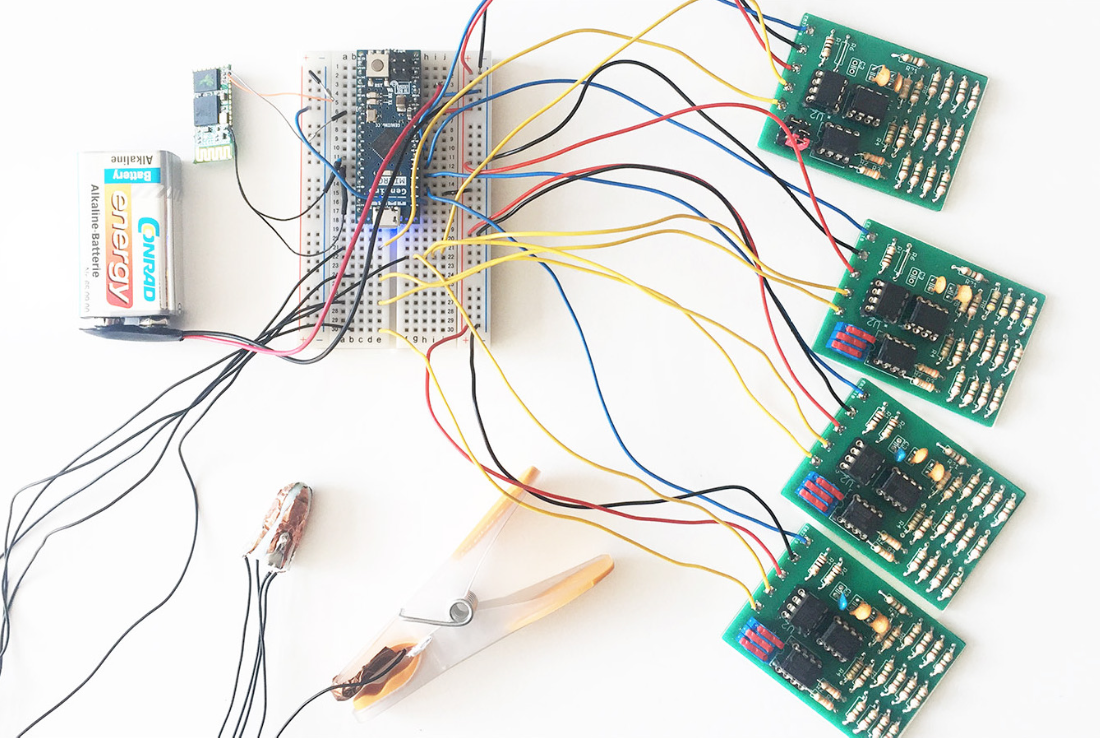
So as commented my son (4) has a rare condition so he can't be exposed to UV light (the Sun, halogen and some other artificial lights). There are other issues but UV exposition is a high risk.

At the moment the sensitive device to measures the ambient UV light:

read more

Let's Make Robots 05 Apr 23:24
alarm  arduino  cheapduino  uv  

Tiny UV Alarm


So as commented my son (4) has a rare condition so he can't be exposed to UV light (the Sun, halogen and some other artificial lights). There are other issues but UV exposition is a high risk.

At the moment the sensitive device to measures the ambient UV light:

read more

Let's Make Robots 05 Apr 23:24
alarm  arduino  cheapduino  uv  

ArduECU is a waterproof and rugged Arduino electronic control unit

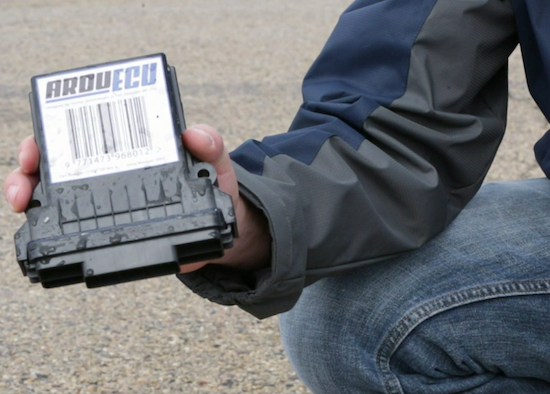
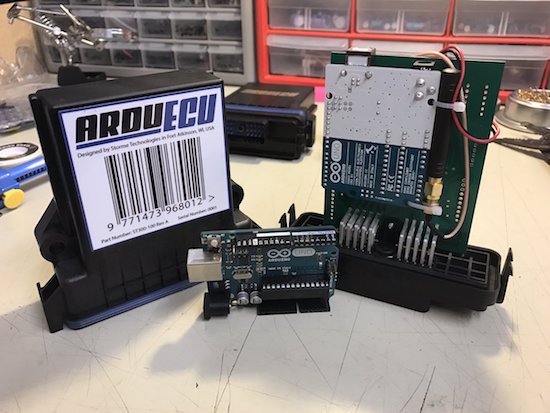
Now on Kickstarter, ArduECU is an IP69K-rated waterproof, rugged and impact-resistant electronic control unit (ECU) that enables your Arduino projects to withstand the elements and other harsh environments.

ArduECU is compatible with all 12V to 24V systems, and can be used in a wide range of applications such as vehicle diagnostics and control, stationary machines, remote monitoring, industrial automation, and agriculture to name just a few.

Based on an ATmega328, the ECU can be programmed with the Arduino IDE and also supports CoDeSys, meaning you can now configure your ArduECU with ladder logic, functional block, structured text, instruction list, or sequential function charts.

ArduECU comes in three models–one for basic projects, one for CAN bus vehicle and machine control applications, and another which converts an existing Arduino Uno into a weatherproof, custom-tailored ECU with an on-board prototyping area for your own creations and circuits. Each of these units will have expansion headers to leverage IoT and wireless capabilities, including Wi-Fi, Bluetooth, cellular and GPS, or to house future expansion shields with additional functionality at a later time.

Arduino Blog 05 Apr 20:10

Landscape to Portrait at the Click of a Mouse

Modern 16:9 aspect ratio monitors may be great for watching a widescreen movie on Netflix, but for most PDFs, Word documents, and certain web pages, landscape just won’t do. But if you’re not writing the next great American novel and aren’t willing to commit to portrait mode, don’t — build an auto-rotating monitor to switch your aspect ratio on the fly.

Like many of us, [Bob] finds certain content less than suitable for the cinematic format that’s become the standard for monitors. His fix is simple in concept, but a little challenging to engineer. Using a lazy susan as a giant bearing, [Bob] built a swivel that can be powered by a NEMA 23 stepper and a 3D-printed sector of a ring gear. Due to the narrow clearance between the top and bottom of the lazy susan, [Bob] had to do considerable finagling to get through holes for the mounting hardware located, but in the end the whole thing worked great.

Our only quibble would be welding galvanized pipe for the stand, which always gives us the willies. But we will admit the tube notching turned out great with just a paper template. We doubt it would have been much better if he used an amped-up plasma-powered tubing notcher.


Filed under: misc hacks
Hack a Day 05 Apr 12:01

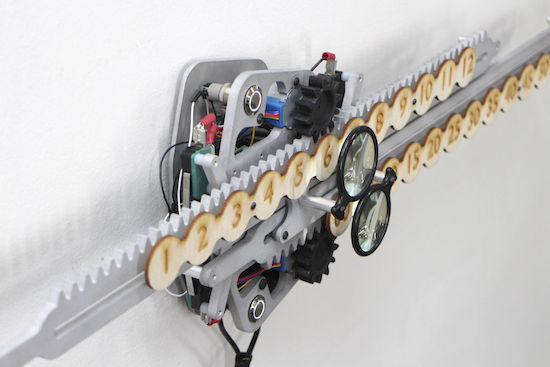
Geared clock measures time linearly

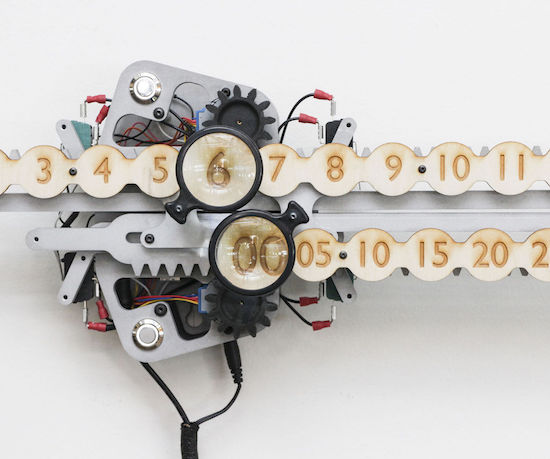
Jonathan Odom, a full-time designer at Instructables who goes by the name “JON-A-TRON,” decided to make a clock illustrating time’s linearity.  What he came up with was a beautifully crafted (robotically manufactured at the Pier 9 workshop, that is) clock that uses two rack and pinion assemblies to move a line of numbers for hours on top of another line signifying minutes.

The minute “hand” is divided up into five-minute intervals, which seems to him to feel less neurotic than being precise down to the exact minute. Magnifying glasses are used to magnify an hour and minute number, reminding onlookers to focus on the present.

The clock is actuated using an Arduino Uno with a motor driver, controlling a stepper motor for each “hand.” It’s an incredible build, and nicely illustrated. Whether or not you have access to the tools needed to recreate this exact clock, perhaps this concept will inspire something similar!

Be sure to check out Odom’s clock Instructables write-up here and see a demo of it below!

Build a smartphone-controlled scoreboard with Arduino

Using the Arduino 101’s built-in Bluetooth capability, Bob from the I Like to Make Stuff YouTube channel has crafted a beautiful, smartphone-controlled scoreboard.

If you’re into competitive sports, or perhaps want to settle who takes the trash out the most once and for all, an RGB scoreboard is a great solution. Perhaps it’s overkill in some cases, but Bob’s creation, which he expertly makes in the video here out of MDF looks amazing, and is large enough to be seen from a distance. It’s also small enough to be nominally portable.

His setup employs an RGB LED unit for each of the pixels that make up the score display, and uses an Arduino 101 as the brains of the device. Control is accomplished via a mobile app.

You can find Bob’s blurb on this project here, and the code for it on the project’s GitHub page. BLE 101, the app used for phone control, can be downloaded on iTunes.

Arduino Day 2017 in London


I was impressed from the quality of projects, variety and visitors. This last Arduino Day in London was great, different than last year. We had fun, visitors, demonstrations and even a little party after!

I don't want to talk much, let's that some pictures talk by themselves:

read more

Let's Make Robots 03 Apr 22:55
arduino  event  london  

Arduino Day 2017 in London


I was impressed from the quality of projects, variety and visitors. This last Arduino Day in London was great, different than last year. We had fun, visitors, demonstrations and even a little party after!

I don't want to talk much, let's that some pictures talk by themselves:

read more

Let's Make Robots 03 Apr 22:55
arduino  event  london