Posts with «mega» label

Yet another Engima machine by a young Maker!

Enigma machines are fascinating devices, especially for young Makers looking to explore the world of electronics. Awhile back we featured a similar project from Italy, and we’re once again amazed by the work of 14-year-old Andy Eggebraaten, who built a retro-modern gadget of his own. The project, which was for his high school’s science fair, took nine months to complete.

These electro-mechanical rotor cipher machines were developed  in the early 20th century to protect commercial, diplomatic and military communication, used especially by German military intelligence during World War II.

In the video below, Andy opens the machine to show its inner workings: the unit runs on Arduino Mega along with 1,800 other parts and 500 color-coded wires. We can see that he evolved the rotors into electronic modules that plug into D-Sub sockets, and the interface is made using a 16-segment display showing the rotor position as well as an LCD screen to read the plain- and the encoded text.

An engineering student’s awesome graduation cap

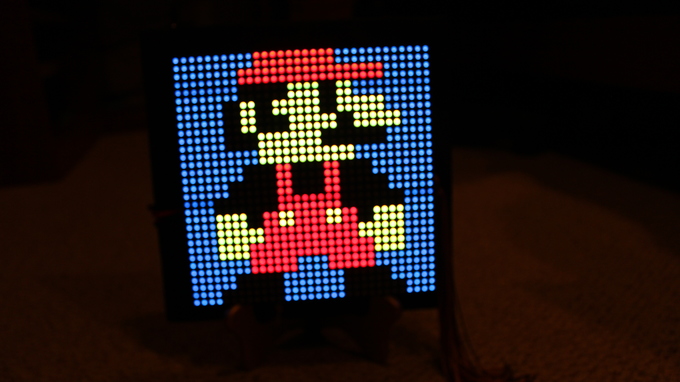
Graduation season is now underway across America, and Western Carolina University student Michael King wanted to be sure he’d stand out from the crowd during his commencement ceremony. So being a computer science and electrical engineering major and all, naturally he decided to do some tinkering. He equipped his mortarboard with a 32×32 LED array, an Arduino Mega, three SPDT switches, a 2000mAh li-ion battery, and lots of wire, along with plenty of code. This enabled him to display a running Super Mario, Pac-Man, his school’s logo, a “Hire Me Google” message, and several other animated images on top of his cap.

I used three SPDT switches — one for LED grid power, one for Arduino power, and another to break out of the loop and display a static “WCU” logo. LED grid is powered via a 3.7V li-ion battery. 9V battery to power the Arduino Mega.

Lots and lots of Arduino code. I could convert bitmaps to arrays to use in the code. For those that would understand, I had a script written in Processing that could read a 32×32 pixel image, parse and convert it into an array of hex values, and literally format/write it out to a header file that I could just copy and paste into Arduino IDE… And yes, I am working on programming pong. Yes the actual, playable game.

Maker installs an Android tablet in his car’s dashboard

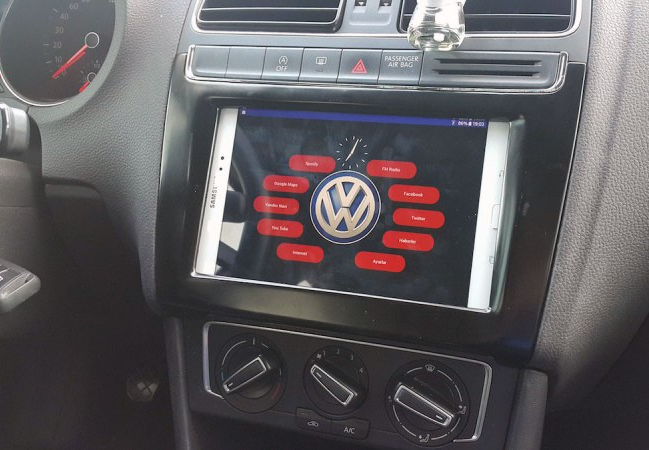
Unlike many cars today, Aykut Celik’s 2014 Volkswagen Polo didn’t have Bluetooth connectivity or an elaborate touchscreen navigation system. So, the Maker decided to take matters into his own hands and swapped out his “useless” radio for a Samsung tablet, putting Google Maps, Spotify and other apps right in his vehicle’s dashboard.

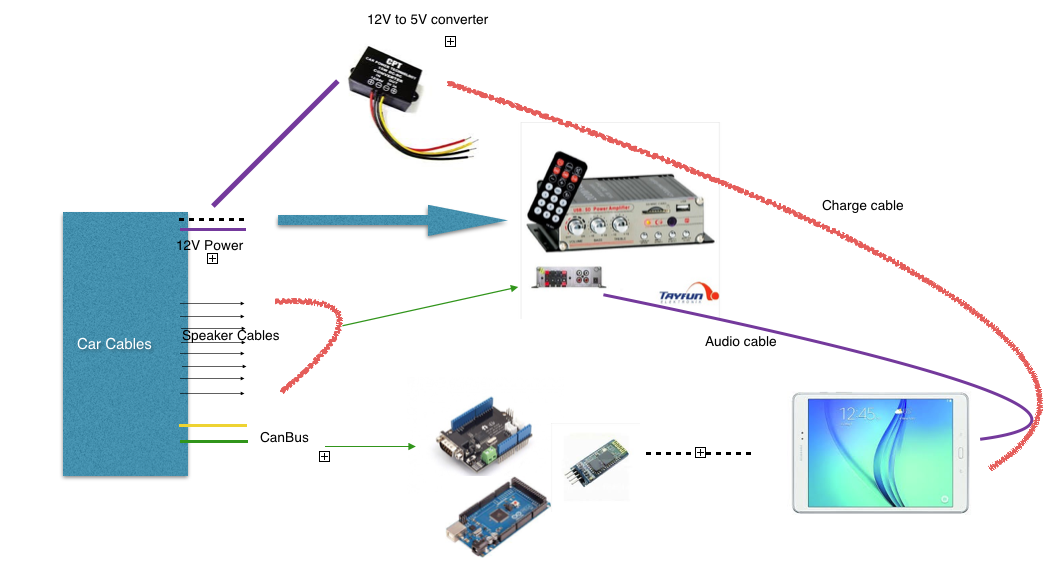
In order to accomplish this, Celik needed an amplifier (to replace the one attached to the prior radio), a CAN bus shield from Seeed (so he could use the steering wheel’s volume buttons), a Bluetooth module, and an Arduino Mega 2560 (for parsing data and sending it over to the Android device).

A CAN-BUS shield is necessary to be able to read CAN-BUS commands from the CAN bus line… I used this shield for detecting wheel button commands like volume up, mute and volume down. Behind the car radio there are two CAN bus cables. One of them is CAN bus – HIGH and the other is CAN bus – LOW. These cables must be connected to green sockets on the shield.

Using the SeeedCAN bus shield, you can sniff you car’s CAN bus data.

The info which is gathered from CAN bus is transferred to the Android tablet via Bluetooth. There is a little app which is responsible, for example, reducing volume whenever the wheel volume button is clicked. And a menu activity to open other apps.

You can watch the elaborate project below, and read more about it on Celik’s blog. The Maker has also made the software and other information available on GitHub.

SMOMID is a Mega-powered MIDI guitar

Nick Demopoulos is a guitarist, sound designer and musician. He is also a Maker and the creator of the “SMOMID” — an Arduino Mega-based MIDI instrument that resembles a touch-sensitive guitar with several joysticks and other sensors. Not only does it just look cool, it can even flash LEDs in sync with the music being played for some wild effects and visual feedback for the performer.

This instrument was created out of necessity because despite the fact that the guitar is the most popular instrument in the world, there are almost no guitar-like midi controllers commercially available. The SMOMID is not a guitar, nor is it a substitute for a guitar, but rather it is a new and unique interface. Like all musical instruments, it has its strengths and weaknesses, and requires patience and practice to master.

Its software allows the performer to control numerous aspects of a performance, including the playing of melodies and harmonies, the direction and pattern of a melody, controlling beats, controlling bass lines, triggering samples, manipulating audio files, and more. All aspects of a performance can be controlled from the grid on the fret board and the buttons on the instrument body. Additionally several custom made synths can be chosen as sounds and several tunings are available. The instrument can be played like a fretted guitar, like a fretless guitar, with twelve notes to the octave, or other variations like twenty four or forty three notes to the octave. In addition to emitting sound, the SMOMID also emits light that is rhythmically in sync with the music the instrument is then creating. The lights also provide visual feedback for a performer that can indicate if an effect is engaged, the rhythm of a delay or the section of a composition among other facets of a performance. The SMOMID connects to any device or software that can receive MIDI information via a USB cable and is bus-powered.

You can read all about the project here, and check out some SMOMID performances below!

Two college students build a hilarious animatronic face

Let’s start off by saying that, if you’re a senior engineering student just weeks away from graduation, it takes some serious guts to create an animatronic face of your school’s president. We should also add that it’s pretty hilarious.

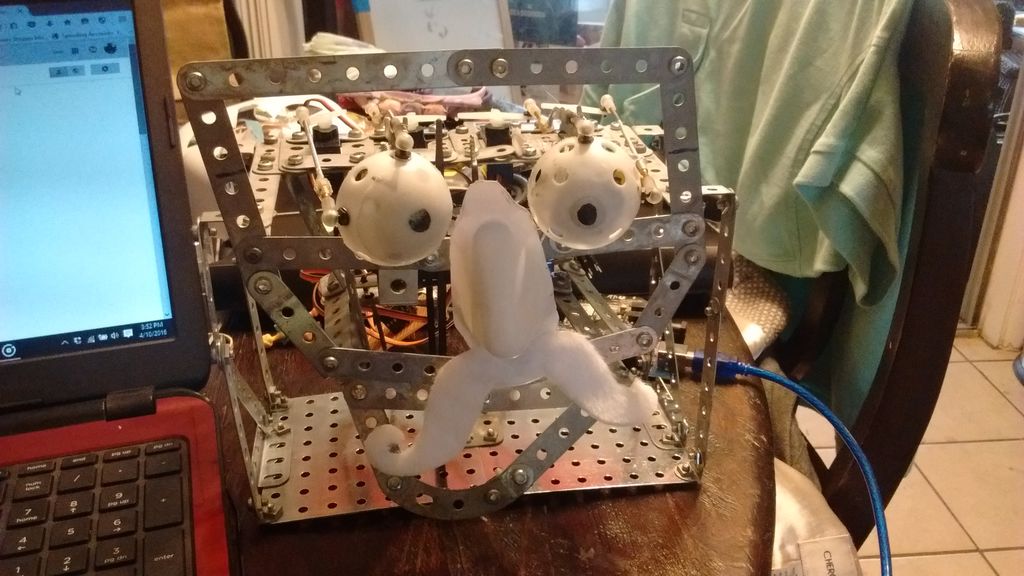
Geoffrey Toombs and James Schopfer are the two University of Texas at San Antonio undergrads behind the Disney Audio-Animatronics-inspired project, which uses a plastic mask, an Erector set, an Arduino Mega with an MP3 shield, and some computer speakers. The face — consisting of eyes, a nose, a mouth and a formidable mustache — is driven by a set of servos. An even cooler feature of the robot is that the mouth is synchronized to an audio clip.

The audio was a sample taken from a YouTube video using various softwares to turn the video file into an audio file and then cutting to the proper length. The original YouTube address of the video I wanted was copied and pasted on the Zamzar.com website so the video could be downloaded and manipulated. The program, Audacity, was used to turn the video file into an audio file and it allowed the audio to be clipped and saved an an MP3. This MP3 audio file was then saved to a microSD card. The card was then placed into the MP3 shield, and the shield is then carefully attached to the Arduino Mega, being careful to not bend the pins.

Code was written for the eye movements. It was decided that he would roll his eyes and wiggle his nose after the mouth movement. This wasn’t really necessary but it let me use the eyes that I spent so much time making and gave a little humor to the project.

While this particular project mimicked the university’s president, the Makers note that any face or picture could be used. A friend? A colleague? A principal? The possibilities are endless. Future upgrades may include a smaller speaker hidden inside the head, a web camera built into an eye, steppers for more precise and fluid movement, IR sensors and more motors for tracking, blinking eyelids, and potentially Skype integration.

Draw images and words in falling water

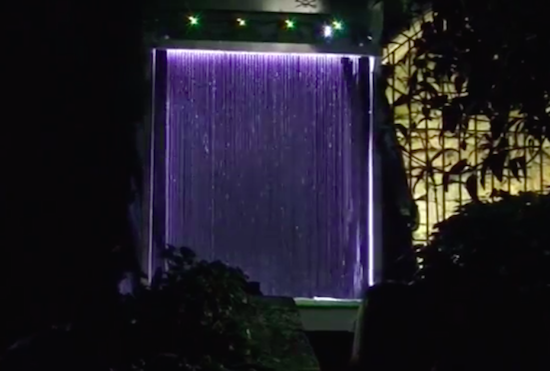
The Base42 team, which is part of the hacking community Tecnoateneu Vilablareixhas created a stunning water curtain with the help of 3D printing and Arduino. The installation, currently on display at the Temps de Flors flower show in Girona, uses 128 3D-printed nozzles and 64 3D-printed valves to dispense water in floral patterns.

The water curtain employs four Arduino Nanos to control the valves, which work in pairs to draw the flowers, words or other images. Meanwhile, an Arduino Mega provides a Wi-Fi connection to issue commands.

In terms of its mechanics, a tank at the base holds 500 liters of water, while a pump pushes that water to the top of the system at a rate of 80 liters per minute. From there, the water passes down through the 3D-printed nozzles, forming what appears as a 3m x 2m fluid screen. To create different patterns in the curtain, the nozzles can quickly adjust the direction of the water to one of two nozzles in a pair.

Arduino Stroboscope Animation


This tutorial will show you how to build your own Stroboscopic Animator using Magzor's Mechanotronic Design Portal as a starting point. Magzor Corporation is a business in California that is trying really hard to simplify robotic design. They want to enable users with little to no engineering experience to design and manufacture a custom robot by themselves in a matter of hours.

What is a stroboscope? A stroboscope is an instrument that uses a strobe light to make a moving object look stationary… We will use this feature to create an interesting 4 picture animation on a rotating disk.


Have a look at the video below to see the project in action, and the MDP process walk-through:


Video


Parts Required:


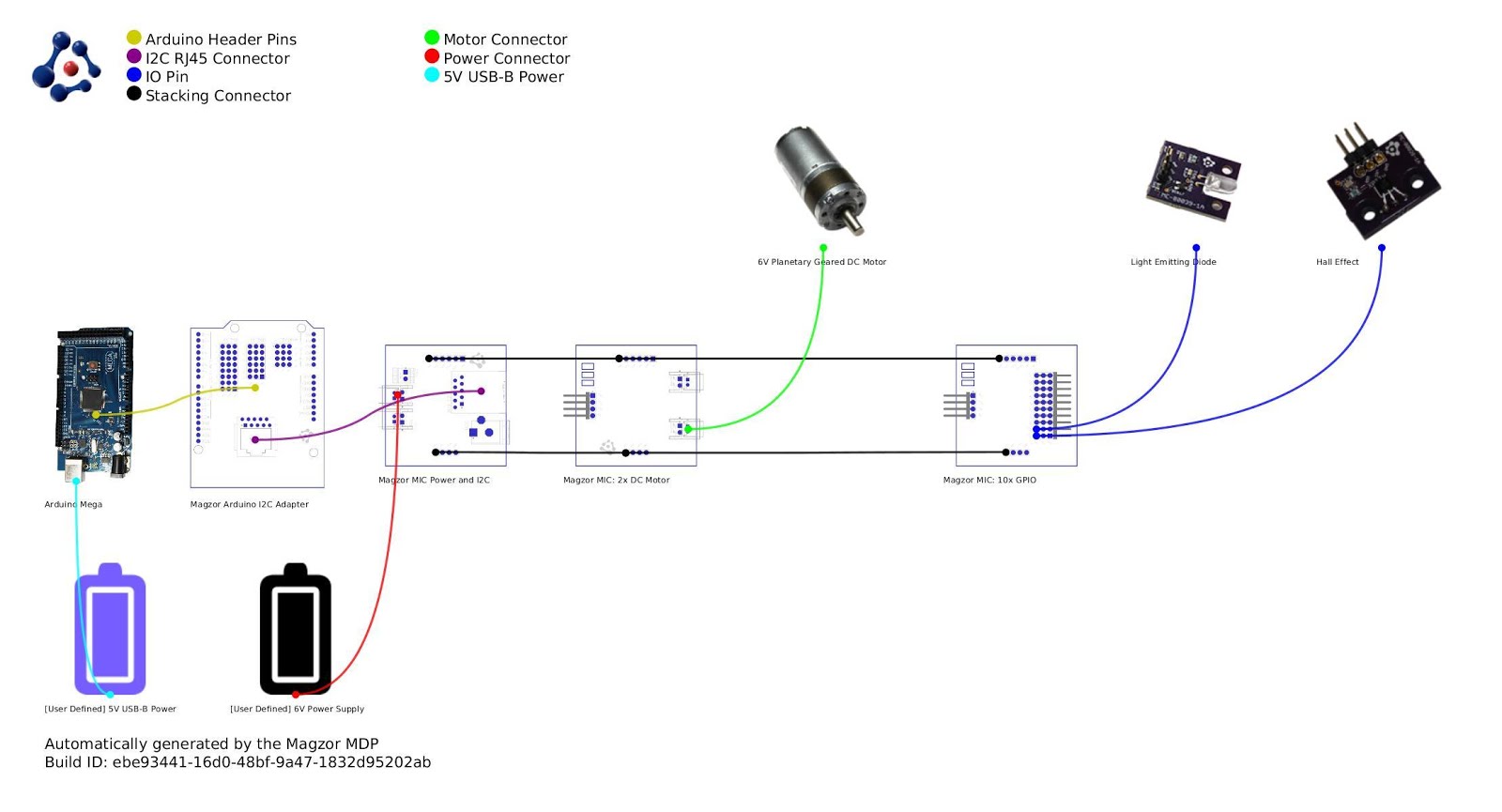
Magzor Schematic Diagram

Click to zoom ...
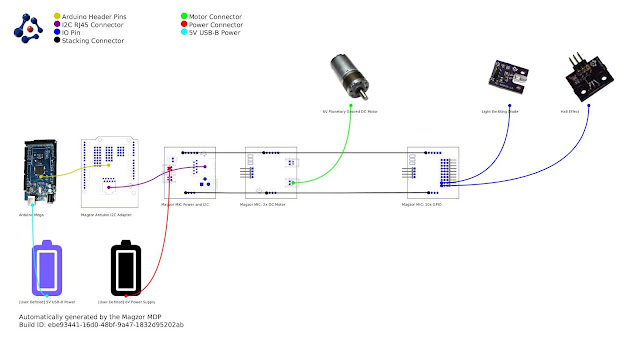
 

Further build instructions can be obtained by selecting the components in the Mechanotronics Design Portal within the Magzor website. Generating the build, and then selecting "Setup Instructions" tab at the top of the page. See video above to see this process in action.


Arduino Sketch


Make sure to copy and paste the following code into your Arduino IDE. It doesn't seem to work directly from the browser. You also need to install the Arduino Magzor I2C library ( http://magzor.com/downloads/ )


Putting it together


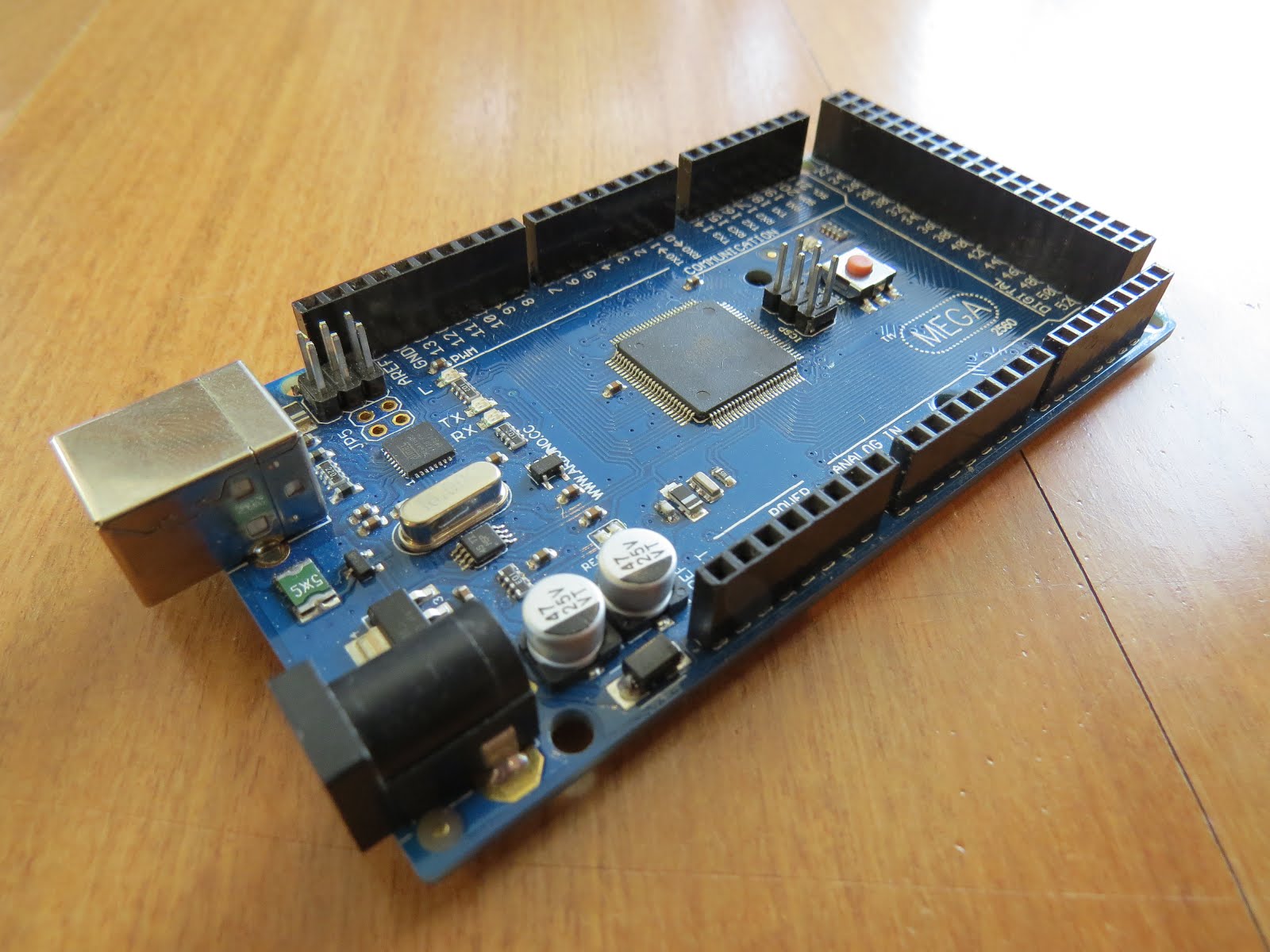
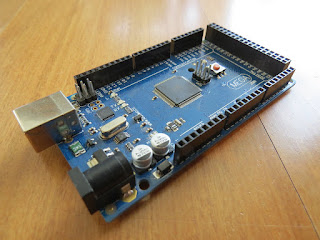
Arduino MEGA


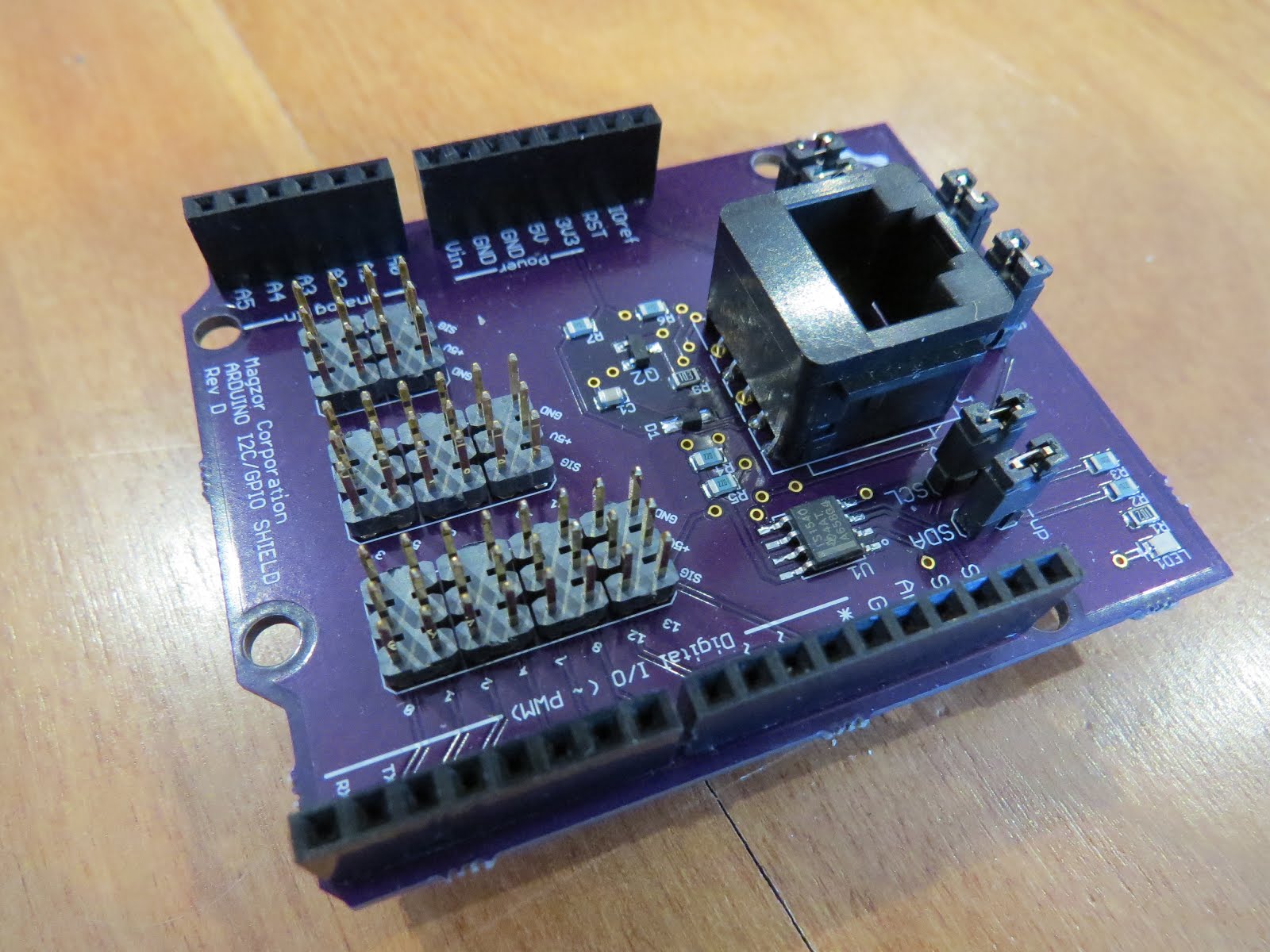
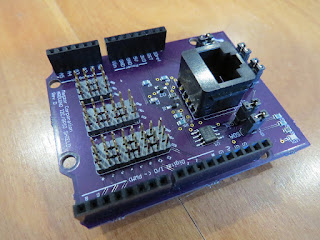
Magzor I2C board


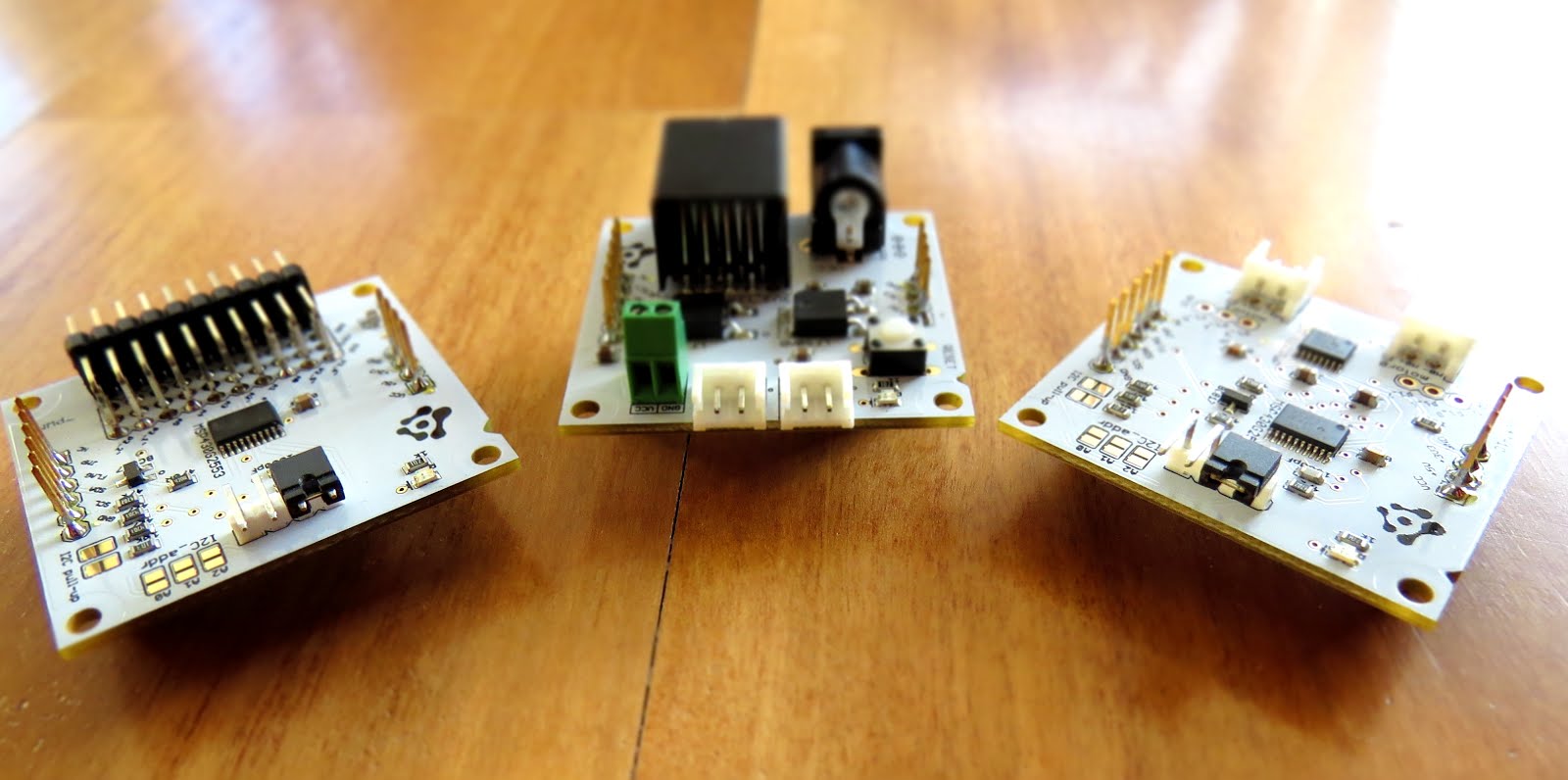
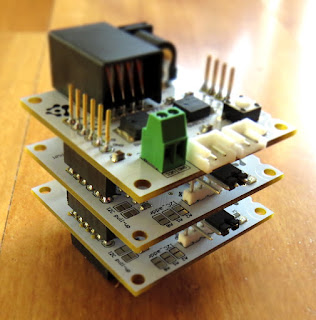
MIC Boards


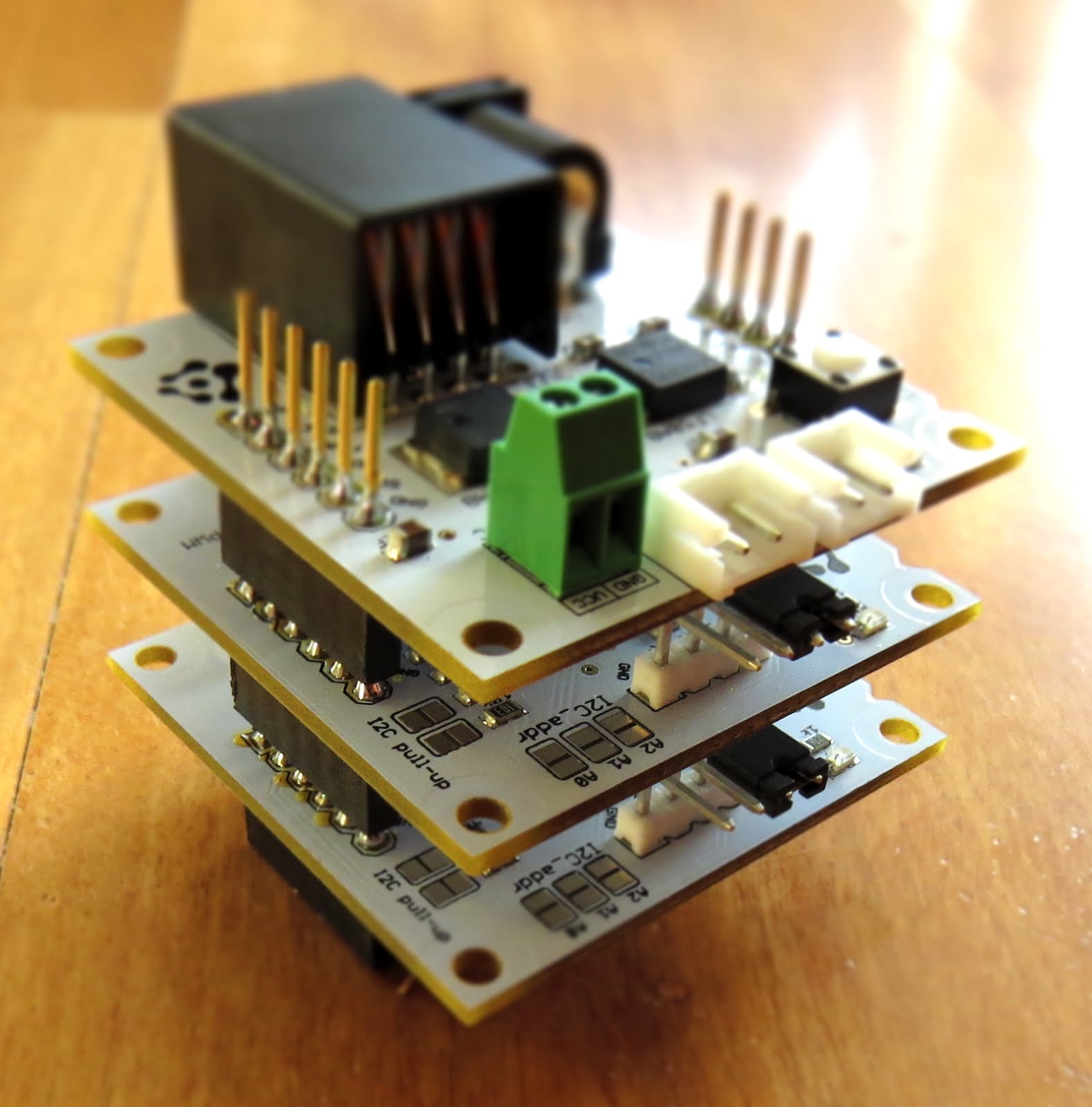
MIC Boards Assembled


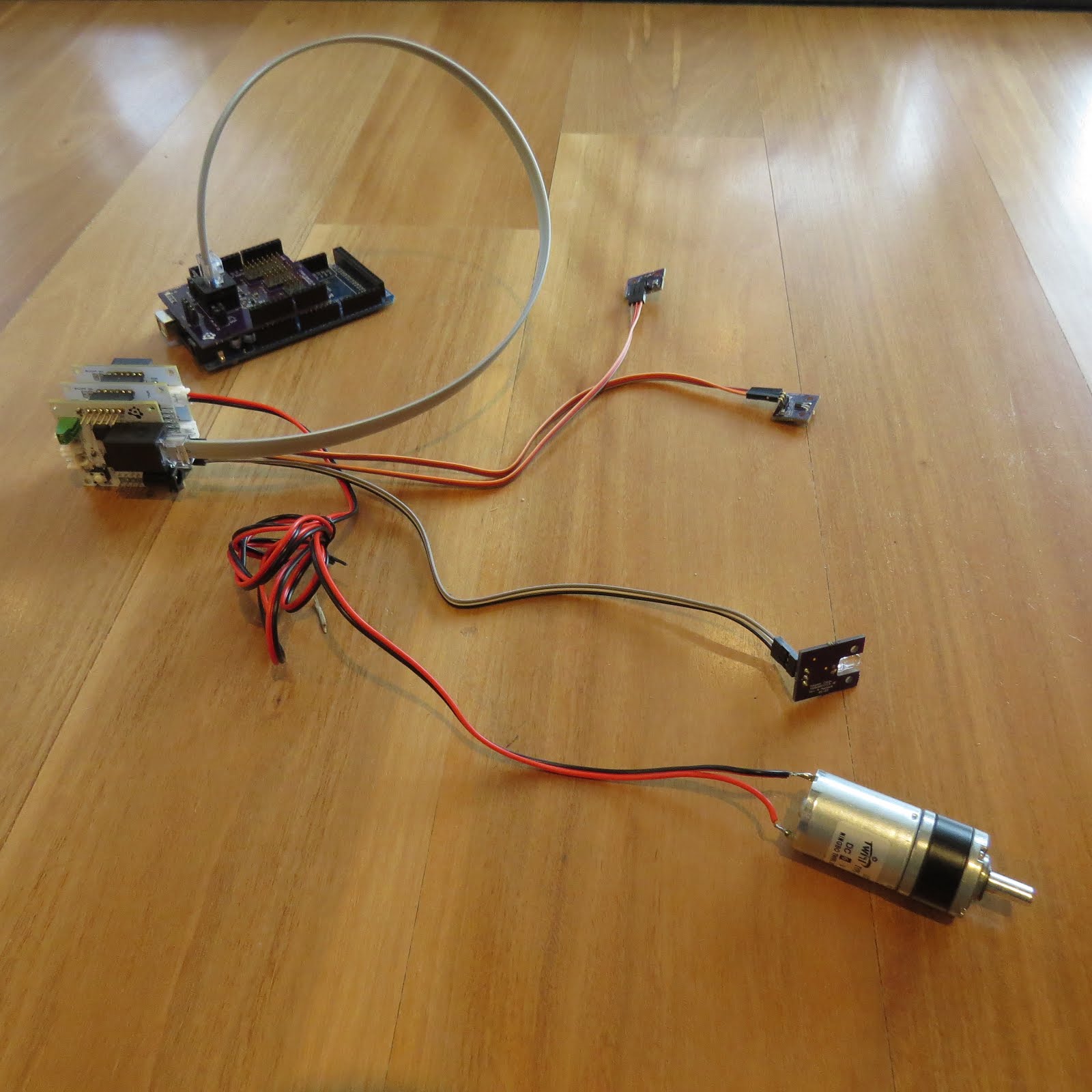
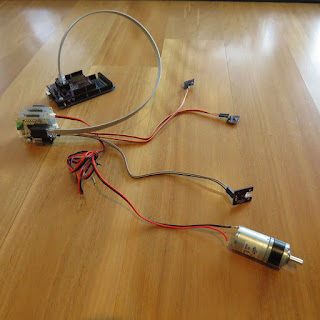
Sensors, Modules and Shields - all put together


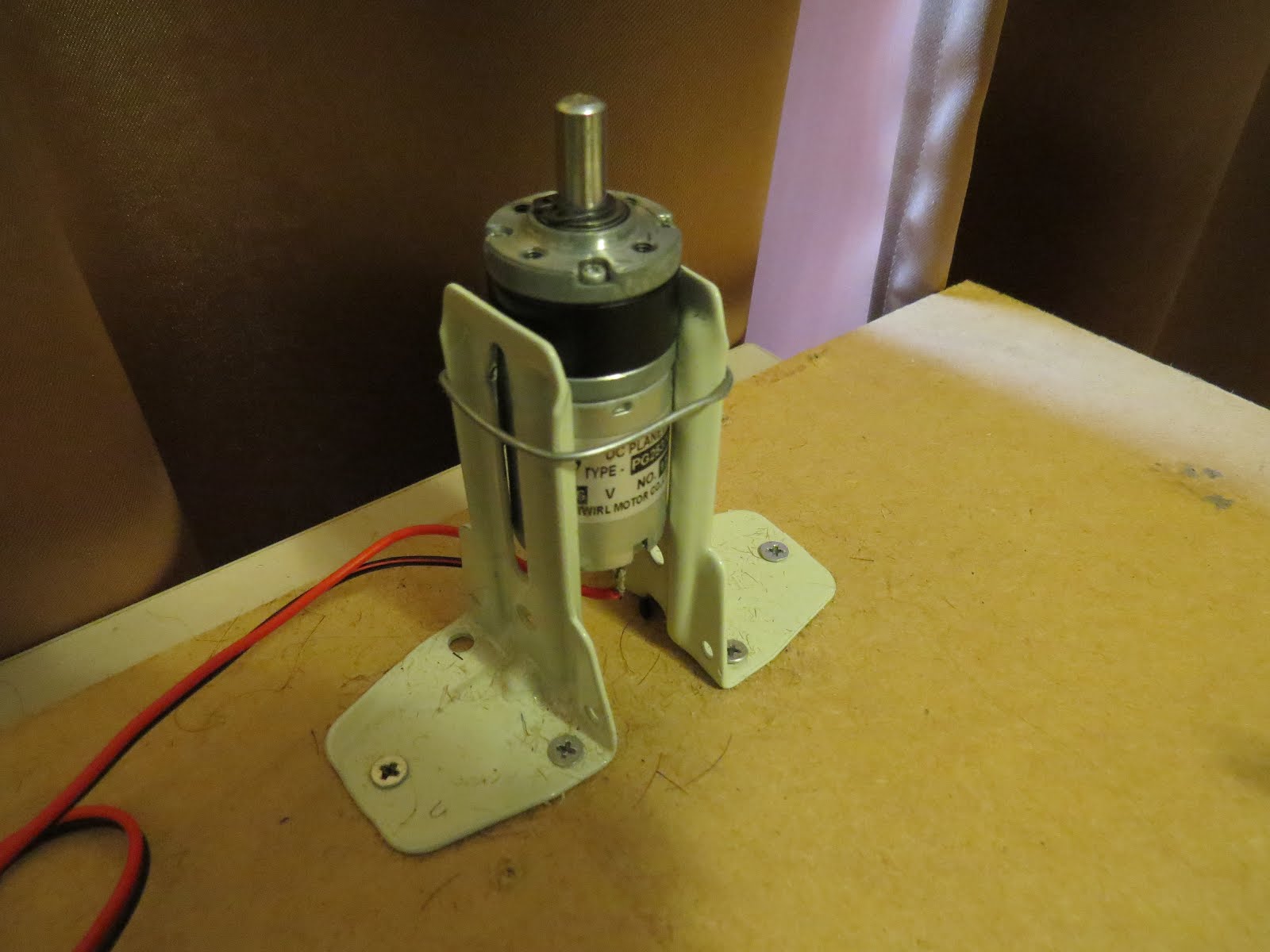
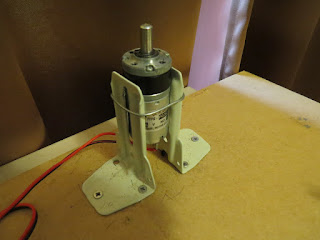
Motor with Bracket and Wire


Picture lined up with magnet on disk


Stroboscopic Animation
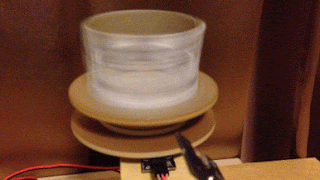


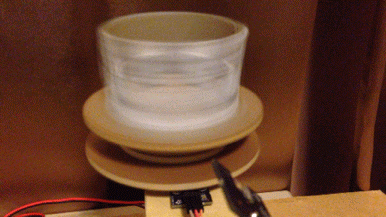
The Arduino MEGA microcontroller listens for the hall effect sensor to be triggered by the south facing side of the magnet on the underside of the rotating disk. As the magnet moves over the hall effect sensor, the sensor is triggered and the Arduino instructs the LED to blink for a fraction of a second. By manipulating the delay after the trigger time, we can get the LED to blink when one of the four images on the rotating disk is towards the front position. And if we get the timing right, we can make a simple animation.
 
If you watch the video above, you will see that the image bounces around a little bit. The duration of each frame is determined by the speed of the rotating disk (or motor), and the number of LED flashes per frame. Any changes in rotation speed will affect the position of the picture when the LED blinks. My rotating disk is not completely semetrical or centred correctly, and therefore a bit jumpy… but you get the idea. Bold images with high contrast seem to work best… Precision is key for this type of project. And if you can get the disk to rotate at a constant speed, you could probably do away with the hall effect sensors and magnets… however, in my case, these were essential in getting the project to work as intended.
 
This project is a lot of fun. You can really get creative by making your own pictures or 3 dimensional models (for a stop motion effect). Try different colours. It really is quite cool.


Concluding Comments


I would like to thank Magzor for supplying the components used in this tutorial, and letting me try out their MDP process. I really like the concept, the one stop shop which looks after you from beginning to end. Providing everything I needed to get the project off the ground. The point of this exercise was to go through the entire process of selecting the parts, build the project, and get it up and running. And I have done that in no time at all.
 
There is only one library to download and install, and the good thing is that you don't have to go hunting for it. The latest "correct" working version of the library is easy to find, right there on the Magzor website… Speaking of the Magzor website, please make sure to take a quick look around. It is quite impressive.


If you like this page, please do me a favour and show your appreciation :

 
Visit my ArduinoBasics Google + page.
Follow me on Twitter by looking for ScottC @ArduinoBasics.
I can also be found on Pinterest and Instagram.
Have a look at my videos on my YouTube channel.


This project would not have been possible without the collaborative effort from Magzor Corporation.
Please visit their site and check out the MDP.


However, if you do not have a google profile...
Feel free to share this page with your friends in any way you see fit.

Arduino Stroboscope Animation


UPDATE: Magzor has just started a Kickstarter campaign. Please check it out to get a good package deal on many of their components. Many of which were used in this tutorial.
 
This tutorial will show you how to build your own Stroboscopic Animator using Magzor's Mechanotronic Design Portal as a starting point. Magzor Corporation is a business in California that is trying really hard to simplify robotic design. They want to enable users with little to no engineering experience to design and manufacture a custom robot by themselves in a matter of hours.
What is a stroboscope? A stroboscope is an instrument that uses a strobe light to make a moving object look stationary… We will use this feature to create an interesting 4 picture animation on a rotating disk.


Have a look at the video below to see the project in action, and the MDP process walk-through:


Video


Parts Required:


Magzor Schematic Diagram

Click to zoom ...

 
Further build instructions can be obtained by selecting the components in the Mechanotronics Design Portal within the Magzor website. Generating the build, and then selecting "Setup Instructions" tab at the top of the page. See video above to see this process in action.


Arduino Sketch


Make sure to copy and paste the following code into your Arduino IDE. It doesn't seem to work directly from the browser. You also need to install the Arduino Magzor I2C library ( http://magzor.com/downloads/ )


Putting it together


Arduino MEGA


Magzor I2C board


MIC Boards


MIC Boards Assembled


Sensors, Modules and Shields - all put together


Motor with Bracket and Wire


Picture lined up with magnet on disk


Stroboscopic Animation


The Arduino MEGA microcontroller listens for the hall effect sensor to be triggered by the south facing side of the magnet on the underside of the rotating disk. As the magnet moves over the hall effect sensor, the sensor is triggered and the Arduino instructs the LED to blink for a fraction of a second. By manipulating the delay after the trigger time, we can get the LED to blink when one of the four images on the rotating disk is towards the front position. And if we get the timing right, we can make a simple animation.
 
If you watch the video above, you will see that the image bounces around a little bit. The duration of each frame is determined by the speed of the rotating disk (or motor), and the number of LED flashes per frame. Any changes in rotation speed will affect the position of the picture when the LED blinks. My rotating disk is not completely semetrical or centred correctly, and therefore a bit jumpy… but you get the idea. Bold images with high contrast seem to work best… Precision is key for this type of project. And if you can get the disk to rotate at a constant speed, you could probably do away with the hall effect sensors and magnets… however, in my case, these were essential in getting the project to work as intended.
 
This project is a lot of fun. You can really get creative by making your own pictures or 3 dimensional models (for a stop motion effect). Try different colours. It really is quite cool.


Concluding Comments


I would like to thank Magzor for supplying the components used in this tutorial, and letting me try out their MDP process. I really like the concept, the one stop shop which looks after you from beginning to end. Providing everything I needed to get the project off the ground. The point of this exercise was to go through the entire process of selecting the parts, build the project, and get it up and running. And I have done that in no time at all.
 
There is only one library to download and install, and the good thing is that you don't have to go hunting for it. The latest "correct" working version of the library is easy to find, right there on the Magzor website… Speaking of the Magzor website, please make sure to take a quick look around. It is quite impressive.
 
  UPDATE: Magzor has just started a Kickstarter campaign. Please check it out to get a good package deal on many of their components. Many of which were used in this tutorial.


If you like this page, please do me a favour and show your appreciation :

 
Visit my ArduinoBasics Google + page.
Follow me on Twitter by looking for ScottC @ArduinoBasics.
I can also be found on Pinterest and Instagram.
Have a look at my videos on my YouTube channel.


This project would not have been possible without the collaborative effort from Magzor Corporation.
Please visit their site and check out the MDP.


However, if you do not have a google profile...
Feel free to share this page with your friends in any way you see fit.

Listen to the hypnotic sound of a red crystal


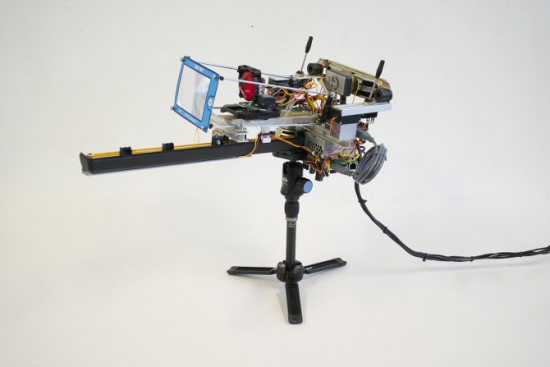
Red is an optic-sound electronic object that uses simple light sources and optical elements to create audiovisual performance. The machine was named as a color because at the center of the work there is a red glass crystal and a flexible Fresnel lens. Dmitry Morozov aka :: vtol: : created it using Arduino with pure data and python scripts:

The project includes many reworked electronic devices – a CD-rom, an old scanner, reused electric motors. Multiple moving elements provide wide variability for rather primitive optical elements. It is accomplished by constant change of focal length between the light source, crystal and lens, as well as by changing the crystal’s tilt angle and mechanical distortion of the lens. The object works autonomously, by algorithm with many accidental events tied to feedback, with sensors defining the position of various mechanical elements in relation to the range of their movement. The sound part has up to 4 voices which depend on the activity of various elements. The sound is also in direct interaction with actual position of those elements, and basically is voicing the process of movement, brightness of light, and intensity of the piece.

Watch how it works in this hypnotic video:

Arduino Blog 11 Apr 21:59

Smart Foosball Keeps Score using Arduino Mega

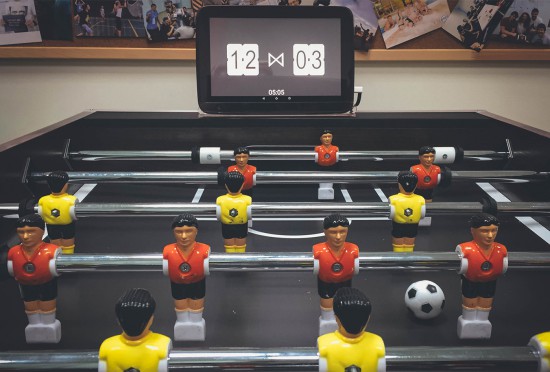
Thinkers and makers at Handsome created an automated Foosball Scoreboard using an Android tablet and Arduino Mega 2560:

the Arduino is responsible only for detecting a) a goal scored and b) the gate in which it was scored. After a goal is detected the Arduino sends this data to Android tablet.

You can explore the details of the project on this blog, the sketch on Github, and watch the video below: