Posts with «mega» label

Monitor your solar energy with a dual-axis tracker
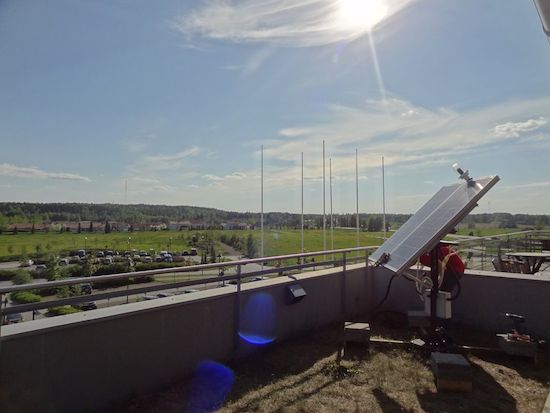
As part of a school project, Bruce Helsen built a dual-axis tracker for optimizing solar panel use during his time as exchange student in Finland. Although adding a tracking system to a larger installation isn’t really a cost-effective option, it can certainly come in handy for smaller units.

Helsen’s dual-axis tracker works by making sure that the two 12V 150W solar panels stay aligned with the sun for as long as possible, measuring the panels’ voltage and current then calculating the generated power and energy, and sending that data from the monitor to ThingSpeak. There’s also an LCD to display the readings.
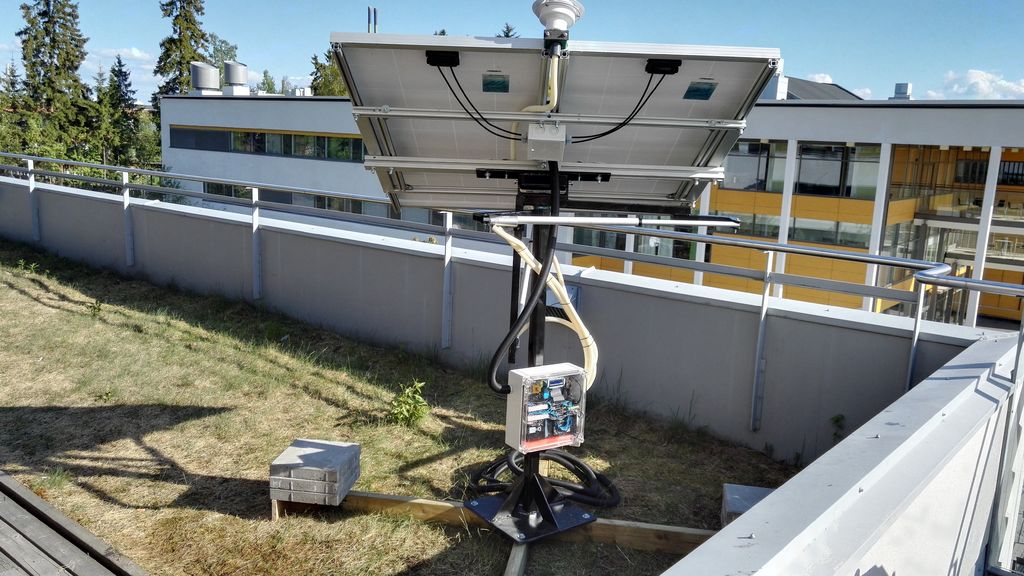
The panel’s two axes are controlled by a pair of inexpensive linear actuators. It uses an Arduino Mega for a brain, and an ESP8266 for transmitting the data over to the cloud. Light direction is detected by a homemade light sensor housed inside an industrial lamp enclosure. A 3D-printed crossbeam separates the sensor into four quadrants, with a light-dependent resistor for each. By comparing the average LDR values, the panel is able to point in the best direction.

Looking to monitor your solar energy? Check out Helsen’s project page here.

Interactive sidewalks plays music to your shadows

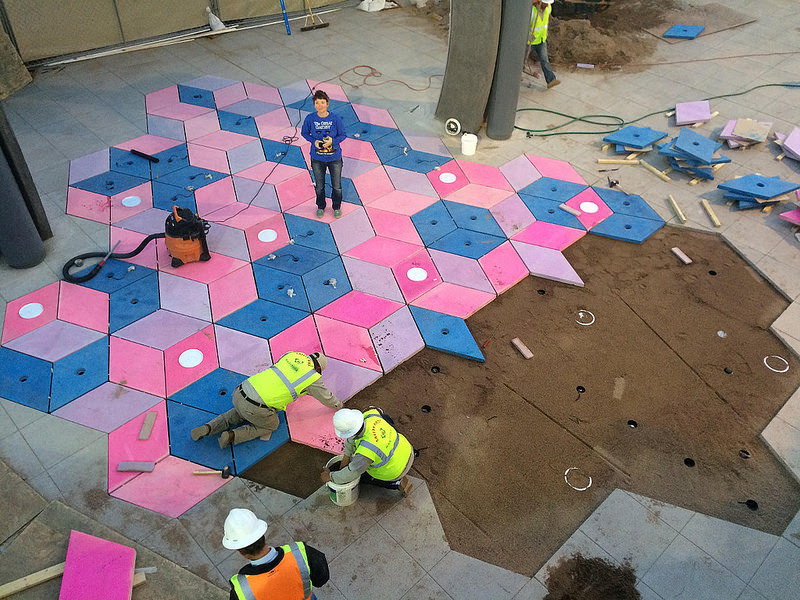
Designed by Montreal studio Daily tous les jours, Mesa Musical Shadows is a public installation which turns several blocks of pavement in Arizona’s Mesa Arts Center into a super-sized dance pad that reacts to your moving shadow with the sounds of singing.

Shadows cast on different tiles trigger different voices, all while singing in harmony. Length of shadow is dependent upon the season, the time of day and the weather; meaning, a visitor may never quite cast the same shadow twice. The sounds themselves also change with the angle of the sun, which makes interacting with the installation a dynamic experience in the morning, midday, evening, and in the middle of the night. As the day turns into night, the tracks shift from upbeat, Pitch Perfect-like acapella to creepier, ominous tones.

Though all the audio originates with recordings of the human voice, a large variety of sounds and moods are created throughout the day. The sounds triggered in the morning are peaceful and ethereal: sustained choral tones that follow your long shadow, singing you into your day. Later, when the sun is hot overhead, and shadows are shorter; the sounds are chopped and frenetic, creating a rhythmic, energetic soundtrack. As the shadows become long again toward sunset, clusters of complementary, interlocking melodies are triggered. Finally, after dark, the sounds harken toward the natural landscape: Insect or bird-like vocal sounds evoking a nocturnal meadow are triggered by users navigating their way through the night.

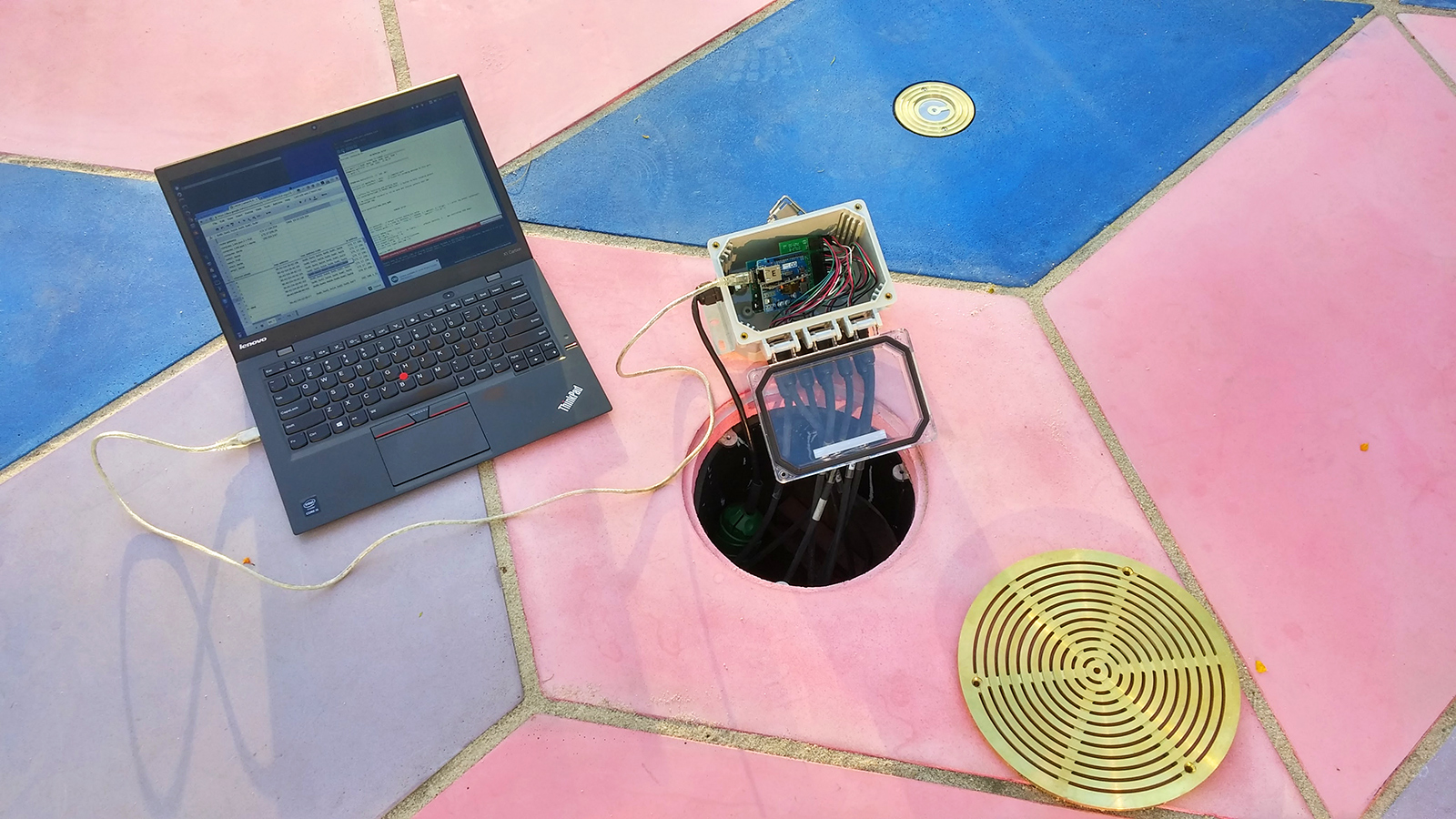
The system itself consists of sensors that respond to changes in light, which prompt a range of melodic or percussive sounds emitted through speakers embedded in the colorful fabricated tiles. As Creative Applications details, Mesa Musical Shadows is controlled by a MaxMSP patch linking Arduino Mega boards via OSC.

The installation’s 47 sensors are run through six control nodes, comprised of an Arduino Mega, Ethernet shields, and custom connector shields – each of which is protected in a waterproof enclosure, placed underneath the tiling. Each sensor unit has a custom PCB with a light sensor on top and an LED on its bottom, for nighttime illumination and the more sensitive gear (computers, amplifiers, etc.) is all installed in the museum.

If this musical public display seems a bit familiar, that’s because you may recall Daily Tous Les Jours’ earlier project, 21 Swings, which used playground swings to form a giant collective instrument. Read more about the singing sidewalk here, and see it in action below!

Building a water collection vessel with an Arduino Mega

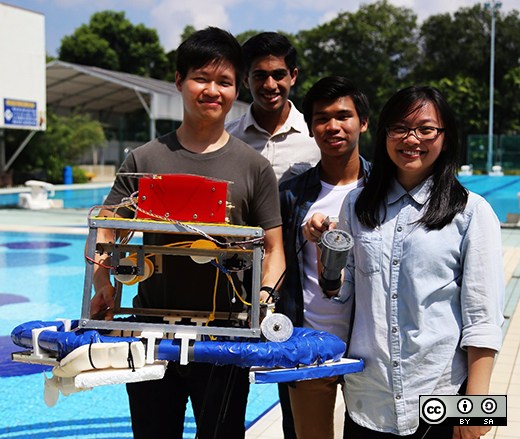
As part of an electrical and electronic engineering course at Singapore Polytechnic, a group of students were challenged to build an aquatic vehicle that could collect samples from one and two meters underwater. After three months of hard work, the Imp Bot was brought to life!

Imp Bot is controlled by a mobile application made using the MIT App Inventor. Communication is achieved via a Bluetooth module hooked up to an Arduino Mega, while an onboard GPS sensor is used to log sampling locations in the app. Power is provided by a LiPo battery, which supplies high current to the two DC motors responsible for moving the 11-pound vessel around.

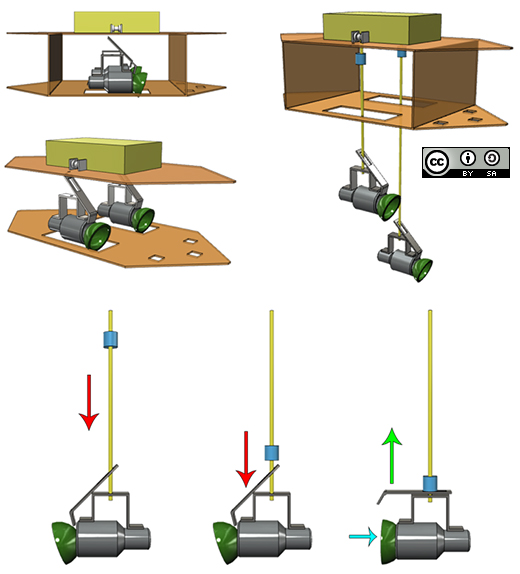
The sampler is actually a simplified Van Dorn Water Sampler, an ingenious method of water collection based upon elasticity and a quick-release mechanism. The main body of the vessel was initially made using laser-cut acrylic pieces assembled with PVC pipes, but the structure was too weak so they decided to use aluminium L-brackets instead.

Want to learn more? Check out the team’s video below, as well as read the story on one of the student’s blogs here. The code is also available on GitHub.

Autonomous machine makes music with 7 lasers and 42 fans

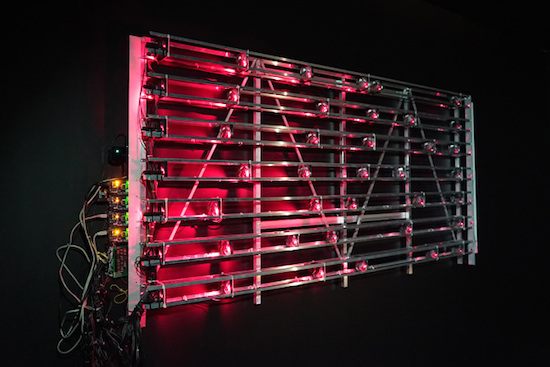
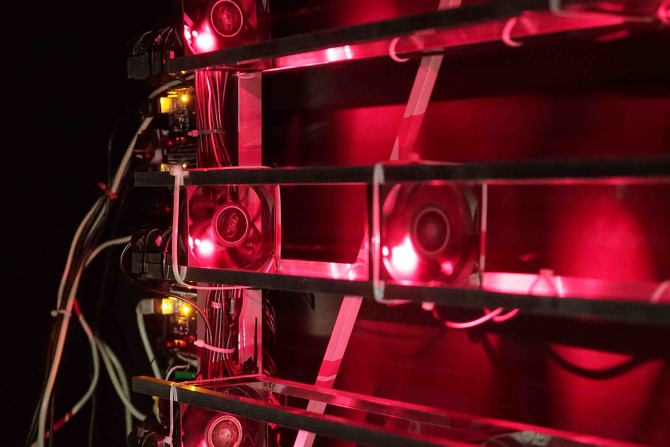
Russian artist ::vtol:: is no stranger to the Arduino blog. His latest project–which was designed for the Polytechnic Museum Moscow and Ars Electronica Linz–is an autonomous light-music installation called “Divider.” The wall-mounted soundscape consists of seven lasers that horizontally send rays through 42 fans, which act as modulators to turn the light signals into rhythmic impulses. Seven photo sensors on the end monitor the presence or absence of light, while four Arduino Mega boards control the system.

The lasers serve a “independent binary variables” which become the basis for all sound composition. Since the fans can each spin at variable speeds, this allows for a constant shift of modulation phases and a wide range of noises.

According to ::vtol::, the Divider is inspired by Léon Theremin’s Rhythmicon, the world’s first rhythm machine. The 1931 device also used rotating discs to interrupt light rays and optical sensors to pick up light and produce rhythms.

Sound interesting? Wait until you see it perform below! You can also check it out here.

Arduino Blog 27 Jun 23:25

Build an LED game system with Arduino and a picture frame

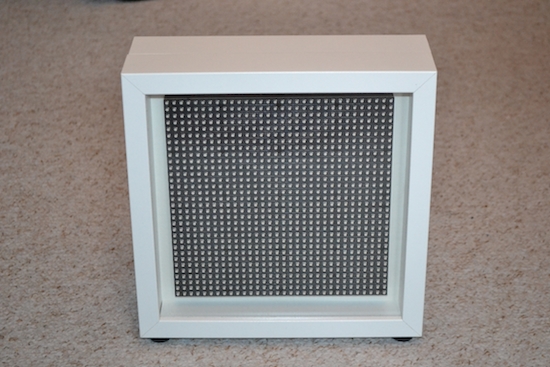
The LEDmePlay is an open-source DIY gaming console powered by an Arduino Mega. Games are displayed on a 32 x 32 RGB LED matrix housed inside an IKEA picture frame, and played using any C64-compatible joystick from the ‘80s. LEDmePlay supports several games, each of which are downloadable for free online, and Makers are encouraged to develop their own as well.

Its creator Mithotronic has also built a handheld variant for on-the-go fun, LEDmePlayBoy. This device is based on the same Arduino Mega, powered by eight AA batteries, and uses an analog thumb joystick and two fire buttons for control.

Interested? You can check out the LEDmePlay’s construction manual, and find all of the games’ source codes here.

Make masterpieces with a homemade CNC painting machine

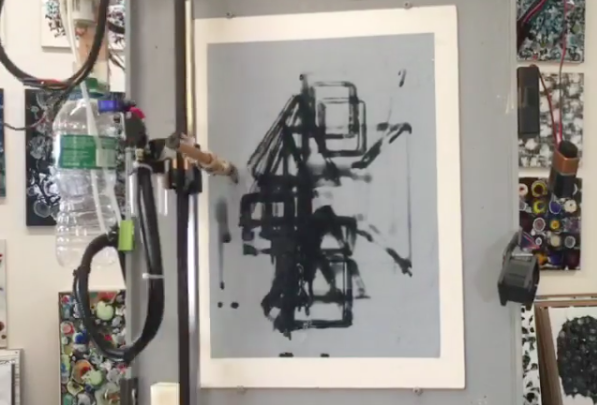
Longtime artist Jeff Leonard has built a pair of Arduino-driven CNC painting machines with the motivation to grow his toolbox and expand the kinds of marks he could make simply by hand. By pairing the formal elements of painting with modern-day computing, the Brooklyn-based Maker now has the ability to create things that otherwise would’ve never been possible.

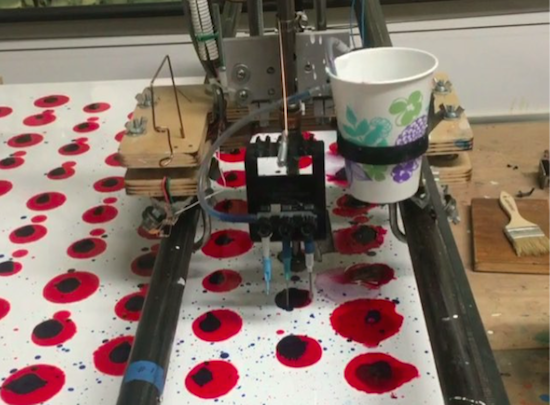
Machine #1 consists of a 5’ x 7’ table and is capable of producing pieces of art up to 4’ x 5’ in size. The device features a variety of tools, including a Beugler pinstriping paint wheel, a brush with a peristaltic pump syringe feed, an airbrush with a five-color paint feed system and five peristaltic pumps from Adafruit, a squeegee, and pencils, pens, markers and other utensils.

In terms of hardware, it’s equipped with three NEMA 23 stepper motors, three Big Easy Drivers, as well as an Arduino Mega and an Uno. There are two servos and five peristaltic pumps on the carriage–the first servo raises and lowers the tool, while the second presses the trigger on the airbrush. An Adafruit motor shield on the Uno controls the pumps, and the AccelStepper library is used for the Big Easy Drivers.

According to Leonard:

I am coding directly into the Arduino. There are many different codes that I call and overlap and use as a painter overlaps techniques and ideas. There is a lot of random built into the code, I don’t know what the end result will be when I start. Typically on any kind of CNC machining the end result has been made in the computer and the machine executes the instructions. I am building a kind of visual synthesizer that I can control in real-time. There are many buttons and potentiometers that I am controlling while the routines are running. I take any marks or accidents that happen and learn how to incorporate them into a painting.

I am learning Processing now and how to incorporate it into the image making.

Machine #2, however, is a bit different. This one is actually a standup XY unit that was made as a concept project. It paints using water on magic paper that becomes black when wet and disappears as it dries, used mainly as a way to practice calligraphy or Chinese brush painting. Not only does it look great, there’s no clean up either!

In terms of tools, the machine has a brush and an airbrush. Two NEMA 17 stepper motors are tasked with the XY motion. There are also three servos–one servo lifts and lowers the armature away from the paper since there is no Z-axis, another controls the angle of the brush, and the third presses the trigger of the airbrush. A peristaltic pump helps to refill the water cup, along with a small fan. The system is powered by an Arduino Uno with an Adafruit Motor Shield using the Adafruit Motor Shield Library v2.

As awesome as it all sounds, you really have to see these gadgets in action and their finished works (many of which can be found on Instagram).

Build your own life-size, multipurpose robot with Arduino

If you’ve always wanted a bot for a friend, personal assistant or butler, you’re in luck. John Choi, a Carnegie Mellon University computer science and arts student, has managed to build his own life-size robotics platform for about $2,000. Sure, a price tag like that may not seem “cheap” but in comparison to other research-grade platforms out there, it’s a bargain.

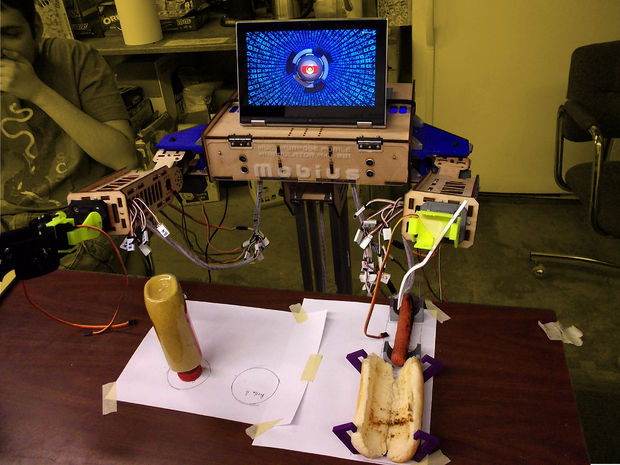
Ideal for Makers, students, educators, artists and researchers alike, the Multipurpose Mobile Manipulator Mk 1 is capable of playing the piano, drawing pictures, preparing meals, watering plants, and engaging in toy sword duels, among many other things.

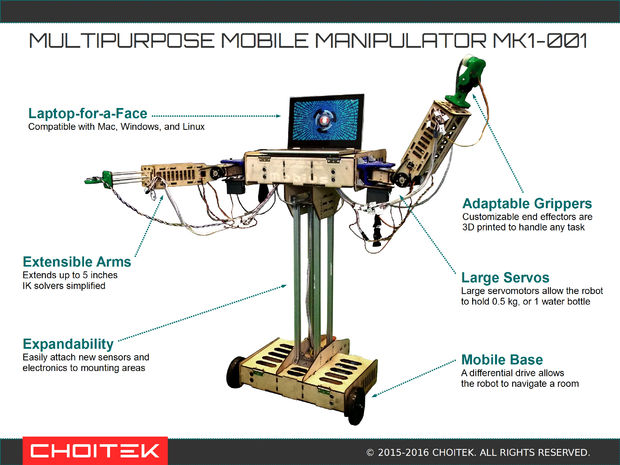
The Multipurpose Mobile Manipulator is divided into three major parts: the base, the arms, and the chest. The base contains motors for mobility and batteries to power the robot, enabling it to navigate around. The arms contain adaptable grippers, shoulder and elbow joints, and an extensible limb for grabbing and moving things with its environment. Meanwhile, the chest connects all of these together with control electronics and serves as a platform for an intelligent laptop-for-a-face. An Arduino Mega at its heart makes interfacing with sensors and actuators super easy, while the robot’s functionality can also be expanded by simply attaching new electronics and sensors to its mounting areas.

The open-source platform is compatible with Windows, Mac and Linux, and supports Python 2.7 and Arduino libraries. According to Choi, libraries for Unity, Processing, ROS, MATLAB, C++, and Scratch are also in the works.

Those interested in building their own should check out Choi’s incredibly-detailed 80-step tutorial, and watch the robot take on some tasks below. Prepare to be amazed!


Hacked typewriter prints selfies as ASCII art

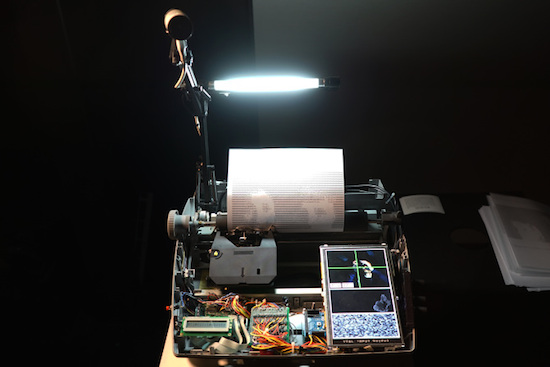
Last year, Moscow-based artist Dmitry Morozov — known by many as ::vtol:: — came up with a far less modern way of taking selfies. The Maker modified an old Brother SX-4000 typewriter to create portraits in the form of ASCII art.

The machine, called “i/o,” is controlled by an Arduino Mega and works by capturing an image using an iSight camera (with the help of a lamp for proper lighting), converting it into ASCII art using Pure Data and MAX/MSP, and then gradually printing it onto a piece of paper — one alphanumeric character at a time.

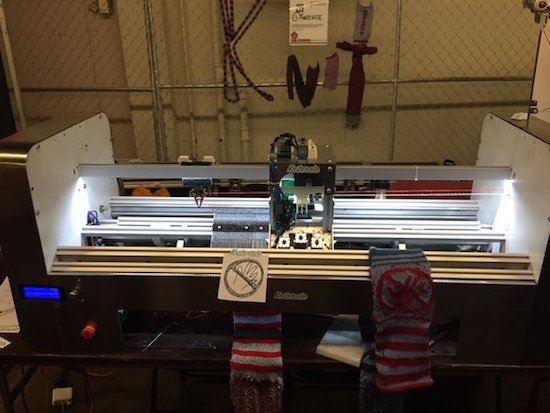
Kniterate is a 3D printer for clothes

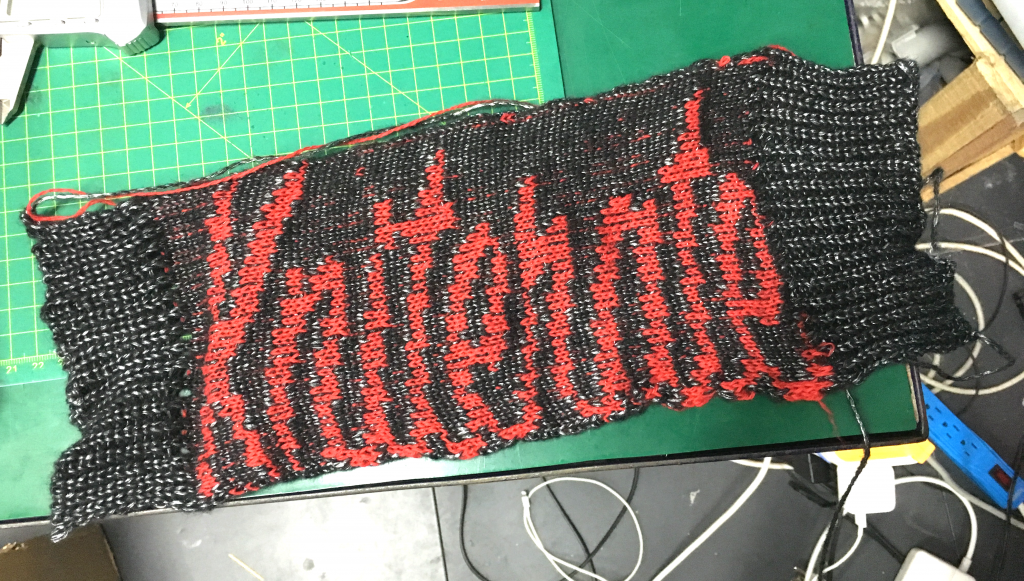
Why head to the store when you could simply create your outfits right at home with the touch of a button? That’s the idea behind London-based startup Kniterate, who has developed what they’re calling “the 3D printer for knitwear.”

The system features Photoshop-like software that enables Makers to easily design patterns using various templates, which are then imported over to the Arduino Mega-driven machine to knit socks, scarves, sweaters, ties, beanies, and other garments. According to the team, they are in the process of developing an online platform that’ll allow you to sketch and share your wardrobe with an entire community.

Kniterate, which was recently introduced at HAX’s demo day, is an evolution of founder Gerard Rubio’s Arduino-controlled OpenKnit project. His vision is to one day democratize textile manufacturing, and will take the next step in that journey when he launches the new age machine on Kickstarter in September. Until then, head over to its website here or watch Tested’s Maker Faire video below!


FarmBot is an open-source CNC farming machine

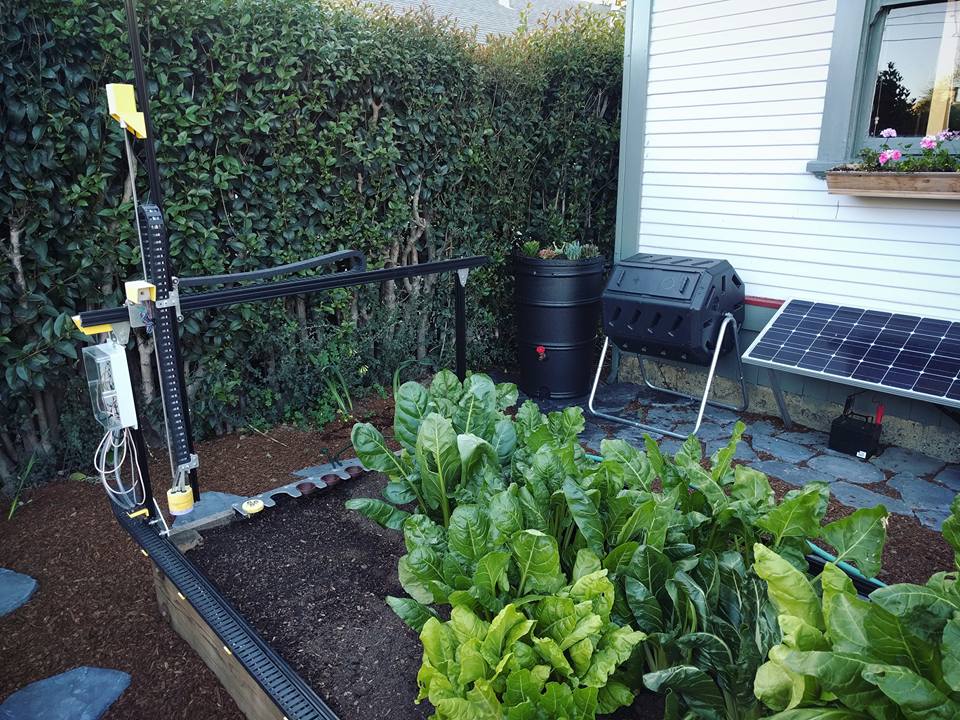
With hopes of reinventing the way food is grown, Rory Aronson has developed humanity’s first open-source CNC farming machine. The FarmBot Genesis — which will begin taking pre-orders in July — is capable of planting seeds and then watering them precisely.

Designed with the Maker community in mind, FarmBot is driven by an Arduino Mega 2560, a RAMPS 1.4 shield, NEMA 17 stepper motors, and a Raspberry Pi 3. What’s more, all of its plastic components can easily be 3D printed, while its flat connecting plates can be made with either a waterjet, plasma or laser cutter, a CNC mill, or even a hacksaw and drill press.

The three-axis machine employs linear guides in the X, Y, and Z directions, which allows for tooling such as seed injectors, watering nozzles, sensors, and weed removal equipment to be accurately positioned. Impressively, FarmBot can cultivate a variety of crops in the same area simulatenously. 

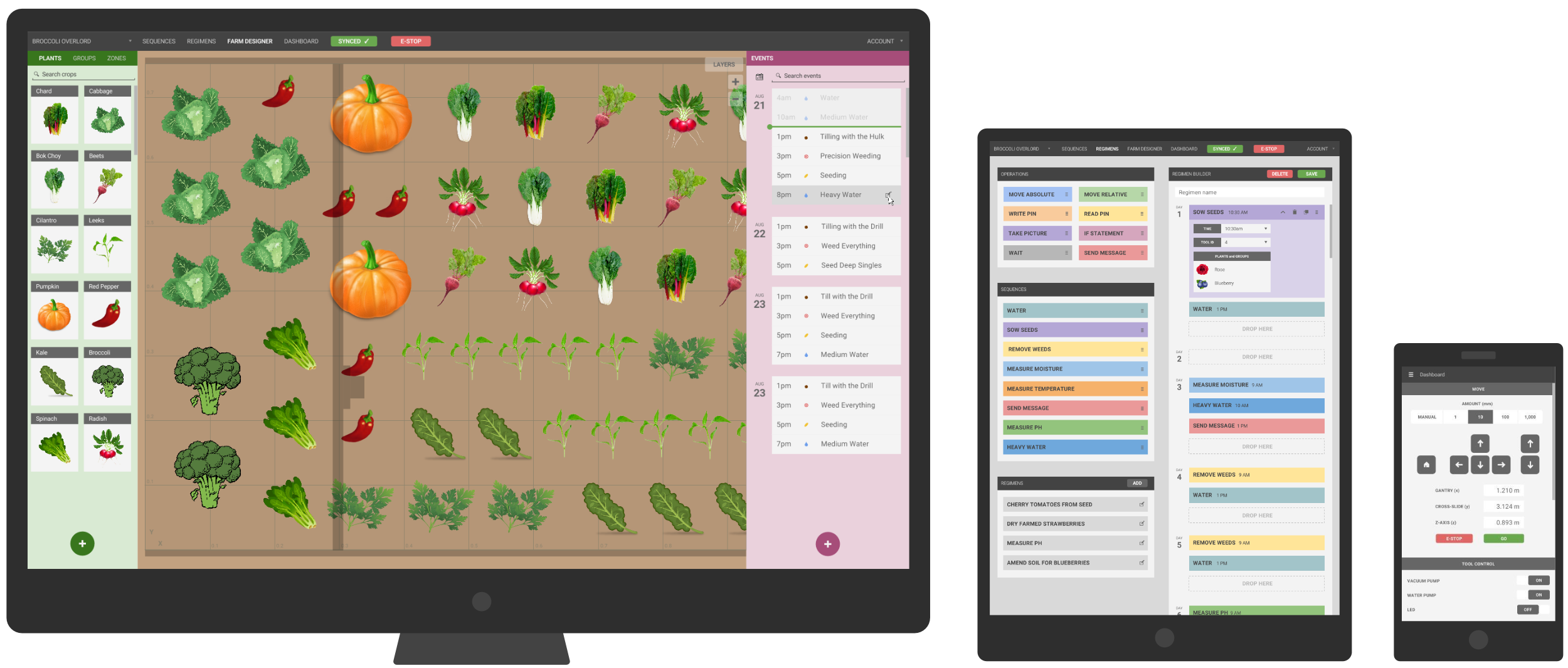
FarmBot is controlled via mobile device or laptop, while its web-based interface makes customizing your garden as simple as playing FarmVille. You can also build and schedule sequences by dragging and dropping basic operations, adjust the parameters to your liking, and save. Meanwhile, a decision support system adjusts water, fertilizer and pesticide regimens, seed spacing, timing, and other factors based on soil and weather conditions, sensor readings, location, and time of year. And of course, FarmBot can be manually operated in real-time as well.

Aronson’s vision is to make precision agriculture open and accessible to everyone. Each FarmBot Genesis can be modified and augmented to suit anyone’s unique growing style and needs. For instance, you can power your machine with renewable energy from a small off-the-grid solar panel, or install a barrel to store and use rainwater.