Posts with «arduino» label

Big And Glowy Tetris Via Arduino

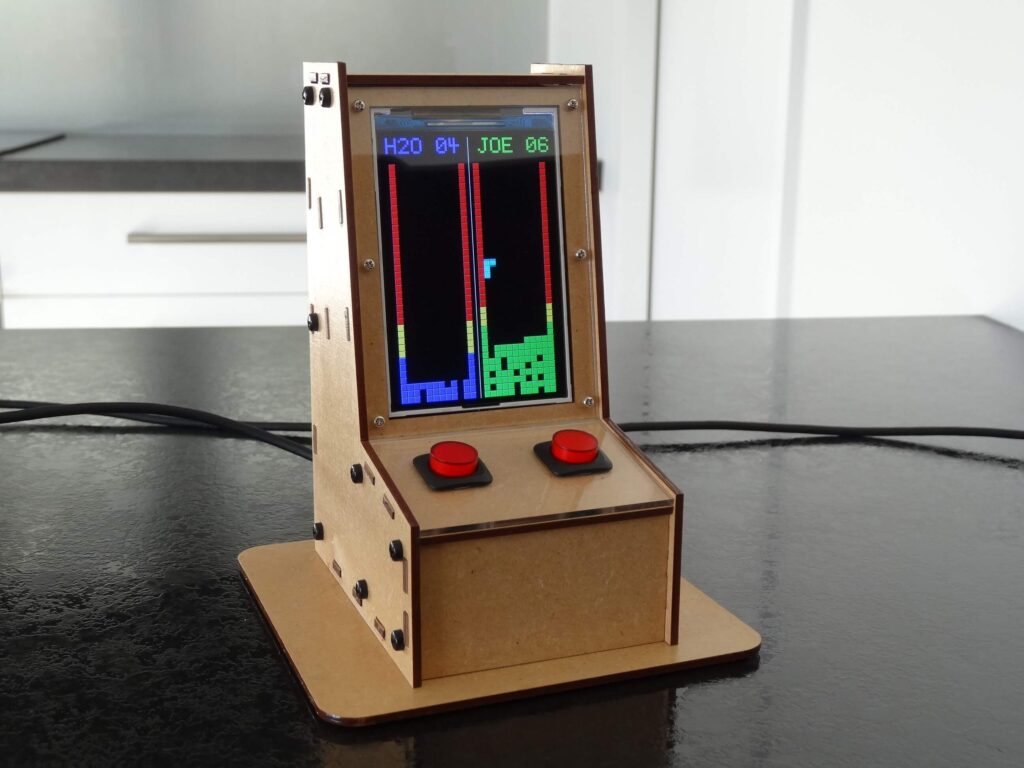
Tetris was a breakout hit when it was released for the Nintendo Game Boy in 1989, in much the same way that Breakout was a breakout hit in arcades in 1976. Despite this, gamers of today expect a little more than a tiny monochrome LCD with severe motion blur problems. Enter the LED Tetris build from [Electronoobs].

The build relies on a hacker favourite, the WS2812B LED string. The LEDs are set up in a 8×16 matrix to create the familiar Tetris playfield. Buttons and a joystick are then installed on the front panel to allow the player to control the action. An Arduino Mega runs the show, with a DFPlayer used to play the famous theme music as the cherry on top.

It’s a fun build that would be an awesome addition to any hacker’s coffee table. Big glowing LEDs make everything better, after all – this ping-pong ball display is a great example of the form. Video after the break.

Hack a Day 06 Sep 16:30

Automate your hydroponic garden with HydroBot

Hydroponics seems like a great way to get fresh vegetables at a cheap price, but as Scott Paterson and Max Knight found out, doing this type of gardening well can take a lot of work. To help take the guesswork and hassle out of the process, the duo has created HydroBot — an automated garden minder that uses an Arduino Leonardo along with a Raspberry Pi Zero for control.

HydroBot allows you to remotely monitor your setup, and automate tasks using wireless switching for lights and fans, as well as two pumps built into the apparatus’ housing to add nutrients to your grow-water. 

The device is currently available on Kickstarter, and is also open source project, so you’ll be able to fix any bugs or even modify its behavior as needed!

Designing a modular and ambidextrous four-fingered robot hand

Gray Eldritch (AKA The Technomanc3r) has been working on a robotic hand for some time now, and has settled (so far) on a design with three independent servo-actuated fingers and a thumb. He’s also implemented a wrist assembly to rotate it back and forth, with an Arduino Uno hidden inside for an entirely self-contained gripper unit.

Each of the three fingers is controlled by a single MG996R servo, as is the wrist, while the thumb adds a second SG90 servo to allow it to move on two axes. The fingers are modular, so they can be swapped out as needed, and you even change the thumb position for ambidextrous operation. 

It remains to be seen what Eldritch plans to do with the gripper, but it looks brilliant by itself in the video below.

Arduino Blog 04 Sep 15:42

An Arduino Pro Micro With USB-C

USB-C versus USB Micro connectors are turning into one of the holy wars of our time. Rather than be left on the wrong side of the divide [Stefan S] has come up with his own USB-C version of of an Arduino Pro Micro to avoid having to always find a different cable.

Home made Arduinos come in all shapes and sizes from the conventional to the adventurous, and from the pictures it seems that this one is firmly in the former camp. The USB-C is present in connector form alone as the device is only capable of talking at the much slower speed of the ATMEGA32U4 processor, but having the newer connector should at least make cabling more accessible.

This is one of the most practical Arduino clones we’ve ever seen, but one of our other favourites is also a bit impractical.

A Pocket QWERTY For Arduino And More

If you want to add a keypad to your Arduino project, the options are pretty limited. There’s that red and blue 4×4 membrane we’ve all seen in password-protected door lock projects, and the phone layout version that does pretty much all the same tricks. Isn’t it time for a full Arduino-compatible keyboard? [ELECTRONOOBS] thinks so.

This 41-button Arduino keyboard PCB is a stepping stone to his next project, a pair of two-way texting machines. (Which is nice, because we were totally going to suggest that). It’s based on that ubiquitous red/blue keypad, but it has a full QWERTY layout. There’s also a shift button that opens up special characters and uppercase, and the addition of return, ok, and send keys puts it over the top. The best part of this keyboard, hands down, is the soft, soundless buttons. Though you trade clicky feedback for comfort, it will be well worth it after a few dozen presses.

The keypad uses an onboard ATMega328P to scan the matrix for button presses, decode them, and send them via UART or I²C to an Arduino. [ELECTRONOOBS] has the PCB files available via Patreon for now, though they will be open in the future. The code is already available for download on his website.

Future plans include an LED to indicate when shift is pressed, and adding the special characters next to the numbers on the silkscreen (whoops!). Be sure to check out the build video after the break.

Want an Arduino-driven keyboard for longer hauls across the alphabet? Saddle up and ride this candy-colored mechanical unicorn.

Hack a Day 03 Sep 21:00

Creating a physical game controller with Arduino

Steven Goodwin wrote a JavaScript game called Space Bounce where a character in a space suit has to jump from one side of a mine shaft to another, collecting roughly star-shaped objects, while avoiding spikes. It’s a simple yet rather entertaining game, and since there’s really only one type of interaction (jumping) he decided to make things a bit more interesting by adding a physical controller.

His custom device employs a pair of pressure mats on the ground to sense a player standing on one or the other, and when one’s feet leave the mat, the on-screen player jumps to the opposite wall. Players must then recover and balance on the other mat, and jump back when needed.

An Arduino senses this interaction using the standard Firmata firmware, whilee a PC running the Johnny Five library and a Node server passes commands on to the game itself via WebSockets.

Play chess using voice commands and Arduino

Consider the game of chess. It’s a game that flexes one’s “mental muscles” rather than relying on brute strength, but if you don’t have the ability to actually move the pieces, things get a bit more challenging. If you’re playing against another human opponent, he or she could move for you based on what you say, but with this chess machine by ‘diyguypt,’ the board does the job for you!

The system uses an Android-based Arduino Voice Control app to take in commands, and passes this information along to the Arduino Mega concealed under the board via an HC-05 Bluetooth module. It then controls a pair of stepper motors to move an electromagnet into place, which pull the pieces across the grid as if by magic! 

Code and build info are available in the project’s write-up, and the two videos below shed a little more light on how it works.

Voice Chess Uses Phone, Arduino, And An Electromagnet

[Diyguypt] may be an altruist to provide the means for people who can’t manipulate chess pieces to play the game. Or he may just have his hands too busy with food and drink to play. Either way, his voice command chessboard appears to work, although it has a lot of moving parts both figuratively and literally. You can check out the video below to see how it works.

The speech part is handled by an Android phone and uses Google’s voice services, so if you don’t want Google listening to your latest opening gambit, you’ll want to pass this one up. The phone uses an app that talks to the Arduino via Bluetooth, which means the Arduino needs a Bluetooth module.

The Arduino controls what amounts to an upside-down 3D printer. Instead of a hot end pointing down, the mechanism has an electromagnet pointing up. A small washer in the base of each chess piece makes it susceptible to the magnet’s motion. The electromagnet is required to let go of a piece before a move to a new position. It is possible that a small servo moving a permanent magnet closer to the board for a move and away from the board to reposition could do the same job, though we suspect that could be tricky.

We’ve seen this before, often with a Harry Potter theme. We sort of prefer a more obvious chess robot, but that’s just us.

Your Arduino SAMD21 ADC is Lying to You

One of the great things about the Arduino environment is that it covers a wide variety of hardware with a common interface. Importantly, this isn’t just about language, but also about abstracting away the gory details of the underlying silicon. The problem is, of course, that someone has to decode often cryptic datasheets to write that interface layer in the first place. In a recent blog post on omzlo.com, [Alain] explains how they found a bug in the Arduino SAMD21 analogRead() code which causes the output to be offset by between 25 mV and 57 mV. For a 12-bit ADC operating with a reference of 3.3 V, this represents a whopping error of up to 70 least-significant-bits!

Excerpt from the SAMD wiring_analog.c file in the Arduino Core repo.

While developing a shield that interfaces to 24 V systems, the development team noticed that the ADC readings on a SAMD21-based board were off by a consistent 35 mV; expanding their tests to a number of different analog pins and SAMD21 boards, they saw offsets between 25 mV and 57 mV. It seems like this offset was a known issue; Arduino actually provides code to calibrate the ADC on SAMD boards, which will “fix” the problem with software gain and offset factors, although this can reduce the range of the ADC slightly. Still, having to correct for this level of error on a microcontroller ADC in 2019 — or even 2015 when the code was written — seems really wrong.

After writing their own ADC read routine that produced errors of only between 1 mV and 5 mV (1 to 6 LSB), the team turned their attention to the Arduino code. That code disables the ADC between measurements, and when it is re-enabled for each measurement, the first result needs to be discarded. It turns out that the Arduino code doesn’t wait for the first, garbage, result to finish before starting the next one. That is enough to cause the observed offset issue.

It seems odd to us that such a bug would go unnoticed for so long, but we’ve all seen stranger things happen. There are instructions on the blog page on how to quickly test this bug. We didn’t have a SAMD21-based Arduino available for testing before press time, but if you’ve got one handy and can replicate these experiments to verify the results, definitely let us know in the comments section below.

If you don’t have an Arduino board with a SAMD21 uC, you can find out more about them here.

Hack a Day 30 Aug 16:01

Arduino on mBed

Sometimes it seems like Arduino is everywhere. However, with a new glut of IoT processors, it must be quite a task to keep the Arduino core on all of them. Writing on the Arduino blog, [Martino Facchin], Arduino’s chief of firmware development, talks about the problem they faced supporting two new boards from Nordic.

The boards, the Nano 33 BLE and Nano 33 BLE Sense are based on an ARM Cortex M4 CPU from Nordic. The obvious answer, of course, is to port the Arduino core over from scratch. However, the team didn’t want to spend the time for just a couple of boards. They considered using the Nordic libraries to interact with the hardware, but since that is closed source, it didn’t really fit with Arduino’s sensitivities. However, in the end, they took a third approach which could be a very interesting development: they ported the Arduino core to the Mbed OS. There’s even an example of loading a sketch on top of Mbed available from [Jan Jongboom].

On the one hand, this has two big advantages: in theory, Arduino can now run on anything that supports Mbed, which is quite a lot. Second, even though the system retains the simplicity of Arduino, the entire Mbed system is available to Arduino developers and vice versa.

On the other hand, you could argue that if you have Mbed, you don’t really need Arduino. While much is made about Arduino’s simplicity, it is really a C++ program with two predefined functions and an IDE that builds your code without as much explicit help as you’d expect. However, the wide variety of code that supports Arduino should be of interest since you could just use it from either an Arduino or Mbed program without much effort.

This might make some of our favorite Mbed labs projects more popular. If you want to see our take on an Mbed project, you can turn it into a signal generator.

Thanks [halherta] for the tip.

Hack a Day 30 Aug 12:00
arduino  arduino hacks  arm  mbed  news  nordic