Posts with «arduino» label

Building a pool-playing robot prototype with Arduino

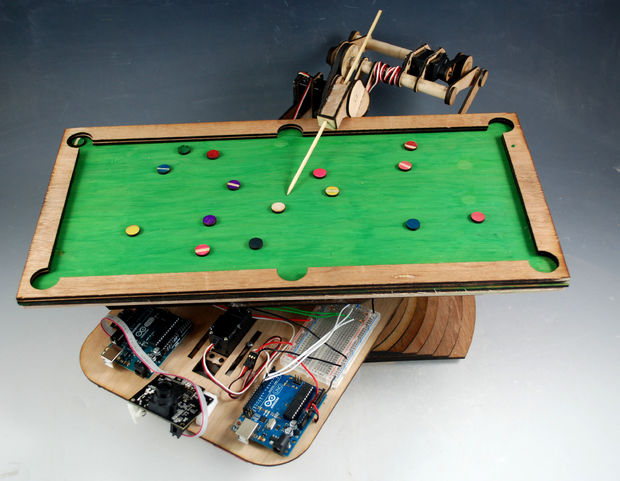
Building robots can be (relatively) easy if you’d like something to wander around your room and avoid obstacles, but for complicated control tasks, like shooting pool, things need more development. Engineer “Bvarv” has been working on just such a robot, which currently exists as a one-sixth scale model.

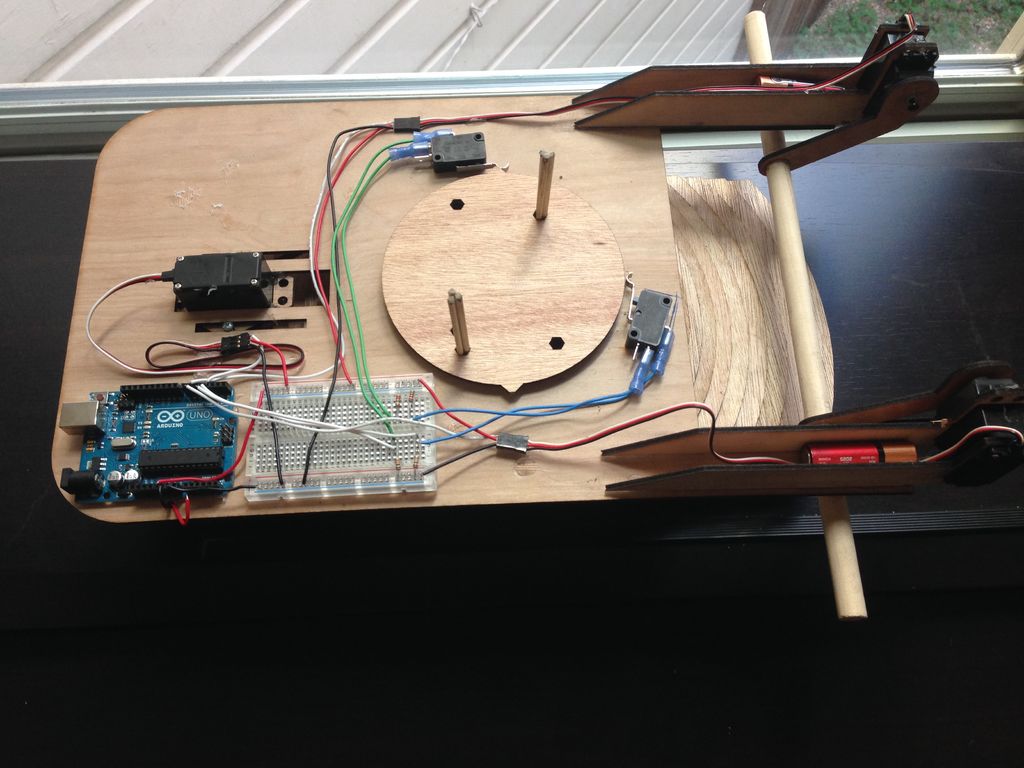
Though it’s not currently capable of playing the game, the device uses some interesting tricks, including a frame supported by a pattern of increasing-diameter pieces of wood, a custom bearing made out of slingshot ammunition, and limit switches to control the billiard bot’s orientation.

For this project, Bvarv employed a pair of Arduino Unos and a PixyCam vision system, along with some servos, belts, and gears. While we may still be a few years away from a full-scale robotic opponent, you can check out the entire build over on Instructables and follow along with his progress in the videos below.

Puzzle-locked geocache provides an extra challenge

Using an Arduino Uno and a servo motor, hacker “Cliptwings” came up with a surprise for treasure hunters!

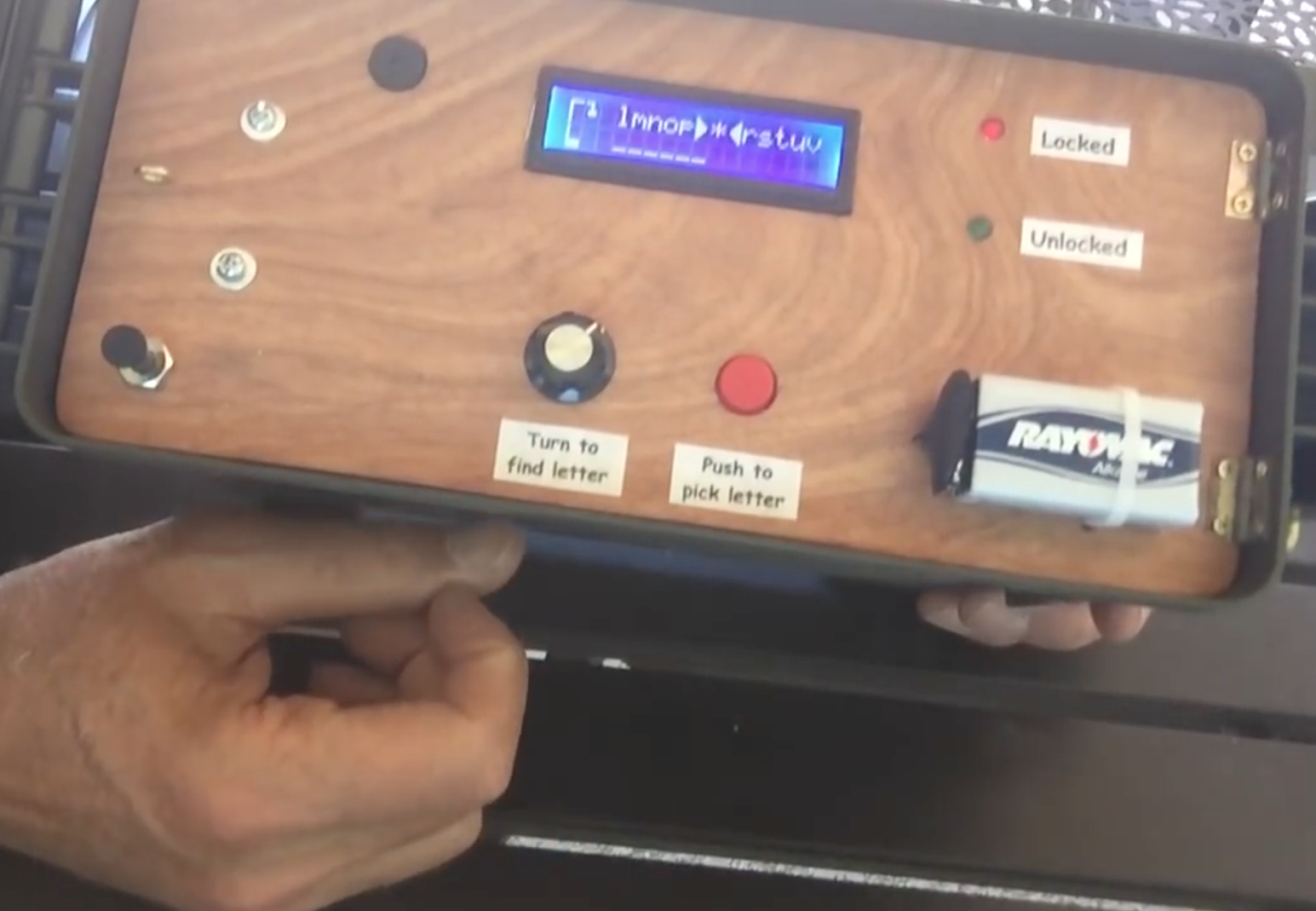
Geocaching is a game where amateur adventurers find caches in different locations using a GPS receiver. Though this can be a fun way to get outside, once you find the storage box, the challenge is pretty much over. Cliptwings decided to take things in a different direction, and made his cache—which importantly contains a battery on the outside—lock until the retrieving party solves a hangman game.

Once this Arduino-based puzzle is solved, the gadget unlocks with a small servo, revealing the contents inside, most likely a logbook!

The number of this geocache is GC72AFD. The object of the cache is to play and win a game of hangman in order to open the container. An Arduino is used to store five random words. The player uses a knob to turn to a letter, then presses a button to see if it is contained in the word. When the player gets all the words correct, the box opens. If too many wrong words are guessed, access is denied and the box remains locked.

You can find more info on this device in the video below, or check out Dan Wagoner’s hangmanduino code, a modified version of which powers this box!

Anatomically Correct Plotter Avoids Back Scratch Fever

Everybody needs somebody sometimes, even if it’s just for when your back itches. But directing your itchy interlocutor to the correct spot can be a spatial relations challenge: “Right in the middle… no, down a bit… left… no, the other left! Harder! Wait, not that hard!” Why bother with all that messy interpersonal communication and human contact when you can build an automated, precision-guided back scratcher?

[VijeMiller] has aluminum extrusion tastes on a cardboard budget, but don’t let that put you off this clever build. The idea is pretty simple: a two-axis plotter that moves a rotary-action business end to any point within a V-shaped work envelope. The Arduino in the base talks to a smartphone app that lets you point to exactly the spot in need of attention on what for most of us would be an incredibly optimistic photorealistic map of the dorsal aspect of the body (mildly NSFW photo in the link above dips below the posterior border). Point, click, sweet relief.

The video below shows the rig in action, along with the Thespian skills we’ve come to know and love from [VijeMiller] with such classics as the fake floating 19th green, the no-idling-while-texting alert, and the more recent ker-sploosh fighting foam filled toilet. It does seem like he changed his name from [TVMiller] somewhere along the line, but he can’t throw us off the trail that easily.


Filed under: misc hacks
Hack a Day 08 May 03:00

This Week in Making: A Robotic Painter, Unboxing Our Latest Issue, and More

Make: did a live unboxing of Make: magazine Volume 57. Also, just a weekly reminder to buy a Mother's Day gift and your Maker Faire tickets.

Read more on MAKE

The post This Week in Making: A Robotic Painter, Unboxing Our Latest Issue, and More appeared first on Make: DIY Projects and Ideas for Makers.

Remotely Controlling a Not-So-Miniature Hot Air Balloon

Calling [Matt Barr]’s remote controlled hot air balloon a miniature is a bit misleading. Sure, it’s small compared with the balloons that ply cold morning skies with paying passengers and a bottle of champagne for the landing. Having been in on a few of those landings, we can attest to the size of the real thing. They’re impressively big when you’re up close to them.

While [Matt]’s balloon is certainly smaller, it’s not something you’d just whip together in an afternoon. Most of [Matt]’s build log concentrates mainly on the gondola and its goodies — the twin one-pound camp stove-style propane tanks, their associated plumbing, and the burner, a re-tasked propane weed torch from Harbor Freight. Remote control is minimal; just as in a full-size balloon, all the pilot can really do is turn the burner on or off. [Matt]’s approach is a high-torque RC servo to control the burner valve, which is driven by an Arduino talking to the ground over a 2.4-GHz RF link. The balloon is big enough to lift 30 pounds and appears to be at least 12 feet tall; we’d think such a craft would run afoul of some civil aviation rules, so perhaps it’s best that the test flight below was a tethered one.

Sadly, no instructions are included for making the envelope, which would be a great excuse for anyone to learn a little about sewing. And knowing how to roll your own hot air balloon might come in handy someday.


Filed under: misc hacks

IOT AI in the Cloud using Reinforcement Learning

Let's Make Robots 04 May 23:03
ai  arduino  cloud  esp8266  iot  

Fire Fighting Robot

Primary image

What does it do?

Navigate a Maze, extinguish a flame, track position

I'm currently a sophomore at Worcester Polytechnic Institute studying Robotics Engineering. The third course in the series, RBE 2002, focusing on sensors. In a group of 4 students, we built a robot that could autonomously navigate a maze, locate a flame, put it out and report its X,Y, and Z position relative to its starting position. The robot was required to use an IMU and a flame sensor provided to us. All other sensors and parts are up to the group to use to complete the challenge.

Cost to build

Embedded video

Finished project

Complete

Number

Time to build

Type

URL to more information

Weight

read more

Fire Fighting Robot

Primary image

What does it do?

Navigate a Maze, extinguish a flame, track position

I'm currently a sophomore at Worcester Polytechnic Institute studying Robotics Engineering. The third course in the series, RBE 2002, focusing on sensors. In a group of 4 students, we built a robot that could autonomously navigate a maze, locate a flame, put it out and report its X,Y, and Z position relative to its starting position. The robot was required to use an IMU and a flame sensor provided to us. All other sensors and parts are up to the group to use to complete the challenge.

Cost to build

Embedded video

Finished project

Complete

Number

Time to build

Type

URL to more information

Weight

read more

Hackaday Prize Entry: Arduino Splash Resistant Toilet Foamer

There are some universal human experiences we don’t talk about much, at least not in public. One of them you’ll have in your own house, and such is our reluctance to talk about it, we’ve surrounded it in a fog of euphemisms and slang words. Your toilet, lavatory, john, dunny, khazi, bog, or whatever you call it, is part of your everyday life.

For his Hackaday Prize entry, [VijeMiller] tackles his smallest room head-on. You see, for him, the chief horror of the experience lies with the dreaded splashback. Yes, a bit of projectile power dumping leaves the old rump a little on the damp side. So he’s tackled the problem with some maker ingenuity and installed an Arduino-controlled foam generator that injects a mixture of soap and glycerin to fill the bowl with a splash-damping load of foam. Rearward inundation avoided.

The parts list reveals that the foam is generated by a fish tank aerator, triggered by a relay which is driven by an Arduino Uno through a power transistor. A solenoid valve controls the flow, and a lot of vinyl tubing hooks it all together. There is an HC/06 Bluetooth module with an app to control the device from a phone, though while he’s posted some Arduino code there is no link to the app. There are several pictures, including a cheeky placement of a Jolly Wrencher, and a shot of what we can only surmise is a text, as foam overflows all over the bathroom. And he’s put up the video we’ve placed below the break, for a humorous demonstration of the device in action.

A toilet foamer is new to Hackaday, but we’ve had a few lavatorial projects before. This one with an Arduino saving water, for example, or an auto-flush for a bathroom-trained cat.


Filed under: The Hackaday Prize

Mission Control for Kerbal

[Niko1499] had a plan. He’d built a cool hardware controller for the game Kerbal Space Program (KSP). He got a lot of positive reaction to it and decided to form a company to produce them. As many people have found out, though, that’s easier said than done, and the planned company fell short of its goals. However, [Niko1499] has taken his controller and documented a lot about its construction, including some of the process he used to get there.

If you haven’t run into it before, KSP is sort of half simulator, half game. You take command of an alien space program and develop it, plan and execute missions, and so on. The physics simulation is quite realistic, and the game has a large following.

When we first saw the photos, we thought it was an old Heathkit trainer, and–indeed–the case is from an old Heathkit. However, the panel is laser cut, and the software is Arduino-based. [Niko1499] covers a few different methods of letting the Arduino control the game by emulating a joystick, a keyboard, or by using some software to take serial data and use it to control the game.

The project isn’t quite an exact how-to, although he does provide a bill of materials and the software. However, you’ll surely want to customize the layout to fit your case and your preferences anyway.

We are always surprised we don’t see more dedicated hardware control panels for popular software like Gimp (or Photoshop) or video editing. Faking mouse and keyboard input is pretty simple and having dedicated buttons for common functions could be pretty productive if you plan it out right.

We have, however, seen a number of controllers for KSP for quite a while. Of course, everyone has their own take on exactly what one should look like.


Filed under: Arduino Hacks