Posts with «arduino» label

Hackaday Prize Entry: Oscilloscope for the Masses

If you head down to your local electronics supply shop (the Internet), you can pick up a quality true-RMS multimeter for about $100 that will do almost everything you will ever need. It won’t be able to view waveforms, though; this is the realm of the oscilloscope. Unlike the multimeter’s realistic price point, however, a decent oscilloscope is easily many hundreds, and often thousands, of dollars. While this is prohibitively expensive for most, the next entry into the Hackaday Prize seeks to bring an inexpensive oscilloscope to the masses.

The multiScope is built by [Vítor] and is based on the STM32-O-Scope which is built around a STM32F103C8T6 microcontroller. This particular chip was chosen because of its high clock speed and impressive analog-to-digital resolution, which are two critical specifications for any oscilloscope. This particular scope has an inductance meter built-in as well, which is another feature which your otherwise-capable multimeter probably doesn’t have.

New features continue to get added to this scope by [Vítor]. Most recently he’s added features which support negative voltages and offsets. His particular scope is built inside of a model car, too, but we believe this to be an optional feature.


Filed under: The Hackaday Prize, tool hacks

Assemble a Robot Opponent for Air Hockey

Use JJ Robots' kit and your Android phone to build an air hockey partner who's always game.

Read more on MAKE

The post Assemble a Robot Opponent for Air Hockey appeared first on Make: DIY Projects and Ideas for Makers.

Oh No! It’s the Claw Again!

[Ryan Bates] apparently really likes building claw machines. We noticed his latest build with a new PCB, but then we scrolled down and found other incarnations of the machine going back to 2015.

The laser-cut claw is interesting looking and the brains are an Arduino. You can see the action in the video below and there are plenty of older videos on the project page.

Without the PCB, the machine was a mess of wires. With the PCB, a single ribbon cable connects the Arduino to the board, and the board has a layout of screw terminals. This results in a much cleaner layout than before.

You might think you wouldn’t see many homemade claw machines. However, that’s not true. We’ve seen plenty, some of them even using commercial claws. Naturally, some of them also connect to the Internet.


Filed under: Arduino Hacks

A capacitive touch Jankó keyboard

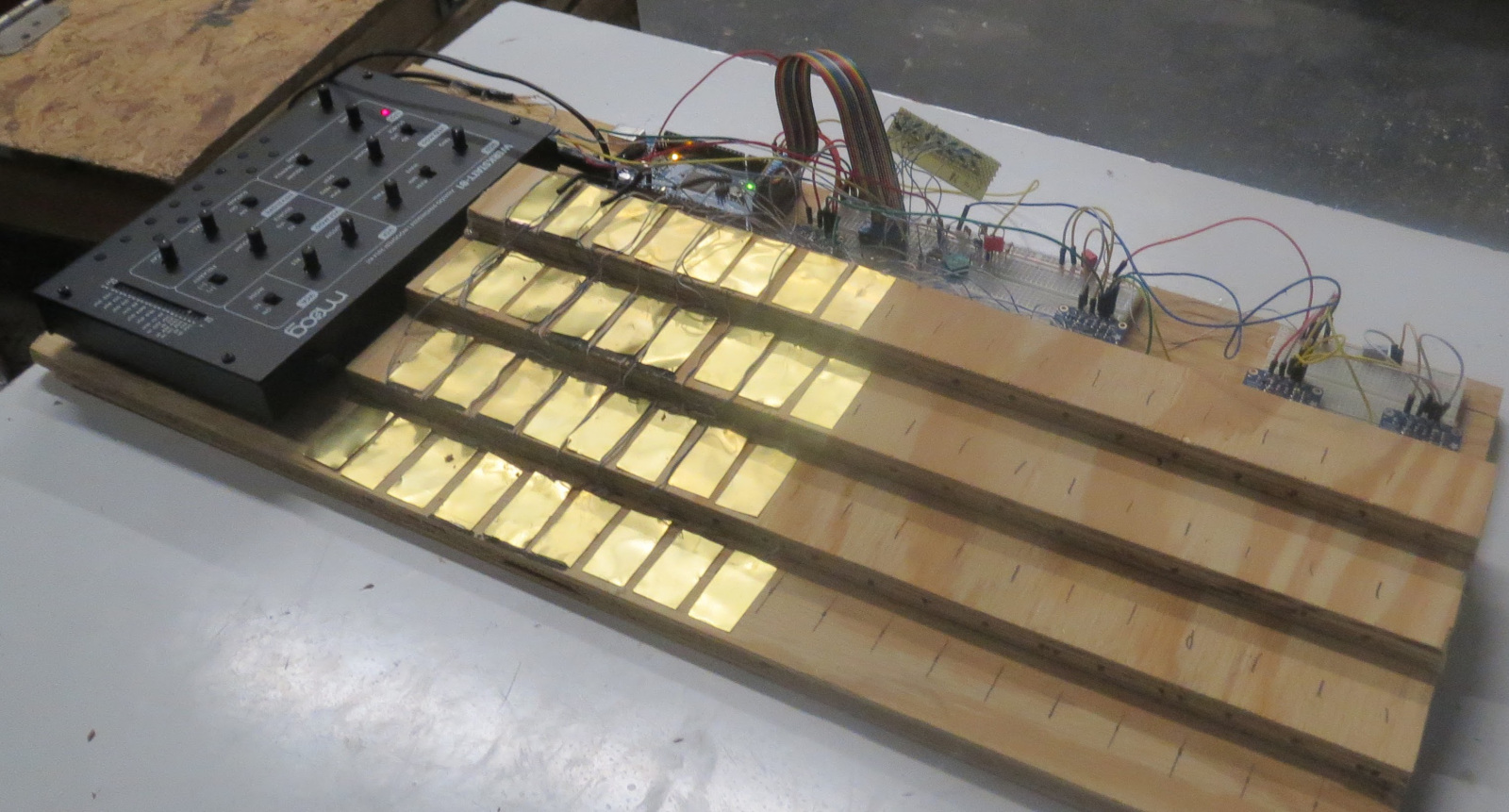
If you have even a passing familiarity with how to play a piano, you know that there are a bunch of long white keys, with a lesser number of black keys in a nearly-universal arrangement. On the other hand, like the standard and much lesser-known Dvorak keyboard for typing, there are alternatives. One such alternative is the Jankó keyboard, which Ben Bradley decided to reconstruct for the Moog Werkstatt using a capacitive touch sensor setup.

His new instrument, which as of his write-up only had 13 keys connected, was constructed for the 2017 Moog Hackathon at Georgia Tech. It uses an Arduino Mega for control along with four MPR121 capacitive touch breakout boards, and as seen in the video below, can be played quite well after only one day of practice!

You can find more details on his build, including its Arduino code, on the Freeside Atlanta website and check out its feature on Hackaday here.

(Photo: Nathan Burnham)

Experience the Internet through a modified rotary phone

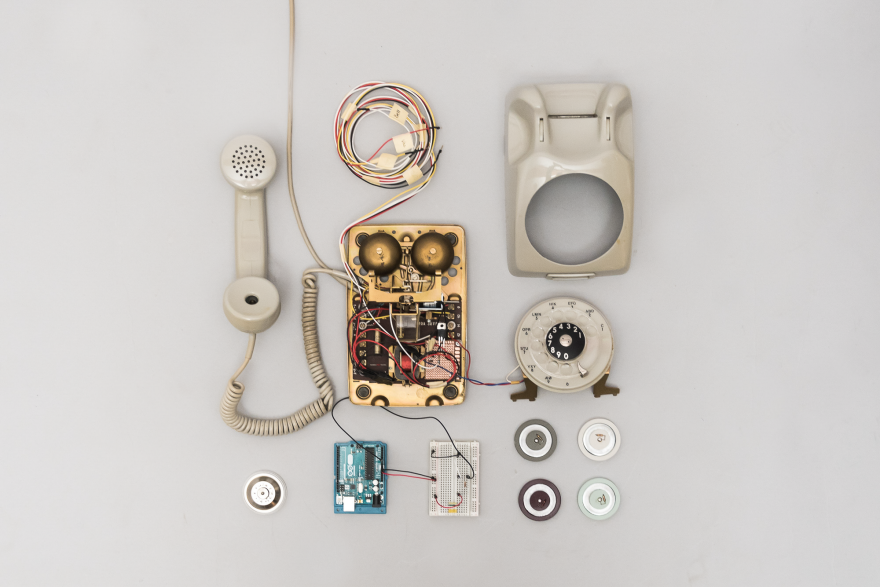
A winner in this year’s Core77 Design Awards, the “Internet Phone” allows one to access websites with the nostalgic interface of a rotary phone.

In order to “get to” a certain page, one must look up a website’s IP address in a physical phonebook Internet directory and dial the necessary digits using the rotary. It then reads the website to the user via one of four different token-selected modes, including an “incognito” setting, which reads the site in a sort of computerized whisper.

The phone uses an Arduino for control, and was developed as part of a physical computer course taught by Dario Buzzini, Ankitt Modi, and… none other than Massimo Banzi. The device was put on display at the Copenhagen Institute of Interaction Design and the Langelinie Harbor, also in Copenhagen to amused and astonished responses.

Each step in the user experience is comparable to the process that a browser takes when retrieving a website. Looking up the IP addresses in a phone book is similar to how a browser gets an IP address from DNS (Domain Name System) directories. Dialing the twelve digits and waiting for the phone to retrieve the HTML content mimic how a browser requests data from servers. The voice-to-speech reading of the website is comparable to how a browser translates HTML and CSS code into human understandable content.

You can read more about this project, which “leverages existing telephone behaviors to demystify the invisible workings of the Internet,” on Core77 here.

Hackaday Prize Entry: USB GSM GPS 9DOF SD TinyTracker Has All the Acronyms

[Paul] has put together an insanely small yet powerful tracker for monitoring all the things. The USB TinyTracker is a device that packages a 48MHz processor, 2G modem, GPS receiver, 9DOF motion sensor, barometer, microphone, and micro-SD slot for data storage. He managed to get it all to fit into a USB thumb drive enclosure, meaning that you can program it however you want in the Arduino IDE, then plug it into any USB port and let it run. This enables things like remote monitoring, asset tracking, and all kinds of spy-like activity.

One of the most unusual aspects of his project, though, is this line: “Everything came together very nicely and the height of parts and PCBs is exactly as I planned.” [Paul] had picked out an enclosure that was only supposed to fit a single PCB, but with some careful calculations, and picky component selection, he managed to fit everything onto two 2-layer boards that snap together with a connector and fit inside the enclosure.

We’ve followed [Paul’s] progress on this project with an earlier iteration of his GSM GPS Tracker, which used a Teensy and fit snugly into a handlebar, but this one is much more versatile.


Filed under: The Hackaday Prize

PropHelix is an amazing 3D POV holographic display

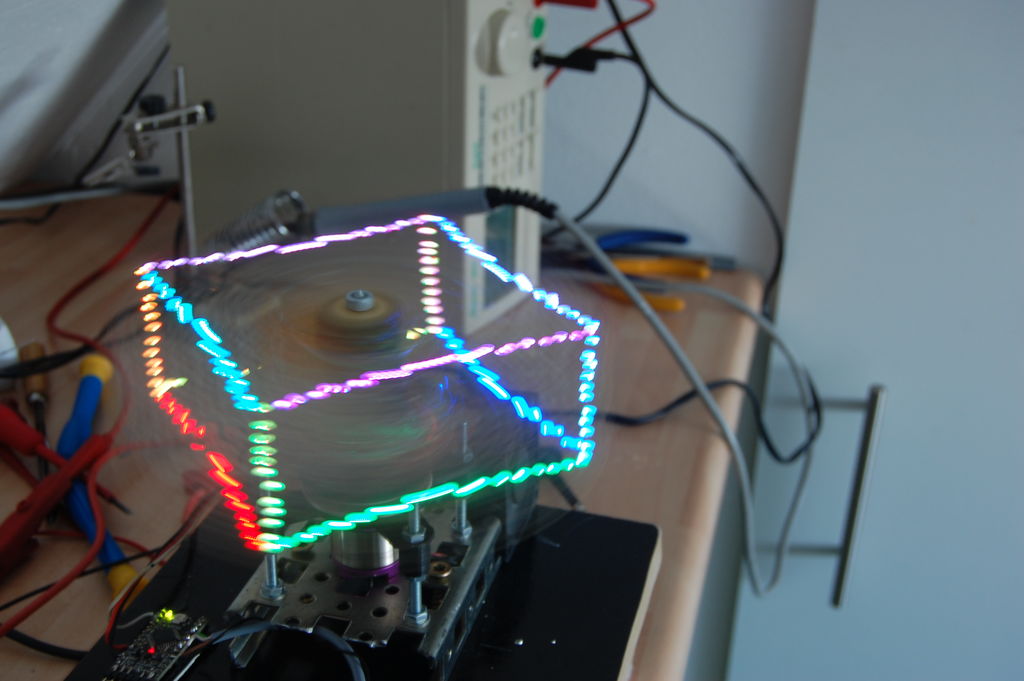
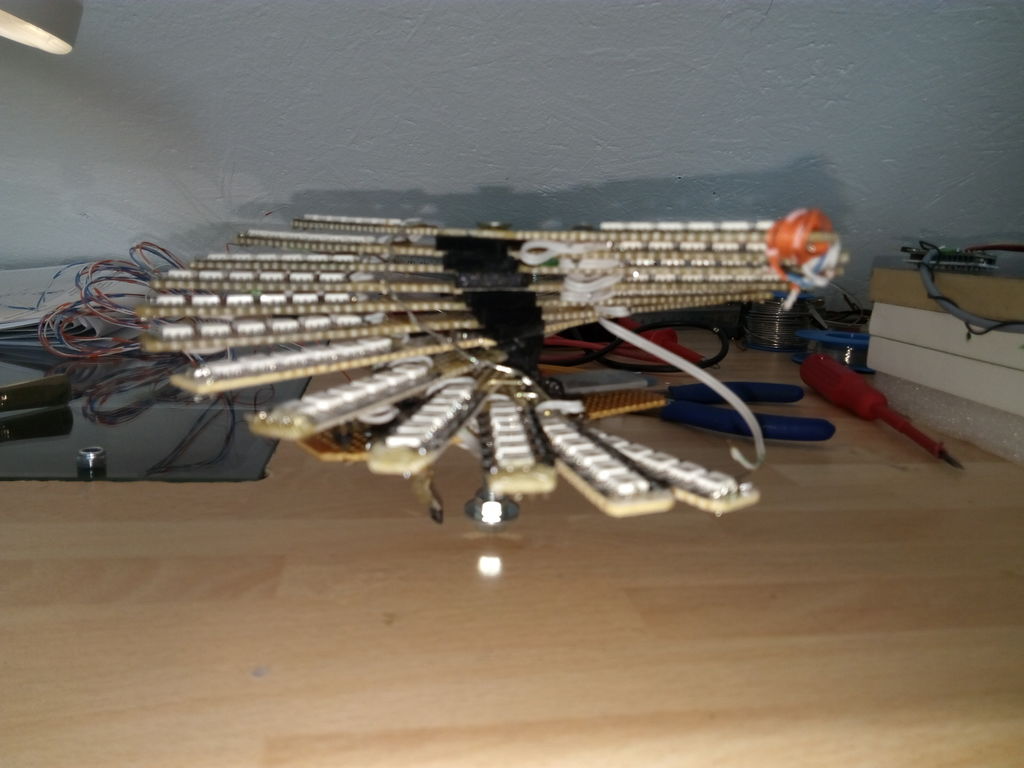
Chances are you’re likely familiar with POV displays. These devices move through the air at a high enough speed to trick your eyes into thinking that a sequence of flashing lights is actually a solid image. Though interesting enough in two dimensions, LED aficionado “Gelstronic” decided to add more depth to his display, stacking 12 LED-enabled circuit boards in a helical pattern. This meant his project, dubbed “PropHelix,” can create a light display in not two, but three dimensions.

PropHelix’s LED pattern is controlled by an also-spinning Propeller board, powered by a wireless charging setup normally seen used with mobile phones. An Arduino Pro Mini in the base of the assembly takes care of making things spin at the correct speed via a multicopter-style ESC and brushless motor, while an encoder handles feedback.

You can find more details on this build in its Instructables write-up here, or check out the beautiful images in the video below!

Free Arduino

The Arduino team and Arduino Holding need to show us that the Arduino Foundation has been formed as an independent and open organization.

Read more on MAKE

The post Free Arduino appeared first on Make: DIY Projects and Ideas for Makers.

Grandfather builds a backyard railroad with Arduino

If you want to truly impress your grandkids, and perhaps entertain yourself at the same time, there are many things you could do. Building a 1/4-size railroad, however, has to be close to the top of the list. This well-constructed model was inspired by a 1965 Popular Mechanics article, and includes a beautifully-painted engine, a 275-foot-long wooden track, and an engine house for storage and maintenance.

The engine is powered by two 24V 350W DC motors, which are controlled by an onboard potentiometer or remote signal, via an Arduino Uno. As an added bonus, the tracks have a designated crossing area for his lawn mower, along with a fully functioning warning signal using ultrasonic sensors and another Arduino.

You can see more of this amazing backyard railroad on Imgur and on its project log here.

A Paris-inspired, Arduino-powered binary clock

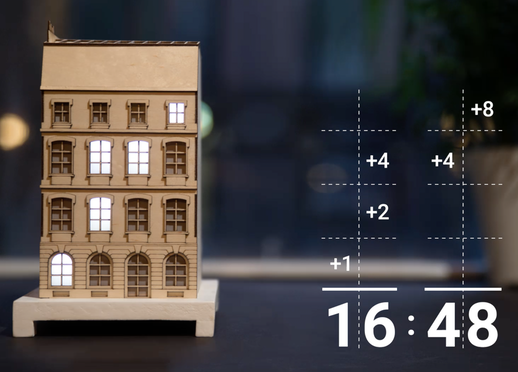
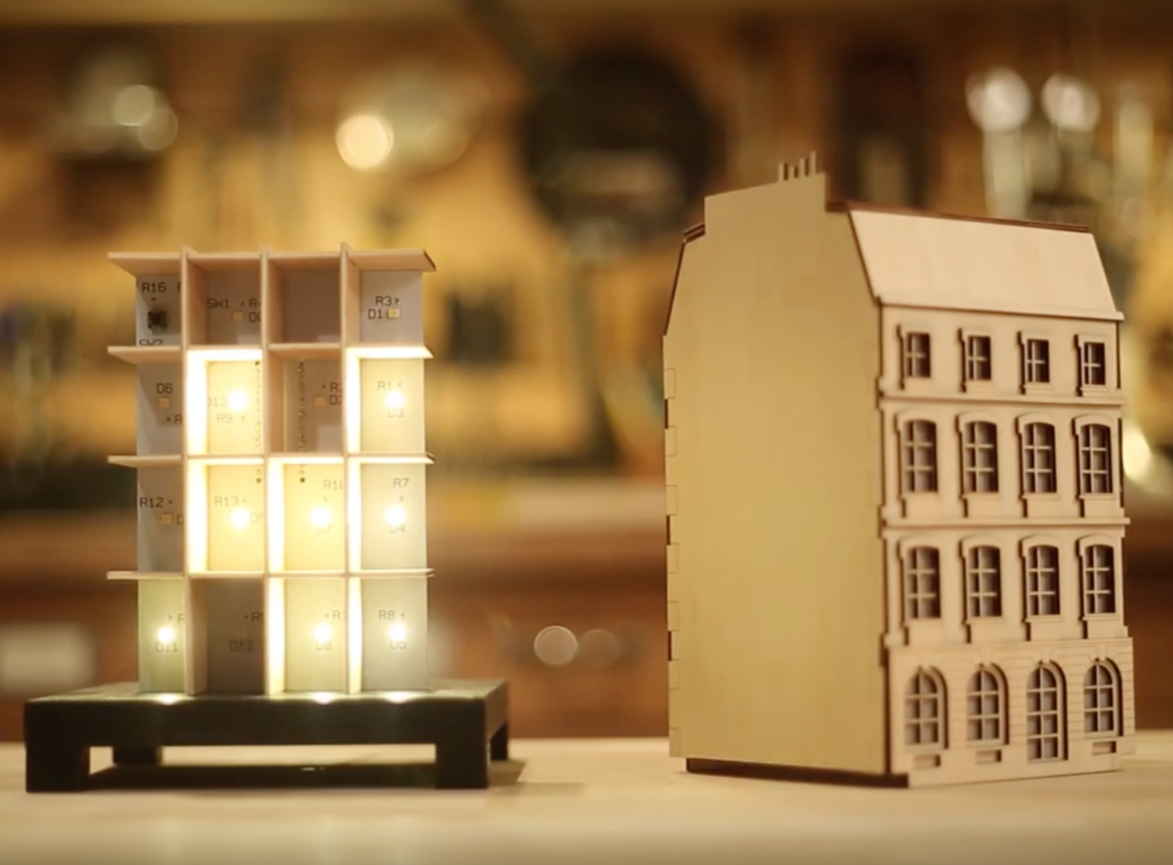
The La Fabrique DIY team has been working on a unique clock modeled after buildings seen along the Seine River in Paris. The “City Clock” is different from the others in that instead of a dial or decimal numbers, windows light up in a binary format, displaying the time in a binary sequence.

Electronics-wise, the clock can be made with an Arduino Uno, involving a fairly simple circuit with individual LEDs and resistors, as seen on this Imgur set. Also shown there is the Kickstarter version of the circuit, which amounts to a sort of gigantic shield that an Arduino Nano is plugged into.

With the City Clock, you calculate the time by adding every digit vertically. The first floor equals one, second equals two, third equals four, and the top equals eight. Using this system, it’s possible to create every digit from zero to nine by adding one number to another.

These clocks are available in various kit forms, including just the electronics or frame if you’d like a head start crafting something truly your own!