Posts with «arduino» label

Guitar Game Plays with Enhanced Realism

There’s a lot more to learning how to play the guitar than just playing the right notes at the right time and in the right order. To produce any sound at all requires learning how to do completely different things with your hands simultaneously, unless maybe you’re a direct descendant of Eddie Van Halen and thus born to do hammer ons. There’s a bunch of other stuff that comes with the territory, like stringing the thing, tuning it, and storing it properly, all of which can be frustrating and discouraging to new players. Add in the calluses, and it’s no wonder people like Guitar Hero so much.

[Jake] and [Jonah] have found a way to bridge the gap between pushing candy colored buttons and developing fireproof calluses and enough grip strength to crush a tin can. For their final project in [Bruce Land]’s embedded microcontroller design class, they made a guitar video game and a controller that’s much closer to the experience of actually playing a guitar. Whether you’re learning to play for real or just want to have fun, the game is a good introduction to the coordination required to make more than just noise.

In an interesting departure from standard stringed instrument construction, plucking is isolated from fretting.  The player fingers notes on four strings but plucks a special, fifth string with a conductive pick that closes the plucking circuit. By contrast, the fretting strings are normally high. When pressed, they contact the foil-covered fingerboard and the circuit goes low. All five strings are made of carbon-impregnated elastic and wrapped with 30AWG copper wire.

All five strings connect to an Arduino UNO and then a laptop. The laptop sends the signal to a Bluefruit friend to change Bluetooth to UART in order to satisfy the PIC32. From there, it goes out via 2-channel DAC to a pair of PC speakers. One channel has the string tones, which are generated by Karplus-Strong. To fill out the sound, the other DAC channel carries undertones for each note, which are produced by sine tables and direct digital synthesis. There’s no cover charge; just click past the break to check it out.

If you’d like to get into playing, but don’t want to spend a lot of money to get started, don’t pass up those $30-$40 acoustics for kids, or even a $25 ukulele from a toy store. You could wind your own pickup and go electric, or add a percussive solenoid to keep the beat.


Filed under: Arduino Hacks, Microcontrollers, Musical Hacks

3D-printed miniature roller coaster powered by Arduino Mega

While many enjoy roller coasters, few can claim the same dedication of engineer Matt Schmotzer, who 3D-printed a 1/25th scale replica of Invertigo, a boomerang coaster at Kings Island in Ohio.

As reported on 3D Printer Chat, the CAD model took only a week to complete, but 3D printing this 4’ x 8’ creation took an incredible 450 hours. This doesn’t include the countless hours spent assembling and debugging it.

The coaster runs on an Arduino Mega, using 42 of the 54 available IO pins. This allows it to not only lift and drop the coaster, but also feature details like actuated gates and restraints to keep the tiny imaginary passengers safe.

Be sure to check it out in the video below!

This DIY machine mixes your favorite three-ingredient cocktail

Do you and your friends have a favorite cocktail? If so—and if it has three ingredients—then this Arduino-based cocktail machine from YouTuber “GreatScott!” may be worth checking out.

The device is capable of mixing three liquids, which in GreatScott’s case consist of vodka, cranberry juice, and grapefruit juice (also known as a Sea Breeze), in a drink size selected via a rotary encoder and LCD screen.

An Arduino Nano provides the brains for this operation, and each component is poured using a series of three peristaltic pumps. Meanwhile, a load cell underneath the glass holder ensures that the correct amount of liquid is dispensed.

The same setup could be used to make different three-ingredient drinks with a little programming work, or it could be expanded into a multi-drink unit with the addition of a few more pumps. You can see it in action below!

Livestream-Interactive Confetti Cannon

Cocktail Machine Mixes Perfect Drinks Every Time

For many of us. the holiday season is coming up and that means hosting parties and mixing drinks, which can get tiresome. [GreatScott] has come up with a solution, what he calls a crude cocktail mixing machine. But don’t be fooled — it may look crude on the surface, and vibrate a bit while working, but the mechanism is plenty sound and functional.

The machine can mix three different liquids and does so using three peristaltic pumps. In typical [GreatScott] style, while he tears apart the pumps to replace the tubes, he gives us a good glimpse of just how they work. Using a knob and LCD screen, you can enter any quantity you want for the three liquids, though you’ll have to edit the Arduino code if you want to change the liquids’ names.

Load cell

How does the machine know when to stop pumping a certain liquid? Each pump is rated for a specific quantity per second, though he tests this for each liquid anyway and finds a slight variation which he accounts for in the code. After the machine turns a pump on, a load cell located under the glass tells it when liquid has started arriving at the glass. A simple calculation based on the pump’s quantity per second and the desired quantity tells it how long to leave the pump on for. When the times up, it stops the pump. The result is a machine that’s sure to be a centerpiece for any hacker-filled party. Check out his build and the pump in action in the video below.

But parties need more than just drinks, they also need cookies. So to that end, check out [Ben Krasnow]’s equally cool cookie making machine.


Filed under: cooking hacks

Laser Cutter Alignment Mod Skips Beam Combiner

A lot of the DIY laser engravers and cutters we cover here on Hackaday are made with laser diodes salvaged from Blu-ray drives and projectors, which are visible lasers in the 400 – 450nm range (appearing as violet or blue). Unfortunately there is an upper limit in terms of power on visible diode lasers, most builds max out at 5W or so. If you need more power than that, you’ll likely find yourself looking at gas laser cutters like the K40. While the K40 is a great starting point if you’re looking to get into “real” lasers, it’s a very different beast from the homebrew builds using visible lasers.

With a gas laser the beam itself is invisible, making it much more difficult to align or do test runs. One solution is to add a visible laser to the K40 which can be used to verify alignment, but making sure it’s traveling down the same path as the primary laser usually requires an expensive beam combiner. Looking to avoid this cost, [gafu] wanted to see if it was possible to simply move the visible laser into the path of the primary beam mechanically.

An adjustable microswitch detects when the lid has been opened.

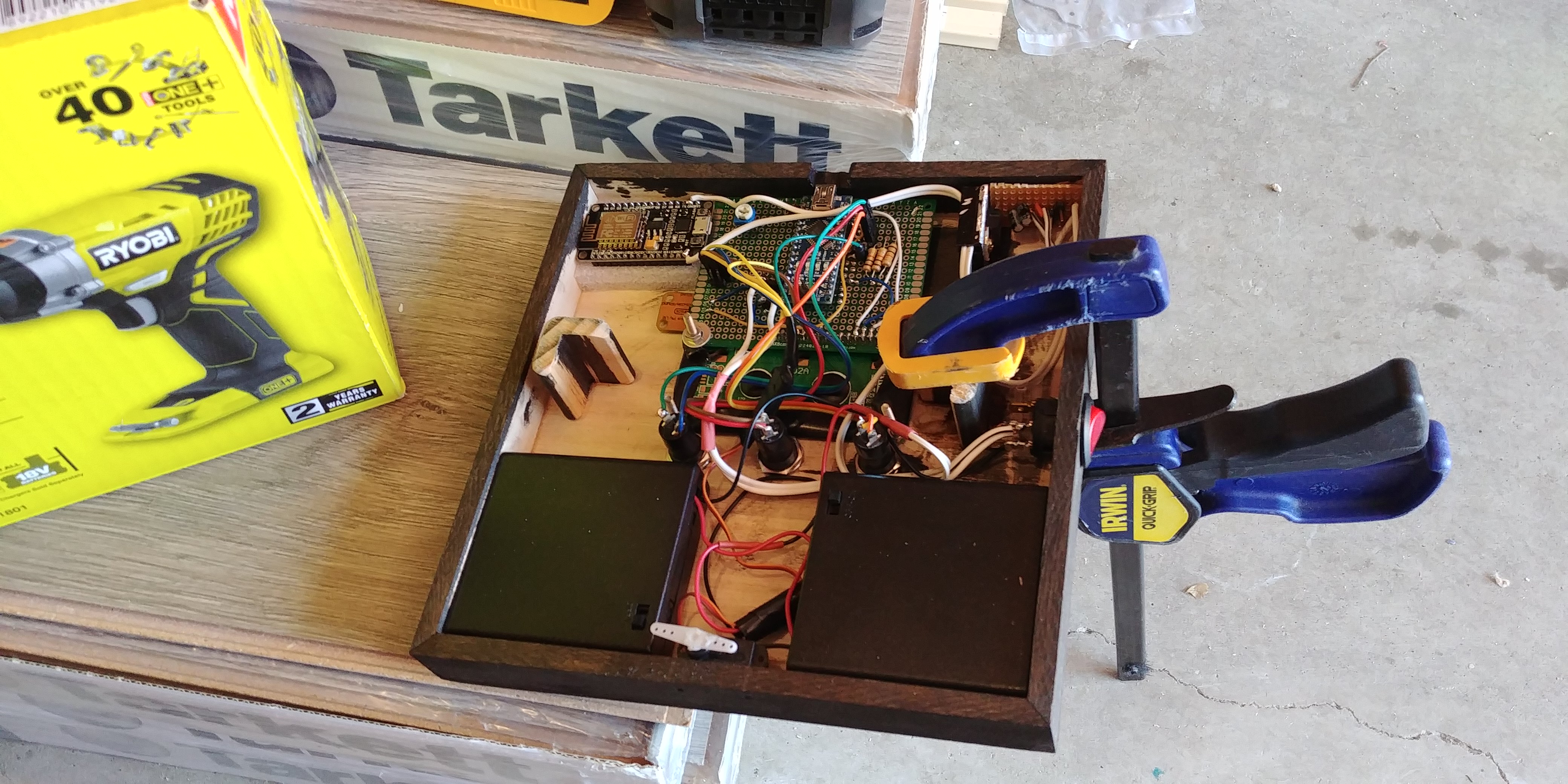
In the setup that [gafu] has come up with, a cheap laser module (the type from a handheld laser pointer) is moved into the path of the primary laser on an arm that’s actuated by a simple hobby servo. To prevent the primary and visible lasers from firing at the same time, an Arduino is used to control the servo given the current state of the K40’s lid. If the lid of the K40 is open, the primary laser is shutoff and the visible laser is rotated into position so the operator can see where the primary laser’s beam would be hitting. Once the lid is closed, the visible laser rotates out of the way and the primary is powered back up.

Running the cutting or engraving job with the lid of the K40 machine open now let’s [gafu] watch a “dry run” of the entire operation with the visible laser before finally committing to blasting the target with the full power beam.

We’ve covered many hacks and modifications for everyone’s favorite entry-level CO2 laser cutter. From replacing the controller to making it bigger, K40 owners certainly seem like a creative bunch.


Filed under: Arduino Hacks, hardware, Laser Hacks

The Internet of Blast Gates

There’s nothing quite like building out a shop filled with tools, but even that enviable task has a lot of boring work that goes into it. You’ve got to run power, you’ve got to build benches, and you need to build a dust collection system. That last one is usually just fitting a bunch of pipe and tubes together and adding in a few blast gates to direct the sucking of your dust collection system to various tools around the shop.

For most shops with a handful of tools and dust collection ports, manually opening and closing each blast gate is an annoying if necessary task. What if all of this was automated, though? That’s what [Bob] over on I Like To Make Stuff did. He automated his dust collection system. When a tool turns on, so does the vacuum, and the right blast gate opens up automatically.

The first part of this build is exactly what you would expect for installing a dust collection system in a shop. The main line is PVC sewer pipe tied to the rafters. Yes, this pipe is grounded, and s otherwise not very interesting at all. The real fun comes with the bits of electronics. [Bob] modified standard blast gates to be servo-actuated. Each individual tool was wired up to a current sensor at the plug, and all of this was connected to an Arduino. With a big ‘ol relay attached to the dust collection system, the only thing standing in the way of complete automation was a bit of code.

This project is a continuation of [Bob]’s earlier Arduinofication of his dust collection system where all the blast gates were controlled by servos, an Arduino, and a numeric keypad. That’s an exceptionally functional system that gets around the whole ‘leaning over a machine to open a gate’ problem, but it’s still not idiot-proof – someone has to press a button to open a gate. This new system is, for the most part, completely automatic and doesn’t really require any thought on the part of the operator. It’s neat stuff, and a great application of cheap Arduinos to make shop life a bit easier.


Filed under: Arduino Hacks, Tool Hacks

Create a beat by nodding your head

If you are really enjoying a song, you may start to bob your head to the tunes, but what if you could instead create actual music with this subtle movement? That’s exactly what Andrew Lee’s “Nod Bang” system accomplishes.

An accelerometer mounted to a pair of headphones senses nods in order to dictate the beat, while four 3D-printed arcade buttons are used to select which sounds will be played. An Arduino takes these inputs and passes them to a computer via a MIDI USB interface. The board also controls lights on the buttons for visual feedback.

Be sure to check it out in action below and read Lee’s entire write-up here.

Arduino Blog 11 Dec 22:40
arduino  featured  midi  music  nod bang  

Santa’s Shop is an animated storytelling installation

Santa’s Shop is an amazing Christmas display consisting of trains, animated figurines, a rotating tree, and several other interesting holiday-themed gadgets.

The decoration features hundreds of 3D-printed parts and many handmade characters, controlled by 46 servos and a total of 12 Arduino boards. Bringing the installation to life was no small task, requiring over 2,000 hours of labor for creators Mike and Annelle Rigsby.

More details on the project can be found in this write-up. You can also see it in action in the video below, or on display live in the window of the Brightway Insurance Agency in Gainesville, Florida this month.

Junkyard RC Conversion Looks Like Mad Max Extra

Over the years we’ve noticed that there is a subset of hackers out there who like to turn real life vehicles into remote controlled cars. These vehicles are generally destroyed in short order, either by taking ridiculous jumps, or just smashing them into stuff until there’s nothing left. In truth that’s probably what most of us would do if we had access to a full size RC car, so no complaints there.

As a rule, the donor vehicles for these conversions are usually older and cheap. That only makes sense, why spend a lot of money on a vehicle you intend on destroying? But even still, the RC conversion [William Foster] has recently completed may take the cake. We don’t know how much of the “antiquing” of his donor vehicle was intentionally done, but on the whole, the thing looks like it got dragged from the bottom of a lake somewhere. Presumably, he got a great deal on it.

The video posted to YouTube is primarily about [William] driving his creation around (sometimes from the back seat, no less), but towards the second half of the video there’s a quick rundown on the hardware used to make this pile of rust move.

A standard RC transmitter and receiver combination are used to control a pair of Arduinos mounted in the center console, which are in turn hooked up to external stepper drivers. The wheel is turned via a chain and sprocket arrangement, and the pedals are pushed with homebrew contraptions that look like they are made from lead screws intended for 3D printers.

All in all, it appears [William] has cooked up a fairly responsive control system with commodity hardware you could get on Amazon or eBay. Not sure we’d be backseat driving this thing personally, but to each their own.

We recently covered a Jeep that got a similar remote control upgrade, but these super-sized remote controlled vehicle builds are not just limited to the ground either.


Filed under: Android Hacks, car hacks