Posts with «science» label

When WiFi imitates art

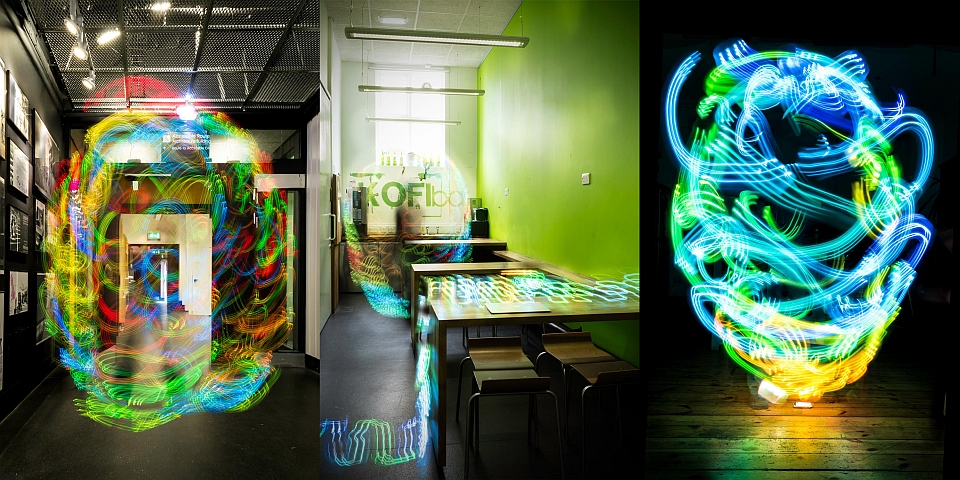
For most of us, the only way we can see the strength of a WiFi network is by the familiar signal icon on any given device. Newcastle University School of Architecture doctorate student Luis Hernan, however, has a different method: spirit photography. He's using the new age-y method of capturing someone's aura via electric coronal discharges -- a Kirlian Device -- with a few geeky augmentations (an Arduino Uno board and WiFi Shield, for example) to illustrate how strong a wireless broadcast is with colors. As Wired notes, these components take account of the nearby signal and convert it into color information that's then beamed onto an LED strip; red being the strongest and blue being weaker sections of the network. To create the pictures like what you see above and at the source, Hernan swung the home-made device around after setting up long-exposure shots with a camera. While we can't know for sure, we'd imagine that something with no signal would look a lot like this.

Filed under: Wireless, Science, Alt

Comments

Via: Wired

Source: DigitalEthereal (1), (2)

Tags: Arduino, ArduinoUno, arduinowifi, ArduinoWifiShield, kirliandevice, luishernan, NecastleUniversitySchoolofArchitecture, photography, wifi

Engadget 09 Jul 01:56
alt  science  wireless  

Making Fun: Kid’s Room Spacecraft

I built a spaceship for my four-year-old's room. It has a control panel full of interesting displays and whiz-bang space sounds. A joystick controls lights and sounds for the engine and thrusters. The payload bay has a motorized hatch and and contains a robot arm for deploying payloads like toy satellites. Headsets provide an audio link between the spacecraft and the Mission Control desk in the other son's room.

Read more on MAKE

First day of tomorrow in Paris with Massimo Banzi

Organized by Science, Innovation and Entrepreneurship Network, a non for profit organization founded in 2011, The First Day of Tomorrow is a conference  bringing together the world’s top leaders in technology, research, startup investment, and entrepreneurship to highlight the hottest technologies and startups that are building our TOMORROW.

It’s taking place in Paris on the 18th of April and Massimo Banzi, CEO of Arduino, is giving a keynote together with other 40 cool speakers:


New Project: Near-Space Balloon Cam with Arduino and APRS Radio

Build this battle-tested rig to launch, track, and recover a high-altitude balloon that will carry your hacked Canon camera to the stratosphere. With this setup using APRS ham radio and the Trackuino — an Arduino-based communications board — any hobbyist or science class can photograph (and video) the Earth against the blackness of space, and bring these amazing images home to share.

Read more on MAKE

Makers in Space: What Was Old Is New Again

Setting the record straight on the history of Do-It-Yourself satellites.

Read more on MAKE

Project – Arduino “Book Monster”

Introduction

Recently we saw a neat project by the people from Evil Mad Scientist – their “Peek-O-Book“, a neat take on a book with a shy monster inside, based on hardware from their Snap-O-Lantern kit. Not wanting to fork out for the postage to Australia we decided to make our own version, of which you can follow along.

This is a fun project that doesn’t require too much effort and has a lot of scope for customisation. There’s no right or wrong when making your own (or this one!) so just have fun with it.

Construction

First, you’ll need a book of some sort, something large enough to hide the electronics yet not too large to look “suspicious” – then cut the guts out to make enough space for the electronics. Then again it’s subjective, so get whatever works for you. Coincidentally we found some “dummy books” (not books for dummies) that were perfect for the job:

After spraying the inside with matt black paint, the inside is better suited for the “eyes in the dark” effect required for the project:

The “book” had a magnet and matching metal disk on the flap to aid with keep the cover shut, however this was removed as it will not allow for smooth opening with the servo.

The electronics are quite simple if you have some Arduino or other development board experience. Not sure about Arduino? You can use any microcontroller that can control a servo and some LEDs. We’re using a Freetronics LeoStick as it’s really small yet offers a full Arduino Leonardo-compatible experience, and a matching Protostick to run the wires and power from:

By fitting all the external wiring to the Protostick you can still use the main LeoStick for other projects if required. The power is from 4 x AA cells, with the voltage reduced with a 1n4004 diode:

And for the “eyes” of our monster – you can always add more if it isn’t too crowded in the book:

We’ll need a resistor as well for the LEDs. As LEDs are current driven you can connect two in series with a suitable dropping resistor which allows you to control both if required with one digital output pin. You can use the calculator here to help determine the right value for the resistor.

Finally a servo is required to push the lid of the book up and down. We used an inexpensive micro servo that’s available from Tronixlabs:

The chopsticks are cut down and used as an extension to the servo horn to give it more length:

Don’t forget to paint the arm black so it doesn’t stand out when in use. We had a lazy attack and mounted the servo on some LEGO bricks held in with super glue, but it works. Finally, here is the circuit schematic for our final example – we also added a power switch after the battery pack:

To recap  – this is a list of parts used:

After some delicate soldering the whole lot fits neatly in the box:

Arduino Sketch

The behaviour of your “book monster” comes down to your imagination. Experiment with the servo angles and speed to simulate the lid opening as if the monster is creeping up, or quickly for a “pop-up” surprise. And again with the LED eyes you can blink them and alter the brightness with PWM. Here’s a quick sketch to give you an idea:

int angle;
int d; // for delays
int ledPin = 9; // LEDs on digital pin 9

#include <Servo.h>
Servo myservo;

void setup()
{
  myservo.attach(4); // servo control pin on digital 4
  pinMode(9, OUTPUT); 
  randomSeed(analogRead(0));
  myservo.write(10);
  delay(5000);
}

void behaviour1()
{
  for (angle = 10; angle <=40; angle++)
  {
    myservo.write(angle);
    delay(50);
  }
  digitalWrite(ledPin, HIGH);
  delay(250);
  digitalWrite(ledPin, LOW);
  delay(250);  
  digitalWrite(ledPin, HIGH);
  delay(250);
  digitalWrite(ledPin, LOW);
  delay(250);    
  digitalWrite(ledPin, HIGH);
  delay(1000);
  digitalWrite(ledPin, LOW);
  delay(250);    
  digitalWrite(ledPin, HIGH);
  delay(1000);
  digitalWrite(ledPin, LOW);
  delay(250);    
  digitalWrite(ledPin, HIGH);
  delay(1000);
  digitalWrite(ledPin, LOW);
  delay(250);    
  for (angle = 40; angle >=10; --angle)
  {
    myservo.write(angle);
    delay(5);
  }
}

void loop()
{
  behaviour1();
  delay(random(60000));
}

You can watch our example unit in this video.

Frankly the entire project is subjective, so just do what you want.

Conclusion

Well that was fun, and I am sure this will entertain many people. A relative is a librarian so this will adorn a shelf and hopefully give the children a laugh. Once again, thanks to the people from Evil Mad Science for the inspiration for this project – so go and buy something from their interesting range of kits and so on.

And if you enjoyed this article, or want to introduce someone else to the interesting world of Arduino – check out my book (now in a third printing!) “Arduino Workshop”.

Have fun and keep checking into tronixstuff.com. Why not follow things on twitterGoogle+, subscribe  for email updates or RSS using the links on the right-hand column, or join our forum – dedicated to the projects and related items on this website. Sign up – it’s free, helpful to each other –  and we can all learn something.

The post Project – Arduino “Book Monster” appeared first on tronixstuff.

Custom-built Katamari controller is made from yoga ball, DualShock 2 pad, power of the cosmos (video)

Conventional wisdom would suggest that making a for-real Katamari Damacy ball would be tricky, but that didn't stop Chris McInnis, Ron LeBlanc and Tom Gwozdz from taking up the challenge. As part of the Nuit Blanche festival in London, Canada (which also included some building-projected gaming), they were able to fashion their very own Katamari ball from a yoga ball, some stickers, wood, an Arduino microcontroller, several optical mice and a dissected DualShock 2 controller. See how it steers after the break.

Filed under: Gaming, Peripherals, Science, Alt

Comments

Via: UbercoolStuffldnont (YouTube)

Engadget 24 Jun 15:34

Turing and interaction at the Science Museum in London

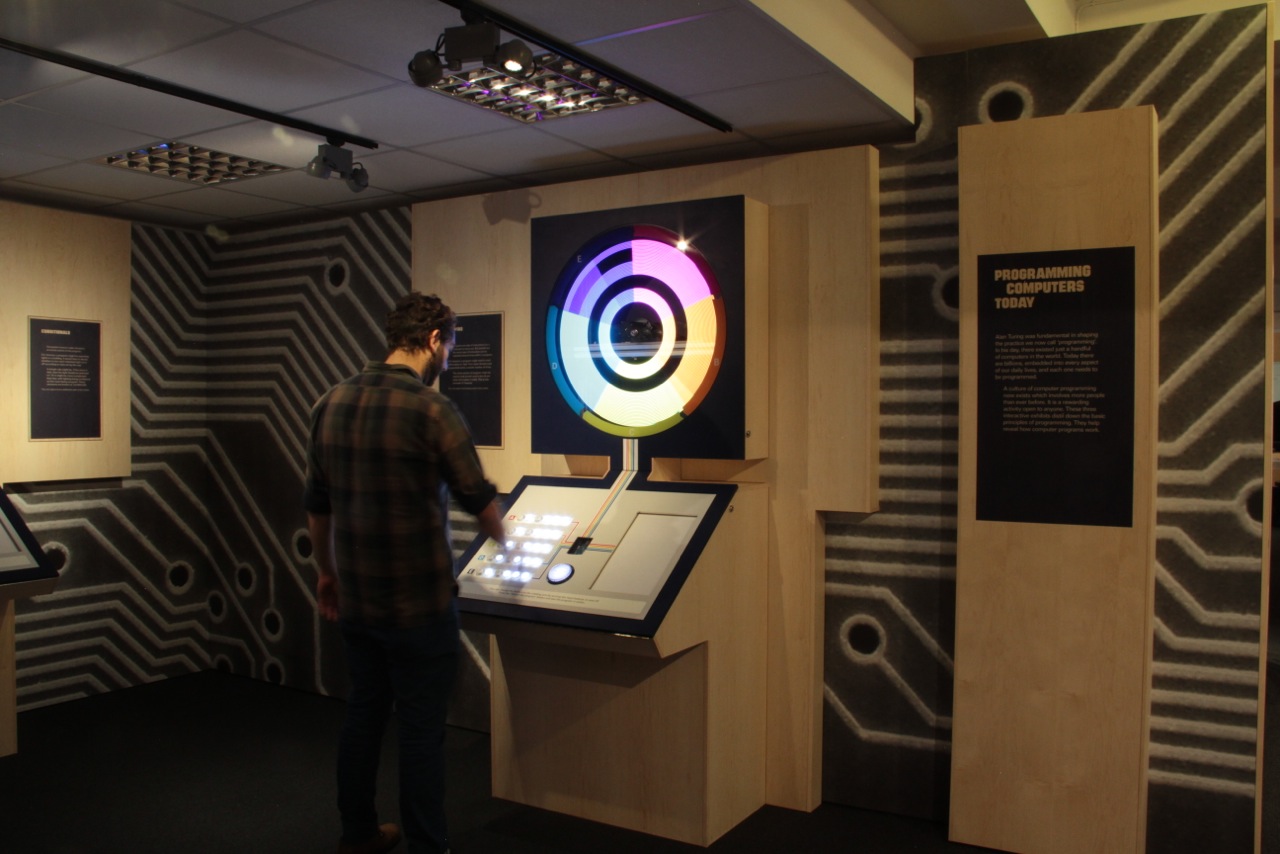
Codebreaker is the exhibition started last year at  the Science Museum of London and celebrating  the centenary of the birth of computing pioneer Alan Turing.

Hirsch&Mann were commissioned to create a “series of exhibits which demonstrated and recognized the progress in computing while at the same time representing a spirit of engineering and innovation” .

They created three installations that demonstrated 3 programming principles:

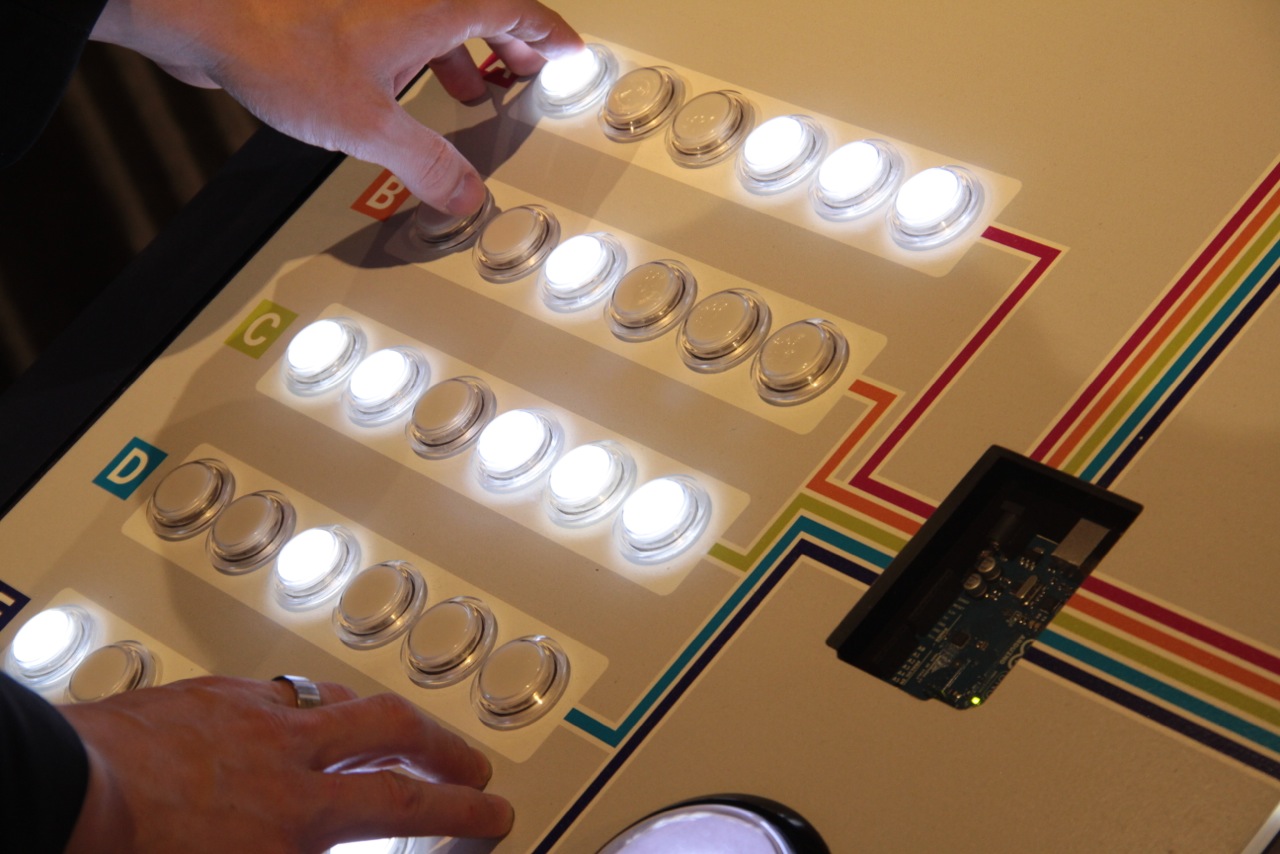
LOOPING: A spinning rotor with LEDs on it -> creating POV patterns all controlled by 30 arcade style illuminated switches.

CONDITIONALS: A version of Wolfram’s cellular automata – user was able to choose the result of the child node once the parent node conditions were met

VARIABLES: A mechanical tree – the branch angles were controlled by sliders on the console. Slider A controlled 1 angles at the base of the tree, slider 2 controlled the next 2 angles, slider 3, the next 4 angles and slider 4 the final 8 sliders.

Each installation has a light box which is revealed as soon as you press the BIG GLOWING button on the console. This turns on the lightbox – which has simplified pseudo code and essentially allows people to “step into” the code. Each line that is currently running is highlighted and then you see the result on the installation.

The whole point of these installations was to show where we have come since Turing’s time and stepping on his shoulders.

If you have the chance to visit the exhibition (it’s free!) or watch the video below you will see that at the center of each console there is an Arduino UNO.


Visualized: Arduino Uno shows up in NASA's Swamp Works facility

There are certain things you'd expect to encounter on a visit to NASA's Swamp Works research facility. Walking into the former Apollo testing facility, you'll almost certainly catch glimpses of martian rovers, soil samples and an assortment of scientific testing devices. But in spite of Arduino's near ubiquity these days, we'll admit that we were a bit taken aback when the familiar blue microcontroller made an appearance on a lab desk during our conversation with NASA "lighting guy," Dr. Eirik Holbert. It seems that NASA, like pretty much everyone else, is experimenting with the hacker-friendly component.

The board was hooked up to a lighting fixture Holbert is working on as part of NASA's upcoming deep space habitat concept generator. It's an attempt to bring some sunlit consistency to space exploration, simulating Earth-like lighting patterns to help keep the crew alert and get them ready for sleep in the evenings. So, where does NASA turn when it's looking to conserve weight and save some taxpayer money in the process? Toward the Arduino Uno, naturally. Holbert assembled a number of off-the-shelf products, including the aforementioned microcontroller and shields from Sparkfun to make a fixture for under $500.

Asked whether we might be seeing an Arduino setup like this on an upcoming mission, Dr. Holbert told us, "I'm all about interchangeability. If they can make something space compatible, I'd be all for it."

Filed under: Science

Comments

Engadget 21 Feb 07:33

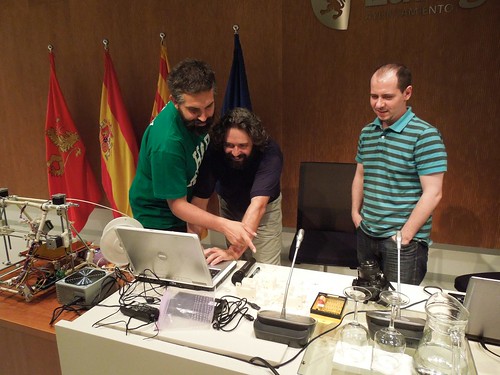
Arduino Barcamp ZgZ 2012 – Fotografías

El pasado fin de semana Arduteka, en colaboración con Cooking Hacks y el proyecto Milla Digital del ayuntamiento de Zaragoza, celebraron la Arduino Barcamp más multitudinaria realizada hasta la fecha en España.

Ponencias de todo tipo, desde impresoras 3D hasta las novedades que acontecen al mundo Arduino de la mano de David Cuartielles, pasando por algo de software libre como Plasma Active, un entorno KDE para dispositivos móviles, hicieron las delicias de todos los asistentes al evento.

Via | Arduteka