Posts with «arduino» label

Need help with Arduino UNO R3 + HC-06 Bluetooth

Hello all! After I posted my Atom tanky robot that I was working on, I am now trying to connect it with bluetooth. I also bought some Ultrasonic sensors (HC-SR04). 

The bluetooth I use is: HC-06 Bluetooth V2.0 RF Wireless Transceiver Module Interface RS232 TTL

read more

TFTweet – Displaying Tweets on an Arduino Shield with the Raspberry Pi

Drew Fustini recently got his hands on an AlaMode and used it display tweets from his Raspberry Pi to an 2.8" TFT LCD Touchscreen Shield. The AlaMode and shield are connected to the Raspberry Pi which runs the Arduino IDE and a bit of Python code to make it all happen.

Read the full article on MAKE

BeetBox drops a beat with a side of Raspberry Pi, and other plant puns (video)

Sometimes the plays on words are unavoidable -- in fact, they form the very heart of Scott Garner's recent musical creation. His BeetBox turns six of its namesake root vegetables into drum pads through SparkFun capacitive touch sensors, all of which are controlled by (what else?) a Raspberry Pi. Cleverness goes beyond the core technology and food jokes, as well. All of the circuitry and audio equipment is hidden within the wood box, making it look more like a horticultural project than machinery. We don't mind the lack of production plans when there's source code available; we're mostly curious as to what in our garden would make for a good rhythm section.

[Image credit: Scott Garner, Flickr]

Continue reading BeetBox drops a beat with a side of Raspberry Pi, and other plant puns (video)

Filed under: Misc, Alt

Comments

Via: Gizmag

Source: Scott Made This

Engadget 20 Dec 05:58

Tested Python and Arduino installation

My son and I bicycled up to campus today to test out his data logger code (that will be used in the circuits course) on the Windows computers in the lab.  The lab support staff had told me yesterday that they had gotten Python 2.7.3 installed and the Arduino 1.0.3 development environment, as well as the PySerial module that the data logger code requires.

My son has been working pretty intensely on the code lately, doing a complete refactoring of the code to use TKinter (instead of PyGUI, which is difficult to install and quite slow) and to have a more user-friendly GUI.  He also wanted to make the code platform independent (Windows, Mac, and Linux), though he’d only tested on our Macs at home before today.  He’s also trying to make the Python part of the code (the user interface) work in both Python 2.7.3 and Python 3.3, though the languages are not precisely compatible.

We found three problems today:

  1. Python 2.7.3 was not quite completely installed.  They’d forgotten to update the path to include C:\Python27\  (The path should also include where the Arduino software was installed—I forget where that was now.)
  2. The device drivers for the Arduinos were not installed.  On Macs, there are no drivers to install, but on Windows, you need different drivers for different Arduino boards, and it seems you need to have the board plugged into the USB port in order to install the drivers. (Instructions at http://arduino.cc/en/Guide/Windows#t0c4)
  3. My son had forgotten to include one of the dependencies in his list of what needed to be installed—the Arduino Timer1 module from http://playground.arduino.cc/code/Timer1/ .

Because they had given me administrator privileges on the machines, my son was able to fix one of the machines to run the data logger code (though he had a couple of minor changes to make in his code for Windows compatibility also).

For the data logger debugging, about all I did was type in my password for him, and once do a search to see where the Arduino code was hidden.

When he has finished debugging and documenting the code, my son will be releasing it with a permissive license on bitbucket, and I’ll be putting links to it here and on the course web page.


Filed under: Circuits course, Data acquisition Tagged: Arduino, circuits, data logger, Python

LED Atmospheric Analyzer Kit Now Available In The Maker Shed

The Maker Shed LED Atmospheric Analyzer Kit is now available in the Maker Shed. Use it to create a photometer, a device that measures how much blue, green, and red light are penetrating the atmosphere.

Read the full article on MAKE

Stellarino brings Wiring-style coding to the Stellaris Launchpad

[Sultan Qasim] wrote in to tell us about the work he’s been doing on the Stellarino library. It’s goal is to break down the coding barriers present for those looking to move from Arduino to ARM. This is accomplished by facilitating Wiring-stlye code for the Stellaris Launchpad ARM development board.

Right off the bat [Sultan] mentions that the interface is Wiring-like, but is not compatible with it. This means you can’t just plop your existing sketches into a C file and get them to work with the addition of a simple include file. But what it does do is provide access to the functions to which seasoned Arduino users have grown accustomed. You can see some examples above, including analogWrite(), digitalRead(), and a simple delay function.

We had a quick look at the library. It uses StellarisWare components which are stored in the ROM of the chip (these are all preceded by ‘ROM_’). The one thing missing is the UARTstudio library which apparently carries a license incompatible with GPL.


Filed under: ARM

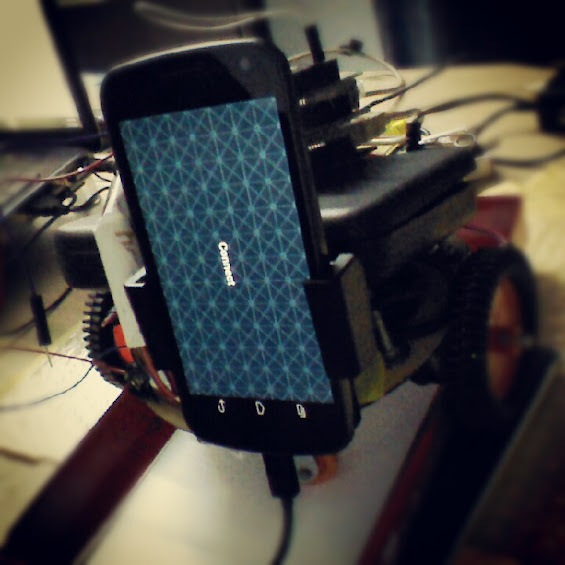
Arduino/Android Wireless Robot


Another Robot, another App(lication) of Arduino. The user [shreks7] built up an Android App for controlling the robot wirelessly and stream live video off an android phone placed on the robot.

The robot has an inbuilt wireless router and two brush-less DC motors and runs on a power source of 26-30V(depends on the requirement) power supply.

The robot streams live video back to the app and can be used for navigation.
Also there is a console for Windows to control the robot and debug it .

It uses Arduino Mega 1280 + Ethernet Shield + Pololu Motor Driver (It is by far the best one i have used) + Belkin Router & Two Android Devices .

There is also a [video] where you can see the robot in action.

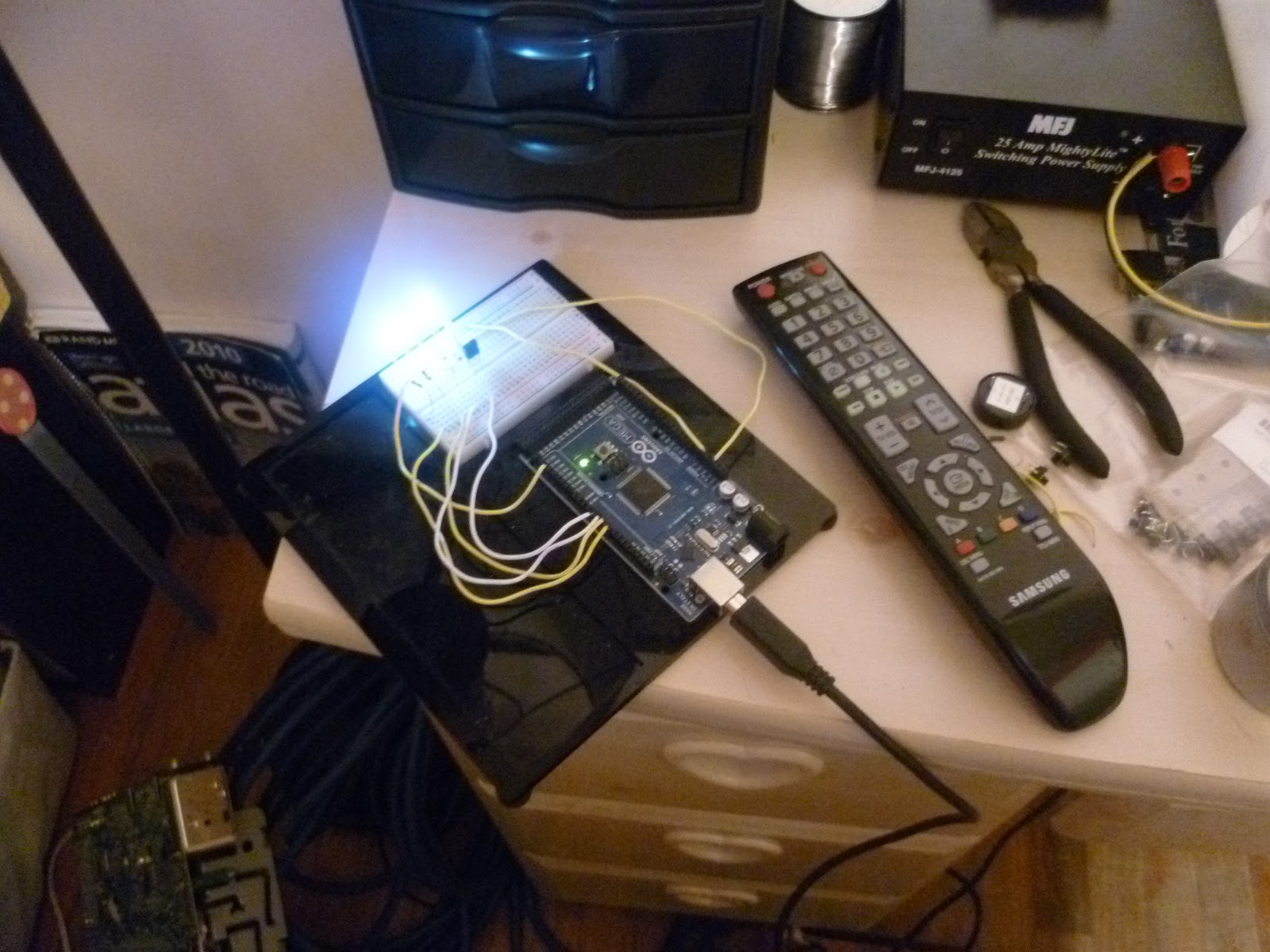
Arduino IR Remote Control

This is a good example of hacking devices with Arduino. [sspence65] has put on oa good tutorial to start from something easy and simple: IR hack.

Capturing codes from any tv remote, and using them to control devices attached to Arduino Outputs. Press a button on a TV Remote, and the code appears in the serial monitor, Add that code to the case/switch statements in the sketch to control an output pin.

On the [website] there is the full explanation and code to build the same experience, but nothing prevent you to implement a custom way for your IR devices.

Arduino Blog 19 Dec 09:57
arduino  control  gallery  remote  tv  

Obstacle avoidance robot (made from drift car)

Primary image

What does it do?

Navigate around via ultrasound

Hello again everybody my name is chickenparmi, and I like robots.

Today I would like to show you my obstacle avoidance bot, with a difference. The difference with this bot is that it has been build onto an RC drift car, meaning it goes very fast and is very dangerous.

Cost to build

Embedded video

Finished project

Complete

Number

Time to build

Type

URL to more information

Weight

read more

Thermal Printer Outputs Poems

Giles Booth wanted to build an internet printer, which is commonly used to print out tweets and do other automated outputs. I wanted to build a little internet printer, spewing out weather and tweets and the like. When I was testing my thermal printer, however, I got bored reading sample [...]