Posts with «arduino» label

Three lab handout drafts done

On Tuesdays, my son and I usually have our weekly physics class, but in deference to the national holiday on Dec 25th we canceled this week’s class. I spent the day preparing drafts of lab handouts for the first three labs in the circuits course. The handouts are taking longer to produce than I expected, and they are coming out longer than expected also.  I’ll post links to the lab pages once they are past the draft stage—I’m hoping to get feedback from my co-instructor by next week.

  1. The draft for the first (thermistor) lab is 10 pages, and still is missing pictures and a couple of paragraphs of text, particularly about using the data logger that my son is still writing for the students in the course to use.
  2. The draft for the second (microphone) lab is 5 pages, and still doesn’t explain how to use an oscilloscope. We have both analog and digital scopes in the lab, and the analog ones a pretty easy to learn to use, but the Tektronix digital scopes have a very confusing menu interface that takes a long time to become familiar with. I still have to check out whether the function generators in the lab can drive a loudspeaker, as I’m expecting the students to be able to play sine waves into the microphones.
  3. The draft for the third (electrodes) lab is also 5 pages, but it is looking fairly complete to me.

I’ve posted a tentative schedule for the 10 labs of the quarter, http://courses.soe.ucsc.edu/courses/bme194/Winter13/01/schedule:

  1. Thermistor lab
  2. Microphone lab
  3. Electrodes lab
  4. Sampling and aliasing lab
  5. Audio amplifier lab 1 (op amps)
  6. FET measurement lab, phototransistor measurement lab
  7. Audio amplifier lab 2 (power amp)
  8. Hysteresis lab (capacitive touch sensor, 1st soldering project)
  9. Pressure sensor lab (instrumentation amp, soldering)
  10. EKG lab

There is a little more measurement and less design content than I had wanted in the first half of the course—I’ve only come up with fairly trivial design exercises until we get to amplifiers, and then the designs get much harder.  I’m still trying to come up with a design lab for the phototransistors—right now I’m just looking a characterizing an LED and phototransistor pair for use as an optoisolator, with appropriate biasing for each to transfer analog signals (digital signals are too easy).  The students will have 3 LEDs (green, red, and infrared), so we could also look at the signal levels with each, to see whether the infrared emitter provides a better signal.

I don’t really know exactly what is in the sampling and aliasing lab, which my co-instructor created for a different course.  I’ll have to get his handouts for it, and type them up in the format I’m using for this course.  I’ll probably have to borrow a board from him also, to run through the lab myself.  It was probably designed as a 2-hour lab, not a 3-hour one, so I may want to add a bit to it.

The Digikey order for parts shipped today, the last on-line order I made, and it looks like the cost per student will be between $65 and $66 for tools and parts (see Parts orders for Applied Circuits W13 for more details on the pricing).  I still have to make a packing list for each kit, and put the kits together.  I hope that all the orders arrive by the middle of next week, so that we can distribute the parts kits on Wednesday 2013 Jan 9.

I also hope I’ll be able to package the kits in 1-gallon ZipLock bags—I’m beginning to think I might need to leave the loudspeakers separate, and that it will still be a tight fit. ZipLock does make bigger bags: 3 gallon, 10 gallon, and 20 gallon), but at $1.18 each for the 3-gallon bags, I’d rather not go there—even 40¢ each for the 2-gallon bags is a bit high.

I’ve also been thinking of getting an Arduino Leonardo for testing my son’s DataLogger code, as the Leonardo has a different serial interface and a different number of analog and digital pins available: 20 I/O pins, of which 7 can be configured for PWM and 12 as analog inputs though 3 of those are also PWM pins, as opposed to the 20 I/O pins of the Uno, 6 of which can be configured for PWM and 6 as analog inputs.  There are several other incompatibilities (like where the TWI interface and that the Leonardo does not reset when the serial connection is first opened as on all previous Arduino boards).  Designing shields for Arduino boards has gotten much more complicated lately, as Arduino has proliferated a number of incompatible interfaces.  I think that this might hurt them in their main market.  I’m wondering it the Raspberry Pi is cheap enough, available enough, and easy enough to interface and program to edge out Arduino in the next few years.  I have some Raspberry Pi boards now, and when I get some time I’ll want to try playing with them.


Filed under: Circuits course, Raspberry Pi Tagged: Arduino, circuits, course design, lab exercises, Raspberry Pi

Travel Train Set in a Suitcase

Mario Marchese of The Suitcase Machine created this ingenious working model train set in a suitcase, so he can bring the miniature fun wherever he goes!

Read the full article on MAKE

Chat with Xbee for Arduino


Thank you [priyansmurarka] to send us this project involving Xbee. This module is fully compatible with Arduino Boards and you can connect it with a proper shield, the [WirelessShield] . With that you can make comunicate Arduinos wireless, including sending messages about status or whatever you want. The submission of today is about building up a simple chat system.

It is a simple peer to peer chat system made using XBee radios which are compatible with Arduino .

On the [blog] of [priyansmurarka] you can find all the step to configure two modules and make them “talk”

Arduino Blog 26 Dec 10:35

Kinect and an Arduino UNO

Is there any way I can get a kinect (xbox 360) sensor to act as my robots "eyes" with the arduino UNO. For example, where I move my hands, the arm follows. Thanks ;)
Let's Make Robots 26 Dec 03:56
arduino  avr  kinect  

Rover

Primary image

What does it do?

Roams around autonomously.

A small autonomous robot that wonders around. It's built out of parts I recieved for Christmas, such as a Rover 5 platform w/ driver board. It currently doesn't run. The only thing I need is jumper wires, which I'm gonna pick up at Radioshack tomorrow. I'll update when I can get it moving.

Cost to build

$85,00

Embedded video

Finished project

Number

Time to build

Type

tracks

URL to more information

Weight

Wireless Sensor Network for Temperature Sensing


This is an interesting implementation of Arduino and Wireless comunication. The user [priyansmurarka] posted:

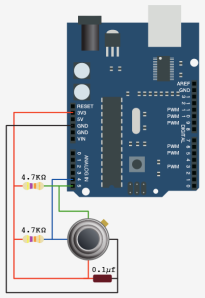
Ok, so here is the basic problem statement. I need to develop a temperature sensing system such that the temperature from the sensor node is relayed to a co-ordinator sensor and then the co-ordinator node shows the user in a simple graphical form.

For the wireless communication, I used Xbee Series 2 modules with Arduino Board Shields.

Uses Melexis Temperature sensor and Arduino Board to monitor and plot ambient temperature.

The realization of this project is well documented on the [blog], with code, graphs and pictures.

Arduino Blog 25 Dec 17:45

Robot can barely move with so much hardware strapped to it

We think that [Andrej Škraba] needs to start looking for a beefier motor platform. This little robot has so much hardware strapped to it the motors can barely keep up. But with a little help it can make its way around the house, and it takes a whole lot of connectivity and computing power along for the ride.

The white stick on the top is a single-board computer. The MK802 Mini sports an A10 processor and up to a gig of ram. Just below that is a USB hub which is sitting on top of a USB battery pack. This powers the computer and gives him the ability to plug in more than one USB device. The robot chassis is from Pololu. It uses an Arduino and a motor shield for locomotion, with commands pushed to it via USB.

This setup makes programming very easy. Here [Andrej] has a keyboard and HDMI monitor plugged in to do a little work. When not coding it can be disconnected and driven over the network. He makes this happen using an Apache server on the MK802 and node.js. See a demo of the system in the clip after the break.


Filed under: robots hacks
Hack a Day 24 Dec 20:01

WhiteSpace TweetTrain

Somebody knows how to have fun in the office and with Arduino. Have a look at this project by [whitespacers] powered with our boards

Christmas is a time of gathering the family around and enjoying the simple things in life. And what could be simpler than a good old fashioned train set… powered by tweets?

Tweeters can simply send a message to #tweettrain then enjoy the ride via the onboard camera streaming to whitespacers.com/tweettrain as they puff their way round the Whitespace HQ Winter Wonderland.

The magic also lets tweeters control the Tweet Train’s direction and speed by telling it to go in ‘reverse’ or ‘fast’.

Iain Valentine, creative director and Whitespace Santa said: “When visual, digital and experiential marketing are linked effectively, it can seem like magic. We wanted to bring our clients something special for the festive season and so our elves were kept busy bringing the late 19th century Christmas gift of choice into the digital age. Deep down, everyone wants a toy train set for Christmas!”

If you’re wondering which particular type of Christmas magic we used; it’s the extra special Arduino-micro-controller coupled with a wifi receiver type.

You see Santa’s elves replaced the Tweet Train’s manual train controller with a wifi receiver so the train can be controlled by digital commands. Tweets containing the hashtag #tweettrain are searched for, simplified, and sent to a new URL that the arduino checks for new tweets. Each time it spots one, it powers the train motors. Magic basically.

We reckon it gives the Hogwarts Express a run for its chocolate money, but why not try it for yourself? Visit. Tweet. Drive the train. The station is in live cam on the [website]

Arduino Blog 24 Dec 17:21

Wiicambot

Primary image

What does it do?

creeps around looking for light, fire, other robots and long walks on the beach...


A little robot that just wants to have fun! 


The code is choppy but works. 

Fun with Wii Camera-


back-


Bottom-

Cost to build

$75,00

Embedded video

Finished project

Number

Time to build

Type

wheels

URL to more information

Weight

Animated holiday wreath from a string of LED lights

[Dennis Adams'] wreath lights project looks pretty good. But he did some amazing coding to produce a whole set of interesting animated patterns that really seal the deal for the project. Don’t miss the video after the break where he shows off all of his hard work.

He started with a string individually addressable LEDs. These are the 12mm variety like what Adafruit sells (we’ve seen them popping up in a number of projects). To mount each pixel he tried a several different prototypes before settling on a ring that was 14″ in diameter. The design was laser cut from acrylic, with sets of staggered holes to host each ring of LEDs. The final touch was to add ping-pong balls to diffuse the light.

As we mentioned earlier, the light patterns really add the finishing touch to the project, but there is more functionality there too. [Dennis] rolled in the ability to monitor a Twitter feed with the wreath. When he gets a new tweet, a different animation will let him know about it.

[Thanks Chris]


Filed under: Holiday Hacks, led hacks
Hack a Day 23 Dec 20:01