Posts with «arduino» label

4-Digit Seven Segment TM1637 Display interfacing with arduino

Hello Arduino Lovers,

In this post, I am going to interface 4-digit seven segment display with arduino. It's TM1637 based display and it just requires 4-pins. And it's better than conventional 4-digid SSD since that requires 12 (8+4) output pins. So, it saves our pin. As MCU have limited I/Os it's very useful.

The pins are as follows:

CLK, DIO, VCC and GND. 

It's 2-wire serial communication and it's different from I2C communication.

4-Digit SSD
The connections are as follows:

Display                             Arduino

CLK                                 Pin no. 2
DIO                                  Pin no. 3
VCC                                 +5 V
GND                                GND

In order, to send proper data, we have pass start commands , then data and finally stop commands. We are using functions for each of them.


Source Code:

/*
Program for displaying counting from 0-9999
www.funwidelectronics.blogspot.in

This source code is modified from:
https://blog.3d-logic.com/2015/01/21/arduino-and-the-tm1637-4-digit-seven-segment-display/

Thanks for the code
*/


// Module connection pins (Digital Pins)
#define clk 2
#define data 3

uint8_t digits[] = { 0x3f, 0x06, 0x5b, 0x4f, 0x66, 0x6d, 0x7d, 0x07, 0x7f, 0x6f };

void setup()
{
pinMode(clk, OUTPUT);
pinMode(data, OUTPUT);
start();
writeValue(0x8f);   // for changing the brightness (0x88-DIM     0x8f-Bright)
stop();

// clear display
//write(0x06, 0x5b, 0x4f, 0x00);
}

void loop()
{
for(int j=0;j<10000;j++)
  {
    write(digits[j/1000], digits[(j%1000)/100], digits[((j%1000)%100)/10], digits[j%10]);
    delayMicroseconds(50);
  }
}


void start(void)
{
digitalWrite(clk,HIGH);//send start signal to TM1637
digitalWrite(data,HIGH);
delayMicroseconds(5);

digitalWrite(data,LOW);
digitalWrite(clk,LOW);
delayMicroseconds(5);
}

void stop(void)
{
digitalWrite(clk,LOW);
digitalWrite(data,LOW);
delayMicroseconds(5);

digitalWrite(clk,HIGH);
digitalWrite(data,HIGH);
delayMicroseconds(5);
}


void write(uint8_t first, uint8_t second, uint8_t third, uint8_t fourth)
{
start();
writeValue(0x40);
stop();

start();
writeValue(0xc0);
writeValue(first);
writeValue(second);
writeValue(third);
writeValue(fourth);
stop();
}


bool writeValue(uint8_t value)
{
for(uint8_t i = 0; i < 8; i++)
{
digitalWrite(clk, LOW);
delayMicroseconds(5);
digitalWrite(data, (value & (1 << i)) >> i);
delayMicroseconds(5);
digitalWrite(clk, HIGH);
delayMicroseconds(5);
}

// wait for ACK
digitalWrite(clk,LOW);
delayMicroseconds(5);

pinMode(data,INPUT);

digitalWrite(clk,HIGH);
delayMicroseconds(5);

bool ack = digitalRead(data) == 0;

pinMode(data,OUTPUT);

return ack;
}

An Arduino-based doorbell/messaging system for your lab

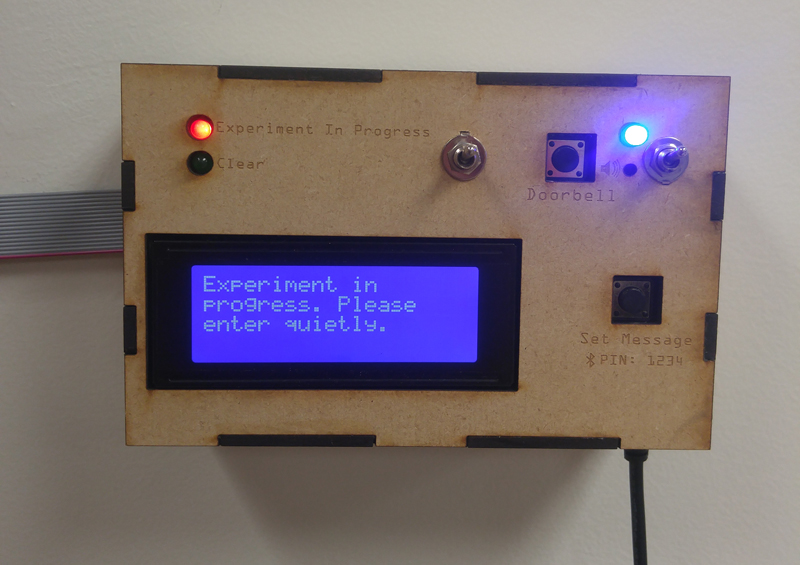
If you work in a lab, the last thing you want is someone barging in when you’re about to complete your latest experiment or build, disturbing all of your hard work. You could use a paper note, or perhaps lock the doors, but if you’d like to inform potential disruptors of what you’re doing and give them a way to signal you, this system looks very useful.

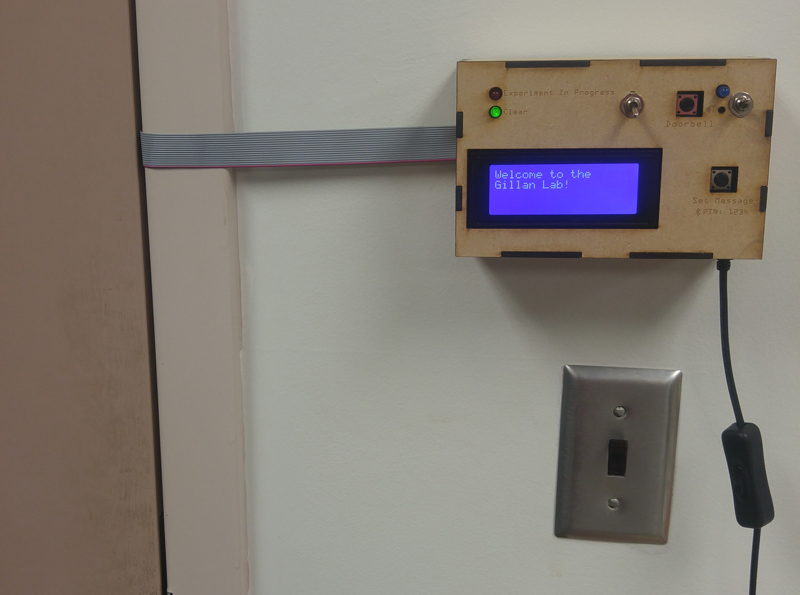
The device, which is installed in a psychology lab’s door, uses an Arduino Uno to display an LED for “Experiment In Progress” or “Clear,” and has a backlit LCD screen below for more explanation. The screen’s backlight powers up via a sonar sensor if someone approaches, and messages can be updated over Bluetooth.

Finally, if you’d like to get the person inside’s attention, it even a doorbell feature that blinks a light and optionally beeps. For more info on the project, check out its creator’s Imgur set or Reddit post.

Maker builds a touchless tattoo machine switch with Arduino

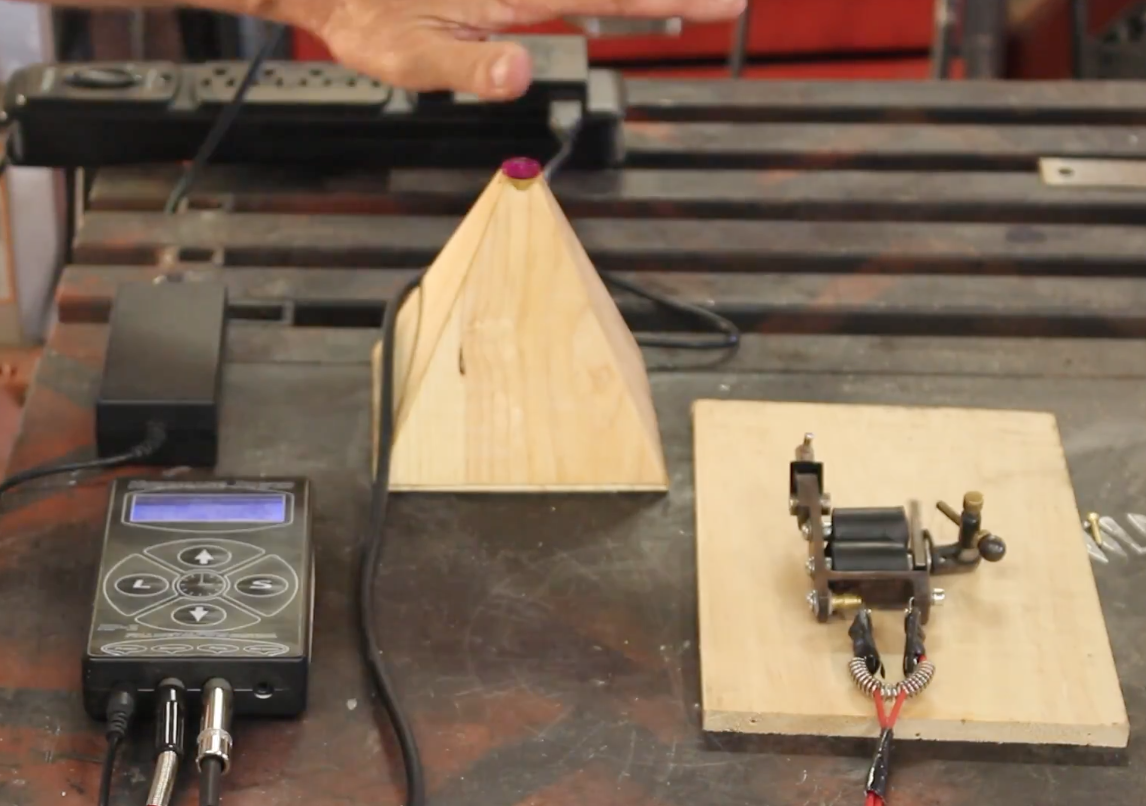
You can switch a tattoo machine on and off with a foot pedal, but this can be an issue when it’s time to pack it up with other gear that needs to be kept ultra-clean. To address this problem, YouTuber “Wildman Tech” made an Arduino-powered device in the shape of a beautiful wooden pyramid to control a tattoo gun with the wave of one’s hand.

Electronics-wise, the setup is fairly simple. An Arduino Uno detects the tattoo artist’s gestures via a distance sensor, and signals the machine with an on or off output.

This project uses an Arduino Uno, a distance sensor module, and an FET driver transistor module. They both take their power from the Arduino main board. The distance sensor output is fed into pin 2 on the Arduino and the FET driver input is taken from pin 9.

You can see more of Wildman Tech’s touchless switch, including its code, in the video below!

This giant electromechanical clock is a work of art

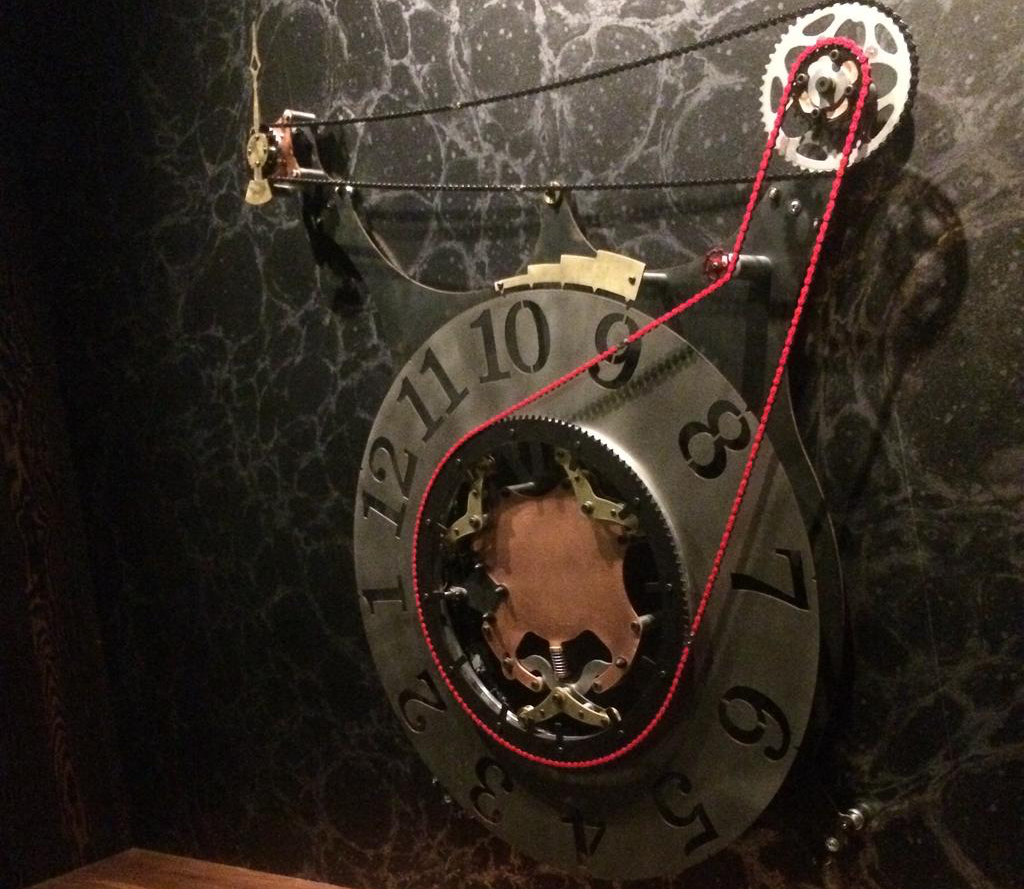
With some projects, your goal is to get it working to prove out a concept for a larger project, or simply to satisfy your curiosity. On the other hand, sometimes you want your creation to look great. That was the case here, as this electromechanical clock integrates several different types of metal along with a chain drive into something that’s as much a work of art as it is a practical timekeeping tool.

Upon startup, the device is able to auto-calibrate using a clever sensor setup on the hour hand wheel to make sure it’s at 12:00 noon/midnight, then uses the Arduino Yún‘s built-in WiFi support to check the time off of the Internet and configure itself accordingly.

This clock was designed, machined and assembled, every piece from scratch (apart from a couple of the small chain sprockets and chains themselves). The timekeeping and motor/position control software was also developed and programmed 100% from scratch as well. All the parts are made out of a combination of copper, brass, steel, aluminum, and stainless, and the assembly is driven by an Arduino Yún running a NEMA style stepper motor, and Honeywell automation Hall effect sensors for the mechanical position readings.

You can find more details in the video seen below, and on its creator’s Reddit post.

Hackaday Prize Entry: A Tiva Shaped Like an Arduino

Texas Instruments’ Tiva C LaunchPad showcases TI’s ARM Cortex-M4F, a 32-bit, 80Mhz microcontroller based on the TM4C123GH6PM. The Tiva series of LaunchPads serve as TI’s equivalent of the Arduino Uno, and hovers at about the same price point, except with more processing power and a sane geometry for the GPIO pins.

The Tiva’s processor runs five times faster than standard ATMega328P, and it sports 40 multipurpose GPIO pins and multiple serial ports. Just like the Arduino has shields, the Tiva has Booster Packs, and TI offers a decent number of options—but nothing like the Arduino’s ecosystem.

[Jacob]’s Arduino-Tiva project, an entry in the Hackaday Prize, aims to reformat the Tiva by building a TM4C123GH6PM-based board using the same form 2″x 3″ factor as the Arduino, allowing the use of all those shields. Of course, an Arduino shield only uses two rows of pins, so [Jacob]’s board would position the spare pins at the end of the board and the shield would seat on the expected ones.

The finished project could be flashed by either the Arduino IDE or TI’s Energia platform, making it an easy next step for those who’ve already mastered Arduinos but are looking for more power.


Filed under: The Hackaday Prize

Maker Pro News: Hardware is Still Hard, The Rise of Re-Kickstarting, and More

Maker pros showcase exactly how difficult it is to make hardware, but promote how much easier it is to become a Kickstarter star.

Read more on MAKE

The post Maker Pro News: Hardware is Still Hard, The Rise of Re-Kickstarting, and More appeared first on Make: DIY Projects and Ideas for Makers.

Synth Bike 3.0 produces tunes with 12 Arduino Nanos

After building a bicycle that could travel across town while making music, Sam Battle now taken things in a different direction. Synth Bike 3.0, which will be on display at the Science Center Dublin until September, is set up on a training fixture so that you can pedal it indoors rain or shine. This version also features a simplified control panel on the handlebars, allowing it to be played by anyone at a tempo controlled by the rear wheel’s speed.

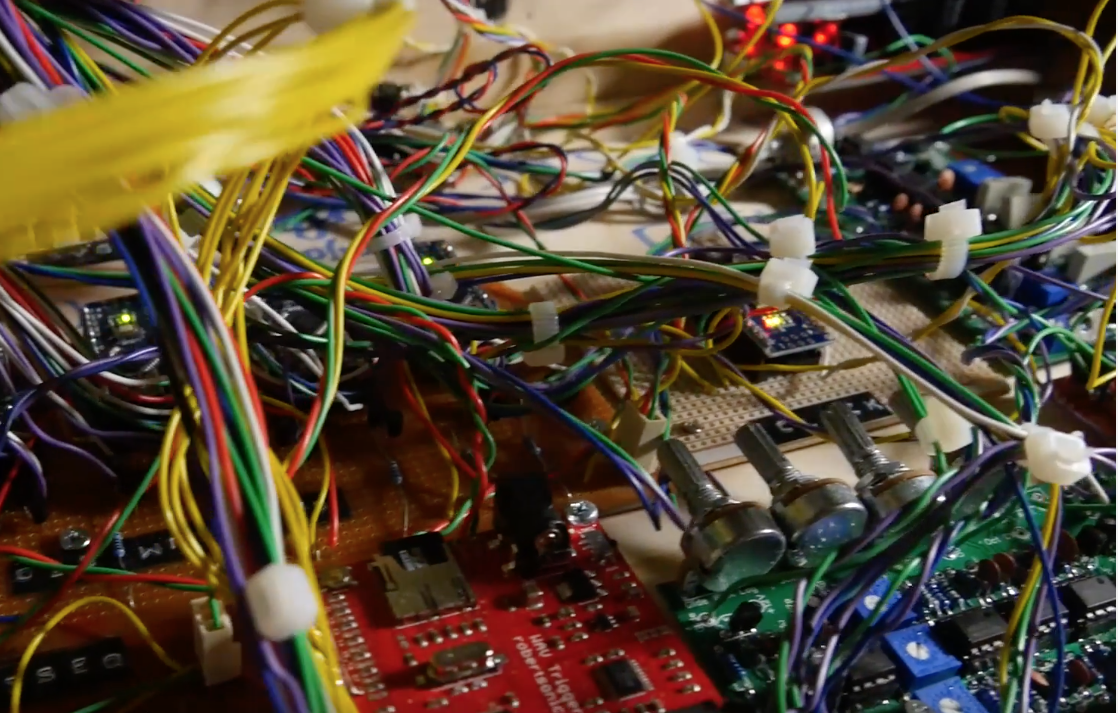
Battle’s YouTube channel is named “LOOK MUM NO COMPUTER” however, this apparently doesn’t count microcontrollers. Hidden in the externally clean-looking handlebar groove box is a total of 12 Arduino Nano boards, along with a maze of wiring, strip circuit boards, frequency central PCBs, a SparkFun WAV trigger, and some other electronics. There’s even built-in speakers on the sides to output the created sounds.

Be sure to check out Synth Bike 3.0’s New Atlas write-up for more info on the project.

12-Foot Guitar Takes The Stage

Musical festivals are fun and exciting. They are an opportunity for people to perform and show-off their art. The Boulevardia event held this June in Kansas City was one such event, where one of the interactive exhibits was a 12-foot guitar that could be played. [Chris Riebschlager] shares his experience making this instrument which was intended to welcome the visitors at the event.

The heart of this beautiful installation is a Bare Conductive board which is used to detect a touch on the strings. This information is sent over serial communication to a Raspberry Pi which then selects corresponding WAV files to be played. Additional arcade buttons enable the selection of playable chords from A through G, both major and minor and also give the option to put the guitar in either clean or dirty mode.

The simplicity of construction is amazing. The capacitive touch board is programmed using the Arduino IDE and the code is available as a Gist. The Raspberry Pi runs a Python script which makes the system behave like an actual guitar i.e. touching and holding the strings silences it while releasing the strings produces the relevant sound. The notes being played were exported guitar notes from Garage Band for better consistency.

The physical construction is composed of MDF and steel with the body and neck of the guitar milled on a CNC machine. Paint, finishing and custom decals give the finished project a rocking appearance. Check out the videos below for the fabrication process along with photos of the finished design.

This project is a great example of art enabled by technology and if you love guitars, then go ahead and check out Brian May’s Handmade Guitar.


Filed under: musical hacks

Interfacing a Retro Controller using the USBASP

An ISP dongle is a very common piece of equipment on a maker’s bench. However, its potential as a hackable device is generally overlooked. The USBASP has an ATmeg8L at its heart and [Robson] decided that this humble USB device could be used as an interface between his PC and a SNES Joypad.

A SNES controller required three pins to communicate with a host: clock, data and latch. In his hack, [Robson]  connects the controller to the ISP interface using a small DIY adaptor and programs the AVR using the V-USB library. V-USB is a software USB library for small microcontrollers and comes in pretty handy in this instance.

[Robson] does a pretty good job of documenting the entire process of creating the interface which includes the USB HID code as well as the SNES joypad serial protocol. His hack works on both Windows and Linux alike and the code is available on GitHub for download.

Simple implementation like this project are a great starting point for anyone looking to dip their toes in the DIY USB device pool. Veterans may find a complete DIY joystick more up their alley and will be inspired by some plastic techniques as well.


Filed under: Arduino Hacks, hardware
Hack a Day 23 Jun 06:00

A fidget spinning robot!

Fidget spinners are currently very popular, and if you get one you’ll certainly want to spin and spin, maybe thinking you’ll never put it down. Unfortunately, like Nikodem Bartnik, you’ll eventually get bored with this device. Perhaps setting it aside forever. However, as Bartnik puts it, “Spinner has to be spinned,” so he came up with a robotic device to do this for him.

The resulting robot consists of two small servos, along with two 3D-printed linkages, attached to a piece of wood. A spinner is also affixed to the same piece of wood with a bolt, which is spun by the servos under Arduino Uno control.

Check out Bartnik’s Instructables write-up to see how it was done, along with the code and STL files needed to create your own!