Posts with «arduino» label

Wind your thread automatically with this Arduino-powered machine

If you ever wondered how thread could be wound on spools without human intervention, this build by Mr. Innovative will show you one option. 

The YouTuber’s DIY machine features a motor to rotate a small roller, pulling thread off a larger “feeder” spool. An encoder disk and photoelectric sensor are used to measure how much thread has been dispensed, and a servo-powered arm swings back and forth to allow the thread to feed evenly.

The device is controlled by an Arduino Uno and custom PCB shield, while an encoder and OLED display serve as the user interface.

I have made a thread coil winding machine, using Arduino and 3D-printed parts. For GUI I have used 0.96 OLED display, and for user input I have used a rotary encoder knob. A photoelectric speed sensor is used to measure the length of thread.

The machine has two modes of operation. 1st is manual mode in which thread starts to wind on coil until stop is not pressed. In 2nd mode, auto mode, the machine will wind the thread as per the user predefined length.

Parts, code, and print files can be found in the video description if you’d like to construct something similar.

Squeeze through pipes with this six-wheeled robot

If you need a robot to traverse piping systems, what are you to do? You could purchase a (very expensive) inspection robot, or you could instead build your own like the prototype pipe-crawler presented here. 

The device features six spring-loaded wheel assemblies that help it get a grip on different diameters of pipe, with two of the wheels powered for locomotion.

An Arduino Uno controls the uniquely-shaped bot, with an LN298N H-bridge used to regulate the three 9V batteries wired in series that run the motors. 

Pipeline systems deteriorate progressively over time through various means. Pipeline inspection robot are designed to remove the human factor from labour intensive or dangerous work environments and also to act in inaccessible environment. However, if you take a look at the prices of those robots you will find that they are way too expensive.

This project aims to create another kind of pipeline inspection robot. Because we think that It is beneficial to have a robot with an adaptable structure to the pipe diameter, and cheaper at the same time.

Our challenge is to make this robot adaptable to diameters varying from 260mm to 390mm based on two sliding mechanisms.

Be sure to see it in action in the short video below! 

Control model trains wirelessly with your smartphone

Model trains have been a staple of DIY hobbiysts for generations, and while wireless control options can be purchased, KushagraK7’s hack lets you use your phone instead.

The setup consists of an Arduino Uno, along with a motor driver shield to vary the trains’s peed and direction, as well as flip turnouts to allow for different sections of track to be used.

The system employs a novel interface system, where an off-the-shelf Bluetooth receiver passes DTMF (telephone dial tones) to a decoder board, which then sends this decoded data on to the Arduino. While some might opt for an HC-05 Bluetooth module or similar, this enables control with a standard tone generator app, and the phone could even be physically connected via a stereo cable if convenient.

An e-skateboard controller made from scratch with Arduino

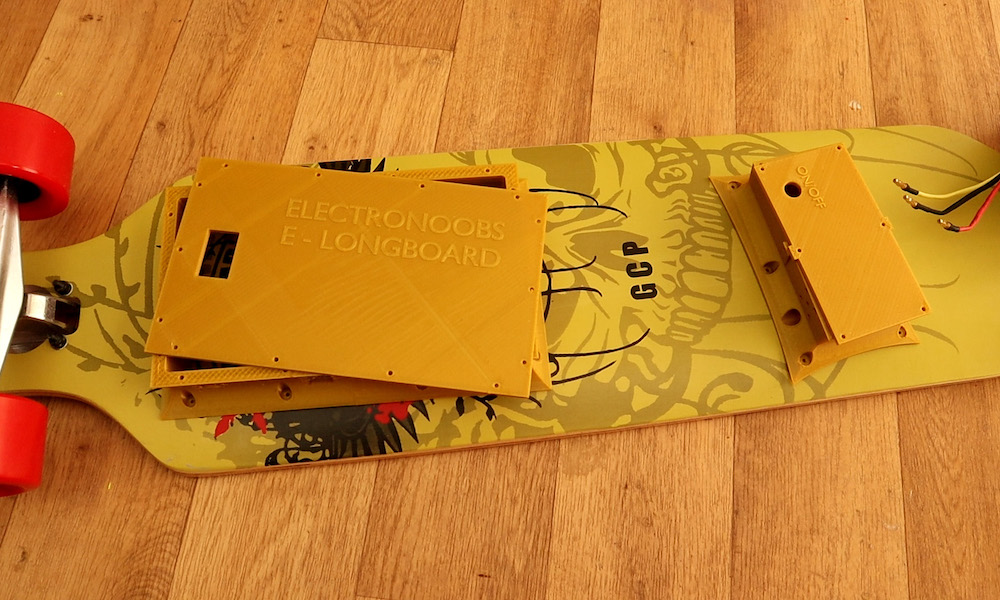
Last June, Timo Brinschein bought a Qu4tro electric skateboard with hopes of using it for fun and commuting duties. Unfortunately, while the skateboard itself worked well, the remote had many shortcomings.

Since replacing the skateboard’s controls entirely was out of reach, he instead settled on the “small” job of reverse engineering and swapping out the wireless controller for one of his own designs. 

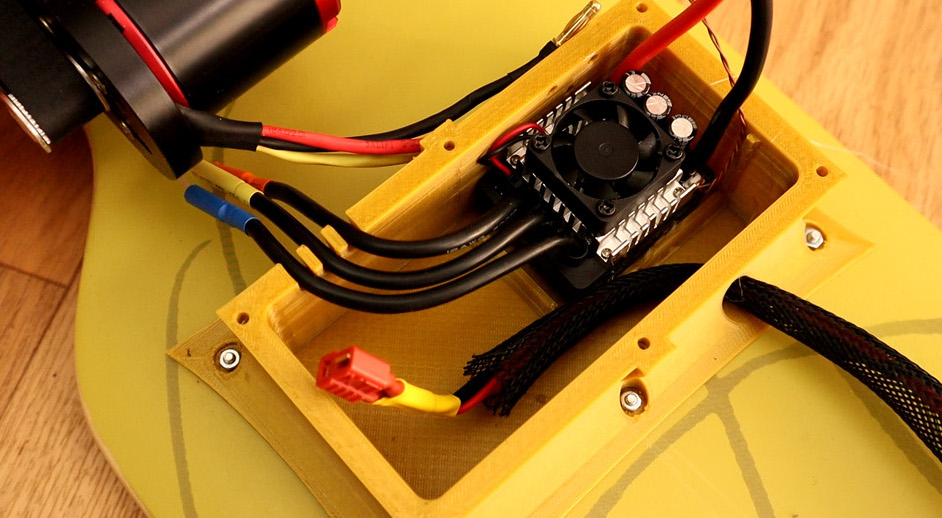
The resulting build uses an Arduino Nano as the brains of the device, along with the well-known nRF24L0+ module for wireless communication. Everything is housed inside a custom 3D-printed enclosure. 

Code for the project is available on GitHub, and print files for the excellent control handle is on Thingiverse.

Electronoobs creates his own Bluetooth-controlled Daft Punk helmet

If you like electronic music, you’ve certainly admired Daft Punk’s glowing electronic helmets. While the originals are amazing, as shown in this Electronoobs tutorial, you can now make a very good replica for around $20 and 30 hours of print time.

Print files for the helmet itself are based on this Thomas Bangalter build by the Ruiz Brothers, and similar to that one, a good amount of sanding and finishing was needed to give it a metallic look. 

Electronoobs’ helmet features seven WS2812 RGB LED strips, all connected to an Arduino Nano. Everything is controlled over Bluetooth by a custom Android app made with the MIT App Inventor, along with a microphone that allows the visor to react to music.

High school play gets a simulated sports scoreboard

Maker “DJ’s Fantasi” is the technical director at his local high school’s theater arts program, and when the director of their winter production of Disney’s High School Musical requested a scoreboard prop, he excitedly set to work. 

The resulting build consists of four 7-segment displays, lit up by strips of non-programmable LEDs. 

Numbers on the device are shown with the help of an Arduino Mega, which takes input via a single-channel remote. Seven I/O pins are used to indicate each segment to be displayed, and another four multiplex the signal into the required four digits.

While a more general input device could be used, this particular scoreboard was especially set up for this musical, sequencing through numbers that correspond to the performance on command.

More details on this impressive project can be found here.

Build a tachometer for your metal lathe with Arduino

If you manage to get a small lathe in your home shop, it will likely come with a dial to adjust the speed, but it may not have a tachometer to tell you if it’s actually spinning at your desired setting. Rather than accept this imprecision on his model, hacker Tony Scarpelli designed his own non-contact tachometer using an Arduino Nano.

The build is ingeniously simple, and mounts an infrared proximity sensor near gearing in the back of the lathe’s headstock. White paper is placed on this rotating surface, allowing the sensor to tell between this marker and the otherwise dark surface as it spins. Sensor pulses are recorded by the Arduino, which outputs RPM values on a small 16×2 LCD display.

A Smartwatch You Can Easily Build Yourself

The concept of a smartwatch was thrown around for a long time before the technology truly came to fruition. Through the pursuit of miniaturisation, modern smartwatches are sleek, compact, and remarkably capable for their size. Companies such as Apple and Samsung throw serious money into research and development, but that doesn’t mean you can’t create something of your own. [Electronoobs] has done just that, with this Arduino-based smartwatch build.

The brain of the watch is that hacker staple, the venerable ATmega328, most well known for its use in the Arduino Uno and Nano platforms. An FTDI module is used for USB communication, making programming the board a snap. Bluetooth communication is handled by another pre-built module, and a smartphone app called Notiduino handles passing notifications over to the watch.

This is a build that doesn’t do anything crazy or difficult to understand, but simply combines useful parts in a very neat and tidy way. The watch is impressively thin and compact for a DIY build, and has a host of useful functions without going overboard.

We’ve seen other DIY builds in this space, too – such as this ESP8266-based smartwatch. Video after the break.

Voice Controlled Camera for Journalist in Need

Before going into the journalism program at Centennial College in Toronto, [Carolyn Pioro] was a trapeze performer. Unfortunately a mishap in 2005 ended her career as an aerialist when she severed her spinal cord,  leaving her paralyzed from the shoulders down. There’s plenty of options in the realm of speech-to-text technology which enables her to write on the computer, but when she tried to find a commercial offering which would let her point and shoot a DSLR camera with her voice, she came up empty.

[Taras Slawnych] heard about [Carolyn’s] need for special camera equipment and figured he had the experience to do something about it. With an Arduino and a couple of servos to drive the pan-tilt mechanism, he came up with a small device which Carolyn can now use to control a Canon camera mounted to an arm on her wheelchair. There’s still some room for improvement (notably, the focus can’t be controlled via voice currently), but even in this early form the gadget has caught the attention of Canon’s Canadian division.

With a lavalier microphone on the operator’s shirt, simple voice commands like “right” and “left” are picked up and interpreted by the Arduino inside the device’s 3D printed case. The Arduino then moves the appropriate servo motor a set number of degrees. This doesn’t allow for particularly fine-tuned positioning, but when combined with movements of the wheelchair itself, gives the user an acceptable level of control. [Taras] says the whole setup is powered off of the electric wheelchair’s 24 VDC batteries, with a step-down converter to get it to a safe voltage for the Arduino and servos.

As we’ve seen over the years, assistive technology is one of those areas where hackers seem to have a knack for making serious contribution’s to the lives of others (and occasionally even themselves). The highly personalized nature of many physical disabilities, with specific issues and needs often unique to the individual, can make it difficult to develop devices like this commercially. But as long as hackers are willing to donate their time and knowledge to creating bespoke assistive hardware, there’s still hope.

[Thanks to Philippe for the tip.]

Star Trek tricorder-style heart rate monitor

A heart rate monitor can be an important tool for tracking fitness and exertion levels, but what if you want something a bit more interesting style-wise? For a novel idea, be sure to check out the project shown below from “Taste The Code.”

In it, Blagojce Kolicoski turns a handle used for launching rotating toys into something reminiscent of a tricorder from Star Trek.

The build stuffs an Arduino, a pulse sensor, and a tiny OLED display into the handle, which conveniently already had accommodations for three AA batteries. This, along with the monitor’s I2C connection, meant that wiring everything up was quite simple. 

Want to make your own? Instructions are available here, while code can be found on GitHub.