NVIDIA is deepening its efforts to fight cancer using AI. The GPU maker is teaming with Medtronic to build AI into the GI Genius endoscopy tool (shown below). The two will use NVIDIA's IGX hardware and Holoscan medical platform to help detect the polyps that can lead to colorectal cancer. Doctors will get "AI-enhanced" diagnostic images, the companies say.
The first GI Genius systems built with NVIDIA tech are expected to arrive later this year. The device can use a range of AI tools, and Medtronic is betting that using NVIDIA's Clara platform could help develop algorithms for real-time medical procedures.
Medtronic
The news comes the same time as NVIDIA is expanding its BioNeMo Cloud service that helps bring generative AI to drug discovery. The new offering helps train AI models (and handle inference) used to develop new therapeutic proteins and otherwise advance fields like biology and chemistry. Researchers can speed up one of the most time-consuming processes in their pipeline, NVIDIA claims.
For NVIDIA, this is as much about translating its AI expertise to health tech as it is winning another customer. Still, the alliance could lead to some very practical benefits. As with some other AI-based cancer detection systems, this could help physicians begin treatment early and increase the chances of recovery.
This article originally appeared on Engadget at https://www.engadget.com/nvidia-and-medtronic-are-building-an-ai-enhanced-endoscopy-tool-161532723.html?src=rss
Every year means new iterations of your favorite phones from the likes of Apple, Samsung and Google, so you might be tempted to upgrade to your handset. But with some new phones costing over $1,000, keeping up with the latest and greatest can really take a toll on your wallet. So why not offset the cost by putting your old device up for sale? If you’re wondering which trade-in service will yield you the biggest bang for your buck, and how easy it will be, we have answers to those questions (and more). We've rounded up some of the leading contenders for offloading your old electronics. It’s not just phones, either — perhaps you have an old laptop that isn't quite cutting it anymore, or maybe you've got some other stuff sitting in the closet collecting dust.
Trade-in sites
If you're looking for the littlest hassle and want your money as soon as possible, there are plenty of sites that will automate the trade-in process. You'll select your device from a list, get a quote within minutes and send the device back for cash in a matter of days.
Decluttr
Decluttr definitely lives up to its name. Not only can you sell phones from a number of manufacturers, including Apple, Samsung and Google, but the site also takes lots of physical media, including CDs, DVDs, Blu-rays, video games and books. For devices, you'll be asked for a general assessment of its condition, and given a quote immediately. Once you complete your order the site will send you a free shipping label. Decluttr also will accept handsets as old as the iPhone 6S, though it'll offer you only $7 for a 16GB model in good condition.
uSell
uSell operates as a broker, searching other sites for their best offers on a given device and taking care of the rest. Like most buyback sites, it's big on iPhones, but you can still sell off other manufacturers' devices; it really depends on who's buying them at that point. The selection is a bit of a grab bag — newer phones like the Galaxy S21 aren't listed, though you can get a quote for the iPhone 11 ($210 for an unlocked, “flawless” 64GB model). Once you complete your order the site will send you a free shipping kit to send out your phone, and you can get paid for the item via PayPal, Venmo or an old fashioned check.
ecoATM
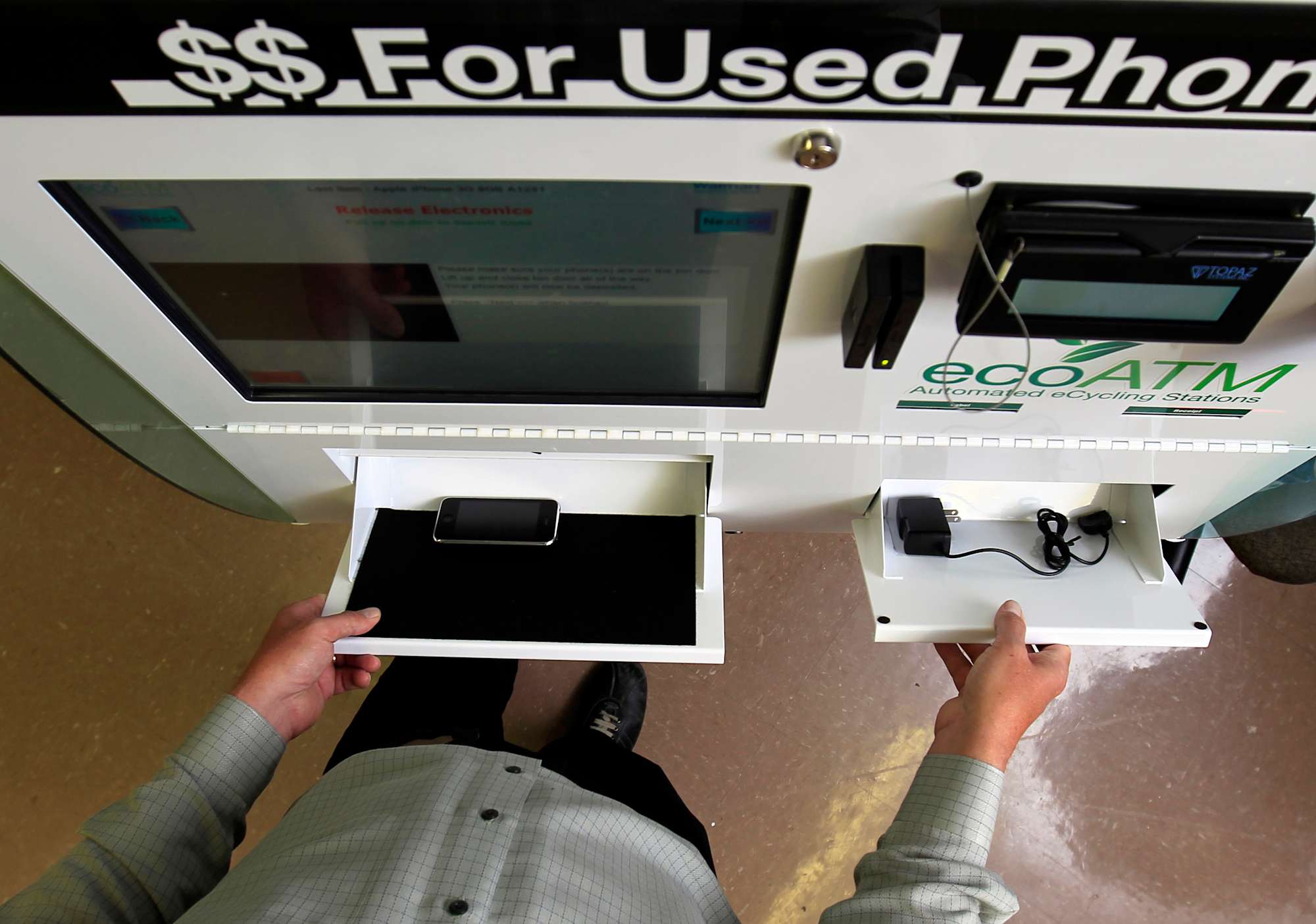
If you don't want to have to worry about packaging up your old device and mailing it off, or would like to receive your payout right away, there's always ecoATM. It's literally there in the name: an automated machine that you place your device into and it examines the handset and pays you on the spot. It accepts the biggest brands (i.e., Apple, Google and Samsung), along with devices from a wide variety of manufacturers, including LG, Motorola and ZTE. If the machine determines that your device isn't worth anything at all, you can still use ecoATM to responsibly recycle your old gadget. You'll find ecoATM kiosks in Walmart and Kroger locations, as well as malls and check cashing stores across the country.
Amazon
While browsing Amazon listings, it’s likely you’ve come across products marked as “refurbished.” Well, if you’ve ever wondered where those come from, a lot of them likely hail from Amazon’s trade-in program. The company will put its own products, like Kindle readers and Fire tablets front and center, but you can also send in phones and gaming products in for an Amazon gift card as well. It’s not great if you want cash, but if you’re looking to upgrade an Amazon device this option is your best bet, as trading in an older one also nets you a 25 percent discount in addition to the store credit. You’ll need to print out a shipping label, or you can drop off your electronics at select Amazon Locker or Whole Foods locations.
Apple
This is a good option if you’re looking to upgrade to a newer Apple device. You can trade in iPhones, iPads, Macs and even Apple Watches. That’s notable as wearables are a category you don’t often see on trade-in sites. Apple will even take your old Android phone if you were thinking of making the switch. The trade-in values are on par with other sites, but you can get a smaller payout in the form of a gift card instead if you’d rather wait before making a new purchase, want to put it toward media purchases or even just use it in an Apple Store. Which, by the way, also accepts trade-ins in case you’re not comfortable shipping your old but still expensive device.
It'sWorthMore
The nice thing about It’sWorthMore is that its on-site forms handle a larger variety of gadgets than other sites, incorporating companies such as Microsoft, AMD and even GoPro in addition to standards like Apple, Samsung and Google. You’ll answer a few standard questions about your device’s condition and whether you still have the original box — obviously, the more you’ve kept from the original packaging, the better. You’ll then get a ballpark estimate of its worth and a prepaid shipping label to print out. Once your device is received you’ll generally get the assessment and payment via check, PayPal, Venmo or Zelle within two to three business days.
BuyBackWorld
The appeal of BuyBackWorld is that device assessment is a streamlined process: Instead of having to answer a barrage of detailed questions for your device you give it a general assessment and let the site handle the rest. Just like with It’sWorthMore, BuyBackWorld will provide a printable shipping label in your confirmation email but, if you don’t have a printer or boxes to pack your device up, you can always have the site send you a free shipping kit, which can handle everything the site takes except desktop computers.
GadgetGone
If you’ve read through the other site descriptions, GadgetGone’s modus operandi should be familiar: To sell a product, you’ll have to answer a few questions about what type of device you have and what condition it’s in, after which the site will generate a prepaid shipping label. At least here you can find brands like OnePlus included among the options, and you can also sell MacBooks and Mac Minis here. You can get paid a number of ways, too, including PayPal, virtual VISA card, Amazon and Target gift cards or just good old fashioned bank transfer.
Store trade-ins
Sometimes you need your money right now, or just don't want to trust your device to the vagaries of various shipping companies. There are a few nationwide retailers that accept trade-ins for cash or store credit. Additionally, wireless carriers like Verizon, T-Mobile, AT&T and Sprint will all give you credit toward a new phone.
Best Buy
Best Buy also offers trade-ins both by mail and in-store — with more than 1,000 locations, this might be extremely convenient for you. You fill out the form online and bring that to customer service. It's easy, but there's one big downside: You can get your payout only via a Best Buy gift card. This is great if you spend a lot of money with them anyway, but less good if you really need cash.
GameStop
GameStop is infamous for buying games back at ridiculously low prices and flipping them at near retail, but don't let that stop you from making some easy cash when you need to quickly clear your closet of old electronics and games. And yes, I said cash: GameStop offers store credit, a Visa prepaid card or actual money if you want to take your bounty elsewhere. For example, you can trade in Animal Crossing for the Switch and get $22 in store credit or $18 cash, which isn't bad when new copies are going for $48 on Amazon. GameStop also accepts phones, tablets and Apple Watches, though the prices aren't going to match what you'd get from an online trade-in site.
Consumer to consumer
Sometimes you prefer to cut out the middleman and get a bit more personal — a transaction where you're selling your device directly to another person instead of letting a faceless site flip it for you as a "refurbished" unit. In those cases, you want a site that's more user-to-user, though a few will still automate certain bits to make your sale as smooth as possible.
Swappa
Swappa is a marketplace site, which means sellers can set their own price. So if you're getting rid of a newer phone, this is probably the best way to go — the iPhone 13 fetches around $515, for example. That's a huge improvement over what you'd get selling through a site like Decluttr, which is offering only $422 for a 128GB unit.
Amazon
When shopping on Amazon, you've probably been tempted by some of those marketplace deals in the past and, chances are, if you list an item on there, someone will give your old device a look. Since almost everyone on earth seems to have an Amazon account, your potential customer base is huge, and it costs only $0.99, plus a percentage based on category, to sell an item through the site. The downsides are that Amazon isn't really optimized for individual sales; you'll be competing with wholesale companies and even bots that will tweak the price of a product automatically in response to the competition.
eBay
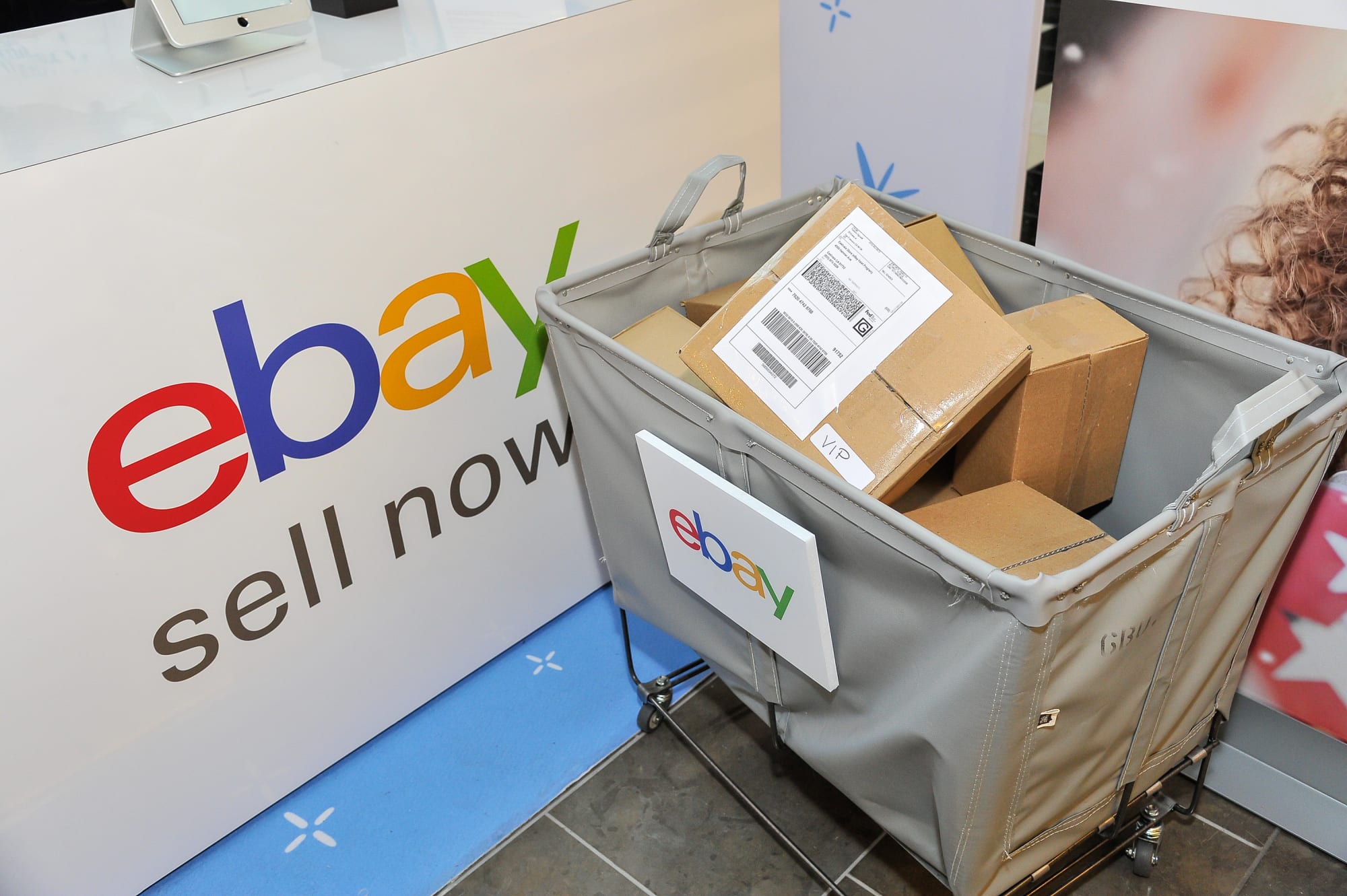
eBay is sort of the Wild West of sales sites, but the biggest advantage is that you can sell anything there and hopefully find a buyer, regardless of how old a product is. Even so, the site has come a long way in the past decade or so, adding structured categories that can help lead customers to your product. For phones, you can search by network, color or storage capacity, and even filter for features like 4K video or fingerprint sensors.
In the end, it still works as it always did: You list a product and set an end date for the listing with a minimum price, or just set a "Buy It Now" price if you don't want to wait to see how an auction turns out. Chances are you already have an eBay account with a feedback score, so there's no extra setup required on your part. Your first 250 listings are free every month, and you'll pay up to 15 percent of the purchase price only if an item sells. The biggest downside is that you're competing with a lot more sellers, and chances are there's always someone willing to undercut you on price.
Cash-back comparison
Ultimately, the site you go with should be whatever's most useful and convenient, but if you just care about how much money you'll end up with, we've priced out a few recent flagship handsets just to give you an idea of what each site offers. We've also thrown in the Nintendo Switch, because it might be time to sell yours off and finally upgrade to an OLED model.
All phone prices are for the lowest storage capacity, usually 128GB. The prices are for the unlocked models when available, or the carrier where it's being traded. These prices were valid the day this post was written, but they fluctuate daily or, in the case of sites like Amazon and eBay, hourly.
Apple iPhone 12 Pro Max
Samsung Galaxy S21 Ultra
Google Pixel 6
Nintendo Switch
Declutter
$432
$226
$135
$125
uSell
N/A
N/A
N/A
N/A
ecoATM
$280
$155
$40
N/A
Sprint
$230
$115
$45
N/A
Verizon
$282
$220
$15
N/A
T-Mobile
$230
$115
$45
N/A
AT&T
$280
$230
$130
N/A
Best Buy
$330
$150
$105
$50
GameStop
$291 cash / $364 credit
$131 cash / $164 credit
N/A
$80 cash / $100 credit
Swappa
$455
$224
$124
$238
Amazon
$401
$275
$190
$75
eBay
$405
$368
$200
$131
BuyBackWorld
$415
$230
$140
$110
It'sWorthMore
$442
$273
$153
$100
GadgetGone
$465
$271
$141
$41
If you were looking to sell some games, we've also got a shorter list, because not every site accepts trade-ins. GameStop will offer you more money than what's listed below if you're a member of its Elite or Elite Pro programs.
Elden Ring (Xbox)
Horizon Forbidden West (PS5)
Pokémon Legends Arceus (Switch)
Decluttr
$17
$17
$20
GameStop
$11 cash / $14 credit
$13 cast / $16 credit
$14 cash / $17 credit
Amazon
$8
$51
$14
eBay
$21
$20
$25
Once you've picked a site and listed your item, there are a few important things to remember before you ship off your device. The most important, when disposing of a phone or laptop or any other device containing personal data, is to do a full factory reset. That also means turning off "Find My iPhone" and the activation lock on iOS devices. See if you can unlock the phone, too; you'll actually get more money selling it carrier-free. And finally, make sure you've backed up any important data you may have, like contact info, game saves and, of course, photos. Cash is great, but it won't save your memories.
Images: Mike Blake / Reuters (ecoATM); Alamy (Gamestop); Getty Images for eBay (eBay)
This article originally appeared on Engadget at https://www.engadget.com/where-to-sell-used-electronics.html?src=rss
Ford has finally shown the medium-sized electric crossover it teased last year, and it might not be what you expect. The company has unveiled an electric Explorer that's "designed for Europe" and as suited to tight city streets as it is weekend jaunts. It's relatively compact (under 14.8ft long versus 16.6ft for the gas SUV) and offers creature comforts like "sporty" seats. Notably, it also includes a few technology features you won't even find in higher-end Ford EVs like the Mustang Mach-E.
The 15-inch vertical touchscreen will seem familiar, but it slides up and down — you won't have to settle for an awkward position. You also won't find the physical knob from earlier Ford EVs. The automaker also takes advantage of the electrified design to provide a massive amount of console storage space (enough for a 15-inch laptop) and a private "locker" for valuables. Wireless phone charging is standard, as is wireless Android Auto and Apple CarPlay. The five cameras and three radar sensors provide Ford's usual range of driver aids, although this is the first time Europeans will have access to features like Assisted Lane Change (which changes lanes through a stalk press).
Most performance specs aren't yet available, including range. However, Ford claims you can charge from 10 percent to 80 percent in a relatively quick 25 minutes.
The company is taking reservations for base Explorer and higher-end Explorer Premium trims now ahead of a release later this year. While final pricing will have to wait, Ford expects the line to start below €45,000 (about $48,500). Don't expect a launch elsewhere, unfortunately. Ford tells Engadget there are "no plans" to bring the Explorer EV to North America, and that the conventional Explorer will still be on sale worldwide.
The Explorer is part of a larger strategy to introduce seven EVs to Europe by 2024, including the compact Puma and the Transit van. Ford ultimately hopes to completely electrify its passenger cars in Europe by 2030. This new model may be key to that transition. On top of being more practical for European streets, it's considerably more affordable than the roughly €62,000 Mach-E. This is the mainstream (if still pricey) people-hauler that might reach a wider audience.
This article originally appeared on Engadget at https://www.engadget.com/ford-unveils-an-electric-explorer-crossover-built-for-europes-narrow-streets-144516934.html?src=rss
In a blog post that "Bard did help us write," vice president of product Sissie Hsiao and vice president of research Eli Collins invited folks to sign up at bard.google.com. The company said it will begin rolling out access to those in the US and the UK today, and that it's "expanding over time to more countries and languages." Opening up access to more people is "the next critical step in improving it," the pair said, noting that getting feedback from a wider tester base is crucial.
Much like you can with ChatGPT or Microsoft's Bing AI, you'll be able to talk to Bard like you would a friend, using natural language instead of a stilted series of keywords. "You might ask Bard to give you tips to reach your goal of reading more books this year, explain quantum physics in simple terms or spark your creativity by outlining a blog post," Hsiao and Collins wrote.
The pair also said "Bard is a direct interface to an LLM, and we think of it as a complementary experience to Google Search." Based on screenshots included in the announcement, Bard's interface looks fairly similar to Bing AI, with a few key differences. At the bottom of each response, Google's version offers four buttons: thumbs up, thumbs down, a refresh arrow and a button saying "Google it." There's also an option at the top right of the response that says "View other drafts." Bing AI doesn't have these, instead using the space below each response as an area for source citations.
The input bar at the bottom of the screen also has a couple of differences. Bard has a microphone symbol at the end, indicating speech-to-text might be supported, while Bing doesn't. Meanwhile, Microsoft's offering has a broom icon on the left of the text input bar to clean the slate when you want to start on a new topic. Google's doesn't. It's also worth noting that below Bard's text field is a line of fine print that reads "Bard may display inaccurate or offensive information that doesn't represent Google's views."
Google
In its announcement, Google was careful to acknowledge that large language models (LLMs) like LaMDA aren't perfect and that mistakes happen. "For instance, because they learn from a wide range of information that reflects real-world biases and stereotypes, those sometimes show up in their outputs," Hsiao and Collins wrote.
They even shared an example of where Bard has gone wrong before. "When asked to share a couple suggestions for easy indoor plants, Bard convincingly presented ideas…but it got some things wrong, like the scientific name for the ZZ plant."
Google said that it's important to know such challenges exist, and noted that quality and safety are significant issues to consider. "We've also built in guardrails, like capping the number of exchanges in a dialogue, to try to keep interactions helpful and on topic," Hsiao and Collins wrote. It's not yet clear what the limit on the number of exchanges in a dialogue is, though, and we've asked Google for clarification and will update this post when we hear back.
In spite of all its potential limits and possibility for error, Google still believes Bard is worth the work, adding that it will "continue to improve Bard and add capabilities, including coding, more languages and multimodal experiences." Hsiao and Collins said that Bard's help in writing the announcement post involved creating an outline and suggesting edits. "It didn’t always get things right," they said. "But even then, it made us laugh."
This article originally appeared on Engadget at https://www.engadget.com/google-is-opening-up-access-to-its-bard-ai-chatbot-today-140047434.html?src=rss
Reading some of your favorite Manga series may be getting a little easier soon: Kodansha, the publisher behind hit titles like Attack on Titan and Ghost in the Shell, has announced that it's launching a new digital reading platform in May. Simply titled, K Manga, the new app promises to launch with a backlog of 400 titles, and will provide early access to new chapters from the publisher's most popular series.
The announcement doesn't say if K Manga will sell Manga by the volume or have a paid subscription tier, but users will be able to "read limited chapters of manga for free." That, paired with a promise that K Manga releases will be "official translations" seems to be positioning the app as an alternative to the unofficial pirate sites that share fan-translated Manga for free online.
As for what you'll be reading on the app? Kodansha highlights a few contemporary series such as The Seven Deadly Sins: Four Knights of the Apocalypse and Don't Toy With Me, Miss Nagatoro, but the company's back catalog has enormous potential. Although none of these series are officially announced for K Manga yet, Kodansha is the publisher for iconic hits like Sailor Moon, Akira and Battle Angel Alita.
The K Manga app will launch on May 10.
This article originally appeared on Engadget at https://www.engadget.com/attack-on-titan-publisher-kodansha-is-launching-its-own-manga-app-140032685.html?src=rss
Streaming promised us a world without cable contracts and the satisfaction of only paying for what we actually wanted to watch. But at what cost? Cutting the cord typically means you don’t get to watch local channels, live sports or certain “cable only” networks. If you want to get back some of what cable has to offer – without the contract or quite so much padding – a live TV streaming service may be what you need. There are a handful of options out there and nearly all of them are worth considering. We tested out six, comparing the features, prices and usability of each to come up with recommendations for different types of TV lovers.
What to look for in a live TV streaming service
What you need to stream live TV
Streaming live TV is a lot like using Netflix. You get access through apps on your phone, tablet, smart TV or streaming device and the signal arrives over the internet. A faster and more stable connection tends to give you a better experience. Most live TV apps require you to sign up and pay via a web browser. After that, you can activate the app on your device.
Price
When I started my research, I was struck by the price difference between live TV and a standard streaming app like Netflix or Peacock. Where the latter cost between $5 and $20 per month, many live TV services hit around the $70 mark and can go higher than $100 with additional perks, channel packages and premium extras. I also learned that when it comes to base plans, higher prices are mostly due to the cost of providing multiple networks – particularly sports and local stations.
Local channels
Only two of the services we tried don’t include full local channel coverage and one of those makes no effort at carrying sports. That would be Philo and, as you might guess, it’s the cheapest. The next most affordable option, Sling, only carries three local stations, and only in larger markets, but it still manages to include some of the top sports channels.
When you sign up with any provider that handles local TV, you’ll enter your zip code, ensuring you get your area’s broadcast affiliates for ABC, CBS, FOX and NBC. Of course, you can also get those stations for free. Nearly all modern television sets support a radio frequency (RF) connection, also known as the coaxial port, which means if you buy an HD antenna, you’ll receive locally broadcast stations like ABC, CBS, FOX and NBC. And since the signal is digital, reception is much improved over the staticky rabbit-ears era.
Sports
One reality that spun my head was the sheer number and iterations of sports networks in existence. Trying to figure out which network will carry the match-up you want to see can be tricky. Google makes it a little easier by listing out upcoming games: if you click on one, the “TV & streaming” button will tell you which network is covering the event.
That just leaves figuring out if your chosen service carries that network. Unfortunately, even with add-ons and extra packages, some providers simply don’t have certain channels. It would take a lawyer to understand the ins and outs of streaming rights negotiations, and networks leave and return to live TV carriers all the time. That said, most major sporting events in the US are covered by ESPN, Fox Sports, TNT, USA and local affiliates.
Amy Skorheim / Engadget
Traditional cable networks
Dozens of networks were once only available with cable, like Bravo, BET, Food Network, HGTV, CNN, Lifetime, SYFY and MTV. If you only subscribe to, say, HBO Max and Netflix, you won’t have access to any of those. All the options we tested deliver sizable lists of cable networks, though only DirecTV gives you all of the top 36 channels ranked by Nielsen as the most watched in 2022.
Media conglomerates continue to merge, rebrand or reenter the streaming market, which means you can find many cable networks on traditional streaming platforms like Peacock. Other channels like AMC+ have their own stand-alone apps. If you’re just interested in live TV for cable-only shows, there are cheaper alternatives. I was particularly delighted by the 20 ad-free channels you get on the Discovery+ app for $7 per month. Paramount+ has shows from multiple brands, including MTV and Comedy Central, while Peacock has Bravo and Hallmark shows.
There’s even a service called Frndly TV that costs a mere $7 per month and streams A&E, Lifetime, Game Show Network, Vice and about 35 others. We didn’t test it for this guide because it doesn’t give you local access, news or sports and most people would be better served by the broader coverage on a cheap option like Philo.
I should also mention free ad-supported TV (FAST) streamers like Tubi, PlutoTV and Sling Freestream that let you drop in and watch a decent selection of live networks at zero cost. Some don’t even require a credit card. And if you have a Roku device or a Samsung TV, you can access hundreds of live channels via the Roku Channel or through the Samsung TV Plus app.
Digital video recordings (DVR)
Every option we’ve included offers DVR storage and all content is stored in the cloud, so you don’t need a separate physical device like you often do with traditional cable. You’ll either get an unlimited amount of recordings that expire after nine months or a year, or you’ll get a set number of hours (between 50 and 1,000) that you can keep indefinitely. Typically, all you need to do is designate what you want to record and the DVR component will do all the hard work of saving subsequent episodes for you to watch later.
Aside from being able to watch whenever it’s most convenient, you can also fast-forward through commercials in recorded content. In contrast, you can’t skip them on live TV or video-on-demand (VOD).
Most live TV subscriptions include access to a selection of VOD content including movies and shows that are currently airing on your subscribed networks. This typically doesn’t cover live events, local shows and news programming. But it does let you watch specific episodes of ongoing shows like Diners, Drive-Ins and Dives or BET’s Sistas. Just search for the program, pick an episode and hit play.
Tiers, packages and add-ons
Comparing price-to-offering ratios is a task for a spreadsheet. I… made three. The base plans range from $25 to $75 per month. From there, you can add on packages, which are usually groups of live TV channels bundled by themes like news, sports, entertainment or international. Those cost an extra $5 to $20 per month and simply show up in the guide where you find the rest of your base-level live TV.
Then there are more premium VOD add-ons, such as HBO Max, AMC+, Starz or Showtime. You may already have these through standalone apps. If you don’t, or if you prefer a combined bill and one access point for your streaming, many live TV subscriptions let you add them.
How we tested
When I begin testing for a guide, I research the most popular and well-reviewed players in the category and narrow down which are worth trying. For this space, just six services dominate, so I tried them all. After getting them set up using my laptop, I downloaded the apps on a Samsung smart TV running the latest version of Tizen OS. I counted the local stations and regional sports coverage, and noted how many of last year's top cable networks were available. I then weighed the prices, base packages and available add-ons.
I then looked at how the programming was organized in each app’s UI and judged how easy everything was to navigate, from the top navigation to the settings. To test the search function, I searched for the same few shows on BET, Food Network, HGTV and Comedy Central, since all six providers carry those channels. I noted how helpful the searches were and how quickly they got me to season 6, episode 13 of Home Town.
I used DVR to record entire series and single movies and watched VOD shows, making sure to test the pause and scan functions. On each service with sports, I searched for the same four upcoming NHL, NBA, MLS and NCAA basketball matches and used the record option to save the games and play them back a day or two later. Finally, I noted any extra perks or irritating quirks.
Google’s live TV streaming service has a lot of strengths. Compared to our top pick for sports, YouTube TV covers major and minor teams, regional games and national matchups almost as well. It gives you clear navigation, a great search function, unlimited DVR and broad network coverage. It's not quite as affordable as it once was, as YouTube recently raised the price to $73 per month – and it's even more financially precarious if you're not great at resisting temptation.
Upon signup, you’re presented with nearly 50 different add-ons, including 4K resolution, premium channels and themed packages. Even if you fight the urge to roll HBO Max, Shudder and AcornTV into the mix at signup, the enticement remains as it’s dangerously easy to add more to your subscription. If you search for a program on a network you don’t have, you’re prompted to add it. And of course, you can also rent or buy movies that aren’t currently showing on any channels, just like you can via YouTube. While it’s convenient to be able to order up anything you might want on a whim, I imagine this pushes many users’ bills far above Google’s listed $73 per month.
Still, it’s nice to have all your entertainment in one place. And if you only want the add-ons, you can actually subscribe to most of the standalone networks without paying for the base plan. Either way, you get a familiar user experience, with navigation you’ll recognize if you’ve spent any time on regular ol’ YouTube. Unsurprisingly, Google’s search function was the best of the bunch, finding the shows and games I searched for quickly and giving me clear choices for how to watch and record.
At signup, you’ll also pick the shows, networks and teams you like, which are added to your library. YouTube TV then automatically records them. You get unlimited cloud DVR space (though recordings expire after nine months) and it’s dead simple to add programming to your library. Like a real cable experience, YouTube TV autoplays your last-watched program upon startup by default, but it was the only service that allowed me to turn that feature off by heading to the settings.
Searching for and recording an upcoming game was easy. Once the game was recorded, I had to hunt a little to find it in my library (turns out single games are listed under the Events heading, not Sports). But after that, playback was simple and included a fascinating extra feature: You can either play a recorded game from the beginning or hit Watch Key Plays. The latter gives you between 12 and 20 highlight snippets, each about 10 seconds long. It focuses on the most impressive shots in an NBA bout and includes every goal in an MLS matchup. The feature was available for NCAA basketball and in-season major American leagues (hockey, soccer and basketball at the time of testing). Foreign and more minor games didn’t have the feature.
YouTube TV also gives you the most in-app settings. You can add parental controls to a profile or pull up a stats menu that shows your buffer health and connection speeds. You can lower playback resolution for slow connections and even send feedback to YouTube. It was also the best at integrating VOD and live programming. For example, if you search for a show that happens to be playing live, a red badge in the corner of the show’s image lets you know it’s on right now. Other services didn’t display this info as clearly.
Now that YouTube TV is $73 per month, it's no longer cheaper than Hulu + Live TV, which is $70. And if you already subscribe the regular Hulu app, this is definitely the better better choice. Hulu's option gives you live TV streaming, plus all of Hulu’s content, some of which you can't get elsewhere.
Hulu + Live TV carries your local affiliates and 32 of the top 36 cable channels, which is the same number as YouTube TV. For sports, you get all available ESPN iterations plus FS1, FS2, TBS, USA, TNT, NBC Golf and the NFL Network. You can also add on premium VOD channels like HBO Max and Showtime, and it’s the only provider that includes Disney+ at no extra cost.
Navigation on Hulu + Live TV isn’t as smooth as most of the other options – it felt like the live component had been shoehorned into the standard Hulu app. But if you’re already comfortable with (and paying for) Hulu, upgrading to the live TV bundle might be worthwhile.
YouTube TV
Base plan: $73/mo
Local channels: Yes
Top cable channels: 32 of 36
DVR limits: Unlimited, 9-month expiration
Profiles per account: 6
Simultaneous at-home streams: 3 (unlimited with upgrade)
Picture in picture mode: Yes
Hulu + Live TV
Base plan: $70/mo
Local channels: Yes
Top cable channels: 32 of 36
DVR limits: Unlimited, 9-month expiration
Profiles per account: 6
Simultaneous at-home streams: 2 (unlimited with upgrade)
Picture in picture mode: No
Best cable without a contract: DirecTV Stream
Canceling cable is no joke – those contracts are binding. But if you enjoy the serendipity of flipping from one channel to the next and having access to as many networks as possible, DirecTV Stream will give you a very similar experience to cable without shackling you to a contract. Like cable, it allows you to jump to the “next” sequential channel (yes, DirecTV Stream numbers its channels) with a single button press, transforming the left and right d-pad buttons of a smart TV remote into the rocker on a standard clicker.
It carries all the top 36 cable networks (though Game Show Network and Animal Planet are only available at the second tier and above) and lets you add multiple packages and premiums like Showtime, Starz, AMC+ and Discovery+. You can also add HBO Max, just like on YouTube TV and Hulu + Live TV, but DirecTV is the only one we tried that lets you add Peacock. Of course, you can always add those apps separately to your smart TV, but for anyone who prefers the all-in-one convenience of cable, it’s a nice perk.
When you fire up DirecTV Stream, whichever network you last watched automatically starts playing. It continues when you switch over to the guide or other menu pages. If you’re used to the quieter experience of traditional streaming apps (after you turn off autoplay), you might find that a little distracting.
The navigation didn’t feel intuitive, partly because the menu options overlay the currently playing show and because there are so many ways to browse, access and control live, recorded and on-demand entertainment. The search function was the least integrated of the services I tested. Instead of live-suggesting as you type, it forces you to enter your full search term on a separate keyboard interface. Even with that limitation, it found the shows and movies I searched for and accurately presented the upcoming games I wanted just from typing in one of the teams.
You can’t add new channels or packages through the app, which might be a relief to anyone worried about succumbing to subscription overload. Everyone else may just find it annoying.
Base plan: $75/mo
Local channels: Yes
Top cable channels: 36 of 36
DVR limits: Unlimited, 9-month expiration (maximum of 30 episodes per series)
Profiles per account: 1
Simultaneous at-home streams: Unlimited
Picture in picture mode: No
Best for live sports: FuboTV
When you first sign up for FuboTV, it asks what teams you follow across all kinds of sports. Pick teams from in-season leagues and you’ll quickly have DVR content to watch. That’s because Fubo records every game your teams play as long as it’s aired on a supported channel – and its sports coverage is vast.
I tested out a premium subscription and the guide said there were 118 sports networks to choose from. In addition to the usual suspects from ESPN, Fox, NBC and CBS, you can watch motorsports, international leagues, adventure sports and even poker. Add-ons give you NBA TV, NHL Network, NFL Red Zone and MLB Network. And if you need access to all one thousand games the NBA plays in a season, you can add the NBA League Pass to your lineup for $15 per month. FuboTV even has its own sports channels.
Yes, the coverage is comprehensive, but FuboTV also made finding and recording specific games very easy. Searching for an upcoming game was simple, as was sifting through the ample amount of recorded games I ended up with. I particularly liked FanView for live games, which inserts the video into a smaller window and surrounds that window with continually updating stats plus a clickable list of other games currently airing.
FuboTV has made an obvious effort to win at sports, but recently it’s tried to deliver on the live TV experience as well. Based on what I've seen so far, it's certainly made strides. The guide was impressive in the number of ways it let you organize live TV, yet everything felt clean and uncluttered. The Home, Sports, Shows and Movies pages were filled with recommendations and many iterations of categories, with almost all suggestions being live TV.
Where FuboTV falls short is in VOD access and DVR playback. It wasn’t the best at finding the shows I searched for, and navigating available VOD content wasn’t as breezy as browsing through live programming. The lack of a pop-up preview window as you fast forward or rewind through recordings makes it tough to gauge where you are in a show. As for price, FuboTV ties with DirecTV Stream for the most expensive base package at $75. But if you need all the sports – and want some nicely organized live TV during the few moments when there’s not a game on – this is the way to go.
Base plan: $75/mo
Local channels: Yes
Top cable channels: 29 of 36
DVR limits: 1000 hours, no expiration
Profiles per account: 6
Simultaneous at-home streams: 10
Picture in picture mode: Yes (Apple TV only)
Most customizable: Sling TV
To me, the idea of spending time fine-tuning channel choices sounds exhausting. But if you’re the type who wants to get exactly what you want without paying for too much of what you don’t, Sling TV may be your best bet. It breaks its base plan into two packages, Blue and Orange, with different channels on each. Blue, which costs $45 a month, carries a larger number of networks, while Orange seems to have spent its lineup dollars on ESPN and ESPN 2. But at $40 monthly, Sling Orange is the cheapest way to get those two sports outlets.
After picking a plan, you can choose from a stable of add-on packages, with monthly prices ranging from $6 to $11. These include blocks of sports or lifestyle channels, kid-friendly fare, the Discovery+ bundle and a news package. There are 46 individual premium offerings, including Showtime, Starz, MGM+, Shudder and Acorn, which go for between $2 and $10 per month. Sling has pay-per-view movies, too.
As far as local coverage, Sling Blue grants access to ABC, Fox and NBC local affiliates in about 20 of the larger US markets including Los Angeles, Seattle, Dallas, NYC, Miami and DC. ABC coverage began in March 2023, but unfortunately, that raised the price of Sling Blue in supported markets from $40 to $45. For people not in those areas (or who opt for Orange) Sling is currently running a promotion for a free HD antenna to catch local stations.
Navigation is speedy and the interface is nicely organized, putting an emphasis on what you like to watch, with recommendations that are pretty accurate. The UI also makes the add-ons you’ve chosen easy to find. In my tests, though, the app froze a number of times as I navigated. While most services froze once or twice, it happened enough times with Sling to frustrate me. I had to force quit or back out of the app and start over five or six times during the three weeks of testing. Compared to others, Sling’s DVR allowance is on the stingy side, only giving you 50 hours of recordings, though they won't expire. You can pay for more DVR storage, but that will increase your overall costs.
I tried not to wander too far off-path during testing, but I feel it’s my duty to inform you that Sling has an Elvis channel, a Bob Ross channel and ALF TV (yes, an entire station devoted to the ‘80s sitcom starring a puppet). There’s also a Dog TV network intended to be played for your dogs when you leave the house, which you can add to Sling or get as a standalone app.
Base plan: Starting at $40/mo
Local channels: ABC, FOX, NBC in limited markets
Top cable channels: 22 or 29 of 36
DVR limits: 50 hours, no expiration
Profiles per account: 4
Simultaneous at-home streams: 1 or 3
Picture in picture mode: Yes
Best budget: Philo
At just $25 per month, Philo is one of the cheapest ways to get a cordless live TV experience. The biggest caveat is that you won’t find any local stations or sports programming on it. If that’s not an issue, Philo is great, with a clean, streamlined interface and generous DVR limits.
I’m a fan of minimalist design, so I appreciated the way Philo presented its menus and guide. There are just four top navigation headings: Home, Guide, Saved and Search. And instead of the usual guide layout that stretches out or shortens a show’s listing to represent its air time, Philo’s guide features monospaced squares in chronological order with the duration of the program inside the square. Another nice touch is when you navigate to a square, it fills with a live video of the show or movie.
Philo doesn’t limit the amount of programming you can DVR and lets you keep recordings for a full year, which is more than the nine months other providers allow. Like all live TV streamers, Philo won’t let you fast forward VOD programming. If skipping commercials is important to you, I recommend taking advantage of that unlimited DVR policy and hitting “Save” on any show or movie you think you may want to watch, then fast forwarding it on playback (you can do this with all the services we tried).
As far as channels, Philo covers 23 of the top 36 cable networks, with notable exceptions including Fox News, CNN, ESPN and MSNBC. Anyone looking for great news coverage should look elsewhere anyway, but the lack of a few must-have entertainment outlets like Bravo and Freeform was a little disappointing.
Base plan: $25/mo.
Local channels: No
Top cable channels: 23 of 36
DVR limits: Unlimited, one year expiration
Profiles per account: 10
Simultaneous streams: 3
Picture in picture mode: Yes (browser only)
This article originally appeared on Engadget at https://www.engadget.com/best-live-tv-streaming-service-133000410.html?src=rss
For decades now we’ve become accustomed to tossing all sorts of things into the recycling bin, like glass bottles, aluminum cans and cardboard. One category, however, that still isn’t on everyone’s list is consumer electronics. Over a billion phones were purchased in 2022, and that’s just one type of gadget. All that electronic waste can have real consequences for the planet, so it’s something you should have on your mind next time you clean out that closet.
Sure, you can try parting with your stuff for cash, but it can be tough, if not impossible, to find someone who wants a 12-year-old printer or a busted CRT. Few places have curbside pickup — in fact, some localities make it illegal to leave electronics for the garbage collectors — so you're going to have to find a reputable center to take it. We've gathered some resources to help you dispense of your broken and unwanted computers, televisions and any other gadget flotsam that's taking up space.
National chains
There is no national electronics recycling law at this time, so you won't find any federal programs to assist you with getting rid of old devices. The USPS does run a program for federal agencies and their employees, but it's not available to the general public. Instead, the rest of us have to rely on nationwide retailers to toss out our old stuff.
Best Buy
Best Buy has more than 1,000 locations in the United States, so it's likely you have one nearby where you can drop stuff off. You just need to take it to the customer service counter. They'll issue you a receipt too, but keep in mind that you can't claim the drop-off as a deduction on your taxes because Best Buy isn't a charity.
You can even recycle televisions and monitors, though you'll be charged a fee of $30 per item to cover the higher costs of transporting and disassembling them. (Consumers in California are not charged the $30 fee, while locations in Connecticut and Pennsylvania will not accept televisions or monitors at all.) If you're turning in a printer, you’ll get up to a $50 voucher toward the purchase of a new HP or Epson printer (select models only).
Also be aware that Best Buy limits you to three items per household per day, including up to two televisions.
Staples
Recycling your stuff at Staples is similar to Best Buy — just bring your products to the customer-service counter. But it’s more limited in that you can only bring in seven items a day, and the store won’t accept televisions at all (monitors are allowed). Staples Rewards members also receive a small credit of $5 per month for bringing in goods to be recycled or shredded. Members who spend at least $50 on ink or toner within a 180 day period can also receive $2 for every used ink cartridge they turn in, up to 20 a month.
Office Depot
Office Depot
Office Depot has more than 1,300 locations, but unlike Staples and Best Buy, it won't recycle your old gadgets for free. If you're only getting rid of a few phones or batteries, those can be turned in at no charge. For everything else, you must purchase a Tech Recycling Box, which costs $8.39, $18.29 or $28 depending on the size. Once you have the box, you can fill it with as many items as you want, provided they all fit inside, including smaller televisions. So it's a great deal if you have a lot of stuff you want to dispose of. These can be turned in either in person or by mail.
You can also return used ink and toner cartridges and get $2 each, up to 10 a month, if you’re a rewards member and spend at least $10 in-store on products within the same month.
Home Depot and Lowes
You can dispose of old rechargeable batteries, old phones and CFL bulbs in the dropoff boxes at any of 2,300 Home Depot or 2,200 Lowe’s locations. The bins are usually located in the front of the store, and Home Depot has an 11-pound limit on individual items.
Target
Target locations have drop-off bins for recyclables located near the entrance; in addition to bins for paper and plastics, there is a specially-designated bin for e-waste like cellphones and used ink cartridges
Manufacturers
If you can't make it to a retail location, especially when you need to get rid of only one or two items, many companies offer recycling programs for their own products. They'll even pay for shipping. Some run their own programs while others use outside organizations. We've outlined policies from a handful of manufacturers below.
Amazon
While Amazon would love to direct you to its trade-in program, you're probably reading this post because there's stuff you can't sell, and for those items Amazon offers mail-in recycling. You can send in your busted Kindles, Fire TVs and even Dash Buttons, as well as select peripherals like keyboards and mice. You'll just need to fill out some forms online and generate a shipping label, which you can slap on any box. Drop it off at a UPS location, and you're good to go; Amazon will cover all the costs.
Apple
Apple
If your iPhone or MacBook is still in good shape, you should consider selling it, but if it's too old or beat up you can still score a gift card by turning it into Apple's recycling program. For iPhones (as well as select handsets from Samsung and Google), iPad and Apple Watches you'll be asked to fill out a form attesting to the product's condition and given a trade-in quote, with a working iPhone 7 going for $30 and an iPhone 11 scoring you $160. For Macs, you'll be asked to provide a serial number as well. Though Apple won't give you cash for anything it deems old or unacceptable, you can still mail it in or bring it to any Apple Store so it can be responsibly disposed of.
Dell
Dell offers drop-off recycling via a partnership with Goodwill. Not every location participates, but there are more than 2,600 that do. And, because it's a charity, you may even be able to deduct it as a donation on your taxes. Dell also has a mail-back program on its site where you can generate a shipping label and drop the package off at a FedEx location instead.
Epson
You can ship old products back to Epson by simply creating a shipping label on its site and dropping it off at a FedEx location. Or just drop it off at a Best Buy location for a $30 or $50 voucher toward a new Epson printer.
HP
If you can, HP recommends taking its products to the nearest Best Buy. Ink and toner cartridges can be returned by mail; the company will mail you an envelope that can hold between 3 and 8 ink cartridges and can be dropped off in a mailbox or at the post office. For toner and large quantities of ink cartridges, you can print out a label and use your own box, or request a box be sent directly to you, which you’ll fill with items and drop off at a UPS location.
Other manufacturers
Many other companies use outside recyclers to dispose of their products, and you'll often see the same names popping up again and again across different manufacturers. This should simplify things in some cases — you should be able to send in products from multiple sources in one package. You just need to fill in the make and model to generate a prepaid shipping label. However, different states have different rules on what you can return, so the drop-downs for selecting your product may vary by area.
Two major recycling companies you'll notice a lot are RLG, which covers Acer, Canon, Google, Intel, Lenovo, Microsoft and Motorola, and MRM, which recycles products for Alcatel, BlackBerry, Barnes & Noble (nook), TCL and Toshiba.
Phones
Cell phones are the easiest gadget to recycle — if you haven't already decided to sell yours off on eBay or via sites like Decluttr and ecoATM. But, if you can't or won't make some cash off of it, you can send it to:
Call2Recycle, which has drop-off centers all over the country in many chain stores, including Lowes and Home Depot. It will also accept rechargeable batteries.
Cell Phones for Soldiers accepts phones in any condition and sells them to refurbishers or recyclers. The proceeds go toward purchasing phone cards for troops so they can call their friends and family back home. To be clear, the phones are not given directly to the soldiers.
The four major US carriers — Verizon, AT&T, T-Mobile and Sprint — all offer free recycling. You can trade in your old device in-store or send it in for a credit toward a new phone, or let them straight up recycle it. AT&T also participates in Cell Phones for Soldiers.
If you do decide to try your luck with ecoATM to see if your old phone is still worth a few bucks and it turns out it's worth nothing, you can at least rest easy knowing that the company will also recycle your phone responsibly.
States
There may not be a national law dictating that you must recycle your electronics, but at least 26 states have passed rules that vary widely on what they demand of manufacturers and consumers. Almost all states that do collect products for recycling provide this service free, with the bill footed by the companies in some way. Most provide some local programs to help you get rid of your stuff, regardless of whether recycling your gadgets is required or optional.
The following states have some special circumstances worth noting:
Connecticut: Does not allow recycling centers to charge you a fee for turning in electronics, so many organizations and retailers that would usually charge for recycling televisions and monitors do not accept them. Because you cannot dispose of them curbside, you can take them to a municipal transfer station for free.
New York: If you live in a New York City apartment building with 10 or more units, contact your landlord about getting an ecycleNYC drop-off box installed in your building. It’s super convenient and free.
Pennsylvania: Does not allow retailers to charge you a fee to recycle, so places like Best Buy and Staples will not accept televisions or monitors. Many recycling centers have also closed as a result of underfunding, so check the list of open locations first. Some nonprofit recyclers may still accept the items, and you should check to see if your local government is hosting any drop-off events. Lancaster and Dauphin Counties also still run civic recycling programs.
Virginia: This state does not have a dedicated statewide recycling program, but some localities run their own programs including Fairfax, Loudoun and Rockbridge counties, and cities like Arlington. Check each municipality’s site for details.
This article originally appeared on Engadget at https://www.engadget.com/where-to-recycle-electronics.html?src=rss
Cleaning robot maker Ecovacs is launching three new Deebot vacuum / mop models. The company says the Deebot N10 Plus, T9+ and T10 Omni “have 3x the suction power of most robotic vac mops” while bringing some premium features from the $1,549 X1 Omni to (somewhat) lower price points. The three cleaning machines are available in the US starting today.
The Deebot T10 Omni is the most expensive of the three new models at $1,300. However, it tries to justify its price with a four-stage cleaning system that has 5,000Pa suction power. It also includes a dual-spinning mop that can rotate up to 180 times per minute. In addition, it has a built-in voice assistant, Yiko, that can recognize your voice and respond in real time. That could be a handy option if you don’t have third-party Alexa or Google Assistant devices, which all three machines also support.
The T10 Omni also includes an auto-cleaning station with two four-liter water tanks, hot-air drying to prevent bacteria buildup and a three-liter auto-emptying dustbin that “holds up to 75 days of dirt and debris.” Finally, it has a 5,200mAh battery that helps it clean for an estimated 150 minutes. The T10 Omni is an Amazon exclusive at launch.
Ecovacs
The $800 Deebot T9+ is a step down with 3,000Pa suction power. It includes a 3D imaging system (with a “70mm to 350mm level of accuracy”) and LiDAR floor mapping. Additionally, it allows for simultaneous vacuuming and mopping, 480 times-per-minute oscillating, and quick-scrub and deep-scrub cleaning options so that you can customize its power to the size of the mess. The T9+ also includes a 2.5-liter auto-empty station and a built-in air freshener to make your room smell better as it cleans. The vacuum’s battery has a 5,200mAh capacity with up to 175 minutes of runtime. It’s available at Amazon and Best Buy starting today.
Ecovacs describes the $650 Deebot N10 Plus as a more affordable choice for apartments and smaller homes. It has 3,800Pa suction power and can vacuum, sweep and mop simultaneously using LiDAR for guidance. In addition, it has a 240mL water tank for mopping and a 2.5-liter auto-emptying station that uses a sealed dust bag to hold months of dirt. Finally, it includes a 5,200mAh battery that keeps it running for an estimated 200 minutes. The Deebot N10 Plus is available online only starting today, but Ecovacs says additional retailers will stock it soon.
This article originally appeared on Engadget at https://www.engadget.com/ecovacs-latest-deebot-cleaning-robots-combine-vacuuming-and-mopping-130039386.html?src=rss
Jabra now has a more affordable set of mid-range wireless earbuds if you don't need all of the Elite 4 Active's workout-ready features. The company has unveiled base Elite 4 earbuds that include most of the core functionality at a lower $100 price. You'll still get active noise cancellation (ANC), multipoint connectivity and quick pairing for Android and Windows, just with a few slightly toned-down capabilities.
To start, the Elite 4 offers IP55 dust and water resistance. That's slightly less resilient than the Elite 4 Active's IP57 rating, but should still be good enough for rain or a little sweat. You can expect 5.5 hours of listening versus seven for the Active (22 hours with the case versus 28), and there's no mention of the higher-end model's transparency mode. You'll still find four microphones, though, and aptX support should wring more audio quality out of Bluetooth's limited bandwidth.
The Elite 4 is available now. The buds sit in an unusual middle ground between the Elite 4 Active and the truly budget-oriented Elite 3 (normally $80) — there's only $20 between each model. This is the brand's most affordable true wireless option with ANC, however, and it won't be surprising if sales make this new model more enticing.
The new entry is arguably a better value than some of the competition. You can't get ANC from Apple without spending much more on the (admittedly very capable) AirPods Pro, while Google's Pixel Buds Pro are still relatively expensive. Even Samsung's Galaxy Buds 2 are costlier. It's just a question of whether or not you're willing to forego the tight platform integration of those offerings in the name of saving money.
This article originally appeared on Engadget at https://www.engadget.com/jabras-elite-4-earbuds-forgo-a-few-niceties-for-a-20-price-cut-130037814.html?src=rss
Adobe’s suite of photo and video editing software has long leveraged the assistance of machine intelligence to help its human users do their jobs, having employed the Sensei AI system for more than a decade to power features like Neural Filters in Photoshop or Acrobat's Liquid Mode. On Tuesday, Adobe revealed its next generation of AI features, a family of generative models the company has collectively dubbed, Firefly — the first of which will generate both images and font effects.
“Generative AI is the next evolution of AI-driven creativity and productivity, transforming the conversation between creator and computer into something more natural, intuitive and powerful,” said David Wadhwani, president, Adobe’s Digital Media Business, said in Tuesday’s release. “With Firefly, Adobe will bring generative AI-powered ‘creative ingredients’ directly into customers’ workflows, increasing productivity and creative confidence for all creators from high-end creative professionals to the long tail of the creator economy.”
With it, would-be digital artists are no longer limited by their sub-par dexterity or sheer lack of artistic talent — they will be able to speak into existence professional-quality illustrations using only the power of their words. And it's not just text-to-image — Firefly’s multimodal nature means that audio, video, illustrations and 3D models can all be generated via the system and enough verbal gymnastics.
The first model of the Firefly family is, according to the company, trained on "hundreds of millions" of images from Adobe's Stock photo catalog, openly licensed content and stuff from the public domain, virtually guaranteeing the model won't result in lawsuits as StableDiffusion did with the Getty unpleasantness. It also helps ensure that Stock photographers and artists will be compensated for the use of their works in training these AIs.
Engadget was afforded a brief preview of the system ahead of Tuesday’s announcement. The input screen, where users will enter their text-based prompt to the system, features a curated selection of generated pieces as well as the prompts that instigated them. These serve to highlight the models generative capabilities and inspire other users to explore the bounds of their machine-assisted creativity.
Once the user inputs their text prompt (in this case, Adobe’s PR used an adult standing on a beach with a double exposure effect using images derived from Adobe’s Stock photo database), the system will return around a half dozen or so initial image suggestions. From there, the user can select between popular image styles and effects, dictate their own edits to the prompt, collaborate with the AI and generally fiddle with the highly-steerable process until the system spits out what they’re looking for. The resulting image quality was nearly photorealistic, though none of the images from the demo features hands so we weren't able to count fingers for accuracy.
Initially, the trained image database will be Adobe's own licensed Stock library though the company is looking into allowing individual users to incorporate their own portfolios as well. This should allow photographers with their own established styles to recreate those aesthetics within the model so that what it generates fits in with the user's existing motif. The company did not provide a timeline for when that might happen.
The first model also has a sibling feature that can create customized font effects and generate wireframe logos based on scanned doodles and sketches. It’s all very cool but could potentially put just an unconscionable number of digital artists out of work if it were to be misappropriated. Adobe’s Content Authenticity Initiative (CAI) seeks to prevent that from happening.
The CAI is Adobe’s attempt to establish some form of ground rules in this new Wild West industry of Silicon Valley. It is a set of proposed industry operating standards that would establish and govern ethical behaviors and transparency in the AI training process. For example, the CAI would create a “do not train” tag that works in same basic idea as robots.txt does. That tag would be persistent, remaining with the art as it moves through the internet, alerting any who came across it that it was made by a machine. So far around 900 entities worldwide, "including media and tech companies, NGOs, academics and others," per the release, have signed on to the plan.
This article originally appeared on Engadget at https://www.engadget.com/adobe-is-bringing-generative-ai-features-to-photoshop-after-effects-and-premiere-pro-130034491.html?src=rss