Posts with «nano» label

This funny robot pets your dog’s head and feeds them a treat
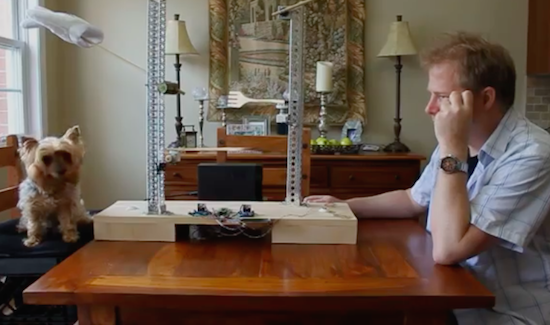
While this recent project may look like something straight out of Simone Giertz’s notebook, it’s actually the brainchild of James Cochrane. The engineer, who admittedly loves building all sorts of crazy machines, has developed an apparatus he calls the IoT Robot People/Pet Affectionator.

As its name would suggest, the Affectionator is an Arduino Nano-driven device that automatically gives his dog T-Bone a pat on the head along with a spoon-fed treat at the touch of an arcade button. That’s not all, though. It even allows the pup to reciprocate by pressing his own button and sending over a token of his appreciation on a fork–which in Cochrane’s case is a gummy worm.

Aside from the Arduino, the Affectionator is equipped with two H-Bridge motor drivers, two geared Pittman motors, and two geared hobby motors.

These days people are more connected with each other, however we are experiencing fewer physical interactions. This device will allow you to provide affection either locally or remotely to your pet without any physical contact. If your pet decides you are also worthy of their affection they can also reciprocate with a pat on the head and a tasty treat.

One day while giving my dog T-Bone a scratch behind the ears I came up with this silly idea. A robot which gives you a pet on the head and feeds you a treat. With the IoT, you can also build two of these and network them across the Internet.

Intrigued? Watch the hilarious idea in action below!
A DIY digital Arduino clock designed for and by teachers

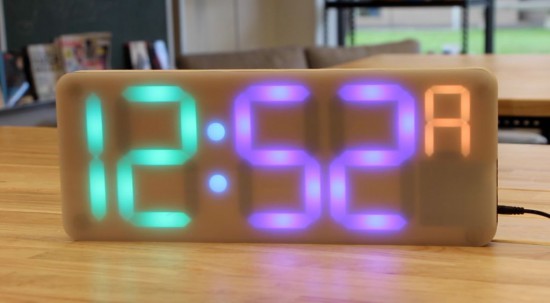
Project-based lessons are a great way to introduce students to the world of electronics. Clearly Jenna Debois agrees, as she has built a DIY classroom clock based on an Arduino Nano. What’s even cooler is that it’s optimized for teachers! 

The device is made using laser-cut wood pieces, NeoPixels, a real-time clock module, and packs plenty of customizable features like:

  • An additional digit that keeps track of the block or period- an especially useful feature for rotating block schedules
  • The ability to program holidays into the code to prevent the block from advancing on days when school is not in session
  • LED digits that fade from green to red as the end of the period or block approaches so that a single glance can convey the remaining class time
  • A countdown timer triggered 6 minutes before the period ends that flashes between the time and the remaining time- a useful feature for signaling cleanup time
  • Other light effects that can be triggered during lunch, free periods, after school, or other special occasions

Debois not only created a step-by-step guide, but also shared all the documentation on GitHub and a detailed video of the build process.

Dtto is a self-reconfigurable modular robot

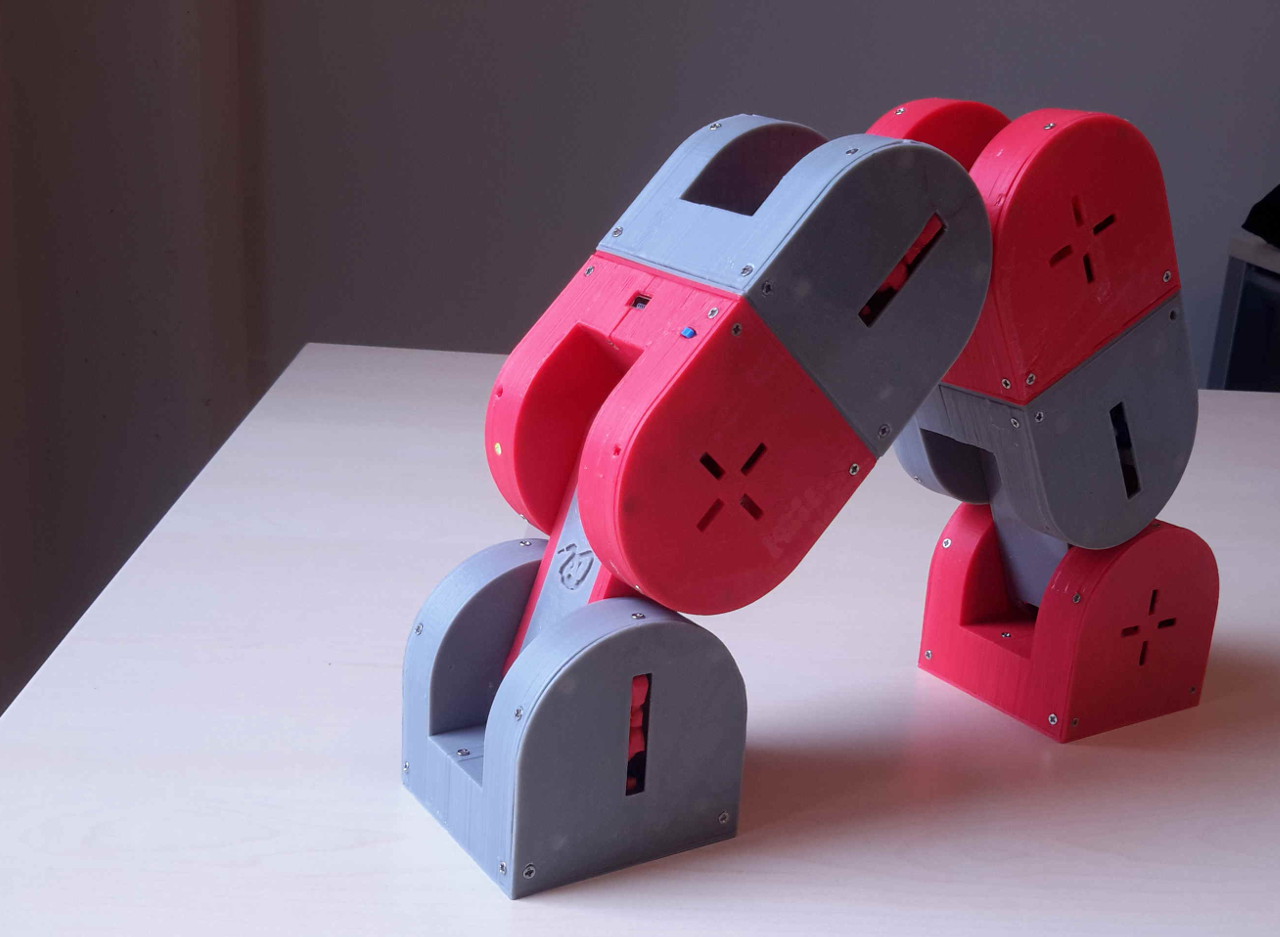
An entry in this year’s Hackaday Prize, Dtto is a snake-like robot designed to be modular and self-reconfigurable.

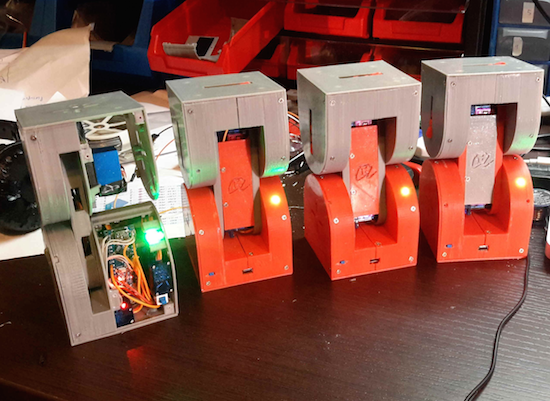
Inspired by Bruce Lee’s famous water quote, Dtto can transform into various shapes by changing the position and connection of its 3D-printed modules. As Hackaday points out, each section of Dtto is a double-hinged joint. When two come together, magnets help them align. A servo-controlled latch solidly docks the sections, which then work in unison. Impressively, it can connect and separate segments autonomously – without any human intervention. Creator Alberto believes the versatility of the bot will enable it to perform rescue missions, explore unknown environments, and operate in space.

The open-source robot consists of an Arduino Nano, a Bluetooth HC-06 module, an NRF2401+ radio transceiver, two SG92R Tower Pro servos for main movement, three Tower Pro SG90 micro servos for coupling, and a WS2812 RGB LED. For its latest iteration, the Maker has made a few design improvements to allot for 25% more internal space, a data bus connecting the two blocks and Tower Pro MG92B motors. Future modules will even include a built-in camera, an ultrasonic sensor, a gyroscope, an accelerometer, and a magnetometer, to name just a few. Until then, you can follow along on its project page and check out a few of its videos below.

Foxes Like Beacons explores alternative navigation systems

Jochen Maria Weber’s Foxes Like Beacons is an exploratory project using open data of public radio stations with inexpensive, low-power signal detection in order to create an open positioning system. According to the designer:

Today’s satellite based GPS enable and augment uncountable everyday processes, ranging from logistics to fitness trackers and even intimate dating applications. These proprietary systems are mostly invisibly controlled and curated by governments, military and economic actors. Since GPS ubiquitously affect our interactions and experiences with our environment, economy and privacy, Foxes Like Beacons questions this present model, thus opening up space for speculations about alternative navigation systems and new models for interaction.

Open data about public radio stations, transceivers and open source signal detection can be used to calculate geo positions.

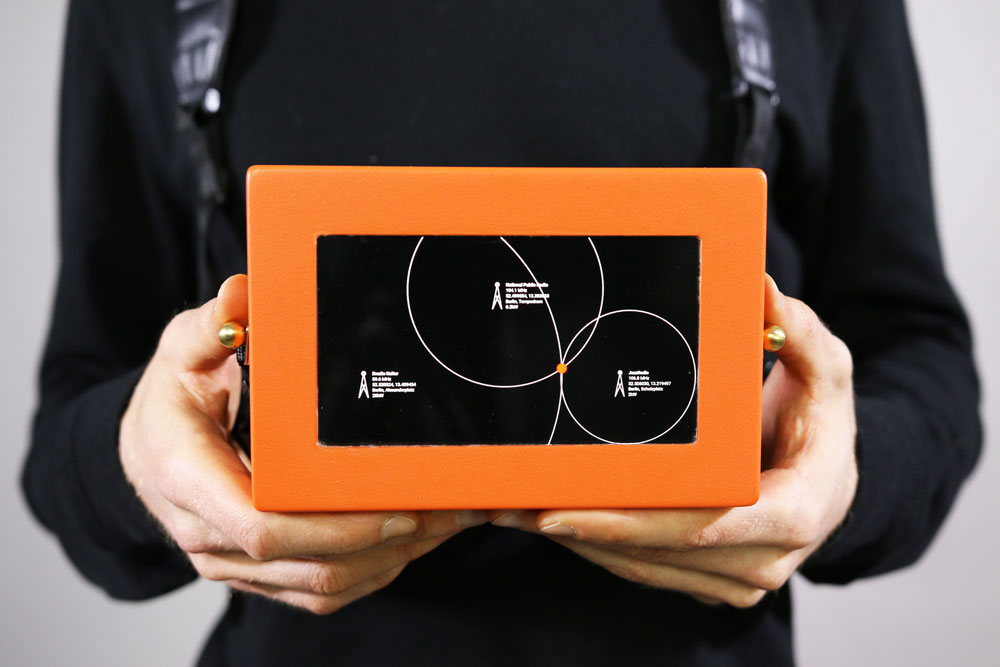
So, Jochen developed three example devices based on the same technical structure using very low-power, open and off-the-shelf technology. This consists of an omnidirectional antenna, a 4.3″ TFT screen, a compass, gyroscope and barometric altitude sensor, a radio frequency tuner, a battery, an Arduino Nano (for signal processing), and a Rasperry Pi 2.

Precision and miniaturization can be extremely increased using customized parts, and by building on the distributed infratructure of public broadcast radio, Foxes Like Beacons is not subject to any kind of central control or curation.

First, Device No.1 measures the received signal strengths and decodes the identifiers of minimum three stations. Open data about their transceiver locations and respective transmission power is used to calculate distance to each transceiver and which can therefore be triangulated, in order to get a users geo location. Incorporating more stations leads to a higher resolution and more accurate geo locations.

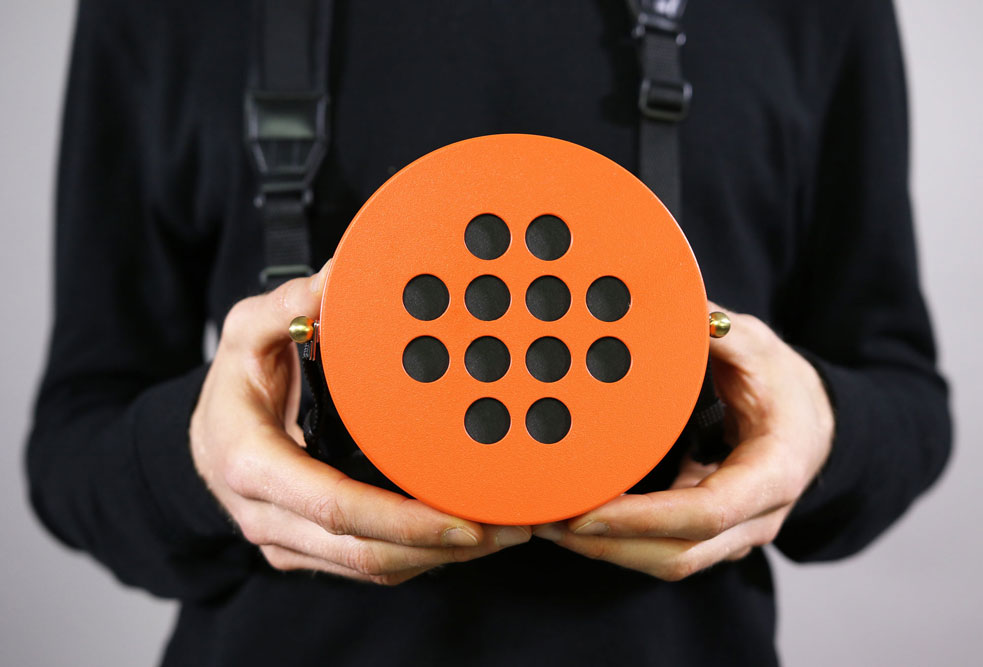
Next, Device No.2 enables users to navigate by pleasing of sound rather than geographical information, following “geo-acoustic” maps. It automatically adjusts the volumes of simultaneously played stations according to proximity.

Finally, Device No.3 speculates about further applications by analyzing and interpreting signal modulations which occur due to factors like electromagnetic radiation, weather, and geographic conditions. These modulate radio signals in characteristc ways which can be interpreted and incorporated in navigation/exploration.

Foxes Like Beacons is part of the ongoing project “Stupid, Messy Networks,” which investigates the process of digital networks becoming ubiquitous infrastructures and moreover how these new infrastructures empower or constrain actors in economical, political and social interactions.

(via Creative Applications)

Control your DIY quadcopter with one hand

Back in 2014, Josef Holmner built his own DIY quadcopter with a flight time of 30 minutes. Impressively, he also developed a wearable controller that enabled him to maneuver his device through the air using just one hand.

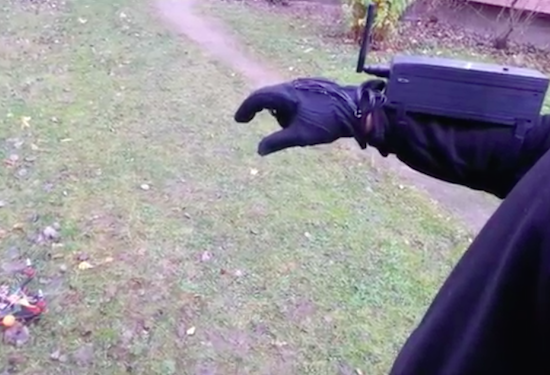
As you can see in the video below, pitch and roll are dictated by the angle of his hand, yaw is handled by two push buttons in his palm, and throttle is achieved through the bending of his index finger.

To get started, Holmner needed a transmitter and receiver, an Arduino Nano, a digital potentiometer, a flex sensor, a pair of push buttons, an IMU, and a glove, of course. The Maker had torn apart the transmitter, replaced the regular potentiometer with a digital one that could be controlled by the Arduino. After taking out the electronics from its original enclosure, he housed them inside a 3D-printed box, and reused the old battery holder by gluing it to the bottom of the case. Velcro straps are used to keep it around his forearm.

The flex sensor was sewn to the index finger, while the buttons were placed in the palm and the IMU set on the back of the hand. He also made a connector between the glove and the box, and added four LEDs that illuminate to show the angle of the glove.

Holmner has made the Arduino code and schematics available online. Be sure to see it in action!

Add biometric security to your next Arduino project

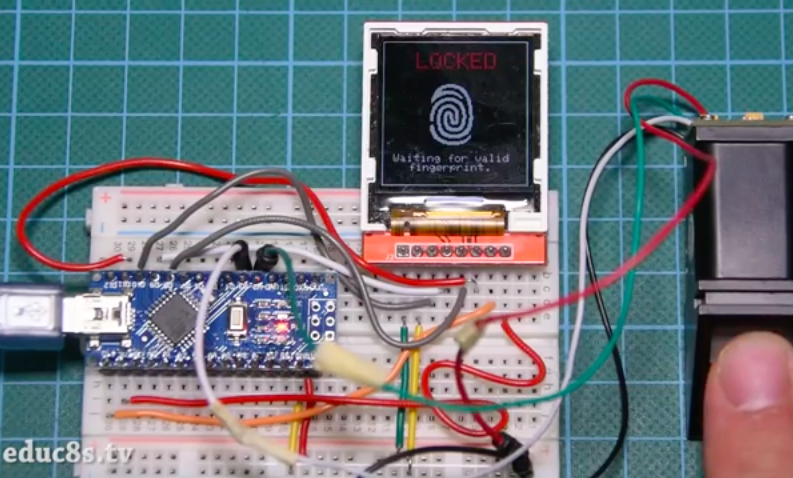
If you’ve ever wanted to add biometric security features to your Arduino project, you’re in luck. That’s because Nick Koumaris of educ8s.tv has put together a quick tutorial on how to integrate a fingerprint sensor module with an Arduino Nano and a 1.44” color TFT display.

The fingerprint sensor module is small, nicely built, and it uses some advanced DSP (Digital Signal Processing) chips inside. The sensor works like this. It is an optical sensor, which means it analyzes the photo of a finger. It then renders the image, makes some calculations, finds the features of that finger and then searches in its memory for a fingerprint with the same characteristics. It can achieve all that in less than a second! This module can store up to 1,000 fingerprints in its memory and its false acceptance rate is less than 0.001% which makes it pretty secure!

As you can see in the video below, the project requires a valid fingerprint in order to unlock. If it recognizes the user, which in this case is Koumaris or his girlfriend, the fingerprint icon on the display turns green along with a kind greeting, e.g. “Welcome, Nick!”

Arduino MetroPhones will help keep you and your bag safe

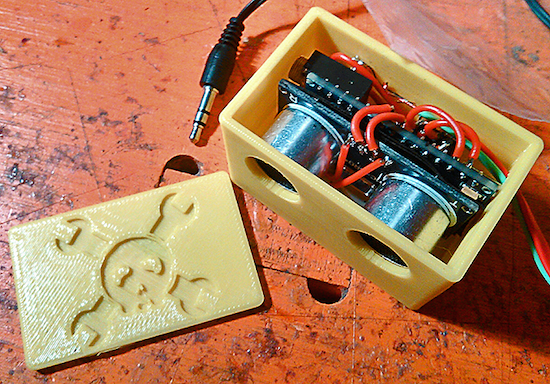
Walking the streets of a highly-populated city, or even a crowded event for that matter, comes with certain risks like pickpocketing. Mindful of this, Maker TVMiller has come up with a clever system to prevent bag thieves from unknowingly creeping up behind you. Called the “Arduino MetroPhones,” the device consists of a Nano, an ultrasonic sensor, a digital potentiometer, a coin-cell battery, and a few other components, all housed inside a 3D-printed case.

The metropolitan in its natural habitat; unaware, oblivious, purposefully deafened and subsequent prey. To increase perception thus safety, we wed an Arduino Nano and ultrasonic sensor to regulate volume to proximity to someone behind you; easily deactivated per environment and rechargeable. Beyond this proof of concept, intention for apparel or accessory (purse, back pack) embedding is ideal.

This prototype of a prototype is a mono-version. A stereo version would merely require dual channels. Thus, imagine, you plug your head phones in to your purse strap which is embedded with a MetroPhone with Bluetooth that streams to your smartphone..

Arduino Nano-based robot pats your dog and gives it treats

As fun as petting your dog can be, sometimes you’re just too busy to give it the attention it deserves — especially if he or she is needy. Luckily, there is now an automated mechanism that’ll give Fido a nice pat and reward him with a treat at the press of an arcade button. But that’s not all. Engineer James Cochrane’s “IOT Robot People/Pet Affectionator” allows your pup to reciprocate their appreciation, too.

The robot itself consists of an Arduino Nano, two H-Bridge motor drivers, two geared Pittman motors, and two geared hobby motors. The Kibbles ‘n Bits are delivered using a wooden spoon, while a button on the pup’s side enables them give their owner a nice rub of the head and a snack with a fork as well.

Arduino Blog 25 May 18:01
arduino  featured  nano  robots  

AV Remote Control Teams Arduino with – Visual Basic?

A large installed base of powered speakers from a defunct manufacturer and a dwindling supply of working remote controls. Sounds like nightmare fuel for an AV professional – unless you take matters into your own hands and replace the IR remotes with an Arduino and custom software.

From the sound of it, [Steve]’s crew was working on AV gear for a corporate conference room – powered speakers and an LCD projector. It was the speakers that were giving them trouble, or rather the easily broken or lost remotes. Before the last one gave up the ghost, [Steve] captured the IR codes for each button using an Arduino and the IRRemote library. With codes in hand, it was pretty straightforward to get the Nano to send them with an IR LED. But what makes this project unique is that the custom GUI that controls the Arduino was written in the language that everyone loves to hate, Visual Basic. It’s a dirty little secret that lots of corporate shops still depend on VB, and it’s good to see a little love for the much-maligned language for a change. Plus it got the job done.

Want to dive deeper into IR? Maybe this primer on cloning IR remotes with an Arduino will help. And for another project where VB shines, check out this voice controlled RGB LED lamp.


Filed under: Arduino Hacks
Hack a Day 15 May 18:00

Draw images and words in falling water

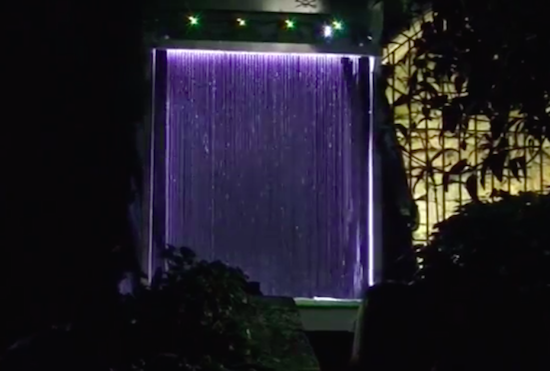
The Base42 team, which is part of the hacking community Tecnoateneu Vilablareixhas created a stunning water curtain with the help of 3D printing and Arduino. The installation, currently on display at the Temps de Flors flower show in Girona, uses 128 3D-printed nozzles and 64 3D-printed valves to dispense water in floral patterns.

The water curtain employs four Arduino Nanos to control the valves, which work in pairs to draw the flowers, words or other images. Meanwhile, an Arduino Mega provides a Wi-Fi connection to issue commands.

In terms of its mechanics, a tank at the base holds 500 liters of water, while a pump pushes that water to the top of the system at a rate of 80 liters per minute. From there, the water passes down through the 3D-printed nozzles, forming what appears as a 3m x 2m fluid screen. To create different patterns in the curtain, the nozzles can quickly adjust the direction of the water to one of two nozzles in a pair.