Microsoft has announced a small flotilla of new devices during its fall event, and there’s plenty of highlights to pick through. Most interesting, of course, is likely Microsoft’s Surface Laptop Studio, a notebook with a screen that pulls forward just like its desktop namesake. This replacement for the Surface Book 3 also turns into a tablet-esque PC, although its stacked design may divide users.
As we surmised a few days back, the Surface Pro 8 did get a fairly magnificent redesign with a new skinny-bezel, 13-inch 120Hz display, Thunderbolt 4 and new, faster internals. It’s been built with Windows 11 in mind and goes on sale when the new operating system arrives on October 5th. Thankfully, Microsoft allowed our chum Cherlynn Low behind the velvet rope to spend a little time with the Laptop Studio and Pro 8, so read this for all the juicy details.
Much as with the band U2, we also need to discuss the “other two” members of the lineup, the Surface Pro X and the Surface Go 3. For the former, the only real news is the new, cheaper WiFi-only model, which retails for $899, and the bundling of Windows 11. Similarly, the Surface Go 3 (arguably the Larry Mullen Jr. of Surface tablets) gets faster chip options but is, in most other regards, the same affordable but deeply underpowered device we already know and, uh, love.
On the mobile front, Microsoft announced the Surface Duo 2, its second-generation dual-screen Android smartphone. The most notable upgrade for this year is a triple camera system and a notification bar on the hinge, so you can see what’s going on without opening your phone. And yes, Cherlynn has already spent some time up close with the Surface Duo 2, and you can read all her impressions right here.
Microsoft also unveiled a bunch of other accessories, but the one that’s probably worth focusing on is the Adaptive Kit. It’s a set of add-ons that can help people with accessibility needs get around their Surface devices more easily. That includes raised port indicators, cable wraps and labels to help your fingers land on regularly used keys. Given Microsoft’s increasing focus on ensuring its devices are useful for everyone, products like this are always welcome.
If you’re interested in watching our edited highlights of the event, you can check out our supercut here, and if you’re already reaching for your wallet, here’s all the pre-order information you could possibly need or want.
The new iPad Mini is, more or less, a shrunken iPad Air, with USB-C, a TouchID-capable power button and an 8.3-inch display. What it packs in performance, style and support for the Apple Pencil 2, it lacks in ditching the 3.5mm headphone jack. Valentina Palladino has reviewed the new baby slate, finding that, despite all the changes, much of its basic utility has stayed the same. Sadly, that higher price might be a sticking point for all those folks who wanted an entry-level iPad that doesn’t cause your bank account to break into tears.
Everyone deserves a second chance to make a first impression, and it looks as if the second Marvel game has atoned for the sins of its predecessor. Jess Conditt dived into the world of Square Enix’s Guardians of the Galaxy and has come away pretty pleased. The characters may look and sound different to their cinematic counterparts, but they feel much more fleshed-out, and there’s a better emphasis on relationship building over button mashing. Conditt says the game has an emotional core that bodes well for the finished title, saying it already feels “way better” than Marvel’s Avengers.
Facebook shareholders believe the company overpaid its $5 billion FTC settlement in the wake of the Cambridge Analytica scandal, to personally protect Mark Zuckerberg. Reports say the FTC was originally going to levy a fine closer to $106 million (yes, million). The smaller fee, however, was conditional on Zuckerberg himself being named as a defendant in the case. Those shareholders are alleging in a lawsuit that Facebook offered $5 billion on the condition that Zuckerberg avoided any personal liability.
It’s always a delight to see wall-to-wall shade buried in a pile of legalese, and this missive, purportedly from Apple’s lawyers, is a doozy. Epic Games CEO Tim Sweeney has published a letter he received saying Apple won’t restore Fortnite to the iOS and Mac App Stores just yet. The letter, put simply, says Apple cannot presently trust Epic to behave itself, especially after public comments made by Sweeney. Consequently, Fortnite will remain off the platforms until the lawsuit Epic brought against Apple reaches its conclusion. But the letter is well worth a read in its entirety, given all of the sass lurking between those lines.
It’s almost comical how stagnant the iPad mini has been in recent years. The 2019 version sported an upgraded processor and a slightly nicer display, but essentially looked the same as the tablet that debuted in 2012 (which is dated, to say the least). That hasn’t stopped the iPad mini from gaining a loyal following though, and we even called 2019’s mini our favorite small tablet.
Now it appears that Apple’s giving the tablet the love that its devotees have been asking for. The 6th-generation iPad mini is really more of an iPad-Air mini with its new “all-screen” Liquid Retina design, TouchID-capable top button, second-generation Apple Pencil support and USB-C charging. It’s the most significant update the mini has received in years, and Apple’s hoping you’ll pay extra for it. The 2021 iPad mini starts at $499, $100 more than its predecessor’s starting price, and with that Apple is squashing any notions that “smaller” means “lesser.”
Design and hardware
Many people, myself included, were happy to see the facelift Apple gave the iPad mini. While the old design with the physical Home button isn’t necessarily bad (it’s still good enough for the new 10.2-inch iPad, apparently), it felt boring on the mini after seeing it unchanged for so many years. This year’s iPad mini has what Apple calls an “all-screen” design, which is just different enough from the “edge-to-edge” display that the iPad Pros have to warrant discussion.
I understand why Apple didn’t want to give the mini the same “edge-to-edge” moniker, but it could have come up with something a bit better than “all-screen.” The bezel surrounding the 11-inch iPad Pro’s screen is roughly 0.25-inches thick and that of the iPad mini is only about 1/8th of an inch thicker than that. That’s not a huge difference, but it’s more noticeable when you’re only working with an 8.3-inch display. Also, the previous iPad mini had a 7.9-inch display, so you’re not getting a ton of extra screen real estate on the new model.
That said, I found the bezels to be just the right size. Notably, they helped me get a better grip on the mini when I was using it as an e-reader, and I can only assume many mini owners will do the same. The same could be said for when I was watching YouTube videos while carrying the mini around my apartment — I never accidentally paused the playing video because the bezels gave me enough room to hold the device.
The new mini’s display size and the fact that it’s a Liquid Retina panel are the upgrades here, because the 5th-gen model supported TrueTone, 500 nits of brightness and the P3 color range as well. This year’s mini has a 2266 x 1488 resolution, 326ppi panel, which is only slightly higher than the old model’s 2048 x 1536 resolution, 326ppi screen. If you upgrade from the 2019 mini, you may not notice a huge difference in quality, but the rounded-rectangle shape of the new mini’s display and the revamped design overall gives it a fresh feel.
Otherwise, I felt like I had a small version of the iPad Air the entire time I was using the mini. Their designs are very similar, save for the location of certain buttons. The iPad mini now has flat edges with a TouchID-capable power button and volume adjusters at the top and a USB-C port at the bottom. Notably, its edges lack a headphone jack and that may be a key factor for current iPad mini owners in their decision to upgrade or not. It’s made of 100-percent recycled aluminum, weighs less than one pound and measures 6.3mm thick — just as portable as the last model, but with a much-needed modern aesthetic.
TouchID is nothing different from older iOS devices, although it may take you a tad longer to set up because of how narrow the fingerprint-sensitive button is. It’s exciting that Apple finally brought USB-C to yet another iPad as it makes charging more efficient but it also continues to feed us poor saps who yearn for a USB-C iPhone sometime in our lifetimes. Also, the new design allows the second-generation Apple Pencil to neatly and magnetically stick to the right edge of the tablet.
In use
I’ve been keeping the iPad mini by my side at all times for the past week or so, and I was pleasantly surprised by how easy that was thanks to its size. Every iPad is portable, but some are certainly more portable than others. I have a 2020 11-inch iPad Pro and, while it could come with me almost anywhere, I mostly use it in my home as a secondary device or as my main driver when I’m traveling. The iPad mini, on the other hand, could fit into almost any bag I own without hassle, providing a much-needed larger screen for activities like reading, watching videos and FaceTime calls. I didn’t find it super difficult to use my thumbs to type on the mini, treating it almost like a super-wide iPhone, but I also wouldn’t call it a comfortable experience.
Speaking of FaceTime, the iPad mini comes equipped with the new 12MP ultra wide front camera that supports Center Stage, the feature that automatically pans and zooms to keep you in frame during video calls. Each time I used FaceTime, I could move around my (admittedly small) kitchen and the mini’s camera followed me so my family could always see most of my face. There’s a limit, of course — I often stepped out of the camera’s field of view, but it followed me until I was nearly out of the camera’s field of view. This is a handy feature for anyone like me who’s often multitasking while catching up with loved ones over FaceTime.
The rear camera is also better than that on the previous mini, but I wouldn’t consider it a huge selling point. It’s a 12MP wide camera with an f/1.8 aperture, 5x digital zoom, Quad-LED TrueTone flash and Smart HDR 3 support. It can also shoot 4K 60 fps videos and shoot Slo-Mo videos at up to 1080p 240 fps. We’ve all seen a tablet photographer in the wild, but considering the shooters on our phones are far-and-away more capable than those on tablets, most people turn to the smallest screen in their pockets for photography. The pictures of my fiancé and my cat that I took with the mini were just fine, but I found myself more inclined to use the rear camera as a document scanner with Evernote’s Scannable app. And even in that case, was it better than using my iPhone? Not necessarily, just more convenient when I was using the iPad mini as my default device.
I may not have been taking a ton of photos with the iPad mini, but I use it for almost everything else that I normally turned to my iPhone for. The A15 Bionic chip inside makes the mini feel zippy, and it handled everything that I threw at it well. I spent most of the time watching YouTube and Netflix videos, answering messages in Gmail and Slack, taking notes in Evernote, saving wedding inspo in Pinterest, browsing e-cookbooks in the Kindle app and doodling in Procreate and GoodNotes. The iPad mini didn’t falter once and, in comparison to my iPhone, the tablet’s larger screen made it a much better work companion when I was trying to be productive on the couch. The mini smoothly ran games like Temple Run 2, Crossy Road and High Rise as well, even if my attempts at beating those games were anything but.
The 2021 iPad mini next to Amazon's Kindle Paperwhite.
Valentina Palladino / Engadget
While it didn’t affect the performance of the iPad mini I had, the storage capacity on the model you choose may have a significant impact on how you use your mini in the future. The tablet comes in 64GB and 256GB models, with the higher of the two costing $150 more than the other. That’s a significant difference in both capacity and cost, and it follows an unfortunate pattern in the iPad lineup — you’ll find the same pricing structure in the iPad Air configurations. The previous iPad mini had the same minimum storage capacity, so we didn’t even get an upgrade here and that’s a shame.
While I don’t think most people will be using the iPad mini as a laptop replacement, it would have been nice to have a 128GB model just to have an in-between option for those with tighter budgets. I would also hesitate to recommend the 64GB model to anyone that wants to use their iPad mini as the digital file folder for their documents, photos, books, scans and more. Considering iPadOS 15 takes up 7.5GB of space already, those people may quickly eat up most of their internal storage.
With the Apple Pencil
Another area that could eat up storage over time are handwritten notes, scribbles, doodles and other artwork you make with the second-generation Apple Pencil. The previous iPad mini supported the first-gen stylus, but I was thrilled to see the newer Apple Pencil snap on to the side of the mini and line up almost perfectly. The Pencil is almost as tall as the tablet so it truly feels like the two were made for each other.
Since I regularly use the Apple Pencil with my 11-inch iPad Pro, I was not surprised to find that using it with the iPad mini is a similar, yet more constrained, experience. But that’s not a bad thing — I actually think the iPad mini excels at being a digital notebook. It’s portable enough to come with you everywhere you go and it’s much easier to balance in your palm while you jot down notes during a walking meeting. Apple makes it really easy to take notes in iPadOS 15, too, with the Quick Note feature that’s accessible by swiping up from the bottom-right corner of the iPad. It opens a small window on the screen into which you can scribble a quick grocery list or something you don’t want to forget. Those Quick Notes get saved in the Notes app, where you can retrieve and edit them at any time.
Apple’s made the Notes app more robust over the years, so much so that it could be your main note-taking tool. But there’s no shortage of capable apps in which to use the Apple Pencil and I was happy to find that two popular ones, Procreate and GoodNotes, work just as well on the iPad mini as any other iPad. Serious artists will probably want to spring for an iPad with a larger screen because it just gives you more space to play with, both in regular and Split View. But those who are visual thinkers, those who prefer to sketch out their thoughts, will probably find the mini’s screen to be sufficient. For example, I’m in the early stages of planning a wedding and I took the iPad mini with me on a few venue tours. Not only was it much less ostentatious to take around than my larger iPad, but I could also snap quick photos with it, bring those images into Procreate, pull out colors I liked in venue fixtures and decorations and experiment with them in concept sketches.
Valentina Palladino / Engadget
Battery life
One thing that hasn’t changed about the iPad mini is its estimated battery life. Just like the 2019 model, Apple estimates the slab should get up to 10 hours of battery life, and again, that’s a bit of a lowball. With how much I was using the device, I essentially had to charge it every other day. The mini lasted an entire afternoon and evening filled with doodling, video streaming, emailing, light gaming and more (I used it instead of my phone for almost every task), and I was able to use it most of the next day before the battery life dropped to around 10 percent. I also ran a makeshift battery test on it, playing a video clip on repeat until the tablet died, and the mini lasted just about 12 hours.
Unlike the previous mini, the new model uses a USB-C port for charging and it’s about time. It’s good to see Apple transitioning the iPad family to USB-C, even if most people looking to buy an iPad mini probably already have a few Lightning cables strewn around their home. The mini also comes with Apple’s 20W USB-C charger, which should help power-up the device quickly.
Wrap up
The iPad mini’s spec sheet has changed quite a bit, but the appeal of the tablet remains the same. It looks and feels different thanks to the redesign and the handful of new features Apple brought to it. Still, the iPad mini remains one of Apple’s most niche devices. But niche doesn’t mean less-than — with the iPad mini so similar to the iPad Air, you won’t be sacrificing much by choosing it. However, I don’t think most people will take a look at all the new perks — things like a camera with Center Stage, USB-C charging and even the A15 Bionic chip — and be persuaded to choose the iPad mini over any other Apple tablet.
What it will come down to, as always, is size. The iPad mini remains the best small tablet out there and you probably already know if an 8-inch tablet has a place in your life. It either solves a specific problem, or it doesn’t — and if you fall into the second category, you probably prefer bigger screens anyway.
But if you updated in 2019 to the 5th-generation iPad mini, the decision to upgrade now is not entirely cut-and-dry and that’s mostly due to cost. If the 6th-generation iPad mini had the same $399 starting price as the previous model, it would be a no-brainer upgrade. Sure, that extra $100 does get you a lot, but if your 2019 iPad mini is still going strong, the higher price of the 2021 model may be too great. But for those who have a hole in their lives where a small tablet could fit, you (still) can’t get better than the iPad mini.
On paper, the iPhone 13 and 13 mini aren't much to get excited about. Apple's subtle refinement on the iPhone 12 models will be familiar if you've paid attention to developments in the Android world. Some of the changes are impressive, like bringing the iPhone 12 Pro Max's excellent camera hardware to smaller phones and lower price points. Others, like a slightly smaller notch, bigger batteries, brighter displays, faster chips and expanded 5G support feel incremental. Still, they add up to make the iPhone 13 mini and iPhone 13 feel like worthwhile upgrades, especially to those looking to upgrade from older iPhones.
Design
If you’re coming from an iPhone 12 or 12 mini, you might not notice a huge difference in this year’s models. The physical refinements include a smaller notch, a rearranged camera module that protrudes slightly further than before along with a new pink color option. I adore this hue — it’s similar to the “Not Pink” shade Google used on the Pixel 3, but because of the glass covering the iPhone, it looks paler and more iridescent.
Apple shaved 20 percent off the front camera notch, which is nice, but it’s still significantly larger than the punch-hole designs over in Android land. The smaller size also didn’t make a huge difference in daily use. Of course, that notch houses hardware for Face ID, which is more sophisticated than any punch-hole camera at the moment. Given there isn’t a fingerprint sensor on current iPhones, a beefier face-recognition system is warranted and I guess we’ll just have to put up with the notch until Apple can figure out a better approach.
David Imel for Engadget
The main way to tell the iPhone 13 and its predecessor apart is by looking at the camera module. Instead of stacking the pair of lenses vertically, Apple laid them diagonally. The bump is also a little bigger and thicker and the extra wobbling this causes is mildly annoying. Also, this does mean your old iPhone 12 cases won’t fit.
Otherwise, the iPhone 13 and 13 mini are physically very similar to last year’s models. They both feature anodized aluminum and glass frames with flat edges with what Apple calls its “ceramic shield” covering the front.
Both the iPhone 13 and 13 mini are a hair heavier and thicker and have the same display sizes as before at 6.1-inch and 5.4-inch respectively. The iPhone 13 is heavier than the Galaxy S21, too, despite having a smaller screen. Though, its density, glass covering and shiny metal edges do make it feel more premium.
Display and audio
Unlike the iPhone 13 Pros, which have faster 120Hz screens, the iPhone 13 and 13 mini have similar displays to their predecessors. Apple says the panels are 28-percent brighter. When I set the iPhone 12 and 13 to max brightness and held them up on a cloudy day, I did notice the newer phone had a teensy bit of an edge. But the difference isn’t big enough that you’d know without having them side by side.
David Imel for Engadget
Besides that, the iPhone 13’s screens haven’t changed much. The thing is that just about everywhere else you look, though, phone displays are faster. I had been using the Pixel 5 and iPhone 12 before reviewing the iPhone 13, and even Google’s 90Hz panels make browsing Twitter and Reddit feel smoother.
If you’ve only used a 60Hz screen so far, you might not feel like you’re missing much — the iPhone 13’s display is still vibrant and crisp. You’ll enjoy watching Instagram or TikTok videos, for sure. But as someone who’s experienced the good stuff, I can tell you that you’re missing out.
As for the iPhone 13’s speakers, they’re basically unchanged and are good enough to hear the voices in your favorite creators’ clips or the background music of YouTube videos. In a pinch, they’ll even do a decent job streaming your favorite songs, offering clear vocals and adequate bass. As expected, though, the bigger iPhone is louder and has a fuller sound than the mini.
Cameras
The bulk of the iPhone 13 and 13 mini’s upgrades are around photography and video. Apple improved both the rear sensors here and the ultrawide lens is supposed to let in more light than before. Sadly, a lot of the notable additions are contingent on the A15 chipsets, meaning things like Cinematic Mode won’t be coming to older iPhones.
For example, the faster image signal processor (ISP) on the chip means things like nighttime photos won’t take as long. I certainly didn’t have to hold the iPhone 13 still for as many seconds as the iPhone 12 when I used both of them to shoot a candlelit globe in a super dark room. The difference was probably about one second, which sounds insignificant, but can feel like forever when you’re struggling to remain motionless.
The ultrawide photos I shot with the new phone were actually darker than the iPhone 12’s, but they were better exposed overall. Buildings against the night sky had cleaner lines, less noise and a more neutral tone than those from the iPhone 12. Google’s Night Sight on the Pixel 5 still rendered more details in the shadows, though, and I preferred the cooler images it produced.
David Imel for Engadget
I used to prefer photos from Pixels because Apple’s pictures had a yellowish tinge. But with the iPhone 13s, Apple is introducing a way to better match users’ individual preferences called Photographic Styles. It’ll let you choose from one of five profiles: Standard, Rich Contrast, Vibrant, Warm and Cool, which differ in contrast levels and color temperature.
You can tweak these modes to your preference, too. But at their original settings, my favorite Style was Vibrant. Unlike filters, this felt more like a set-and-forget kind of thing — nice for people like me who have never been into Apple’s default treatment. Overall, the iPhone 13 took colorful and crisp shots, though compared to Google’s images they were needlessly brighter with obvious HDR effects.
In addition to the hardware and software improvements I’ve already mentioned, the company also updated its HDR algorithm to better accommodate every person in the scene. It also worked to enhance video quality, promising better dynamic range, details and highlights. Plus, you can now record in Dolby Vision in 4K resolution at up to 60 frames per second.
But the most intriguing new video feature (and arguably of all the camera updates) is Cinematic Mode. Using the A15 chip’s neural engine, the iPhone 13 can create a Portrait mode-like effect in your clips, keeping your selected subjects in focus while blurring out the rest of the scene. You can tap on parts of your viewfinder to change focal points as you shoot or let the iPhone decide for you by analyzing who and what’s in the scene.
David Imel for Engadget
On its own, Apple’s system is pretty clever. The iPhone 13 did a great job of identifying faces (both human and canine) in my shots, and yellow or white boxes appeared to indicate potential things to focus on. As my subjects turned toward and away from the camera, they became clearer and blurrier respectively. But when I tried to exert more control and adjust the focal point, the system struggled. Sometimes, my intended subject remained blurry even after I tapped on its rectangle. Other times, the iPhone didn’t follow the person I selected after they walked behind an obstruction, though that’s a reasonable situation.
When it did perform as expected, Cinematic Mode produced a pleasant effect that gave videos a professional air. But at the default intensity, the blurriness looked strange or artificial. The outline of my colleague’s head was stark against the softened background and I had to adjust the F-stop to the highest (f/16) to get a more natural feel.
It’s worth noting that Cinematic Mode only works in 1080p at 30 frames per second, even if you’ve set your camera to record at a higher quality.
Cinematic mode is also available via the 12-megapixel selfie camera, which offers Photographic Styles too, and both features were just as effective via the front sensors as through the rear.
In low light, the iPhone 13 took selfies that were slightly blurry compared to the Pixel 5 and Galaxy S21, but when I was well lit, Apple’s camera delivered images that were just as sharp as the competition. It even had a more neutral tone than the other two, with a more accurate white balance (though Samsung was pretty close).
iOS 15
I covered most of the changes coming via iOS 15 when I tested the beta, including things like Focus modes and SharePlay. Focus modes, which lets you set custom home pages and notification profiles based on your location or time of day, is still one of the most useful new features on any smartphone platform in recent years. Meanwhile, SharePlay won’t be available until a later release.
David Imel for Engadget
Each time you open a relevant app, like Photos or Tips, Apple shows you what’s new this time around — like Memories set to tunes from the company’s Music library. Safari also had a redesign (and a few tweaks during the beta window), primarily making it easier to browse and organize your tabs.
I’ve never been a big Safari user, preferring Chrome for its convenience, but it’s nice to see Apple update its interface for easier navigation with one hand. Chrome and Safari are pretty similar on iOS, although Google sadly still has its address and search bar at the top of the screen. If you prefer, you can also go back to the traditional layout in Safari.
Other noteworthy iOS updates include Live Text in Photos, which makes finding specific pictures from the Spotlight search much easier. The Maps and Weather apps also received a refresh, while Shared With You in Messages makes it slightly easier to find things you and your friends chatted about. Since most of these will be coming to older iPhones, though, iOS 15 features are unlikely to sway your decision on whether to upgrade this year.
We’ll have a more in-depth review of Apple’s latest OS soon, but for now, I’m pleased with the level of control iOS 15 offers and look forward to testing out a stable version of SharePlay.
Performance and in use
There are some annual updates that we take for granted nowadays, like imperceptibly faster processors and incrementally improved battery life. Though it’s not obvious, Apple says one of the iPhone 13’s key updates is an internal redesign that allows for a bigger battery, among other things. Also new in the A15 are the GPU, ISP and video encoder and decoder, which made using the camera super snappy. Oh, and it’s worth pointing out that Apple doubled the storage of the base iPhone 13, so you now get 128GB at the entry-level. Finally.
I spent most of my time on the iPhone 13 and 13 mini shooting pictures and video, browsing my feeds, shopping for completely unnecessary things, messaging my friends and completing round after round on the New York Times Crossword app. Every now and then, I had to wait for a page to load on the mini, while the bigger phone rarely lagged. I can’t tell if the delays I encountered had to do with my internet connection or if the smaller device was actually slower. Their scores on Geekbench 5 are about the same, so I suspect it was the former. Overall, though, both the iPhone 13s sped through tasks like launching and switching between multiple apps, snapping photos in rapid succession and uploading Instagram posts.
Frankly, the main thing holding both models back is the display. As mentioned, pretty much every other flagship phone has a faster screen now, and even the Pixel 5’s 90Hz panel feels noticeably faster. Whenever I reflexively started scrolling my list of Instagram Story viewers or Twitter timeline or pretty much anything on the internet, it felt like a drag on the new iPhones. I went right back to the Pixel 5 or iPhone 13 Pro any time I knew I was going to spend a long time scrolling.
Battery life
Despite their brighter screens, Apple said the iPhone 13 and 13 mini should last up to 2.5 and 1.5 hours longer than their predecessors respectively. While the 13 mini did beat the 12 mini by sticking around almost a whole day on light use, the 13 hours and 19 minutes score on our video rundown test is still shorter than the average smartphone. It’s a pity; I love the size of the iPhone 13 mini — it’s just so much easier to use with one hand. But the greatest drawback of any modern phone this small is a lack of endurance.
David Imel for Engadget
The iPhone 13, meanwhile, outlasted its predecessor and generally hung around for almost two days. The Pixel 5 and Galaxy S21 also clocked similar runtimes — it’s nice that most flagships these days have fairly long-lasting batteries. I'm still running our full battery tests across all of the new iPhones, including the 13 Pro and 13 Pro Max, and will update this review with comparative figures shortly.
Wrap up
This is a story we’ve told over and over again, each time with the same conclusion: While this year’s iPhones aren’t major improvements over their predecessors, they offer just enough changes that might tempt you to upgrade, particularly if you’re still on an iPhone 11 or older. The iPhone 13 and 13 mini feel like they should have been called the 12s and 12s mini, thanks to a largely similar design and few major upgrades from the previous models. If you have an iPhone 12, you need to decide if the longer battery life and photography updates are worth however much the upgrade will cost you. Our review of the 13 Pro and Pro Max is coming later this week, so you can check that out to see if things like the faster displays and macro photography features would be worth picking up one of those.
As for how Apple’s latest compare to recent Android flagships, you’ll find they’re all almost on par when it comes to hardware. The biggest difference is the faster screens on Androids, and those who prefer fingerprint sensors to Face ID will only find them on non-Apple phones. Those are good reasons to stick with Android. But on software, Apple’s thoughtful approach with Focus modes and privacy on iOS makes it appealing to those who want greater control over how much of their lives they want to give up to their phones. Switching ecosystems will always be a struggle, and with the iPhone 13 and 13 mini, Apple has yet to give people a compelling reason to do so. But, as expected, they’re excellent phones with little to complain about.
Key specs (iPhone 13)
Processor: A15 Bionic with 6-core CPU
Storage: 128/256/512GB storage
MicroSD card support: None
Display: 6.1-inch Super Retina XDR OLED with HDR
Display resolution: 2,532 x 1,170 (460 ppi)
Rear dual cameras: 12MP f/1.6 wide-angle camera with sensor-shift OIS; 12MP f/2.4 ultra-wide camera (120-degree FOV)
Front camera: 12MP f/2.2 TrueDepth camera
Operating system: iOS 15
Battery: "Up to 19 hours video playback"
Charging: Lightning port with fast wired charging at 20W (up to 50 percent in 30 minutes); Support for MagSafe wireless charging up to at 15W; Qi wireless charging at up to 7.5W.
Dimensions: 5.78 x 2.82 x 0.30 inches; 146.7 x 71.5 x 7.65mm
Weight: 174 grams; 6.14oz
Fingerprint sensor: No
Waterproofing: IP68
NFC: Yes
Headphone jack: No
Key specs (iPhone 13 mini)
Processor: A15 Bionic with 6-core CPU
Storage: 128/256/512GB storage
MicroSD card support: None
Display: 5.4-inch Super Retina XDR OLED with HDR
Display resolution: 2,340 x 1,080 (476 ppi)
Rear dual cameras: 12MP f/1.6 wide-angle camera with sensor-shift OIS; 12MP f/2.4 ultra-wide camera (120-degree FOV)
Front camera: 12MP f/2.2 TrueDepth camera
Operating system: iOS 15
Battery: "Up to 17 hours video playback"
Charging: Lightning port with fast wired charging at 20W (up to 50 percent in 30 minutes); Support for MagSafe wireless charging up to at 15W; Qi wireless charging at up to 7.5W.
Dimensions: 5.18 x 2.53 x 0.30 inches; 131.5 x 64.2 x 7.65mm
As indicated in a leak earlier this week, Amazon is updating the Kindle Paperwhite. The fifth-gen Paperwhite (which marks the first refresh in nearly three years) has a larger, 6.8-inch display, compared with the previous model's six-inch screen. The company says the 300 ppi screen is glare-free and looks like real paper, which allows for "easy reading in all conditions, even direct sunlight."
The screen is 10 percent brighter than the previous model at the maximum setting and there's a white-on-black dark mode. Amazon has redesigned the interface and page turns are said to be 20 percent faster. The Paperwhite has an IPX8 rating, which means it's water-resistant but not dust-resistant. Starting later this year, you'll be able to set up and change settings on the e-reader using the Kindle app on a paired iOS or Android device.
Amazon is expanding the Kindle Paperwhite lineup with a couple of new devices. The Signature Edition has a light sensor that can automatically adjust the screen brightness depending on your surroundings. It's also the first Kindle with wireless charging support (any Qi-compatible charger will do the trick).
Amazon
There's now a Kindle Paperwhite for kids, two years after Amazon announced the first Kindle for youngsters. The Kindle Paperwhite Kids is largely the same as the other two models in terms of design, though there are a bunch of child-friendly features. For one thing, there's a two-year worry-free guarantee. If it breaks in that time, Amazon will replace it.
There's audiobook and Bluetooth headphone support, as well as achievement badges and educational tools to foster literacy skills. The kids model, which is designed for readers aged seven and older, doesn't have internet access or any way for children to accidentally make any purchases. Their folks can manage the device using the Parent Dashboard.
Kindle Paperwhite Kids has funkier color options than the other two devices, which only come in black. You can opt for that plain, ol' color or choose Emerald Forest or Robot Dreams patterns. You'll get a one-year subscription to Amazon Kids+ too, which includes access to thousands of books.
Amazon says all three models will run for up to 10 weeks on a single charge. The devices now support USB-C fast charging. With a 9W or larger charger, you'll be able to fully top up the battery in two and a half hours, Amazon says.
The $140 Kindle Paperwhite comes with 8GB of storage. The $190 Signature Edition has 32GB of storage, which should come in handy if you're an avid audiobook listener. Amazon is bundling in four months of Kindle Unlimited access for a limited time. Kindle Paperwhite Kids, meanwhile, costs $160.
Pre-orders are open now. The company will start shipping the new Paperwhites on October 27th.
ByteDance has announced that Douyin, the version of TikTok for China, will introduce new limits for minors under 14. These minors will now be limited to just 40 minutes of use per day and can’t access the app at all between 10 PM and 6 AM.
ByteDance is also urging parents to add in more comprehensive user data to avoid kids lying about their age to get around the ban. At the same time, the company unveiled a new TikTok-esque app called Xiao Qu Xing ("Little Fun Star"), which offers short educational videos.
This is another fairly dramatic move as part of China’s broader crackdown on digital media and video games. Officials have recently described gaming as “spiritual opium” and limited kids playtime to just three hours a week.
Chinese leaders are reportedly concerned that children are becoming addicted to video games, which is having a detrimental effect on their development. The science behind video game addiction is controversial and disputed, with research into the condition ongoing.
Either way, the changes to Douyin aren’t likely to be that wide ranging in isolation since it’s thought that less than half a percent of users are under 14. It’s just the overall trend that’s likely to be worth keeping an eye on, especially if this anti-game rhetoric spreads to other countries.
When I added an Ikea-branded wireless charging plate to my Ikea nightstand, I had to buy a custom Ikea hole saw to drill through into the top. As it turned out, Ikea furniture is sufficiently weak that I managed to scorch the wood and the paint with just the friction of the saw. The charging plate was, mercifully, big enough to cover the burn marks, so I never got any lectures about being bad at DIY. I had, however, learned my lesson that drilling out a QI charger was not my forte.
Ikea seems to feel similarly and has now launched the new Sjömärke QI charger, which is strong enough to charge a phone from the underside of your desk. You can glue or screw the chunky $40 unit to the underside of a suitable wooden or plastic table top. Then, all you have to do is drop your phone on the right spot and watch as about 5W of juice wafts into your phone. Or, at least, you will when it arrives in October.
ZTE’s Axon 30 is one of those rare smartphones offering a (pretty much) invisible front-facing camera. The lack of notch, punch-hole or cut-out means users can take full advantage of the 30’s gorgeous, 6.92-inch, 2,460 x 1,080 120Hz AMOLED display. But, for $500, there are a couple of teeny-weeny compromises you’ll have to accept, including, er, lackluster selfies. We won’t spoil the rest of Mat Smith’s review but, suffice it to say, his feelings on this handset are pretty complicated.
iOS 15 and its device-specific cousins have now arrived and are making their way to your tech as we speak. Some of the biggest new features include upgraded FaceTime and Messages, better notifications and a Google Lens-esque Live Text function. Some of the more notable features announced at WWDC haven’t arrived just yet, including SharePlay, but those are expected to drop later in the year. At the same time, Apple showed off the full trailer for Finch, the Tom Hanks-fronted post-apocalyptic movie about a man, his dog and his robot trying to survive after the world ends. I imagine it’s a bit like if Cormac McCarthy had written Turner and Hooch after watching Short Circuit.
When Huawei went on the US entity list, the Chinese giant was prevented from working with pretty much every tech company worth mentioning. Huawei couldn’t source chips from Intel or Qualcomm or get software help (and Play Store access) from Google. Consequently, Huawei spun out and sold off Honor, its budget division, for it to thrive free from the sanctions threatening its own future as a global brand.
Unfortunately, those best laid plans may be undone by a quartet of federal agencies who are deciding if Honor should go on the same entity list. Reports suggest that teams from the Pentagon and Department of Energy are in favor of addition, while the Commerce and State Departments are against. If this deadlock can’t be solved, however, the decision could ultimately end up on Joe Biden’s desk to sort out.
Apple is now rolling out iOS 15, iPadOS 15, watchOS 8 and tvOS 15 to iPhone, iPad, Apple Watch and Apple TV devices. You might not see the updates right away, but when they're available, you'll have access to a bunch more features.
Facetime and Messages have been upgraded on both iPhone and iPad. Facetime supports spatial audio and reduces background noise, while people can join Facetime calls through shareable links on the web and Android. It'll be easier to keep track of things your friends and family share with you in Messages thanks to dedicated tabs in the News, Music, TV and Podcasts apps.
Notifications have also been overhauled. You'll have more control over push alerts and you can let only notifications from select apps and people through when you activate one of the new Focus modes. There are profiles for activities including sleeping and working, and the OS can automatically rearrange your home screen apps to bring the ones you're most likely to use at a certain time to the forefront.
Screenshots of the iOS 15 beta
Also new in iOS 15 is the Live Text function, which works in a similar way to Google Lens. The feature can extract written text from photos, screenshots and the world around you. You can edit, translate and share the text. The feature can also identify things like art, landmarks, plants and pets.
Elsewhere, there are new features for the Maps, Photos and Weather apps on iOS. Spotlight searches will have richer results, including your own photos, with Apple using machine learning to figure out what's in each image.
On iPad, Quick Notes are now a system-wide feature — just swipe in from the lower right corner to jot down some thoughts using the keyboard or Apple Pencil. Expect some multitasking and Safari changes too.
Nathan Ingraham / Engadget
One thing that iOS 15 and iPadOS 15 don't have at launch is the SharePlay feature. It lets you enjoy movies, shows and music together with friends over Facetime, and you can share your screen with them. Apple will release the feature on those operating systems, tvOS 15 and macOS Monterey later. Apple also put the child safety features it planned to release as part of iOS 15 on the back burner while it makes improvements.
The watchOS 8 update perhaps isn't quite as extensive. There's a bigger focus on mindfulness and health, including some new workout categories. Apple Watch now has deeper integration with iPhone, with features including Focus mode support and a Contacts app. You can also expect portrait watch faces and multiple timers.
Apple TV now has spatial audio support, including for AirPods Pro and AirPods Max, following the tvOS 15 update. You can also connect multiple HomePod minis to an Apple TV 4K and use those as the default speakers.
If you have an iPhone 6s or later, iPhone SE (either generation) or seventh-gen iPod touch, you'll be able to install iOS 15. Those with Apple tablets can run iPadOS 15 on fifth-gen and later iPads, iPad mini 4 and later, iPad Air 2 and later and all iPad Pro devices. Meanwhile, watchOS 8 is supported by Apple Watch Series 3 and later devices.
As for macOS Monterey, Apple has yet to announce a firm release date for the next version of its Mac operating system. Monterey should be available sometime this fall.
ZTE’s family of devices is a little confusing at the moment. The Axon 30 is a direct sequel to the Axon 20, which was the first phone to feature an in-screen camera. However, the company has subsequently released the Axon 30 Pro and Ultra in some territories. So, weirdly, the vanilla Axon 30 is the last of the Axon 30 family to appear.
At $500, it’s also the cheapest — another attempt by ZTE to slide underneath the priciest smartphones around and offer a mixture of compelling features, albeit tempered by some compromises. The Axon 30’s headline feature is a much-improved under-display camera (UDC), which is almost invisible. It’s also a ZTE smartphone that’s launching in the US, which doesn’t always happen.
But with increasingly strong midrange phone competition from the likes of Samsung, OnePlus and Google, does ZTE’s Axon 30 offer more than just a hidden selfie camera?
So what’s all the fuss about that camera anyway? Well, the under-screen 16-megapixel selfie shooter on the $500 Axon 30 puts the one on Samsung’s Galaxy Z Fold 3 to shame. ZTE’s implementation is imperceptible unless you really, really look for it. No punch hole, no notch, no pop-up camera.
In comparison, the Fold 3’s selfie cam has a pixelated effect that signposts where the camera is and ruins the whole effect. (Yes, in Samsung’s defense, there’s another front-facing camera on the Fold 3 when it’s closed and you’re using the smaller screen.)
The difference seems to be pixel density, or according to ZTE, the composition of them, with a “special pixel matrix” that ensures the screen appears at 400 PPI — double that found on the Axon 20. If the light catches the unit just right, then yes, you can see it. You’ll probably never notice it again.
There’s also a dedicated UDC chip that apparently works to keep the camera area looking consistent with the rest of the screen. To get a closer look, I used Oppo’s Find X3 Pro, which has a microscope phone camera — perfect for visually explaining what could otherwise get very technical.
Engadget, Mat Smith
As you can see, some pixels seem slightly smaller, or dimmer, than those surrounding them. In this close up you can see the outline of the UDC area, but at this magnification, it’s impressive that it doesn’t look more out of place. I’ll touch on the camera’s performance later, but spoiler: While it might look the part, it’s not quite capable enough.
The hidden sensor also complements the expansive 6.92-inch AMOLED screen, uninterrupted by the presence of any camera notches or holes. With a 2,460 x 1,080 resolution panel and 120Hz refresh rate, the Axon 30 is offering a flagship screen for mid-range prices. You can switch between 120 and 60Hz modes, with an automatic option letting the Axon 30 decide when to increase the frequency. On more expensive phones, like the OnePlus 9 Pro and the recently-announced iPhone Pro 13, there are more refresh rate options that dip even lower, but at this price, this seems like a fair compromise.
Leaving it on auto is probably the best fit for most folks, but the manual options are nice — especially as there seems to be a tangible battery life benefit to the lower setting.
The phone itself is pretty big but feels solid despite its plastic back. ZTE added a translucent reflective effect across the rear of the Axon 30, which I like. I’m less enamored with the giant camera unit, however, which protrudes a few millimeters from the phone, and is likely to be more easily dinged and scratched. Sadly, this design is now everywhere.
The screen might be comparable to a high-end phone, but there are some features that didn’t make the cut at this price, like wireless charging and certified resistance against dust and water.
Performance and software
Engadget, Mat Smith
There are further compromises. The Axon 30 is powered by Qualcomm’s Snapdragon 870 processor — which is a little underpowered compared to the Snapdragon 880 and 880 Plus we’re seeing in flagship Android smartphones now.
But at $500, phones like the Pixel 5a (and its Snapdragon 765G chip) are a better comparison to make. The Axon 30 has a more powerful chip than Google’s latest device, though it’s hard to notice a difference in performance between the two.
The Axon 30 handled everything I threw at it, whether that was video streaming, Stadia or playing games on the phone itself. (The Stadia app did flag that the phone wasn’t officially supported, although it worked fine for me.) There was some visible slowdown when recording video at full 4K resolution, and hopping into the gallery, but otherwise, I didn’t have many complaints.
I also have to mention that the Axon 30 isn’t exactly great for 5G support in the US. It only works on T-Mobile’s midband 5G. If you’re on Verizon or AT&T, you’ll be relegated to 4G.
ZTE does know what it’s doing with smartphone power, though. The phone has a 4,200mAh battery that, when I turned the 120Hz refresh rate off, lasted a good two days of typical use before I needed to recharge. And when I did need to, it took hardly any time.
The Axon 30 supports incredibly fast charging speeds of up to 65W with the appropriate charger, which (thankfully) the phone comes with. ZTE estimates it can charge the phone to 100 percent in under an hour, but getting to 50 percent takes proportionately less time — around 20 minutes.
Software is pretty innocuous, which is generally a good thing. ZTE keeps pretty close to the stock Google experience. Its new MyOS 11 skin, based on Android 11, is pretty close to what you’d find on a Pixel. There are a few gesture quirks (shake the Axon 30 for the flashlight!) and a floating shortcut widget that can be minimized to the edges of the screen. It’s similar to Samsung’s Edge panel on its bigger phones. ZTE’s version is called Z-Pop and you can tweak the four shortcuts for system commands and app switching. That said, it’s not something that makes you think “Mmm what a memorable experience this is.”
Cameras
Engadget, Mat Smith
While the front-facing 16-megapixel camera is technically impressive, it doesn’t take great selfies. Don’t get me wrong, it shoots far better pics than the UDC on both Samsung’s Galaxy Z Fold 3 and the Axon 20. The work done to pixel-bin for low light performance, as well as algorithms to help the camera ‘see’ through the AMOLED panel make this the best UDC so far. But it still offers up middling to poor photos. It’s a bit of a time warp, to be honest, giving me the kind of pictures I used to get on smartphones years ago. Details are fuzzy, and any strong backlighting leads to lens flares and washout.
There’s also an AI assist mode that doesn’t seem to help much — if anything, modes like brightness seem to wash out skin tones even further, and they’re a little gray to begin with. Even if you turn this off, images seem pretty unnatural.
I couldn't mask how disappointed I was in these selfies.
Engadget, Mat Smith
It does still capture enough detail to offer face unlock functionality if you prefer that method to fingerprint unlock. And yes, there’s also a fingerprint reader built into the screen. Face unlock worked fine for me nine times out of ten, and was plenty fast enough, but I used a combination of the two. Fingerprint unlock seemed more reliable in darker environments.
But what about the rest of the cameras? On the back, the Axon 30 has a four-camera array, led by a 64-megapixel Sony sensor. While you’ll mostly be taking pictures that fuse a lot of these pixels together for less noise and better performance in low-light, ZTE has kept the ability to take full-resolution stills if you want to. There’s also an 8-megapixel wide-angle camera, a 5-megapixel macro camera and finally, a 2-megapixel depth sensor to aid your bokeh photography efforts and help with focus. You get up to 2x optical zoom, which is what you’d generally expect at this price point.
While shooting pictures with the Axon 30 during a family event, images of friends and family seemed particularly good. There is a softness to some shots, likely due to the photos being shrunk down from the 64-megapixel original, but the phone was able to handle most things I threw at it.
There’s a night mode — of course — but the Axon 30 takes pretty functional shots in low light without having to resort to using it. It did help further reduce noise and improve detail a little, but I’d also advise testing shots with AI mode on and off, as sometimes I found it meddled a little too heavily, especially with people as subjects.
And the macro camera isn’t worth your time. I suggest using the primary camera with zoom for generally better results in most situations. The problem with the macro camera seems to be that the phone has to be so close to the subject that it blocks a lot of light. That’s not great for detail-oriented photography.
Video camera modes are generally the same across most mid-range phones in recent years, and the Axon 30 isn’t hugely different. It can handle up to 4K at 60fps and a multi-camera mode lets you record from both the wide-angle and the primary camera at the same time, which is a nice trick we’ve occasionally seen on flagship phones. Due to sluggish autofocus, however, the recording quality isn’t great. If you’ve got a stable subject and good light, videos will generally come out nicely. At other times, you’ll struggle to record anything functional. Just because a phone can record 4K, it doesn’t mean you should.
Summary
Engadget, Mat Smith
With the Axon 30, ZTE has proved it can successfully camouflage its under-display camera. But that doesn’t mean it’s up to the task. Image quality from the secretive selfie lens really isn’t good enough, even if the implementation is impressive. Aside from that, the Axon 30 has a gorgeous, fluid screen and a decent rear camera setup. The lack of wider 5G support in the US is frustrating in a 2021 phone, but there is still a lot here for $500. The bigger challenge is that competition is tough in the middleweight phone arena. Google’s latest Pixel, the 5a, rings in at $450, and offers better-performing cameras, front and back. If you’re struggling to pick between the two, the decision loosely boils down to a bigger screen or better selfies.
Google stifled competition and prevented the development of Android rivals in India, the country's antitrust regulator has decided in a report seen by Reuters. In 2019, Competition Commission of India opened a probe into whether Google abused Android's dominance in the market where devices powered by the OS are prevalent. In its report on the probe's findings, the regulator wrote that Google flexed its "huge financial muscle" to reduce manufacturers' ability to develop and sell devices running Android forks.
In addition, the commission said that Google requiring manufacturers to pre-install Android apps is an unfair condition to make in exchange for access to its mobile OS. It violates India's competition laws, the report reads. The regulator also found Play Store policies to be "one-sided, ambiguous, vague, biased and arbitrary." In a statement sent to Reuters, Google said it's looking forward to working with the CCI to "demonstrate how Android has led to more competition and innovation, not less."
The tech giant reportedly responded to the probe 24 times to defend itself, and other tech companies including Microsoft, Amazon, Apple, Samsung and Xiaomi also responded to questions from the commission. While CCI still decided that Google illegally stifled competition in the country, the company will have another chance to defend itself before the CCI issues its final decision along with penalties, if any.
Just a few days ago, South Korean regulators also came to the decision that Google used its dominant position in the market to hamper the development of Android rivals. They slapped the tech giant with a $177 million fine. They also banned the company from requiring manufacturing partners to sign anti-fragmentation agreements, which prohibit the creation and installation of alternative versions of the Android OS.
When Google launched Android 11 at the end of last summer, it added a feature that automatically resets app permissions. If you don’t use an app after several months, the OS can revoke some of the permissions that the application asked you to grant when you first installed it. It’s a handy feature that’s unfortunately only available on a relatively small number of devices due to the fact most Android manufacturers only support their devices with platform updates for a couple of years. Thankfully, that’s about to change.
Starting in December 2021, Google will begin rolling out that functionality to all devices running Android 6 (Marshmallow) and above, the company announced today in a developer update. The feature will come courtesy of a Google Play services update the company will roll out to “billions” of devices. Once you have the new software installed on your device, apps that target Android 11 or higher will have the feature enabled by default. For those apps that were built for older versions of the OS, you’ll have the option to enable it manually.
This is one of those small quality-of-life updates that most Android users should be able to appreciate since it can be easy to forget all the permissions you may have granted to an app when you first installed it.
While Apple announced new iPhones and iPads this week, a bunch of its existing gadgets remain discounted. The AirPods Pro are close to an all-time low at $180 and the iPad Air is still at the best price we've seen it — only $500 for the base model. You can also still get $100 off the MacBook Air M1 and the Mac Mini M1, so regardless of your computer-style preference, there are discounted options available. Also, Google's Pixel 4 has dropped to a new low of $379 and Amazon includes a free Samsung SmartTag when you buy the $150 Galaxy Buds 2. Here are the best tech deals from this week that you can still get today.
AirPods Pro
Billy Steele / Engadget
Apple's AirPods Pro are down to $180, or $70 off their normal price. These remain Apple's best sounding earbuds and we gave them a score of 87 for their comfortable fit, improved audio, good ANC and wireless charging.
The latest 10.2-inch iPad and the iPad mini just went up for pre-order this week and Walmart has both for a bit less — the base iPad is $299 instead of $329 and the iPad mini is $459 instead of $500. Both tablets have been updated with better processors, a 12MP front camera with support for Center Stage and now a minimum of 64GB of storage.
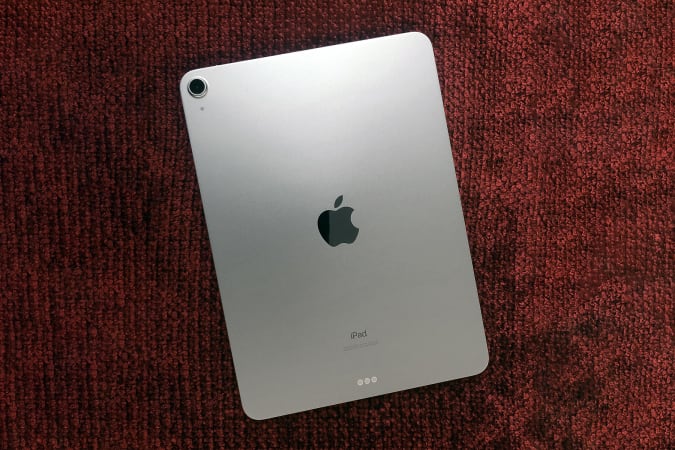
Apple's iPad Air is $100 off right now, bringing it down to $500. All five colors are on sale at Amazon. thanks to automatically applied coupons, although with various shipping times. We gave the Air a score of 90 for its speedy performance and WiFi, healthy battery life and support for the second-gen Apple Pencil.
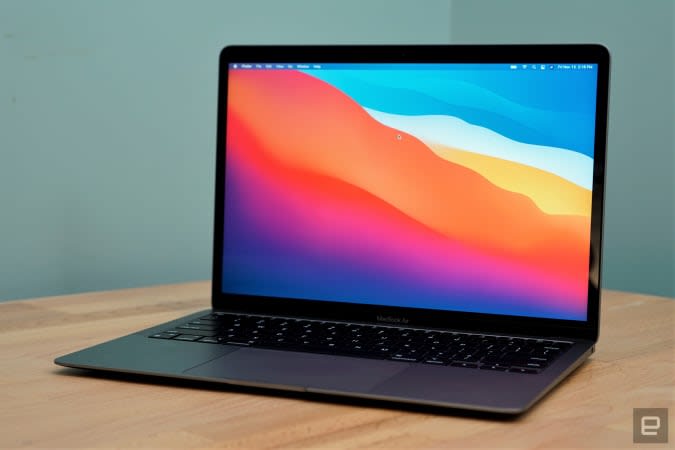
Apple's MacBook Air M1 is back down to an all-time low of $850 thanks to an automatically applied coupon. It earned a score of 94 from us for its stellar performance, attractive, fanless design and its comfortable keyboard and trackpad.
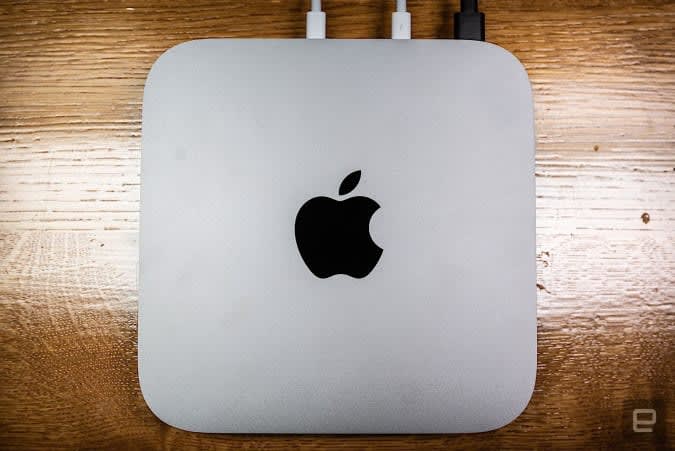
Apple's Mac Mini M1 returned to its all-time-low price of $600 thanks to a sale and an automatically applied coupon. You're getting all of the performance boosts provided by the M1 chipset in a compact desktop package. This is a good machine to get if you have an older desktop that needs replacing, but you don't want to spend a ton of money.
One of our favorite internal drives, the Crucial MX500 SSD, is on sale for $85 right now, or $15 off its normal price. That's also a record-low, making now a good time to pick up some extra space if you know your machine is reaching its limits. This drive has read speeds of up to 560 MB/s, sequential write speeds of up to 510 MB/s, AES-256 bit hardware encryption and integrated power loss immunity.
Amazon has a bundle that includes the Galaxy Buds 2 and a SmartTag Bluetooth tracker for $150, so you're essentially getting the SmartTag for free. The Buds 2 are solid budget earbuds that earned a score of 84 from us for their improved sound quality, adjustable ambient sound mode, comfortable design and wireless charging.
Amazon has the Galaxy Note 20 series for up to $400 off right now, so you can grab a Note 20 for $750 and a Note 20 Ultra for $900. These are some of the most premium handsets Samsung has made as of late, and they are good options if you're not sold on foldables and you like the versatility that the S Pen provides.
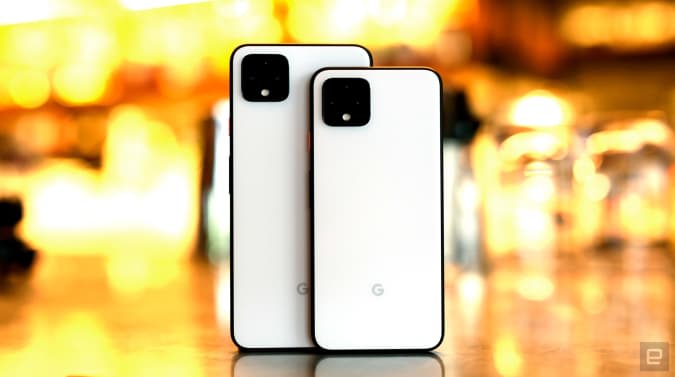
Google's Pixel 4 smartphone is down to a new low of $379 at B&H Photo. We believe the launch of the Pixel 6 to be right around the corner, so you may want to wait if you want the latest phone from Google. However, the Pixel 4 remains a solid handset — we liked its speedy performance, lovely display and stellar camera experience.
Through September 18, Omaze is giving away another $20,000 to build your ultimate gaming PC. This sweepstakes is free to enter, but funds donated with purchased entries will benefit Schools on Wheels, an organization that provides free tutoring and mentoring services to children experiencing homelessness across Southern California.
Through December 8, you can enter to win four-day passes to San Diego Comic-Con 2022. Along with the passes, you'll get access to a special preview night, reserved seating in Hall H, a personal concierge, a private tour of the Comic-Con Museum, dinner in Balboa Park and tickets to the "Night at the Comic-Con Museum" event. It's free to enter, but funds from this sweepstakes will go to the San Diego Comic Convention.
The 8-quart Instant Pot Duo Plus is on sale for $100 thanks to a $20 coupon you can clip on the product page. This multicooker has nine functions including slow cook, rice cooker, yogurt maker, steamer, sauté pan, sterilizer and more, and its large capacity allows it to make more than enough food for big families or parties.
Dyson slashed $100 off its Pure Cool Link DP01 purifying desk fan, bringing it down to $300. This would be a good addition to a home office because it removes 99.97% of pollutants and allergens, oscillates up to 70 degrees, has a Night Mode if you decide to use it in your bedroom while you're sleeping and it can be controlled with its included remote or via Dyson's companion app.
WarnerMedia pulled HBO Max from Amazon Prime Video Channels this week, but it's hoping to entice fans to subscribe directly with a new offer. Through September 26, new and returning HBO Max subscribers can get six months of the service for 50 percent off, which comes out to $7.49 per month. You just have to pay for six months up front and you'll get a great deal on the ad-free service.
ThermoWorks knocked 40 percent off its tiny ThermoPop instant-read thermometer, bringing it down to $21. This is a limited-time sale, so we're not sure how long they'll be around for this discounted price. The Pop is a budget alternative to ThermoWorks' more expensive thermometers and we like its cute, splash-proof design, rotating display and speedy temperature reads.
One of our recommended VPNs is running a decent sale on a two-year subscription. You can sign up for NordVPN for $99 for the first two years, which comes out to $49.50 per year, and get three additional months of access for free. We like NordVPN for its speed, its no-logs policy, the thousands of servers it has to choose from and that one account supports up to six connected devices.