Posts with «arduino» label

UNLEASH your creativity for the greater good!

**To the members of the Arduino community interested in social innovation and tech for the greater good, this is a call for your help.**

Almost a year ago I was awarded with an Ashoka Fellowship, which got me to join a group of people working with projects all over the world having to do with social change through entrepreneurship. Issues covered by the Ashoka fellows range from gender equality, passing by collaborative economy, democratic access to all sorts of material resources, and ending with education using technology.

I have always been engaged in different social initiatives in my life: helped creating two Scout groups, joined several student associations (became president of one), played in a band (sorry we’re not on Spotify), taught martial arts to kids with visual impairments… and helped create the largest community dedicated to open hardware in the history of technology (so far).

During the last 10+ years I have been focused in building the Arduino platform, but also in reaching out to other communities, including arts, design, and more recently, education. Therefore, the Ashoka Fellowship feels like the perfect fit to encourage me to continue to be engaged with the development of our platform by making it more accessible to others.

(For those interested, the Ashoka Fellowship got me and Arduino to collaborate with the PUIG Foundation in helping Spanish speaking teachers to realize some of their educational tools, but that is material for a different blog post.)

The role of the Arduino founders is, among other things, engaging with the community in trying to improve the platform, but also society in general. Not in vain, we work with open source, use open tools and create open content. In the past, thanks to the Arduino community, we have translated the Arduino IDE and the Arduino reference to multiple languages, added features to the software (also some bugs), or corrected errors on the website. With this post, I (we) want to invite the Arduino community to engage in a larger effort for the greater good. Something that can help shaping the future of how technology engages in making the world a better place.

This year (as a matter of fact, starting next week) Arduino will be working with UNLEASH in an effort to help them accomplish their goals through the innovative use of our platform. From August 13th to 21st, 2017, Denmark will host the first UNLEASH event, where 1,000 top talents from 129 countries are going to meet to create innovative solutions to challenges within the UN’s Sustainable Development Goals (SDGs). The talent pool draws from tech entrepreneurs, leading academics, and young development program officers. This year, talents will co-create solutions focusing on seven SDG-related themes: health, food, water, education & ICT, energy, urban sustainability, and sustainable consumption & production.

Over the nine days, the participants will work to create real, scalable solutions to the Sustainable Development Goals. The UNLEASH event has made a call for young talent and can only host 1,000 volunteers, but we want to augment their ability to share and collaborate online. Arduino has created a channel on the Arduino Forum named “UNLEASH 2017” where we invite all of you to participate in the online discussion to help those participating on site with possible technical challenges they may face. The channel will be open for as long as the collaborations go on. We expect some interesting projects to emerge, where some of the Arduino community members may even team up with those attending the event IRL.

Personally, I will be hosting an open seminar online (URL to be announced) on August 16th at 5pm CET to help the participants–but also anyone interested–in getting started with the use of Arduino tools. I will highlight examples of projects using Arduino, and there will be some time for questions via a chat. Later, I will follow the Arduino Forum and help with the moderation of the conversations happening there. I would love to see some of you there as well!

ATMega328 3D!

Small OLED displays are inexpensive these days–cheap enough that pairing them with an 8-bit micro is economically feasible. But what can you do with a tiny display and not-entirely-powerful processor? If you are [ttsiodras] you can do a real time 3D rendering. You can see the results in the video below. Not bad for an 8-bit, 8 MHz processor.

The code is a “points-only” renderer. The design drives the OLED over the SPI pins and also outputs frame per second information via the serial port.

As you might expect, 3D output takes a good bit of math, and the chip in question isn’t very good at handling real numbers. [Ttsiodras] handles this using an old technique: fixed point arithmetic. The idea is simple. Normally, we think of a 16-bit word as holding unsigned values of 0 – 65535. However, if you choose, you can also use it to represent numbers from 0-50.999, for example. Mentally, you scale everything by 1,000 and then reverse the operation when you want to output. Addition and subtraction are straightforward, but multiplication and division require some extra work.

If you want to read more about fixed point math, you are in the right place. We’ve also covered a great external tutorial, too. But if you think this is the first time we’ve covered a 3D graphics engine for the ATmega parts, you’re wrong.


Filed under: Arduino Hacks

Maker Pro News: The Maker Pros of DEF CON, Shakeup at Arduino, and More

This past week, maker professionals learned about new security measures for their projects and found solace in Arduino's new leadership.

Read more on MAKE

The post Maker Pro News: The Maker Pros of DEF CON, Shakeup at Arduino, and More appeared first on Make: DIY Projects and Ideas for Makers.

Maker Pro News: The Maker Pros of DEF CON, Shakeup at Arduino, and More

This past week, maker professionals learned about new security measures for their projects and found solace in Arduino's new leadership.

Read more on MAKE

The post Maker Pro News: The Maker Pros of DEF CON, Shakeup at Arduino, and More appeared first on Make: DIY Projects and Ideas for Makers.

Keep Pedaling to Keep Playing

It’s been said that the best way to tackle the issue of childhood obesity would be to hook those children’s video game consoles up to a pedal-powered generator. Of course, this was said by [Alex], the creator of Cykill. Cykill interfaces an Xbox to an exercise bike, so to keep the video game going you’ll have to keep pedaling the bike.

While there is no generator involved in this project, it does mimic the effect of powering electronics from a one. The exercise bike has a set of communications wires, which are connected to a relay on the Xbox’s power plug. When the relay notices that the bike isn’t being pedaled enough, it automatically cuts power to the console. Of course, the risk of corrupting a hard drive is high with this method, but that only serves to increase the motivation to continue pedaling.

The project goes even further in order to eliminate temptation to bypass the bike. [Alex] super-glued the plug of the Xbox to the relay, making it extremely difficult to get around the exercise requirement. If you’re after usable energy instead of a daily workout, though, there are bikes out there that can power just about any piece of machinery you can imagine.


Filed under: xbox hacks
Hack a Day 08 Aug 12:00

15-year-old Maker builds his own $60 AR headset

Instructables author Daniel Quintana loves mountain biking, but after having to interrupt a ride to continuously check the time, he did what any normal teenager would do in this situation: he created his own Google Glass-like headset from scratch.

His DIY AR device, called “Uware,” takes the form of a 3D-printed enclosure with a tiny 0.49″ OLED screen stuffed inside, along with an HC-06 Bluetooth module, an APDS-9960 gesture sensor, a 3.7V battery, and of course, a tiny Arduino Pro Mini for control.

In normal usage, the wearable displays the time and text messages transmitted from Quintana’s phone over Bluetooth via a custom app that he wrote. Swiping right in front of the gesture sensor puts it into camera mode, allowing him to capture the environment hands-free!

Want to see more? You can find Quintana’s write-up here, or check out Uware’s prototype electronics setup and custom magnetic charging rig in the videos below!

Dedicated Button for Toggling Screens

Anyone who regularly presents to an audience these days has known the pain of getting one’s laptop to work reliably with projection hardware. It’s all the more fraught with pain when you’re hopping around from venue to venue, trying desperately to get everything functioning on a tight schedule. [Seb] found that the magic keystrokes they used to deal with these issues no longer worked on the Macbook Pro Touchbar, and so a workaround was constructed in hardware.

The build itself is simple – an Adafruit Trinket serves as the brains, with a meaty 12mm tactile button used for input. The Trinket emulates a USB keyboard and sends the Cmd-F1 keypress to the computer when the button is pressed. The button’s even mounted in a tidy deadbugged fashion.

While it’s not at all complicated from a build standpoint, the key to this project is that it’s a great example of using the tools available to solve real-life problems. When you’re in a rush with 300 people waiting for your talk to start, the last thing you need to be worrying about is a configuration issue. [Seb] now has a big red button to mash to get out of trouble and get on with the job at hand. It does recall this much earlier hack for emulating a USB keyboard with an Arduino Uno or Mega. It’s a useful skill to have!


Filed under: news

Weekend Watch: The Madcap Robot World of Junie Genius

Teen maker Junie Genius attempts to solve problems with crazy robot creations.

Read more on MAKE

The post Weekend Watch: The Madcap Robot World of Junie Genius appeared first on Make: DIY Projects and Ideas for Makers.

Weekend Watch: The Madcap Robot World of Junie Genius

Teen maker Junie Genius attempts to solve problems with crazy robot creations.

Read more on MAKE

The post Weekend Watch: The Madcap Robot World of Junie Genius appeared first on Make: DIY Projects and Ideas for Makers.

This alarm clock will steal the covers right off your bed

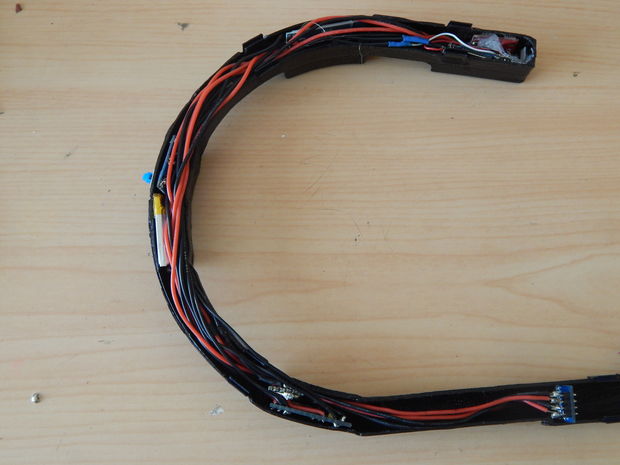
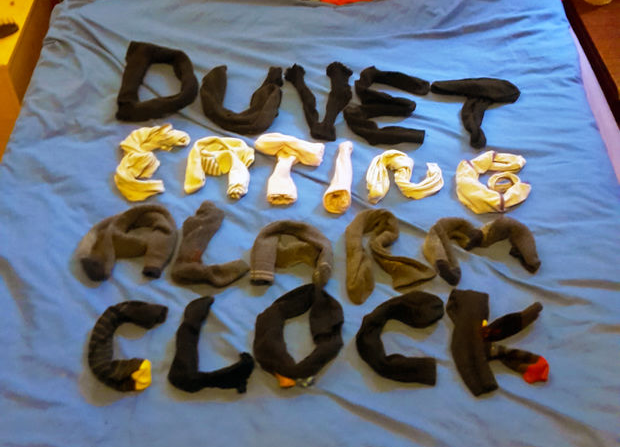
When you hear the words “Arduino alarm clock,” likely you think of something that uses a real-time clock (RTC) module to wake one up in a creative way, perhaps with light patterns or pleasant sounds. Though creative, the Duvet Eating Alarm Clock is not pleasant, literally ripping the covers off of your bed for a very “rude awakening.”

This project, the brainchild of YouTuber “1up Living,” uses a modified mechanical alarm clock to signal an Arduino Uno to start the duvet stealing machine. A powerful winch turns a custom-made drum that progressively wraps the bed cover around it, leaving no option but to get up and get dressed!

If you need a little more motivation in the morning, you can find 1up Living’s build instructions here.