Posts with «arduino hacks» label

Bet You Didn’t Know Arduinos Are Psychic

Are you running out of ways to entertain yourself and your family? If you’ve read all the books and watched all the movies, it might be time to explore the psychic abilities of silicon. [Hari Wiguna] has just the trick to keep them guessing for a good long time.

This trick doesn’t take much, just a couple of Arduinos, some momentary buttons, a number pad, and a large helping of math. As you can see in the demo after the break, there is nothing connecting the two, not even 802.11(n). On the randomizer Arduino, [Hari] generates random numbers with the push of a button until the audience sees one they like. Then [Hari] locks in the number with the other button.

What happens next is key: the randomizer generates another random number, but uses it as a hint to set a sentinel digit. The randomizer Arduino subtracts the larger of the two digits in the number from nine and stores the result as the flag. When the next number comes up that has the flag digit in the correct place, the number after that will be the random number chosen at the beginning.

The psychic Arduino’s secret is that it knows the first guess it receives is special. It does the same sentinel digit math as the randomizer, so when the guesser enters the guess with the sentinel digit, it knows the next number entered is the winner. Clear as mud? Check out the second video below where [Hari] explains the trick, a new take on a magic classic.

Looking for a more exciting way to generate random numbers? Try using fish tanks, lava lamps, or muons from outer space.

Gyroscope Level is Digital

A spirit level, you know the kind of level with a little bubble in a tube of fluid, is a basic construction tool. [DesignBuildDestroy] took an Arduino, a gyroscope chip, and an OLED, and made a 3D printed level with no bubble, but it does have a nice digital display.

It is funny when you realize that at one time a gyroscope was a high tech item reserved for missiles and aircraft. Now you can grab a six-axis sensor for pennies. Even, better, the code used in the project can offload the Arduino for a lot of processing.

Initially, the device lived on a breadboard, which is always a good idea to get the kinks out of things. Thanks to the OLED, the Arduino can calibrate itself without a PC and do other tricks. The display is easy to read, but we thought there should be a mode that shows a little bubble made with an O character. Seems like that would be a fun rainy day project. We did like the automatic screen rotation, though.

We’ve seen a nice level done with a Raspberry Pi before. If you need something smaller, how about something the size of a dime?

Dad Scores Big with DIY Indoor Hockey Game

We suppose it’s a bit early to call it just yet, but we definitely have a solid contender for Father of the Year. [DIY_Maxwell] made a light-up hockey game for his young son that looks like fun for all ages. Whenever the puck is hit with the accompanying DIY hockey stick (or anything else), it lights up and produces different sounds based on its acceleration.

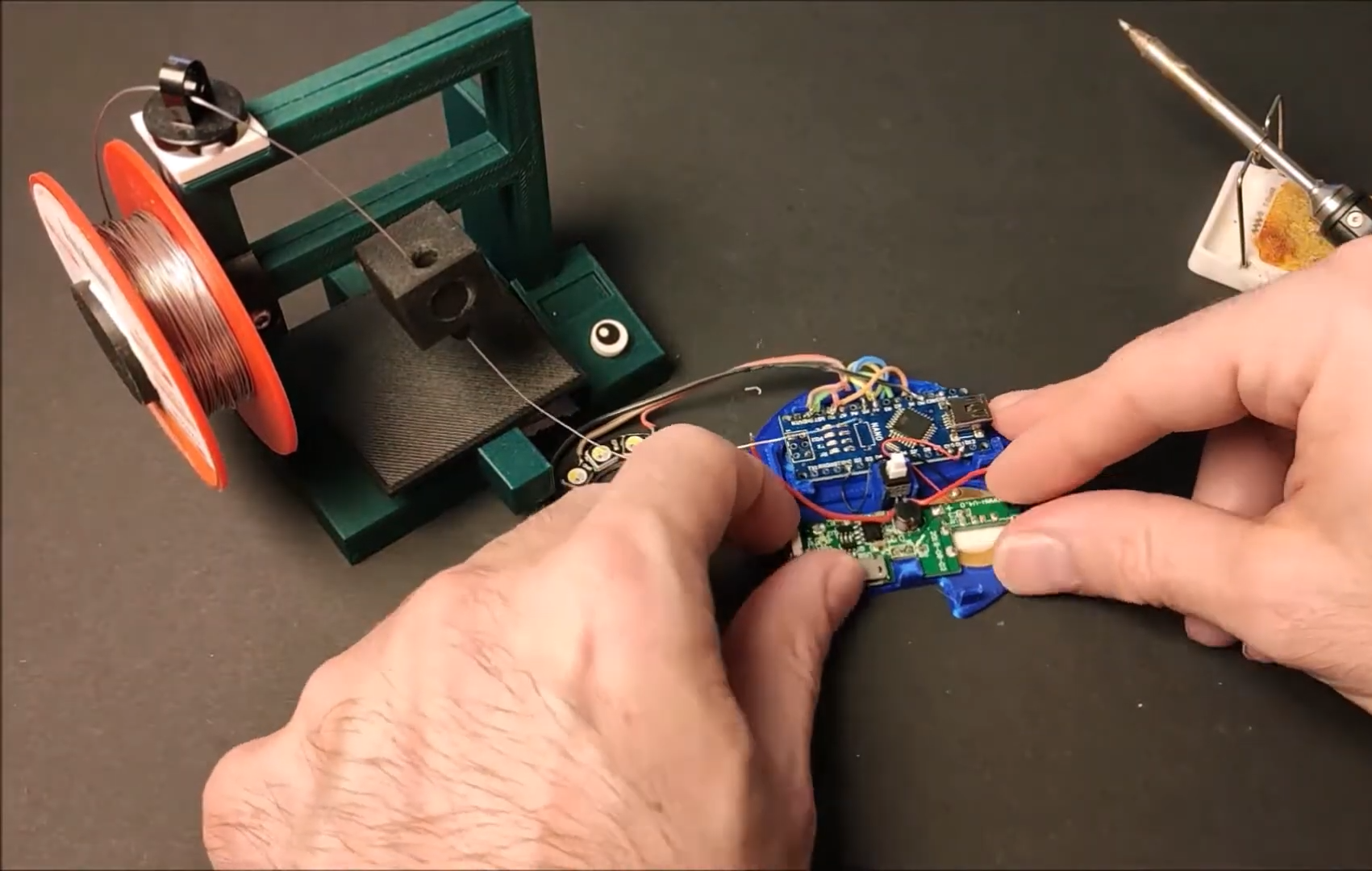
Inside the printed puck is an Arduino Nano running an MPU6050 accelerometer, a 12-NeoPixel ring, and a piezo buzzer. [DIY_Maxell] reused a power bank charging circuit to charge up the small LiPo battery.

The original circuit used a pair of coin cells, but the Arduino was randomly freezing up, probably because of the LEDs’ current draw. Be sure to check out the video after the break, which begins with a little stop motion and features a solder stand in the shape of a 3D printer.

Got a house full of carpet or breakables? You could always build an air hockey table instead.

Mix It Up with a Multi-Volume Controller

What’s the use of waiting around for something to break in order to hack into something else? As long as it’s just sitting around not being used, who cares? [OmniSaiRen] had a  Behringer MIDI controller just taking up space. Instead of selling it, they decided to build it into something they would definitely use — a multi-volume controller with mute keys and other useful macros.

After gutting the case, [OmniSaiRen] gave it a couple coats of glossy white paint that looks really nice with the black keycaps and knobs. The plan was to use the original encoders, but [OmniSaiRen] replaced them with potentiometers when they couldn’t get the encoders working with the Arduino Nano. We are sad to report that Cherry Blues only made it to the build because they have all black housings and were also lying around taking up space, but maybe [OmniSaiRen] will grow to love them.

If you’re tired of all the mousing and clicking it takes to turn down this or that volume, you need to build one of these things. It runs on deej, an open source volume mixer that works with Linux and Windows, so what are you waiting for? If you only want a single hardware volume knob, you can’t go wrong dialing it in rotary style.

Via r/duino

Quick and Simple Milliohmmeter

User [mircemk] presents his “MiliOhm Meter” project which you can build with an Arduino, a handful of common parts from your lab, and a cigar box.  It doesn’t get much simpler than this, folks.  While this is something you won’t be getting calibrated with NIST traceability, it looks like a fun and quick project that’s more than suited for hobbyist measurements.  It’s not only easy to build, the Arduino sketch is less than thirty lines of code.  This is a great learning project, plus you get something useful for your lab when its finished.

We like the creative use of colored tape instead of paint on the project’s box.  If this style suits you, [mircemk] has published several other similar lab instrument projects on his Hackaday.io page, including a frequency meter, an audio spectrum analyzer, and an auto-ranging capacitance meter to name a few.  You might recognize him from some other projects we’ve featured, such as the crazy kinematic arms that set a clock’s hands every minute.


Useless Box with Attitude Isn’t Entirely Useless

What is it about useless machines that makes them so attractive to build? After all, they’re meant to be low-key enraging. At this point, the name of the game is more about giving that faceless enemy inside the machine a personality more than anything else. How about making it more of a bully with laughter and teasing? That’s the idea behind [alexpikkert]’s useless machine with attitude — every time you flip a switch, the creature of uselessness inside gets a little more annoyed.

In this case the creature is Arduino-based and features two sound boards that hold the giggles and other sounds. There are three servos total: one for each of the two switch-flipping fingers, and a third that flaps the box lid at you. This build is wide open, and [alexpikkert] even explains how to repurpose a key holder box for the enclosure. Check out the demo after the break.

We love a good useless machine around here, especially when they take a new tack. This one looks like any other useless machine, but what’s happening inside may surprise you.

Nightmare Robot Only Moves When You Look Away

What could be more terrifying than ghosts, goblins, or clowns? How about a shapeless pile of fright on your bedroom floor that only moves when you’re not looking at it? That’s the idea behind [Sciencish]’s nightmare robot, which is lurking after the break. The Minecraft spider outfit is just a Halloween costume.

In this case, “looking at it” equates to you shining a flashlight on it, trying to figure out what’s under the pile of clothes. But here’s the thing — it never moves when light is shining on it. It quickly figures out the direction of the light source and lies in wait. After you give up and turn out the flashlight, it spins around to where the light was and starts moving in that direction.

The brains of this operation is an Arduino Uno, four light-dependent resistors, and a little bit of trigonometry to find the direction of the light source. The robot itself uses two steppers and printed herringbone gears for locomotion. Its chassis has holes in it that accept filament or wire to make a cage that serves two purposes — it makes the robot into more of an amorphous blob under the clothes, and it helps keep clothes from getting twisted up in the wheels. Check out the demo and build video after the break, because this thing is freaky fast and completely creepy.

While we usually see a candy-dispensing machine or two every Halloween, this year has been more about remote delivery systems. Don’t just leave sandwich bags full of fun size candy bars all over your porch, build a candy cannon or a spooky slide instead.

Via r/duino

An Automatic Label Dispenser for Quicker Stickers

If you have any kind of business, chances are it involves stickers at some point in the process. More accurately it involves you peeling the backs off of sticker after sticker, slowly wasting time and working your way toward a repetitive stress injury. Why do that to yourself when you could have a machine do it for you?

That’s exactly the thinking behind [Mr Innovative]’s automatic label dispensing machine. All he has to do is load up the roll of labels, dial in the length of each label, and away the machine goes, advancing and dispensing and taking up the empty paper all at once. In fact, that’s how it works: the take-up reel is on the shaft of a NEMA-17 stepper motor, which gets its instructions from an Arduino Nano and an A4988 motor driver. Our favorite part is the IR sensor located underneath the sticker that’s ready to take — the machine doesn’t feed another until it senses that you’ve taken the previous sticker. We stuck the demo and build video after the break.

Our other favorite thing about this build is that [Mr Innovative] seems to have used the same PCB as his freaky fast bobbin winder.

POV LED Staff Takes Art for a Spin

The human body does plenty of cool tricks, but one of the easiest to take advantage of is persistence of vision (POV). Our eyes continue to see light for a fraction of a second after the light goes off, and we can leverage this into fun blinkenlight toys like POV staffs. Sure, you can buy POV staffs and other devices, but they’re pretty expensive and you won’t learn anything that way. Building something yourself is often the more expensive route, but that’s not the case with [shurik179]’s excellent open-source POV staff.

There’s a lot to like about this project, starting with the detailed instructions. It’s based on the ItsyBitsyM4 Express and Adafruit’s Dotstar LED strips. You could use the Bluetooth version, but it’s already quite easy to load images to the staff because it shows up as a USB mass storage device. We like that [shurik179] added an IMU and coded the staff so that the images look consistent no matter how fast the staff is spinning. In the future, [shurik179] might make a Bluetooth version that’s collapsible. That sounds like quite the feat, and we can’t wait to see it in action.

As cool as it is to wave a POV staff around, there’s no real practical application. What’s more practical than a clock?

Don’t Guess, Listen to Your Plants’ Pleas for Water

Plants are great to have around, but they all have different watering needs. If only they could cry out when they’re thirsty, right? Well, now they can. All you need to hear them suffer is your very own Klausner Machine. [RoniBandini] based the Klausner machine on one of Roald Dahl’s short stories, which features an inventor who builds a machine that can make audible the sound of plants shrieking whenever they’re cut.

In [RoniBandini]’s version of the Klausner Machine, the point is to judge the plant’s feelings based on its soil moisture content. An Arduino Nano reads in from the soil moisture sensor, and if the soil is dry, the plant screams. If the soil is moist, the plant emits happy sounds from DF Player Mini and SD card.  We think the analog meters are a great touch, and the jumping needles really anthropomorphize the plant.

Go forth and gain a better appreciation for your plants’ feelings, because this project is wide open. Maybe it will help you water them more often. Some plants need to be cut back, so we think it would be cool if you could make it scream when you take a cutting. Check out the demo after the break.

This is isn’t the first time we’ve seen an analog meter used in conjunction with soil moisture. What is a VU meter, anyway? Our own [Dan Maloney] really moved the needle on the subject a while back.