Posts with «nano» label

Display time on a 1950s multimeter
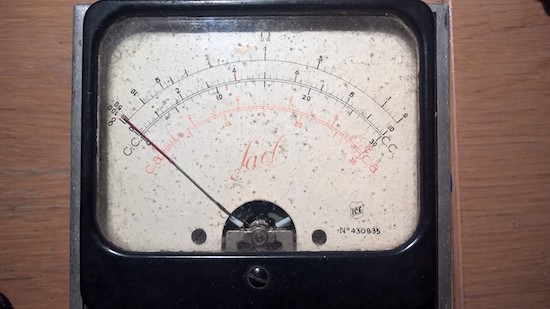
Given an input and some sort of indicator, is there any device that can’t be hacked into a timepiece? With the help of an Arduino Nano and an ESP8266 module, Guilio Pons has created a unique clock out of a 1950s-era multimeter.

Pons’ project not only displays time with an indicator originally meant to reveal electrical values, but is also able to output sounds as needed using a speaker recovered from an old toy. He integrated three LEDs as well as a PIR sensor, so the unit can light up at night.

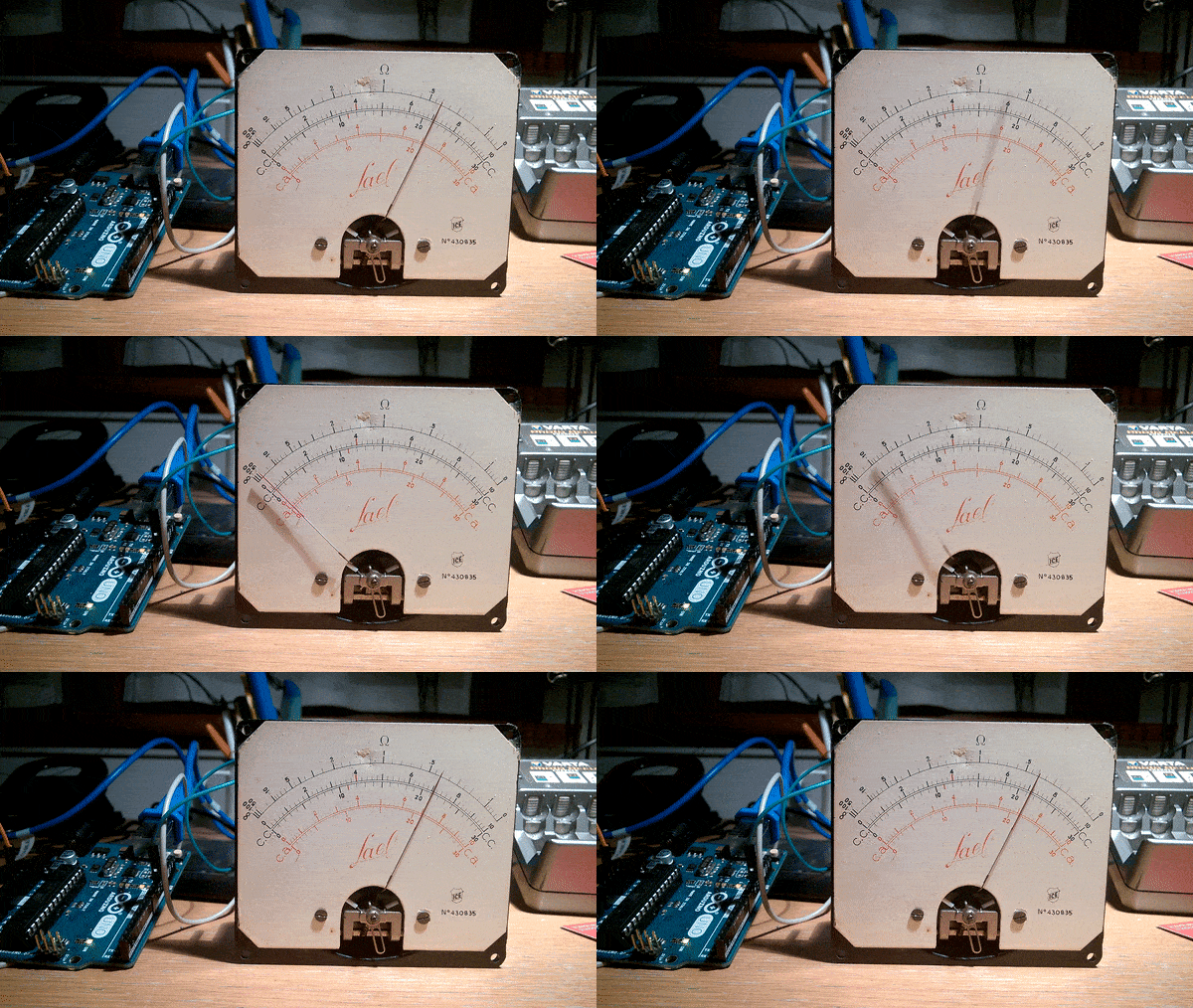
PWM control from the Arduino takes care of moving the gauge, while the ESP8266 allows the time to be synchronized via the Internet and the alarm adjusted over WiFi.
Want to retrofit a vintage tester of your own? Be sure to check out the Pons’ entire log on Hackaday.io. You can find the software library that he used to play sounds here.
Laptop control box provides speedy access to apps

If you need to quickly launch certain apps on your MacBook Pro, Carl Gordon has your solution using an Arduino Nano.

Although the TV ads for your notebook computer would perhaps have you believe that everyone who uses it is a DJ, artist, or rock climber, chances are you just use it for a handful of programs and folders over and over. If this sounds like you, you can at least speed up access to them using Gordon’s “Laptop Control Box.”

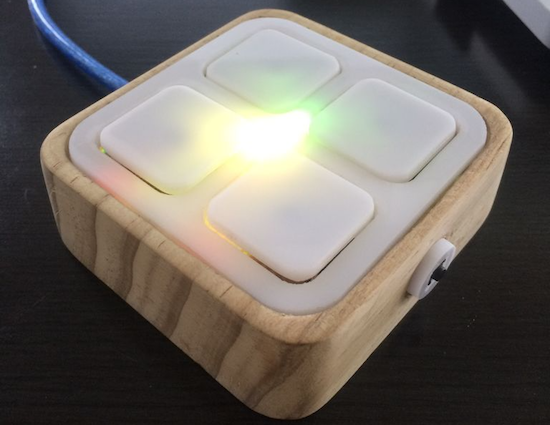
As seen below, the box acts as a grid of shortcuts to your favorite applications, with a button to select sets of programs and an embedded RGB LED module to show you which set is active without having to look at the screen. Control on the computer side is accomplished with Processing, and though it might look like its window needs to be active in the video, it can work in the background as well.

This version currently gives me to access 24 different functions which are divided into six categories of four functions for ease of use, these categories include: tools, media, browser, utilities, social and lifestyle. Categories can be navigated through using the small button on the side and each category is visualized with a unique color by an RGB LED within the device, illuminating the plastic buttons from underneath.

Check out how to make this handy little gadget in Gordon’s Instructables write-up here.

Remotely control a sumo bot with a gaming wheel

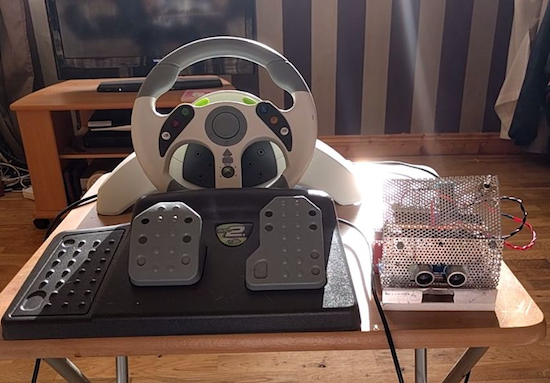
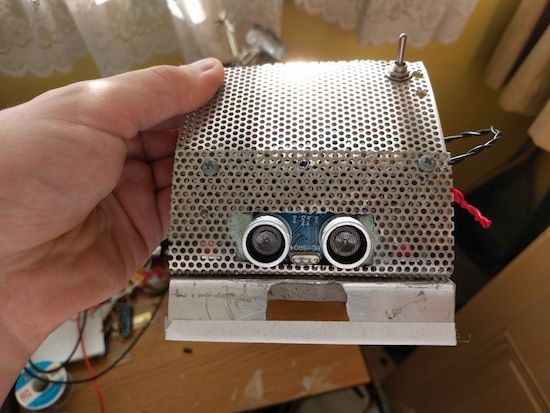
Using an Arduino Uno, Nano, and two Bluetooth modules, engineering student “Roboro” can now remotely control his sumo robot.

Like many hackers, Roboro had an old gaming controller that he wasn’t using, in this case an Xbox steering wheel and pedals. Naturally, he converted it into a controller for his sumo robot, which can now be driven manually. This involved wiring the wheel controls into an Uno; the smaller Nano was used onboard the bot.

Rewiring a controller is nothing new, but what is also quite interesting from a hack point of view is that the Arduinos communicate over Bluetooth. When initiated, the controller connects itself to the robot, which can then be driven around (as long as it doesn’t get stuck in the hardwood).

You can see more details of this build on Roboro’s project page.

[SOLVED] Arduino ATTiny85 does not blink LED. Programmed with Arduino nano

Hi!


I have an ATTiny85 and I want to start with the blink LED sketch but it does not work. Attached is the wiring:

I followed these instructions: http://forums.4fips.com/viewtopic.php?f=3&t=1080 for wiring, burn both bootloader and LED blink sketch with an Arduino nano as programmer (excepting I'm using 1.8.1 nightly Arduino IDE), and everything looks like going fine:


read more

Let's Make Robots 18 Feb 10:04
arduino  attiny85  avr  nano  

Arduino ATTiny85 does not blink LED. Programmed with Arduino nano

Hi!


I have an ATTiny85 and I want to start with the blink LED sketch but it does not work. Attached is the wiring:

I followed these instructions: http://forums.4fips.com/viewtopic.php?f=3&t=1080 for wiring, burn both bootloader and LED blink sketch with an Arduino nano as programmer (excepting I'm using 1.8.1 nightly Arduino IDE), and everything looks like going fine:


read more

Let's Make Robots 18 Feb 10:04
arduino  attiny85  avr  nano  

Giant interactive crossword puzzle uses over 130 Arduino

In what is perhaps the most Arduino boards used together, 130 Arduino Nanos, (plus an Arduino Mega), 130 RFID readers, and 750 RGB LEDs power this interactive crossword puzzle.

As you might suspect, bringing a giant crossword puzzle to life was lot of work. If you’d like to know how much, you can see the process laid out in the video below. Like many great hacks, this project starts out with a lot of prep, making sure the mechanical pieces go together as they should. Everything is then wired and programmed, and on day six, it finally goes out the door, destined for the National Museum in Warsaw, Poland.

Each letter has an RFID tag. Under the table are custom made circuits with Arduino Nano, RFID reader, and WS2812B. There is 130 of those circuits and the are connected by I2C interface together to Arduino Mega 2560, which is the main brain. So basically, the table recognizes letters and takes proper actions.

  • When there is no letter: LED are dimmed white
  • When letter is good: LED are green
  • When letter is bad: LED are red
  • When whole word is completed: LED play colorful animation
The main controller (Arduino Mega) communicates with a PC via RS-232. This PC plays special graphic visualization on the wall. When the whole crossword is completed, the whole table begins doing disco + sound effects.

It’s quite a colorful display, and it looks like the kids playing with it in the “Anything Goes” exhibition love it! You can see more about this project in Robert Mordzon’s write-up.

Sort your M&Ms or Skittles with this ingenious machine

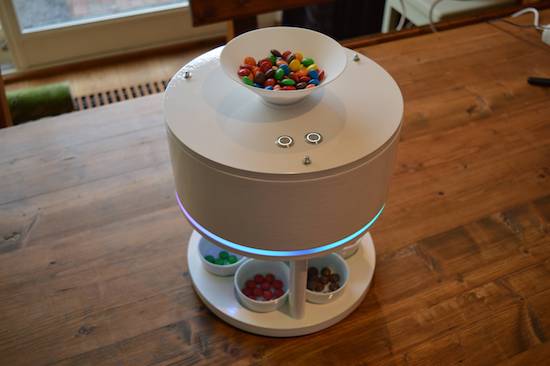
Inspired by a YouTube video of another candy sorter, Willem Pennings decided to build his own version.

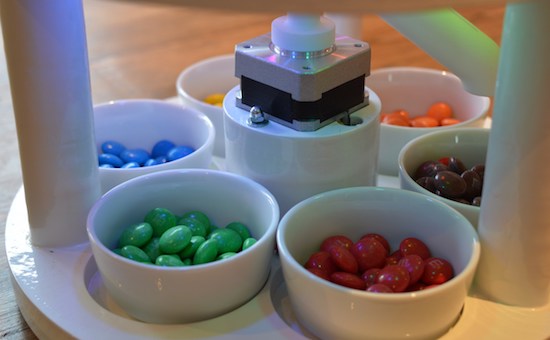
After nearly eight months of work, he now has a device that can separate M&Ms or Skittles into their respective color dishes. Control is accomplished via a pair of Arduino Nano boards along with two EasyDrivers and an RGB sensor. These actuate a small servo for mixing the candies, and a stepper motor to properly position the candy tube.

Besides designing the controls for the machine, everything is modeled beautifully in the NX10 CAD package. The results, as seen in the video, look extremely polished–and it’s quite soothing to watch these candies drop into their little bowls in automated fashion!

You can find more details on Pennings’ project page and check out the video that inspired him here.

Make your own 3D-printed sonic tractor beam with Arduino

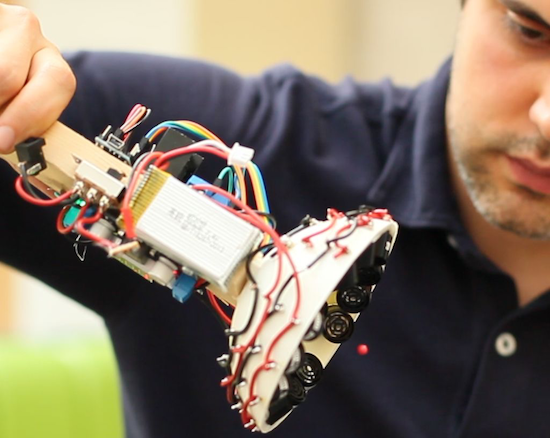
From magic to science, man has long dreamed about being able to manipulate objects from a distance. People have been able to push something using air or even sound waves for a while, but University of Bristol researcher Asier Marzo and colleagues have come up with a 3D-printable device that can not only repel small items, but can also attract them to the source.

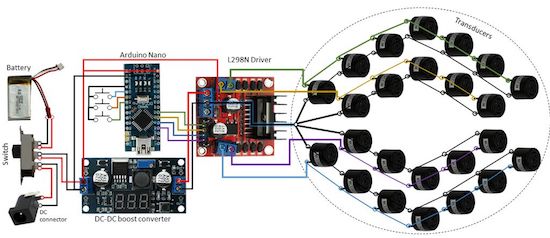
It does this using an array of sound transducers arranged in a dome shape at the end of a wand. The acoustic tractor beam is also equipped with an Arduino Nano, a motor controller board, a DC-DC converter, and a LiPo battery, among some other easily accessible components.

Basically, an Arduino will generate 4 half-square signals at 5Vpp 40kHz with different phases. These signals get amplified to 25Vpp by the motor driver and fed into the transducers. A button pad can be used to change the phases so that the particle moves up and down. A battery (7.3V) powers the Arduino and the logic part of the motor driver. A DC-DC converter steps-up the 7.3V to 25V for the motor driver.

Aside from entertaining friends by levitating small pieces of plastic, the DIY tractor beams have many possible use cases, particularly in biological research. However, there are some limitations. Given the challenge of suspending objects more than half the wavelength of sound, the gadget can only trap things around a few millimeters in size.

Marzo and his team have published their project in the journal Applied Physics Lettersand shared step-by-step instructions so you could get started on building your own beam. You can read more on Phys.org as well.

Turn an old microscope into a live cell imaging device

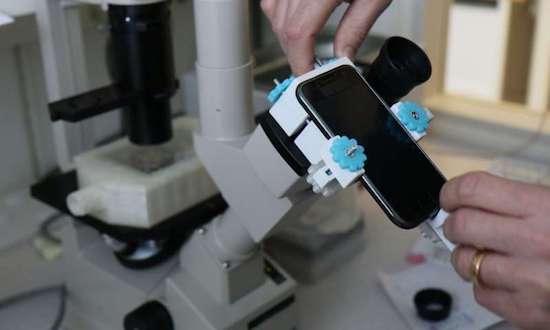
Microscopes are common pieces of equipment in laboratories (or even high school science classes for that matter), but making movies of living cells usually requires more expensive and specialized tools… until now. With a 3D-printed mount for a smartphone and an Arduino, researchers at Sweden’s Uppsala University have been able to retrofit ordinary microscopes to take time-lapse sequences.

To accomplish this, an Arduino was used to control a shutter for the smartphone to minimize light exposure when capturing intermittent images, while a heating unit was employed to maintain a constant temperature for the tiny organisms.

The control unit was built using an Arduino Nano, a Bluetooth communication module, a power transistor, and a voltage regulator. The control unit was connected to a standard computer power supply unit and then used to provide power at the appropriate voltages to the other components of system, i.e. the heating element (12V), the fan (12V), the temperature sensors (5V) and finally the shutter’s servo motor (5V). The control unit was used to operate the shutter’s servo motor via Bluetooth, and also to control the temperature inside the incubator by adjusting the power supplied to the heating element.

In the future, this modular and affordable system, called ATLIS, could increase the accessibility of time-lapse microscopy for the wider research community. The total cost for all of its components (excluding the phone and microscope) was only $277, a mere fraction of the price for commercially available equipment.

You can read more about the project on Phys.org and find the team’s full study here.

(Photo: Linda Koffmar / Phys.org)

This robot is a cool new way to use cassette tapes!

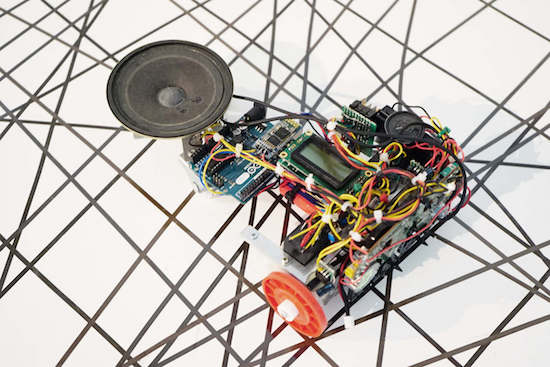
Though tape players persisted in vehicles for much longer than needed, cassettes are pretty much an obsolete format. That doesn’t mean they can’t be useful, as this project by Moscow-based media artist ::vtol:: shows.

His interactive robot, dubbed “pzr-10,” traverses a canvas littered with unwound tape, while two heads read the data off of it. Using an Arduino Uno, this data is then transmitted to the built-in loudspeaker and played aloud. Audio can be looped and processed in various ways, giving the user a unique audio experience!

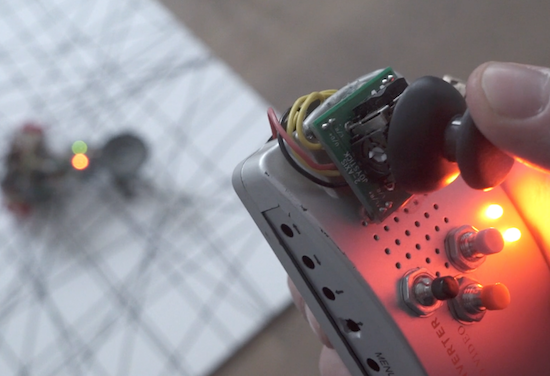
A customized remote operates the robot. The controller is equipped with an Arduino Nano and a joystick that guides pzr-10, while buttons manipulate the sound.

You can read more about the robotic installation on ::vtol::’s page.


Arduino Blog 16 Dec 22:14