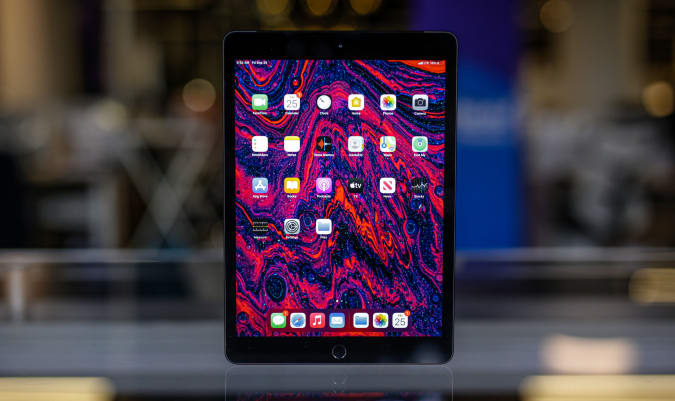
Don't count on using iOS 15's SharePlay for your virtual movie nights in the near future. Apple has warned that SharePlay won't be available in the launch versions of iOS 15, iPadOS 15, tvOS 15 and macOS Monterey. You'll get that shared viewing experience through software updates arriving this fall, but the new beta 6 releases (public and private) don't include it.
Apple told Engadget it would continue to give developers access to SharePlay in order to incorporate the feature into their apps. To that end, the company has released a SharePlay profile for app makers who don't want to disrupt their work.
It may still be worth installing iOS 15 beta 6, though. Apple has further fixed Safari by introducing a redesigned tab bar — no more having to access common features through an overflow menu. You can also move the address bar back to the top if you're a traditionalist. It's not quite a reversion to the iOS 14 way of doing things, but it is an acknowledgment that many weren't fans of the original iOS 15 approach.
This wouldn't be the first time Apple reserved a feature for a post-launch update. The company didn't even release iOS 13 for the iPod touch and HomePod until 13.1 was available. Still, it's worth noting if you play to upgrade to iOS 15 quickly — Apple is more interested in polishing iOS 15 than trying to fulfill all of its promises on day one.
Adobe has added more welcome features to Photoshop on iPad, including some that debuted on the desktop version. The tablet app now includes the Magic Wand object-selection and Healing Brush imperfection-fixing tools. With the Canvas Projection you can share your screen to a larger display over HDMI or USB-C, which should be helpful when collaborating with other people in the same room.
Adobe has upgraded the desktop version of Photoshop as well. The Sky Replacement tool now has many more options to draw from, and you can import up to 5,000 skies simultaneously.
Adobe
The Transform Warp tool with independent Bezier handles will allow for previously-impossible transformations, according to Adobe. It could be prove to be a boon for designers who have to shape images on and around boxes, bottles and other 3D surfaces.
There's a new Discover panel, which you can use to search for tools, menu items and workflows. It includes hands-on tutorials for workflows as well. You can access the panel by clicking the search icon, or using the Command+F or Ctrl+F shortcuts.
In addition, the Photoshop Beta program is getting underway this month. Creative Cloud users can test new versions of Photoshop for stability, performance and, from time to time, new features. They can provide feedback to the Photoshop team too. You'll find Photoshop Beta in the beta section of the Creative Cloud app.
Apple has long allowed Mac, iPhone and iPad users to access their iCloud drives on a PC using an app you can get from the Microsoft Store. And while the software let you download your photos and files, any passwords stored on your keychain were a more complicated matter. That’s about to change for the better.
With version 12.5 of iCloud for Windows, Apple is adding a password manager to the software. Once you download the update from the Microsoft Store, you can use the tool to add, edit, copy and paste, delete and look up any passwords you have stored in your iCloud keychain. You can also use the app in conjunction with a Microsoft Edge or Google Chrome extension to autofill a password when you’re surfing online.
Apple says the app stores all your passwords within an encrypted database on your computer and transfers them to the relevant browser extension over a secure channel. The app will automatically save and sync any website usernames and passwords but won’t do the same for applications and other sensitive personal data like your credit card number.
It’s all pretty standard functionality apps like 1Password and Dashlane have offered for years, but if you’re an iPhone user who frequently saves their logins to iCloud, you’ll appreciate having easy access to them on your PC.
Stop us if you’ve heard this one before, but Twitter has once again temporarily stopped accepting new verification applications from users. This latest pause follows after the company briefly opened the process to the public in May and then subsequently closed it down some eight days later.
We’ve temporarily hit pause on rolling out access to apply for Verification so we can make improvements to the application and review process.
For those who have been waiting, we know this may be disappointing. We want to get things right, and appreciate your patience.
At the time, the company said it was doing so because it was “rolling in” verification requests. It took until June for Twitter to sort out the backlog. This time around, the company has a more encouraging excuse. It said it’s taking time to implement tweaks to both the application and review processes, but stopped short of detailing the work it’s doing.
We imagine this latest pause also has something to do with the fact Twitter briefly verified a fake Cormac McCarthy account. Under the company’s public verification rules, an account holder is required to provide evidence like a government-issued ID to prove they’re who they say they are. The holder of the phony McCarthy account apparently didn’t do that.
“For those who have been waiting, we know this may be disappointing,” Twitter said. “We want to get things right, and appreciate your patience.” As before, the company hasn’t said when it plans to start taking applications again.
Samsung may have announced a bunch of new devices this week, but it was Apple and Amazon that led the week when it came to online deals. While Woot's flash sale on the Apple Watch Series 6 Product Red Edition came and went quickly, you can still get the smartwatch for $299 at Amazon. The Mac Mini M1 got a $100 discount while a number of Echo devices went on sale as well — including the new, second-generation Echo Show 5. And through Sunday, you can save on laptops, tablets, TVs and more in Best Buy's anniversary sale. Here are the best tech deals from this week that you can still get today.
Apple Watch Series 6
Apple
The Apple Watch Series 6 Product Red Edition is $100 off right now, bringing it down to $299. While not an all-time low, it's still a great deal on Apple's more powerful smartwatch. We gave the Series 6 a score of 89 for its speedy performance, improved battery life and faster charging. However, if you're willing to wait, you'll be able to get the next-generation Apple Watch pretty soon — we expect to see it debut sometime in September.
Apple's Mac Mini M1 has returned to $600, or $100 off its normal price. The sale price is actually $650, but an automatically applied coupon will bring the final cost down even more. This is the device to get if you want a compact desktop with the power and efficiency of Apple's M1 chipset.
Apple's AirPods Pro remain $60 off at Amazon, bringing them down to $190. These are the best sounding earbuds you can get from Apple, and we gave them a score of 87 for their better, more secure fit, IPX4 water resistance and solid audio quality.
Apple's 10.2-inch iPad is still on sale for $299, or $30 off its normal price. It's arguably the best iPad for new tablet owners and we liked its improved performance, familiar design and support for the first-generation Apple Pencil.
Beats' new Studio Buds are $20 off right now, bringing them down to $130. It's the first discount we've seen on the buds since they came out a few months ago. We gave them a score of 84 for their smaller, more comfortable design, balanced sound and quick pairing on both Android and iOS.
A handful of Echo devices are on sale right now at Amazon, including the second-generation Echo Show 5 for $55. That's the best price we've seen since the device came out earlier this year. You can also grab the latest Echo Show 8 for $100 and the Echo Frames for $180.
Anova's entry-level sous-vide machine, the Nano, remains discounted to $99. It's a great option for those interested in giving sous-vide cooking a try, but don't want to spend a ton of money upfront to do so. The Nano uses 750 watts of power to cook food submerged in water, and it can run for up to 3,000 hours before it needs recharging.
Through December 8, you can enter to win four-day passes to San Diego Comic-Con 2022. Along with the passes, you'll get access to a special preview night, reserved seating in Hall H, a personal concierge, a private tour of the Comic-Con Museum, dinner in Balboa Park and tickets to the "Night at the Comic-Con Museum" event. It's free to enter, but funds from this sweepstakes will go to the San Diego Comic Convention.
In this Omaze giveaway you can win two seats on one of the first Virgin Galactic flights to space. In addition, you'll go on a tour of Spaceport America in New Mexico with Richard Branson. You don't have to pay to enter, but funds from all paid entries will support Space for Humanity, an organization that hopes to make space more accessible for all.
Omaze is giving away another $20,000 to build your ultimate gaming PC. This sweepstakes is free to enter, but funds donated with purchased entries will benefit Schools on Wheels, an organization that provides free tutoring and mentoring services to children experiencing homelessness across Southern California.
Pricing and availability is subject to change. No donation or payment necessary to enter or win this sweepstakes.See official rules on Omaze.
New tech deals
Elgato Key Light Air
Elgato's slim Key Light Air has been a favorite of ours for streamers and now you can get it for $110, or $20 off its usual price. It's a sleek LED panel with 1,400 lumens that can provide just the right amount of light for your streams without taking up too much space. It's also WiFi-enabled, so you can turn it on and off and switch up your light settings directly from your smartphone.
This 9-in-1 Instant Pot is $40 off at Amazon thanks to a clippable coupon that knocks an additional $20 off the sale price. Along with pressure cooking, you're getting rice cooking, yogurt making, steaming, warming, sous vide and other functions in this device, plus a capacity large enough to make food for a big party.
This 65W GaN USB-C charger from Aukey is only $26 when you use the code OMNIADUO at checkout. It includes two USB-C ports, so you can quickly power up two mobile devices at once or even your laptop and your smartphone simultaneously. And because it uses GaN technology, it's smaller than other similar chargers and isn't as susceptible to overheating.
One of our recommended VPNs is running a decent summer sale on a two-year subscription. You can sign up for NordVPN for $99 for the first two years, which comes out to $49.50 per year, and get three additional months of access for free. We like NordVPN for its speed, its no-logs policy, the thousands of servers it has to choose from and that one account supports up to six connected devices.
Best Buy is back with a new three-day sale that reduces the prices of many gadgets, including laptops and tablets from Microsoft and Samsung. Through August 15, you can grab the Surface Pro 7 with its Type Cover for as low as $599 and a Core i5 model of the Surface Laptop Go for $750. Samsung's flagship tablets, the Tab S7 and S7+, are both on sale, while the already affordable Tab S6 Lite is even cheaper at $270. Here are the best tech deals we found in Best Buy's latest weekend sale.
Google WiFi (3 pack)
Google
Google's mesh WiFi kit with one router and two access points is $50 off, bringing it down to $150 (Amazon's matching the deal as well). This system came out at the end of last year and it supports speeds up to 1.2Gpbs. Each node covers up to 1,500 square feet, so you're getting a ton of coverage with this three-pack. While it's not as fast as the Nest WiFi system, it's a good upgrade for those who may still be relying on a router from their ISP.
The Galaxy Chromebook 2 is down to $449 for the Intel Celeron model with 4GB of RAM and 64GB of storage. The Core i3 model will set you back $599, but that's still a decent deal. We gave this laptop a score of 82 for its impressive screen, loud speakers and solid performance.
The base Surface Pro 7 with its Type Cover is down to $599 for this sale, or $360 off its normal price. This model has a Core i3 processor, 4GB of RAM and 128GB of storage — we'd be wary about using a device with 4GB of RAM as your primary device (unless it's a Chromebook), but this would make a good convertible for those that want a lighter device to tote around with them.
The latest LG OLED lineup just became available a few months ago and now you can grab the 55-inch A1 model for $1,300. The A1 series is the most affordable of the bunch, making these sets good options for anyone looking to upgrade to OLED while on a tight budget.
The 55-inch, mid-tier LG C1 OLED TV is down to $1,500, or $300 off its normal price. It uses LG's a9 Gen4 AI Processor 4K and supports HDMI 2.1, G-SYNC and FreeSync for gaming and voice commands using Alexa or the Google Assistant.
Microsoft's Surface Laptop Go with a 10th-gen Core i5 processor, 8GB of RAM and 256GB of storage is $150 off right now, bringing it down to $750. This is a good price for the upgraded model with more RAM, as most people will need at least 8GB on their daily driver. We gave the Laptop Go a score of 81 for its solid, minimalist design, excellent keyboard and trackpad and speedy performance.
Best Buy and Amazon have knocked $120 off Samsung's Galaxy Tab S7, bringing the total price to $530. The S7+ is also on sale for $730. This slab earned a score of 80 from us for its lovely 120Hz display, attractive build and long battery life.
Samsung's affordable Android tablet is even cheaper in this sale — the Galaxy Tab S6 Lite is down to $270, or $80 off its normal price. If you're looking for a capable Android tablet that won't break the bank, this is one that gives you a number of premium features at a great price. We gave it a score of 84 for its sturdy, attractive design, long battery life and excellent note-taking features with the S Pen.
The Fujifilm X-T3 mirrorless camera is $300 off during this sale, bringing it down to $1,200. Although Fujifilm debuted the X-T4 last year, the X-T3 remains a good option if you're on a tight budget. We gave it a score of 90 for its faster autofocus, excellent image quality and its compact, weatherproof design.
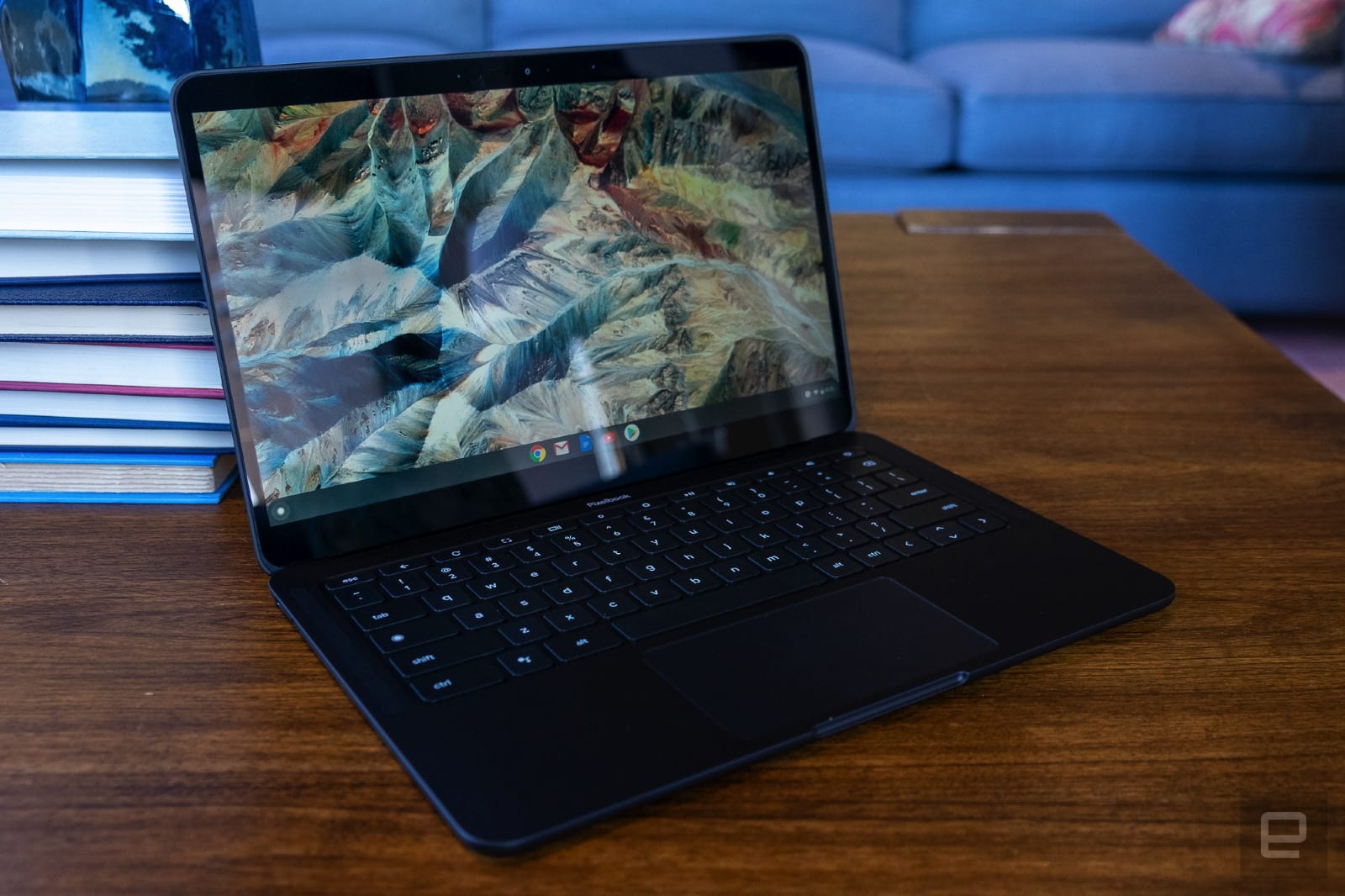
We thought the Pixelbook Go was a bit too expensive for a Chromebook (even a high-powered one at that), but this sale knocks it down to $750. That gets you a Core i5 processor, 8GB of RAM and 128GB of storage — more than enough power for most Chrome OS users. We gave the Go a score of 84 for its thin-and-light design, good performance and solid battery life.
It can be hard for a single host to manage large unruly video meetings, particularly given the complexity and features available in video conferencing apps these days. Now, Google has a solution for its Meet app with a new feature that allows you to have up to 25 co-hosts in a meeting, as 9to5Google has reported. That way, they can split chore like muting participants, launching polls, managing Q&As and more, while you focus on the business at hand.
Until now, the feature was only available to Google Workspace for Education customers. Now, it's on all of Google's Meet apps across desktop and mobile, including users with personal Google accounts.
On top of that, Google introduced new controls for meeting hosts, which can be extended to co-hosts. All hosts will be able to limit who can share their screen, limit who can send chat messages, mute all with one click, end the meeting for all and control who can join the meeting and how they can join with the "quick access" setting. The latter allows participants in the same domain to enter automatically.
“Quick access” allows automatic video call entry for users in the same domain. If disabled, hosts must join first, and those that are not invited will have to request permission to enter. Otherwise, the host must join first and give permission to anyone who isn't invited.
The last feature, the "People" panel, adds search to let hosts quickly find participants if moderation actions are needed. The new features will begin rolling out next week on the web and Meet for Android, and the iOS version will arrive at the end of the month.
It looks like HomePod and HomePod mini will soon have support for spatial audio and lossless audio via Apple Music. The HomePod 15 beta 5 includes options that enable lossless and Dolby Atmos playback.
Not all beta users will see the toggles, according to 9to5Mac. If you're running the latest iOS 15 and HomePod betas, you can check whether they're active by accessing the home options menu in the Home app, tapping your profile, then Media and Apple Music.
Earlier this year, Apple said it would bring Apple Music lossless streaming to HomePod and HomePod mini through a software update, but it didn't provide a timeline. Now, it seems the speakers will be able to stream lossless music soon (unless the option's already life for you in the beta).
Apple is expected to roll out its latest operating systems broadly within the next couple of months. When it does, you'll be able to pair a second HomePod mini to Apple TV for stereo audio.
Microsoft is updating some of the apps that come preloaded with Windows 11. To start, you’ll find a new version of the Snipping Tool that borrows a handful of features from Microsoft’s Snip & Sketch app. Press the “Win,” “Shift” and “S” keys on your keyboard simultaneously to activate the software and then select the part of your screen you want to capture. Once you’ve snapped a screenshot, you’ll find various tools that allow you to edit and annotate the image. With Windows 11, the Snipping Tool also finally includes a dark mode, and you can set it independent of your system theme.
Microsoft
Microsoft is also updating the Mail and Calendar apps in Windows 11. You’ll notice they now feature rounded corners “and other adjustments” that should help make them feel more like a natural extension of the operating system.
Last but certainly not least, the humble calculator app has received some love from Microsoft. It too now includes a dark mode you can set independent of Windows. The company has also rewritten the software in C# in hopes of more people contributing to its development over on GitHub.
According to Dave Grochocki, a senior program manager lead for Windows inbox apps, Microsoft plans to release “even more updates to the apps that come in Windows 11.” Look for previews of those to arrive before the company releases Windows 11 later this year. In the meantime, you can test the newly updated apps if you’re in the Windows Insider Dev Channel.
Last week, Apple previewed a number of updates meant to beef up child safety features on its devices. Among them: a new technology that can scan the photos on users’ devices in order to detect child sexual abuse material (CSAM). Though the change was widely praised by some lawmakers and child safety advocates, it prompted immediate pushback from many security and privacy experts, who say the update amounts to Apple walking back its commitment to putting user privacy above all else.
Apple has disputed that characterization, saying that its approach balances both privacy and the need to do more to protect children by preventing some of the most abhorrent content from spreading more widely.
What did Apple announce?
Apple announced three separate updates, all of which fall under the umbrella of “child safety.” The most significant — and the one that’s gotten the bulk of the attention — is a feature that will scan iCloud Photos for known CSAM. The feature, which is built into iCloud Photos, compares a user’s photos against a database of previously identified material. If a certain number of those images is detected, it triggers a review process. If the images are verified by human reviewers, Apple will suspend that iCloud account and report it to the National Center for Missing and Exploited Children (NCMEC).
Apple also previewed new “communication safety” features for the Messages app. That update enables the Messages app to detect when sexually explicit photos are sent or received by children. Importantly, this feature is only available for children who are part of a family account, and it’s up to parents to opt in.
Apple
If parents do opt into the feature, they will be alerted if a child under the age of 13 views one of these photos. For children older than 13, the Messages app will show a warning upon receiving an explicit image, but won’t alert their parents. Though the feature is part of the Messages app, and separate from the CSAM detection, Apple has noted that the feature could still play a role in stopping child exploitation, as it could disrupt predatory messages.
Finally, Apple is updating Siri and its search capabilities so that it can “intervene” in queries about CSAM. If someone asks how to report abuse material, for example, Siri will provide links to resources to do so. If it detects that someone might be searching for CSAM, it will display a warning and surface resources to provide help.
When is this happening and can you opt out?
The changes will be part of iOS 15, which will roll out later this year. Users can effectively opt out by disabling iCloud Photos (instructions for doing so can be found here). However, anyone disabling iCloud Photos should keep in mind that it could affect your ability to access photos across multiple devices.
So how does this image scanning work?
Apple is far from the only company that scans photos to look for CSAM. Apple’s approach to doing so, however, is unique. The CSAM detection relies on a database of known material, maintained by NCMEC and other safety organizations. These images are “hashed” (Apple’s official name for this is NeuralHash) — a process that converts images to a numerical code that allows them to be identified, even if they are modified in some way, such as cropping or making other visual edits. As previously mentioned, CSAM detection only functions if iCloud Photos is enabled. What’s notable about Apple’s approach is that rather than matching the images once they’ve been sent to the cloud — as most cloud platforms do — Apple has moved that process to users’ devices.
Apple
Here’s how it works: Hashes of the known CSAM are stored on the device, and on-device photos are compared to those hashes. The iOS device then generates an encrypted “safety voucher” that’s sent to iCloud along with the image. If a device reaches a certain threshold of CSAM, Apple can decrypt the safety vouchers and conduct a manual review of those images. Apple isn’t saying what the threshold is, but has made clear a single image wouldn’t result in any action.
Apple also published a detailed technical explanation of the process here.
Why is this so controversial?
Privacy advocates and security researchers have raised a number of concerns. One os these is that this feels like a major reversal for Apple, which five years ago refused the FBI’s request to unlock a phone and has put up billboards stating “what happens on your iPhone stays on your iPhone.” To many, the fact that Apple created a system that can proactively check your images for illegal material and refer them to law enforcement, feels like a betrayal of that promise.
In a statement, the Electronic Frontier Foundation called it “a shocking about-face for users who have relied on the company’s leadership in privacy and security.” Likewise, Facebook — which has spent years taking heat from Apple over its privacy missteps — has taken issue with the iPhone maker’s approach to CSAM. WhatsApp chief, Will Cathcart, described it as “an Apple built and operated surveillance system.”
More specifically, there are real concerns that once such a system is created, Apple could be pressured — either by law enforcement or governments — to look for other types of material. While CSAM detection is only going to be in the US to start, Apple has suggested it could eventually expand to other countries and work with other organizations. It’s not difficult to imagine scenarios where Apple could be pressured to start looking for other types of content that’s illegal in some countries. The company’s concessions in China — where Apple reportedly “ceded control” of its data centers to the Chinese government — are cited as proof that the company isn’t immune to the demands of less-democratic governments.
There are other questions too. Like whether it's possible for someone to abuse this process by maliciously getting CSAM onto someone’s device in order to trigger them losing access to their iCloud account. Or whether there could be a false positive, or some other scenario that results in someone being incorrectly flagged by the company’s algorithms.
What does Apple say about this?
Apple has strongly denied that it’s degrading privacy or walking back its previous commitments. The company published a second document in which it tries to address many of these claims.
On the issue of false positives, Apple has repeatedly emphasized that it is only comparing users’ photos against a collection of known child exploitation material, so images of, say, your own children won’t trigger a report. Additionally, Apple has said that the odds of a false positive is around one in a trillion when you factor in the fact that a certain number of images must be detected in order to even trigger a review. Crucially, though, Apple is basically saying we just have to take their word on that. As Facebook’s former security chief Alex Stamos and security researcher Matthew Green wrote in a joint New York Times op-ed, Apple hasn’t provided outside researchers with much visibility into how all this actually works.
Apple further says that its manual review, which relies on human reviewers, would be able to detect if CSAM was on a device as the result of some kind of malicious attack.
When it comes to pressure from governments or law enforcement agencies, the company has basically said that it would refuse to cooperate with such requests. “We have faced demands to build and deploy government-mandated changes that degrade the privacy of users before, and have steadfastly refused those demands,” it writes. “We will continue to refuse them in the future. Let us be clear, this technology is limited to detecting CSAM stored in iCloud and we will not accede to any government’s request to expand it.” Although, once again, we kind of just have to take Apple at its word here.
If it’s so controversial, why is Apple doing it?
The short answer is because the company thinks this is finding the right balance between increasing child safety and protecting privacy. CSAM is illegal and, in the US, companies are obligated to report it when they find it. As a result, CSAM detection features have been baked into popular services for years. But unlike other companies, Apple hasn’t checked for CSAM in users’ photos, largely due to its stance on privacy. Unsurprisingly, this has been a major source of frustration for child safety organizations and law enforcement.
To put this in perspective, in 2019 Facebook reported 65 million instances of CSAM on its platform, according to The New York Times. Google reported 3.5 million photos and videos, while Twitter and Snap reported “more than 100,000,” Apple, on the other hand, reported 3,000 photos.
That’s not because child predators don’t use Apple services, but because Apple hasn’t been nearly as aggressive as some other platforms in looking for this material, and its privacy features have made it difficult to do so. What’s changed now is that Apple says it’s come up with a technical means of detecting collections of known CSAM in iCloud Photos libraries that still respects users’ privacy. Obviously, there’s a lot of disagreement over the details and whether any kind of detection system can truly be “private.” But Apple has calculated that the tradeoff is worth it. “If you’re storing a collection of CSAM material, yes, this is bad for you,” Apple’s head of privacy toldThe New York Times. “But for the rest of you, this is no different.”