Google Chrome is experimenting with a couple of features that could help you continue research into a topic and compare the page you're on with other search results. The Journeys feature could give you more ways to keep track of what you look up.
The tool automatically collates pages and information related to the same topic, which would save you from looking through your history manually or creating a bookmarks folder with all of those sites. Chrome will also provide search suggestions to bolster your research.
The groups are saved locally and aren't synced with your Google account, so you can't access them across devices. This may change in the future, though. You can switch off the feature at any time and clear journey-specific browsing history.
Journeys could come in useful if you spend several weeks planning a trip or trying to figure out what car to buy. The feature is only available in the Chrome Canary build on desktop for now. You can find your Journeys within the history section (or enter chrome://history/journeys on the address bar).
In addition, Google is testing a side panel for search. When you click a link after searching for something, a G icon will appear next to the Chrome address bar. If you click that, you'll see other results for that search in a side panel. That will let you compare the page you're on with other results without having to juggle multiple tabs or move back and forth between pages.
For the time being, this feature is being tested in the Chrome OS Dev channel with Google Search. If Google ends up rolling out the tool more broadly, it plans to bring the side panel to more platforms and add support for other default search engines.
Those aren't the only updates Google has planned for Chrome in the near future. Google Lens is coming to the browser in the coming months.
Microsoft's software suite is getting an upgrade on October 5th with the rollout of Windows 11, and this includes Office Home and Student 2021, and Office Home and Business 2021. Office Home and Student, which unlocks Word, Excel, PowerPoint, OneNote and Microsoft Teams, will cost $150. Office Home and Business adds Outlook to that list and grants the rights to use these apps for commercial purposes, and it costs $250.
With this year's launch, some extra tools from the Microsoft 365 subscription service are making their way to Office, such as collaboration features like co-authoring and the ability to send out automatic updates when files are edited. Many of the apps are getting a new look, too, with rounded window corners and a neutral color palette. Programs receiving a digital facelift are Word, Excel, PowerPoint, OneNote, Outlook, Access, Project, Publisher and Visio. The updated look will also go live for Windows 10 users.
Microsoft 365 and the Office bundles will feature Teams, the company's video-chat app. Windows 11 already includes Teams, but this move brings the app to Windows 10 and macOS as well.
Microsoft 365, the company's top-tier all-inclusive option, costs $70 a year or $7 a month, with the Family plan for up to six people running $100 a year or $10 a month. It includes PC, Mac and mobile versions of Word, Excel, PowerPoint, OneNote, Outlook, OneDrive, Microsoft Editor, and Microsoft Family Safety, plus Access and Publisher for PC.
Although most tech deals this week were limited-time sales, there remain a few good ones to consider as we head into the weekend. Apple's Mac Mini M1 is down to $600, or $100 off its normal price, and Best Buy has the original Google Nest Hub for only $40. Solo Stove is having a sale on its Bonfire fire pit and some of our favorite Sennheiser wireless earbuds are still $100 off. Here are the best tech deals from this week that you can still get today.
Mac Mini M1
Apple
Apple's Mac Mini M1 is down to its all-time-low price of $600 thanks to a sale and an automatically applied coupon. You're getting all of the performance boosts provided by the M1 chipset in a compact desktop package. This is a good machine to get if you have an older desktop that needs replacing, but you don't want to spend a ton of money.
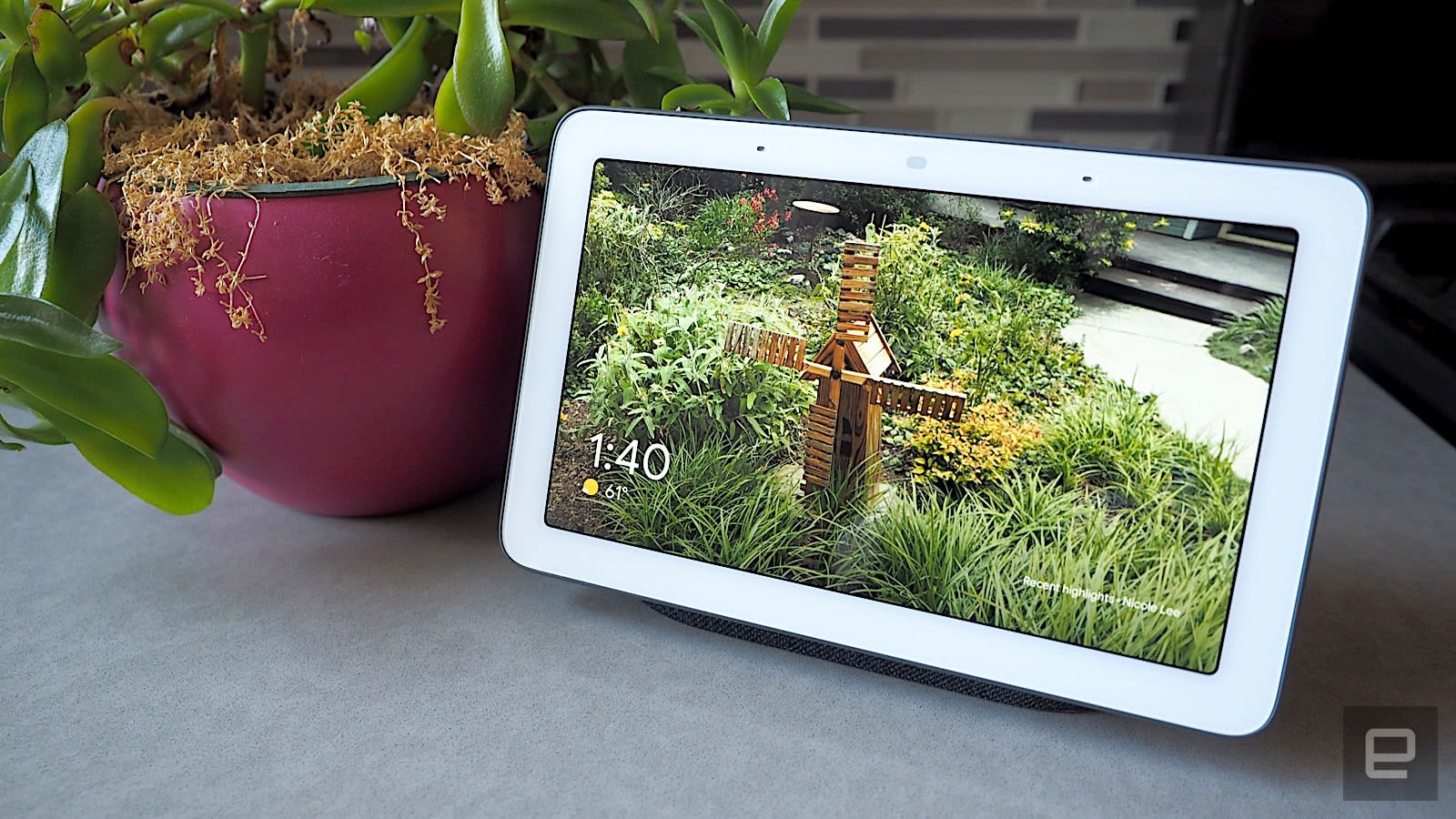
Google's original Nest Hub is down to $40 at Best Buy, or $50 off its normal price. While it doesn't have the motion sensor and the improved audio of the latest Nest Hub, we still like it for its lovely 7-inch display, minimalist design and solid performance.
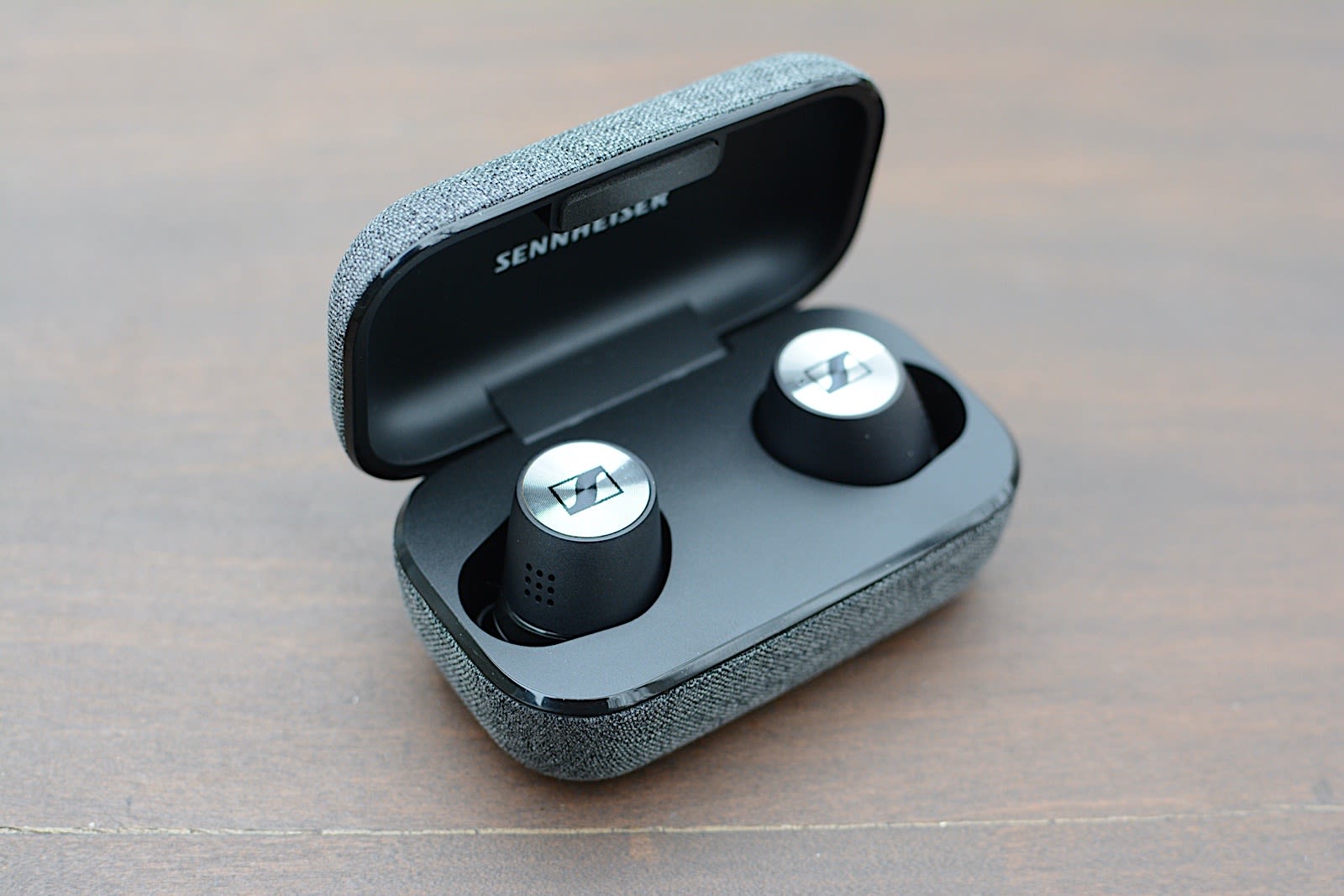
Amazon and Sennheiser have the excellent Momentum True Wireless 2 earbuds for $200, or $100 off their normal price. We gave these buds a score of 85 for their stellar audio quality, good ANC, smaller size and handy companion app.
Solo Stove's Bonfire is $100 off right now, bringing it down to $250. This is one of the company's best-selling fire pits and it's made it into some of our outdoor-focused gift guides in the past. It's a good device to get if you like gathering around a fire pit in the backyard but you don't like the smoke or cleanup that typically comes with it.
Through October 6, GOG.com has more than 120 games on sale, with some up to 90 percent off. Included this time around are Blood Omen, Elvira, Baldur's Gate, Dishonored, Wolfenstein, Cuphead and more.
Fitbit's Luxe tracker is down to $100 on QVC, or $50 off its normal price. We gave this slim band a score of 82 for its delicate design, solid activity tracking and good battery life.
Through December 8, you can enter to win four-day passes to San Diego Comic-Con 2022. Along with the passes, you'll get access to a special preview night, reserved seating in Hall H, a personal concierge, a private tour of the Comic-Con Museum, dinner in Balboa Park and tickets to the "Night at the Comic-Con Museum" event. It's free to enter, but funds from this sweepstakes will go to the San Diego Comic Convention.
Woot is having a big sale on 2019 and 2020 iPad Pros, knocking some 12.9-inch models down to $769. Apple's most powerful iPad hasn't changed much in look over the past few years, but the 2021 models got a big upgrade in performance with the M1 processor. If you're comfortable skipping that and a number of other, smaller updates, you could save a bunch and still get a powerful iPad. Just make sure to review Woot's return policy before you buy.
75-inch Hisense U6G Series Quantum Dot 4K Android TV
This massive Hisense 4K smart TV is $255 off, bringing it down to $995. It has local dimming zones for better brightness, Quantum Dot technology for rich colors and it supports Dolby Vision and Atmos. It also has auto low latency mode for better gaming, and Android TV gives you access to a plethora of streaming services including Netflix and Prime Video.
Through October 7, Satechi has knocked 20 percent off of its 100W USB-C PD wall charger, bringing it down to $56, when you use the code GAN100 at checkout. This brick uses gallium nitride technology to prevent overheating and provide a faster, more efficient charge. Not only can it power up smartphones and tablets, but it can juice up a 16-inch MacBook Pro at full speed as well.
NordVPN, one of our favorite VPNs, is running a sale on a two-year subscription. You can sign up and pay $99 for two years, plus you'll get an extra three months free. We like NordVPN for its speed, its no-logs policy, the thousands of servers it has to choose from and that one account supports up to six connected devices.
Mozilla's Firefox is introducing some new features that will make it easier and more secure to log in to apps on Android, matching some of the features available via Google Chrome. The update will give you the ability to save and autofill passwords for Android apps using Firefox, or unlock them using your face or fingerprints.
Firefox already has its Lockbox for storing credentials, but accessing sites or apps has never been as easy as it is with Google's Chrome. With the update, when you create an app on your Android device, you'll be able to add a new password and save it directly into the Firefox browser. It will then be saved both on mobile and desktop.
From there, you can autofill any password you've saved in the browser "to log into any online account like your Twitter or Instagram app... no need to open a web page," the Firefox team wrote. If you have multiple devices, you can use your Firefox account to sync passwords on all of them. Firefox is also introducing biometric security, letting you access accounts using your face and fingerprints.
Mozilla introduced all of this to time up with Cybersecurity Awareness month, which is October in case you didn't know. The new features will arrive with the Firefox 93 update, which will start rolling out on October 5th, 2021.
If you’ve been holding out on a possible iPad purchase (or upgrade), this might be the time to strike. Apple’s newest base model iPad is now on sale, and we’ve got a detailed review on what is an incremental upgrade on what is, at heart, the same design we’ve had for many years now.
If you’re looking for an iPad with a design twist — or at least a smaller footprint — there’s the iPad mini, pulling some of the redesigned iPad Pro DNA into a smaller package. That includes something close to an “all-screen” design, with an 8.3-inch Liquid Retina display and power button with TouchID on the edge that supplants the need for a home button.
Meanwhile, the OG iPad design, so very lightly refreshed for 2021, doesn’t put a foot wrong — and it’s the cheapest new iPad you can get. For that $330, as Nate Ingraham’s review lays out, the hardware is powerful and the battery life is outstanding.
It has Apple’s A13 Bionic chip, which first appeared inside the iPhone 11, circa 2019, but still an upgrade from the last vanilla iPad iteration. But yes, it’s not as powerful as the newer chips in the iPad Air and just-updated iPad mini.
If we sidestep the Pro models, tablet shopping will boil down to the iPad mini, Air or this new standard model. You could say this is some degree of choice — I just wish there was more tablet competition that didn’t run an Apple OS. Android tablets are still, typically, cheaper options that always leave me wanting.
The former employees were outspoken critics of many Amazon policies.
Amazon was supposed to defend its decision in court to let Emily Cunningham and Maren Costa go last year. The former Amazon employees were outspoken critics of the company, and both were, according to the National Labor Relations Board (NLRB), illegally fired. The e-commerce giant didn't have to defend itself, however, because it has settled with the affected parties shortly before the hearing could take place.
The settlement still needs to be approved by the NLRB regional director in Seattle, but Cunningham and Costa are already considering the settlement a victory. In a joint statement, they said the development is a "win for protecting workers’ rights."
Subaru has shown the first video of its first EV, the 4x4 Solterra crossover, essentially confirming it's a slightly reworked version of Toyota's upcoming bZ4X EV. We’re still waiting on key details, like price and battery capacity. It's set to arrive in the US and other markets next summer. For now, take a closer look at the teaser.
Sonos has added Dolby Atmos support to the original Beam, which turned out to be a popular soundbar for those looking to upgrade their TV sound system in a simple way — and introduce them to the Sonos cinematic universe of speaker add-ons and upgrades.
The new Beam, while more expensive than a lot of the competition, is another compact soundbar that sounds far more immersive than you’d expect. According to Devindra Hardawar, it also does a decent job with music and still works well with other Sonos speakers. Read on for his full review.
Chinese company Nreal has launched a new model of augmented reality glasses called Air, designed with streaming shows and playing mobile games in mind. The glasses still need to be tethered to a phone, like their predecessor, the Light, but they're a lot lighter (77 grams to Light's 106 grams) and look more like an ordinary pair of sunglasses.
Nreal also improved the display, which has the capability to project a massive virtual screen up to 201 inches in size, and refreshes at up 90Hz. The new model has no motion tracking at all, and a company spokesperson told us that, based on Light's usage, Nreal expects most owners to use the Air simply to watch shows on YouTube.
The Kiyo X webcam costs $80, while the Ripsaw X capture card is $140.
Razer’s latest streaming gear aims directly at newbies, starting with its new Kiyo X USB webcam. As with a lot of current games, you can choose between optimizing your webcam feed for fidelity or framerate with 1080p 30 fps and 720p 60 fps options.
There’s also the Ripsaw X capture card, for footage up to 30 frames per second in 4K. Razer says the device delivers "near-zero latency" through its HDMI 2.0 and USB 3.0 connectivity. You can hook it up to a camera with HDMI output to use it as a high-end webcam or capture gameplay from a console. The Kiyo X cam costs $80, while the Ripsaw X will run you $140. Both are available now.
Corsair is getting into the monitor business with its first gaming display. The Xeneon 32QHD165 has a 1440p, 32-inch display that has a refresh rate of up to 165Hz. There's support for AMD FreeSync and Nvidia G-Sync technology, and the company claims the monitor has a 1ms response time.
The IPS LED screen uses quantum dot tech and has 400 nits of brightness, with 100 percent sRGB, 100 percent Adobe RGB and 98 percent DCI-P3 color gamut coverage. The Xeneon has thin bezels and 178-degree viewing angles, both horizontally and vertically.
Corsair says the monitor is integrated with its iCue and Elgato Stream Deck software to make it easy to change settings on the fly, depending on what you're using the Xeneon for. As for connectivity, expect dual HDMI 2.0 ports, a DisplayPort 1.4 slot, a pair of USB-C outlets, two USB 3.1 ports and, best of all, a 3.5mm headphone jack.
The Xeneon 32QHD165 is available now in North America, Australia, New Zealand, the UK, France and several other European countries. It doesn't come cheap, however. The monitor costs $800.
You've the option to re-download Apple's in-house apps for a while, but you haven't been allowed to write App Store reviews for them like you can for third-party titles. Apple is now treating its apps more as equals, though. 9to5Macnotes Apple has quietly enabled App Store ratings and reviews for its own software. If you want to laud improvements to Maps or trash Mail, you can.
The volume of reviews is relatively low compared to equivalent third-party apps that have been around for years, like Gmail or Google Maps. However, it won't surprise you to hear the ratings are relatively low. Apple's Podcasts client is sitting at two stars as of this writing, while Apple News is sitting at 2.3 stars. Maps has only partly mended its early reputation with a three-star rating. Like with third-party software, some customers are using the ratings and reviews to gripe about technical issues instead of design.
The change treats Apple's apps more fairly, and might even be useful to help the company spot and respond to criticism. It might likewise see this as another way to improve public perception of the App Store. On top of an Epic lawsuit that could soon force Apple to alter App Store policies, the iPhone maker has preemptively stopped favoring its own apps in rankings and reduced its cut of small developers' apps revenues. Ratings and reviews won't dramatically change Apple's image, but they likely won't hurt.
You no longer have to point your phone at your computer screen if you want to use Google Lens on your computer. As part of a string of updates, Google has revealed that Lens will be available for Chrome on the desktop in the "coming months." You just have to right-click on a website, choose to search with Lens and select the part of the page you want to examine. After that, you'll get results relating to the content you highlighted. Needless to say, that could be helpful if you're trying to identify an animal or a hot new jacket.
There are some upgrades coming to Lens on your phone. An update in early 2022 will let you ask a question after snapping a photo. If you need to know how to repair a part on your bike, for instance, you'll get results even if you don't know what that part is. The Google app for iPhones, meanwhile, will let you search for products within images.
This is a not-so-subtle effort to boost Google Shopping. You might be more likely to buy apparel or bike parts if you can identify them, after all. Even so, the expansion could make Lens more useful as a general search tool, not just for special circumstances.
Inspiration can strike at any time. ⚡ Soon you'll be able to use #GoogleLens to instantly search for products within images while browsing on the Google app on iPhone. And psst… Lens is coming to Chrome on desktop too 👀 #SearchOnpic.twitter.com/HTQCz7sjoO
MUM, our advanced AI model, is coming to #GoogleLens early next year. You’ll be able to snap a photo AND ask a question, which can be helpful in those moments you need to fix a broken part and have no idea what it is 🤷🔧 #SearchOnpic.twitter.com/cmedce3dB2
Apple is rolling out updates to its iWork suite of Keynote, Pages and Numbers on iPhone, iPad and Mac. The next time you deliver a presentation with Keynote, you'll be able to include live video feeds directly in the slides. You can resize the video feed and change the look with masks, frames, drop shadows and reflections.
With the Mac version of Keynote, you can add feeds from multiple external cameras, and share a connected iPhone or iPad screen, which could prove useful for interactive demos. There are more collaboration features too. A new multi-presenter function lets anyone control a shared slideshow and advance slides remotely using a Mac, iPhone or iPad. This could come in handy for group presentations.
The changes to Pages are largely iPhone-focused. The Screen View feature arranges text, images and other aspects of the document into a single-column view. Apple has increased the text size, while images are sized to fit your phone's screen. You can also view tables by scrolling left and right. Users will still be able to edit documents as usual when Screen View is active. You don't need to do anything to set up the feature, and it works with all word processing documents. Apple says you can toggle off Screen View so you can see the proper layout before you're ready to share or print the document.
As for Numbers, you can now get to grips with pivot tables across Apple devices. You'll be able to summarize, group and rearrange data to spot and study trends and patterns. There are options to visualize the pivot tables with charts and to share pivot data without disclosing the source data. You can also import pivot tables from and export them to Microsoft Excel.
Elsewhere, there's a new chart type called radar charts. Apple says this "makes it easy to visually compare multiple variables with similarities shown as overlapping areas, allowing differences and outliers to really stand out." There are new filters you can use to highlight unique entries or duplicate data.
All three apps now support Apple's new translation tools on iOS 15, iPadOS 15 and macOS Monterey. The latest versions of Keynote, Pages and Numbers are now available on the App Store and Mac App Store.
Amazon is pairing its new Halo View activity tracker with services to match. The company has introduced Halo Fitness and Halo Nutrition features that promise to keep you in shape. You'll need to subscribe to the $80 yearly Halo membership to make use of them, but Amazon is clearly betting the Halo bands' customers will treat the outlay as an investment.
Halo Fitness is a not-so-subtle alternative to Apple Fitness+ and similar services. The feature promises "hundreds" of professional workouts, including familiar cardio, strength and yoga sessions as well as basic mobility classes. Like Apple's service, you'll see stats from your wearables (both the Halo Band and Halo View) on-screen to keep your focus on the workout.
Developing...
Follow all of the news from Amazon’s fall hardware event right here!