Posts with «handheld & connected devices» label

Nothing's Carl Pei thinks everyone else's smartphones are boring

Carl Pei thinks there’s something wrong with the smartphone industry. That’s not to say the handsets on sale today are bad. Across the board, modern mobiles are faster, more sophisticated and take better photos than previous generations. But like a growing number of tech enthusiasts, Pei has started feeling like new phones just aren’t as special as the devices that came out five or 10 years ago. So ahead of the launch of the Phone 1 on July 12th, I sat down with the founder and CEO of Nothing to learn how the mobile startup is trying to bring some innovation, quirkiness, and maybe even a bit of fun back to the smartphone market.

Now there’s a very logical explanation for why recent phones don’t possess the same kind of wow factor. Back when the iPhone made its debut, it felt like a revelation. “I used to watch all the launches. I was in Sweden, so I stayed up until midnight or 4AM to see what was coming out,” said Pei. But in recent years, that excitement has waned, with Pei often skipping big keynotes and relying on condensed recaps to stay informed. And it’s not just Pei that feels this way.

Nothing

“When I talk to consumers, they are also quite indifferent,” says Pei. “When doing focus groups, some consumers said they believe smartphone brands are holding features back intentionally just so they have something to launch for the next iteration, which is not the truth. But if consumers feel that way, it's a sign that they're kind of bored.”

The big issue for Pei is one of stagnation. With major players like LG and HTC having exited the market or becoming irrelevant, the smartphone industry is dominated by a handful of huge corporations like Apple, Samsung, and Google. “You have a few big companies and the way they work is more structured and systematic,” said Pei. “They have technology roadmaps from partners like Qualcomm, Sony or Samsung Display, so they know what's coming. They do a lot of consumer research, they get their feedback and they look at their competitors and the overall market landscape.”

However, Pei feels that approach leads to a lot of sameness. “So they have this information, they analyze it, and then they create a very rational product that is going to do well on paper because they used all this great data,” said Pei. “But the problem is everybody's using the same data and everybody's using the same analysis. So if the input is the same and the method is the same, the output is more or less the same as well.”

Nothing

That’s one thing Pei is trying to change with Nothing’s upcoming handset, the Phone 1. Instead of trying to reinvent the wheel – or in this case, the phone – Pei wants to bring some originality back to mobile tech design. “Maybe we can turn down the brain a little bit and turn up the intuition,” said Pei, which is a mantra that has resulted in some of the Phone 1’s more unique features including its design, embedded lighting and glyph interface.

Pei says the inspiration behind the Phone 1’s design comes from a concept the team describes as “raw technology meets human warmth,” or technical warmth for short. “It's got this machine-like nature to it, but also has quirky and very human elements as well.” That’s why instead of hiding the inside of the device behind an opaque back, like you see on so many other phones, Nothing uses transparent glass that exposes components like the Phone 1’s wireless charging coil, heat pipes, and more. In a lot of ways, it feels like a modern industrialist take on the Game Boys and iMacs with see-through plastic shells we got in the 90s and early 2000s.

“I think one thing we’re trying to accomplish is to bring people back in time to when they felt more optimistic about gadgets,” said Pei. This desire to make tech fun again is actually something Nothing carried throughout its entire design process, right down to Phone 1’s codename Arceus, which is a reference to the legendary Pokemon of the same name. (For the record, Pei says his favorite ‘Mon is Squirtle.) There are other quirks too, like the heat pipe at the bottom of the phone that looks like an elephant and the red indicator light in back that lets people know when a video is being recorded.

See if you can spot the elephant hidden in the Phone 1's design.
Nothing

However, while Pei wants to bring fun back to gadgets, Nothing always falls back on the core design principle of form following function. Pei said “We don't do ornaments. We can design different things and unique things, but they always have to be functional.” The best example of this is the Phone 1’s glyph interface, which uses 900 LEDs arranged across the back of the device to create a sophisticated notification system unlike anything out right now.

By allowing owners to assign unique combinations of lights and sounds to different contacts, the idea is that people will be able to see who is calling or texting without looking at the screen. Even the Phone 1’s ringtones evoke old-school analog synths combined with the noise of a dial-up modem, it’s both fresh and retro at the same time. On top of that, the lights glow when the phone is wireless or reverse wireless charging, while the small strip of LEDs next to the charging port can show how much juice the phone has – once again, without ever seeing the screen.

That said, having big ideas about phone design and actually making them a reality are very different things. Making phones is hard, and trying to break into the market as a startup is damn near impossible. If you look at the industry today, the only company that has really broken through in the last decade is OnePlus, which was co-founded by Pei and received significant backing as part of BBK Electronics’ tech umbrella. Meanwhile, the junkheap of failed smartphone startups is littered with ambitious companies like Essential (whose branding and IP are actually now owned by Nothing) that teased similarly big ideas, but went belly up before ever making a second-gen device. Or consider more mainstream companies like Motorola, who failed to make modular phones more than a novelty with its Z-series devices. And ever since, Moto has largely played it safe by shelling out endless rehashes of its G-series line.

Nothing

“The reason why this industry is very hard is because it requires end-to-end capability,” Pei said. “If you're going to create a smartphone company, every single team has to be at least seven out of 10. And some of them have to be even better if your product is going to stand out in some way.”

“Your supply chain team has to be great. Your mechanical engineering, your software, engineering, your industrial design, your sales, your marketing, your customer support,” said Pei. And if we look back at the PH-1 which had an innovative design and a team with serious pedigree, in the end, a handful of issues like its high price and weak camera quality at launch ultimately spelled doom for Essential.

On the flipside, despite Pei claiming that Nothing has already sold more than 560,000 pairs of its Ear 1 buds, there are concerns about the Phone 1 being overhyped. Some commenters online have even compared Nothing’s community forums to a cult based on early reactions to what remains an unreleased device. But when it comes to hype, Pei feels like there’s only one road that leads to success.

“One is the path we currently are taking. We try and create the maximum interest for a product at launch. That sets really high expectations for the product to deliver. And if it does, things go really well. If it doesn’t, maybe it fizzles out.”

However, the challenge is that if a company tries to reign in the hype, the product may never take off regardless of quality. Pei said “In this path, we at least have a chance to try and deliver a great product. The second option is being a small company with no marketing budget is that no one will know about your device. So even if the product is good, the result is still that nobody cares. You don't even have a chance to prove yourself. This is actually our only logical option.”

Nothing

So while the design of the Phone 1 is quite unique and eye-catching, Pei preaches a pragmatic approach. Instead of taking a huge swing right out the gate, Pei is looking to gradually grow Nothing’s business and ecosystem, starting with its first earbuds and soon, its first phone.

“We’re a fast follower. We didn't invent smartphones. We didn't invent Android, but we have experience in this market. We see ways in which we could do it better and some gaps in the market.” But Pei knows Nothing needs to take it one step at a time. “We need to gradually build to a position of strength. Then when you’re strong, you can go and do something really, really innovative, because you’ll have a business that’s stable enough to take a lot of shots.”

However, while the success (or failure) of the Phone 1 is still to be determined, I appreciate that not only is Pei challenging billion-dollar giants with a new smartphone startup, Nothing is also trying to shake things up in the process. “I think this device is the beginning of something different, but it’s also a gift to our industry,” said Pei. “We're not saying this is a revolutionary product that's going to change the entire industry overnight. But maybe it's going to plant a germ in people's minds.” In a sea of similar-looking glass bricks, Pei hopes the Phone 1 will encourage customers to ask for more creative devices while also sparking larger companies to take more risks. “Some of it will fail. But ultimately, the smartphone market is going to be much more dynamic and we'll improve faster as an industry.”
Google makes it easier for your stuff to sync between Android phones and Chromebooks

Google is rolling out Chrome OS version 103, which includes features that will make it easier for users to share things between Chromebooks and Android devices. For one thing, as the company announced at CES, Phone Hub is getting an upgrade. From your Chromebook, you'll instantly be able to access the latest photos you took with your phone, even when you're offline.

When you take a picture with your phone, it will automatically show up in the Recent Photos section of Phone Hub (which allows you to control some of your mobile device's features from your laptop). You'll need to click on the image to download it, though it's a more elegant option than going to the Google Photos website or emailing yourself a photo.

Google

Also new is a way to get a Chromebook connected to the internet more quickly. If you're trying to link your laptop to a WiFi network that's already saved on your Android phone, you can use Nearby Share. Go to the WiFi network tab in the internet settings on your phone. After you select the Share option, you can tap the Nearby button and choose the Chromebook you want to get online. The Chromebook should then automatically gain access to the internet and save the login credentials.

In addition, Google revealed the Chrome OS Screencast app it announced earlier this month will start rolling out this week. You can use that to record, trim and transcribe video.

Later this summer, Chromebooks will gain fast pairing support for hundreds of Bluetooth headphone models including, of course, Pixel Buds. Fast Pair will save the headphones to your Google account, so both your Chromebook and Android phone can connect to them swiftly.

Google said it will roll out more features to make Chromebooks and Android devices play more nicely with each other later this year. The company is looking to take a page out of Apple's playbook with updates like these. Apple has long offered deep integration between its devices, including features such as WiFi password sharing and iCloud photo syncing, which helps it get people more invested in its ecosystem.

Polestar adds Apple CarPlay support to its EVs

Polestar promised Apple CarPlay support for its EVs two years ago, and it's finally delivering. As The Vergeexplains, the car brand has released an over-the-air update for the Polestar 2 that makes CarPlay available on the Android Automotive-based sedan. If you'd rather use Apple Maps instead of Google Maps or prefer to talk to Siri in lieu of Google Assistant, you now have that choice as long as you connect your iPhone.

The most fun part about driving a Polestar is driving it, but there's more to it. Our latest over-the-air update for the Polestar 2 comes with Apple CarPlay, allowing Polestar owners with an iPhone to change music, use apps, and communicate through Siri or the infotainment system pic.twitter.com/mulkjIUR6D

— Polestar (@PolestarCars) June 22, 2022

In 2020, the automaker expected to deliver a CarPlay update in January 2021. It's not clear what prompted the delay (Polestar cited "various factors" last fall), but the wait isn't completely surprising. Android Automotive is built around Google's operating system, and often its services. iPhone support was always going to be a lower priority, particularly when you don't need an Android phone to use Polestar's built-in functionality.

You still can't find CarPlay on numerous other Android Automotive cars, including newer Volvo models as well as Rivian's R1T. You won't have to wait long in some cases, though. Volvo expects to add the interface within weeks, and it will eventually support iOS 16's next-gen CarPlay interface. In that sense, Polestar is just a vanguard for its sibling brand.

Nothing's transparent Phone 1 won't be coming to North America

Nothing's debut Phone 1 smartphone won't be coming to the US, the company confirmed to PCMag. "While we’d love to bring Phone 1 to the entire community around the world, we're focusing on home markets, including the UK and Europe," the company said in a statement. However, it added that "a limited number of our private community investors" could get one in the US through a closed beta program. 

Nothing showed off the device for the first time last week on Twitter following a tease by founder Carl Pei. The most noticeable feature is a transparent back, revealing a wireless charging coil and a mysterious pattern that lights up. The company has also promised "an open and diverse product ecosystem" and the pure Android Nothing OS. 

The company further explained that "it takes a lot to launch a smartphone... from ensuring the handset is supported by the country's cellular technologies to carrier partnerships and local regulation, and as we're still a young brand we need to be strategic about it." Even folks in the closed beta program are likely to have issues with coverage and a lack of support of features like voice over LTE, according to PCMag. A similar disclosure was given by Nothing when the first 100 phones went up for bid on StockX.

Still, Nothing does have North American ambitions. "We have big plans to launch a US supported smartphone in the future," the company wrote. The Nothing Phone 1 is set to debut in London on July 12th — you can catch it via a livestream if you RSVP in advance. 

Android users can now add Google Password Manager to their home screen

While Google has long included a password manager among its account perks, accessing a native version of that tool on your Android phone or tablet hasn’t been straightforward. Before a recent Google Play Services update, you had to navigate to the “Privacy” section of Android’s Settings menu to find an option to launch the software. But as 9to5Google points out, you can now add a home screen shortcut to the tool on your Android phone or tablet.

You’ll have the option once you’ve updated to Google Play Services version 22.18. The easiest way to do that is to tap on a direct link to the software’s Play Store listing and manually download the latest release. Once that’s done, open the Settings app on your phone, then navigate to the Privacy section and tap “Autofill service from Google,” followed by “Passwords.” Doing so will launch the Google Password Manager. At that point, you’ll want to tap on the gear icon at the top of the interface to open the applet’s settings menu. You should then see an option that says “Add shortcut to your home screen.” You know what to do next.

Even the simplified process isn’t as straightforward as it should be, but Google making it easier to see and modify your passwords will also make it easier to change them when the situation calls for it. 

Apple faces another iPhone 'Batterygate' legal claim, this time in the UK

Back in 2017, Apple admitted that it released an update to slow down older iPhones with aging batteries to prevent them from suddenly shutting down. It's been five years since then, but Apple still isn't done dealing with its repercussions. According to The Guardian, the tech giant is now facing a legal claim in the UK filed by a consumer rights campaigner named Justin Gutmann at the Competition Appeals Tribunal. Gutmann argued that Apple didn't disclose that it was going to deliberately throttle users' phone before it did so and that the company didn't give them the option to disable the setting. 

The complaint covers the iPhone 6, 6 Plus, 6S, 6S Plus, SE, 7, 7 Plus, 8, 8 Plus and iPhone X models. If you'll recall, the company originally released the update that intentionally slows down devices for the iPhone 6, 6s and SE before it expanded the feature's reach to more devices. Guttman's complaint said Apple introduced the slowdown feature to disguise the fact that older batteries could no longer cope with new OS updates. "Instead of doing the honourable and legal thing by their customers and offering a free [battery] replacement, repair service or compensation, Apple instead misled people by concealing a tool in software updates that slowed their devices by up to 58 percent," Guttman said. 

If Guttman wins, Apple may have to pay damages totaling up to £750 million to over 25 million people who purchased the affected phones in the UK. The company was previously fined €10 million in Italy over the same issue and for failing to provide customers with the necessary information for maintaining and replacing batteries. In 2020, it also agreed to pay up to $500 million to settle one of the US lawsuits it faced over the iPhone slowdown, which earned each claimant who took part up to $25

In a statement sent to The Guardian, Apple said:

"We have never – and would never – do anything to intentionally shorten the life of any Apple product, or degrade the user experience to drive customer upgrades. Our goal has always been to create products that our customers love, and making iPhones last as long as possible is an important part of that."

Samsung merges Pay and Pass into a single Wallet app

Samsung is making it easier to store your credit card information and other digital data on your phone. On Wednesday, the company announced the merging of its Pay and Pass apps into a single Wallet platform. With the change, you won’t have to use two different apps to manage your digital identity. Instead, the company’s new Wallet app will let you store your debit and credit card information for mobile payments, in addition to your login credentials for websites and apps.

Samsung says you can also use the software to store digital car keys from brands like BMW, Genesis, Hyundai and Kia, as well as airline boarding passes, starting with Korea Air. And just in time for crypto winter, there’s support for monitoring your cryptocurrencies across a variety of exchanges.

Later this year, the app will allow you to store digital IDs, including student cards and driver’s licenses, from participating institutions and state governments. There’s also integration with Samsung’s SmartThings platform. Everything is stored securely on your device with protection from Samsung’s Knox platform.

Samsung Wallet is available to download starting today in the US, France, Germany, Italy, Spain and UK. If you already have the Pay and Pass apps installed on your phone, you’ll be prompted to migrate to the new software the next time you open them. A fleshed out Wallet app has been a long-time coming for Samsung, particularly after the company added support for digital car keys last year.

This is what the Nothing Phone 1 will look like

Even though the Nothing Phone 1's launch is still about a month away, the company has already begun showing what the device will look like to help generate hype. From afar, the device appears to be a blend of the iPhone X's back (with its pill-shaped dual-camera island) and the iPhone 12's flat edges. However, the back cover here is transparent, revealing a big wireless charging coil, several screws (something you don't really see on phones these days) and a mysterious pattern teased earlier by founder Carl Pei.

Bold. Warm. Full of soul.

A return to instinct.

This is phone (1).

Tune in on 12 July to hear all about it: https://t.co/FEJL4Jb2Awpic.twitter.com/5XUbvo8dwZ

— Nothing (@nothing) June 15, 2022

Nothing didn't provide any further detail in these teaser posts, but we imagine the company still has a few tricks up its sleeve — particularly, how Pei will enable "an open and diverse product ecosystem" with this device. So far, we know that the Phone 1 will feature a Qualcomm Snapdragon chipset — Engadget understands that it'll be a mid-tier processor — and the pure Android-like Nothing OS with some design flair. Nothing's design team is led by former Dyson lead designer, Adam Bates, who joined the company in early 2022.

The Nothing Phone 1 will be launched in London at 4PM BST/11AM EST on July 12th. There will be a livestream available, but you'll have to RSVP in advance.

The base iPad will reportedly switch to USB-C this fall

Apple may finally give its starter iPad a much-needed technology upgrade. 9to5Macsources claim Apple's next base tablet will switch from a Lightning port to USB-C upon launch sometime in the fall. Like most recent iPads, you could plug directly into monitors and other peripherals while improving the speed of wired data transfers.

There are also hints of a broader performance upgrade. The new entry iPad will supposedly include a larger screen with the same resolution found in the iPad Air. You wouldn't get the same image quality as the Air, but you wouldn't have to settle for a significantly smaller display just to save some money. Apple will also equip the iPad with the fourth-gen Air's A14 Bionic chip and introduce 5G support to cellular variants, according to the tipsters.

There's no mention of whether or not Apple will freshen the design of the iPad, including support for the Magic Keyboard or second-generation Pencil. It wouldn't be surprising if the slate received a makeover, however. The base iPad is the last model to stick to Lightning, a home button and other features that have been around for a decade or more. If the rumor is accurate, the new version would jump into the modern era while still giving buyers a reason to spend extra for the Air.

The best smartwatches

Just a few years ago, the case for smartwatches wasn’t clear. Today, the wearable world is filled with various high-quality options, and a few key players have muscled their way to the front of the pack. Chances are, if you’re reading this guide, you’ve probably already decided that it’s time to upgrade from a standard timepiece to a smartwatch. Maybe you want to reach for your phone less throughout the day, or maybe you want to stay connected in a more discrete way. The list of reasons why you may want a smartwatch is long, as is the list of factors you’ll want to consider before deciding which to buy.

What to look for in a smartwatch

Cherlynn Low

Compatibility

Apple Watches only work with iPhones, while Wear OS devices play nice with both iOS and Android. Smartwatches made by Samsung, Garmin, Fitbit and others are also compatible with Android and iOS, but you’ll need to install a companion app.

The smartwatch OS will also dictate the type and number of on-watch apps you’ll have access to. Many of these aren’t useful, though, making this factor a fairy minor one in the grand scheme of things.

Price

The best smartwatches generally cost between $300 and $400. Compared to budget smartwatches, which cost between $100 and $250, these pricier devices have advanced fitness, music and communications features. They also often include perks like onboard GPS, music storage and NFC, which budget devices generally don’t.

Some companies make specialized fitness watches: Those can easily run north of $500, and we’d only recommend them to serious athletes. Luxury smartwatches from brands like TAG Heuer and Hublot can also reach sky-high prices, but we wouldn’t endorse any of them. These devices can cost more than $1,000, and you’re usually paying for little more than a brand name and some needlessly exotic selection of build materials.

Battery life

Battery life remains one of our biggest complaints about smartwatches, but there’s hope as of late. You can expect two full days from Apple Watches and most Wear OS devices. Watches using the Snapdragon Wear 3100 processor support extended battery modes that promise up to five days on a charge — if you’re willing to shut off most features aside from, you know, displaying the time. Snapdragon’s next-gen Wear 4100 and 4100+ processors were announced in 2020, but only a handful of devices – some of which aren’t even available yet – are using them so far. Other models can last five to seven days, but they usually have fewer features and lower-quality displays. Meanwhile, some fitness watches can last weeks on a single charge.

A few smartwatches now support faster charging, too. For example, Apple promises the Series 7 can go from zero to 80 percent power in only 45 minutes, and get to full charge in 75 minutes. The OnePlus Watch is even speedier, powering up from zero to 43 percent in just 10 minutes. (Mind you that turned out to be one of the only good things about that device.)

Communication

Any smartwatch worth considering delivers call, text and app alerts to your wrist. Call and text alerts are self explanatory, but if those mean a lot to you, consider a watch with LTE. They’re more expensive than their WiFi-only counterparts, but data connectivity allows the smartwatch to take and receive calls, and do the same with text messages, without your phone nearby. As far as app alerts go, getting them delivered to your wrist will let you glance down and see if you absolutely need to check your phone right now.

Fitness tracking

Activity tracking is a big reason why people turn to smartwatches. An all-purpose timepiece should log your steps, calories and workouts, and most of today’s wearables have a heart rate monitor as well.

Many smartwatches also have onboard GPS, which is useful for tracking distance for runs and bike rides. Swimmers will want something water resistant, and thankfully most all-purpose devices now can withstand at least a dunk in the pool. Some smartwatches from companies like Garmin are more fitness focused than others and tend to offer more advanced features like heart-rate-variance tracking, recovery time estimation, onboard maps and more.

Health tracking on smartwatches has also seen advances over the years. Both Apple and Fitbit devices can estimate blood oxygen levels and measure ECGs. But the more affordable the smartwatch, the less likely it is that it has these kinds of health tracking features; if collecting that type of data is important to you, you’ll have to pay for the privilege.

Engadget

Music

Your watch can not only track your morning runs but also play music while you’re exercising. Many smartwatches let you save your music locally, so you can connect wireless earbuds and listen to tunes without bringing your phone. Those that don’t have onboard storage for music usually have on-watch music controls, so you can control playback without whipping out your phone. And if your watch has LTE, local saving isn’t required — you’ll be able to stream music directly from the watch to your paired earbuds.

Always-on displays

Most flagship smartwatches today have some sort of always-on display, be it a default feature or a setting you can enable. It allows you to glance down at your watch to check the time and any other information you’ve set it to show on its watchface without lifting your wrist. This will no doubt affect your device’s battery life, but thankfully most always-on modes dim the display’s brightness so it’s not running at its peak unnecessarily. Cheaper devices won’t have this feature; instead, their screens will automatically turn off to conserve battery and you’ll have to intentionally check your watch to turn on the display again.

NFC

Many smartwatches have NFC, letting you pay for things without your wallet. After saving your credit or debit card information, you can hold your smartwatch up to an NFC reader to pay for a cup of coffee on your way home from a run. Keep in mind that different watches use different payment systems: Apple Watches use Apple Pay, Wear OS devices use Google Pay, Samsung devices use Samsung Pay and so forth.

Apple Pay is one of the most popular NFC payment systems, with support for multiple banks and credit cards in 72 different countries, while Samsung and Google Pay work in fewer regions. It’s also important to note that both NFC payment support varies by device as well for both Samsung and Google’s systems.

Engadget Picks

Best overall: Apple Watch

Cherlynn Low / Engadget

The Apple Watch has evolved into the most robust smartwatch since its debut in 2015. It’s the no-brainer pick for iPhone users, and we wouldn’t judge you for switching to an iPhone just to be able to use an Apple Watch. The latest model, the Apple Watch Series 7, has solid fitness-tracking features that will satisfy the needs of beginners and serious athletes alike. It also detects if you’ve fallen, can carry out ECG tests and measures blood oxygen levels. Plus, it offers NFC, onboard music storage and many useful apps as well as a variety of ways to respond to messages.

The main differences between the Series 7 and the Series 6 that preceded it are the 7’s larger display, its overnight respiratory tracking and faster charging. The slight increase in screen real estate allows you to see things even more clearly on the small device, and Apple managed to fit a full QWERTY keyboard on it to give users another way to respond to messages. The faster charging capabilities are also notable – we got 10 percent power in just 10 minutes of the Watch sitting on its charging disk, and it was fully recharged in less than one hour.

While the $399 Series 7 is the most feature-rich Apple Watch to date, it’s also the most expensive model in the Watch lineup, and for some shoppers there might not be clear benefits over older editions. Those who don’t need an always-on display, ECG or blood oxygen readings might instead consider the Apple Watch SE, which starts at $279.

We actually regard the Watch SE as the best option for first-time smartwatch buyers, or people on stricter budgets. You’ll get all the core Apple Watch features as well as things like fall detection, noise monitoring and emergency SOS, but you’ll have to do without more advanced hardware perks like a blood oxygen sensor and ECG monitor.

Buy Apple Watch Series 7 at Amazon - $399Buy Apple Watch SE at Amazon - $279

Best budget: Fitbit Versa 2

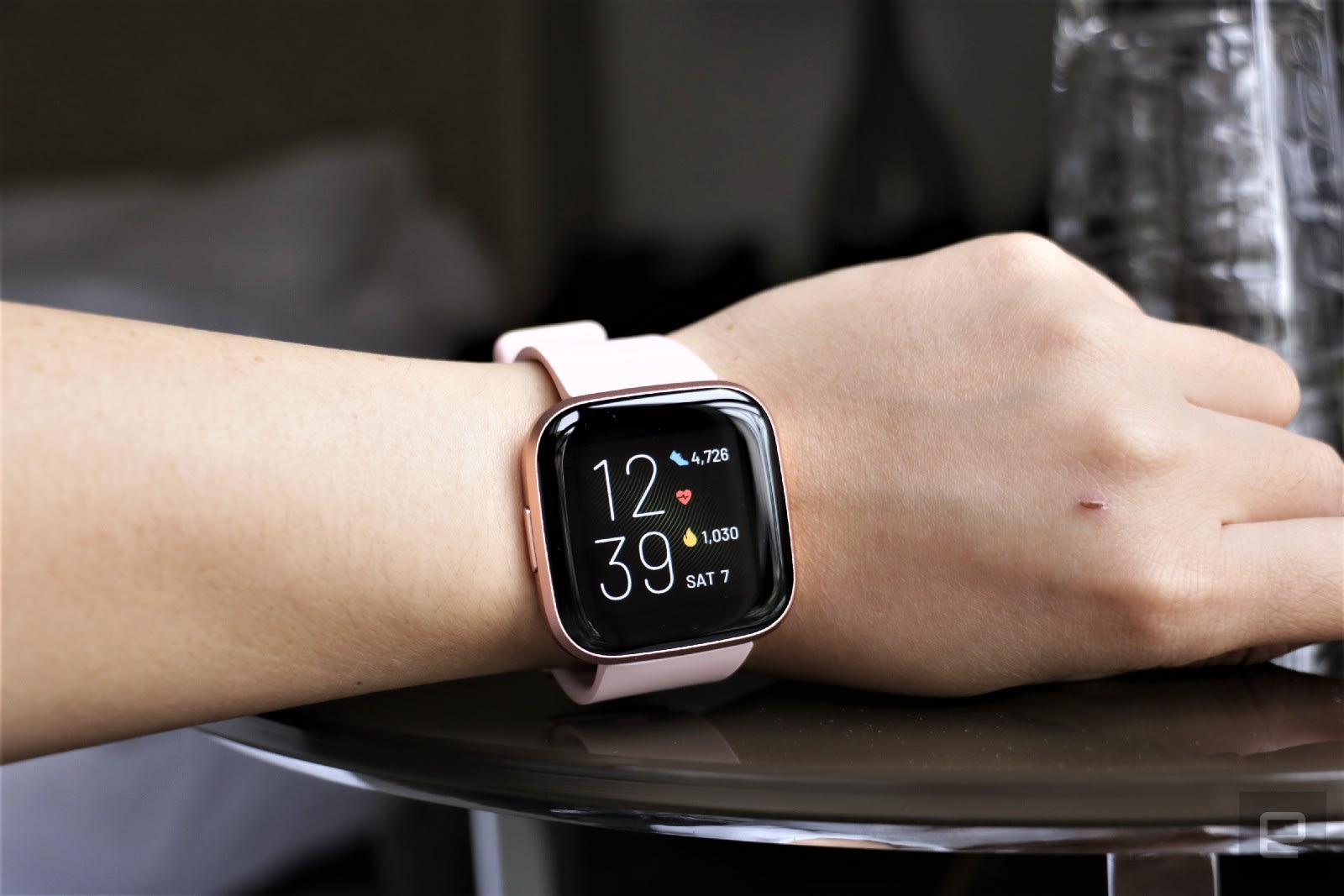
Dropping $400 on a smartwatch isn’t feasible for everyone, which is why we recommend the Fitbit Versa 2 as the best sub-$200 option. It’s our favorite budget watch because it offers a bunch of features at a great price. You get all of these essentials: Fitbit’s solid exercise-tracking abilities (including auto-workout detection), sleep tracking, water resistance, connected GPS, blood oxygen tracking and a six-day battery life. It also supports Fitbit Pay using NFC and it has built-in Amazon Alexa for voice commands. While the Versa 2 typically costs $150, we’ve seen it for as low as $100.

Buy Fitbit Versa 2 at Amazon - $150

Best for Android users: Samsung Galaxy Watch 4

David Imel for Engadget

Samsung teamed up with Google recently to revamp its smartwatch OS, but that doesn’t mean Tizen fans should fret. The Galaxy Watch 4 is the latest flagship wearable from Samsung and it runs on WearOS with the new One UI, which will feel familiar if you’ve used Tizen before. Also, the watch now comes with improved third-party app support and access to the Google Play Store, so you can download apps directly from the watch.

We like the Galaxy Watch 4 for its premium design as well as its comprehensive feature set. It has a 3-in-1 biometric sensor that enables features like body mass scanning, bloody oxygen tracking and more, plus it has a plethora of trackable workout profiles. Both the Galaxy Watch 4 and the Watch 4 Classic run on new 5nm processors and have more storage than before, as well as sharper, brighter displays. They both run smoothly and rarely lag, but that performance boost does come with a small sacrifice to battery life: the Galaxy Watch 4 typically lasted about one day in our testing, which while not the best, may not be a dealbreaker for you if you plan on recharging it every night.

Buy Galaxy Watch 4 at Amazon - $250

Fashion-forward options

Fossil

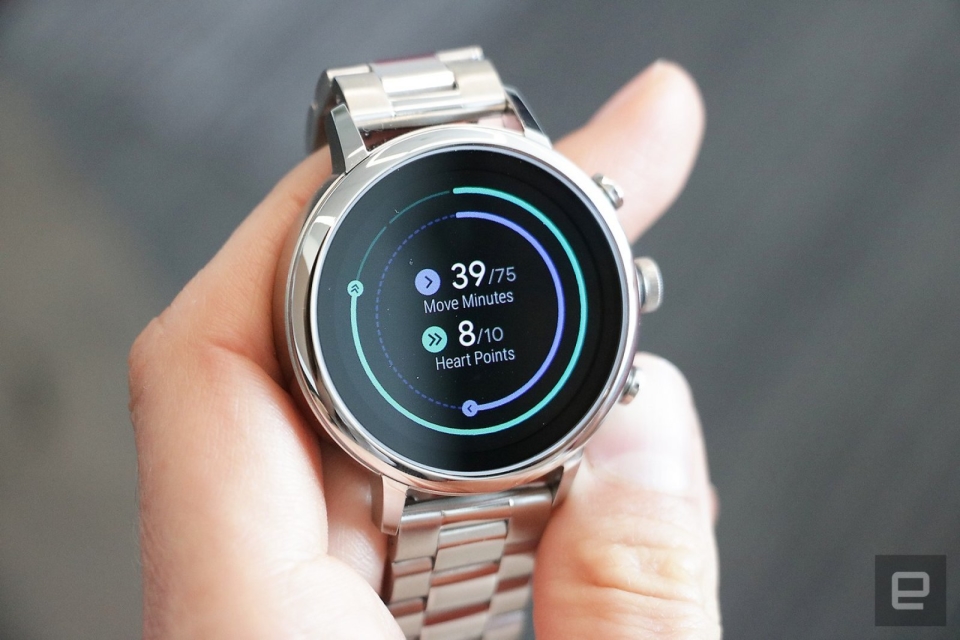
Yes, there are still companies out there trying to make “fashionable” smartwatches. Back when wearables were novel and generally ugly, brands like Fossil, Michael Kors and Skagen found their niche in stylish smartwatches that took cues from analog timepieces. You also have the option to pick up a “hybrid” smartwatch from companies like Withings and Garmin – these devices look like standard wrist watches but incorporate some limited functionality like activity tracking and heart rate monitoring. They remain good options if you prefer that look, but thankfully, wearables made by Apple, Samsung, Fitbit and others have gotten much more attractive over the past few years.

Ultimately, the only thing you can’t change after you buy a smartwatch is its case design. If you’re not into the Apple Watch’s squared-off corners, all of Samsung’s smartwatches have round cases that look a little more like a traditional watch. Most wearables are offered in a choice of colors and you can pay extra for premium materials like stainless steel. Once you decide on a case, your band options are endless – there are dozens of first- and third-party watch straps available for most major smartwatches, allowing you to change up your look whenever you please.

Cherlynn Low contributed to this guide.