Posts with «handheld & connected devices» label

How to connect AirPods to your iPhone, Mac, Apple Watch and more

One of the most convenient things about Apple’s AirPods is their ability pair quickly with other Apple devices. But sometimes things don't always go as planned — Bluetooth connections get interrupted, a snafu occurs and you may find yourself scratching your head a bit before you can listen to your favorite playlist. To help in those situations, we’ve put together a guide to getting your AirPods to pair up with your iPhone, iPad, Mac and Apple Watch. We’ve also included advice on how to connect your buds to non-Apple devices, as well as how to reset your AirPods if you ever need to start from scratch.

How to connect AirPods to an iPhone or iPad

If you’re trying to pair your AirPods to a new iPhone or iPad, and your buds are already connected to an older model, the connection should automatically transfer to your new device, provided you use the same Apple ID on your new device.

New AirPods, on the other hand, should automatically pair with your iPhone or iPad simply by holding the AirPods case near your device with the lid open. When an image of your new AirPods appears at the bottom of the screen tap the Connect button.

But that doesn’t always happen. If your AirPods don’t automatically connect, follow these steps:

1. Swipe down from the upper right corner of your iPhone or iPad’s screen to open the Control Center.

Amy Skorheim / Engadget

2. Long press the Bluetooth icon to expand the connections window. (Don’t tap, as this toggles Bluetooth on and off.)

Amy Skorheim / Engadget

3. Long press the Bluetooth icon again.

Amy Skorheim / Engadget

4. With your AirPods in the case and the case lid open, bring them near your iPhone. If your AirPods show up in the list of Bluetooth devices, tap their name. If they don’t show up, tap Bluetooth Settings at the bottom of the window.

Amy Skorheim / Engadget

5. With your AirPods in the case and the case lid open, press and hold the button at the back of the case until the light at the front of the case flashes white. When you see AirPods in the list of devices, tap their name to connect.

Amy Skorheim / Engadget

6. If your AirPods still don’t connect, go back to your home screen (swipe up from the bottom edge of your screen), close the lid on the AirPods, wait 15 seconds, then try the steps again. Make sure both your phone and AirPods are charged and you’re running the most recent version of iOS, which you can check by going to the Settings app, scrolling down to General and tapping on Software Update.

How to connect AirPods to a Mac

Unlike iPads and iPhones, Macs don’t automatically connect to AirPods. To connect them manually, follow these steps:

1. Click the Apple icon in the upper left corner of your screen, select System Preferences, then click the Bluetooth icon.

Amy Skorheim / Engadget

2. With your AirPods in the case and the case open, bring them near your Mac and press and hold the button on the back of the case until the small light on the front of the case flashes white.

Amy Skorheim / Engadget

3. Your AirPods should show up in the Bluetooth window on your Mac. Click the Connect button to pair your AirPods.

Amy Skorheim / Engadget

4. If your AirPods don’t show up in the Bluetooth dialog box, shut the AirPods case and wait 15 seconds, then open the case and press the back button again. You may have to try the pairing process a few times before your AirPods show up on the list. If you still have trouble, make sure the AirPods are fully charged and you have the latest OS version installed on your Mac. Restarting your computer can also help.

How to connect AirPods to an Apple Watch

Like connections with iPhones and iPads, pairing your AirPods to your Apple Watch typically happens automatically. If you need to manually link them, follow these steps:

1. Depress the crown to bring up your Home Screen, aka the screen that shows all your apps. If you have grid view turned on, drag the grid around until you find Settings. If you have list view enabled, scroll or turn the crown to find the Settings icon. (Apps appear in alphabetical order.)

Amy Skorheim / Engadget

2. In Settings, scroll down to Bluetooth and tap on it. You should see a list of available nearby Bluetooth devices, regardless of whether they’re connected.

Amy Skorheim / Engadget

3. With your AirPods in the case and the case lid open, bring your AirPods near your watch. Tap the name of your AirPods in the list of Bluetooth devices. They should automatically connect.

4. If they don’t automatically connect, make sure both your AirPods and Apple Watch are charged. Check that your Apple Watch is updated to the latest software version, which, again, you can do by navigating to Settings, tapping General and then Software Update. Finally, make sure Bluetooth is turned on, which is a toggle switch at the bottom of the Bluetooth menu.

Other Bluetooth devices

Your AirPods and AirPods Pro will connect to many Bluetooth-enabled, non-Apple devices. You won’t be able to use Siri, but you can hear and talk, and the press-to-pause button on the stem typically still works. While some devices will vary, the procedure for most devices is as follows:

  1. Open the Bluetooth menu on your device. For Chromebook, this is in the Quick Settings panel. For Windows, it’s in the Settings section of your Start menu. On Android phones, swipe down from the top of the screen and long press the Bluetooth icon.

  2. With your AirPods in the case and the lid open, bring your AirPods near your device.

  3. When your AirPods show up in the list of Bluetooth devices, tap their name.

  4. If the AirPods don’t show up, keep the lid open and press the button at the back of the case until the light at the front flashes white.

  5. When your AirPods appear in the list, tap their name. If they don’t appear, make sure your earbuds and device are charged. Shut the lid for 30 seconds and try again. Restarting your device and repeating the process can also help.

How to switch AirPods between devices

As of iOS 14, AirPods and AirPods Pro automatically switch between your iPhone and iPad, depending on which device is playing audio. For example, if you’re watching a show on your iPad and you get a call on your iPhone, the AirPods will switch over to your phone to answer the call.

If you want to manually switch your AirPods from device to another, follow these steps. Of course, these instructions only apply if you’ve already connected your AirPods to the device. If you haven’t done that, follow the steps above.

On an iPhone or iPad:

To make your AirPods switch to your iPhone or iPad, follow the same steps one through three in the pairing instructions above, with a different step four:

  1. Swipe down from the upper right corner of your iPhone or iPad’s screen to open the control center.

  2. Long press the Bluetooth icon to expand the connections window. (Don’t tap, as this toggles Bluetooth on and off.)

  3. Long press the Bluetooth icon again.

  4. In the list of devices that appears, select your AirPods.

On a Mac:

Switching your AirPods to your Mac is easiest to do through the Control Center by following these steps:

1. Click on the Control Center icon in your menu bar in the upper left corner.

Amy Skorheim / Engadget

2. Click on the text that says “Bluetooth” (not the Bluetooth icon, which toggles Bluetooth on and off). 

Amy Skorheim / Engadget

3. Select your AirPods from the list of available devices.

Amy Skorheim / Engadget

On an Apple Watch:

To connect your AirPods to your Apple Watch, follow the same steps one through two in the pairing instructions above, with a different step three:

  1. Press the crown to bring up your home screen and tap on Settings.

  2. Scroll down to Bluetooth and tap on it.

  3. Select your AirPods from the list of devices.

How to reset your AirPods

If your AirPods won’t charge, won’t pair, or if you’re giving your buds to a new owner, you may want to do a factory reset. Here’s how:

  1. Put your AirPods in the case, shut the lid, wait 30 seconds, then open the lid.

  2. Open the Settings app on your iPhone or iPad and tap on Bluetooth.

  3. Tap the blue, circled “i” next to your AirPods.

  4. Tap Forget This Device at the bottom of the AirPods’ details screen.

  5. Tap the red Forget Device button that appears at the bottom of the screen.

  6. Confirm you want to remove your AirPods in the pop up window.

Amy Skorheim / Engadget

7. To reconnect your AirPods, don’t navigate away from the Bluetooth screen.

8. Open the lid and bring the case (with your AirPods inside) near your iPhone or iPad.

9. Press and hold the button at the back of the case until the light on the front flashes white.

10. Your AirPods will either show up in the list of Bluetooth devices, or you’ll see a pop up window with an image of the AirPods and a Connect button. Tap your AirPods name or the Connect button.
2022 was an incredible year for handheld gaming

The past year was stellar for handheld gaming, no matter the size of your actual hands. Between the Steam Deck, Playdate and an explosion of retro consoles, we received an embarrassing amount of mobile gaming goodness in 2022, and cloud play is only encouraging more innovation. Even though Sony still hasn’t revived the Vita, it feels like the handheld market is in the throes of a renaissance — so let’s celebrate the milestones of the year right here.

December is a historic month for handheld gaming. Sony released the PlayStation Portable in Japan on December 12th, 2004, and then debuted the Vita in Japan on December 17th, 2011. Both of these consoles were hits with players, critics and developers, but a disorganized marketing scheme and failed cloud ambitions kept Sony from investing in handheld gaming after the Vita. RIP, etc. Basically, for the past decade we’ve been waiting (very patiently, mind you) for a breakthrough mobile device to finally make this industry viable again.

Finally in 2022, the handheld market is flush. The Switch paved the way for mobile play over the past few years, and massive corporations like Valve are finally getting in on the action. Cloud gaming has found its foothold, and the market for portable Android and Linux devices is buzzing, with major names like Razer getting involved. Meanwhile, more underground companies like Analogue, Ayaneo and Panic are quietly churning out high-quality handhelds for retro, PC and indie gaming.

Engadget

But of course, Valve’s Steam Deck dominated the portable conversation in 2022. The Steam Deck is big, it’s heavy, it doesn’t have a great battery life – and it’s everything PC players have been waiting for, apparently. Valve started rolling out the Steam Deck in February, and by October it had shipped more than 1 million of these beasts across the western world, with plans to expand into additional regions. Steam Deck comes in three flavors ranging from $400 to $650, which makes it more affordable than existing handheld PC devices from companies like Ayaneo. It comes with Steam pre-installed, but it’ll also run Windows if you really want to spend an afternoon screaming why? at the machine in your lap.

Imperfect though it may be, Steam Deck proved there’s heat in the handheld PC market in 2022. It’s a relatively accessible way to play PC games on a portable screen, and it successfully combines the Steam software with decades of hardware research at Valve. The Steam Deck is a great start from a company that’s known to lose focus easily, so hopefully it doesn’t all end here.

Engadget

Even if Valve gets too distracted to make a Steam Deck 2.0, plenty of other companies are eager to pick up the thread in the mobile PC space. The most prominent name is Ayaneo, a brand that took off in 2021 thanks to an Indiegogo campaign that raised more than $2 million. Today, Ayaneo is continuing to iterate on its original PC device with sleek, Switch-sized machines capable of running titles from Steam, the Epic Games Store, Game Pass and other hubs. The Ayaneo Air Pro starts at $700 and can technically handle high-fidelity games, though you’ll likely have to lower your framerate, resolution and expectations. The beefiest Ayaneo, the Next Pro, starts at $1,500 and it’ll run anything a Steam Deck can, but without the extra bulk.

Ayaneo makes extremely cute gadgets and the company is emerging as Valve’s main competitor for portable PC glory. The Ayaneo 2 is poised to pack even more power into a sleek package, though it’ll have a price tag of $1,000, at least. The exciting thing here is that there’s actual competition in the handheld space – companies are investing in mobile hardware more than ever, and not just when it comes to PC play. Recent upgrades in mobile processors are powering a ton of new devices built specifically for retro and cloud gaming.

James Trew / Engadget

At the end of 2022, the market for retro handhelds is lush, covering every era from NES to GameCube at relatively affordable prices. On the NES to PSP side of things, this year we got the Miyoo Mini and Retroid Pocket 3: The Miyoo Mini costs about $60 and has a modern dual-core processor that can handle even some PS1 games, while the Pocket 3 is an Android-powered handheld that costs $120. For more modern emulation experiences, there’s the Odin by Ayn, which can run PS2 and GameCube titles at 1080p on a 5.9-inch screen. The Odin costs between $200 and $290, depending on the model. For retro handhelds, the general rule is the hardware gets more expensive as the era progresses.

In the honorable mention section, we have the Analogue Pocket, which plays actual physical cartridges from the Game Boy, Game Boy Color and Game Boy Advance, and is unsurprisingly about the size of a classic Game Boy. Analogue started shipping the Pocket at the end of 2021 and it enjoyed a sold-out year, with more orders and accessories due in 2023. Pocket is a special little handheld that breathes new life into classic cartridge libraries, and it comes with a price tag of $220 – which is just about what a Game Boy would cost in today’s coin.

Engadget

OK, that’s enough about the past. If 2022 has proven anything, it’s that portable gaming has a strong future, and this is going to include cloud and phone play. Cloud technology has finally become reliable enough that even Sony figured it out this year, and Microsoft has continued to grow its enormous cloud network, which is intrinsically tied to Game Pass. Our slowly encroaching subscription-based future has created a rich environment for Android- and Linux-based handhelds that don’t need a ton of on-board processing power, as the Steam Deck does. Logitech recently dropped the G Cloud Gaming Handheld, which costs $350, while the Razer Edge is an Android-based handheld starting at $400 and expected to start shipping in January.

This year Razer also released the Kishi V2, which is a $100 gamepad that essentially turns your smartphone into a cloud gaming device. Backbone makes a similar product for iPhone and Android players, and this year the company rolled out an officially licensed PlayStation gamepad just for iPhone. As mobile processors continue to evolve and cloud technology further stabilizes, smartphone gaming is only going to grow as an industry, and already mainstream entertainment companies like Netflix are joining the fray. Netflix specifically has ushered acclaimed games like Kentucky Route Zero, Into the Breach and Spiritfarer onto mobile devices this year, and it’s introduced gems like Poinpy and Hello Kitty Happiness Parade.

Panic

Finally, I’d like to take a moment to honor Playdate. This brilliant business-card-sized indie gaming machine came out in April; it costs $180, it has a crank, and it doesn’t fit into any existing video game category. Playdate exemplifies innovation. It’s an open-source, crank-powered piece of magic offering some of the most unique experiences the video game industry has to offer, distilled on a miniscule, monochromatic screen. Playdate is pure joy in a tiny yellow package, and for me, it’s the standout handheld of 2022.

And that’s a wrap. Here’s to you, handheld gaming. Thank you for a fantastic year, and may the momentum of 2022 continue to generate creative ideas in this space. To the years and games ahead, cheers.

Apple's 11-inch iPad Pro M2 drops to a new all-time low of $699

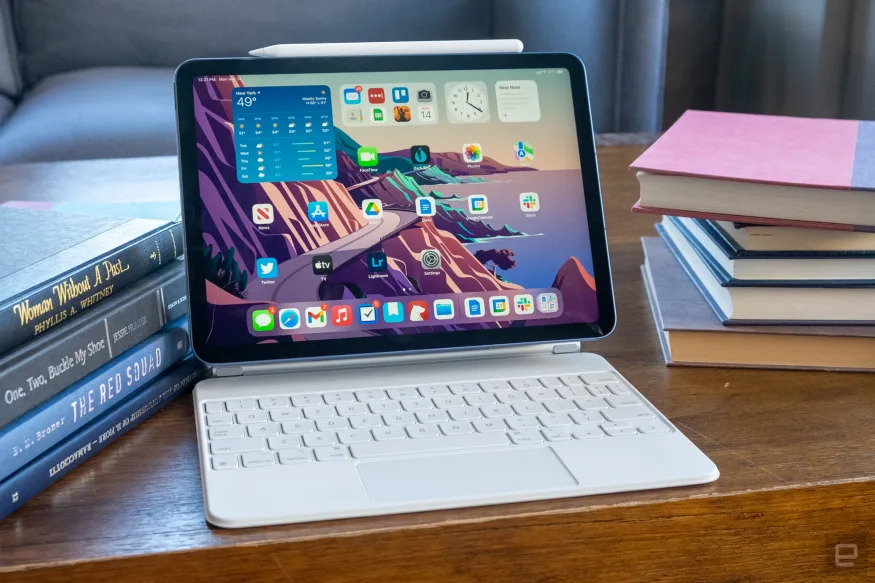
The new 11-inch iPad Pro has hit its lowest price ever at Amazon, which means you can grab the base version of Apple's premium tablet for just $699. That's $100 off the list price and $40 less than it was before Black Friday. It won't arrive in time for Christmas, but if you've had your eye on the Pro, this will likely be the lowest price you'll see this year. The steepest discount goes to the 128GB model with WiFi and the applies to the Silver colorway. If you want a bit more storage, both the 256 GB WiFi model and the 512GB WiFi models are also on sale, with both models seeing a $60 discount. We should note that the WiFi plus cellular configurations and the giant, TB size models aren't discounted right now.  

The iPad Pro was released at the end of October, and the biggest update came with the addition of Apple's latest processor, the M2 chip. That made an already powerful tablet even more so. We gave the slab an 87 in our review, praising both the "ludicrously" fast speeds and best-in-class screen. The iPad Pro handily makes use of Apple's new Stage Manager, which allows for multitasking with overlapping and resizable windows. The feature finally gives the Pro the opportunity to properly harness all the speed it's been given.  

Paired up the Magic Keyboard, the tablet is an extremely capable hybrid device, though with that accessory's $300 price tag, you've essentially entered laptop price range. That said, the iPad Pro is still an impressive tablet with plenty of power and a great screen. The changes to this model probably aren't enough to warrant an upgrade if you've got 2021's model. But if you've been thinking about grabbing a Pro, this $100 discount is a great time to snap it up. 

Follow @EngadgetDeals on Twitter and subscribe to the Engadget Deals newsletter for the latest tech deals and buying advice.

The best iPhone cases for 2023

There are two types of people in this world: those with naked iPhones and those who stick their handset in a case as soon as they unbox it. If you just got a new phone and fall into the latter category, you have an overwhelming range of options to consider. It’s easy to fall down a rabbit hole, researching iPhone cases from companies you’ve never heard of on Amazon. You may be tempted to get one of the cheapest options available, or maybe the one with the cutest pattern, but they might not be the best iPhone cases for your needs. We tested out a number of the latest cases, covers and protectors to see which are actually worth your money.

Spigen Ultra Hybrid Magfit

If you want a basic, protective case that comes at an affordable price, Spigen has you covered. The company’s Ultra Hybrid MagFit cases have clear backs that show off the color of your iPhone and we like their raised bezels that protect the rear camera. The cases also have tactical buttons on the side that make it easy to feel around and adjust your phone’s volume without even looking at it. The overall slim profile of the case allows it to protect your iPhone without adding too much bulk, and it’s MagSafe compatible as well. Also, the Ultra Hybrid case was one of the most secure we tried – to the point where it was almost difficult to extricate the iPhone when we needed to test out a new cover. And while they normally go for around $45, you can often find them on sale for $25 to $30.

Smartish Gripmunk

We’ve recommended Smartish cases in the past for their artistic designs, but we particularly like the Gripmunk series for the latest iPhones. They’re a bit rougher around the edges than Spigen’s cases, literally – Gripmunk covers have textured edges that make them easier to grip and less likely to slip out of your hands, while the backs of the cases show off cute patterns and designs like floral arrays, cosmic scenes and more. There are a few solid-color options too, if you want to go the True Basic route (no shame), and these cases have MagSafe compatibility as well. If you’re a minimalist and don’t like to carry a lot on your person, you could ditch your billfold and spring for Smartish’s Wallet Slayer that has similarly textured edges along with a sleeve on the back that can hold up to three credit cards and a few notes of cash.

Case-Mate Blox

If you’re looking for a bold, eye-catching case that has tons of personality, Case-Mate has a ton of great options to consider. Its iPhone 14 series has glittery cases, floral print covers and everything in between, but the one that stuck out most to me is the Blox line. These cases have squared-off corners that give your iPhone a modern, blocky look. Combine that with their bright neon colors and you’ll likely never have to ask your friends where your phone is again – you won’t miss it. I also appreciate that the Blox cases are fingerprint-resistant, provide protection against 10-foot drops and have built-in magnetics for MagSafe accessory compatibility.

Incipio Organicore

You have many more options today than you did previously if you want an environmentally friendly phone case. Incipio’s Organicore line is one of our favorites because its cases are 100 percent compostable, provide decent protection and the latest models are MagSafe compatible, too. They come in clear and opaque designs, and the latter has a buttery texture that makes the case feel more luxurious than you’d think. Organicore cases will protect your iPhone from drops up to eight feet, and their raised edges will be the first line of defense your phone has against accidental dings and bumps. MagSafe accessories work fine, but we did find that the opaque case wasn’t the grippiest out of the ones we tested. Best to stick to flat wireless chargers like Apple’s, rather than vertical magnetic stands where gravity can take over.

Cyrill Kajuk Mag

Cyrill makes a number of elegant cases and the new Kajuk Mag is no exception. It’s one of the thinnest and lightest cases we tried, but it does have four layers of protection: a soft microfiber lining, a sturdy PC back, TPU bumpers and a vegan leather exterior. Since the company doesn’t boast a certain level of drop protection, this is a good option for those that care more about aesthetics but also want a simple, protective layer standing between their iPhone and hard concrete. As the name suggests, you can use the Kajuk Mag with MagSafe accessories, and it even has an accessory hole built in, for those that want to attach charms, straps and other things.

Peak Design Everyday Case

Peak Design’s Everyday Case not only looks attractive, but it turns your phone into a bunch of different things when you pair it with any of the accessories in the company’s mobile ecosystem. We like its protective rubberized bumper and nylon shell, and its SlimLink connector sits in the middle of the case’s back, waiting for whichever accessory you need that day. The company’s mobile tripod is one of our favorites for taking better photos with your phone, but also propping it up any which way you need. Commuters can opt for the dashboard mount to keep their phone within reach while driving, or the bike mount when you need to follow directions on its screen. If you use your phone for everything and want a case that can support all of those different activities, this one is a good option.

Pelican Shield Kevlar

Maybe you work outdoors, go camping frequently or are simply a bit clumsier than most. Some of the best protection you can get for your iPhone comes from Pelican’s Shield Kevlar case series. They’re admittedly bulky, but that’s how they safeguard your phone from up to 21-foot drops. The 5mm raised bumper provides shock-absorbing safety for the rear camera array as well as the handset as a whole, plus the secure edges and dustproof cover keep all unwanted debris out. Plus, these cases are MagSafe compatible, so you don’t have to sacrifice convenience when opting for as much protection as possible.

Apple's 2022 MacBook Air is down to $999, plus the rest of this week's best tech deals

The cut-off dates for holiday shopping have mostly passed, but that doesn't mean the deals have disappeared. We're seeing prices that match Black Friday, like the Beats Fit Pro for just $160 and Bose's QuietComfort Earbuds II for $249. Some items have even dipped below their Cyber Week prices, like GoPro's Hero 11 Black Mini, the 13.3-inch MacBook Pro and Eufy's RoboVac X8 Hybrid. While these items may not ship out in time to wrap them up as gifts, this is still a great opportunity to grab devices and tech you've had your eye on, and save a little in the process. Here are the best deals from the week that you can still get today. 

Apple MacBook Air M2

Amazon and B&H Photo are both selling the base MacBook Air M2 with 8GB of RAM and 256GB of storage at an all-time low of $999. The 512GB model is discounted at B&H, too with $180 savings. We think Apple's latest ultra-thin portable is the definition of a well-rounded laptop. It's fast for day-to-day productivity or even more intensive work on like media editing. The screen feels more expansive than its 13.6-inch size might suggest and the speakers are surprisingly strong. There's no SD card slot or a 120Hz screen, and the Air probably isn't what you want for intensive gaming or heavy video and audio editing, but it's a well rounded daily drive. For more intense use, you'll likely want to go for the 2021 MacBook Pro models. Right now the 16-inch MacBook Pro is $450 off at B&H, bringing it down to $3,049.

Buy MacBook Air at Amazon - $999Buy MacBook Air at B&H Photo - $999

Apple Pencil 

The second generation Apple Pencil is the best stylus you can get for your iPad Pro or Air and one of the our top-recommended accessories. At $130, the Pencil isn't cheap and doesn't often go on sale, but right now it's down to $89 at Amazon. That's a 31 percent discount and matches its all-time low price. It's great for drawing and sketching using a wide range of drawing apps, and with the Scribble setting enabled, you can convert your handwriting into typed text in virtually any text field. 

The second-generation improves upon the prior iteration with the addition of on-board tap controls and wireless charging while magnetically snapped to the edge of your iPad Pro or iPad Air. The second-generation stylus is compatible with the latest iPad Pro, Mini and Air models, but not with the 2022 standard iPad. To go with that tablet, you'll want the first-generation Apple Pencil, currently $95 at Amazon. 

Buy Apple Pencil (2nd gen) at Amazon - $89

Google Pixel 

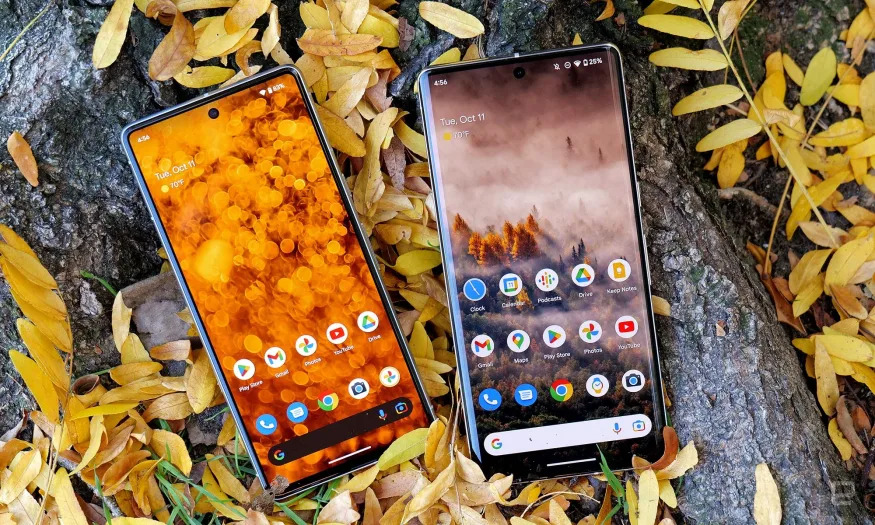
If you missed the Black Friday deals on Google's Pixel devices, here's a second chance at grabbing one at a discount. Right now a Pixel 6a smartphone is up to 33 percent off while Pixel 7 smartphones are up to 17 percent off. That brings an unlocked 5G Pixel 6a down to just $299 and an unlocked 5G Google Pixel 7 down to $499. If you want a Pixel 7 Pro, that's seeing a $150 discount, bringing it to $749. We called the Pixel 7 and Pixel 7 Pro "the best bargain in flagship phones" in our review back in October, praising their smarter software and upgraded cameras.  

The sale also extends to the Pixel Watch which is $50 off during the sale. That brings Google's new smartwatch down to $300, which is its lowest price yet. We admired the gorgeous design and the integration of Fitbit health and fitness features in our review.  

Google's Pixel Buds A-Series are also on sale, down to just $69 after a 30 percent discount. The A-Series are the more affordable of Google's two earbud offerings, and we were impressed by the sound quality, seamless integration of the Google Assistant and large number of features they offer for the price. Which is even more impressive after this latest discount.  

Shop the Google Pixel sale at Amazon

Google Nest smart home devices

Google

The same sale that's discounting the Pixel products above also extends to devices from Google's smart home brand, Nest. Right now the Nest Thermostat, Nest Security Cam and Nest Doorbell have dropped to some of the lowest prices we've seen. The Nest Thermostat helps you program an energy efficient schedule and lets you control your temp from anywhere via the Google Home app. During the sale, its down just just $90, which is $40 off the usual price. 

Also compatible with the Google Home app, Nest Security cameras are 30 percent off, making it a good time to act if you wanted an extra set of "eyes" keeping tabs on your home. The smart cameras can tell the difference between people, pets and vehicles and sends you relevant alerts so you can check in with your phone at any time. The Google Nest Doorbell packs many of the same features as the security cams, but this version keeps an eye on your front door. The wireless, battery-powered version of the doorbell is 33 percent off during the sale, bringing the price down from $180 to just $120.

Shop Google Nest smart home sale at Amazon

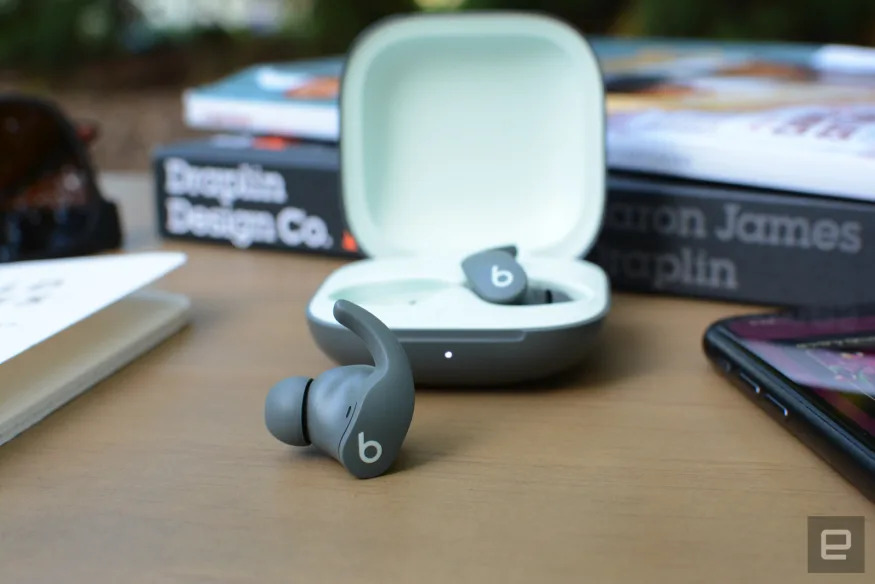
Apple Beats Fit Pro 

As part of a larger sale on Beats earbuds, Amazon is offering the Beats Fit Pro for just $160, which is $40 off the list price and the same as it was for Black Friday. All four colorways are discounted, including white, black, purple and green. You can also snag the Beats Studio Buds for just $90 in black, red, white, blue or gray — that's a steep 40 percent discount off the usual price.   

In our review of the Beats Fit Pro, we admired the balanced sound quality and comfortable fit. We also liked how the buds come with nearly all of the features you'll get with the AirPods Pro, like Siri's assistance and spacial audio support. They're also workout-ready with an IPX4 sweat-resistant rating and have a decent six-hour battery life. There's no wireless charging though, a drawback you may be able to overlook when the buds are $40 cheaper than usual. 

Buy Beat Fit Pro at Amazon - $160

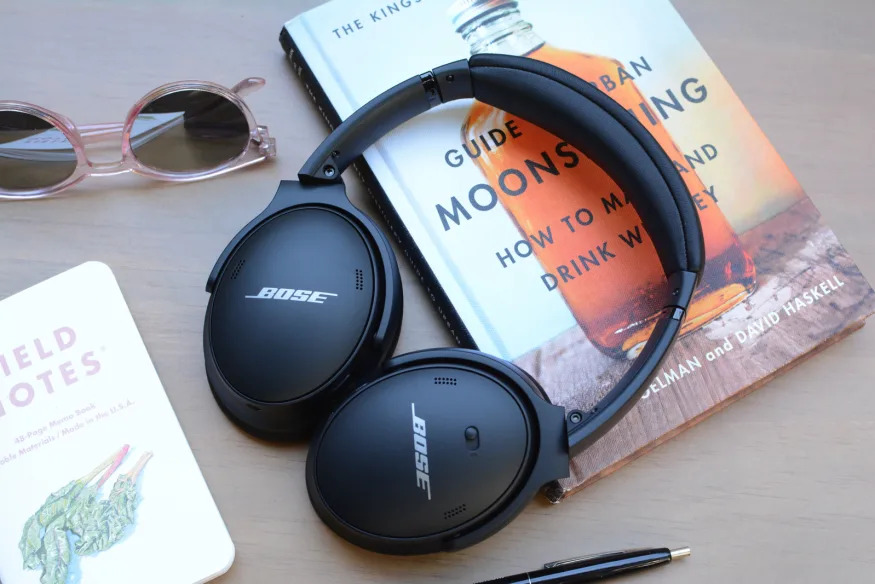
Bose QuietComfort 45 headphones

If you want your personal audio delivered in an over-the-ear package, you may be pleased to hear that Bose's QuietComfort 45 is on sale for $229 at Amazon, B&H Photo, and Bose. This is close to the lowest price so far for these headphones which is $100 below Bose's list price, and the same price they went for on Cyber Monday. According to Bose, the deal is only scheduled to run through Monday.

In our guide to the best wireless headphones, we called the headphones a solid option and gave them a score of 86 in our review. The cans are lightweight and extremely comfortable, like the name suggests. The noise cancellation is smooth and capable and the sound quality is balanced and pleasant. To get and even more precise sound, you can use the graphic equalizer settings in Bose's companion app. 

The sale is part of a larger Bose sale, many of which are gathered here on Amazon's sale page, so if you're looking for Bose speakers or earbuds too, now's a good time to grab them. 

Buy Bose QuietComfort 45 headphones at Amazon - $229

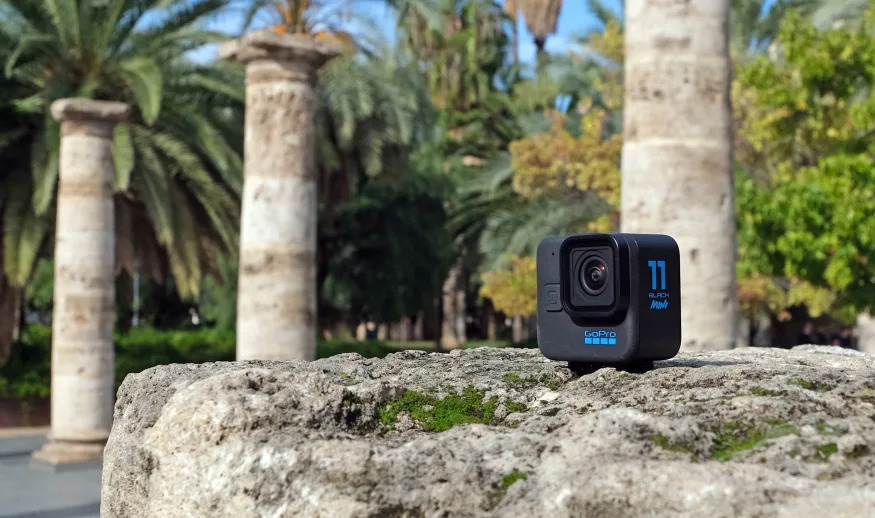
GoPro Hero 11 Black Mini 

The newest GoPro is the Hero 11 Black Mini, a smaller version of GoPro's top-end action camera. Right now you can get it for 42 percent off at GoPro's website when you bundle it with a GoPro subscription. The camera is usually $400, but when you add a year of the GoPro subscription for $50, GoPro will knock $150 off the price. Then, after you add the camera to your cart, you'll get an additional 15 percent discount as part of GoPro's holiday sale. If that sounds like a lot of numbers, the bottom line is you can get the Mini for just $262.50, and it includes a year of a GoPro subscription. That's a good discount considering the Hero 11 Mini by itself is $400 right now at Amazon.

In our hands-on test of the Mini we noted a few drawbacks like a status-only display instead of a touchscreen and no photo mode. That means you'll need to control the camera with the companion app and pull stills your video. But as a helmet- or body-mounted camera, we think this device excels. It has horizon lock and Hyperview mode like the larger Hero 11, plus it offers a second pair of mounting fingers to get the camera oriented exactly the direction you want.  

Buy Hero 11 Black Mini at GoPro - $262.50

Apple MacBook Pro M2 

Devindra Hardawar / Engadget

The 13.3-inch MacBook Pro is on sale at B&H Photo right now for just $1,099. That's the lowest price the laptop has seen since its release back in June and is even below what it went for during Black Friday sales. The 13-inch model is the only one of Apple's Pro laptops that got an update this year, receiving Apple's latest M2 processor chip. When we reviewed the laptop after its debut, we praised it's faster speeds (thanks to that new chip), excellent build and long battery life. While we prefer the older model 14-inch MacBook Pro and called the M2-enabled MacBook Air "near perfect," this is still a good time to buy if you've had your eye on a Pro Apple laptop with their latest processor. 

Buy 13-inch MacBook Pro M2 at B&H Photo - $1,099

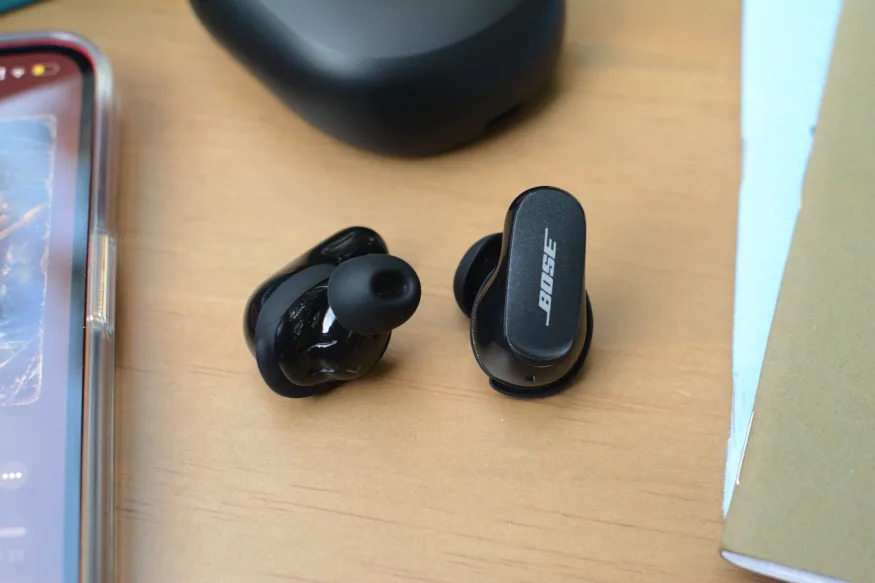
Bose QuietComfort II

In addition to the sale on Bose's QuietComfort 45 headphones above, you can also save on their QuietComfort Earbuds II. The wireless earbuds are now on sale for $249 at Amazon, Bose and B&H Photo, matching the all-time low we saw for Black Friday. These usually go for $299 and Bose saysthe deal will run through the end of the year. 

We gave the earbuds a score of 87 in our review, they're our favorite earbuds for active noise cancellation (ANC) in our wireless earbuds guide as they're impressively good at muting both low- and high-frequency sounds so you can focus on whatever you're listening to. if you do want to keep tabs on what's going on, the Aware Mode is an improved transparency option over the last model (but still doesn't beat the AirPods Pro). The audio quality is smooth with a richer high-end than the previous QC earbud from Bose. Note that these are on the larger size for in-ear buds, which may start to feel heavy after a while. You'll get around six to seven hours of battery life, but keep in mind there's no wireless charging, but the case holds three additional charges. 

Buy Bose QuietComfort earbuds at Amazon - $249

Apple Watch Ultra

Cherlynn Low / Engadget

The new Apple Watch Ultra is quickly becoming a strong option for divers, explorers and athletes, but it's not cheap. The rugged wearable usually goes for $800, but we're seeing a $60 discount right now at Adorama. The deal only applies to the green strap option, but if you plan to swap out the band anyway, that's probably not an issue. 

We gave it an 85 in our review, admiring the bright screen and durability of the build, calling it a "monster truck of a watch." The battery is great, giving around three days of usage on a charge, and the hiking capabilities like GPS, Backtrack and waypoint kept our team safely on track on the New Jersey’s South Mountain reservation. 

Buy Apple Watch Ultra at Adorama - $739

Eufy RoboVac X8

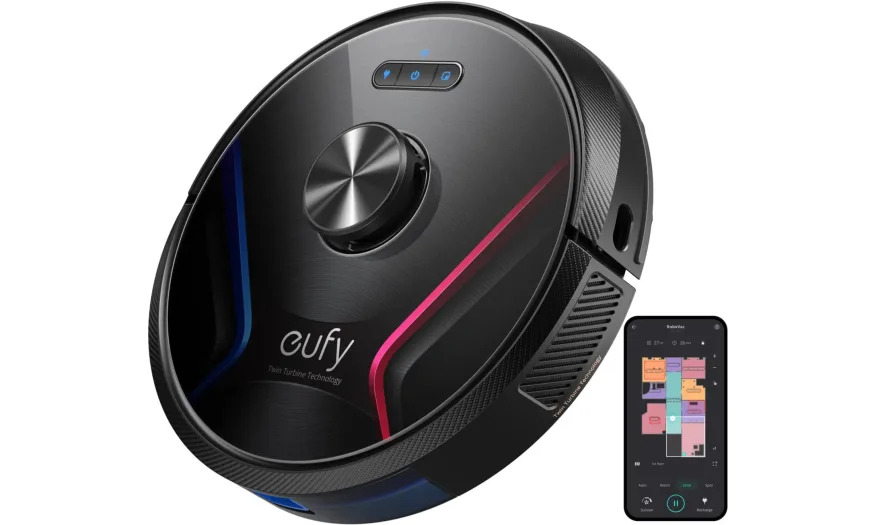
Robot vacuums are a true time saver, but they're not cheap. Right now Amazon is discounting many models of Eufy vacs, with savings of up to 51 percent. That puts many vacs below the discounts we saw for Black Friday. The RoboVac X8 Hybrid made the cut as one of our recommended robot vacuums in our guide. Right now it's going for $280 instead of its usual $550, which is a 49 percent discount and $40 cheaper than it was for Cyber Week. If you don't need the mopping function, you can grab the RoboVac X8 for $260. 

We also recommend the Eufy RoboVac 11S for its thin profile and good suction. We named it the best "bang for your buck option" in our budget smart vac guide and right now it's just $200. For a little more suction power, you might go for the RoboVac 11S Max. It's down to $150 for Prime members. If you're not a member, it's $250. The RoboVac G30 Edge and RoboVac G30 Hybrid are also on sale, priced at $160 and $180, respectively. There's a total of six vacs on sale, so you've been thinking about getting a little help with the floors, there's sure to be a model that'll fit your needs. 

Shop the Eufy robot vacuum sale at Amazon

Xbox Series S

Aaron Souppouris / Engadget

Microsoft's Xbox Series S is down to $230 at Verizon, which is $70 less than the compact game console's MSRP. While this discount isn't as steep as some of the offers we saw around Black Friday, it's still $10 below the typical sale price that's been available in the time since. 

We gave the Series S a review score of 85 when it launched in late 2020: It's not powerful enough to play games in 4K like the brawnier Xbox Series X, but it's a much more affordable entry point into the exact same library. It's a fine choice for a secondary console hooked up to a monitor or bedroom TV. Do note, though, that it's a digital-only affair, with no disc drive and only 512GB of built-in storage. 

Buy Xbox Series S at Verizon - $230

Follow @EngadgetDeals on Twitter and subscribe to the Engadget Deals newsletter for the latest tech deals and buying advice.

Nothing Phone 1 is coming to America in Android 13 'testing program'

The Nothing Phone 1 is heading to the US, although not yet to the entire public. Founder Carl Pei tweeted this morning that the US will be part of a “testing program” for Nothing OS 1.5 Beta, the handset maker’s custom Android 13 software.

It’s Pei’s second public statement this month teasing a US phone release. Earlier this month, he said his company was “in discussions with some carriers in the US to potentially launch a future product there,” citing US wireless companies’ “unique customizations” for initially skipping it. Earlier this year, the company said the phone wouldn't be coming to North America, and it isn’t clear if that changed or if he's targeting an unannounced smartphone for the US market. With Nothing saying it’s sold 500,000 phones without stateside availability, it may be in a stronger position than it was a year ago to negotiate with Verizon, T-Mobile and AT&T.

Preparing for a US launch 🇺🇸

While Android 13 Open Beta is gradually being rolled out in our existing markets, we will be extending it to the US market via a testing program with access to Phone (1). Would love to get feedback from our community there. Stay tuned.

— Carl Pei (@getpeid) December 15, 2022

While US residents wait for more news about the program, those who already own the Phone 1 can sign up for the beta today, which includes Android 13 features like finer privacy controls and new Material You themes. Nothing says its beta software can load apps up to 50 percent faster.

The Nothing Phone 1 was launched earlier this year in Europe, the Middle East and Asia. In Engadget’s review, Mat Smith praised its unique design, Glyph interface and solid specs for a mid-range price. The Phone 1 costs £399, which currently translates to $487.

Oppo says its Find N2 is the 'lightest horizontally folding phone'

Back in August, Xiaomi showed us how to make a thinner horizontal folding phone with its Mix Fold 2, but now it's Oppo's turn to demonstrate how to make them lighter. The new Find N2 shares a similar landscape screen design with its predecessor, yet it weighs as little as 233 grams. That's 42 grams lighter than before, around 30 grams lighter than the likes of Samsung's Galaxy Z Fold 4 and even a few grams lighter than an iPhone 14 Pro Max. Oppo therefore claims it's new device is the "industry's lightest horizontally folding phone." Both the green and white versions of the Find N2 weigh an extra 4 grams due to their glass back, but still come in lighter than the competition.

Oppo uses a smaller second-generation flexion hinge, as well as its carbon fiber underframe (instead of aluminum) for its flexible screen. According to TÜV Rheinland's certification, the Find N2 can apparently withstand over 400,000 folds under normal conditions (doubling Find N's record), and over 100,000 folds at 50°C (122°F ) or down to -20°C (-4°F). The same company also gave a green tick to the phone's 1.2-meter drop test. The battery is about the same size as before, bumping slightly up to 4,520mAh, but now supports faster 67W SuperVOOC charging, which takes 10 minutes to go from zero to 37 percent, or 42 minutes for a full charge.

This Snapdragon 8+ Gen 1-powered foldable phone has a slightly larger 5.54-inch external display, and while its 7.1-inch flexible screen has kept the same 9:8.4 "golden" aspect ratio (1,792 x 1,920), it apparently has a less visible crease along with improved visibility. To make full use of this big landscape screen, the company is also releasing the Oppo Pen, which supports 4,096 levels of pressure and has a battery life of 11 hours. You can also use the pen's button as a camera remote, which comes in handy when you prop up the camera for "FlexForm Capture."

Speaking of, the Find N2 has a new set of cameras that have benefitted from some extra help from Hasselblad. You'll find a 50-megapixel f/1.8 main camera (24mm equivalent) with optical stabilization, a 48-megapixel f/2.2 ultra-wide camera (14mm equivalent) and a 32-megapixel f/2.2 telephoto camera (47mm equivalent) on the back. There's also a 32-megapixel f/2.4 front-facing camera tucked into the top-left corner of the foldable screen. With Oppo's very own MariSilicon X imaging neural processor, the Find N2 can also capture 4K ultra night video and 4K ultra HDR video.

Oppo also unveiled the Find N2 Flip which, as you can tell from the name, is a direct competitor of Samsung's pocket-sized Galaxy Z Flip 4. The 3.26-inch external display here is apparently the "largest cover screen in any flip" device, which is handy for taking selfies, checking calendars and previewing messages. This device also packs the "biggest" battery in this form factor — 4,300mAh as opposed to Samsung's 3,700mAh, along with 44W fast charging support. Chief Product Officer Pete Lau added that the Find N2 Flip supports dual SIM dual 5G standby, which is apparently also a first for a small foldable phone, thanks to the MediaTek Dimensity 9000+ processor. Like the Find N2, the 50-megapixel f/1.8 main camera, 8-megapixel f/2.2 ultra-wide camera and 32-megapixel f/2.4 front-facing camera all get the Hasselblad treatment.

The Find N2 comes in two price tiers: the 12GB RAM with 256GB storage model is asking for 7,999 yuan (around $1,150), and the more advanced 16GB RAM with 512GB storage version costs 8,999 yuan (around $1,290). As for the Find N2 Flip, it starts at 5,999 yuan ($860) with the 8GB RAM plus 256GB storage version, and it maxes out at 6,999 yuan ($1,000) with the 16GB RAM plus 512GB storage variant.

Both phones are available for pre-order in China today, ahead of the December 23rd launch for the Find N2 and then the December 30th launch for the Find N2 Flip. Oppo reps also told Engadget that the Flip will launch in international markets, but they are still evaluating whether to do the same with the bigger Find N2.

iPadOS 16.2 includes Freeform collaboration app and Stage Manager on an external display

iPadOS 16 launched a little later this year than its predecessors, and a few key features weren’t quite ready. With iPadOS 16.2, which just arrived this afternoon, I think Apple has caught up with what it planned. There are two major new features on board here. First, Stage Manager multitasking now works across an external display, provided you’re using an iPad with an M1 or M2 chip inside. Second, the collaborative brainstorming and productivity app Freeform is now available on the iPad (and on the iPhone and Mac, as well). 

Freeform is one of the more flexible and customizable apps Apple has made in a long time. For me, the first thing it reminded me of is a more ambitious version of Apple’s own Notes app. Over the years, Notes has become capable at handling a lot more than text — you can scan documents, add images, draw with the Apple Pencil on the iPad and more. The same can be said about Freeform, though it’s much less of a text-first app.

When you start a new document, you’re met with a ever-expanding blank canvas. At the top of the screen are just a few interface elements, most significantly the five items that let you add content to your board. Those main categories are Apple Pencil; sticky notes; a library of about 700 shapes and icons; text boxes; and a general-purpose “import” button that lets you pull in things from the Files app, your photo library or URLs you can paste in.

These features all seem pretty straightforward, but there’s a lot of underlying complexity to them. A text box opens with simple black text on the white background, but you can adjust size, fonts, colors, format and drop in three different types of lists. The shapes you can add are numerous and varied; most of them are flat, 2D representations of things like geometric shapes, animals, people, food, and so forth. But you can break apart a shape into its component pieces and move them around individually, resize them, change the colors or just use the one part of it that you really want. And any time you interact with an element in Freeform, guide lines will appear to help you line it up with the content around it. You can also group individual elements (like a text box and a photo) so that they respond as a single object.

Freeform is also pretty great at accepting different files and attachments. Links to things like articles on a web site or a YouTube video show up with the page title and a preview (unfortunately, YouTube videos don’t play right in Freeform itself). Some things, like photos and audio files, do work right in Freeform though — you can tap a photo to see it full screen or an audio file to hear what’s in it.

While Freeform works fine when using it on your own, Apple has clearly pitched it as a collaborative tool. I haven’t been able to try that yet, but now that the software is out of beta I should get a chance soon. But like the other collaboration features Apple included in iPadOS 16 this year, it’s easy to bring other people into a Freeform board. There’s a share button in the top right corner of the app, and you can invite people via email, the Messages app or just by sharing a link. 

When adding people via Messages, everyone in the thread is automatically added to the board as an editor (though you can change that if you want it to be read-only). Then, as people add their own content to the board, you can see what has changed via an activity feed. And for real-time collaboration, you can kick off a FaceTime call with everyone working on the document.

The updates to Stage Manager are more straightforward, mostly because we’ve had a chance to test them already. If you’re using an iPad with an M1 or M2 chip, you can connect an external display and extend your iPad’s screen, rather than just mirror it. This means you can have different groups of apps running on both the iPad’s built-in screen as well as the external monitor, just as you can on a Mac (or most other computers). 

When you connect to a monitor, the external display is blank by default. But if you move your cursor on to that screen and launch an app from the Dock, it’ll pop up there. You can also click any open apps on the iPad screen and send it to the other display via the three dot menu at the top of the screen. 

Just as on the iPad display, the layout of apps on your external display isn’t fully customizable. Instead, there are a wide variety of sizes you can set them to, and as you add more apps to a space they dynamically rearrange themselves. You have some flexibility to move things where you want, but pixel-perfect manipulation like you’re used to on a Mac isn’t possible. 

Despite these caveats, there’s no doubt that using an iPad with an external display is a lot more useful than it was before. Previously, you could only mirror your iPad’s display — being able to extend your iPad to a much larger screen is another big step towards making the tablet better suited for “real work.” 

As for Freeform, its usefulness will probably depend on how many Apple users there are in your orbit. If your workplace depends heavily on devices like Macs or iPads, it could gain some traction. But breaking a new tool into a workflow that’s already been established can be difficult, so how popular Freeform will get remains a big question mark. Of course, it’s not restricted to workplace use — maybe families where two partners are already using iPads will enjoy organizing vacations or other, more mundane life events with Freeform. 

Apple releases iOS 16.2 with always-on display changes and tighter security

Apple is finishing 2022 by releasing major software updates for its devices. The upgrades are headlined by iOS 16.2, which should be particularly useful for the security-conscious. The new version adds an Advanced Data Protection option that brings end-to-end encryption to more of your iCloud data, including device backups, Messages content, notes and photos. And like it or not, Apple is limiting AirDrop sharing — you'll now have 10 minutes to swap files with "everyone" before the feature reverts to contacts-only. The restriction first arrived in China, allegedly in a bid to appease officials trying to stymie protests, but may be useful if you're worried someone might push unwanted content to your device.

This is also a particularly important update if you're an iPhone 14 Pro or Pro Max owner. You can now hide your wallpaper and notifications when the 14 Pro's always-on display kicks in. Yes, that makes it behave more like some Android phones, but it could also reduce distractions (some say it still looks like the phone is awake with the wallpaper on) and bolster privacy. Live Activities are now available for MLB, NBA and Premier League games on all iPhones courtesy of the TV app, although you'll need one of the 14 Pro models to see them on your home screen through the Dynamic Island.

Other improvements largely focus on new apps and expected revisions. The long-promised Freeform digital whiteboard app is finally here, offering a visual collaboration tool for brainstorming sessions and meetings. Apple Music's karaoke mode is now available and the Weather app now includes a news section. If you use your iPhone to control a smart household, you'll be glad to know that Apple has given the Home app with a new architecture that promises to be faster and more reliable. This may be helpful now that Matter devices are ready (Apple added Matter support in iOS 16.1).

The company has simultaneously released iPadOS 16.2 and macOS Ventura 13.1. Not surprisingly, these bring cross-platform feature additions like Advanced Data Protection, Freeform and the revised Home app. WatchOS 9.2, meanwhile, adds the Home update as a workout for cyclists and runners wanting to improve their performance on a previously-completed route. These updates won't offer as many conspicuous changes as on the iPhone, but they should still be worthwhile if you're immersed in Apple's ecosystem.

Anker charging accessories are up to 48 percent off in Amazon sale

Anker makes some of the most desirable charging products out there, but the extra quality comes at a price. If you've been waiting for a sale, you can now grab a number of Anker chargers and other smartphone accessors at Amazon with discounts of up to 50 percent. Some of the key items include the Anker 735 Charger GaNPrime 65W ($40 or 33 percent off), the Anker 622 Magnetic Battery ($40 or 43 percent off) and the 347 Power Bank, priced at $60 instead of the usual $100. 

Shop Anker charging accessories at Amazon

The Anker 622 Magnetic Battery (MagGo) snaps right on to your iPhone 12/13/14, boosting range by a 5,000mAh. It's relatively thin at 12.8mm, attaches using a super-strong magnet and charges either wirelessly or via the USB-C port and included cable. It also doubles as a kickstand, letting you prop up your phone for video chats, movie watching and more. It's normally priced at $70, but you can now grab one for $40 for a savings of $30 (43 percent).

Meanwhile, Anker's 735 GaNPrime charger offers an impressive 65W of charging power in a small size, thanks to the GaN technology. That lets you charge a single device quickly or up to three at a time via the two USB-C and one USB-A ports. Normally priced at $60, you can pick it up now for $40 ($20 off).

And if you need portable power for up to four devices, the 347 Power Bank delivers 40,000 mAh with USB-C high-speed charging for MacBooks, iPhones or Android smartphones, tablets, smartwatches and more. You can connect devices via the two USB-C and two USB-A ports to ensure they stay charged on the go. It's on sale for $60 right now, saving your 40 percent off the full price. 

Finally, Anker's USB-C to Lightning cable is available in a two-pack for $19.19, or 36 percent off the regular $30 price. That gets you two six-foot cables compatible with USB-C chargers up to 87 watts. They also allow you to connect your iPhone to a Mac for seamless sync and charging. Plenty of other Anker devices or on sale too, including a charging dock for Meta's Quest 2, magnetic desktop charging stations and more.

Follow @EngadgetDeals on Twitter and subscribe to the Engadget Deals newsletter for the latest tech deals and buying advice.