You might not have to wait much longer for an (arguably overdue) iPad mini redesign. As 9to5Maclearned, Bloomberg's historically accurate Mark Gurman claimed in his latest "Power On" newsletter that the revamped small tablet "should be a go" for a fall launch. While Gurman didn't share more details of the design, he previously claimed Apple would drop the home button and offer slimmed bezels — it could effectively be a shrunken iPad Air.
This will be the "biggest redesign" for the iPad mini since the first model arrived in 2012, Gurman added.
The reporter maintained that Apple is still developing a "larger, redesigned" replacement for the 27-inch iMac that would include a future generation of Apple Silicon, although there weren't more details.
The iPad mini has seen few outward changes since its launch. Even the base iPad has gone through more changes over the same period. In that light, Apple might not have much choice — this is as much about catching up with modern design as it is revitalizing sales.
The phones the FBI sold to crooks for a sting operation weren't just running a custom app — it appears the operating system was also tweaked for those goals. Motherboard has obtained one of the "Anom" phones (really, a modified Pixel 4a), and its mysterious "ArcaneOS" has a number of customizations that you wouldn't necessarily expect, even for a privacy-oriented phone.
For one, there are no app stores. You also can't toggle location tracking. And don't think you can simply flash the device with third-party firmware to make it behave more like normal phones — the bootloader is locked even though the startup screen tells you the device has been modified.
Some user said Anom was based on the existing GrapheneOS, but Anom may have lied to buyers about the software to instill a false sense of trust.
The interface does include some security features that would appeal to the criminal target audience, including a hidden chat app (accessed through the "calculator" when it worked) and PIN scrambling. A wipe code feature that lets you erase a phone from the lock screen is also present, although the Justice Department clearly didn't like that feature when it charged some Anom developers with alleged obstruction of law enforcement.
At least one second-hand Anom phone owner say they got a Pixel 3a, suggesting the FBI transitioned to different devices as the sting unfolded.
You wouldn't want to buy one of these devices, then, even for curiosity's sake. However, it's now clear just how far the FBI went to bust criminals. The agency wanted to give unsuspecting drug dealers the impression they were using a true encrypted phone, right down to the OS, even as the device quietly exposed messages to law enforcement agents.
A number of new tech deals came up across the web this week, plus there are a few July 4th sales that are still going on. Apple's 10.2-inch iPad is down to $300, and Amazon and Best Buy discounted a bunch of Nintendo Switch games to $45 — including Animal Crossing. If you missed it over the holiday weekend, you can get Solo Stove's Bonfire for $120 less than usual and ThermoWorks' Thermapen Mk4 is down to $69. Here are the best tech deals from this week that you can still get today.
Nintendo Switch games
Both Amazon and Best Buy have a number of Switch games on sale right now, including Animal Crossing: New Horizons for $45. That's the lowest we've seen it, so now's a good time to grab the title if you somehow haven't jumped on the bandwagon yet. Also discounted are Super Smash Bros. Ultimateand a bunch of Mario games like Super Mario 3D All-Stars.
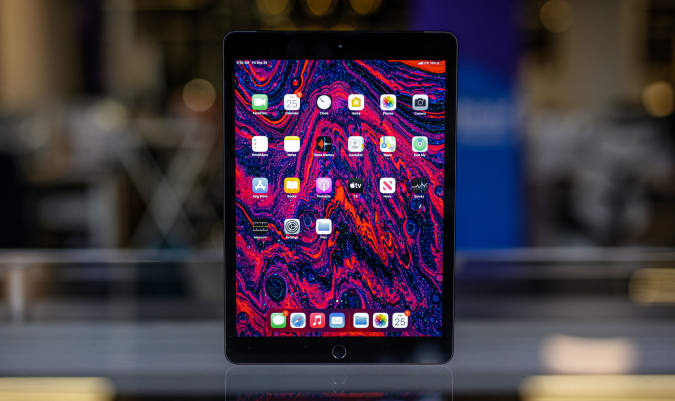
You can still get Apple's 10.2-inch iPad for $299, or $30 off its normal price. It's arguably the best iPad for new tablet owners and we liked its improved performance, familiar design and support for the first-generation Apple Pencil.
Apple's Mac Mini M1 is down to $600 thanks to an automatically applied coupon that knocks $59 off the sale price. In addition to the M1 chipset, you're also getting 8GB of RAM and 256GB of storage in this model. This machine is a good upgrade for those with aging desktops as well as those that want a bit more flexibility than the new, colorful iMacs allow.
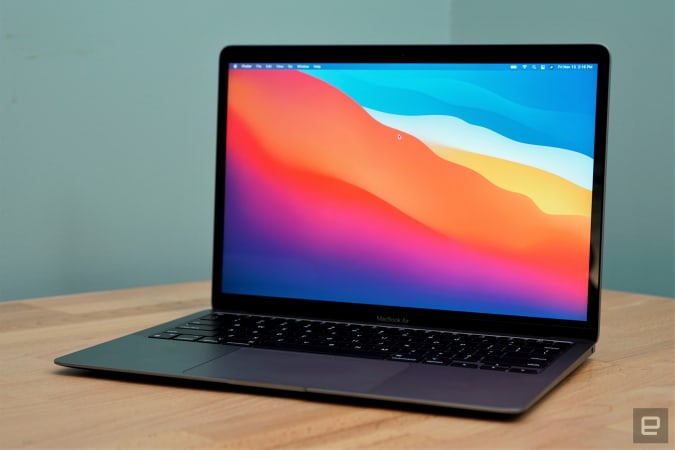
The latest MacBook Air M1 is down to $899 right now, or $100 off its regular price. It's one of the best laptops for most people, and the M1 chipset only makes it a better buy. The Air M1 earned a score of 94 from us for its incredibly fast performance, excellent keyboard and trackpad, good battery life and lack of fan noise.
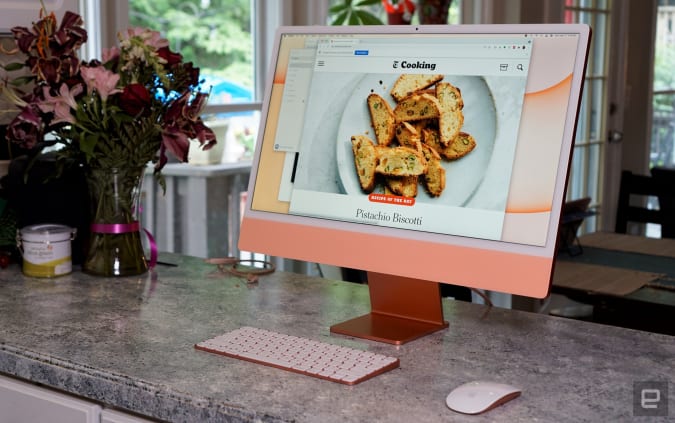
Apple's colorful iMacs with 8-core GPUs are $50 off right now at Amazon, bringing them down to $1,450. We gave this desktop a score of 89 for its remarkable performance thanks to the M1 chip, lovely 24-inch Retina Display and its thin-and-light design.
The GPS + Cellular models of the Apple Watch Series 6 Product Red Edition are $100 off at Amazon. The 40mm is down to $399, or close to a record low, while the 44mm version has hit an all-time low of $429. We gave the Series 6 a score of 89 for its speedier performance, quicker charging and slightly improved battery life.
The OnePlus 9 Pro smartphone is $100 off right now, bringing it down to $970. The regular OnePlus 9 is also on sale, but it's only $80 off. We gave the 9 Pro a score of 88 for its fantastic display, stellar performance and much-improved main camera.
Samsung's T7 Touch portable SSD in 500GB is down to $90, which is close to its all-time-low price. This palm-sized drive has read speeds up to 1,050 MB/s and write speeds up to 1,000 MB/s, and in addition to password protection, it also has a built-in fingerprint reader for extra security.
Solo Stove's Bonfire remains $120 off even after the July 4th holiday has passed. These are smokeless, portable fire pits that we've recommended in the past as an easy way to upgrade your backyard setup.
The Thermapen Mk4 is still on sale for $69 as ThermoWorks makes room for the new Thermapen One thermometer. The Mk4 is the best instant-read thermometer we've used so far —the backlit display makes it easy to read in almost any situation and the display rotates depending on how you're holding the pen. Plus, you never have to remember to turn it off because the pen automatically turns on when you pick it up and will shut off after some time of no use.
Omaze is giving away another $20,000 to build your ultimate gaming PC. This sweepstakes is free to enter, but funds donated with purchased entries will benefit Schools on Wheels, an organization that provides free tutoring and mentoring services to children experiencing homelessness across Southern California.
Pricing and availability is subject to change. No donation or payment necessary to enter or win this sweepstakes.See official rules on Omaze.
New tech deals
Philips Hue White and Color Ambience smart lights
A three-pack of the Philips Hue White and Color Ambience smart light bulbs is on sale for $99, or $35 off its normal price. While not a record low, this is a great sale on smart bulbs that don't often see steep discounts. In addition to standard white light, you're getting 16 million colors in these bulbs and they can be controlled with your smartphone.
Dyson knocked $80 off its V10 Allergy cordless vacuum, bringing it down to $400. This model includes the V10 motor with 14 cyclones and a filtration system that claims to expel cleaner air as it traps 99 percent of particles as small as 0.3 microns. In addition to the vacuum, you're getting the drop-in dock plus five different cleaning head tools.
A handy Anker fast charger is back down to its Prime Day price of $39. That's an all-time low and nearly $22 off its normal price. This slim brick has two USB-C ports and two USB-C ports, so it can juice up to four devices at once with a total of 63 watts of power.
The Microsoft store just kicked off its back-to-school sale, which includes discounts on Surface devices, gaming gear and more. Of note is a deal that knocks up to $100 off the price of a Surface Go 2 + Type Cover bundle, and you can get up to $500 off gaming laptops from various brands.
One of our recommended VPNs is running a good sale on a two-year subscription. You can sign up for NordVPN for only $89 for the first two years, which comes out to $44.50 per year — and an additional summer promotion adds three free months on top of that. We like NordVPN for its speed, its no-logs policy, the thousands of servers it has to choose from and that one account supports up to six connected devices.
ASUS and Qualcomm have teamed up to make a smartphone that shows off some of the latter's mobile tech. Although the phone is ostensibly for the 1.6 million members of the Snapdragon Insiders program (which is a bit like Microsoft's Windows Insider early-access scheme), it'll be more broadly available by August.
The snappily named Smartphone for Snapdragon Insiders harnesses Qualcomm's Snapdragon 888 5G chipset with a 2.84 GHz octa-core processor and the Adreno 660 GPU. It has what Qualcomm describes as "the most comprehensive support for all key 5G sub-6 and mmWave bands" of any device, along with WiFi 6 and WiFi 6E support with speeds of up to 3.6 Gbps. You'll get 16GB of LPDDR5 memory and 512GB of storage.
The 6.78-inch AMOLED display from Samsung has a 144 Hz refresh rate, which could help make it a solid gaming phone. The screen has up to 1,200 nits of brightness and it's HDR10 and HDR10+ certified. The phone has three rear cameras: a 64MP main lens, 12MP ultrawide camera and 8MP telephoto. The array can capture video in up to 8K. The device also has a 24MP front camera and AI auto-zoom.
Qualcomm says this is one of the first phones to support Snapdragon Sound, which has features including low Bluetooth latency, listening profiles, active noise cancellation (ANC) and high-resolution audio support up to 24-bit 96kHz. Along with stereo speakers, the phone comes with Master & Dynamic true wireless ANC earbuds and a charging case for them.
Qualcomm
There's also Qualcomm Quick Charge 5 support, which should charge the 4000mAh battery up to 70 percent of capacity in half an hour or fully in 52 minutes, according to the company. In addition, the phone has dual SIM slots and it runs on stock Android 11.
The device is effectively a showcase for Qualcomm's mobile tech. The company is facing some challenges on the mobile processor front, with many phone makers working on their own chips. Showing off its knowhow with its own smartphone seems like a solid idea for Qualcomm. That way, it can perhaps remind people what it can do.
The ASUS-designed Smartphone for Snapdragon Insiders will initially be available in a few countries, including the US, UK, Japan and South Korea. It'll arrive in India later. You'll be able to buy the $1,499 device at ASUSTeK’s eShop and other retailers.
Smart grill maker Traeger has bought wireless meat thermometer company Meater, which it says marks the next step in creating the "ultimate connected grilling experience." Traeger allows users to monitor and control connected grills through a smartphone or Apple Watch. Bringing Meater on board will help people to get an accurate temperature reading for their food from just about anywhere, Traeger said.
Meater makes several Bluetooth and WiFi-enabled thermometers, while Traeger currently only sells wired thermometers. Traeger said the acquisition will enable it to "accelerate entry into the adjacent accessories market with a highly complementary technology-enabled product." It's unclear whether Traeger plans to bundle Meater products with its grills or sell them separately — Meater will continue to run as a standalone company. Still, it wouldn't be surprising to see Traeger integrate Meater readings into its own apps for a more seamless outdoor cooking experience.
The OnePlus 9 Pro holds its own against the stiff competition from Apple and Samsung, and that's more than most competing smartphones can say. If you're looking for a different sort of handset with all the premium features typically found in a smartphone made by the usual suspects, the OnePlus 9 Pro could fit the bill. But just like Apple's and Samsung's flagships, the 9 Pro doesn't come cheap with a starting price of $1,070. But Amazon has the 9 Pro for $100 less right now, bringing it down to $970 — the cheapest we've seen it since launch. And if you want to spend even less, the regular OnePlus 9 is on sale for $650, or $80 off its normal price.
The OnePlus 9 Pro impressed us with its comprehensive set of features and (for the most part) it's excellent cameras. While slimmer than previous models, the 9 Pro doesn't look drastically different than other OnePlus smartphones and that's a good thing. It has a lovely 6.7-inch, 3,216 x 1,440 AMOLED display that supports up to a 120Hz refresh rate and a brightness up to 1,300 nits. OnePlus also includes a bunch of customizable screen settings that can help you do things like get the best mobile gaming experience or increase battery life when necessary. The IP68-rated handset also has dual speakers, a microSIM card slot and one Warp Charge-compatible USB-C port.
OnePlus collaborated with Hasselblad on the 9 Pro's rear camera array, which includes a 48-megapixel main camera, 50MP ultra-wide lens and an 8MP telephoto lens. Overall, the system produces lovely images with true-to-life colors, and it's capable of shooting video in up to 8K 30fps. Our biggest gripe was with the telephoto lens, which had a tendency to take overexposed images in bright environments.
Thankfully, we had no complaints about the OnePlus 9 Pro's performance. It runs on a Snapdragon 888 processor, 12GB of RAM and 256GB of storage, and there's very little that combination of specs can't handle. The 9 Pro's highly responsive display only helps the smartphone feel ever fast, too. Battery life is also quite good as the dual 4,500mAh cells lasted at least a full day without breaking a sweat, and you'll get even more juice out of them if you leave the display on Full HD.
Follow @EngadgetDeals on Twitter for the latest tech deals and buying advice.
iPadOS 15 is arriving at a crucial time for the iPad. Ever since the well-designed and overly powerful 2018 iPad Pro arrived, people have increasingly asked Apple to make its tablet software as flexible and impressive as its hardware. This year’s iPadOS update isn’t going to satisfy those who want the iPad to work more like a Mac — it still feels like an iPad, for better or worse.
That said, Apple has made a handful of significant changes and a host of smaller ones, all of which add up to an experience that makes the iPad more customizable and flexible than before while still retaining (and improving upon) the basic iPad experience. There are a lot of new features to unpack, and the just-released iPadOS 15 public beta is still a work in progress, but here are some of the most significant changes to look forward to when the final software arrives this fall.
Should you install iPadOS 15?
But first, a note about that beta status. Apple’s public betas are generally pretty reliable, and that’s true here, too. I’ve generally been able to use my 11-inch iPad Pro without any issues, but apps occasionally crash and throw me to the Home Screen; interacting with notifications doesn’t always work; and there are various other hiccups here and there. (Examples: my cursor doesn’t always move to the search field when I summon it, and the last few letters of my messages are sometimes cut off when using the app in Slide Over.) It’s nothing deal-breaking, but it’s noticeable, particularly when I use my iPad for multiple hours at a time. Unless you're extremely curious, I'd wait for a few more beta versions to be released before giving it a shot, unless you can put it on a back-up iPad.
Widgets and Home Screen updates
With that out of the way, let’s dig into the new features. The most obvious change in iPadOS 15 is that widgets have come to the Home Screen. As with last year’s iOS 14, iPad users can now pin widgets anywhere they want. You can also select which apps you want to show on the Home Screen and stash the rest in the App Library, an auto-organized place to find everything you’ve installed on your iPad. Both widgets and the App Library came to the iPhone last year, and it was surprising that they didn’t arrive on the iPad until now.
My "work" home screen.
I’m glad Apple did this, because it makes your iPad’s home screens far more customizable than before, something sorely needed on a big-screen device. It took a little work, but I’ve now hidden the apps I don’t use as much in the App Library and now have five home screens curated for work, entertainment, games and so forth. For example, my work screen only has six app shortcuts (Drive, Docs, Sheet, Trello, Slack and LastPass), but the variety of widgets I have installed provides glanceable info and easy access to a lot of tools. I have a widget showing recent notes in the “work” folder, another with Reminders (also specifically from my work group), an Apple News widget showing the latest tech news, and widgets for Google Calendar and Gmail. All that, plus the apps in my dock, make this the prime place to go when I need to get things done.
Quick Notes
The other new feature that could fundamentally change the iPad experience is Quick Notes. As Apple’s Craig Federighi said during last month's WWDC keynote, Notes are now a “system-wide” feature. Swiping in from the lower right corner summons a new note that floats above whatever apps you’re using. You can quickly type or write down (with the Apple Pencil) whatever comes to mind and then swipe the note away when you’re done. Depending on your settings, you can start a new note every time you access Quick Notes, or just keep adding to the same one. Finally, you can swipe between Quick Notes you’ve started if you want to get to a specific document.
At the top of this Quick Note is a button that automatically appears to let you save a link to the page you're visiting.
The iPad’s Slide Over multitasking feature offered an approximation of this experience, but Quick Notes is far more flexible. For starters, you can move a Quick Note anywhere on the screen you want, making it feel like a true “window” reminiscent of something you would use on Windows or macOS. If you’re going to jump in and out of the same note frequently, you can dismiss it to the side of the iPad screen where a little arrow shows that you can summon it back quickly.
Apple’s Quick Note demos mostly focused on using the Apple Pencil to quickly jot things down, but it works just as well with a keyboard. When I’m doing work, it’s almost always with the Magic Keyboard attached, and being able to quickly summon a persistent document to take notes in, regardless of what else I was doing, makes the iPad feel significantly more versatile. It’s a great tool when doing research, especially since you can add links to web pages in Safari or destinations in Maps with one tap. My only real complaint is that the “swipe in from the bottom right” gesture is a little awkward, especially when using the iPad docked to a keyboard. It’s much with the Apple Pencil.
Multitasking
Multitasking was a major focus at WWDC, as well. While Apple did make some useful changes here, the fundamental iPad multitasking experience is still the same. Apps can take up the whole screen, or share the display with a second app in Split View. There’s also the Slide Over area, which lets you quickly summon a floating window containing another app. Apple has made major improvements to these features over the years, but they’re the same fundamental multitasking options we’ve had since iOS 9 back in 2015.
The tiny multitasking menu can be handy, once you know how to use it.
If you’ve been hoping for a true windowed multitasking experience, this isn’t it. But Apple has made it easier to work with the multitasking features it does offer. Now, there’s a tiny three-dot menu at the top of every app you use that lets you move the app between full screen, slide over and split view. As I compose this sentence, I’m typing in the Notes app, full screen. If I want to take Notes into Split View and share the screen with Safari, I just tap the multitasking menu and hit the Split View icon. This gives me a full view of my Home Screen, which then lets me pick anything I want to go alongside Notes.
Being able to quickly choose from any app on your Home Screen when setting up a multitasking view is a big improvement; before, you primarily had to use search to find the app you want, or drag one of the apps available in your dock. The menu also makes it a lot easier to move apps between Split View, Slide Over and full-screen views. Previously, you had to be aware of a variety of gestures, but a few minutes of playing with the multitasking menu makes the behavior pretty clear.
Safari
The last major change I’ll cover at this early stage is Safari. It’s one of the most important apps on the iPad, and it’s gotten a lot better in the last few years. But for iPadOS 15, Apple has made what I predict will be a polarizing design decision. In an effort to slim down the top menu bar, Apple crammed the URL bar and open tabs into one row. Essentially, a tab and its URL bar are now represented by a single visual cue.
This means that the location of the URL bar moves. If you’re looking at the right-most tab you have open, for instance, the URL bar is all the way to the right. It definitely takes some time to get used to, since most of us are used to it always being right in the center of whatever browser we’re using. This also makes it harder to see all your tabs; besides the “active” tab, I can currently see eight others. The rest are hidden off to the left and right of my active tab. To see them, you’ll have to scroll either direction to find what you’re looking for.
Because my active tab is the one furthest to the right, the URL bar in my window is also far to the right.In this case, my active tab is to the far left, and so is the URL bar.
Apple’s menu bar cleanup also means it removed the button that zooms out to show you a preview of every tab you have open. I used that constantly, so I hate this change. And unlike on the Mac, you can’t customize the Safari menu on the iPad at all. Now, you either have to use a keyboard shortcut or pull up the new sidebar, which contains all the open tabs in a window along with your bookmarks, reading list, history and links shared in Messages.
Safari on the iPad already did a great job of hiding the menu bar once you started scrolling through a site, so this change feels unnecessary to me. I’ll be curious to see what kind of feedback Apple gets during the beta, because I wager plenty of other people will prefer the old layout.
Safari's new sidebar holds your tab groups as well as usual items like bookmarks and your reading list.
There is at least one good thing about the new Safari: tab groups. They’re handled elegantly, with a button in the sidebar letting you open either a new “blank” group for you to populate or taking all your current tabs and saving them as a group. You can swap between groups in the sidebar, and access any groups you’ve created in any open Safari window you have. Groups will also sync across your other devices, assuming you’ve upgraded to iOS 15 or macOS Monterey. Having different tab groups for different tasks has already proven useful to me, and I’ll probably use them even more as I get used to incorporating them into my workflow.
More to come
There are plenty of other significant changes to iPadOS 15, things like the new Focus system and notifications revamp, improvements to FaceTime and Messages, the new Universal Control system that works between a Mac, iPhone andiPad, and plenty more. (You can read about some of these changes in our previews of iOS 15 and macOS Monterey.) We’ll be doing a proper review of all the new software in its final form this fall, but in the meantime I’m going to keep digging into the future beta releases to see how iPadOS 15 changes between now and its wider release.
As the holiday weekend approaches, deals on the latest gadgets have been popping up across the web. Apple's 10.2-inch iPad is $30 off right now and Solo Stove, the maker of compact, stainless steel fire pits, has knocked $120 off most of its devices. We even have a few holdouts from Amazon Prime Day still available, like deals on Anker's Eufy RoboVac 11S and a two-pack Nest WiFi system. Here are the best July 4th tech deals we could find.
10.2-inch iPad
The 10.2-inch iPad remains on sale for $299, or $30 off its normal price. It's arguably the best tablet for new tablet owners and we liked its improved performance, familiar design and support for the first-generation Apple Pencil.
Apple's MacBook Air M1 has dropped to $899, which is the best price we've seen it. If you're looking to upgrade your notebook, this is one of the best options for most people right now. The Air M1 earned a score of 94 from us for its incredibly fast performance, excellent keyboard and trackpad, good battery life and lack of fan noise.
Apple's colorful iMacs with 8-core GPUs are $50 off right now at Amazon, bringing them down to $1,450. We gave this desktop a score of 89 for its remarkable performance thanks to the M1 chip, lovely 24-inch Retina Display and its thin-and-light design.
Solo Stove's Bonfire is $120 off for the company's July 4th sale, bringing it down to $230. That's the best price we've seen, and the other models are also $120 off for a limited time, too. These are smokeless, portable fire pits that we've recommended in the past as an easy way to upgrade your backyard setup.
On the heels of the new Thermapen One announcement, the Thermapen Mk4 has been discounted to $69. It's the best instant-read thermometer we've used so far —the backlit display makes it easy to read in almost any situation and the display rotates depending on how you're holding the pen. Plus, you never have to remember to turn it off because the pen automatically turns on when you pick it up and will shut off after some time of no use.
ThermoWorks is also running an Independence Day sale that knocks up to 20 percent off remote BBQ alarm thermometers.
The GPS + Cellular models of the Apple Watch Series 6 Product Red Edition are $100 off at Amazon. The 40mm is down to $399, or close to a record low, while the 44mm version has hit an all-time low of $429. We gave the Series 6 a score of 89 for its speedier performance, quicker charging and slightly improved battery life.
Through Sunday, July 4, GameStop is running a holiday sale that includes a "buy two, get one free" promo on a number of titles including Marios + Rabbids Kingdom Battle and Spider-Man: Miles Morales. The sale also includes discounts on pre-owned games as well as $30 in extra credit when you trade in a PS4, XB1, Nintendo Switch or another console.
Both Amazon and Microsoft have the Galaxy Buds+ for $100, or $50 off their normal price. We gave them a score of 83 for their improved audio quality, longer battery life, deeper iOS integration and better call quality.
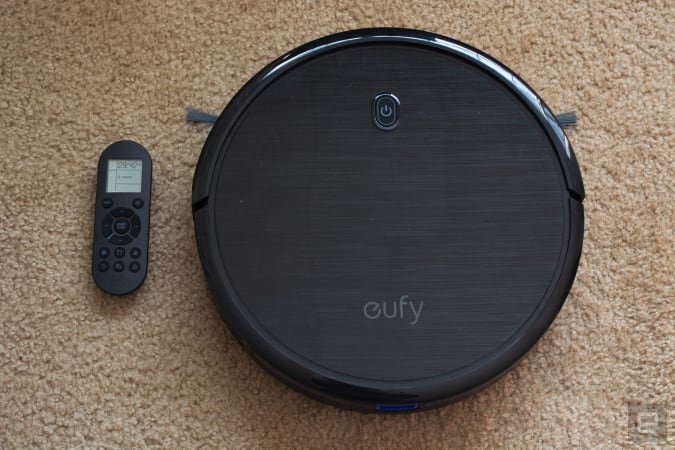
One of our favorite budget robot vacuums, the Anker Eufy RoboVac 11S, has dropped to $140. That's $90 off its normal price and close to its record-low. Not only is this one of the slimmest robo-vacs we've tried, but it cleans hard floors and carpets thoroughly and it comes with a remote that you can use to manually direct the vacuum, set schedules and more.
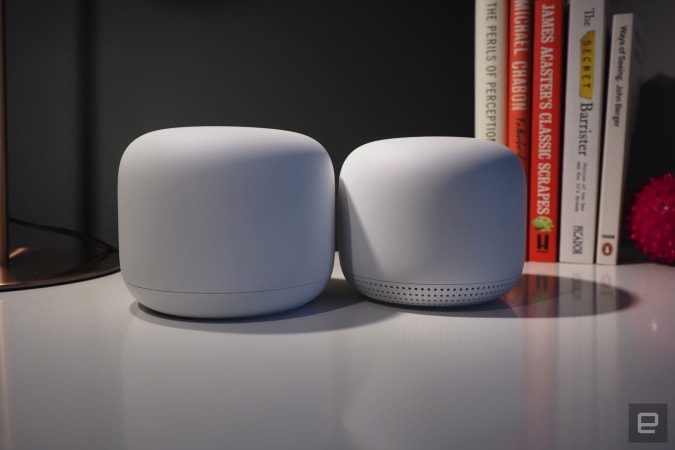
The Nest WiFi pack with one router and one extension point is down to $189, or $80 off. We gave this mesh system a score of 84 for its unobtrusive design, simple installation process and built-in smart speaker capabilities.
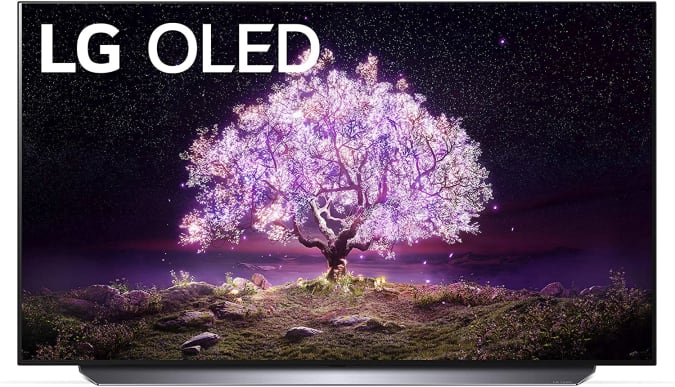
LG's 2021 C1 OLED 4K TVs have dropped in price, so you can grab the 55-inch for $1,497, or about $300 off its normal price. The C1 is the mid-tier lineup that includes the company's latest processor, HDMI 2.1 support and NVIDIA G-SYNC and FreeSync compatibility.
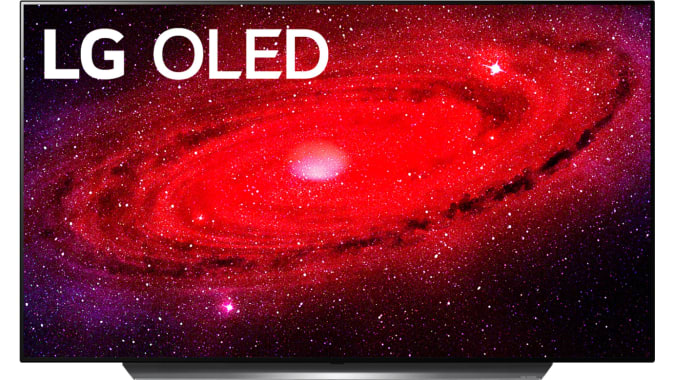
My Best Buy members can get the 48-inch LG CX OLED 4K smart TV for $1,250, or $250 off its normal price. It's free to sign up for My Best Buy and it's worth it to get a bit of extra money off all of the retailer's current sales. This OLED set has LG's a9 Gen 3 processor, support for Dolby Vision, Atmos, HDR10 and HLG plus Google Assistant and Amazon Alexa integration.
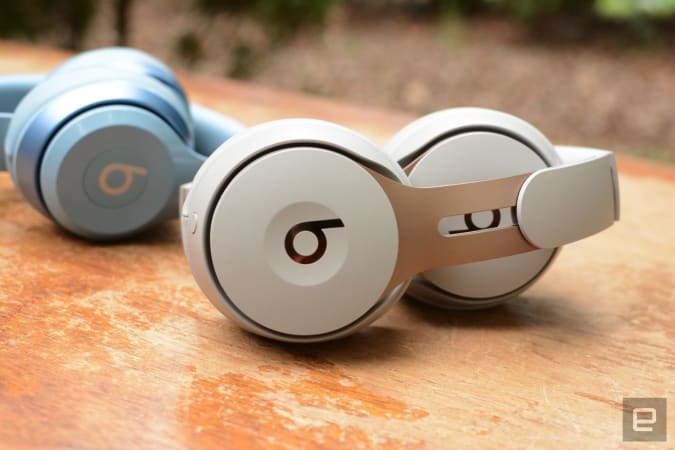
The Beats Solo Pro are still discounted to a record-low of $149. We liked these on-ear cans for their excellent sound quality, good ANC and hands-free Siri capabilities.
Omaze is giving away another $20,000 to build your ultimate gaming PC. This sweepstakes is free to enter, but funds donated with purchased entries will benefit Schools on Wheels, an organization that provides free tutoring and mentoring services to children experiencing homelessness across Southern California. Through July 2, you can use the code RADNESS150 at checkout to get an additional 150 bonus entries.
Pricing and availability is subject to change. No donation or payment necessary to enter or win this sweepstakes.See official rules on Omaze.
New tech deals
55-inch Sony A8H Bravia OLED smart TV
Amazon knocked about $600 off Sony's 55-inch A8H Bravia OLED smart TV. It includes the company's X1 Ultimate processor, Game Mode for a smoother, more responsive experience, the Android TV operating system and support for the Google Assistant, Amazon's Alexa and even Apple's AirPlay 2.
Apple's MagSafe charger is down to $34 at Amazon, or $6 off its normal price. While not a huge discount, it's a good opportunity to get a first-party accessory for less. This thin disk magnetically attaches to the back of the latest iPhones to power them up.
The accessory maker Twelve South is running a 4th of July sale through July 5th that knocks up to 60 percent off of many products. Of note are the AirFly Bluetooth transmitter for as low as $25, the Compass Pro adjustable iPad stand for $50 and the HiRise Lightning Stand for $25.
Casetify's holiday sale gets you 15 percent off most items through July 5th when you use the code 4JULY21 at checkout. The company makes colorful cases and protective gear for numerous mobile devices including iPhones, Galaxy handsets, AirPods and more. They also make great gifts thanks to Casetify's extensive library of customizable accessories.
Through July 4th, you can get 30 percent off sitewide at Speck. In addition to iPhones and Android device cases, Speck has gear for AirPods, MacBooks, Kindles, Chromebooks and others. If you want a case for your smartphone that will both look good and keep your gadget safe, Speck accessories are good options.
Aukey's PowerZeus 500 portable power station is on sale for $367 when you use the code AUKEYPLUS at checkout. This 518Wh station can easily come with you on a camping trip to provide juice to all your devices, or act as a backup battery during power outages.
One of our recommended VPNs is running a good sale on a two-year subscription. You can sign up for NordVPN for only $89 for the first two years, which comes out to $44.50 per year. We like NordVPN for its speed, its no-logs policy, the thousands of servers it has to choose from and that one account supports up to six connected devices.
We had a feeling Sony's tricked-out Xperia 1 III smartphone would be expensive. Turns out, we were right. Sony has revealed that the new handset (pcitured above), which packs a pro-grade camera, is available to pre-order for a cool $1,300 ahead of its August 19th release date. That means the new flagship is $100 more expensive than its predecessor, the Sony Xperia 1 ii, and fellow high-enders like the $1,200 Samsung Galaxy S21 Ultra, the $1,099 Apple iPhone 12 Pro Max and the $969 OnePlus 9 Pro.
As you'd expect at that price, the Xperia 1 III has some killer specs that should appeal to photography buffs. The 12-megapixel, 24mm equivalent Exmor RS sensor is accompanied by a 12-megapixel ultra-wide camera and a time-of-flight sensor that gathers depth data. Sony says the flagship is the first phone in the world with “true” optical zoom, which is achieved by actually moving the telephoto lens elements inside the phone. While the burst mode captures photos as fast as 20 times per second.
Sony also claims that the phone's 6.5-inch OLED display is the world’s first mobile 4K screen with a 120Hz refresh rate. Inside, there's Qualcomm’s powerful Snapdragon 888 chipset combined with 12GB of RAM and 256GB of internal storage, along with a 4,500mAh battery that supports wireless charging.
Sony Xperia 5 III
If you find paying upwards of $1,000 is too steep, Sony is also releasing the cheaper Xperia 5 III (pictured above) a month later in September for £899 in the UK — we've reached out for US pricing. Here, you'll get a 6.1-inch Full HD OLED screen, slightly less RAM at 8GB and either 128GB or 256GB of internal storage. Sony also cut back on some of the camera software tricks available on its big brother like real-time object tracking and the time-of-flight sensor. Plus, you don't get support for wireless charging. Otherwise, it packs the same chipset, pro-grade camera setup, 3D Reality audio support and battery, making it more of a crowdpleaser compared to its pricey sibling.
To sweeten the deal, both phones will ship with Sony wireless headphones: the Xperia 1 III comes with the WF-1000XM3 earbuds and the Xperia 5 III with the WH-H910N over-ear headphones. Purchasing the flagship also gets you 43,200 Call of Duty: Mobile CP Points worth $540.
AT&T is the latest carrier to make Messages by Google the default messaging service for all customers on Android devices. The move will replace the default messaging system, SMS, with Rich Communication Services technology, an open standard that prioritizes media, eliminates character limits, and generally upgrades the traditional texting experience.
RCS unlocks the ability to share full-resolution photos and send larger media files than SMS can handle, it streamlines group chats, enables end-to-end encryption for one-on-one conversations, and it works over Wi-Fi or data. The transition for AT&T customers will take place soon, according to Google.
Google has been nudging the mobile industry toward RCS for years, and it's finally catching on. T-Mobile is making the switch to Messages by Google, and therefore RCS messaging, by the end of the year, and now AT&T is doing the same.
However, Verizon hasn't announced plans to adopt RCS — and neither has Apple, for that matter.