While Samsung redesigned the latest Galaxy Buds 2 with the budget-conscious in mind, the Galaxy Buds Pro are its complete-package wireless earbuds. They debuted in January and we found them to be Samsung's best wireless earbuds to date — but they're also the company's most expensive at $200. But B&H Photo has a limited-time sale going on right now that knocks 37 percent off the buds, bringing them down to $127. That's close to an all-time low and a great price on the most premium Samsung earbuds.
Samsung had many iterations of its earbuds before the Galaxy Buds Pro came along, and it took all previous criticism to hear when designing the Pros. They have a compact, comfortable design with an IPX7 waterproof rating, so you could use them while working out. Active noise-cancellation is solid, blocking out sounds from things like running dishwashers well, and Android users can download the companion mobile app to change noise-cancellation settings.
The mobile app also lets you do things like enable hands-free Bixby and disable voice detection, which will automatically lower the volume and switch to ambient sound mode when you're speaking. We were also impressed by the buds' sound quality — the 11mm woofer handles the low-end well and highs are crisp and punchy. The Galaxy Buds Pro also support 360 Audio, which is Samsung's equivalent to Apple's Spatial Audio on AirPods Pro.
As far as battery life goes, it's decent but nothing to write home about. You'll get roughly 18 hours of listening time out of the buds, and that includes the extra charges carried by its case. We do like that the case supports wireless charging, though, so you can sit them on any Qi pad in your home to get extra juice. These remains the most premium earbuds you can get from Samsung, and considering B&H's sale makes them more affordable than even the new Galaxy Buds 2, it's a solid buy if you want the best Samsung has to offer.
Follow @EngadgetDeals on Twitter for the latest tech deals and buying advice.
This week, Cherlynn and Devindra are joined by Washington Post Staff Writer (and former Engadget colleague) Chris Velazco to dive into all of the latest phone reviews. What’s up with Samsung’s Galaxy Z Flip 3 and Fold 3? Who needs the Pixel 5a? And why did Qualcomm try to make a phone of its own? Tune in for our discussion, as well as to find out what you should be looking for in your next phone upgrade.
Listen below, or subscribe on your podcast app of choice. If you've got suggestions or topics you'd like covered on the show, be sure to email us or drop a note in the comments! And be sure to check out our other podcasts, the Morning After and Engadget News!
Credits Hosts: Cherlynn Low and Devindra Hardawar Guest: Chris Velazco Producer: Ben Ellman Livestream producers: Julio Barrientos, Owen Davidoff, Luke Brooks Graphics artists: Luke Brooks, Kyle Maack Music: Dale North and Terrence O'Brien
In many ways, the Galaxy Z Flip 3should be the first foldable for a mainstream audience. It's basically a regular smartphone you can fold in half and it could appeal to the swaths of people who miss the satisfying snap of a flip phone. Plus, with a price drop, the new Flip now costs about the same as an iPhone or Galaxy S flagship. Samsung’s latest foldable also features a larger external display than its predecessor, making it more useful when closed, and has water resistance for some peace of mind. It’s even got a faster screen than Apple and Google offer and nifty software that makes better use of the screen when you prop it up on a surface. But the question remains, even at a more reasonable $1,000, is the Flip 3 good enough to usher foldables into the mainstream or are they still a gimmick?
Design and durability
One of the most important factors in determining if the Flip 3 is ready for daily use is durability. Samsung used stronger aluminum for the Flip 3’s frame, refined its hinge and made the screen tougher with a new flexible PET protector. I can’t tell exactly how much more durable the Flip 3 is compared to its predecessor, but I have been taking more risks with it. In fact, I consider my placing the Flip 3 (and the Fold 3, for that matter) into my bag along with my keys, laptop and DSLR the bravest thing I’ve ever done during a review.
I’m mostly worried because of a bad experience when I took the original Z Flip out for a day. It vibrated off a table and cracked its corner. I’ve been fairly careful with the Flip 3, but I’ve avoided babying it, and so far it’s survived being tossed into a bag with various sharp objects. While it’s still prone to sliding around due to its glossy glass exterior, it’s yet to fall off anything. I’ve placed it on treadmills, ellipticals, window ledges and restaurant tables and I don’t want to jinx it but: so far my Flip 3 is scratch-free.
Does that mean it’ll remain pristine a week, a month or even a year from now? Probably not. But as someone who’s cracked her fair share of phone screens, I feel like the Flip 3 is about as sturdy as most glass-covered flagships.
David Imel for Engadget
That is, with one exception: Its flexible internal screen is still more likely to break than others, if for no reason other than you’ll invariably end up pushing into some part of it to close the device. I’ve yet to damage the Flip 3’s screen, and I’ve been careful not to push my thumb into the middle of the panel to close the phone, but I’ve been shutting it with some force. Whether the durability is indeed improved is something that’s hard to tell without months of testing or deliberately trying to damage the device, so I might have to revisit this after some time.
Speaking of closing the phone: Like its predecessor, the Flip 3 isn’t easy to shut with one hand. It can be done, but the hinge is stiff and provides enough resistance to let it stay open at various angles. Unless you have Dwayne Johnson’s hands, you’ll probably need some leverage to open or close the Flip 3.
Oh and thanks to the IPX8 water resistance, I was a lot less worried about leaving the Flip next to my sink when I washed my face and dripped all over it while reaching for the soap.
Besides improved durability and a larger external screen, not much has changed between the new Flip and the last generation. They weigh the same 183 grams (6.45 ounces) and the Flip 3 is a hair thicker. Samsung’s also offering a few new color options, including my two favorites: green and lavender. My review unit is a boring cream/off-white, though.
Phones in the same size and price range like the iPhone 12 Pro Max and Galaxy S21+ are slightly heavier and thicker, but not by much. Of course, these devices are dust-resistant and sport triple cameras, while the Flip has just two. The conventional flagships are also not as narrow. But aside from the aspect ratio, the Flip 3 feels very much like a regular smartphone when unfolded. Bonus: It’s more compact when folded in half, which helps it fit into most of my pockets without peeking out. It actually almost reminds me of a pager when closed. Remember those?
A bigger, more useful Cover Display
The greatest difference between the Flip 3 and a typical smartphone is that you can close it, which is not only a satisfying means of putting your phone away, but also introduces a new way to interact with the device. The 1.9-inch external screen is four times larger than the previous model, and can show up to four lines of notifications at once. There are currently six widgets available for this window, which Samsung calls the Cover Display. To interact with this panel, you’ll have to first double tap on it, then swipe vertically or horizontally to see your notifications or widgets respectively.
This was a little confusing initially, as I didn’t know I needed to tap the screen before swiping. But after figuring it out, I’ve come to appreciate it because it prevents accidentally dismissing notifications and skipping songs on Spotify. That’s pretty helpful since I often unintentionally touch the Cover Display when closing the phone or picking it up.
Most of the time, I leave the Flip 3 closed until I need to reply to a message or when I start browsing my feeds. It’s certainly a lot less distracting to be able to put my phone aside and not have a long list of notifications that I can see from a distance. I initially set all six widgets to appear on my Cover Display, so scrolling sideways would bring up the weather, media controls, Samsung Pay, Health, Calendar and so on.
While I appreciated having all those options, after a while it became clear three widgets is plenty — the endless swiping got tiring eventually. The software is also a little buggy at the moment. The alarms widget, for example, will randomly abandon its countdown if you pause and resume it.
David Imel for Engadget
Another feature that sounds great in theory is using your Cover Display as a viewfinder. With the larger panel, you’ll have more room to frame up your selfies on the Flip 3 with the screen closed. I used it to snap a picture with three staff members of my building and while we were able to squeeze everyone in, the novelty wore off quickly.
The only time I can see preferring the outside screen as a viewfinder is if you need the sharper or wider rear cameras or when you’re really in a hurry and can’t spare the one or two seconds it takes to open the phone. I like that Samsung gives us this option, but even a selfie-obsessed person like me was never in that much of a rush to snap a portrait. Plus, the photos taken this way end up in a strange squarish crop, while those snapped using the main screen as a viewfinder are taller or wider.
Internal screen and Flex mode
When you’re back on the main screen, aspect ratio is still somewhat of an issue. The Flip 3’s 6.7-inch display runs at 2,640 x 1,080, which comes up to an uncommon 22:9 format. This didn’t cause too many problems — most apps fit nicely on the screen — but every now and then something will overflow. The pop-up dialogs in Settlers of Catan, for example, disappear into the edges of the display and I can barely tap the buttons I need to move on.
David Imel for Engadget
Fortunately, I didn’t encounter this on most of my frequently used apps, but for now Samsung doesn’t have a workaround to help ensure you can see everything on the Flex.
That’s my main issue with the Flip 3’s internal screen, which is otherwise a lovely canvas for browsing Instagram and YouTube thanks to its flexible AMOLED panel and 120Hz refresh rate. Images were vibrant with deep blacks and high contrast, and the display never stuttered when I scrolled my feeds in a frenzy. Oh I also didn’t mind the crease in the middle — yes it’s noticeable and does cause some distortion, but it doesn’t get in the way of readability. I also like how it felt beneath my thumb as I scrolled past it. It’s like stroking a soft, naked tendon, which is a lot better than it sounds.
Another update that makes the Flip 3 a better multimedia device than before are its stereo speakers. Now, when you hold it up to watch a video, you’ll hear its audio from both ends. It’s a little too easy to cover the bottom speaker with your hand when holding the phone horizontally, though.
David Imel for Engadget
Something else the Flip offers that regular smartphones don’t is a Flex mode that kicks in when you half-fold the device. This only works on some apps, like Gallery, Camera and YouTube, where the screen is split in half to show your photo, viewfinder or video on top and navigation, controls or more info at the bottom. When you set the Flip 3 up on a table in Flex mode, you can watch your show as if it were full screen on the top half, while scrolling comments or suggested videos below.
I thought I’d only find Flex mode useful with the Flip 3 sitting on a table (propped up like it has its own kickstand), but it actually was more helpful in enabling one-handed use. Because the screen is so tall, some elements are out of my thumb’s reach. Flex mode makes scrolling pictures in my gallery or snapping a picture much easier with one hand. So far, though, only a handful of apps support this, so Samsung will need to work harder to make more of them compatible.
Cameras
The Flip 3’s dual 12-megapixel cameras hold their own against the likes of the Pixel 5 and iPhone 12 Pro. While Samsung, Apple and Google all have minor differences in the color temperature of their photos, they deliver similar quality and clarity in most situations. The Flip 3’s picture of a yummy bowl of noodles was just as bright and vibrant as those taken with the Pixel and iPhone, though it’s a little soft and failed to capture some detail on the ceramic surface.
David Imel for Engadget
Photos the Flip 3 shot at night are also similar to those from the competition — you’d need to really scrutinize minor exposure and noise differences to tell them apart. The pictures I snapped of a dog park and the city skyline at night all came out bright and colorful, though Google delivered a better closeup of the New York City nightscape thanks to its superior processing software.
The selfies captured by the Flip 3’s 10-megapixel camera were also bright and sharp. And, based on an informal poll on my Instagram, the majority of my followers preferred a portrait shot by the Flip 3 to the Pixel 5.
Living the foldable life: In use and battery
With a Snapdragon 888 processor and 8GB of RAM, the Flip 3 performed smoothly during my testing. I haven’t encountered many delays when using the main screen to message my friends, post to Twitter and browse websites. It didn’t let up even as I recorded the screen while using the camera to capture footage of my friends trying to perform TikTok dances, either.
Occasionally, I felt like websites were scrolling more slowly than I was used to, and there are still some small software bugs (like the Cover Display’s alarm widget) that make the Flip 3 feel like it needs a bit more polish. But aside from these minor gripes and the fact that you can fold it, this phone feels very similar to its Samsung siblings.
That is, until we consider battery life. The Flip 3 never made it through a full day before needing a charge, and that runtime dropped when I enabled the Always On Display for the outer screen. Despite offering a larger Cover Display and a higher refresh rate on its main panel, the Flip 3’s 3,300mAh battery is the same size as its predecessor, which might explain its disappointing endurance. Meanwhile, the S21’s 4,000mAh cell typically stuck around for a day and a half, while the latest Pixels and iPhones easily outlast the Flip 3.
David Imel for Engadget
Wrap-up
After spending some time with the Flip 3 in the real world, I’ve come to realize a few things: I like being able to fold a phone, put it away and focus on work or living in the moment. But I can also turn a regular phone face down to do that. I enjoy the nostalgia and novelty of closing the Flip 3 when I’m mad at a caller or an app, too.
In general, the satisfaction and space savings from being able to fold a phone in half are not worth paying a premium for. The good news is that with the Flip 3, Samsung isn’t charging a hefty premium or making many compromises. Battery life is an unfortunate victim of the Flip 3’s larger external screen, but it’s at least not so short that you’ll need to charge it twice a day.
Ultimately, the Flip 3 is proof that Samsung can deliver a good phone with a foldable display at a relatively reasonable price. It’s also a satisfying upgrade from its predecessor, thanks to its water resistance and bigger outside screen. The most important question now is: Who should buy this? If you pride yourself on being an early adopter and want to get on the foldables bandwagon before they become more common, that might be you. The Flip 3 is a device capable of being a daily driver for those nostalgic or curious enough to buy one. But for a more mainstream audience, there simply aren’t enough benefits yet.
The Z Flip 3 is a satisfying upgrade from the original, thanks to water resistance and a larger, more useful Cover Display. Its $1,000 starting price puts it in the same class as flagships from Apple, Google and Samsung itself, too. While it mostly behaves like a regular modern smartphone that you can fold in half, the Flip 3 is held back by battery life and potential durability issues.
Main display: 6.7-inch 120Hz AMOLED Infinity Flex Display
Main display resolution: 2,640 x 1,080 (22:9)
External display: 1.9-inch Super AMOLED
External display resolution: 260 x 512
Rear (or external) cameras: 12MP f/1.8 wide-angle camera with OIS and 78-degree FOV, 12MP f/2.2 ultra-wide camera (123-degree FOV)
Front (or inside) camera: 10MP f/2.4 camera (80-degree FOV)
Operating system: Android 11 with One UI
Battery: 3,300mAh
Charging: USB-C with fast wired charging at 15W (QC2.0 and AFC) and fast wireless charging at 10W (WPC and PMA). Reverse wireless charging at 4.5W (WPC Qi).
Dimensions: 72.2 x 166.0 x 6.9mm (unfolded); 72.2 x 86.4 x 17.1mm (Hinge) - 15.9mm (Sagging) (folded)
ASUS is updating its range of ROG gaming phones at a fast clip to keep up with the latest processor advancements. The new ROG Phone 5S and 5S Pro, the fifth and latest additions to the high-end lineup, pack Qualcomm's fresh Snapdragon 888+ 5G chipset, a beefed-up version of the base 888 found inside predecessor, the ROG Phone 5. It's not the first phone to get the processor, though. That accolade went to the Xiaomi Mi Mix 4. In fact, we knew the 888+ was coming to the ROG phone: Qualcomm listed ASUS' gaming handset as a partner earlier this summer, along with devices from Vivo, Honor and Motorola.
The processor itself promises a clock speed boost from a peak 2.86GHz to nearly 3GHz courtesy of its Kryo 680 CPU architecture. It also boasts a 20 percent AI improvement with up to 32 TOPS AI performance. All of which is to say it's a natural fit for a premium gaming phone.
ASUS
Beyond the upgraded chipset, the new ROG phones sport the same 6.78-inch 144Hz display, 6,000 mAh battery and triple rear cameras with a 64-megapixel main sensor as their predecessor. Additional updates include a more responsive 360Hz touch-sampling rate (which still doesn't match the 720Hz responsiveness of Lenovo's Legion Phone Duel 2) and a max 18GB and 512GB storage on the 5S Pro. You can also expect ultrasonic sensors for the AirTrigger 5 buttons and grip press detection.
According to Gizmochina, the two phones are currently only available to pre-order in ASUS' native Taiwan ahead of an August 24th shipping date. The 5S costs $1,077/$1,221 based on RAM and storage and the 5S Pro costs $1,365.
The Pixel 6 is just around the corner. But before Google brings it and its Tensor mobile chip to market, the company is updating its entry level offering with the $449 Pixel 5a. The whole point of the “a” family is to offer the basics at a reasonable price without sacrificing too much of the Pixel experience in the process. That means a relatively clean version of Android with a bunch of AI tricks and a heavy focus on photography.
But apparently Google feels like it more or less nailed that formula with the Pixel 4a 5G because the 5a is basically the same phone. (Note: The Pixel 5a is not a direct successor to the 4a, which was a much smaller device.) There are some differences — notably the addition of IP67 waterproofing — but most of the tweaks are extremely minor. Even the processor and RAM haven’t changed. So, if we said you could do better way back in October of 2020, what does that mean for the 5a in the fall of 2021?
Well, it makes the Pixel 5a about as unexciting as a phone can be, for one. But look, boring isn’t necessarily bad. Especially when you’re talking about the mid and lower tiers of the smartphone market. For one, keeping things staid allows Google to focus its efforts on battery life and performance optimization. And just like the last generation of Pixels, the 5a feels pretty responsive despite the aging Snapdragon 765G inside. That said, the 765G wasn’t exactly top of the line last year, and it’s starting to show its limits. While scrolling through the UI and doing simple things like reading email and sending text messages, the 5a is indistinguishable from any flagship device. It even handles most mobile games without a hiccup. I spent some time playing The Elder Scrolls: Blades and Wild Castle and the phone barely broke a sweat.
But, I did notice it stutter a few times while navigating YouTube, editing photos and jotting down my thoughts for this review in Evernote. The latter I could easily chalk up to Evernote’s questionable development over the last few years, but the pauses while switching to fullscreen in YouTube and swapping filters in Google Photos are a bit more concerning.
Terrence O'Brien / Engadget
The plus side of going with something a bit older and lower-powered (not to mention with an integrated 5G modem) is power efficiency. The 4a 5G was already something of a beast, lasting over 17 hours in our battery drain test before our reviews editor Cherlynn Low simply gave up and moved on with her life. That device had a 3,885mAh battery. The 5a has a 4,680mAh cell. It took 22 hours and 56 of playing a video on loop at 50-brightness before it finally powered down.
After 24 hour of heavy usage — playing games, repeatedly running 5G speed tests, installing apps, watching videos on YouTube and even letting it play sleep sounds overnight — the battery was still at 40 percent. It didn’t finally crap out until almost 2AM on day two. And if you turn on Extreme Battery Saver, things could get even more absurd. I’m fairly confident that under normal use you could get a full 48 hours out of the Pixel 5a before needing to find an outlet.
Battery life isn’t the only difference between the 5a and 4a 5G: The new phone is also IP67 rated for water and dust resistance. At a time when many smartphones have at least some form of water resistance the Pixel 4a 5G was sort of a disappointment. In fact, the lack of waterproofing was one of the big cons called out in our review. But the Pixel 5a should easily survive getting caught in the rain or if you drop it in a toilet. It can withstand being submerged in water up to one meter deep for 30 minutes, but I wouldn’t push this to its limits. Definitely don’t go swimming with it in your pocket.
Terrence O'Brien / Engadget
The last difference between the Pixel 5a and the 4a 5G is in the size and construction, but it’s subtle. The 5a has a metal unibody as opposed to a polycarbonate one. The texture is still matte and similar to the softtouch of the previous models, though, and the upgrade to Gorilla Glass 6 from Gorilla Glass 3 is notable, but you’ll never notice the difference in daily use. The 5a comes in one finish: Mostly Black. Some might find the look a little dull, and it’s certainly on the utilitarian side, but I quite liked the feel of the phone. The finish is a nice contrast to the seemingly endless sea of smooth glassy surfaces and the heft is just right, too.
The 5a is ever so slightly larger and heavier, but you’re talking about a few millimeters and grams. Even if you had a Pixel 4a 5G in one hand and a Pixel 5a in the other you’d be hard pressed to figure out which is which.
The change in size mostly comes down to the slightly larger screen. The OLED panel on the 5a is 6.34 inches, versus 6.2 inches on the 4a 5G. Otherwise, though, the screens are basically the same. The increased resolution of 2,400 x 1,080 makes up for the size difference so they both have a density of 413 ppi. Both also sport a contrast ratio of 100,000:1 and support HDR and are stuck at now outdated 60Hz. And both are just bright enough to use in direct sunlight, though high brightness mode is definitely a necessity if you’re watching a video outdoors.
Even the holepunch for the front-facing camera is in the same place. That said, I appreciated Google’s “for fun” wallpapers that camouflage the hole by incorporating it into the design. My favorite is the record player where the camera becomes the hole at the center of an LP.
That 8-megapixel front-facing camera, by the way, is one of the weak points of the 5a. It does the job in perfect lighting and for video calls. But details can be a bit soft, in low light it gets noisy and portrait mode is hit or miss. Overall, I found Google’s portrait feature to be a bit too aggressive even on the main camera. You can easily adjust the blur and depth after the fact, but the default settings could stand to be more subtle.
The selfie cam, though, is the same one found on the Pixel 4a 5G, so none of this is a surprise. In fact, all of the cameras are the same. The two sensors around the rear, however, are much better than the one on the front. There’s a 12.2-megapixel main shooter with optical image stabilization and a 16-megapixel ultra-wide-angle lens. They have a somewhat “moody” vibe when compared to shots from an iPhone or a Galaxy device, but they’re not obviously inferior. And even though images taken with the wide-angle lens can get a little fuzzy if you start zooming in on details, Google’s processing does an admirable job of minimizing barrel distortion. Google isn’t at the top of the smartphone camera heap anymore, but it’s not far off and photography is still an undeniable strong suit of the Pixel family.
Terrence O'Brien / Engadget
There’s nothing new to report, though. It’s the same set of excellent photography features that you got last year: Portrait lighting can help clean up and add some contrast to photos of people (but sadly not pets — the option only appears if a human face is detected). Night Sight turns on automatically in dim lighting and at times produces mind-blowing results. And the video stabilization modes are excellent. Cinematic Pan, which combines slow motion with super smooth movement, is especially fun.
Also, just like every other “a” model Pixel, this one has a headphone jack. All I can say is: That’s great, now please bring the headphone jack back to flagship phones. I know I’m not the only person clamoring for it. And it drives me nuts that the only way to get an old-school 3.5mm jack on my phone is to go down market.
Terrence O'Brien / Engadget
One last thing to mention: The actual full name of the phone is the Pixel 5a with 5G. So, guess what, it supports 5G connectivity. That’s not really surprising since the Snapdragon 765G has an integrated 5G modem. Unlike the Pixel 4a 5G, however, there is no mmWave variant of the 5a. And, although technically it’s capable of C-Band support, it’s currently not enabled and Google wouldn’t commit to adding support in the future. That’s not a huge deal at the moment since there are no active C-Band networks in the US yet. But it might irk some when AT&T and Verizon start flipping the switch, likely sometime later this year. That said, full C-Band rollout isn’t expected to happen until at least late 2023.
Those caveats out of the way, 5G still seems stuck in a state of arrested development. I tested the Pixel 5a using Google Fi, which essentially means I was on T-Mobile’s network and speeds were all over the place. In my home, it was often slower than Verizon’s LTE network, averaging around 35mbps down. (Note: Verizon is Engadget’s parent company… for now.) But two and half miles up the road at a local Subaru dealership I was routinely getting over 300mbps down, topping out at 370mbps.
Terrence O'Brien / Engadget
Of course, 5G and excellent cameras aren’t a rarity at this price any more. Mid-tier phones have come a long way over the last few years. The problem for Google is, it no longer clearly “owns the midrange.” Part of that is down to price. While the 5a is $50 cheaper than the 4a 5G, it’s not the obvious bargain that the 4a was at $350. If it was even just $50 cheaper still, the 5a would be a much easier sell at $399.
The Samsung A52 5G is slightly more expensive at $500 (though regularly on sale for less) and has a slower Snapdragon 750G SoC. But, its Super AMOLED screen clearly outclasses the Pixel’s and has a 120Hz refresh rate. Plus, its camera system is much sharper and feature-packed (but that doesn’t necessarily mean “better”). In addition to a primary camera and ultra-wide shooter, there’s a macro lens and a depth sensor that helps with portrait mode. While both the A52 and 5a ship with 128GB of storage, the Samsung has an advantage in that it has a microSD card slot.
Then there’s the OnePlus Nord N2 5G. It has a trio of cameras around the back, including a 50-megapixel primary sensor, an AMOLED screen with a 90Hz refresh rate, and up to 12GB of RAM. Then again, it has a MediaTek processor, which you rarely see in phones in the US and with good reason: They’re not exactly known for their high-end performance. But perhaps more importantly, you’re highly unlikely to be making a choice between the Nord N2 and the Pixel 5a since the former isn’t available in the US, and the later is only available in the US and Japan.
Of course, if you’re more of an iOS fan, the obvious comparison would seem to be the iPhone SE. It’s the same price as the Pixel 5a for a 128GB model, but it does feel quite a bit dated. It still uses the old iPhone 8 form factor with a Touch ID home button instead of Face ID, it's positively miniscule at 4.7 inches and doesn’t support 5G. Frankly, if you’re dead set on iOS, I might suggest saving your pennies and springing for the $699 iPhone 12 mini.
So, no, Google doesn’t “own the midrange” any more. The Pixel 5a is almost aggressively boring, but it’s not bad. If you want the Pixel experience and don’t want to break the bank, this is the way to go. But if you’re just looking for the best bang for your buck, the choice is far less clear.
While nothing can replicate holding a new hardcover book in your hands, you can't beat the convenience of an e-reader. Devices like Amazon's Kindles let you take your whole library with you, so you're never without options when picking your next read. They also make good student devices if you have a lot of digital textbooks available to you. Those looking to pick up a new e-reader for work or play can get a Kindle for less right now — Amazon just knocked the price of its Kindle Paperwhite down to $80 and its standard Kindle down to $65. While not a record low for the Kindle, the $50 discount on the Paperwhite brings it back down to its Prime Day price.
The Paperwhite may be three years old at this point, but it remains one of the best e-readers you can buy. Not only is it compact, but it has a waterproof design that will protect it against accidental splashes. Amazon updated it a few years ago with a higher-contrast display plus Audible support, which means you can listen to audiobooks when you have a pair of Bluetooth headphones connected to the device.
While we recommend the Paperwhite to those that can afford it, Amazon's standard Kindle is a much better buy now than it was a couple of years ago. When last updated, the Kindle received a higher-contrast display, a new front light that makes reading in dark places much easier and a smaller, sleeker design. It may not have the bells and whistles that the Paperwhite has, but it does its one and only job of displaying ebooks well.
That said, if you're still happy with your old yet trusty e-reader, it's probably not necessary to upgrade. Kindles have received some convenient new features over the past few years, but none fundamentally change the experience of reading an ebook. But for those that haven't yet taken the plunge, Amazon's latest sale is a great one to consider if you want to bring an e-reader into your life. The biggest caveat to keep in mind is that these discounts are on the ad-supported Kindles, so you'll have to deal with Amazon's "special offers" and lock screen ads on your e-reader.
Follow @EngadgetDeals on Twitter for the latest tech deals and buying advice.
With major phone manufacturers like Apple, Google and (in some regions, at least) Samsung building their own processors, Qualcomm's premium Snapdragon CPUs are facing stiffer competition than ever. But there are still some companies that still need those chipsets — ASUS being a notable example. The Taiwanese electronics giant's ROG phones have high-end components aimed at the most demanding users and mobile gamers.
That's exactly the audience for the new "Smartphone for Snapdragon Insiders," a phone that Qualcomm built with help from ASUS "for its fans". It boasts features like a 6.8-inch screen with a 144Hz refresh rate, comprehensive 5G support, fast charging and special audio enhancements. Clearly, this $1,499 device is a showcase for Qualcomm’s strengths, and though its name says it’s for Snapdragon Insiders, anyone can buy it. But should you?
Design
That depends on a few things, one of which being your preference on phone sizes. This is a big phone. At 210 grams (or 0.46 pounds), the Smartphone for Snapdragon Insiders (which I’m going to call SSI from now on) is one of the heavier phones I’ve used recently. Many devices with such large screens tend to weigh about the same — the Galaxy Note 20 Ultra is lighter, but the iPhone 12 Pro Max and Galaxy S21 Ultra are actually even heavier.
Cherlynn Low / Engadget
The SSI also looks notably different from the iPhones and Galaxies which, depending on your taste, could be a good or bad thing. Its rounded rectangle body has a matte blue finish with shiny red accents on the camera bump and volume button. And you know how bezels for selfie cameras went away over the last two years on most flagships? That’s not the case here — there’s still a thin border above the screen where the sensor sits. That, combined with the silhouette and finish, make the SSI look pretty outdated.
Another polarizing feature on the SSI is an illuminated Qualcomm Snapdragon fireball icon on the rear, below the fingerprint sensor. You can set the light to “breathe” (i.e., glow on and off), turn it off altogether, or have it stay on all day. Even when it’s not lit, though, the logo is pretty obvious. It adds clutter to the phone, and made feeling for the fingerprint scanner confusing whenever I wanted to unlock the device without looking at its back.
One last note on design: The bump for the SSI’s triple-camera array on the back is a surprisingly compact horizontal row that’s neatly tucked away in the top left. It’s smaller and thinner than those on the Galaxy and iPhones, though it still protrudes enough that the handset doesn’t lie flat when you put it on a table.
Display
Topping the list of the SSI’s premium specs is its display. The AMOLED panel is from Samsung, and it runs at 2,448 x 1,080. It also refreshes at 144Hz, which is one of the fastest on modern smartphones, beating the Galaxy S21 and Note series, not to mention the iPhone family. To ensure that you’re shooting at your enemies as quickly as you can tap on them, the display also offers a 1ms response time.
Cherlynn Low / Engadget
I furiously scrolled up and down on the Engadget homepage, as well as my Instagram feed, and the display kept pace with my finger. Shooting at my enemies on League of Legends Wild Rift was similarly responsive, and a first-person shooter like Call Of Duty was also satisfyingly speedy.
Since it’s an AMOLED panel, it also delivers vibrant colors and deep blacks on videos and photos. Its peak brightness of 1,200 nits also makes for easy viewing under sunlight. It’s worth noting, though, that the 20.4:9 aspect ratio causes some content to be cut off — the ends of long messages in Telegram, for example, disappear into the edges of the screen. Qualcomm doesn’t appear to have optimized its display to accommodate all apps.
Audio
The Smartphone for Snapdragon Insiders is one of the first to feature Qualcomm’s Snapdragon Sound technology, which promises low Bluetooth latency, multiple listening profiles and smart amplifier software. It also has four mics and Qualcomm’s “High Dynamic Range Audio Record,” which the company says is capable of delivering studio-quality recording. The SSI comes with a pair of wireless Master and Dynamic earbuds, too, but most of the audio enhancements will work through the phone’s speakers too.
Cherlynn Low / Engadget
The Master & Dynamic headphones were built using Qualcomm’s Bluetooth Audio SoC and will support high-res 24-bit 96kHz audio with active noise cancellation. Qualcomm also said these should stay connected to your phone even if there are lots of other RF devices around, so audio drop-outs should be minimal.
I haven’t visited many busy places during my testing, so I can’t vouch for how well these headphones stay connected in those situations. Plus, the headphones that Qualcomm sent reviewers were pre-production and do “not reflect commercial-ready Snapdragon sound quality.” The company said that when the devices do ship later this month, they’ll have features like high-res audio and super wide band voice for greater call clarity. For now, though, all I can say is the earbuds perform fine. Songs like “Say So” by Doja Cat and “Next Level” by aespa also sounded richer than on the Pixel Buds 2.
The SSI itself also delivered loud and clear audio, though I don’t usually expect great quality from phone speakers since I rarely play music through them. Sound effects and background tracks on games and YouTube videos rang out nicely, and that’s pretty much all I need from a phone’s sound system.
Cameras
Like many modern flagships, the SSI has a trio of cameras on its rear. The 64-megapixel main sensor with f/1.8 aperture is accompanied by a 12-megapixel ultrawide option and an 8-megapixel telephoto. That’s a pretty typical setup, though the main camera here is sharper than those you’ll find on iPhones and Pixels.
Cherlynn Low / Engadget
Qualcomm said an over-the-air update is coming later this month that will enable, among other things, a full resolution mode for better “snapshot performance.”
Other enhancements that the update is supposed to bring include “better texture/noise performance,” “improved night shot quality,” “Video Super Resolution,” “upgraded camera tuning” and “best autofocus experience.” The company said it will also “fully optimize” HDR via the ultra-wide and telephoto cameras and multi-frame noise reduction. That’s far too many things coming that could sway how I feel about the camera, and I wish they were available to test before the phone hits shelves later this month. For now, I’m supposed to take Qualcomm’s word for it and that’s not how reviews work.
Without the updated software, the SSI delivered lackluster photos that paled in comparison to the Note 20 Ultra and Pixel 5’s. The Qualcomm phone’s images had a blue (sometimes green) cast and weren’t significantly sharper or clearer than the Pixel’s, which costs hundreds less. Google’s portrait mode is also superior, and it never failed to keep the lantern fly I was taking pictures of in focus. Meanwhile, the insect came out blurry in 90 percent of the shots on the SSI.
Screenshot (Cherlynn Low / Engadget)
One thing I was able to test is a unique Auto Tracking mode. Qualcomm re-architected its AI engine to run machine-learning-based tasks better, and one of these features is an Auto Zoom tool in the camera. When you use the Auto Tracking mode, you can tap on the viewfinder to designate a subject, and the camera will automatically adjust framing to make sure your pet or loved one is always in the scene.
And by the way, this isn’t an autofocus tool that makes sure your kids or fur babies always look clear. Qualcomm’s method will actually zoom in and out to give your selected subject the spotlight. When this worked, like when I shot a clip of our video producer, Brian Oh’s adorable dog Zen as she ambled around the room, it was lovely. The camera zoomed in till Zen’s face took up half the screen and we were staring into her soulful eyes, and zoomed out when she moved out of frame so we always saw her.
But in my testing, the system was not always good at identifying people’s faces and separating them from the background. That would be fine if it simply didn’t do anything in those cases, but the resulting footage was nauseatingly jerky and looked like the camera was searching for the subject. This is a nice tool in theory, but even if it worked perfectly I’m not convinced I’d use it much.
Cherlynn Low / Engadget
Another thing I’m not sure I like is the 24-megapixel front camera. Sharper sensors are nice in general, but the better clarity here didn’t make a big difference over selfies shot on other phones. Again, I don’t know if the coming OTA update will be effective so I can only evaluate the selfie camera as I’ve experienced it.
Performance and battery life
With a Snapdragon 888 CPU, 16GB of RAM and 512GB of storage, the SSI has plenty of muscle and ran smoothly for most of my time with it. I encountered occasional hiccups when shooting portrait mode pictures in rapid succession and when trying to shift focus in auto-tracking mode, but those are pretty specific to the camera. When I played League of Legends Wild Rift with screen recording on, the phone never lagged.
It’s worth noting that the SSI often ran hot, though. After a couple of minutes of concurrent gaming and screen-recording, or a few attempts at capturing video in auto-tracking mode, or even just a round of Settlers of Catan, the area below the fingerprint sensor got noticeably warm.
The 4,000mAh battery here typically got me through a day and a half, and sometimes more, which is impressive given its screen size and refresh rate. That’s also in line with most devices in this class, like the Note 20 Ultra and the iPhone 12 Pro Max, and better than the S21 Ultra.
Cherlynn Low / Engadget
I didn’t go out a lot so I wasn’t using 5G much — if you’re a heavy data user or you set the logo on the back to stay lit all day, the runtime will likely drop. Speaking of, the SSI supports both mmWave and sub-6 5G, though your experience of the speed improvements this brings will depend largely on your carrier and service area.
When you do run out of juice, it won’t take too long to get recharged. Qualcomm includes a Quick Charge 5 adaptor in the box that it says will get you up to 70 percent in 30 minutes or a full charge in 52 minutes. I did get the phone fully charged in under an hour, which is impressive given the generous battery size.
Wrap-up
On paper, the Smartphone for Snapdragon Insiders seems like a spec chaser’s dream. But headline features like Snapdragon Sound aren’t ready yet, 5G performance is reliant on your carrier and coverage, while the camera is still pending a major update that may improve performance. Not only does this phone seem like it’s not ready for review, it also feels far too niche. Even demanding users who might like a smartphone like this will get more out of a Galaxy Ultra or the OnePlus 9 Pro. Unless you’re a rabid Qualcomm fan or need a beefy, long-lasting honker of a phone with a 144Hz screen, few people should get the Smartphone for Snapdragon Insiders.
Beyond its ownaccessibility apps, Google offers a powerful API that lets developers create tools for people with disabilities. The beta version of the Android Accessibility Suite — which was part of the fourth Android 12 beta that recently arrived on Pixel handsets — includes a neat new way to control your phone. "Camera Switches" essentially lets you use face gestures to complete a number of actions. For instance, you can set the app to detect when you smile or raise an eyebrow in order to open your notifications panel or quick settings. You can also open your mouth to scroll forward or backward. As spotted by XDA Developers, the update lets you map around six face gestures to over a dozen phone controls. These can also be tweaked based on gesture size to prevent the app from constantly initiating actions.
Camera Switches builds upon the Switch Access feature in Android Accessibility Suite, which lets you interact with your device without using the touchscreen. Depending on the context, this can be done using an external device, such as a keyboard, via a USB or Bluetooth connection, or by pressing the built-in buttons on your phone. In that sense, Camera Switches takes the feature up a notch by introducing gestures to the mix. Seeing as most people are already accustomed to unlocking their phones with their face, the new additions shouldn't seem completely foreign.
While using Camera Switches, you'll see a persistent notification icon that indicates your camera is being used. However, as Android 12's privacy dashboard already includes a status indicator for both the camera and mic, this feature may be unnecessary. XDA was also able to sideload the app's APK to get the new feature on Android 11.
Apple will have to pay another company a handsome amount to keep using certain wireless tech. Bloomberg and The Register report that a Texas jury has determined that Apple must pay patent firm Optis $300 million for allegedly violating patents covering LTE cellular service in devices like the iPhone and iPad. A jury had awarded Optis just over $506 million in 2020, but the judge in the case ordered a damages-only trial over concerns the earlier jurors hadn't considered whether the demand was fair for standards-based patents.
Optis is also chasing Apple in the UK, where it hopes to set a global royalty rate that could net up to $7 billion. Its patents come from other companies, including LG, Panasonic and Samsung.
Apple still intends to fight back. The tech giant accused Optis of being a patent troll in a statement, noting that the firm exists solely to sue companies using purchased patents. Apple would keep resisting Optis' efforts to obtain "unreasonable payments" for patents, the iPhone maker said.
As The Register notes, the $300 million payout will barely make a mark on Apple's finances. The company made $21.7 billion in net income just in its latest quarter — the Optis payment will represent slightly over one day's profits. The concern, of course, is that Optis will succeed in getting regular payments that could add to Apple's costs and drive hardware prices upward.
Samsung may have announced a bunch of new devices this week, but it was Apple and Amazon that led the week when it came to online deals. While Woot's flash sale on the Apple Watch Series 6 Product Red Edition came and went quickly, you can still get the smartwatch for $299 at Amazon. The Mac Mini M1 got a $100 discount while a number of Echo devices went on sale as well — including the new, second-generation Echo Show 5. And through Sunday, you can save on laptops, tablets, TVs and more in Best Buy's anniversary sale. Here are the best tech deals from this week that you can still get today.
Apple Watch Series 6
Apple
The Apple Watch Series 6 Product Red Edition is $100 off right now, bringing it down to $299. While not an all-time low, it's still a great deal on Apple's more powerful smartwatch. We gave the Series 6 a score of 89 for its speedy performance, improved battery life and faster charging. However, if you're willing to wait, you'll be able to get the next-generation Apple Watch pretty soon — we expect to see it debut sometime in September.
Apple's Mac Mini M1 has returned to $600, or $100 off its normal price. The sale price is actually $650, but an automatically applied coupon will bring the final cost down even more. This is the device to get if you want a compact desktop with the power and efficiency of Apple's M1 chipset.
Apple's AirPods Pro remain $60 off at Amazon, bringing them down to $190. These are the best sounding earbuds you can get from Apple, and we gave them a score of 87 for their better, more secure fit, IPX4 water resistance and solid audio quality.
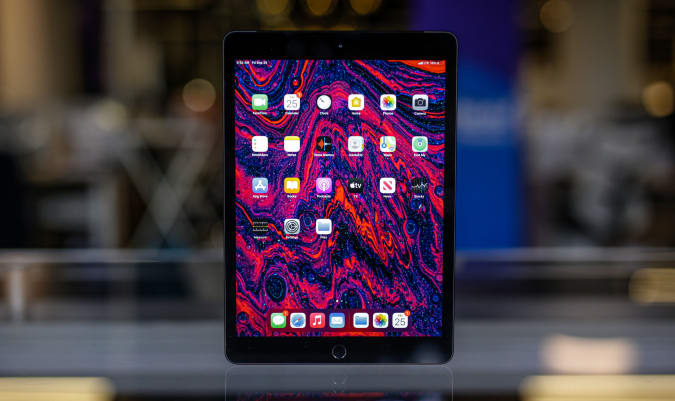
Apple's 10.2-inch iPad is still on sale for $299, or $30 off its normal price. It's arguably the best iPad for new tablet owners and we liked its improved performance, familiar design and support for the first-generation Apple Pencil.
Beats' new Studio Buds are $20 off right now, bringing them down to $130. It's the first discount we've seen on the buds since they came out a few months ago. We gave them a score of 84 for their smaller, more comfortable design, balanced sound and quick pairing on both Android and iOS.
A handful of Echo devices are on sale right now at Amazon, including the second-generation Echo Show 5 for $55. That's the best price we've seen since the device came out earlier this year. You can also grab the latest Echo Show 8 for $100 and the Echo Frames for $180.
Anova's entry-level sous-vide machine, the Nano, remains discounted to $99. It's a great option for those interested in giving sous-vide cooking a try, but don't want to spend a ton of money upfront to do so. The Nano uses 750 watts of power to cook food submerged in water, and it can run for up to 3,000 hours before it needs recharging.
Through December 8, you can enter to win four-day passes to San Diego Comic-Con 2022. Along with the passes, you'll get access to a special preview night, reserved seating in Hall H, a personal concierge, a private tour of the Comic-Con Museum, dinner in Balboa Park and tickets to the "Night at the Comic-Con Museum" event. It's free to enter, but funds from this sweepstakes will go to the San Diego Comic Convention.
In this Omaze giveaway you can win two seats on one of the first Virgin Galactic flights to space. In addition, you'll go on a tour of Spaceport America in New Mexico with Richard Branson. You don't have to pay to enter, but funds from all paid entries will support Space for Humanity, an organization that hopes to make space more accessible for all.
Omaze is giving away another $20,000 to build your ultimate gaming PC. This sweepstakes is free to enter, but funds donated with purchased entries will benefit Schools on Wheels, an organization that provides free tutoring and mentoring services to children experiencing homelessness across Southern California.
Pricing and availability is subject to change. No donation or payment necessary to enter or win this sweepstakes.See official rules on Omaze.
New tech deals
Elgato Key Light Air
Elgato's slim Key Light Air has been a favorite of ours for streamers and now you can get it for $110, or $20 off its usual price. It's a sleek LED panel with 1,400 lumens that can provide just the right amount of light for your streams without taking up too much space. It's also WiFi-enabled, so you can turn it on and off and switch up your light settings directly from your smartphone.
This 9-in-1 Instant Pot is $40 off at Amazon thanks to a clippable coupon that knocks an additional $20 off the sale price. Along with pressure cooking, you're getting rice cooking, yogurt making, steaming, warming, sous vide and other functions in this device, plus a capacity large enough to make food for a big party.
This 65W GaN USB-C charger from Aukey is only $26 when you use the code OMNIADUO at checkout. It includes two USB-C ports, so you can quickly power up two mobile devices at once or even your laptop and your smartphone simultaneously. And because it uses GaN technology, it's smaller than other similar chargers and isn't as susceptible to overheating.
One of our recommended VPNs is running a decent summer sale on a two-year subscription. You can sign up for NordVPN for $99 for the first two years, which comes out to $49.50 per year, and get three additional months of access for free. We like NordVPN for its speed, its no-logs policy, the thousands of servers it has to choose from and that one account supports up to six connected devices.