Posts with «featured» label

Build a six-wheeled RC vehicle for any terrain

In order to create the ultimate off-road RC rig, “asrebro” designed his own six-wheeled vehicle, operated with the help of Arduino.

To give it decent range and reliability, the hacker turned to a stock transmitter and receiver, but routed the PWM signals onboard to a Mega. The Arduino uses a pair of H-bridge boards to drive all six motors/wheels for tank-like movement.

Since an Arduino is used, this opens up a wide range of manual and automatic control options, and could even be used to power robotic accessories like a gripper or gimbal with a camera.

I decided to build a bigger robot that will easily overcome various obstacles on its way and will be able to move with a load of at least a dozen kilos. I also assumed that the robot should be able to cope in difficult terrain such as sand, snow and rubble. To make it possible, I built a 6-wheel [aluminum and duralumin] chassis equipped with 6 motors of sufficient high power and suitable motor driver and power supply. I also wanted my robot to be controlled from a long distance (at least 200 meters) so I used a good quality 2.4GHz transmitter and receiver.

You can see it in action below, traversing through a forest near Warsaw, Poland.

RoboGlove assists users with gripping objects

The RoboGlove project is a robotic glove by students at the Université Libre de Bruxelles that is designed to assist the wearer when continuously gripping objects.

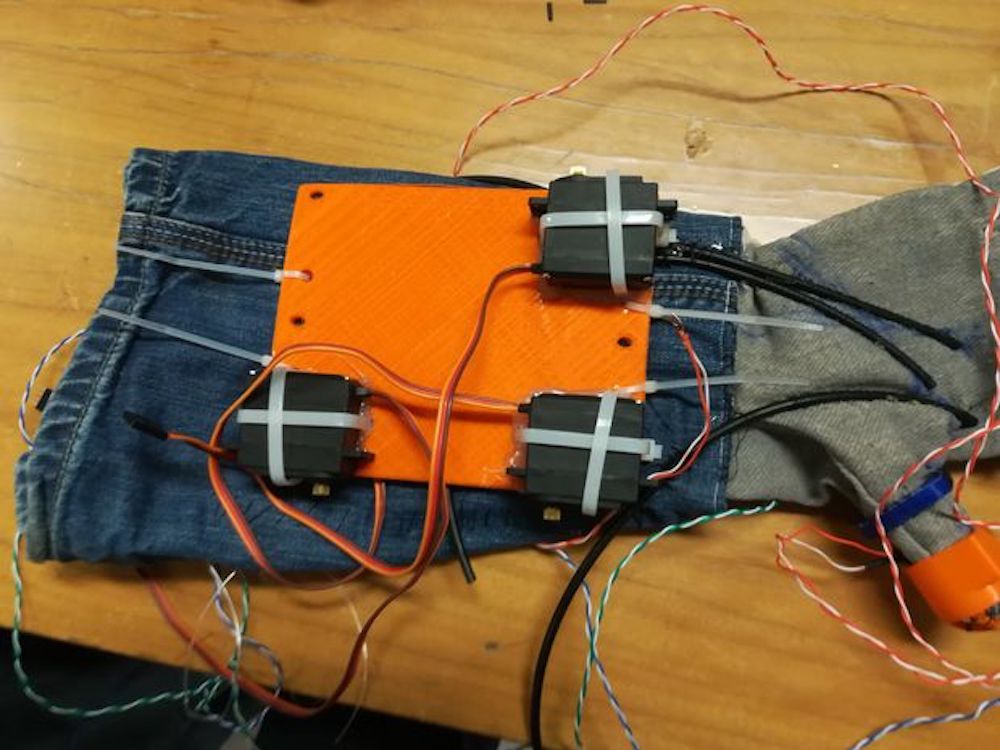
This is accomplished by a series of three servos that transmit force through cables for the index finger, middle finger, and thumb. Control is via an Arduino Uno, which takes input from pressure sensors in the three finger fixtures, helping the wearer keep gripping when force is initially exerted to close a fist.

The glove has a wire connection that links the fingers to some servo motors: a wire is attached to the extremity of the finger and to the servo, so when the servo turns, the wire is pulled and the finger is flexed. In this way, by controlling the grip done by the user through some pressure sensors in the extremity of the fingers, we are able to actuate the motors in a controlled way and help the gripping by bending the finger proportionally to the rotation of the motors and so to the rolling up of the wires. In this way we should be able either to allow weak people to grip objects or help even people in physiological conditions to grip objects and to keep it without any effort.

While still a prototype, it’s an interesting device that could be developed further into a very helpful augmentation. You can see it in action in the video below!

Playing chiptunes on an old reed organ with Arduino

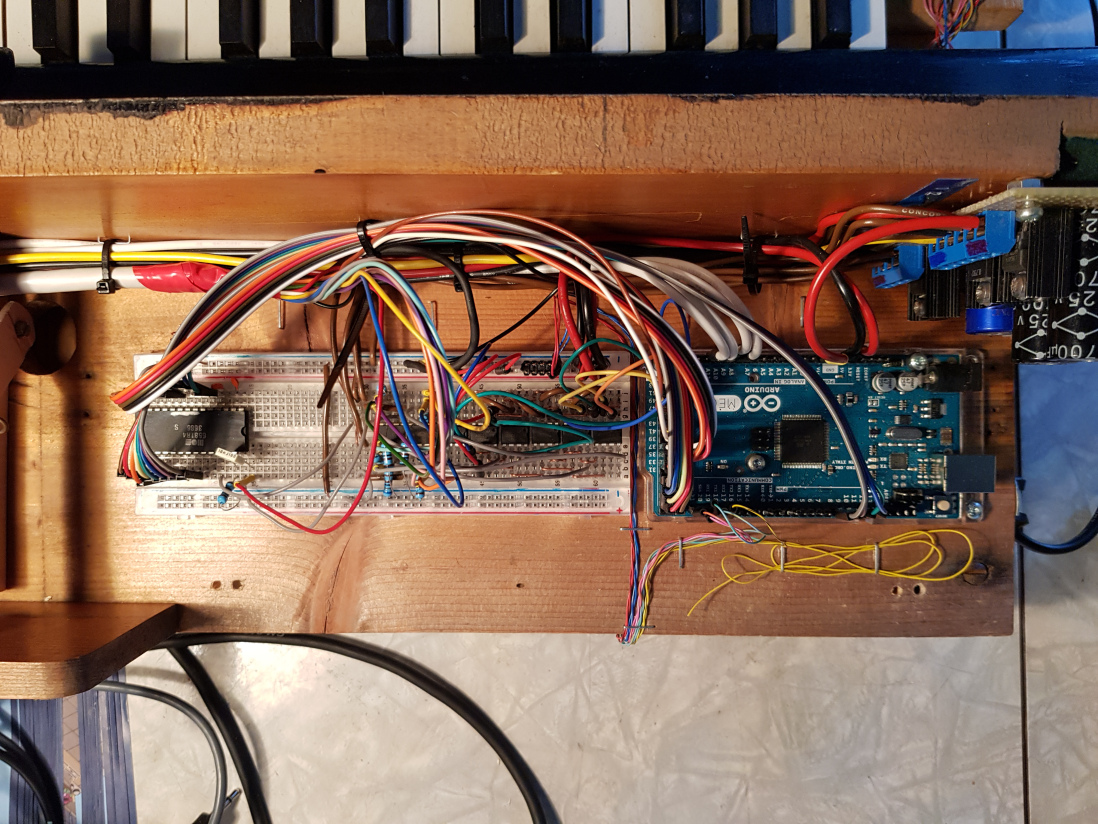
After finding an organ left outside to rot, hacker “tinkartank” decided to use it for his own purposes, adding push buttons under each key as inputs to an Arduino Mega.

He also reused the control rods with potentiometers as a secondary input method, and added a tiny OLED to display the system’s menu. With this unique interface setup, the Mega drives a MOS6581 SID chip—originally used to produce sound on the Commodore 64—for music generation, and can interface with Eurorack modules as needed.

Want to see more? Be sure check out the SID organ in action below, and read the entire project write-up here.

Arduino Blog 03 Jan 15:27

Control lights and sounds with the Arduino-powered LED Eclipse

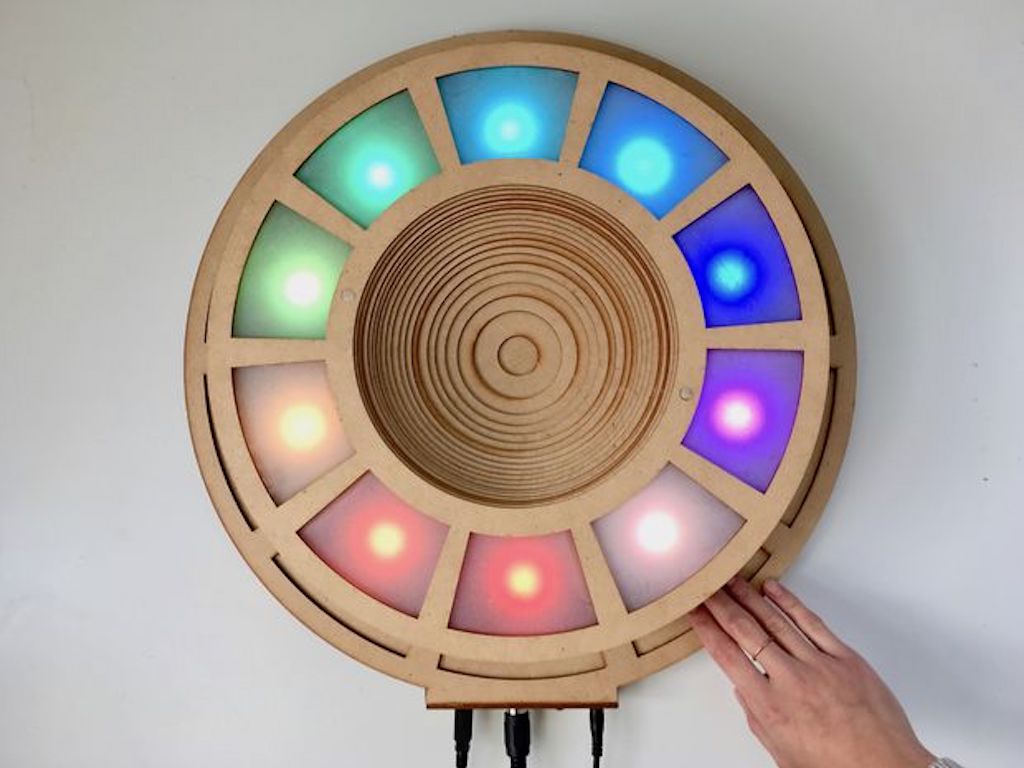
If you need a MIDI device that can be programmed as your own unique light and sound controller, then Jon Bumstead’s LED Eclipse may be just what you’re looking for.

The circular device, roughly the diameter of a large plate, is constructed out of 30 layers of MDF, and boasts 10 capacitive sensors made with copper strips, as well as 10 corresponding programmable LEDs.

An Arduino Uno powers the assembly, which can be seen being played like a multi-player electronic piano towards the end of the video below. It can also be used as a Simon-style game, and even a light display—though you could program it for any other application you desire!

Designing an Arduino-powered Braille generator


Did you know that embossing machines needed to generate Braille characters can cost thousands of dollars? After finding this out, hacker Carlos Campos decided to design and build his own using 3D-printed parts, along with an Arduino Mega and a RAMPS board for control.

Instead of punching each dot, the device pushes a pin out onto the paper, then rolls the dot onto it from the other side, leading to a much quieter operation than normal machines.

Check out the clips below to see the pin actuator by itself and the embosser in action. More details and videos can also be found on Facebook. The project is still in the experimental stages, so collaborators are invited to help turn it into an even more useful implement.

Ultrasonically levitate particles and liquid

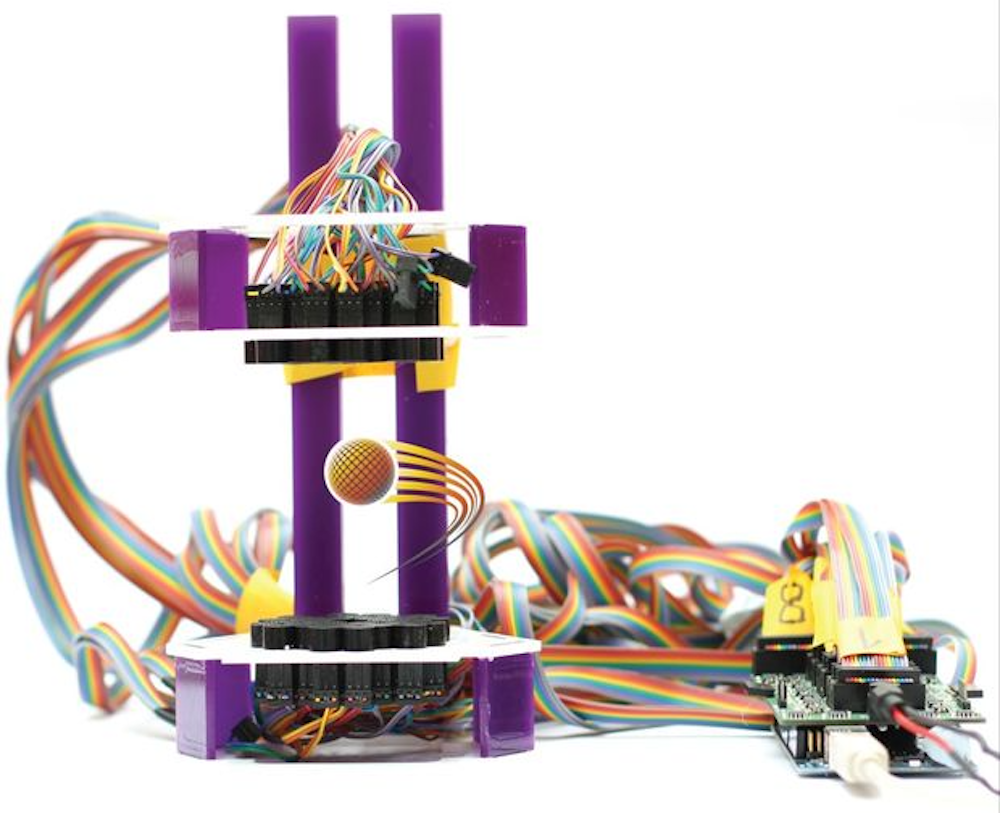
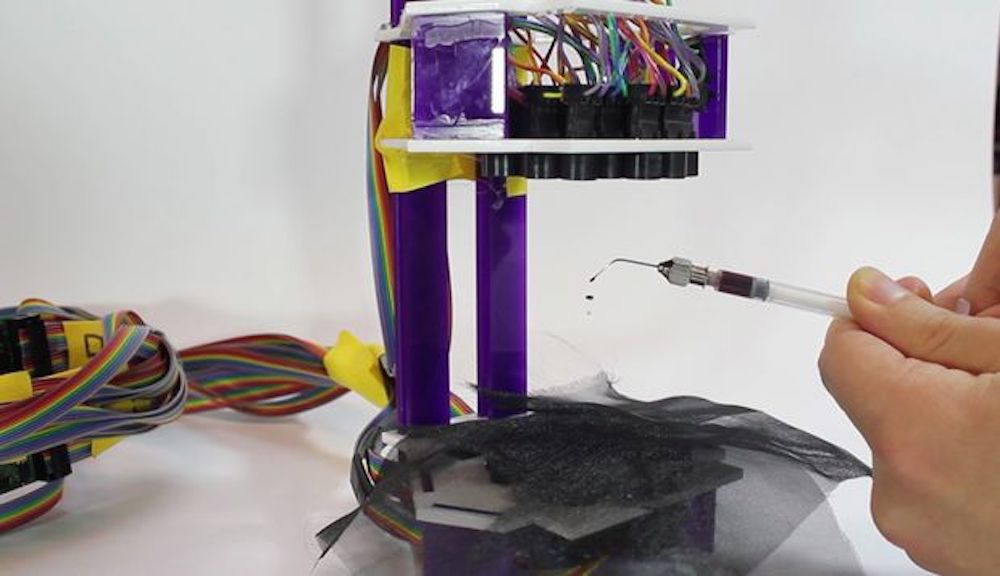
If you thought the power of levitation was only available to magicians (and perhaps magnets) then check out this amazing project from Asier Marzo. It uses an Arduino Mega to control an 8×8 array of ultrasonic transducers, which when carefully coordinated using a simulation program, not only can suspend a particle but cause it to move around the grid of transducers.

You can find a summary of this kind of device’s capabilities in Marzo’s write-up, including haptic feedback, use as a directional speaker, and even levitating liquids in a standing wave setup.

We present Ultraino, a modular, inexpensive, and open platform that provides hardware, software and example applications specifically aimed at controlling the transmission of narrowband airborne ultrasound. The software can be used to define array geometries, simulate the acoustic field in real time and control the connected driver boards. The driver board design is based on an Arduino Mega and can control 64 channels with a square wave of up to 17 Vpp and ?/5 phase resolution. Multiple boards can be chained together to increase the number of channels. 40 kHz arrays with flat and spherical geometries are demonstrated for parametric audio generation, acoustic levitation and haptic feedback.

You can also skip to 8:30 in the video below to see it manipulating a particle, or to 9:30 where several individual drops of alcohol and food coloring are able to float in mid-air.

Monitor your sleep quality with Arduino

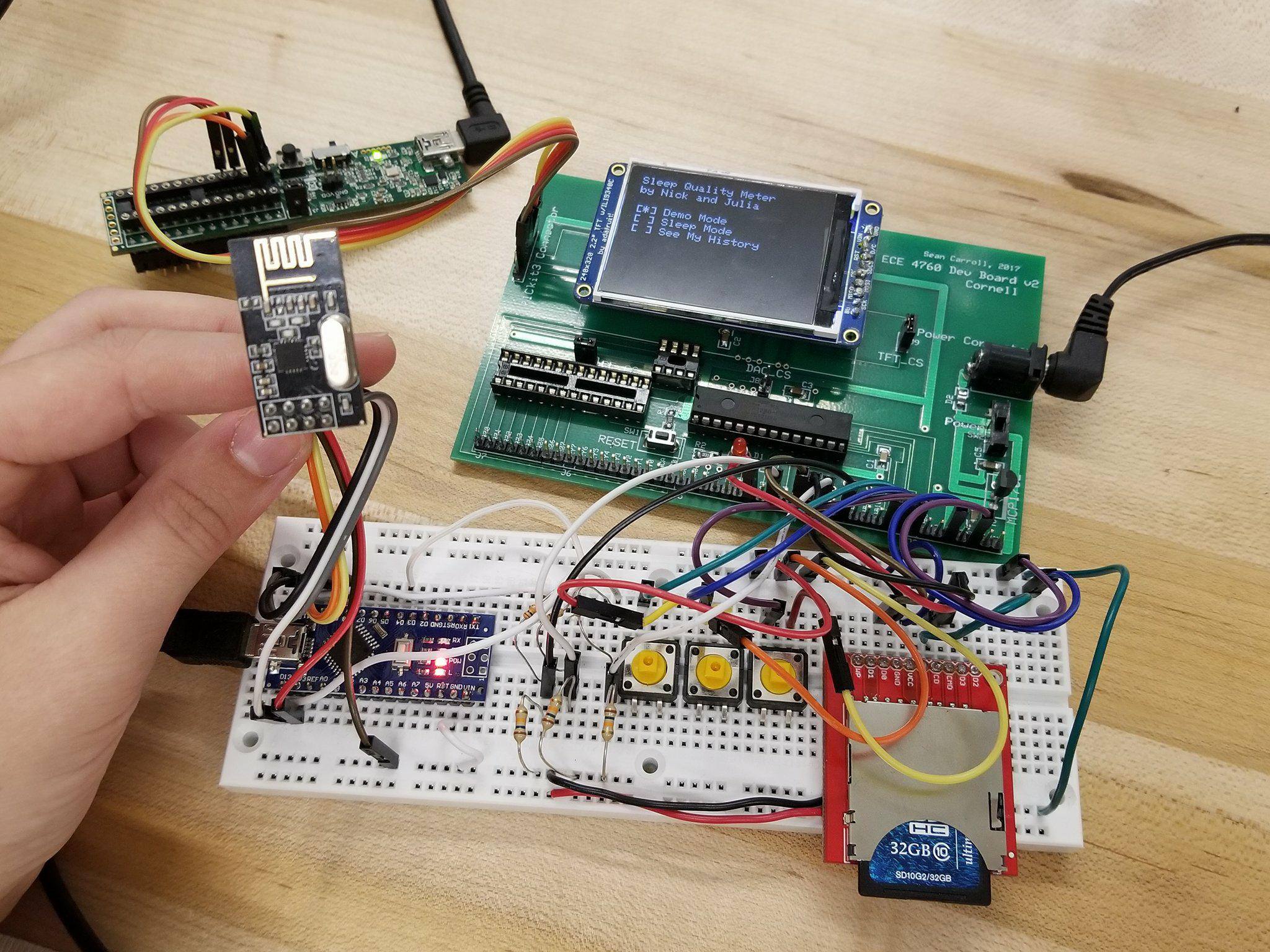
While it can be difficult to get enough sleep, at least you can try to make it as restful as possible when you are in bed. That’s the idea behind this project by Julia Currie and Nicholas Sarkis, who developed an Arduino Nano-based sleep monitor for their final ECE 4760 project at Cornell.

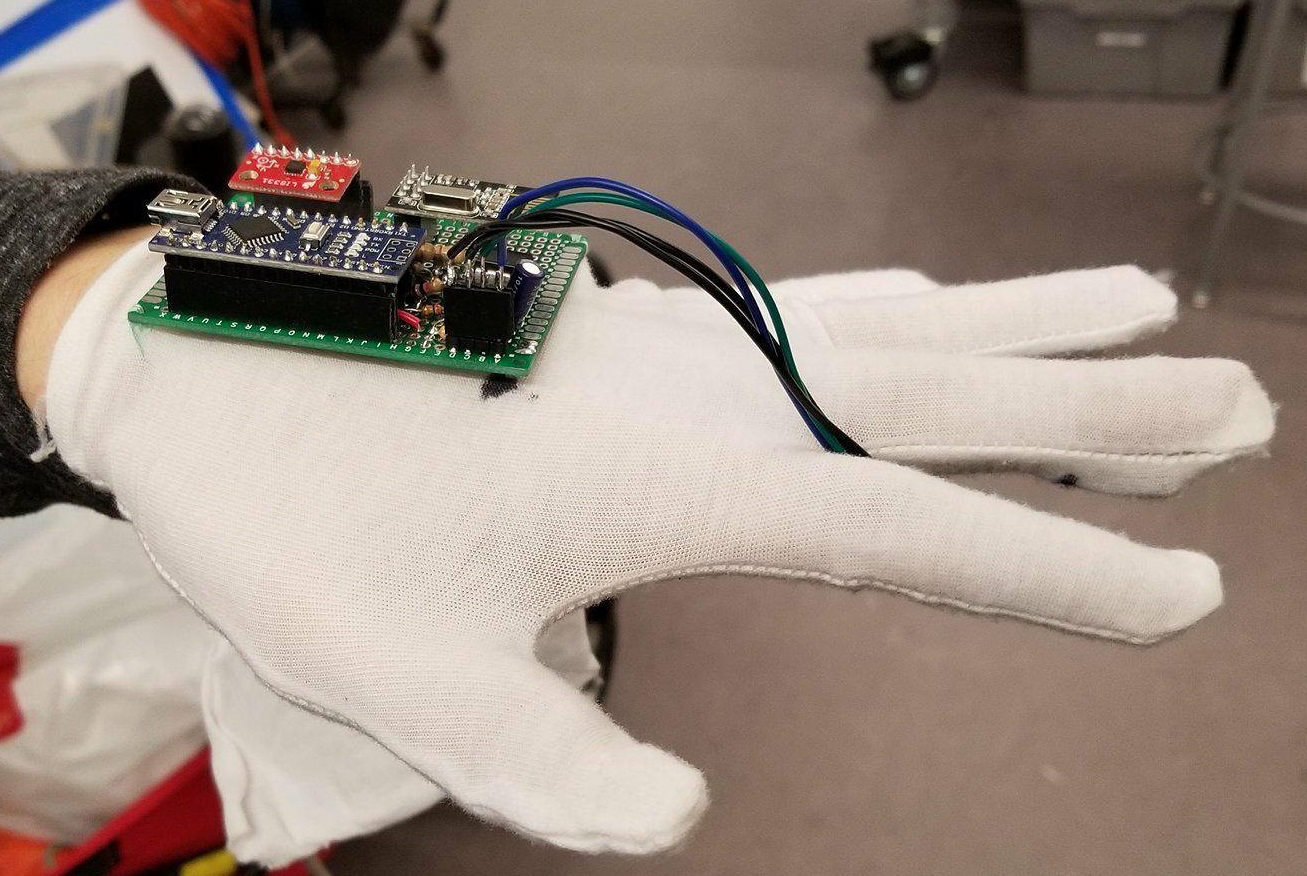
The bulk of the monitoring device takes the form of a glove which measures heart rate using an IR sensor, along with movement via an accelerometer. Breathing is recorded using a conductive band wrapped around the user’s chest, which changes resistance depending on how it is stretched.

The Nano mounted to the glove collects this information, and transmits it wirelessly using an nRF24L01 chip to a PIC32 microprocessor on a base station. Data is then graphed nicely on a TFT display for further analysis.

You can read more about the project here and see the video below!

These students made their own Guitar Hero-like video game

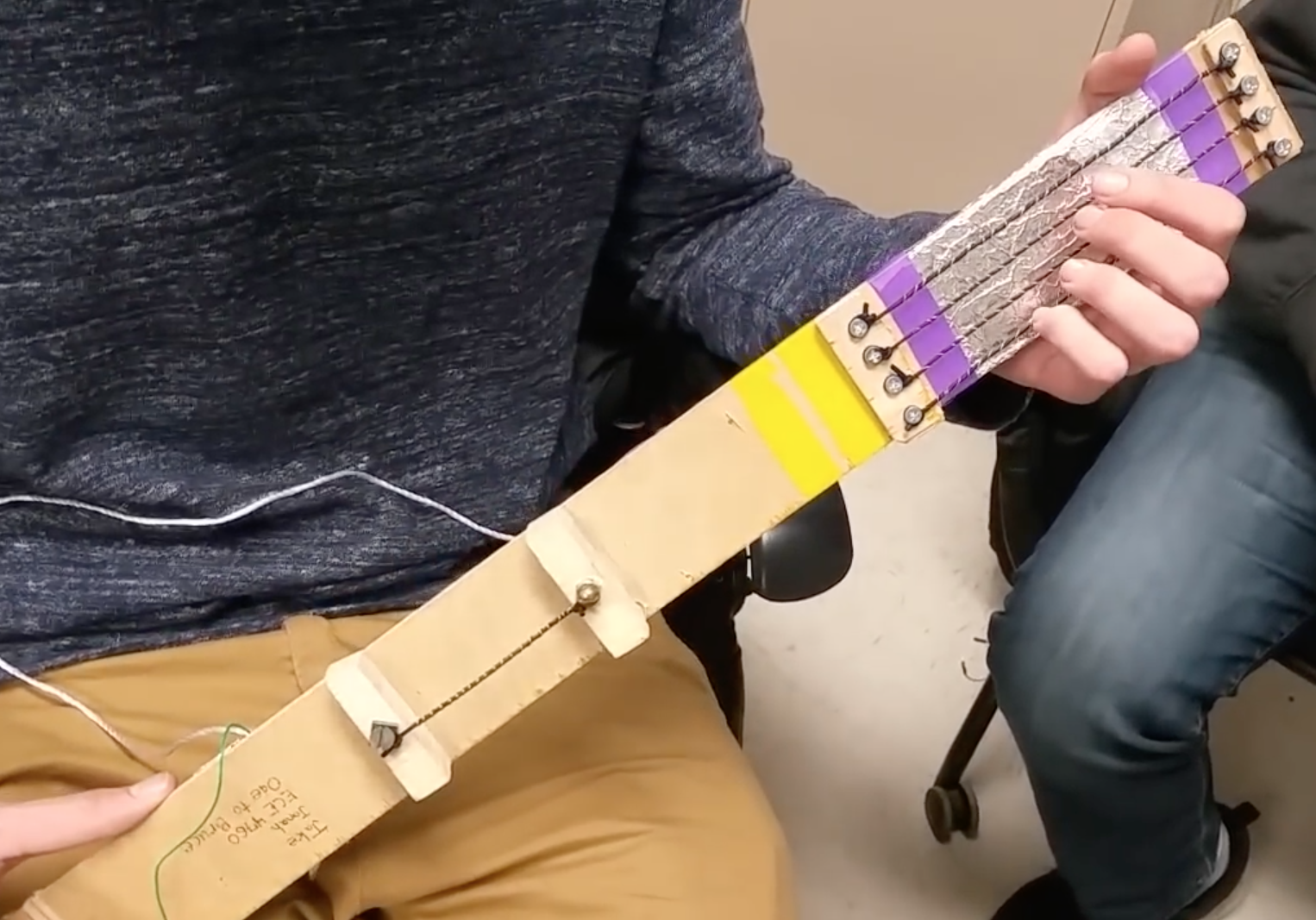
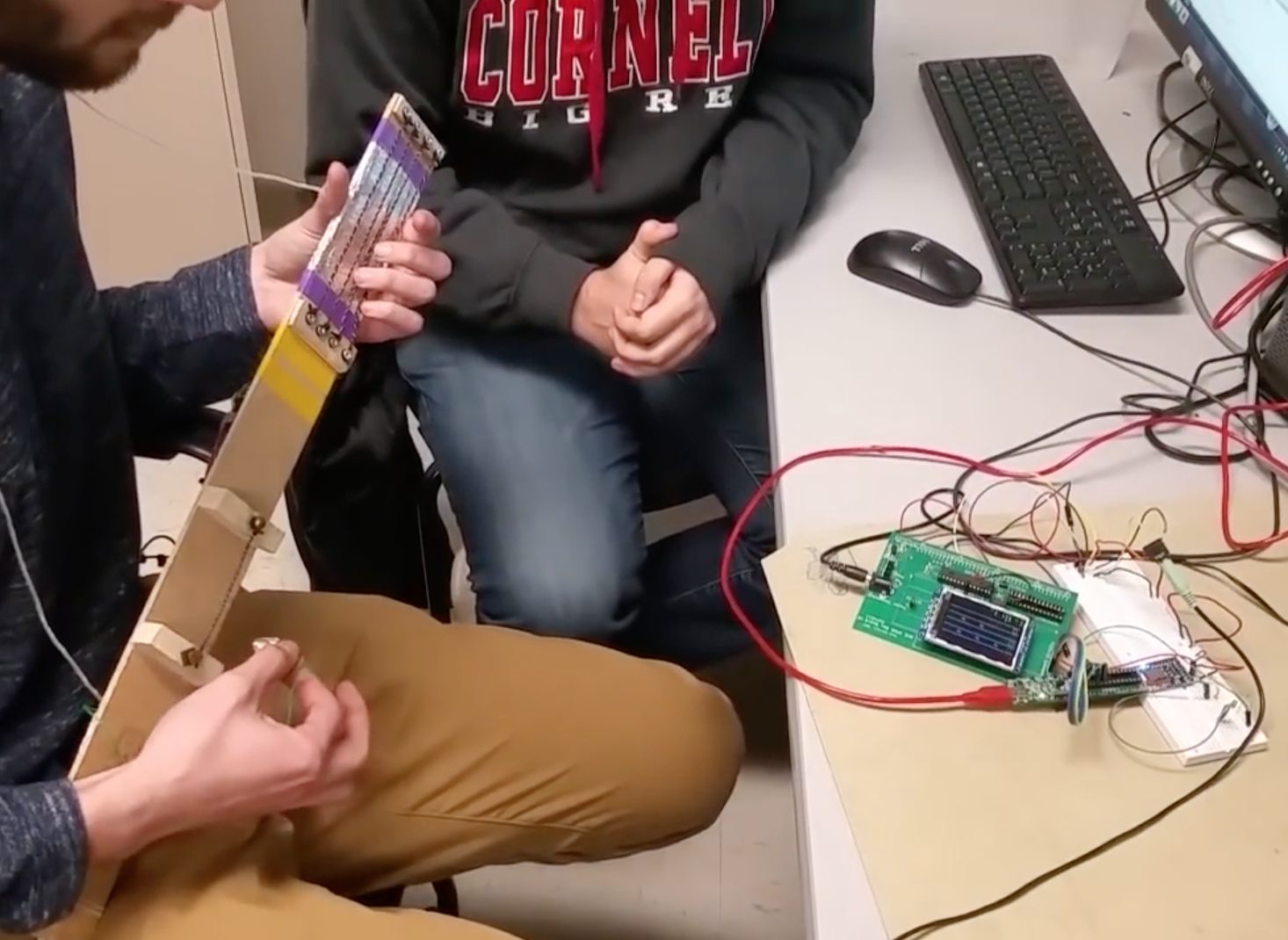
If you’d like to create your own simulated guitar from scratch, you’ll want to check out this project by Cornell ECE students Jake Podell and Jonah Wexler. It uses four conductive strings on the neck to sense which note is selected, along with a pick wired as input to tell when the string has been plucked.

An Arduino Uno takes these inputs and feeds them to a computer via USB serial. Information is then transmitted over Bluetooth to a PIC32 microcontroller, which displays a scrolling fretboard on a TFT screen.

The pseudo-musician must strum along to the song shown—Ode to Joy in this case—hearing a strumming sound for correct notes, or an annoying beep for errors.

Similar to the classic music games like Rock Band and Guitar Hero, we use a TFT to display notes that move across the screen towards a strum region, produce guitar plucks and undertones of a song, and keep track of the user’s score. The user plays notes on a wireless mock guitar built with carbon-impregnated elastic as strings and a conducting plectrum for the guitar pick. The guitar is connected to an Arduino Uno which communicates wirelessly via Bluetooth to the PIC32. The goal of this video game is to learn the basic finger movements of holding down strings and strumming at the correct time for novice guitar players. The project can easily be extended for more advanced finger movements on the strings and strum timing for those with more experience.

You can see more of the project in its write-up here and in the video below!

Turn a flatbed scanner into a PCB UV exposure device

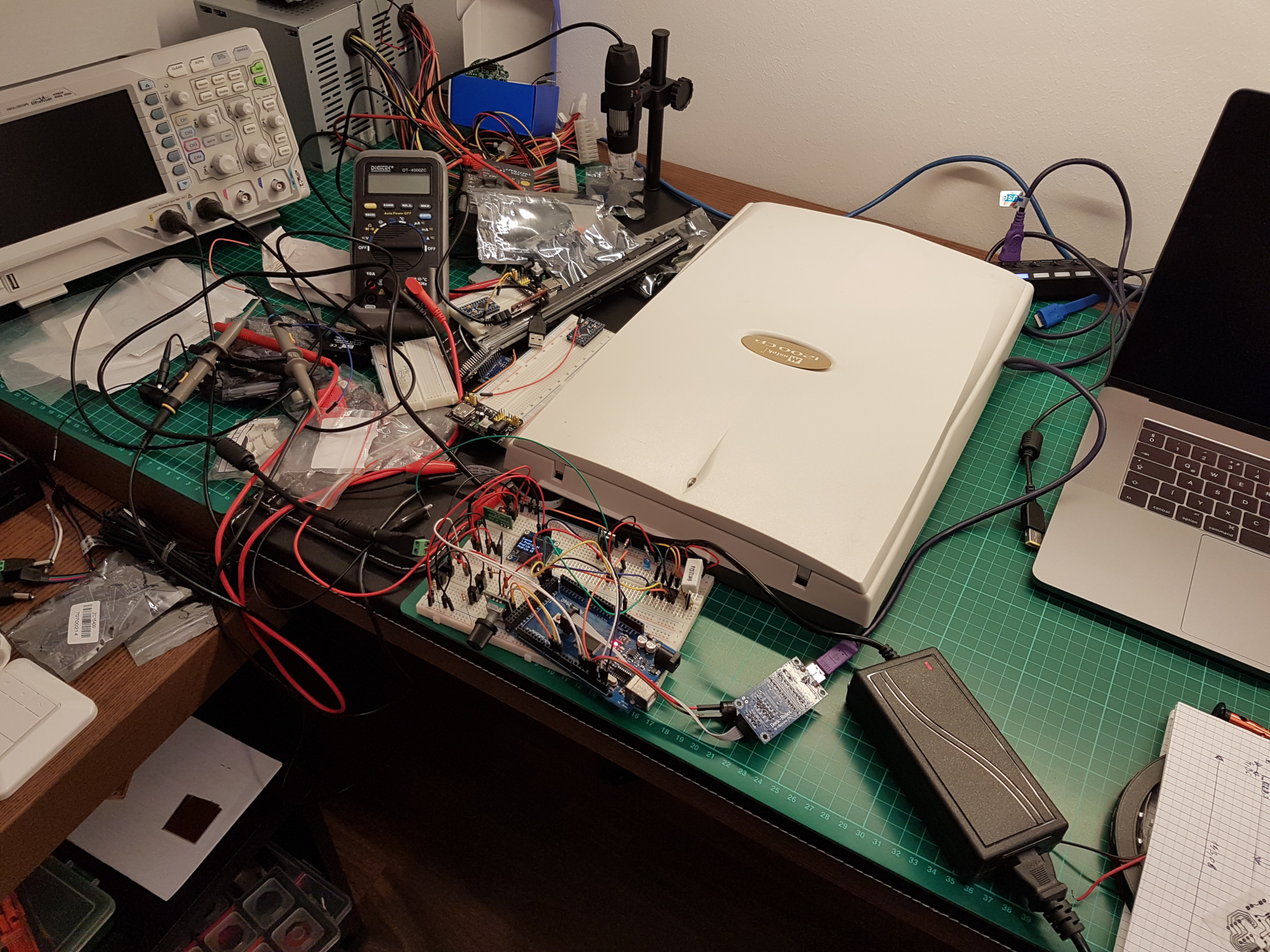
If you want to create your own custom PCBs, you could design it and wait for a fab house to send it back, dealing with any errors, or you could do it yourself. Hacker Andras Kabai decided to go for the second option, and made his own UV exposure tool to help him with the process using an old flatbed scanner as the base.

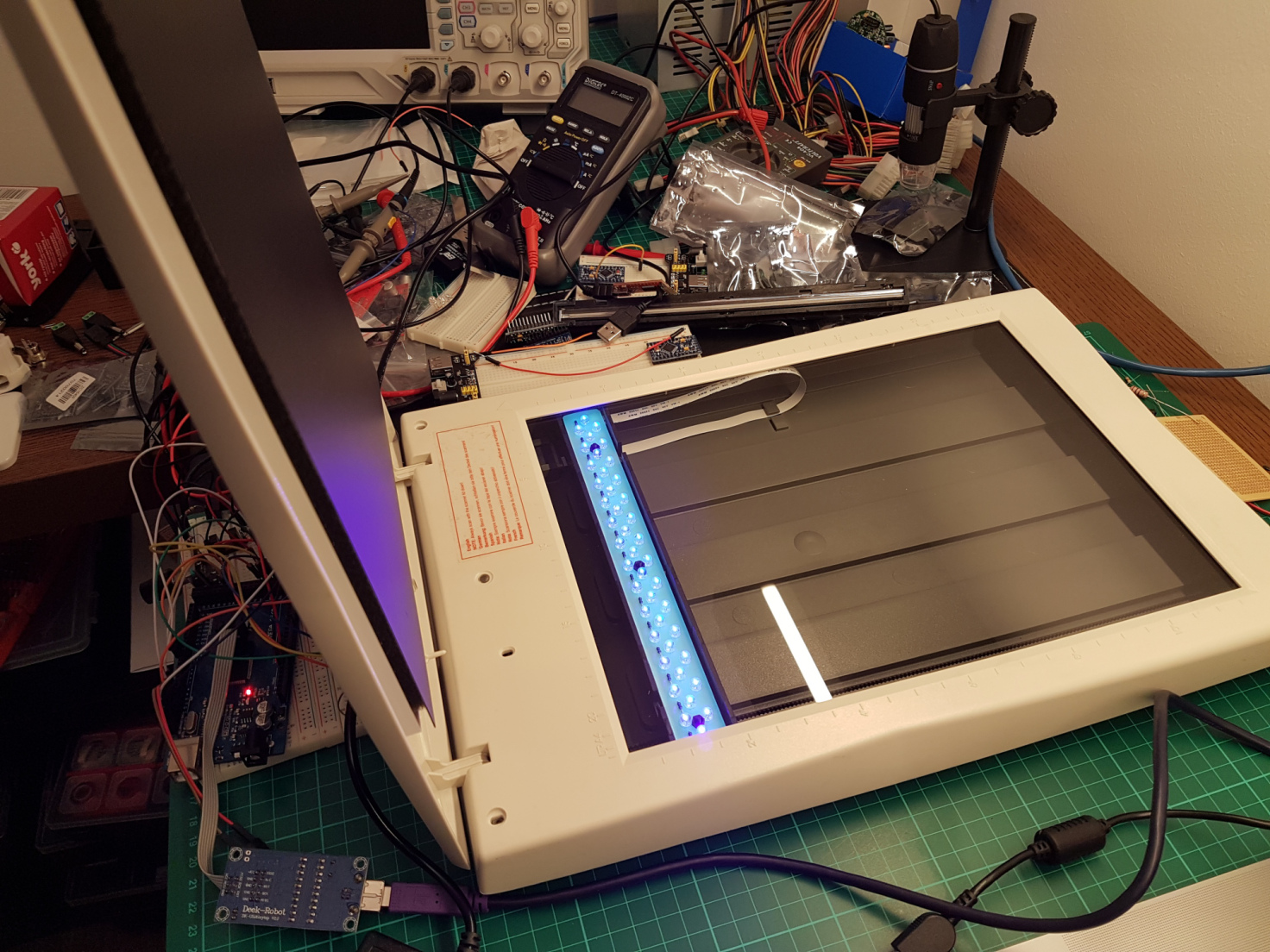
Rather than line the entire underside of the bed with LEDs, he cleverly repurposed the single-axis gantry that would normally hold the scanning unit to instead contain a row of LEDs to expose the PCB on top.

The project was prototyped with an Arduino Pro Mini, but was eventually supplanted by a Mega when the smaller board’s limits were reached.

Plenty of DIY PCB UV exposure tool building posts are available on the internet with total different approaches. I also designed my own, to fulfill my needs: it should be relative small and portable and the hacking/modding should be fun. ? Flat bed scanners were found as possibly good target. Compared to most of the other scanner mods, which use LED arrays or fluorescent tubes across the whole scanner bed area, my plan was to use the scanner carriage with only few LEDs and control its movement (and brightness) under the given PCB.

You can check out the device’s development in the videos below, which show off its interface and the gantry in motion.

Create a custom Secret Santa trivia box with Arduino

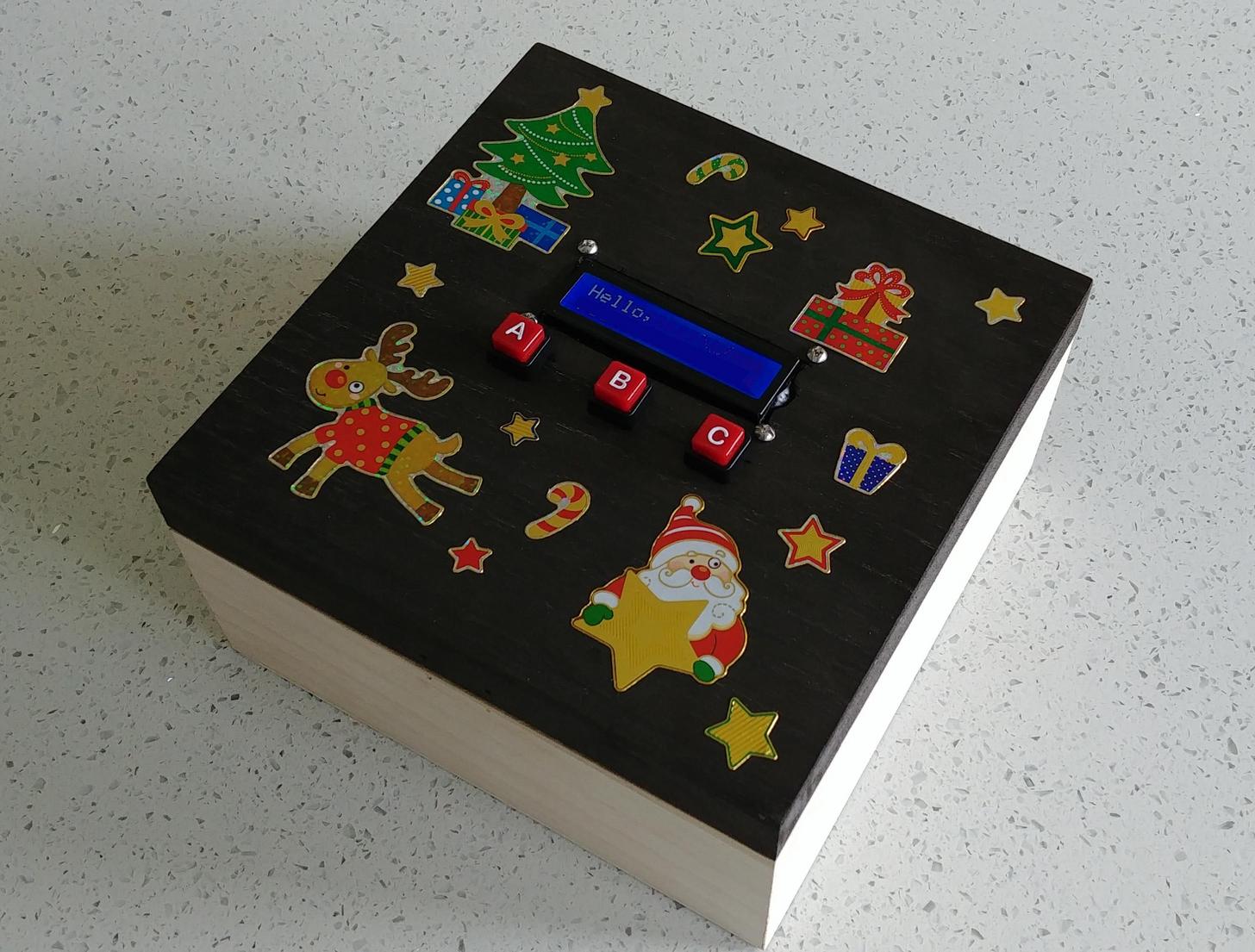
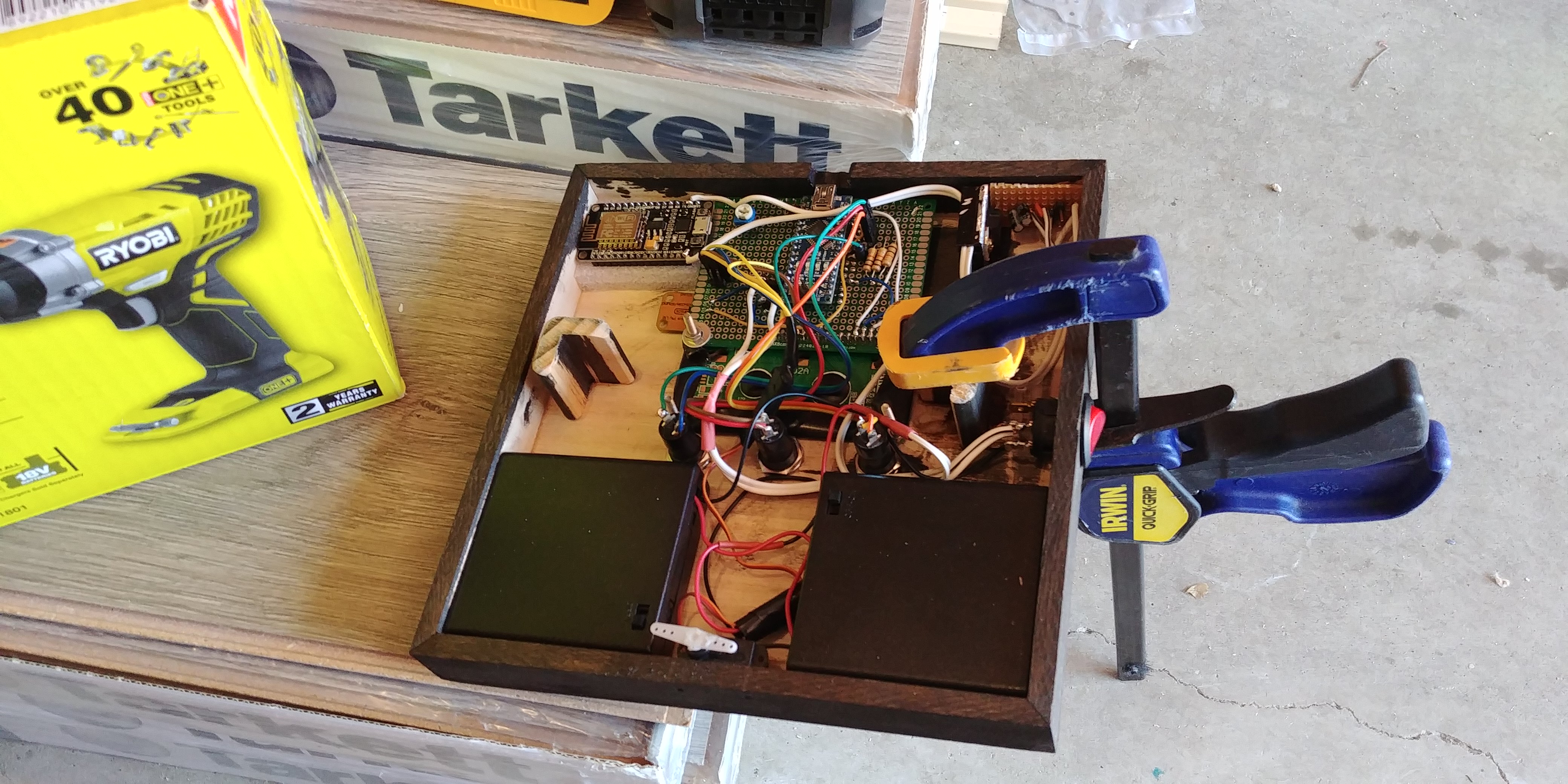
Participating in Reddit’s Secret Santa this year, hacker “Haxxa” decided to go all out, picking out not only several gifts for the recipient, but an Arduino-powered trivia box to house them in.

In use, an Arduino Nano onboard feeds queries to the gift recipient on an LCD display, allowing them to answer using one of three buttons. When 20 questions have been answered correctly, the box unlatches via a servo motor.

In addition to the physical items inside, the project also generates its own web page, revealing digital gifts to go along with the physical items!

To open the box, my giftee must complete the trivia game, there are 25 questions all based around my giftee’s interests, posts and hobbies. Once complete they will be rewarded with the gifts inside. I also included a wireless access point which activates upon completion of the game. Connecting to this access point reveals a website with more digital gifts including subscriptions, more games and challenges.

You can see it in action below and find its code over on GitHub.