Epic is betting that you're looking for games to keep you entertained this summer. The Epic Games Store is running a "Mega Sale" from today (May 19th) through June 16th that offers significant discounts on a host of PC games, including a few recent blockbusters. Final Fantasy VII Remake Intergrade is 29 percent off, while the open-world shooter Far Cry 6 is a whopping 50 percent off. Bethesda's recently launched Ghostwire: Tokyo is on sale for the first time at 34 percent off, while Tiny Tina's Wonderlands and the tough brawler Sifu both see 20 percent drops.
The deals are effectively larger than that. Every Epic Games account is receiving a 25 percent coupon that applies to any full-game purchases worth at least $15 after any other discounts, including the heftier ones mentioned above. You'll get a coupon after each transaction, too. The sale doesn't apply to add-ons, in-game content or non-game software.
The promo will dovetail with four weekly giveaways for "tentpole" games. You won't have to pay a thing to get at least something out of the Mega Sale, then, even if Epic is clearly hoping you'll buy something else while you're downloading your free titles.
Meris has been making wild sounding hi-tech guitar pedals for sometime. But its latest entry, the LVX, is perhaps the wildest entry yet. At its core the LVX is a delay pedal, but a fantastically complicated one capable of producing a wide range of sounds from lo-fi tape warbles, to hi-fi polyphonic pitch shifting, to straightforward stereo ping pongs.
Under the hood is an "advanced ARM processor" (though Meris hasn't said what specific processor), and a 24-bit AD/DA with a 32-bit floating point DSP. In short: there is a lot of computing power here to mangle your guitar beyond recognition and deliver extremely high-quality audio while doing so.
What really makes the LVX special is its modular nature. Think of it almost like ZOIA-lite. (Though these are two very different pedals that are only comparable in that they're "modular.") Where Empress wants you to build effects from individual virtual components, Meris gives you complete building blocks that can be combined in various ways to bring out the delay sounds of your dreams.
You start by combining one of five delay structures with one of three delay styles to create a core tone. The "structure" can be just a standard delay, a multi-tap, multi-tap but with a filter, reverse or Poly, which is borrowed from Meris' Polymoon pedal. The types are clean digital, dark BBD (bucket brigade delay), or magnetic which has the lo-fi character of tape.
Then there are 25 "processing elements" spread across five categories: Dynamics, Preamp, Filter, Pitch, and Modulation. The processing elements can be inserted at various points in the signal chain as well. So if you only want them effect your echoes, or if you want them completely replacing your dry tone, you can. These effects cover everything from standard fare like compression, to bit crushing and auto-generated harmonies. Some of these are new to the LVX, but many are borrowed from other Meris pedals like the Hedra, Enzo and Ottobit Jr. Think of it's like a greatest hits compilation of the company's effects.
To push the sound design further Meris also adds modifiers for controlling the various parameters automatically. There's two LFOs, an envelope follower, a sample and hold function, plus a sixteen step sequencer. Not to mention the expression jack input and robust MIDI support.
And if that wasn't enough, Meris also put a 60-second looper and a tuner in the LVX.
Meris
That's a lot of features to navigate, so the company put a reasonably sized LCD on the pedal. It's not touch, but it allows you to navigate through all these functions in a unique "bubble" UI. Judging based just on the videos, it looks quite slick and goes way beyond what most other pedal makers offer. Of course, if the weird almost mind-map style navigation isn't to your liking, you can go with a more basic text view.
The last thing that the LVX comes with is perhaps a bit of sticker shock. At $599 this is not for the casual guitarist or someone looking to get their feet wet in the world of experimental delay. Still, that's hardly an absurd price to pay for a pedal of this scope and pedigree. Chase Bliss' Automatone line starts at $749 and the Hologram Electronics Microcosm is $449. Meris slots comfortably in the middle.
The Meris LVX is available to preorder now and will start shipping in the late summer.
Like many people, my food insecurity got pretty serious in April 2020. Cities and businesses all across America were shutting down, while grocery stores and delivery services started to run out of food. Everywhere I looked — whether it was Amazon, Instacart, Uber Eats or FreshDirect — it seemed impossible to find a reliable source of fruits and vegetables. I looked at my dwindling supply of canned soups and packets of ramen and almost wept.
Now, I know I’m immensely fortunate compared to a lot of people to be able to even consider my access to fresh food during the height of the pandemic. I know that there are people for whom a supply of canned food would have been a godsend, not to mention fruits and vegetables. That said, I think a lot of people can also identify, and felt the need to stock up.
Even as scarcity eased, I wanted to have a reliable source of fresh meals just in case we had to lock down again. I looked at delivery services like Blue Apron, Sunbasket and Purple Carrot. As a single person living on her own, I didn’t want to get too much food that would just spoil in my fridge. I also preferred meals that were ready made, rather than deal with raw meats.
My preference for convenient preparation limited the selections, and I narrowed down my options to Daily Harvest, Revive Superfoods and CookUnity. These companies all offered significant discounts on my first deliveries, and I rotated through them each week.
All three provided delicious, fresh food that was easy to prepare, and I appreciate that they all made an effort to use sustainable packaging. Daily Harvest’s packaging was almost 100 percent paper, with CookUnity a close second. The latter used plastic wrap on top of paper boxes for meals, with plastic containers for sauces, and meals were delivered in insulated bags that you could return with your next delivery. Daily Harvest, meanwhile, mostly used bowls made from molded pulp, as well as recyclable paper cups or pods where possible. Revive Superfoods also does a respectable job, with recyclable paper cups and plastic lids.
As my dietary needs shifted to focus on more protein instead of prioritizing fresh vegetables and fruit, it was critical that I could look up each meal’s nutritional info before my weekly orders. Again, all three websites offered at least basic data on macros and ingredients. The last time I ordered, only CookUnity allowed me to filter my searches by calorie count, which was one of my concerns at the time.
CookUnity also had an advantage in that it offered the greatest variety of meals, while Revive was the most limited in its options. I also loved that CookUnity’s food was chef-prepared and usually had more balanced macros. But they needed to be consumed within two to three days, while Daily Harvest’s and Revive’s could be stored in the freezer.
Ultimately, I quit Revive and CookUnity for the same reason. Both companies started to restrict how long you could skip upcoming deliveries, and trying to stay on top of my schedule got trickier and trickier. The tighter windows meant I had to check in to each service every two weeks to make sure I skipped an order, as opposed to a couple of months.
Daily Harvest
Daily Harvest, on the other hand, lets you skip up to nine weeks of upcoming deliveries, the company also sends you a reminder before it bills your account. It gives you ample time to consider if you need the food that week and cancel if you feel like it. Daily Harvest also provides helpful information about how its vegan meals taste, giving you a comparison to something more familiar.
That’s an important feature, by the way, since Daily Harvest’s meals are often vegetarian versions of other dishes. My favorites are the “Kimchi fried rice” made with riced cauliflower, the lentil-and-tomato bolognese and the spinach and shitake grits with nutritional yeast. Each of these consists of a handful of simple, mostly organic ingredients, and basically everything I’ve tried tastes fantastic. I loved the Broccoli and Cheeze bowl, the vegetable-crust flatbreads, the assortment of dessert bites, the vegan ice creams (especially the salted black sesame swirl) and the lattes, too. The only thing I didn’t really like was the chocolate and hazelnut smoothie, but only in comparison to something similar from Revive Superfoods.
I also generally picked bowls because they’re the easiest to prepare — just add a little water (you can skip this step) and throw it in the microwave. Many of the other options require either a blender or using your oven.
You can tell from everything I’ve mentioned, though, that Daily Harvest has a wide variety of food to offer. I haven’t even mentioned the breakfast-friendly forager bowls, the soups and the newly launched “Crumbles,” which are meant to provide a protein punch. Just looking at the menu again has me itching to send in an order for things I haven’t tried yet, like the Matcha and Murasaki bites.
In the end, though lots of meal delivery services can send you great-tasting food, few actually do so with the thoughtful approach of Daily Harvest. I don’t love that the prices of some of its dishes and lattes have increased in the last year, but at least it’s been very up front about these changes. I’ve received email notifications delineating exactly what was getting more expensive and when, as well as an explanation for the change.
I’ve since canceled my Revive and CookUnity accounts, not without hassle, by the way. After a few rounds of back-and-forth emails with customer service, Revive finally agreed to deactivate my account, rather than delete it and remove my payment and delivery details from their servers like I asked. CookUnity, meanwhile, simply had the typical process of offering you a discount and asking you to answer some questions after you manage to find the Cancel Subscription link. But at least I was able to actually cancel my subscription without having to talk to customer service.
Revive still emails me daily asking me to “Come back for more at 50% off” or “Reactivate with a 50% off offer” even after repeated emails in September and October saying “LAST CHANCE! Come back and save 40% x 2!” Typical marketing bluster, I know, but still annoying given I had asked in writing for them to lose my info. CookUnity’s last email to me was in January 19th, 2022, and when I signed back into my account, it showed me "Your subscription was canceled =("
I haven’t gotten a box from Daily Harvest in months, because these days I’ve been trying out a few more new services like Better Bagel, Farmer’s Fridge and Huel. So far I’ve loved the quality of food for the first two, and Huel is a little less appetizing. Regardless of the new options I add to my roster, I’m more than happy to keep ordering from Daily Harvest. Delicious, fresh food, a well-designed website and thoughtful customer service? Take my money.
It hasn't been a great spring for Sony in terms of new product leaks. The company's new flagship headphones, the WH-1000XM5, broke cover early, as did its latest earbuds. Today, the company officially announced the LinkBuds S: a set of $200 true wireless earbuds with active noise cancellation (ANC) and a host of handy features. Sony says they're designed for a "never off wearing experience," with transparency mode allowing you to tune into your surroundings as needed.
Joining the open wear LinkBuds that debuted earlier this year, the LinkBuds S have a more "traditional" closed design. The shape is similar to Sony's other recent earbuds, the flagship WF-1000XM4 and the $100 WF-C500. The LinkBuds S are much smaller though, making them more comfortable to wear for longer periods of time, which also serves Sony's mission of all-day use. In fact, the company claims the LinkBuds S are "the world's smallest and lightest, noise-canceling, hi-res" true wireless earbuds. And the IPX4 rating means they can withstand workouts too.
Inside, 5mm drivers deliver "powerful bass and stunningly clear vocals," according to Sony. The company's Integrated Processor V1, which is also on the WH-1000XM5 headphones, works to maintain sound quality, minimize distortion and bolster noise cancellation. The LinkBuds S also support high-resolution listening via Sony's LDAC codec and DSEE Extreme upscaling. The latter technology recovers finer details that are typically lost to compression of digital audio content. A low-latency mode is on the way for gaming and Sony is working with Niantic to bring spatial audio and head tracking to the AR mobile game Ingress.
Another key difference from the first set of LinkBuds is the addition of ANC. On the LinkBuds S, there's enough noise-blocking ability to reduce background clamor, but Sony is clear the tech isn't as robust as the WF-1000XM4. While this new model doesn't let the outside world in by design, it's equipped with transparency mode to get that job done. What's more, the company's Adaptive Sound Control can be configured to change noise canceling and ambient sound settings based on your activity or location. Plus, Sony's handy Speak-to-Chat feature is available here, which automatically senses your voice, pauses the audio and activates ambient sound mode when you begin to talk.
Sony
The main feature Sony is hyping for the LinkBuds S is called Auto Play. True to the rumors, this tool automatically plays or resumes audio based on your activity when you put the earbuds in or complete a call. If you're on a walk, for example, you can have a specific playlist selected for that behavior. Auto Play is limited right now in two ways. First, it's only available in the Sony Headphones Connect app on Android right now. The company plans to bring it to iOS in early June. Second, it only works with Spotify and soundscape app Endel.
For calls, Sony says its Precise Voice Pickup Technology "optimally controls the microphones on both earbuds." Combined with a mesh cover for the mics, the company explains that you can expect clarity walking down a busy street or on a windy day. These claims vary widely from product to product, so we'll be sure to put this through its paces during our review. Other convenience features include compatibility with voice assistants, a full suite of customizable touch controls and support for both Google Fast Pair and Windows Swift Pair.
In terms of battery life, Sony says you can expect up to six hours of use with active noise cancellation enabled. There's another 14 hours in the charging case too, but the company didn't specify any non-ANC listening times. The case doesn't support wireless charging, but it does offer a quick-charge option. Just five minutes will give you an hour of use.
The LinkBuds S are up for pre-order starting today with general availability starting May 20th. You'll have black and white color options to choose from at most retailers, but Best Buy will carry an exclusive beige (Ecru) version. This $200 model will sit in the middle of Sony's true wireless lineup, with the flagship WF-1000XM4 at the top and the affordable WF-C500 below. The open design LinkBuds also occupy the mid-range for $20 cheaper, and Sony plans to deliver the Auto Play functionality to that model via firmware update.
Sous vide cooking has been the province of professional chefs for decades, and for good reason: A temperature-controlled water bath ensures perfectly cooked food. Instead of worrying about whether a steak is medium rare or whether that chicken breast will be dry, simply dial in the desired temperature, dunk in your vacuum-sealed food ("sous vide" is French for "under vacuum"), wait a while and your food will be done to perfection, with little to no guesswork required.
If you haven’t tried this method yet, it’s not as complicated as you might think. Wand-like immersion circulators have been on the market for several years now, making sous vide cooking affordable and accessible to home chefs. Several Instant Pot models even have a sous vide mode that holds the water at a set temperature, though it’s not quite as accurate as dedicated machines. If you’re curious about giving sous vide a go, we’ll walk you through the process of choosing the right machine for you and share some of the tips and tricks we’ve learned through our own experiments.
How to pick a smart sous vide machine
Almost all of the immersion circulators on the market work the same way, so you really can't go wrong whichever you choose. That said, there are a few criteria to keep in mind when comparison shopping. For one, you'll want it to keep an accurate temperature and to maintain that temperature for an extended period of time, especially for foods that take over a day to cook. (This isn't uncommon, especially for tough cuts of meat.) It's better if it's powerful enough to heat up water quickly, though you could always help it along by using hot tap water to start.
Engadget picks
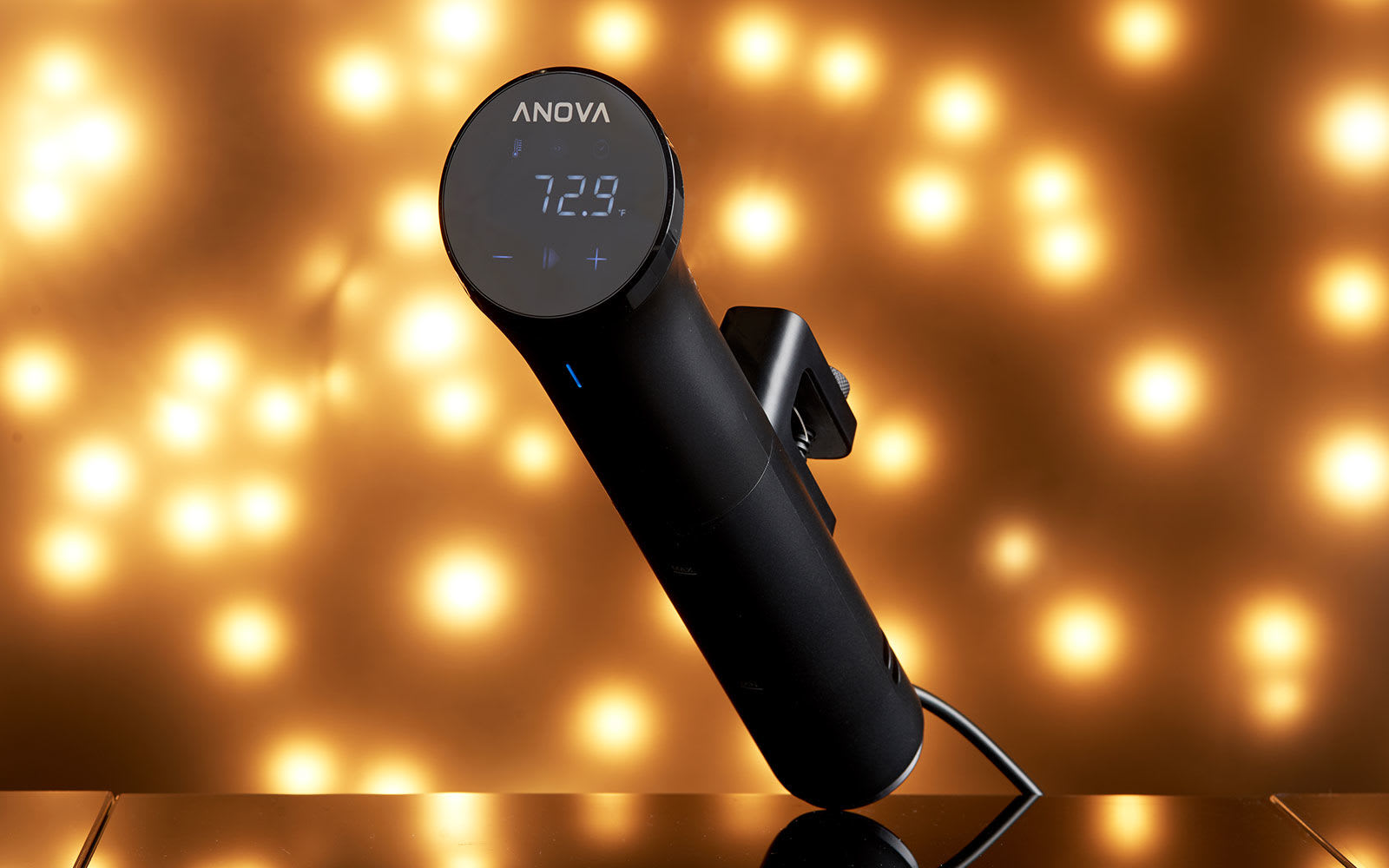
Several Engadget staffers tend to prefer the sous vide devices from Anova, as the company has a strong track record for precision and the interface is intuitive. Anova offers several different models at varying power levels (and price points). The lower-end Nano, for example, won't heat up water as quickly and doesn't have an adjustable clamp, but it's only $129 and will likely suit most home cooks. If you're a little more ambitious or see yourself cooking a lot of things via sous vide , upgrading to the higher-end Precision Cooker or Precision Cooker Pro might make sense.
We’d recommend the Anova Precision Cooker Nano for most people on account of its affordable price, compact size and intuitive controls. The companion app is helpful as well, as it comes with hundreds of recipes that will get you started on your sous vide journey. The Breville Joule is our runner-up because, while it lacks onboard controls, it’s a little more compact than the Anova, while the companion app has a “visual doneness” guide that lets you know what the food should look like when it’s cooked.
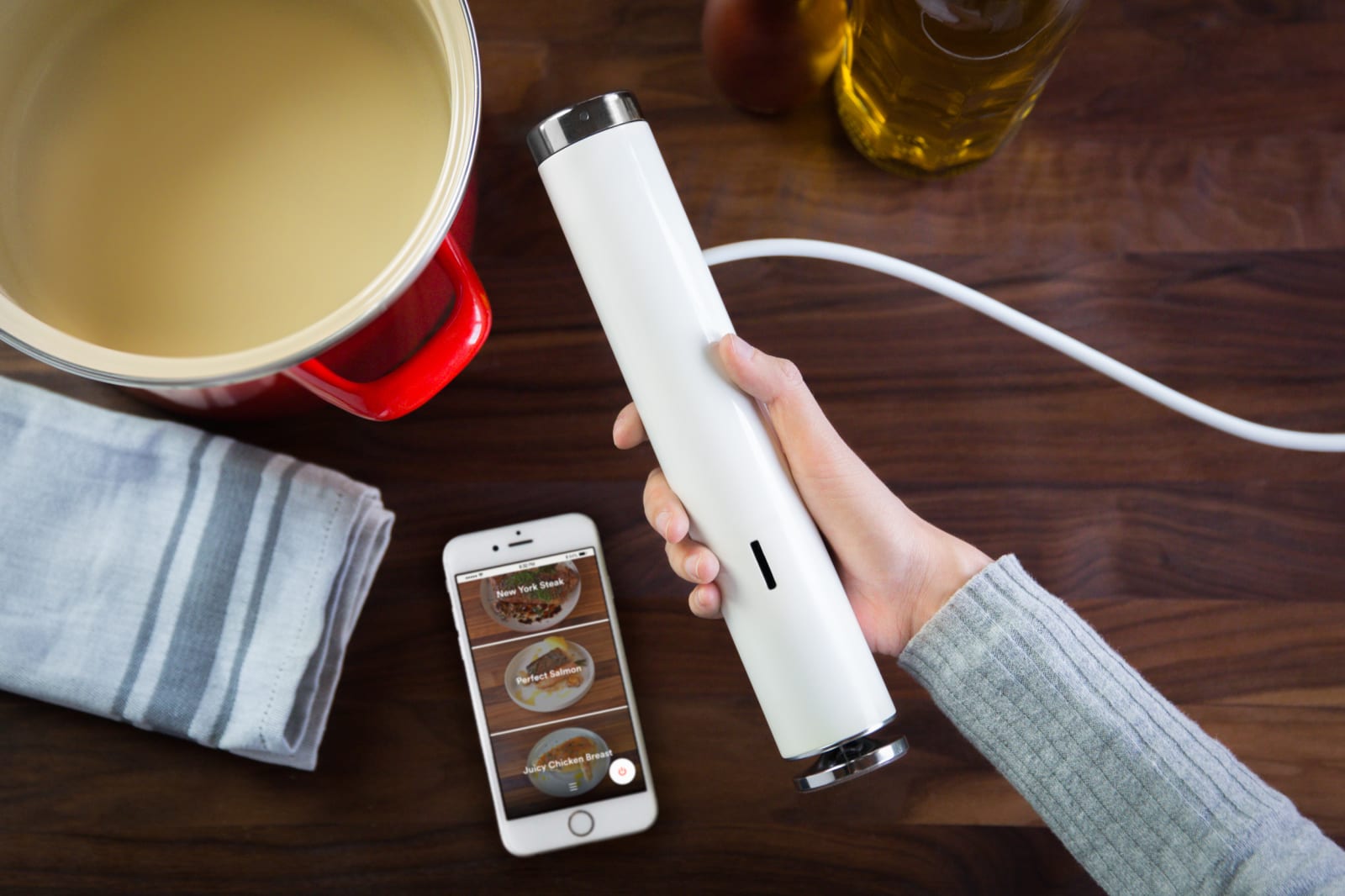
Another popular choice is the Breville Joule (formerly known as the Chefsteps Joule, until Breville acquired the brand), which is a personal favorite of mine due to its small size. It's a little more powerful than the aforementioned Nano and can heat up water a few minutes faster. I also like that it has a magnetic base, making it easier to attach to certain pots. The one downside is that it lacks onboard controls; the only way to use it is via the companion app. I personally don't find this to be a problem, but if you simply need to be able to see the temperature at a glance and dial it up or down with ease, this might not be for you.
It's also worth mentioning the Monoprice Strata, which is the cheapest of the lot at only $70. There's no WiFi or Bluetooth connectivity here, but it gets the job done all the same.
What else to consider
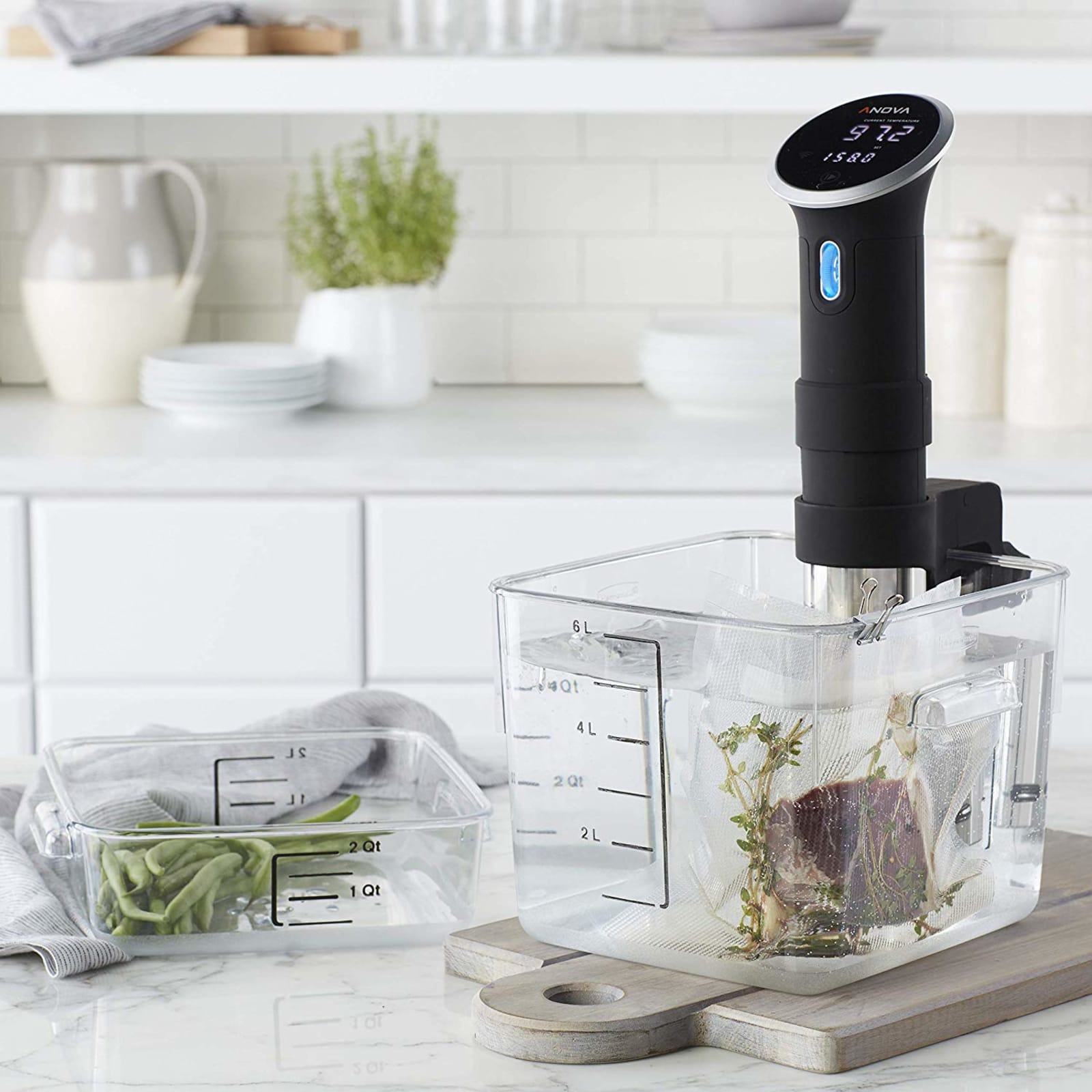
At a minimum, the other items you need to cook sous vide are a large metal pot (big enough to fill with water) and zipper-lock freezer bags to put the food in. Alternatively, you can use reusable silicone bags such as these from Stasher. Rather than using a vacuum sealer to get rid of air, you would use the water displacement method: Immerse the bagged food in the water while partially unsealed, and water pressure will push the air through the opening. Once everything is mostly underwater, you can seal the bag and it'll stay submerged.
If it still floats, you can stick one or two spoons in the bag, and that will hopefully weigh things down. (J. Kenji Lopez-Alt from Serious Eats also suggests using a large binder clip attached to the bottom of the bag along with a heavy spoon.) If you're concerned about water getting in the bag, you can attach the bag tops to the pot with binder clips, thus keeping the bag upright.
If you're really serious about sous vide, you might want to invest in some specialty equipment. Instead of pots, for example, you could opt for large restaurant-grade plastic containers by Cambro or Rubbermaid. Not only is plastic a better insulator than metal, but there's generally more space for more food, which is handy when you're cooking for a crowd.
Whether you use a pot or a plastic container, it's best to cover the vessel with plastic wrap when cooking for long periods, to keep evaporation to a minimum. Some companies, like Chefsteps, offer custom silicone pot lids that are made specially to accommodate their sous vide cookers. Alternatively, Lopez-Alt offers a much cheaper and more ingenious solution: cover your water in ping pong balls. They'll slow down evaporation.
Additionally, while zipper-lock bags work well for most tasks, it's still not a bad idea to get a vacuum sealer along with thicker plastic bags designed specifically for sous vide. For one, this lets you sous vide vegetables or braised meats, which typically require a higher temperature. (Zipper-lock bag seams might fail when it's that hot.) This also lets you freeze a bunch of food, vacuum seal them and sous vide packets straight from the freezer, which is convenient for batch cooking.
You likely already have this at your disposal, but another handy tool is a good skillet to sear your meat. That sous vide device might be able to cook your steak to medium rare, but it won't be able to brown it. A cast iron skillet, on the other hand, will. You could also consider a torch like the Bernzomatic TS8000, and we've seen others use a Searzall — but a cast iron skillet is far more affordable than either option. Of course, if you have a grill, you can use that too.
There are other miscellaneous items that could prove useful. Lopez-Alt likes having a pot lid organizer immersed in the container to help separate several submerged bags. If you want to make custard, yogurt or breakfast cups with your sous vide cooker, you should get yourself some mason jars too.
One more indispensable item worth considering: a trivet to rest your water vessel on so you don't destroy your countertop.
Sous vide recipe resources
Since affordable sous vide cookers have been in the market for a few years now, there’s no shortage of recipes and guidelines online to help you figure out what to do with your newfangled kitchen gadget. The links below are some of our favorites, though bear in mind that a lot of this is based on personal taste. Your mileage may vary.
It only makes sense that the maker of one of the most popular sous vide machines also has a deep library of sous vide recipes. If you're ever at a loss as to what to make via sous vide, simply peek at this website, where you can search for recipes from professionals and amateurs alike.
We've mentioned it several times here already in this guide, but Serious Eats truly is a remarkably useful resource for all things sous vide. Its guide to sous vide steak is a favorite among Engadget staffers, as is its take on slow-cooked sous-vide style eggs, which results in some of the best eggs I've ever had.
Years before making the Joule, Chefsteps made a name for itself as a cooking school with a heavy emphasis on food science, tech and molecular gastronomy. That's probably why the sous vide recipes from Chefsteps are some of the more creative ones we've seen. One recipe, for example, teaches you how to make that perfect chicken breast along with the perfect accompaniment for said chicken breast — perhaps a crunchy apple fennel salad and a buttery carrot puree. Other favorite recipes include wonderfully tender salmon filets, juicy pork chops and Chefsteps' own interpretation of the "sous vide egg bites" you sometimes find in certain Starbucks shops.
This is actually a cookbook from the people behind the Nomiku WiFi sous vide machine (which has since been discontinued), but the recipes in it will work with any sous vide device. Not only does it have beautiful photographs, but it also offers fantastic recipes like jerk chicken wings, duck confit and chocolate pots du creme.
Aside from immersion circulators like the ones mentioned here, you could also opt for multi-purpose appliances that offer sous vide-like functions. Several Instant Pots, for example, offer such a feature. They include the Instant Pot Pro, Duo Plus, Pro Plus, Duo Crisp and Max. Unfortunately, however, they do not circulate the water like the aforementioned immersion circulators, and the temperatures aren’t quite as precise (which is a definite downside if you need something cooked to a specific temperature). But if you don’t really care about that, or you just want to dabble occasionally in sous vide, this might be a viable option.
If you’re dead set on a multi-tasking appliance and you have the money to spend, consider the Anova Precision Oven. Thanks to its use of steam, you can indeed use it to cook foods via sous vide but without the need for plastic bags. It also uses a fan to circulate the moist air around the food and a probe thermometer helps keep foods at a precise temperature. And, of course, the Precision Oven can be used as a regular oven as well, and is great for baking breads and bagels. It is, however, quite expensive at $600 and takes up a lot of counter space.
Images: Will Lipman for Engadget (Anova / holiday light background)
At the most basic level, the only kitchen equipment you really need are a knife, cutting board, a heatproof vessel of some kind and perhaps a utensil or two. But if you really want to take your cooking to the next level – and who doesn’t? – you’ll want to invest in a few accoutrements. From pressure cookers to toaster ovens, these are our favorite kitchen must-haves that will make cooking easier, faster and maybe even more enjoyable.
Best multi-cooker: Instant Pot Duo Plus
Instant Pot
If you haven’t yet hopped on the bandwagon, a multi-cooker like the Instant Pot could become part of your regular rotation. This cult favorite can perform multiple tasks, including pressure cooking, slow cooking, sautéing, rice cooking, yogurt making, steaming and warming. The combination of all these features make it easy to prepare stews, soups, braises and more. You can make cheesecake in it too! Our favorite model for most people is the Instant Pot Duo Plus because it’s simple to use, with several quick-cooking modes for soup, eggs, porridge and grains. It has sterilizing and sous vide cooking functions too.
Want a smarter Instant Pot instead? Consider the Instant Pot Pro Plus. It not only has updated features like a canning function and an oven-safe inner pot, but you also get WiFi connectivity and a companion app, which offers step-by-step guided instructions for over 800 recipes. Plus, you can use it to release the Instant Pot’s steam remotely. You can also use the app to set a timer to release the steam automatically.
Nobody wants to eat undercooked meat, but it’s pretty inedible when it’s overcooked as well. One way to avoid either extreme is to use a thermometer to monitor the temperature. Our favorite is the Thermapen One from ThermoWorks. It gives readings instantaneously, and the screen rotates automatically depending on how you’re holding it. The auto-wake and sleep feature is useful for quick temp checks, and its IP67 waterproofing rating means you don’t have to worry about accidentally dropping it in the sink.
The ThermoPop is a more affordable option in ThermoWorks’ lineup. It’s not quite as fast as the Thermapen One, and it doesn’t have the rotating display or backlight. But it still measures temperatures accurately and while it’s not waterproof, it is splash resistant.
Bakers everywhere know that the most precise way to measure ingredients is with a scale. A “cup of flour” can be wildly different depending on how you scoop it, while a scale can tell you exactly if you have 120 grams. A digital scale is best for the most accurate measurements, and we especially like the Escali Primo. You can switch between grams and ounces with a single press, and importantly, there’s also a tare button that zeros out the weight so you can keep measuring in the same container. One reason we like the Escali Primo over other models is that it has a very long auto-off timer, allowing it to stay on for four minutes before shutting off. That’s important for when you need the extra time to chop up vegetables or gather other ingredients without having to worry about the scale resetting to zero.
The hottest kitchen gadget right now seems to be the air fryer, presumably because the idea of “frying” foods without the oily mess is an easy sell. Really, though, air fryers are just miniature convection ovens. They’re typically pod-shaped and often come with a removable basket. There are also toaster ovens with an air-frying function – see our recommendations below – if you prefer to have a multi-purpose appliance.
Though both have their own merits, if you think you’re going to be air-frying a lot, we actually recommend a dedicated pod-shaped air fryer. These devices tend to result in crispier food, plus they’re easier to clean. One of our favorites is the Instant Vortex Plus with ClearCook and OdorErase. As the name suggests, it has a window so you can see what you’re cooking, as well as odor-eliminating filters that help reduce cooking smells – not many other air fryers have both. It also doesn’t take up as much space as a large toaster oven and it has easy to use controls.
Sure, you could probably mix together a batch of cookie dough by hand, but it’ll take time and quite a bit of upper body strength. That’s even truer if you want to knead bread dough or whip up a meringue. Save yourself the trouble by getting a stand mixer. The favorite among bakers and amateur cooks for years have been KitchenAid’s Artisan series. It’s durable, powerful and it comes with your choice of paddle, hook and whisk attachments. We also like that the KitchenAid mixers are compatible with a variety of accessories and attachments that can turn the machine into an ice cream maker, a meat grinder and a pasta machine just in case you want to expand your culinary horizons.
It’s hard to beat the Vitamix in this space. The high-performance blender brand makes machines that do more than just prep smoothies, but can also make sauces, batters and soups. It’s especially handy if you have a habit of adding tougher ingredients into your recipes – things like nuts, dried fruit and frozen produce. Whereas other, less powerful blenders may leave chunks once you introduce hardier ingredients, the Vitamix won’t, leaving you with a silky smooth final product.
Depending on the model you get, you can also buy different attachments to make the most of the blender’s powerful base. You can pick up 64-ounce containers for making smoothies for your whole family at once or a “dry grain” container that’s outfitted with a blade specifically for grinding up things like whole grains so you can make your own flour.
Vitamix currently has four series of blenders: the basic Vitamix One, which comes in at $250; the slightly more advanced Explorian series, which starts at $350 and is arguably best for most people; the Legacy series, starting at $400; and the advanced Ascent series, which will set you back at least $500. Yes, these are expensive machines, but it’s worth investing in if you do a lot of blending or like to experiment with making things from scratch.
Best toaster oven: Breville Smart Oven Air Fryer Pro
Breville
A toaster oven is a surprisingly versatile appliance. Yes, you can use it to toast bread, buns, and all manner of baked goods. But it’s also a great alternative when you don’t want to warm up your whole house with your full-size oven. It heats up far faster too, which makes it a more efficient choice for warming up leftovers.
We love the Breville Smart Oven Air Fryer Pro as it’s big enough to roast a chicken and it also has other functions like dehydrate, proof and air fry (thanks to a super convection mode). It also includes presets for baking pizzas and toasting bagels. A step up from that is the Joule Oven Air Fryer Pro, which adds WiFi connectivity so you can control it from your phone. The app has lots of recipes, too, and there’s an “autopilot” feature that automatically adjusts the temperature during cooking.
If you don’t want something quite so large, a smaller and more affordable alternative is the Panasonic Flash Express. It’s roomy enough to handle a slice of pizza but definitely won’t take up as much space as the Breville. It’s definitely a great option if all you want is a toaster oven for heating up frozen snacks or toasting several bread slices at once.
Best sous vide machine: Anova Precision Cooker Nano
Anova
If you want to make sure your expensive steak is perfectly medium rare without having to constantly monitor its temperature, consider getting a sous vide cooker. These machines let you cook anything inside a temperature-controlled water bath so that it’s done to perfection. We’ve successfully made steak, chicken, burgers, eggs and even yogurt in a sous vide cooker, and the results have been perfect every time.
Our favorite model is the Anova Precision Cooker Nano. It’s relatively affordable, it’s compact enough to store in a drawer and the controls are easy to use. The companion app is thoughtfully designed as well, with hundreds of recipes and the option to control the machine remotely. There are other sous vide cookers that might be more advanced, but the Nano is the only one that combines affordability and precision in this compact of a form factor. And even though there’s a companion app, you don’t have to use it; you can easily adjust the temperature with the on-board controls and the large digital display.
Another option we recommend is the Breville Joule. It’s a little more expensive and it lacks the digital readout that the Anova has, but it’s even more compact. Plus, it has a magnetic base that makes it a little easier to attach to certain pots. We’re also a fan of the Joule app, which has a “visual doneness” guide that shows you photos of how the food should look when it’s done.
Best smart displays: Amazon Echo Show 8, Google Nest Hub
Google
Though they’re not made specifically for the kitchen, smart displays from either Amazon or Google make wonderful cooking companions. Searching for recipes is as easy as using your voice (you can say “Look up recipes for tomato soup,” for example). Each recipe features a list of ingredients that you can easily add to your phone, plus step-by-step instructions that you can follow along on screen as you cook. Some recipes even have photo or video guidance, which is especially helpful for beginner cooks. Additionally, you can use smart displays to set timers – a must-have feature for kitchen use.
As for which smart display to choose, we recommend going with either the Amazon Echo Show 8 or the 7-inch Google Nest Hub. They each have a decent screen size for reading through recipes and are fairly affordable as well. We generally prefer the Nest Hub because we like YouTube (there are plenty of great cooking shows on there), but the Echo Show 8 does offer apps for Food Network Kitchen and Allrecipes. Of course, you should pick the smart display that best aligns with your preferred ecosystem regardless. You can read more about picking the best smart display here.
If you prefer a more portable device, tablets are also fantastic options. You can look up recipes from any source you like, including blogs and social media, which aren’t always accessible on smart displays – be sure to check out our guide on online cooking resources for some examples. Sure, you can use your phone as well, but a tablet’s larger screen can make all the difference when you want to read a recipe at a glance. We probably wouldn’t suggest a super high-end tablet for kitchen jobs – you don’t want to cover your $1,000 possession in flour do you? – but a model with 720p resolution is fine for watching recipe videos. For iOS users, we recommend Apple’s 10.2-inch iPad, while we think Android users will be happy with Amazon’s Fire HD 8.
Grubhub’s offer of free lunch to anyone in the New York City metro area today led to sheer chaos. Many were unable to access the promotional deal — which was scheduled to run from 11 am to 2 pm ET this afternoon — when both the website and app started to crash, according to tweets from many frustrated users. A large number of restaurants were overwhelmed with orders from hungry customers, prompting them to pause taking on new orders or “close” for the day. Although Grubhub’s “free lunch” promo was actually just a deep discount (the offer was good for $15, and customers were responsible for additional taxes, tip and delivery fee), turns out few people will turn down the offer of a cheap meal, especially in one of the world’s most expensive cities. While access to the website and app was eventually restored, a number of customers still complained about delayed or canceled orders.
Why did @Grubhub offer free delivery in NYC & then the restaurants all turned off their delivery 😭😭😭😭 like whattt #grubhub#nyc
— the Next Oprah ✨ (@iampreciousnkem) May 17, 2022
At its peak, Grubhub said its platform was receiving 6,000 orders per minute. “The initial demand temporarily overwhelmed our app, causing some diners to experience an error message when they used their promo code. However, this was quickly rectified, and along with our restaurant and driver partners, we were able to successfully fulfill more than 400,000 lunch orders connected to the promotion,” a spokesperson for Grubhub told Engadget.
But workers and restaurant owners faced worse problems than merely going hungry on their lunch breaks. Buzzfeedspoke to several Grubhub delivery people and restaurant owners and workers, all who recounted a harrowing, stressful day filled with non-stop orders. Many workers and restaurants told various outlets that they weren’t informed about the promo in advance.
.@Grubhub not giving restaurants a heads up to be prepared for the surge in demand is gross. The restaurant called me super apologetic saying that they’re essentially out of food because they had no clue this was happening. https://t.co/ETSXnaxJ7G
“We really got slammed by it today,” Ching, a worker from Greenberg’s Bagels told Buzzfeed. “It was just non-stop all day.”
Grubhub denied claims that it didn't inform restaurants of the promo beforehand. "Grubhub isn’t just a delivery logistics app, we are a marketplace for restaurants. And as we do with any promotions, we notify our entire restaurant network in advance via multiple points of communication," a Grubhub spokesperson told Engadget in a statement.
Despite the advance warning, it's clear many restaurants were unprepared for the barrage of orders and the extra strain on staff and food supply that such an offer incurred.
currently working front of house at a restaurant in brooklyn and you guys big time messed up. we have over 30 cold orders not being picked up by drivers and our phones are off the hook with angry customers. absolutely fucking over the entire NYC service industry today
The wait is over. Next month, Sony will release three new PlayStation 5 console covers. As you may recall, the company announced at the end of last year it would begin producing PS5 plates in five additional colors. At the time, Sony said the Midnight Black and Cosmic Red plates would go on sale at the start of 2022, with the three remaining colors – Nova Pink, Starlight Blue and Galactic Purple – to follow during the first half of the year.
Sony left the release to the last moment, but starting today customers in US, UK, France, Germany, Belgium, Netherlands and Luxembourg can pre-order the new plates through the PlayStation Direct website – with general availability to follow on June 17th. The console covers are easy to install. All you have to do is pop off the white ones that came with your PS5 and install the new ones. You can also mix and match two different sets of plates to make your console stand out even more – though that will cost you extra to do so.
Hyundai's Genesis brand is now taking orders for its first electric vehicle, the GV60. The EV, which follows the G80 hybrid, starts at $58,890 and comes with three years of 30-minute charging sessions at Electrify America stations at no extra cost.
US sales will be limited at the outset, however. To begin with, the GV60 will only be available for purchase at select retailers in California, Connecticut, New Jersey and New York.
The EV will be available in two dual-motor trims, Advanced AWD and Performance AWD. It includes a feature called Face Connect, which will allow drivers to lock and unlock their vehicle using facial recognition if they really want to. The GV60 has a near infra-red camera that can scan the driver's face even in low light and takes advantage of deep learning tech to confirm the person's identity.
Face Connect can register two drivers and it supports individual profiles for them. Using the facial recognition system, the GV60 can automatically adjust the heads-up display, seat, steering wheel, side mirrors and multimedia based on that person's preferences and settings. Other features include Apple CarPlay and Android Auto, Bang & Olufsen audio, four USB-C ports and a way to start the engine using your fingerprint.
The GV60 Advanced AWD has 74 kW front and 160kW rear motors that can deliver 314 horsepower. Genesis says the 77.4 kWh battery provides an estimated range of 248 miles.
The Performance AWD model, which starts at $68,980, has the same battery but a lower estimated range of 235 miles. That's because it's more powerful, with a 160kW on the front as well. The EV can deliver 429 horsepower, rising to 483 HP when the boost mode is active.
The higher-end model also supports Genesis Digital Key 2 with ultra-wideband tech, which works with a compatible iPhone, Apple Watch or Samsung phone. It pairs with Apple Wallet and Samsung Pass and allows owners to digitally share keys with other people.
Genesis has said all its new models will be EVs by 2025 and its vehicle lineup will be fully electrified five years after that. Later this year, Hyundai will start building EVs in the US with the Genesis G70.
Behaviour Interactive has shed some light on what's ahead for its massively popular horror franchise Dead by Daylight. One of the more surprising announcements was for a spinoff game that will take the horror-heavy series in a completely new direction — it's a dating sim.
I Love You, Colonel Sanders! developer Psyop is working on the visual novel, which is called Hooked on You: A Dead by Daylight Dating Sim. Instead of desperately trying to avoid killers like The Trapper and The Spirit, you'll be able to flirt with them on Murderer's Island. Just don't expect to hook up with licensed characters like Pyramid Head or Sadako from The Ring.
Behaviour says the stories you'll discover in Hooked on You won't be canon, though they'll offer a blend of humor, romance and — since this is a DBD game after all — horror. The studio notes that many DBD fans have been asking for a dating sim set in that universe. They won't have to wait too long to play it, either. Hooked on You will arrive on Steam this summer.
A ton of other DBD news has emerged ahead of the game's sixth anniversary, including details about the next chapter, called Roots of Dread. It includes a new map called Garden of Joy, which is not quite as euphoric as its name suggests.
The latest terrifying killer, The Dredge, is an amorphous mass of limbs that can teleport between lockers to catch survivors unaware. Roots of Dread also introduces a new survivor named Haddie Kaur. PC players can try the chapter on the Public Test Build (PTB) today. It'll arrive on all platforms on June 7th.
Looking slightly further ahead, Behaviour announced a couple more upcoming crossovers, including an unexpected one with Attack on Titan. The studio says fans have been asking for content based on anime and manga. The first partnership of its kind will soon introduce 10 Attack on Titan-inspired outfits for DBD killers and survivors. Among them are an Eren Yeager skin for Dwight, a Hange-inspired look for Zarina and an Armored Titan outfit for The Oni.
Behaviour Interactive
In addition, DBD is delving back into the world of Resident Evil with another chapter based on that classic franchise. Nemesis, Jill Valentine and Leon S. Kennedy arrived last June, and more characters from the series will join them later this year as part of the Resident Evil: Project W chapter.
Elsewhere, Dead by Daylight Mobile is getting a major update that will include changes to leaderboards, social systems, the control layout and visual performance. The activities and rewards systems are being revamped too. The update recently debuted in Japan. It will hit the US in a closed beta in the next few weeks before a broader rollout.
Some changes are on the way to the core PC and console game as well. Behavior says it will soon rework around 40 killer and survivor perks to freshen things up. A new system to get folks into games faster will reward those who queue up for whichever role (survivor or killer) has a smaller player count.
Meanwhile, starting today on the PTB, players can try a useful new preset feature. You can create custom loadouts with preferred perks and outfits for killers and survivors. That could help speed things up before you start a match.