Posts with «arduino» label

Earth Clock brilliantly tracks the sun’s light

While we understand that the Earth rotates to produce day and night, and tilts on its axis to vary the day’s length, how is the planet positioned in relation to the sun right now? Unless you’re well-attuned to our solar system’s rotational dance, this is difficult to visualize. To help with this, hacker “SimonRob” came up with a clock that shows how the sun shines in real-time at all points on the Earth.

An array of LEDs provides artificial lighting for the device, which rotates a nicely painted physical globe around a daily axis, along with a much larger rotational axis that controls the Earth’s tilt. Both are controlled via stepper motors, which are in turn controlled by an Arduino Uno and a bevy of supporting electronics.

It’s a clever concept, and a well-executed build, so be sure to check out the project write-up for more information!

Arduino Blog 25 Jun 14:34

Arduino and Pidgin C++

What do you program the Arduino in? C? Actually, the Arduino’s byzantine build processes uses C++. All the features you get from the normal libraries are actually C++ classes. The problem is many people write C and ignore the C++ features other than using object already made for them. Just like traders often used pidgin English as a simplified language to talk to non-English speakers, many Arduino coders use pidgin C++ to effectively code C in a C++ environment. [Bert Hubert] has a two-part post that isn’t about the Arduino in particular, but is about moving from C to a more modern C++.

Even those of us who use C++ often use what we think of as “classic” C++. More or less the C++ that started life as a preprocessor in front of the C compiler. C++ has changed a lot since then, though. [Bert] looks mostly at useful features from the C++ 2014 standard which is widely available in compilers now. He only talks a little about some 2017 features. He doesn’t, however, talk about super new features or very specialized features that probably won’t be your first stop in a transition from C.

In particular, [Bert] doesn’t cover multiple inheritance, template metaprogramming, a big chunk of iostreams, C++ locales, user-defined literals, or exotics. Just to motivate you, he shows an example where calling the C library to sort a large array is slower than the code using C++ templates that take advantage of parallelism. While this is a special case, it does show that C++ isn’t just “another way to write the same thing.” You could write a faster sort in C, but you’d be writing a lot of code, not just pulling in a library.

What he does cover is strings, namespaces, classes, smart pointers, threads and error handling. Some of these will be more useful on the Arduino than others, but if you are writing for other platforms like a PC or a Raspberry Pi you could use all of them. He’s planning on adding more items in future installments of the series.

Meanwhile, we had our own story about modern C++ and the Arduino last year. If you want to know more about templates, we’ve talked about that, too.

TerraDome Gives Plants And Dinosaurs A New Home

Housing exotic plants or animals offer a great opportunity to get into the world of electronic automation. When temperature, light, and humidity ranges are crucial, sensors are your best friend. And if woodworking and other types of crafts are your thing on top, why not build it all from scratch. [MagicManu] did so with his Jurassic Park themed octagonal dome built from MDF and transparent polystyrene.

With the intention to house some exotic plants of his own, [MagicManu] equipped the dome with an Arduino powered control system that regulates the temperature and light, and displays the current sensor states on a LCD, including the humidity. For reasons of simplicity regarding wiring and isolation, the humidity itself is not automated for the time being. A fan salvaged from an old PC power supply provides proper ventilation, and in case the temperature inside the dome ever gets too high, a servo controlled set of doors that match the Jurassic Park theme, will automatically open up.

[MagicManu] documented the whole build process in a video, which you can watch after the break — in French only though. We’ve seen a similar DIY indoor gardening project earlier this year, and considering its simple yet practical application to learn about sensors, plus a growing interest in indoor gardening itself (pun fully intended), this certainly won’t be the last one.

Your Own Sinclair Scientific Calculator

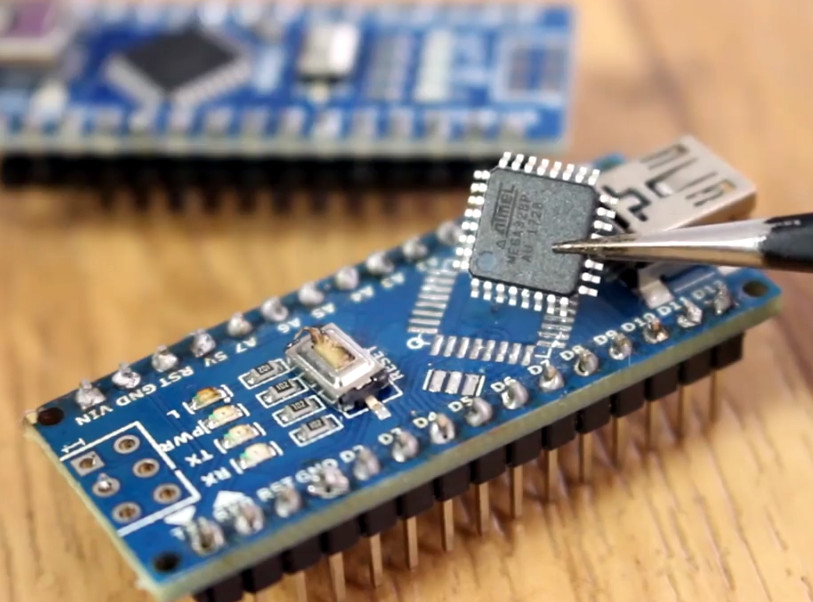
We’ve talked about the Sinclair scientific calculator before many times, and for some of us it was our first scientific calculator. If you can’t find yours or you never had one, now you can build your own using — what else — an Arduino thanks to [Arduino Enigma]. There’s a video, below and the project’s homepage on Hackaday.io describes it all perfectly:

The original chip inside the Sinclair Scientific Calculator was reverse engineered by Ken Shirriff, its 320 instruction program extracted and an online emulator written. This project ports that emulator, written in Javascript, to the Arduino Nano and interfaces it to a custom PCB. The result is an object that behaves like the original calculator, with its idiosyncrasies and problems. Calculating PI as arctan(1)*4 yields a value of 3.1440.

Special care was taken in the design of the emulator to match the execution speed of the
original calculator, which varies from acceptable to atrocious for trigonometric functions involving small angles.

Oddly, the calculator started life as a hack on the KIM-1 UNO. However, six board revisions changed the layout quite a bit and made the emulation more and more accurate both software-wise and physically. If you fancy a close look at an original Sinclair we subjected one to a teardown.

The KIM-1 UNO board has had a lot of life poured into it. We used it as a clock and an 1802 emulator. Oscar even built off of the 1802 code to add video output.

Simple Camera Slider Adds a Dimension or Two to Your Shots

Camera sliders are a popular build, and properly executed they can make for impressive shots for both time-lapse sequences or real-time action. But they seem best suited for long shots, as dollying a camera in a straight line just moves subjects close to the camera through the frame.

This slider with both pan and tilt axes can make moving close-ups a lot easier. With his extremely detailed build log, [Dejan Nedalkovski] shows how he went about building his with only the simplest of materials and tools. The linear rail is simply a couple of pieces of copper pipe supported by an MDF frame. The camera trolley rides the rails on common skateboard bearings and is driven by a NEMA-17 stepper, as are the pan and tilt axes. [Dejan] also provided a barn-door style pivot to tilt the camera relative to the rails, allowing the camera to slide up and down an inclined plane for really interesting shots. The controller uses an Arduino and a joystick to drive the camera manually, or the rig can be programmed to move smoothly between preset points.

This is a step beyond a simple slider and feels a little more like full-blown motion control. We’ve got a feeling some pretty dramatic shots would be possible with such a rig, and the fact that it’s a simple build is just icing on the cake.

MESOMIX is an automated paint mixing machine

If you’re an artist who works with paint, getting your colors right is critical, and somewhat of an art form in itself. For those that need a little assistance, the MESOMIX paint mixing machine is here to help using four 3D-printed peristaltic pumps to pull the right amount of cyan, magenta, yellow, and black (or key) to produce your desired color.

An Arduino Uno along with a GRBL shield is implemented to coordinate each pump’s stepper motors, and MESOMIX features a design* reminiscent of a well-built 3D-printer. 

Are you a designer, an artist or a creative person who loves to throw colors on your canvas, but it’s often a struggle when it comes to making the desired shade.

So, this art-tech instruction will vanish that struggle into thin air. As this device, uses off the shelf components to makes the desired shade by mixing the right amount of CMYK (Cyan-Magenta-Yellow-Black) pigments automatically, which will drastically reduce the time spent on mixing the colors or money spent on purchasing different pigments. And will provide you that extra time for your creative.

For more information, you can check out MakerBash’s excellent project here.

*Frame parts were laser-cut out of vinyl material, generally not recommended per safety concerns.

Wiping Robots and Floors: STM32duino Cleans up

Ever find yourself with nineteen nameless robot vacuums lying around? No? Well, [Aaron Christophel] likes to live a different life, filled with zebra print robots (translated). After tearing a couple down, only ten vacuums remain — casualties are to be expected. Through their sacrifice, he found a STM32F101VBT6 processor acting as the brains for the survivors. Coincidentally, there’s a project called STM32duino designed to get those processors working with the Arduino IDE we either love or hate. [Aaron Christophel] quickly added a variant board through the project and buckled down.

Of course, he simply had to get BLINK up and running, using the back-light of the LCD screen on top of the robots. From there, the STM32 processors gave him a whole 80 GPIO pins to play with. With a considerable amount of tinkering, he had every sensor, motor, and light under his control. Considering how each of them came with a remote control, several infra-red sensors, and wheels, [Aaron Christophel] now has a small robotic fleet at his beck and call. His workshop must be immaculate by now. Maybe he’ll add a way for the vacuums to communicate with each other next. One robot gets the job done, but a whole team gets the job done in style, especially with a zebra print cleaner at the forefront.

If you want to see more of his work, he has quite a few videos on his website demonstrating the before and after of the project — just make sure to bring a translator. He even has a handy pinout for those looking to replicate his work. If you want to dive right in to STM32 programming, we have a nice article on how to get it up and debugged. Otherwise, enjoy [Aaron Christophel]’s demonstration of the eight infra-red range sensors and the custom firmware running them.

Watch The World Spin With The Earth Clock

With the June solstice right around the corner, it’s a perfect time to witness first hand the effects of Earth’s axial tilt on the day’s length above and beyond 60 degrees latitude. But if you can’t make it there, or otherwise prefer a more regular, less deprived sleep pattern, you can always resort to simulations to demonstrate the phenomenon. [SimonRob] for example built a clock with a real time rotating model of Earth to visualize its exposure to the sun over the year.

The daily rotating cycle, as well as Earth’s rotation within one year, are simulated with a hand painted plastic ball attached to a rotating axis and mounted on a rotating plate. The hand painting was done with a neat trick; placing printed slivers of an atlas inside the transparent orb to serve as guides. Movement for both axes are driven by a pair of stepper motors and a ring of LEDs in the same diameter as the Earth model is used to represent the Sun. You can of course wait a whole year to observe it all in real time, or then make use of a set of buttons that lets you fast forward and reverse time.

Earth’s rotation, and especially countering it, is a regular concept in astrophotography, so it’s a nice change of perspective to use it to look onto Earth itself from the outside. And who knows, if [SimonRob] ever feels like extending his clock with an aurora borealis simulation, he might find inspiration in this northern lights tracking light show.

This is a spectacular showpiece and a great project you can do with common tools already in your workshop. Once you’ve mastered earth, put on your machinists hat and give the solar system a try.

Hack a Day 18 Jun 16:31

Opening A Ford With A Robot and the De Bruijn Sequence

The Ford Securicode, or the keyless-entry keypad available on all models of Ford cars and trucks, first appeared on the 1980 Thunderbird. Even though it’s most commonly seen on the higher-end models, it is available as an option on the Fiesta S — the cheapest car Ford sells in the US — for $95. Doug DeMuro loves it. It’s also a lock, and that means it’s ready to be exploited. Surely, someone can build a robot to crack this lock. Turns out, it’s pretty easy.

The electronics and mechanical part of this build are pretty simple. An acrylic frame holds five solenoids over the keypad, and this acrylic frame attaches to the car with magnets. There’s a second large protoboard attached to this acrylic frame loaded up with an Arduino, character display, and a ULN2003 to drive the resistors. So far, everything you would expect for a ‘robot’ that will unlock a car via its keypad.

The real trick for this build is making this electronic lockpick fast and easy to use. This project was inspired by [Samy Kamkar]’s OpenSesame attack for garage door openers. In this project, [Samy] didn’t brute force a code the hard way by sending one code after another; (crappy) garage door openers only look at the last n digits sent from the remote, and there’s no penalty for sending the wrong code. In this case, it’s possible to use a De Bruijn sequence to vastly reduce the time it takes to brute force every code. Instead of testing tens of thousands of different codes sequentially, this robot only needs to test 3125, something that should only take a few minutes.

Right now the creator of this project is putting the finishing touches on this Ford-cracking robot. There was a slight bug in the code that was solved by treating the De Bruijn sequence as circular, but now it’s only a matter of time before a 1993 Ford Taurus wagon becomes even more worthless.

Learn Six Oscilloscope Measurements with One Arduino

We won’t mention names, but we are always dismayed to see people twist knobs randomly on a scope until it shows a good picture. These days, there’s the dreaded auto button, too, which is nearly as bad. If you haven’t spent the time to learn how to properly use a scope [Bald Engineer] has a great introduction to making six measurements with an Arduino as a test device.

To follow along you’ll need an Arduino UNO and a two-channel (or better) scope. Actually, most of the measurements would probably work on any Arduino, but there are some that require the separate USB to serial chip like that found on the UNO and similar boards.

The six measurements are:

  1. The auto reset programming pulse
  2. Capture and decode serial data
  3. Noise on the power rail
  4. Observe probe loading effects
  5. PWM duty cycle
  6. The timing of pin manipulation code

Some of these measurements use a bit of Arduino code, while others just make use of the circuitry on the board no matter what software is running.

Not only does the post show you where to make the measurements and what the result should look like, there’s also a discussion of what the measurement means and some suggested things to try on your own.

If you go through this post, you might also enjoy learning more about probes. If you are feeling adventurous, you can even build your own current probe.