Posts with «arduino mega» label

Build your own life-size, multipurpose robot with Arduino
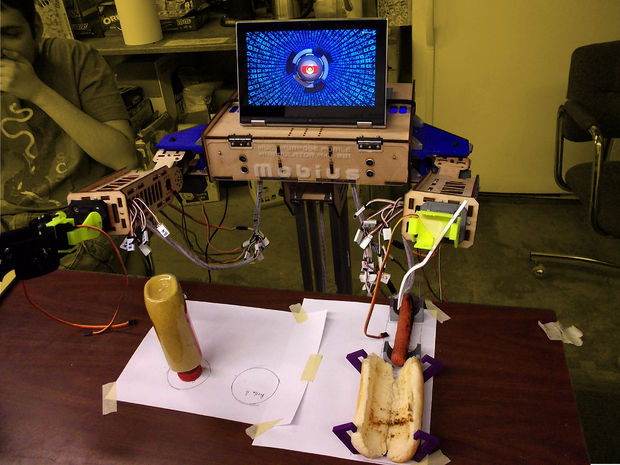
If you’ve always wanted a bot for a friend, personal assistant or butler, you’re in luck. John Choi, a Carnegie Mellon University computer science and arts student, has managed to build his own life-size robotics platform for about $2,000. Sure, a price tag like that may not seem “cheap” but in comparison to other research-grade platforms out there, it’s a bargain.

Ideal for Makers, students, educators, artists and researchers alike, the Multipurpose Mobile Manipulator Mk 1 is capable of playing the piano, drawing pictures, preparing meals, watering plants, and engaging in toy sword duels, among many other things.

The Multipurpose Mobile Manipulator is divided into three major parts: the base, the arms, and the chest. The base contains motors for mobility and batteries to power the robot, enabling it to navigate around. The arms contain adaptable grippers, shoulder and elbow joints, and an extensible limb for grabbing and moving things with its environment. Meanwhile, the chest connects all of these together with control electronics and serves as a platform for an intelligent laptop-for-a-face. An Arduino Mega at its heart makes interfacing with sensors and actuators super easy, while the robot’s functionality can also be expanded by simply attaching new electronics and sensors to its mounting areas.
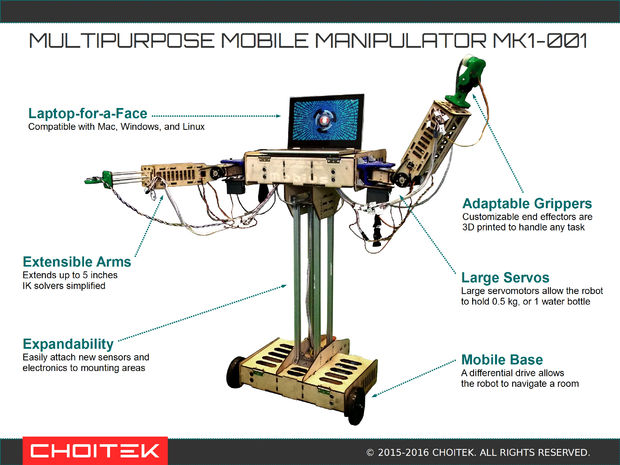
The open-source platform is compatible with Windows, Mac and Linux, and supports Python 2.7 and Arduino libraries. According to Choi, libraries for Unity, Processing, ROS, MATLAB, C++, and Scratch are also in the works.

Those interested in building their own should check out Choi’s incredibly-detailed 80-step tutorial, and watch the robot take on some tasks below. Prepare to be amazed!
 

Hacked typewriter prints selfies as ASCII art

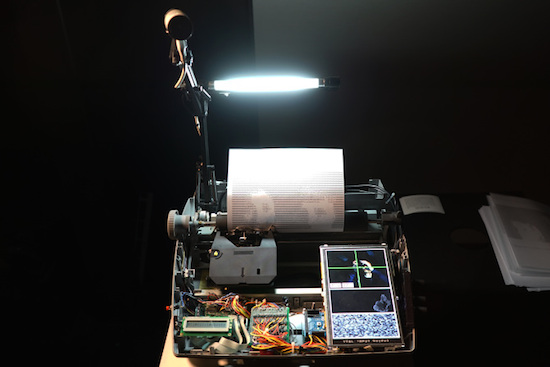
Last year, Moscow-based artist Dmitry Morozov — known by many as ::vtol:: — came up with a far less modern way of taking selfies. The Maker modified an old Brother SX-4000 typewriter to create portraits in the form of ASCII art.

The machine, called “i/o,” is controlled by an Arduino Mega and works by capturing an image using an iSight camera (with the help of a lamp for proper lighting), converting it into ASCII art using Pure Data and MAX/MSP, and then gradually printing it onto a piece of paper — one alphanumeric character at a time.

Kniterate is a 3D printer for clothes

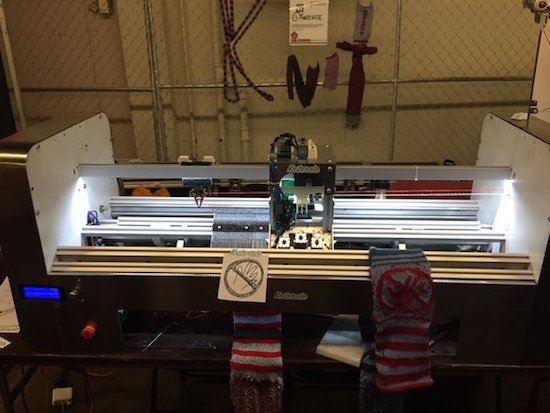
Why head to the store when you could simply create your outfits right at home with the touch of a button? That’s the idea behind London-based startup Kniterate, who has developed what they’re calling “the 3D printer for knitwear.”

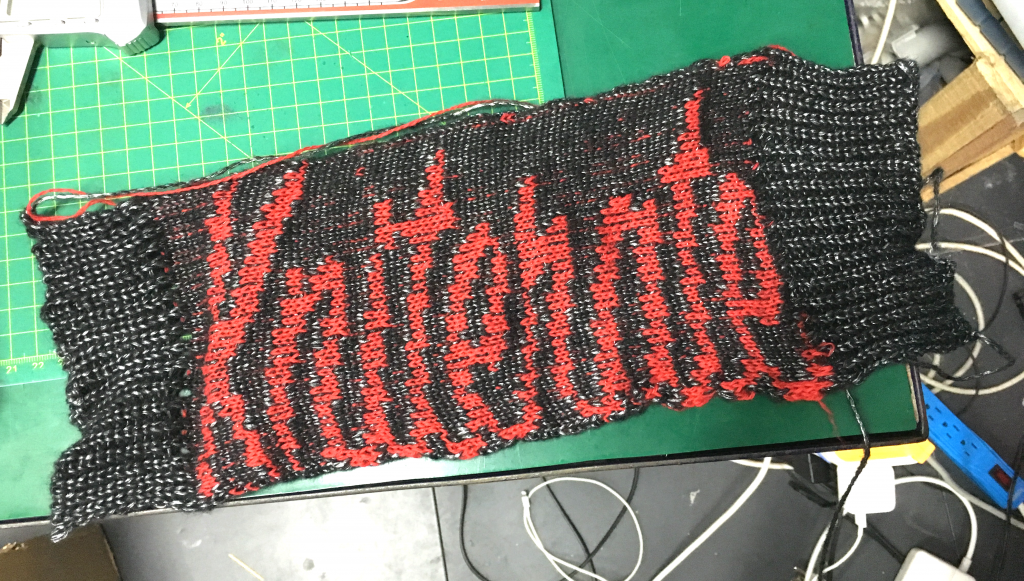
The system features Photoshop-like software that enables Makers to easily design patterns using various templates, which are then imported over to the Arduino Mega-driven machine to knit socks, scarves, sweaters, ties, beanies, and other garments. According to the team, they are in the process of developing an online platform that’ll allow you to sketch and share your wardrobe with an entire community.

Kniterate, which was recently introduced at HAX’s demo day, is an evolution of founder Gerard Rubio’s Arduino-controlled OpenKnit project. His vision is to one day democratize textile manufacturing, and will take the next step in that journey when he launches the new age machine on Kickstarter in September. Until then, head over to its website here or watch Tested’s Maker Faire video below!


FarmBot is an open-source CNC farming machine

With hopes of reinventing the way food is grown, Rory Aronson has developed humanity’s first open-source CNC farming machine. The FarmBot Genesis — which will begin taking pre-orders in July — is capable of planting seeds and then watering them precisely.

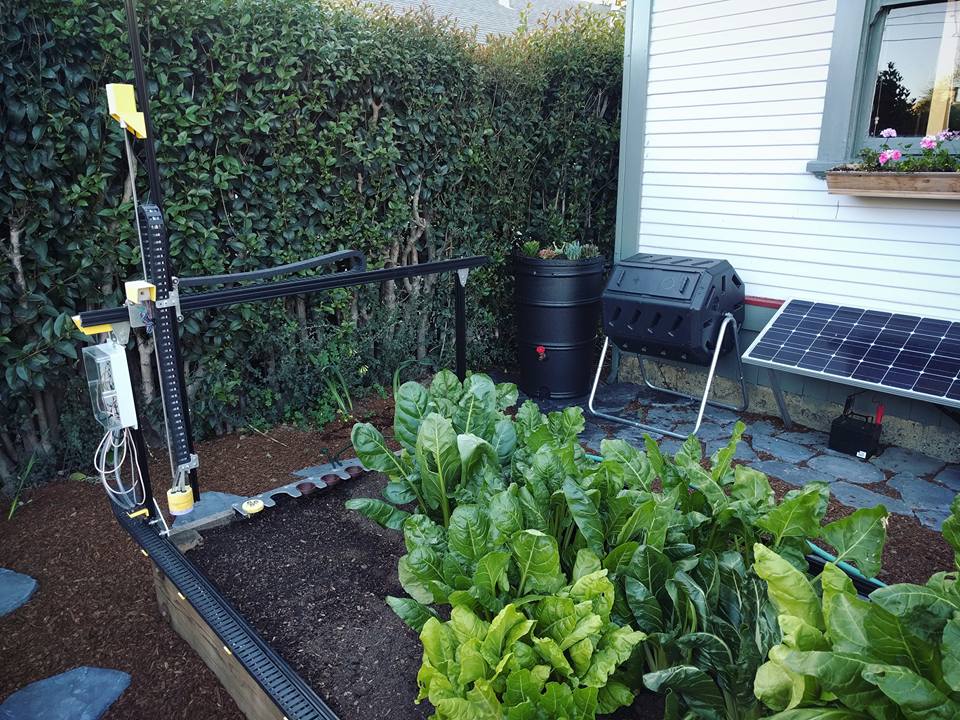
Designed with the Maker community in mind, FarmBot is driven by an Arduino Mega 2560, a RAMPS 1.4 shield, NEMA 17 stepper motors, and a Raspberry Pi 3. What’s more, all of its plastic components can easily be 3D printed, while its flat connecting plates can be made with either a waterjet, plasma or laser cutter, a CNC mill, or even a hacksaw and drill press.

The three-axis machine employs linear guides in the X, Y, and Z directions, which allows for tooling such as seed injectors, watering nozzles, sensors, and weed removal equipment to be accurately positioned. Impressively, FarmBot can cultivate a variety of crops in the same area simulatenously. 

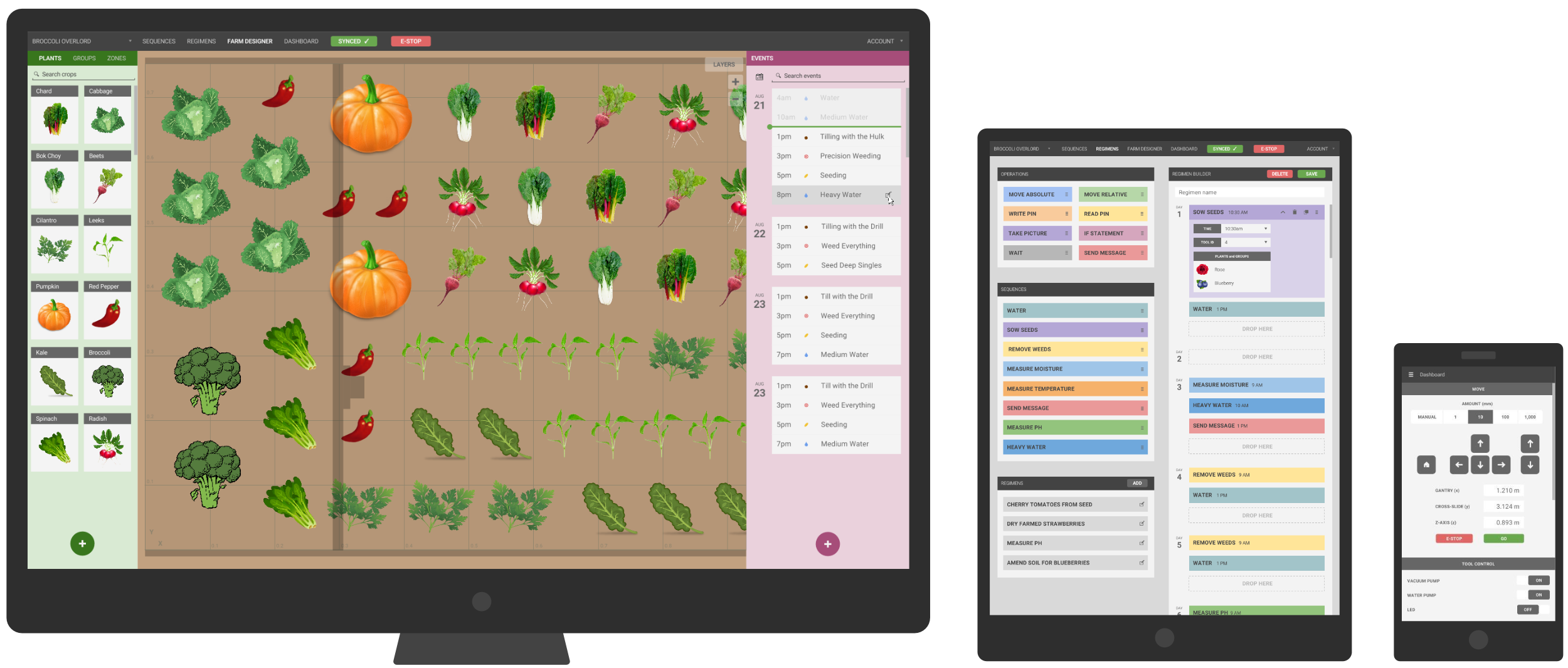
FarmBot is controlled via mobile device or laptop, while its web-based interface makes customizing your garden as simple as playing FarmVille. You can also build and schedule sequences by dragging and dropping basic operations, adjust the parameters to your liking, and save. Meanwhile, a decision support system adjusts water, fertilizer and pesticide regimens, seed spacing, timing, and other factors based on soil and weather conditions, sensor readings, location, and time of year. And of course, FarmBot can be manually operated in real-time as well.

Aronson’s vision is to make precision agriculture open and accessible to everyone. Each FarmBot Genesis can be modified and augmented to suit anyone’s unique growing style and needs. For instance, you can power your machine with renewable energy from a small off-the-grid solar panel, or install a barrel to store and use rainwater.

Yet another Engima machine by a young Maker!

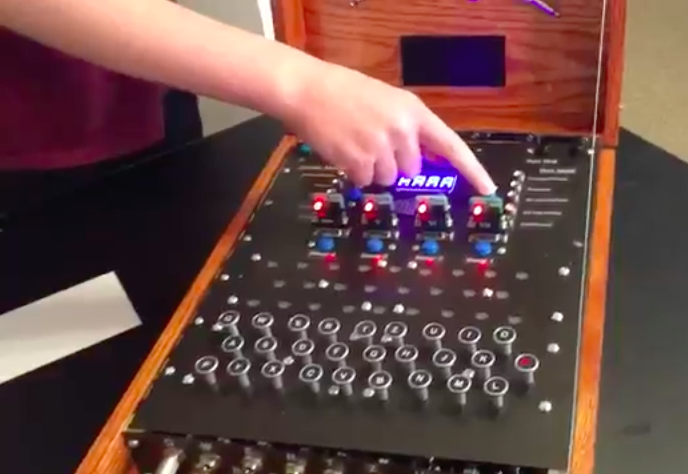
Enigma machines are fascinating devices, especially for young Makers looking to explore the world of electronics. Awhile back we featured a similar project from Italy, and we’re once again amazed by the work of 14-year-old Andy Eggebraaten, who built a retro-modern gadget of his own. The project, which was for his high school’s science fair, took nine months to complete.

These electro-mechanical rotor cipher machines were developed  in the early 20th century to protect commercial, diplomatic and military communication, used especially by German military intelligence during World War II.

In the video below, Andy opens the machine to show its inner workings: the unit runs on Arduino Mega along with 1,800 other parts and 500 color-coded wires. We can see that he evolved the rotors into electronic modules that plug into D-Sub sockets, and the interface is made using a 16-segment display showing the rotor position as well as an LCD screen to read the plain- and the encoded text.

An engineering student’s awesome graduation cap

Graduation season is now underway across America, and Western Carolina University student Michael King wanted to be sure he’d stand out from the crowd during his commencement ceremony. So being a computer science and electrical engineering major and all, naturally he decided to do some tinkering. He equipped his mortarboard with a 32×32 LED array, an Arduino Mega, three SPDT switches, a 2000mAh li-ion battery, and lots of wire, along with plenty of code. This enabled him to display a running Super Mario, Pac-Man, his school’s logo, a “Hire Me Google” message, and several other animated images on top of his cap.

I used three SPDT switches — one for LED grid power, one for Arduino power, and another to break out of the loop and display a static “WCU” logo. LED grid is powered via a 3.7V li-ion battery. 9V battery to power the Arduino Mega.

Lots and lots of Arduino code. I could convert bitmaps to arrays to use in the code. For those that would understand, I had a script written in Processing that could read a 32×32 pixel image, parse and convert it into an array of hex values, and literally format/write it out to a header file that I could just copy and paste into Arduino IDE… And yes, I am working on programming pong. Yes the actual, playable game.

Maker installs an Android tablet in his car’s dashboard

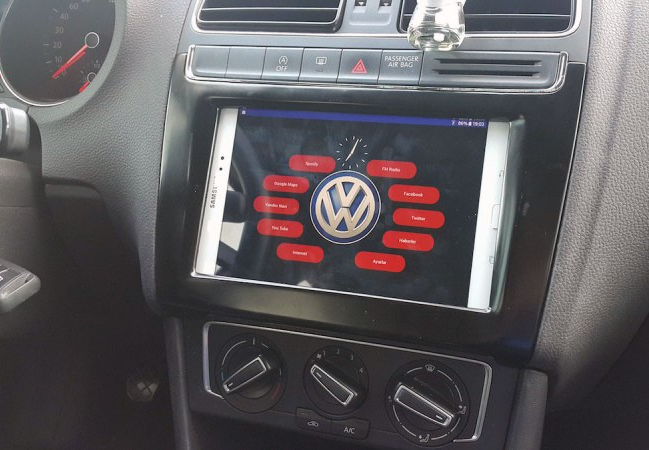
Unlike many cars today, Aykut Celik’s 2014 Volkswagen Polo didn’t have Bluetooth connectivity or an elaborate touchscreen navigation system. So, the Maker decided to take matters into his own hands and swapped out his “useless” radio for a Samsung tablet, putting Google Maps, Spotify and other apps right in his vehicle’s dashboard.

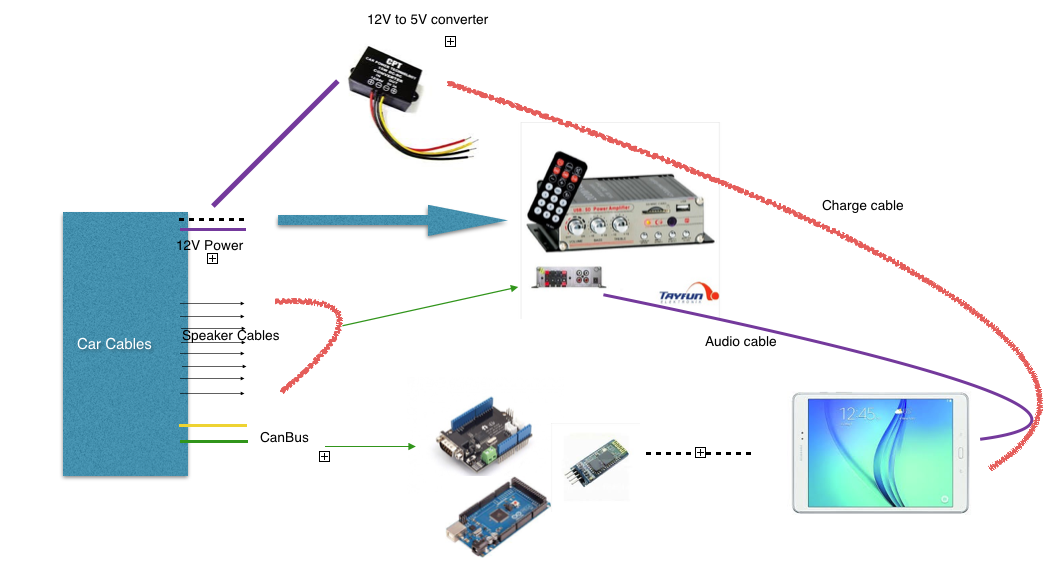
In order to accomplish this, Celik needed an amplifier (to replace the one attached to the prior radio), a CAN bus shield from Seeed (so he could use the steering wheel’s volume buttons), a Bluetooth module, and an Arduino Mega 2560 (for parsing data and sending it over to the Android device).

A CAN-BUS shield is necessary to be able to read CAN-BUS commands from the CAN bus line… I used this shield for detecting wheel button commands like volume up, mute and volume down. Behind the car radio there are two CAN bus cables. One of them is CAN bus – HIGH and the other is CAN bus – LOW. These cables must be connected to green sockets on the shield.

Using the SeeedCAN bus shield, you can sniff you car’s CAN bus data.

The info which is gathered from CAN bus is transferred to the Android tablet via Bluetooth. There is a little app which is responsible, for example, reducing volume whenever the wheel volume button is clicked. And a menu activity to open other apps.

You can watch the elaborate project below, and read more about it on Celik’s blog. The Maker has also made the software and other information available on GitHub.

SMOMID is a Mega-powered MIDI guitar

Nick Demopoulos is a guitarist, sound designer and musician. He is also a Maker and the creator of the “SMOMID” — an Arduino Mega-based MIDI instrument that resembles a touch-sensitive guitar with several joysticks and other sensors. Not only does it just look cool, it can even flash LEDs in sync with the music being played for some wild effects and visual feedback for the performer.

This instrument was created out of necessity because despite the fact that the guitar is the most popular instrument in the world, there are almost no guitar-like midi controllers commercially available. The SMOMID is not a guitar, nor is it a substitute for a guitar, but rather it is a new and unique interface. Like all musical instruments, it has its strengths and weaknesses, and requires patience and practice to master.

Its software allows the performer to control numerous aspects of a performance, including the playing of melodies and harmonies, the direction and pattern of a melody, controlling beats, controlling bass lines, triggering samples, manipulating audio files, and more. All aspects of a performance can be controlled from the grid on the fret board and the buttons on the instrument body. Additionally several custom made synths can be chosen as sounds and several tunings are available. The instrument can be played like a fretted guitar, like a fretless guitar, with twelve notes to the octave, or other variations like twenty four or forty three notes to the octave. In addition to emitting sound, the SMOMID also emits light that is rhythmically in sync with the music the instrument is then creating. The lights also provide visual feedback for a performer that can indicate if an effect is engaged, the rhythm of a delay or the section of a composition among other facets of a performance. The SMOMID connects to any device or software that can receive MIDI information via a USB cable and is bus-powered.

You can read all about the project here, and check out some SMOMID performances below!

Build an IoT Rover with Arduino Mega and FONA

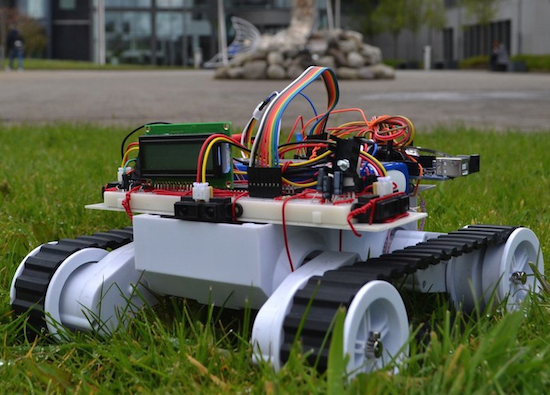
For his end of the year project at the University of Valencia, Maker Jorge Crespo built an Internet-connected, GPS-enabled rover using an Arduino Mega, an Adafruit FONA 808 module, and a PIC18F45K20 microcontroller.

Other hardware includes IR sensors for obstacle avoidance, a dual H-bridge motor controller, an LCD screen, DC/DC converters, and an 11.1V, 5Ah LiPo battery. The bot is managed through a web-based interface, allowing its user to select between auto or manual commands, as well as track its location on a map.

The project can be found on GitHub.

Two college students build a hilarious animatronic face

Let’s start off by saying that, if you’re a senior engineering student just weeks away from graduation, it takes some serious guts to create an animatronic face of your school’s president. We should also add that it’s pretty hilarious.

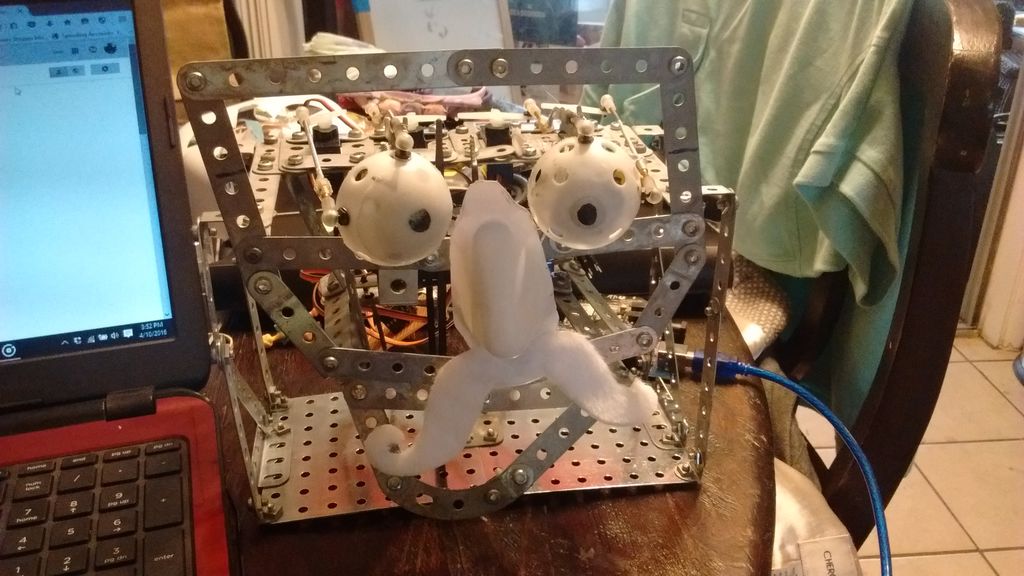
Geoffrey Toombs and James Schopfer are the two University of Texas at San Antonio undergrads behind the Disney Audio-Animatronics-inspired project, which uses a plastic mask, an Erector set, an Arduino Mega with an MP3 shield, and some computer speakers. The face — consisting of eyes, a nose, a mouth and a formidable mustache — is driven by a set of servos. An even cooler feature of the robot is that the mouth is synchronized to an audio clip.

The audio was a sample taken from a YouTube video using various softwares to turn the video file into an audio file and then cutting to the proper length. The original YouTube address of the video I wanted was copied and pasted on the Zamzar.com website so the video could be downloaded and manipulated. The program, Audacity, was used to turn the video file into an audio file and it allowed the audio to be clipped and saved an an MP3. This MP3 audio file was then saved to a microSD card. The card was then placed into the MP3 shield, and the shield is then carefully attached to the Arduino Mega, being careful to not bend the pins.

Code was written for the eye movements. It was decided that he would roll his eyes and wiggle his nose after the mouth movement. This wasn’t really necessary but it let me use the eyes that I spent so much time making and gave a little humor to the project.

While this particular project mimicked the university’s president, the Makers note that any face or picture could be used. A friend? A colleague? A principal? The possibilities are endless. Future upgrades may include a smaller speaker hidden inside the head, a web camera built into an eye, steppers for more precise and fluid movement, IR sensors and more motors for tracking, blinking eyelids, and potentially Skype integration.